إنشاء وإدارة مفاتيح API
AI agent setup
Use this API key with Codex, Claude Code, or Cursor
Connect Tareno's remote MCP, discover 19 social-media tools, and keep publishing actions behind dashboard approval.
API keys let you connect Tareno to external tools such as AI agents through MCP, n8n, Make, Zapier, scripts, and custom workflows.
Before you create a key
- Make sure your plan includes API access.
- Decide what the key will be used for, such as an AI agent, production automation, or testing.
- Use a clear name so you can identify the key later.
- For the full MCP workflow, create a key with both read and publish permissions.
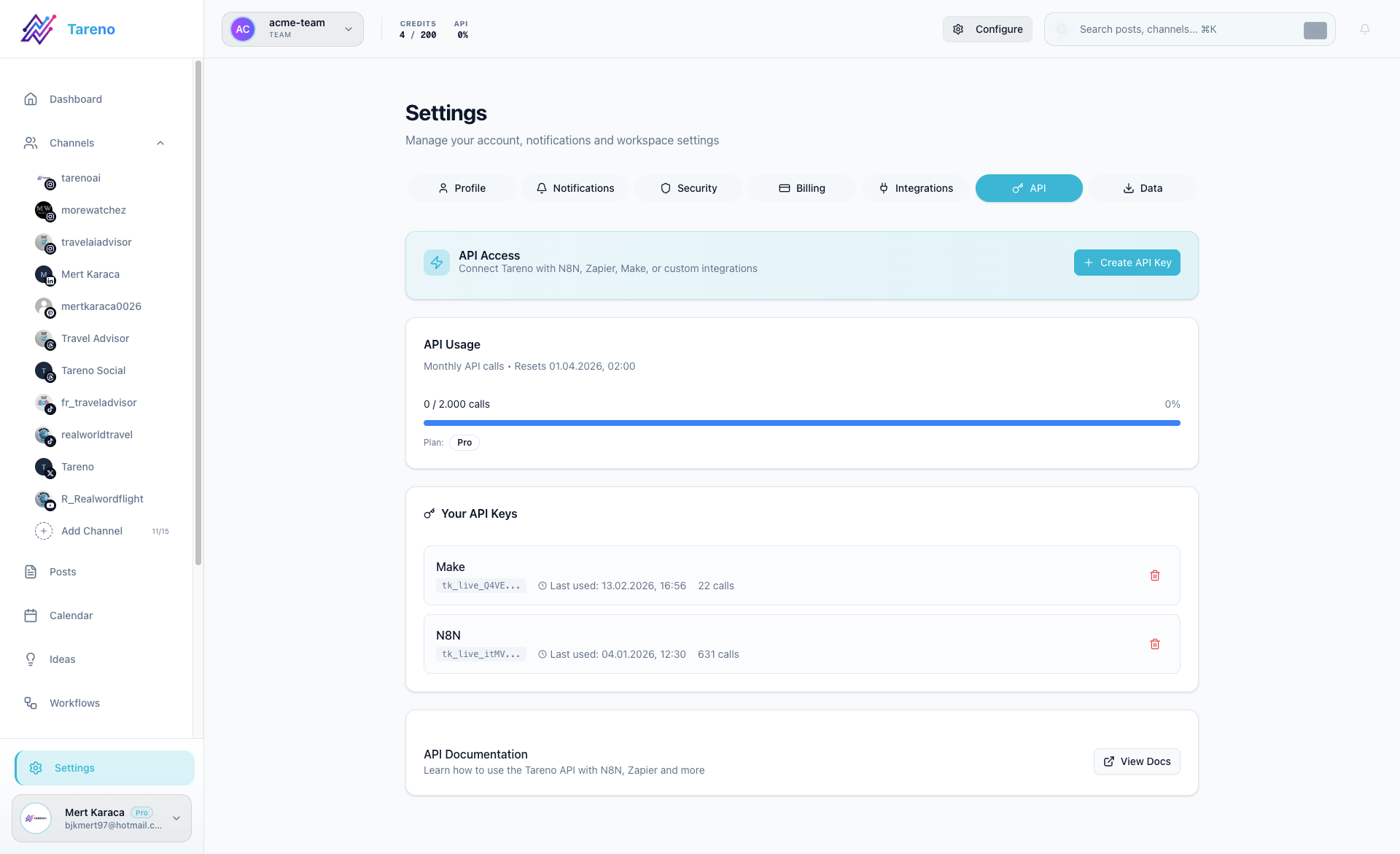
Create a new key
- Open Settings -> API.
- Click Create API Key.
- Enter a descriptive name such as Codex MCP, n8n Production, Make Sandbox, or Zapier Automation.
- Copy the key immediately when it appears.
- Store it in your external tool or password manager.
Connect an AI agent through MCP
Tareno exposes a remote Streamable HTTP MCP at https://tareno.co/api/mcp. Codex, Claude Code, and Cursor can use the same API key without placing it in the URL.
Store the key in your local environment:
export TARENO_API_KEY="tk_live_..."
Add Tareno to Codex:
codex mcp add tareno --url https://tareno.co/api/mcp --bearer-token-env-var TARENO_API_KEY
codex mcp get tareno
The agent can then read accounts, create drafts, prepare schedules and publications, work with media, and inspect analytics across Tareno's ten supported channels: Bluesky, Facebook, Instagram, LinkedIn, Mastodon, Pinterest, Threads, TikTok, X/Twitter, and YouTube. Scheduling, publishing, edits to scheduled posts, and deletions still require approval in the authenticated Tareno dashboard.
You can also ask the agent to extract a timestamped transcript from a public Facebook, Instagram, Pinterest, Threads, TikTok, or YouTube video. Use a prompt such as: "Transcribe this public YouTube video with timestamps: [URL]". This calls get_social_media_transcript.
Public video download is available for Facebook, Instagram, LinkedIn, Pinterest, Threads, TikTok, X/Twitter, and YouTube. Ask: "Download this public Instagram Reel and import it into my Tareno media library: [URL]". The agent first calls get_social_video_download, then passes the temporary downloadUrl to upload_media_from_url. Private, login-gated, deleted, or region-blocked posts may be unavailable.
For Claude Code, Cursor, all 29 tools, and connection troubleshooting, continue with the complete MCP setup guide.
Create a Get Viral Quick Blueprint through MCP
Use an API key with viral:read and viral:write to discover references, create a project, and request a credit quote. Add the separate viral:run scope only when the agent should be allowed to request an analysis run.
Ask: "Find viral YouTube videos about creator marketing, create a 60-second German TikTok Quick Blueprint, show me the credit quote, and ask me to approve before starting." The agent uses get_viral_capabilities, discover_viral_videos, create_viral_project, and get_viral_analysis_quote. start_viral_analysis creates a dashboard approval; credits are not reserved and analysis does not begin before approval. Afterwards, get_viral_run_status and get_viral_blueprint return progress and the result.
Manage existing keys
- Review the key list to see usage and last activity.
- Revoke keys that are no longer needed.
- Replace old keys instead of reusing one key everywhere.
Important security note
A newly created key is shown only once. If you lose it, create a new key and revoke the old one.
- Never put the key in a URL or commit it to Git.
- Tareno receives the key through the HTTPS Authorization header and stores only its hash.
- Use separate keys for separate clients so each connection can be revoked independently.
Plans and usage
MCP and Automation API access is included during the 14-day trial with 100 calls, on Pro with 2,000 calls per month, and on Business without a monthly call limit. Free and Starter do not include API access.
What to do next
Use the key with the Tareno MCP for AI agents, Connect Tareno to n8n, Connect Tareno to Make, Connect Tareno to Zapier, or the technical API docs.
هل كان هذا المقال مفيداً؟
تساعدنا ملاحظاتك على تحسين الوثائق.
آخر تحديث