5 دقائق للقراءة
ابدءربط حساباتك الاجتماعية
إن ربط قنواتك هو خطوة الإعداد الأولى التي تفتح النشر والتحليلات والأتمتة داخل Tareno.
قبل أن تبدأ
- تأكد من أنه يمكنك تسجيل الدخول إلى الحساب الاجتماعي الذي تريد الاتصال به.
- إذا كان النظام الأساسي يستخدم أذونات الأعمال، فتأكد من أن لديك حق الوصول الإداري.
- حافظ على تمكين النوافذ المنبثقة حتى يمكن فتح نافذة موافقة OAuth.
القنوات المدعومة في التدفق الحالي
- انستغرام
- الفيسبوك
- لينكدين
- يوتيوب
- تيك توك
- بينتيريست
- المواضيع
- اكس / تويتر
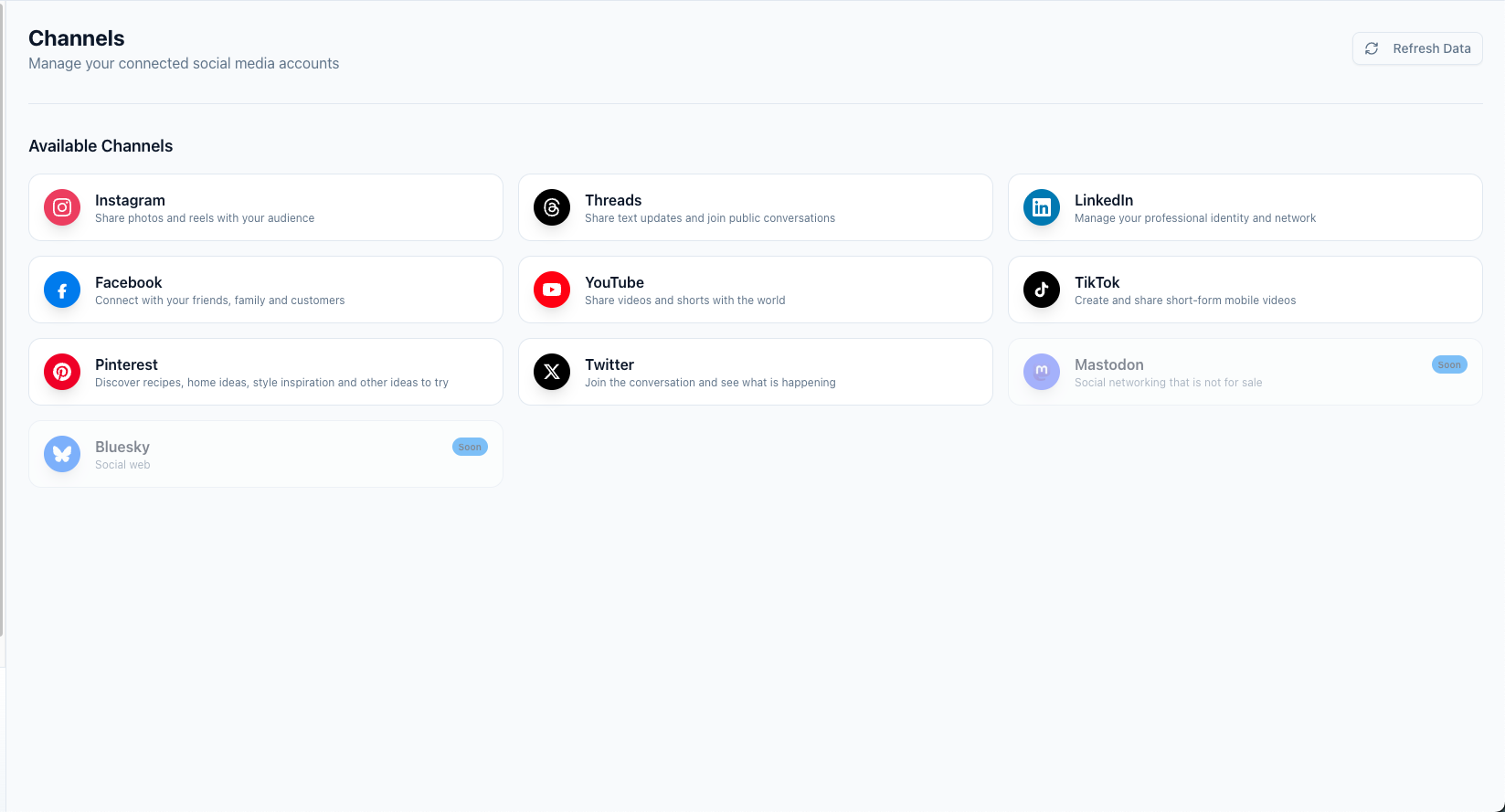
ربط القناة
- افتح لوحة المعلومات -> القنوات.
- انقر فوق النظام الأساسي الذي تريد الاتصال به.
- قم بالموافقة على الأذونات المطلوبة في نافذة الموفر المنبثقة.
- انتظر حتى يعيدك تارينو إلى لوحة القيادة.
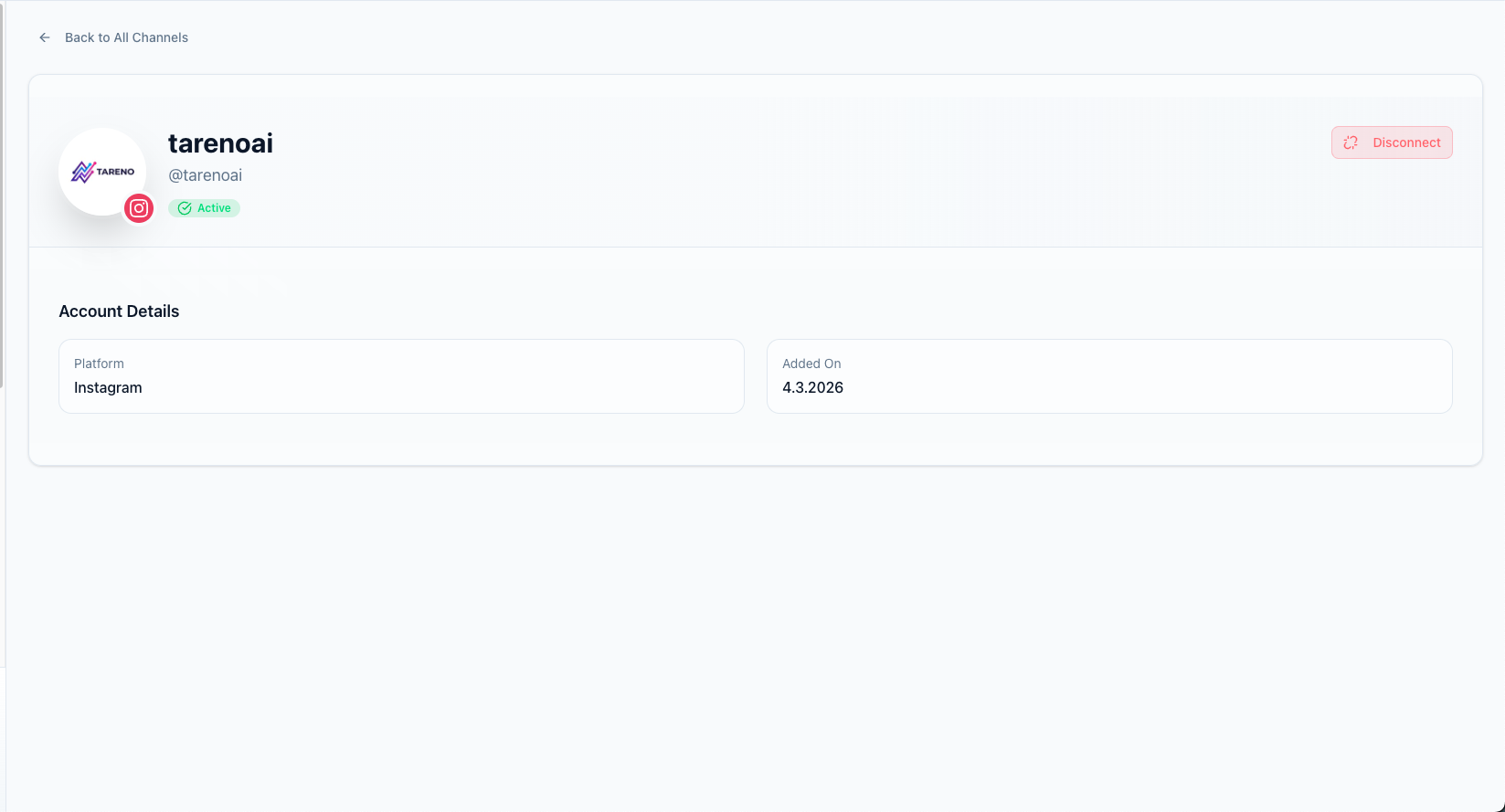
- تأكد من ظهور الحساب الجديد بالحالة النشطة.
استكشاف الأخطاء وإصلاحها
- إذا تم إغلاق النافذة المنبثقة دون الاتصال، حاول مرة أخرى مع تعطيل حظر النوافذ المنبثقة.
- إذا أظهر الحساب يحتاج إلى تحديث، فأعد فتح تدفق الموفر وأعد ترخيص الاتصال.
- في حالة فشل Facebook أو Instagram، تأكد من تحديد الصفحة الصحيحة أو ملف تعريف الأعمال الصحيح أثناء تدفق موافقة مقدم الخدمة.
الميزات ذات الصلة
- النشر متعدد المنصات للنشر عبر جميع القنوات المتصلة
- التحليلات والتقارير لتتبع الأداء لكل قناة
ماذا تفعل بعد ذلك
بعد ربط قنواتك، أنشئ منشورك الأول أو تعرف على كيفية جدولة منشور.
هل كان هذا المقال مفيداً؟
تساعدنا ملاحظاتك على تحسين الوثائق.
آخر تحديث
March 8, 2026