
Analytics-led planning sounds obvious, but most teams still build next month’s calendar from habit, opinion, or whatever needs to ship fastest.
The result is a schedule that looks full without proving that the topics, hooks, or formats deserve another round of attention.
A better system starts with signals, turns them into clear planning decisions, and keeps those decisions visible through briefing, approval, scheduling, and repurposing.
TL;DR
Analytics-led content planning means using real performance signals to choose what to make next, which format deserves another test, and which ideas should be retired. The metric itself is not the goal. The planning decision is.
Teams that do this well connect reporting, brief creation, scheduling, and reuse in one operating loop instead of treating analytics as a monthly recap.
Why analytics-led planning often fails
Most dashboards answer what happened, not what to do next. A team sees reach, engagement, click-through rate, or watch time, but the workflow never translates those signals into specific topics, deadlines, or owners.
That gap is why many calendars drift back to guesswork. Reporting is visible, but planning is still driven by intuition, internal pressure, or whoever speaks first in the meeting.
If the next action is not obvious after the report is reviewed, the planning system is incomplete.
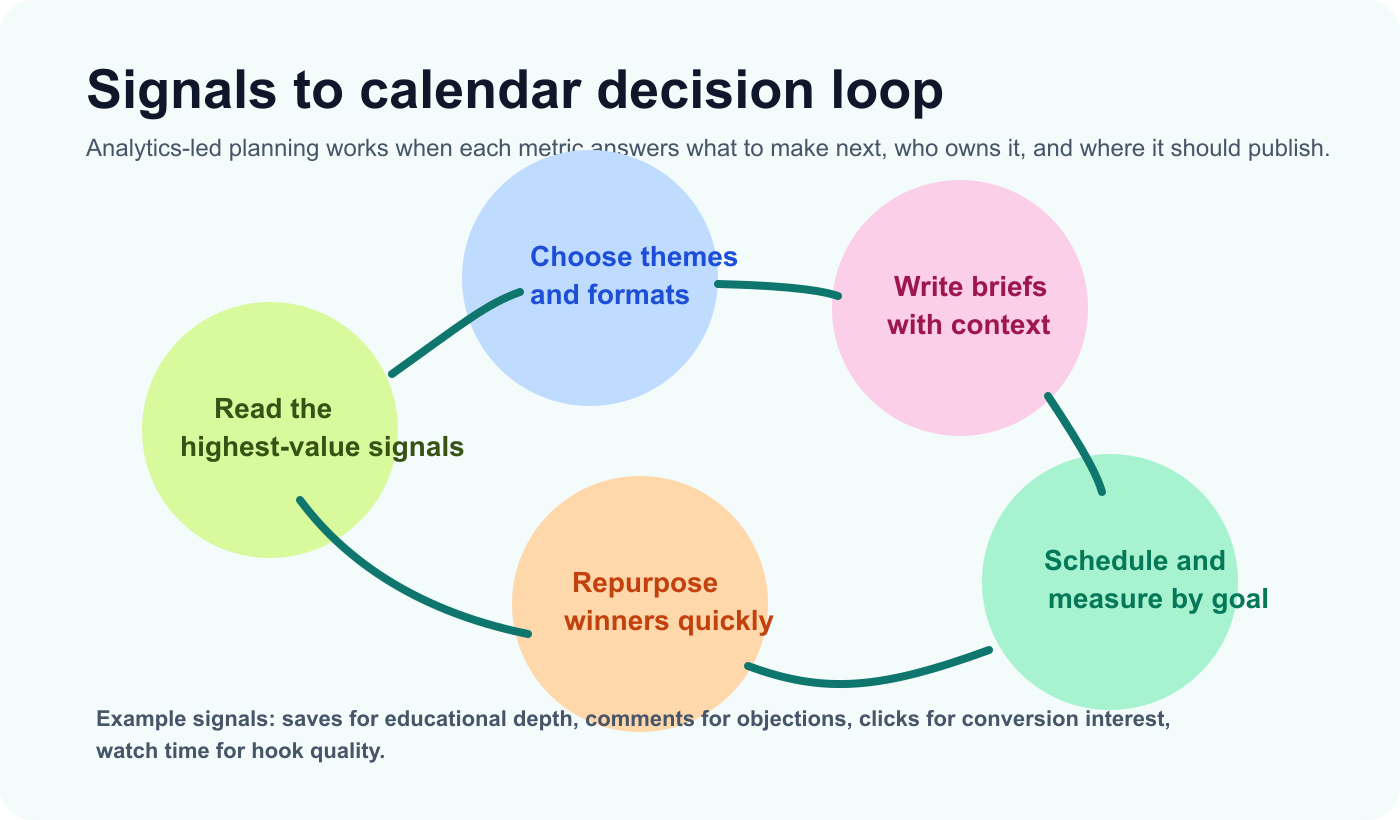
Analytics-led strategy works when each signal creates a clear content decision instead of sitting in a report.
Turn metrics into planning inputs
The fix is simple in theory: decide in advance what each signal should trigger. High saves may indicate educational depth. High comments may reveal objections or community tension. High clicks may show commercial interest. Strong watch time may indicate a hook or format worth reusing.
Once those rules exist, analytics-led planning becomes much easier to operationalize. The team no longer asks what the dashboard means in abstract terms. It asks what the signal should change in next month’s plan.
This is also where workflow clarity matters more than dashboard volume. If your team is comparing reporting-heavy tools, the strategic question is not which tool shows the most charts. It is which system connects those charts to action. That is the same reason many teams eventually look for a Metricool alternative when reporting alone stops being enough.
Stage 1: Capture signals and choose themes
The first stage is signal review. Start by identifying the few metrics that should shape your next calendar: saves for educational resonance, comments for friction or curiosity, clicks for intent, and watch time for format strength.
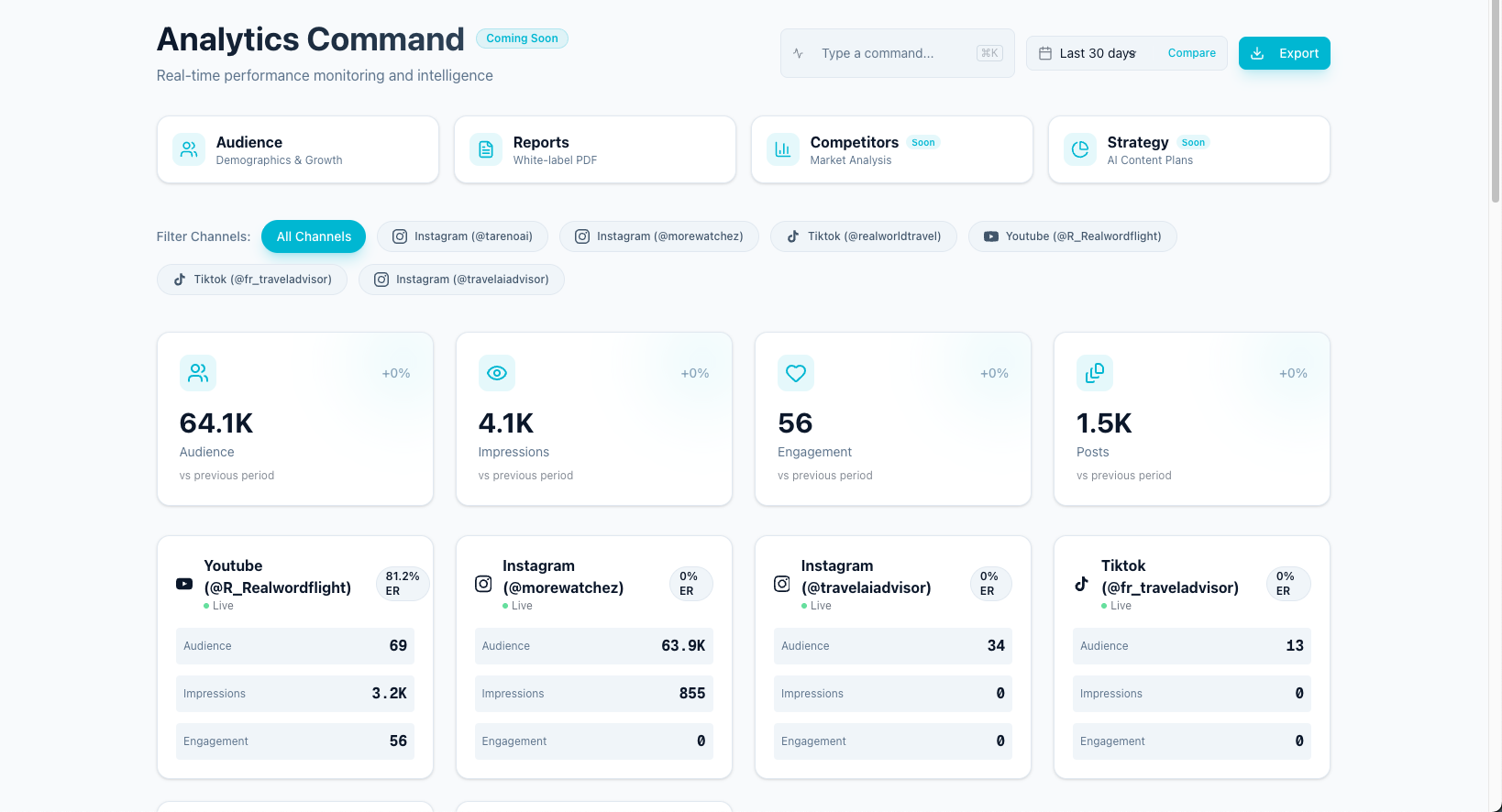
A useful dashboard highlights which topics, hooks, and formats deserve another round of content.
Then group those signals into reusable planning themes. If tutorial posts consistently earn saves, that may justify a deeper educational series. If comparison posts drive clicks, that may justify a new set of bottom-funnel topics. If short videos hold attention, that may justify more channel-specific hook testing.
Done well, this stage turns reporting into editorial direction instead of a passive performance archive.
Stage 2: Brief, draft, and approve next-month posts
After the themes are selected, each planned post still needs a real brief. The brief should define the audience, format, angle, CTA, owner, asset requirement, and success metric. Analytics informs the brief, but it does not replace it.
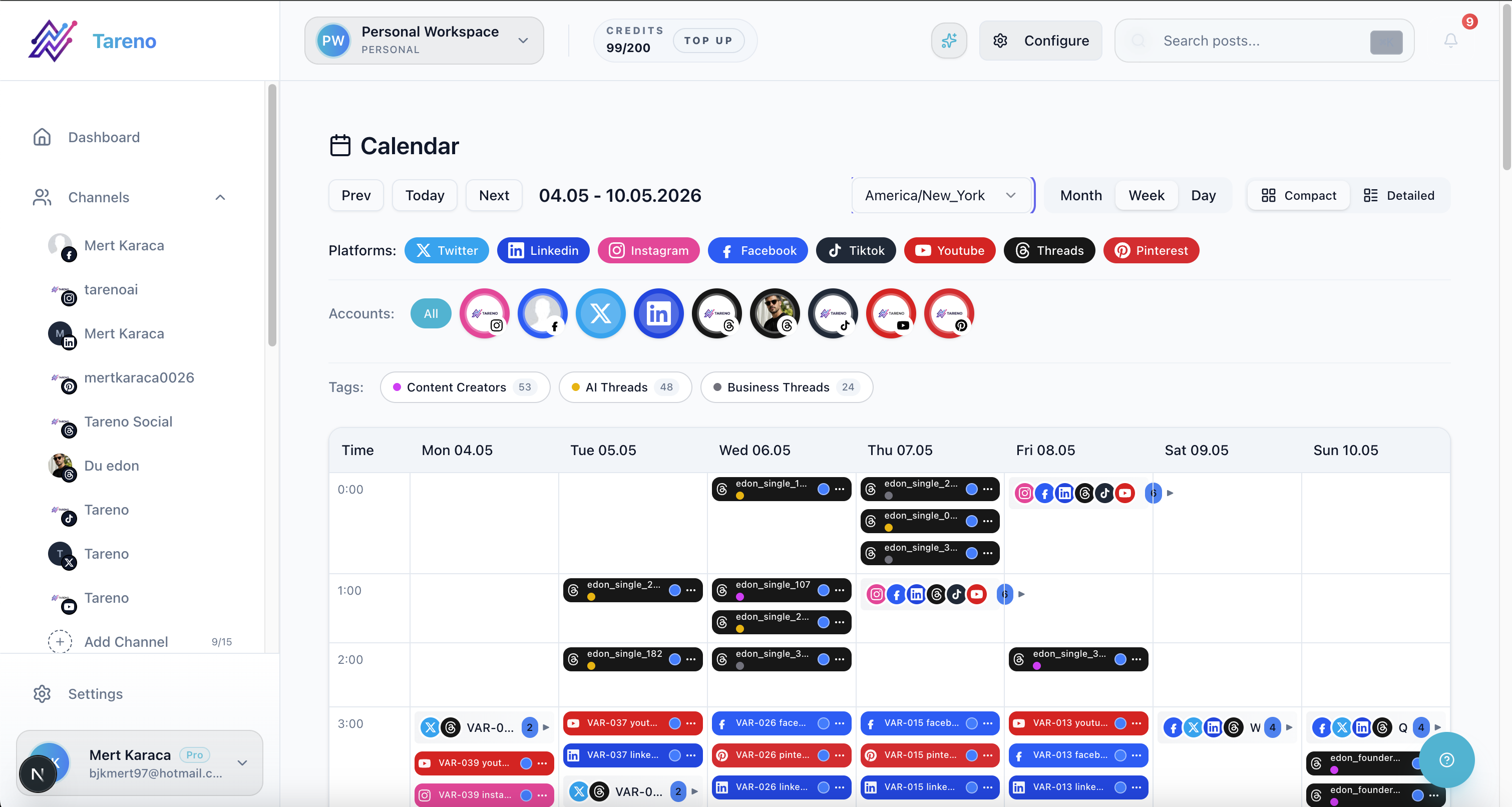
The calendar becomes more useful when each slot is backed by a performance-informed brief instead of guesswork.
This stage is also where teams avoid one of the most common planning mistakes: putting ideas on the calendar before anyone has checked whether the draft, asset, and approval path are realistic. Strong approval workflows keep the planning layer honest because they force the team to distinguish between a promising idea and a publish-ready post.
Once the brief is clear, the team can route drafting, review, and handoffs without losing the link back to the original signal that justified the content.
Stage 3: Schedule, measure, and repurpose winners
The schedule should reflect both strategy and readiness. If a topic deserves a follow-up test, it still should not be placed on the calendar without the correct owner, asset, platform version, and measurement plan in place. That is why post scheduling is more useful when it sits inside a larger workflow instead of acting like a standalone calendar.
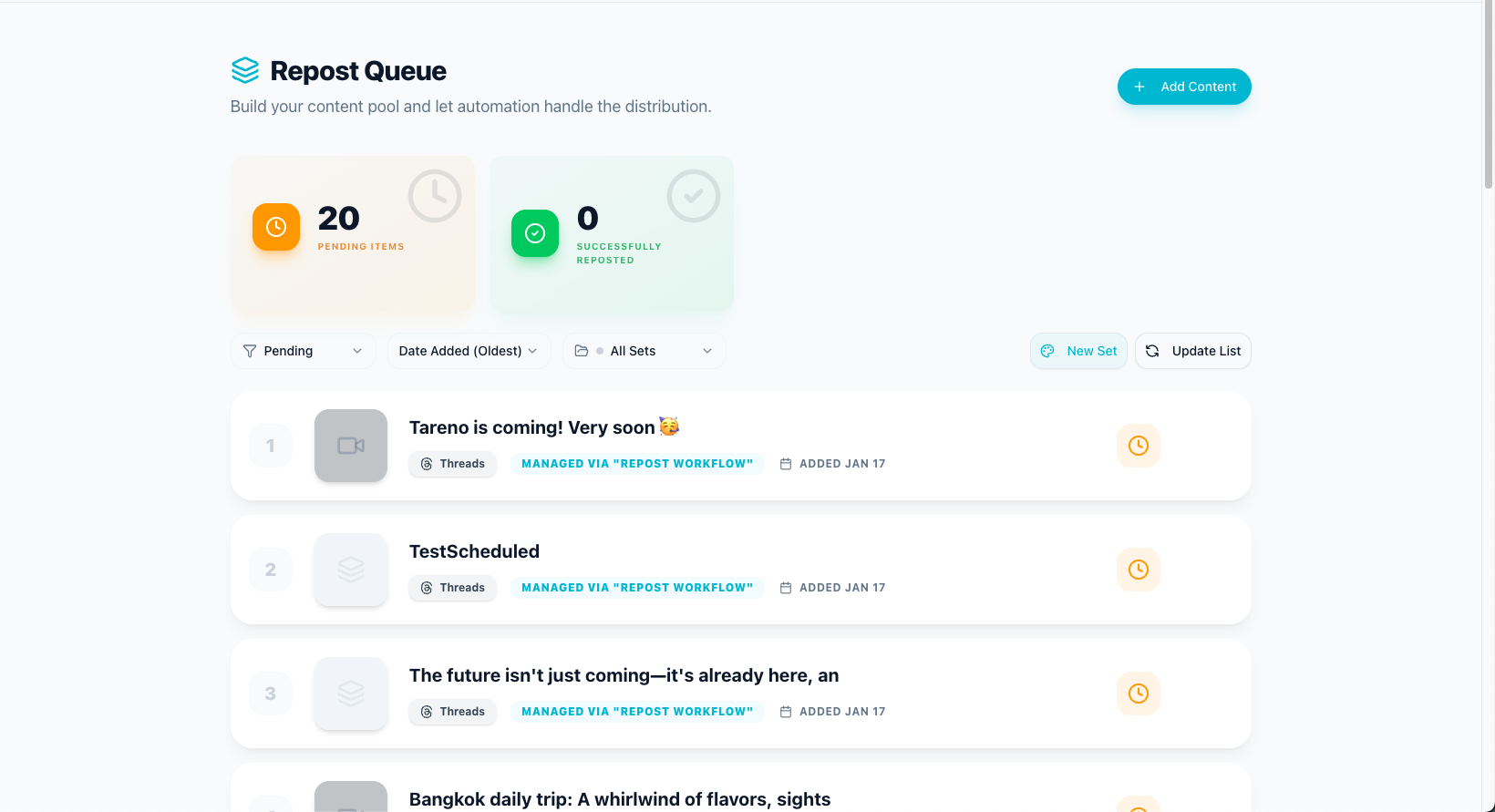
The best planning systems keep reuse close to measurement so proven ideas create more output quickly.
After publishing, the same workflow should trigger a measurement review and a reuse decision. Some posts earn a second life because the angle was strong. Others reveal a comment pattern that should become a new FAQ post or comparison asset. A good repurposing workflow makes those second-wave decisions routine instead of accidental.
That is the operational difference between analytics as reporting and analytics as planning input.
How Tareno supports analytics-led planning
Tareno is useful here because it connects reports, boards, approvals, scheduling, and repurposing in one operating system. The team can review signals, create follow-up briefs, assign owners, and keep the resulting content visible all the way through publication.
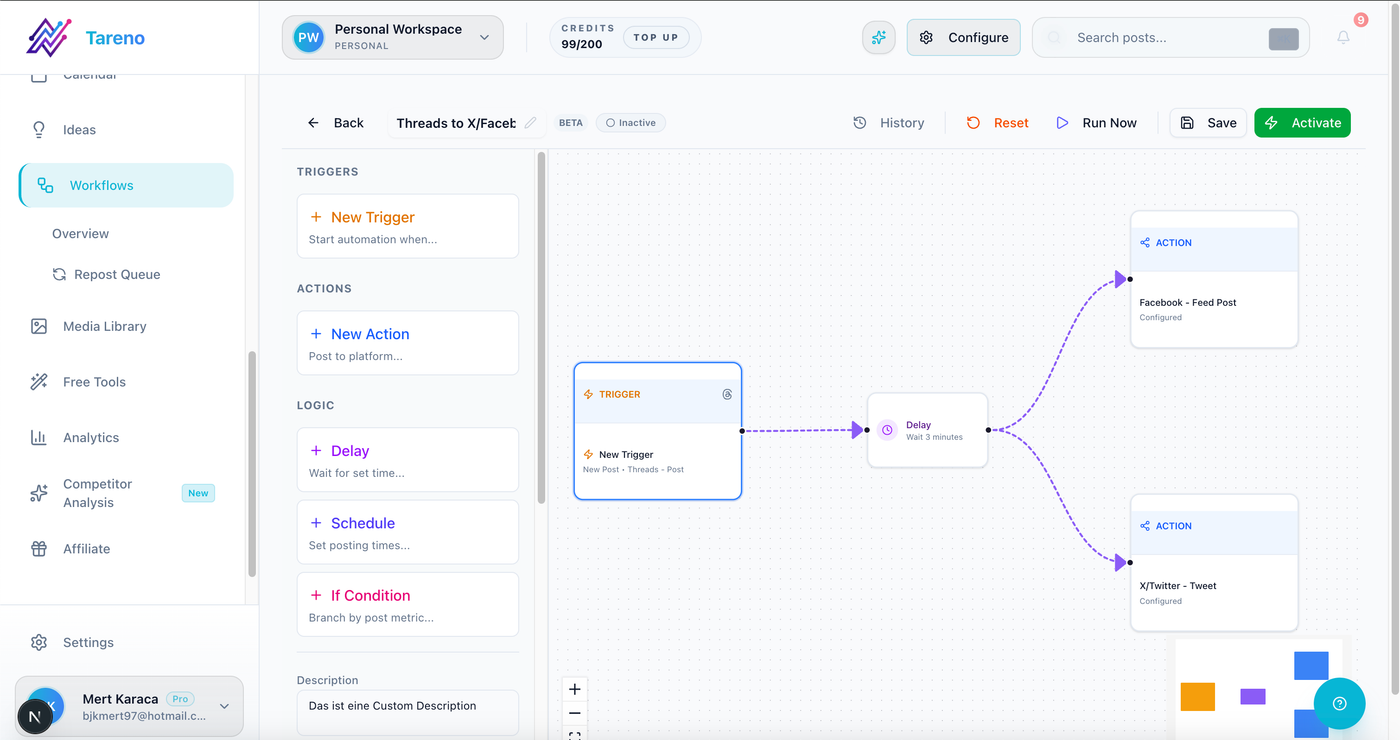
Workflow handoffs make analytics useful when the next brief, owner, and follow-up task appear immediately.
That makes the reporting layer actionable instead of ornamental. A dashboard becomes valuable when it creates the next content move, not just when it summarizes the previous month.
Common mistakes to avoid
The first mistake is letting one loud metric override context. Reach without saves, clicks, or conversion intent may not justify a repeat topic. The second mistake is looking only at platform metrics and ignoring workflow metrics such as approval delay or time-to-publish.
The third mistake is turning every strong post into more of the same thing. Analytics-led planning should guide variation, not repetition. Use the signal to decide the next angle, not just to duplicate the previous asset.
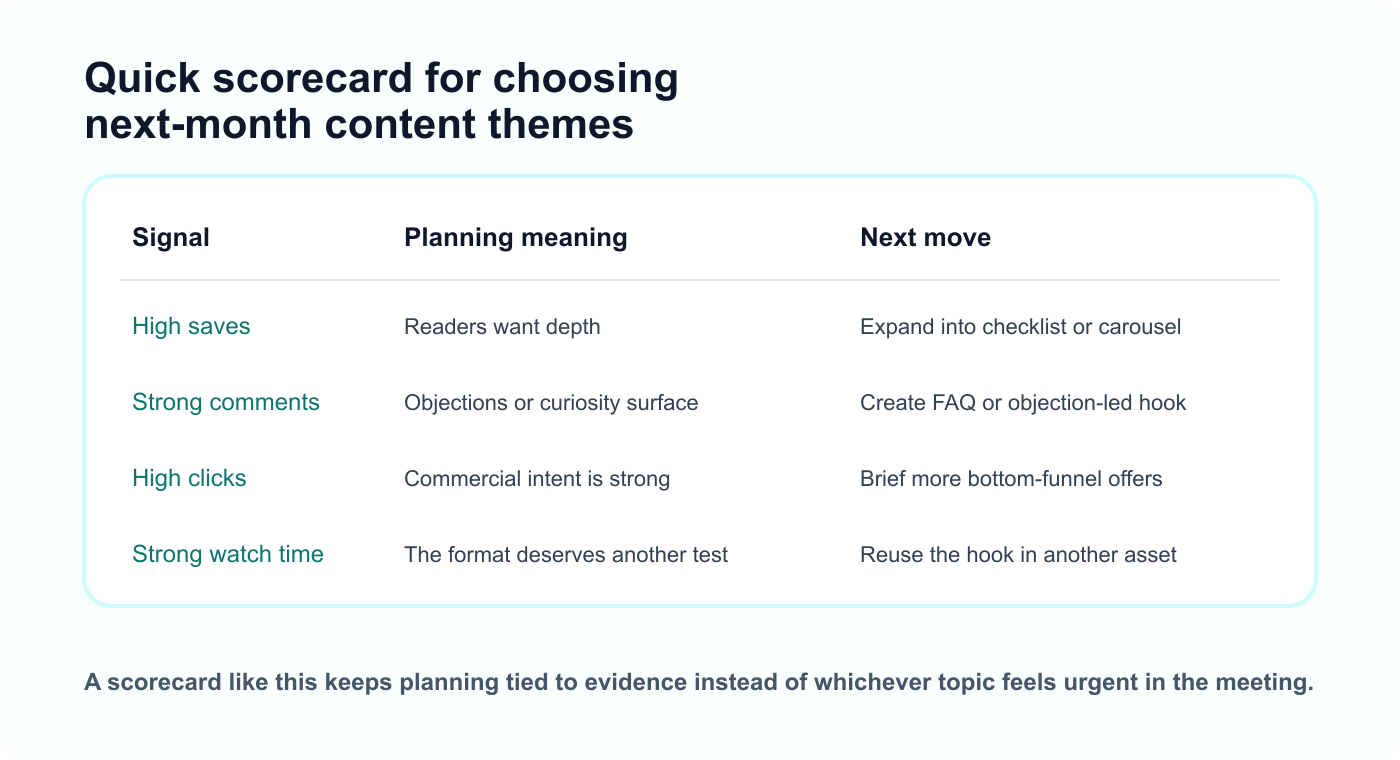
A simple scorecard makes it easier to decide which themes deserve expansion, another test, or retirement.
The fourth mistake is separating measurement from reuse. If the workflow never creates a repurposing decision, the planning system stops halfway through the value chain.
Related Tareno resources
Keep the workflow moving
Feature Analytics Reports Track the signals that should change next month’s plan. Explore reports -> Feature Post Scheduling Turn approved themes into a realistic cross-channel calendar. See calendar -> Workflow Repurposing Workflow Convert winning posts into follow-up assets while the signal is fresh. Open workflow -> Alternative Metricool Alternative Compare reporting-heavy tools with workflow-connected planning systems. Compare options ->
FAQ
Which metrics matter most for content planning?
The answer depends on the goal, but saves, comments, clicks, and watch time are often the most useful because they indicate learning value, objection patterns, buying intent, and format strength.
How often should teams review analytics for planning?
Many teams do best with a weekly signal review and a deeper monthly planning pass. That keeps the calendar responsive without making it unstable.
Should every post be planned from analytics?
No. Campaign requirements, launches, and strategic narratives still matter. Analytics should inform the plan, not erase intentional brand priorities.
What is the difference between analytics and analytics-led planning?
Analytics reports what happened. Analytics-led planning uses that information to choose the next themes, briefs, formats, and repurposing moves.
Final thoughts
Analytics-led content planning works when reporting changes what the team briefs, schedules, and reuses next. That is what turns data into momentum instead of just visibility.


