The Social Media Media Library That Keeps Every Asset Organized
Store images, videos, and GIFs in a centralized social media media library with campaign-based folder structures, AI auto-tagging by color, mood, product, and season, and version control that preserves original and edited media files together. Team members browse and attach assets directly from the media storage to the Composer without downloading, while built-in asset performance tracking shows which images and videos generate the highest engagement so you can organize your content asset library around proven media.
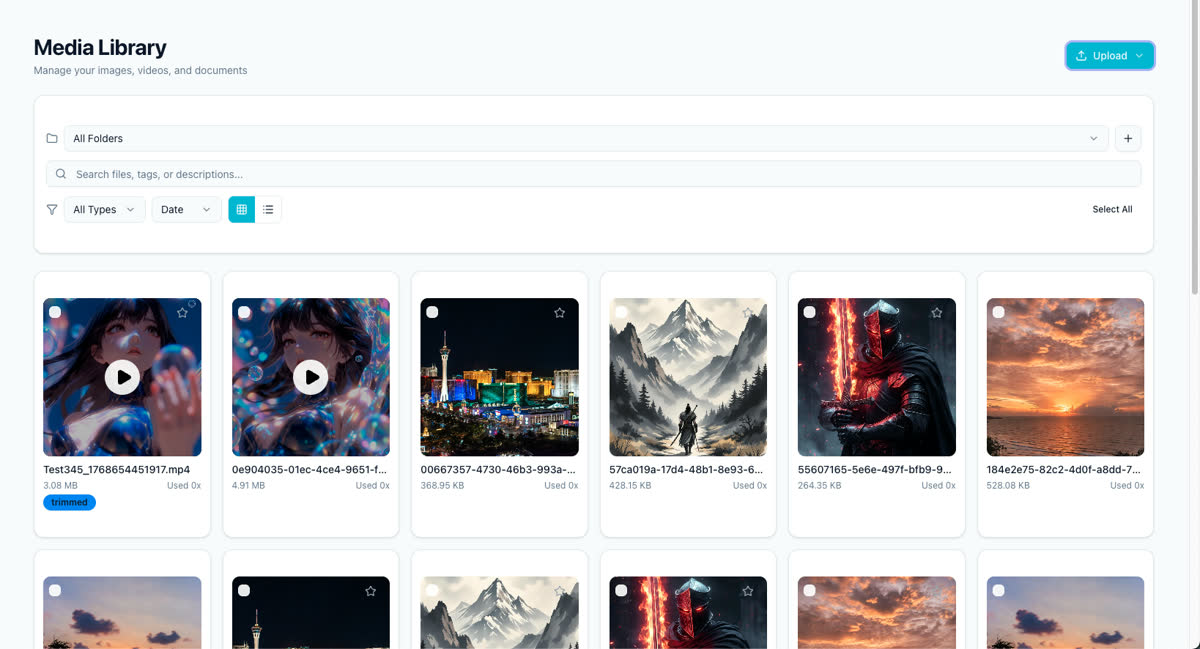
Teams and creators who need to organize social media assets, store brand media centrally, and share content files across campaigns without losing track of versions or file types.
Users looking for a standalone digital asset management system for print design files or 4K video editing workflows with local storage requirements.
Social Media Media Library for Teams — every detail
Centralized Asset Storage
Store images, videos, and GIFs in one social media media library instead of scattered across three tools.
Campaign Folder Structure
Organize assets by campaign, client, or content pillar with nested folder structures.
AI Auto-Tagging
AI auto-tags media files by color, mood, product, and season without manual work.
Version Control
Retain original and edited versions of every asset with built-in version control.
Team Media Sharing
Browse and attach media files directly from the library to posts without downloading.
Asset Performance Tracking
Track which images and videos perform best to optimize future content asset storage.
Bulk Drag-and-Drop Upload
Part of Tareno's integrated social media media library for teams system.
Direct Composer Integration
Part of Tareno's integrated social media media library for teams system.
5 steps to master social media media library for teams
Drag and drop images, videos, and GIFs in bulk to your media library.
Organize media files into folders by campaign, client, or content pillar.
Let AI auto-tag assets by color, mood, product, and season automatically.
Upload edited versions while keeping originals intact with version control.
Browse, search, and attach media files directly from the library to the Composer.
What teams achieve
Store images, videos, and GIFs in one social media media library instead of scattered across three tools.
Organize assets by campaign, client, or content pillar with nested folder structures.
AI auto-tags media files by color, mood, product, and season without manual work.
Retain original and edited versions of every asset with built-in version control.
Browse and attach media files directly from the library to posts without downloading.
Track which images and videos perform best to optimize future content asset storage.
Real scenarios
Managing 500+ product photos scattered across Google Drive, Dropbox, and local folders, with no consistent naming or folder structure for social content.
Centralizes all product images in one social media media library, organizes them by campaign and content pillar, and reduces asset search time from 15 minutes to under 30 seconds per post.
Struggling to maintain approved brand assets across 12 client accounts, with outdated logos and unapproved images accidentally used in scheduled posts.
Creates client-specific folders with version-controlled assets and team sharing permissions, ensuring only approved media files are used and eliminating brand compliance errors.
Sitting on 200+ video clips from past shoots that are buried in phone storage and never reused because they cannot be found or tagged.
Bulk-uploads all clips to the media library, lets AI auto-tag by content and mood, and reuses existing video assets in new posts instead of constantly filming new content.
Included in all Tareno plans with storage scaling by tier, making it accessible for solo creators managing 200+ clips and agencies handling 500+ product photos per client.