A social media content calendar tells you when content should go live.
A social media content workflow tells you how content moves from idea to draft, review, approval, publishing, repurposing, and reporting.
Those are not the same thing.
Many teams think they need a better calendar.
But what they actually need is a better workflow.
The difference matters because a calendar can look organized while the process behind it is still chaotic.
A calendar may show that a post is scheduled for Thursday.
It does not always show:
who owns the post
whether the caption is final
whether the image was approved
whether the client reviewed it
whether the post should be repurposed
whether the pricing claim was verified
whether a Make or n8n automation should run after publishing
whether the post performed well enough to reuse
That is workflow territory.
This guide explains the difference between a social media content calendar and a social media content workflow, when each one is enough, and how creators, teams, and agencies can combine both into a stronger social media operating system.
TL;DR
A content calendar answers:
When is content going live?
A content workflow answers:
How does content move through planning, creation, approval, publishing, repurposing, reporting, and improvement?
You need a content calendar if your main problem is timing.
You need a content workflow if your main problem is coordination, approvals, content reuse, team visibility, or automation.
The strongest teams use both:
calendar for timing
board for production status
approval workflow for quality control
repurposing queue for content reuse
analytics workflow for improvement
Make/n8n/API integrations for automation
What is a social media content calendar?
A social media content calendar is a planning view that shows what content will be published and when.
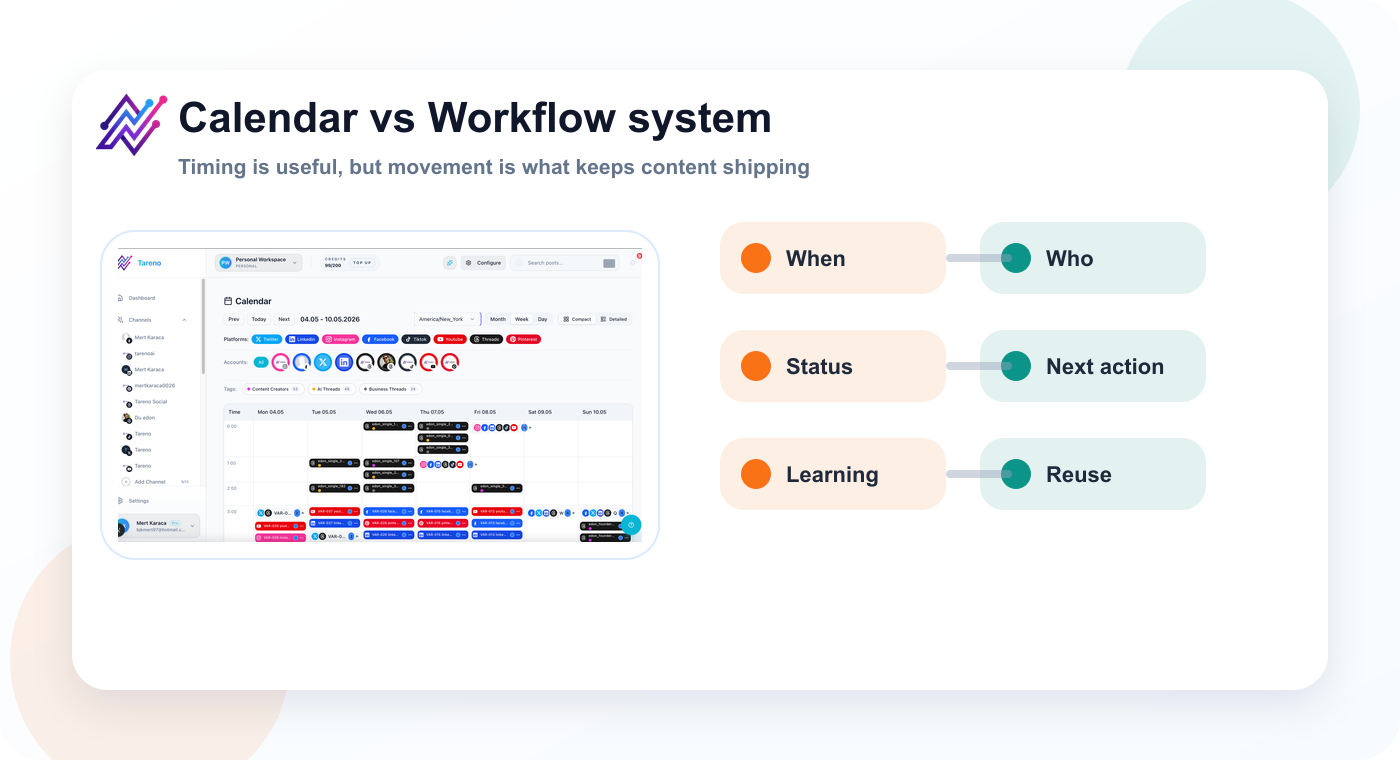
A calendar answers when; a workflow shows who moves the post to the next stage.
The next visual adds the practical layer behind this point: a calendar is strongest when the main planning question is timing.
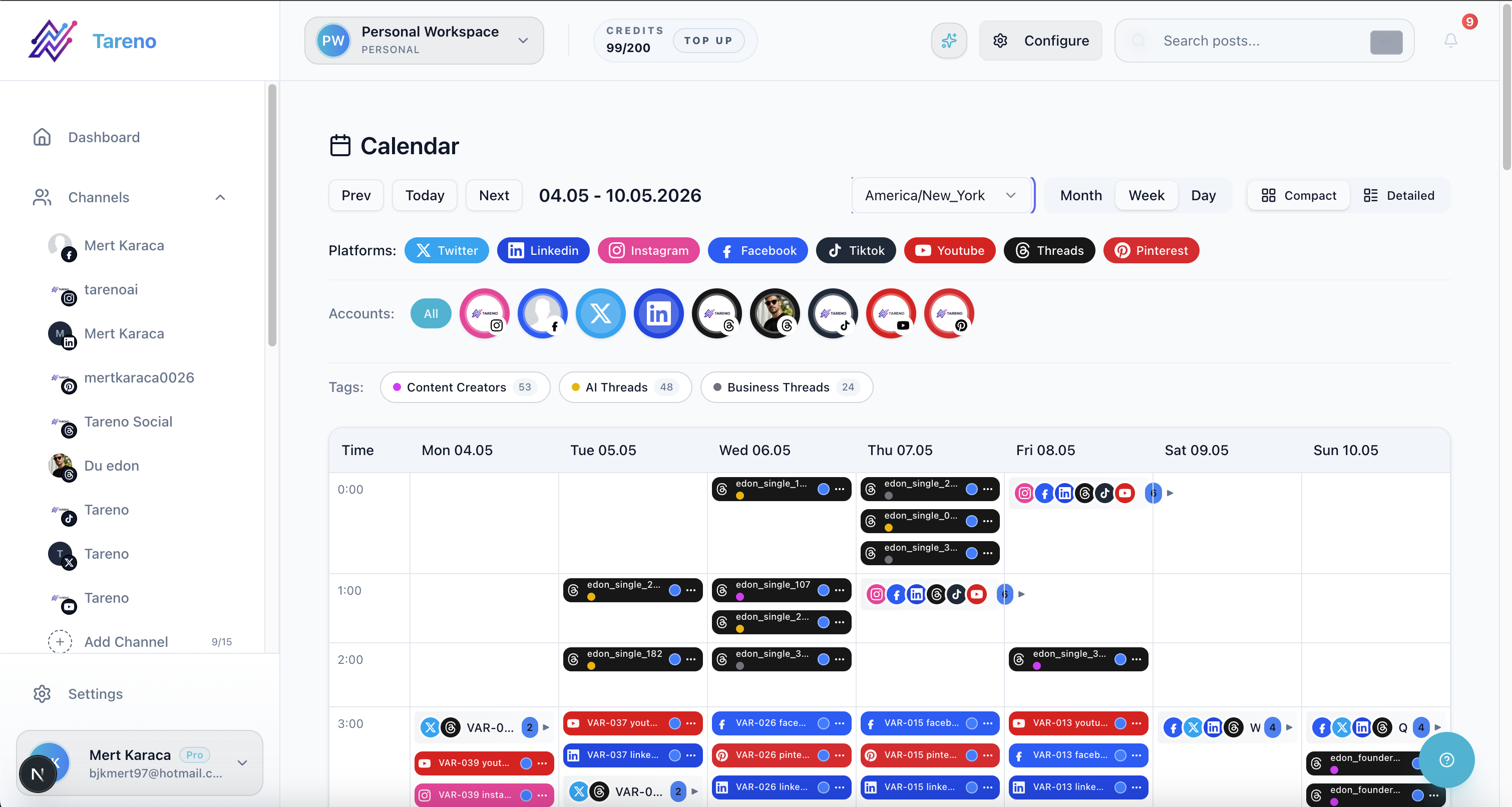
A calendar is strongest when the main planning question is timing.
It usually includes:
publish date
publish time
platform
campaign
post format
caption
asset
owner
status
notes
link
hashtags
approval status
A calendar is useful because it gives the team a timing overview.
It helps answer:
what is going live this week?
which platforms are covered?
are there content gaps?
are campaign posts spaced correctly?
are we posting too much or too little?
what assets are needed before publishing?
A content calendar is especially useful for:
campaign planning
seasonal content
multi-platform publishing
launch calendars
weekly planning
content consistency
executive visibility
A content calendar is not the problem.
The problem is expecting a calendar to do the job of an entire workflow.
What is a social media content workflow?
A social media content workflow is the full operational process behind content.
A quick product walkthrough shows why a workflow needs more than calendar dates.
The following visual adds a separate practical example, so the reader gets context before moving to the next asset.
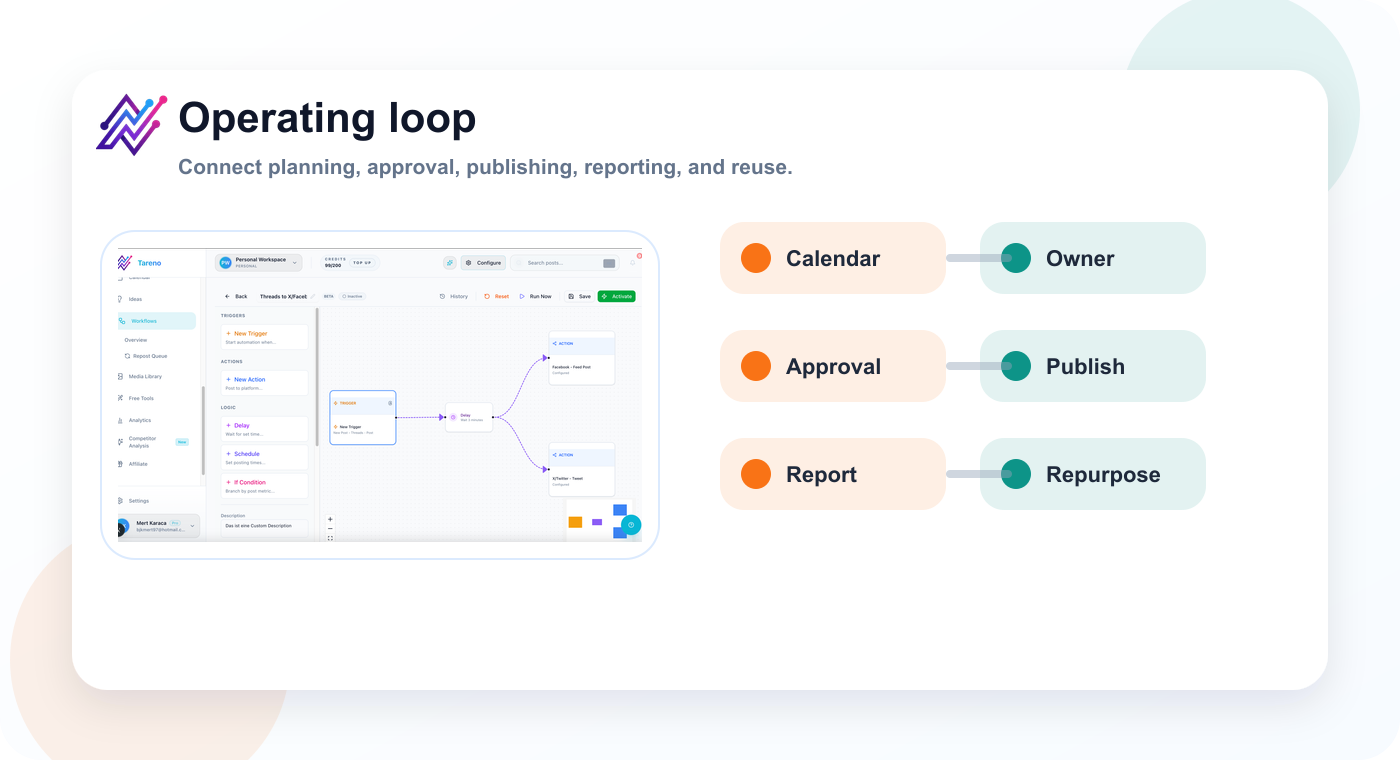
The strongest teams connect calendar planning to approvals, reporting, and repurposing loops.
The next visual adds the practical layer behind this point: a workflow makes movement visible: idea, draft, review, approval, publishing, and reuse.
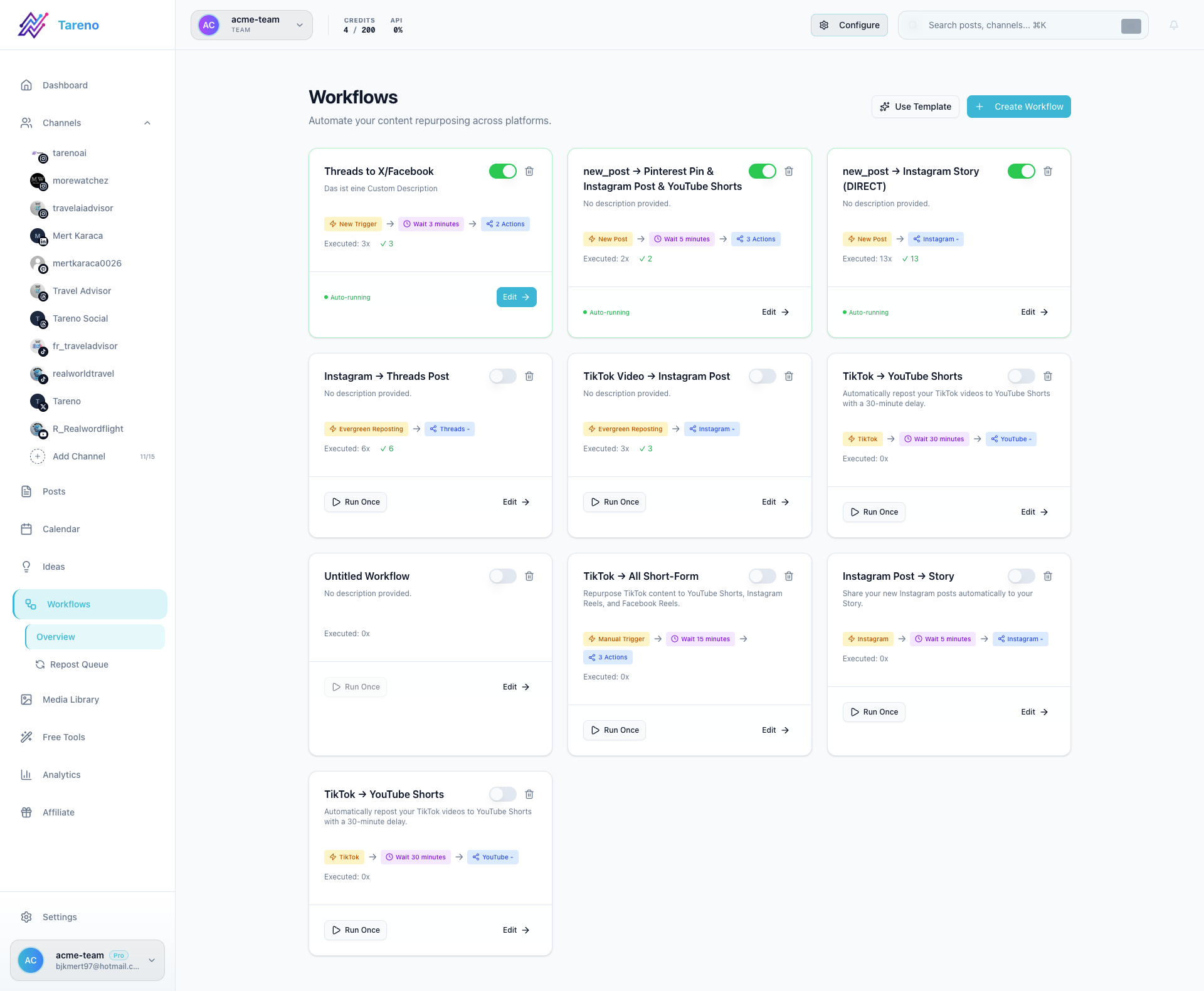
A workflow makes movement visible: idea, draft, review, approval, publishing, and reuse.
It defines how content moves through stages.
A simple workflow might look like this:
Idea
Draft
Internal review
Approval
Scheduled
Published
Repurpose
Report
A more advanced workflow might include:
platform-specific versions
client approval
legal review
pricing verification
competitor claim verification
asset review
role-based permissions
activity history
repurposing rules
automation triggers
analytics actions
Make or n8n integrations
A workflow helps answer:
who owns this content?
what is the current status?
who needs to review it?
what is blocking it?
what happens after approval?
should it be repurposed?
which automation should run?
what changed and who changed it?
what should happen after publishing?
A content workflow is the operating system.
The calendar is one view inside that system.
The core difference: timing vs movement
The simplest way to understand the difference:
A calendar shows timing. A workflow shows movement.
A calendar shows that a post is planned for next Wednesday.
A workflow shows that the post is still waiting for the designer, has not been reviewed, needs a revised caption, and cannot be scheduled until approval is complete.
That is a big difference.
A content calendar can make a team feel organized even when the production process is broken.
A workflow makes the production process visible.
This is why many teams outgrow calendar-only tools.
They do not need more boxes on a calendar.
They need clearer movement through the content lifecycle.
Why calendar-only planning breaks
Calendar-only planning usually breaks when the team grows or the workflow becomes more complex.
Here are the most common failure points.
1. The calendar shows publish dates but not bottlenecks
A calendar can show that a post is due tomorrow.
But it may not show that:
the asset is missing
the caption is still in draft
approval has not happened
the client requested changes
the wrong version is attached
the video needs subtitles
the post should be delayed
A workflow board makes those bottlenecks visible.
2. Approval status is unclear
If approval happens in Slack, email, or comments on screenshots, the calendar may not reflect the true status.
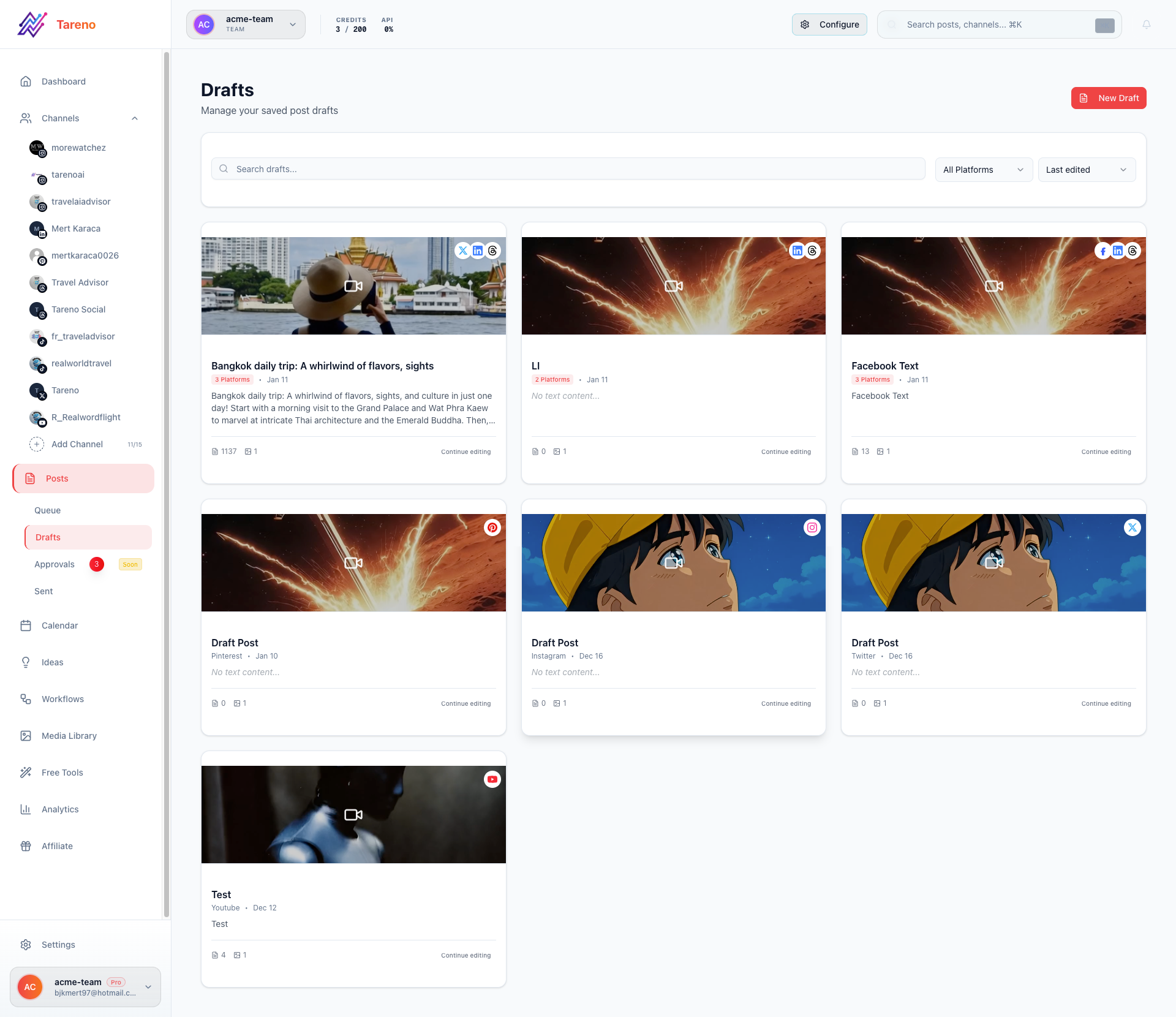
Approval queues prevent a publish date from hiding unfinished review work.
The post might look ready.
But the final approval may still be missing.
3. Content ownership is vague
A date on a calendar does not always show who owns the next action.
The post may be assigned to everyone, which usually means it is owned by no one.
4. Repurposing is forgotten
Calendars usually focus on upcoming posts.
They do not always manage reusable content after it has been published.
That means strong content often disappears after one use.
5. Reporting does not connect back to planning
Many teams report performance, but the report does not change the calendar.
A workflow connects analytics to the next action.
The CALENDAR framework
Use the CALENDAR framework to decide what your planning system actually needs.
C — Campaign timing
A — Approval path
L — Lifecycle stage
E — Execution owner
N — Next action
D — Distribution plan
A — Analytics loop
R — Repurposing queue
If your current calendar only covers the first letter, you do not have a workflow yet.
C — Campaign timing
A calendar is excellent for timing.
Use it to plan:
campaign launches
product announcements
seasonal content
weekly publishing cadence
cross-platform timing
event-related posts
content spacing
holidays
deadlines
This is where calendar tools shine.
A calendar helps prevent gaps and overload.
It shows whether you are publishing too much on one day and too little on another.
But timing is only one part of social media operations.
A post can be perfectly timed and still fail because the workflow behind it was weak.
A — Approval path
Every content system needs an approval path.
Approval paths answer:
who reviews this?
who gives final approval?
when can it be scheduled?
what happens if changes are requested?
does repurposed content need review?
are pricing or competitor claims verified?
Approval paths are especially important for:
agencies
teams
brand collaborations
legal-sensitive content
pricing claims
competitor comparisons
paid campaigns
product announcements
multilingual content
A content calendar may include an approval status.
But a workflow should define the approval logic.
Example:
Low-risk posts need social lead approval.
Product claims need product review.
Pricing claims need verification.
Client posts need client approval.
Repurposed old posts need freshness review.
That is more than a calendar field.
That is a workflow rule.
L — Lifecycle stage
A content lifecycle has stages.
The most common stages are:
Idea
Draft
Design
Review
Changes Requested
Approved
Scheduled
Published
Repurpose
Report
Archive
A calendar usually focuses on Scheduled and Published.
A workflow covers the whole lifecycle.
This matters because most delays happen before the post reaches the calendar.
If a post is stuck in design, the calendar does not solve that.
If a post is stuck in review, the calendar does not solve that.
If a post needs a platform-specific rewrite, the calendar does not solve that.
A workflow board makes the lifecycle visible.
E — Execution owner
Every content item needs an execution owner.
The owner is responsible for moving the content forward.
They do not need to do every task.
But they need to know:
what needs to happen next
who is blocking progress
whether approval is complete
whether the post is ready to schedule
whether the post should be repurposed
whether performance should be reviewed
Without ownership, content gets stuck.
In a creator workflow, the owner might be the creator or assistant.
In an agency workflow, the owner might be the account manager.
In a small team, the owner might be the social media manager.
Ownership turns a content calendar from a passive schedule into an active workflow.
N — Next action
Every content item should have a next action.
Examples:
write draft
design creative
review caption
check pricing
approve
revise
schedule
publish
repurpose
report
archive
If a content item has no next action, it is likely to stall.
This is one of the biggest differences between a calendar and a workflow.
A calendar can show a future date.
A workflow shows the next action required to make that date possible.
D — Distribution plan
A content calendar often shows where content will be published.
A workflow should define how content will be adapted.
Example source idea:
Social media reporting is not enough. Analytics should create actions.
Platform adaptations:
LinkedIn: leadership/workflow lesson
Threads: direct opinion
Instagram carousel: checklist
TikTok: short hook and example
Pinterest: search-friendly graphic
YouTube Shorts: short explanation
Blog: deep-dive article
A calendar might show that the idea goes to five platforms.
A workflow defines how each version changes.
This avoids lazy cross-posting.
It also improves platform fit.
A — Analytics loop
The analytics loop is where a workflow becomes a learning system instead of a static publishing plan.
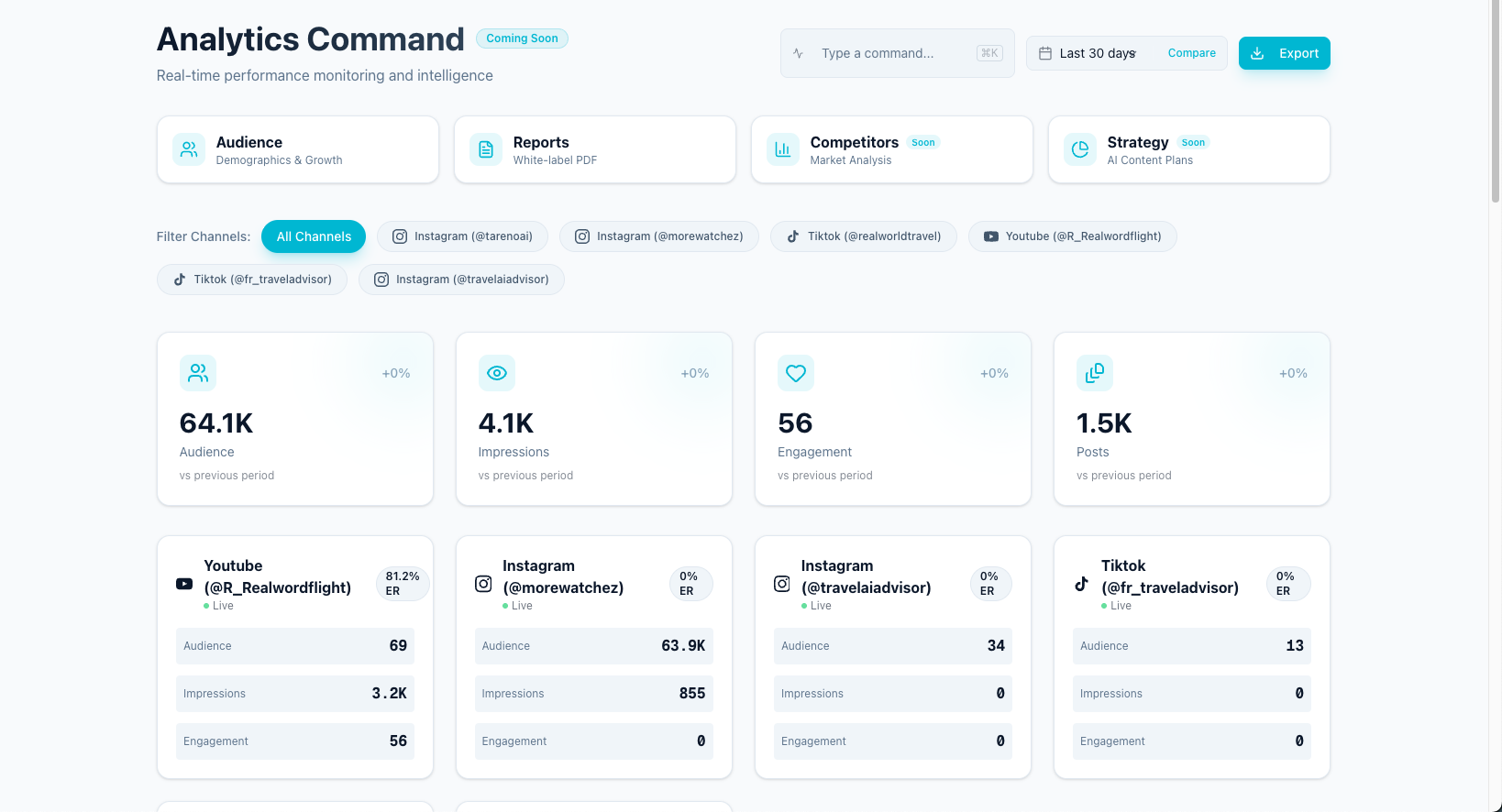
A useful workflow turns performance data into the next planning decision.
Analytics should feed the workflow.
A report should not only show performance.
It should create actions:
repurpose this post
pause this format
test this hook again
update this landing page
create a follow-up post
add an internal link
make a comparison page
rewrite the caption
create a Pinterest pin
A content calendar often looks forward.
An analytics loop looks backward and then changes what happens next.
This is how teams improve.
Without analytics feeding the workflow, the team repeats content habits without learning.
R — Repurposing queue
A repurposing queue gives proven ideas a second life across platforms without restarting from a blank page.
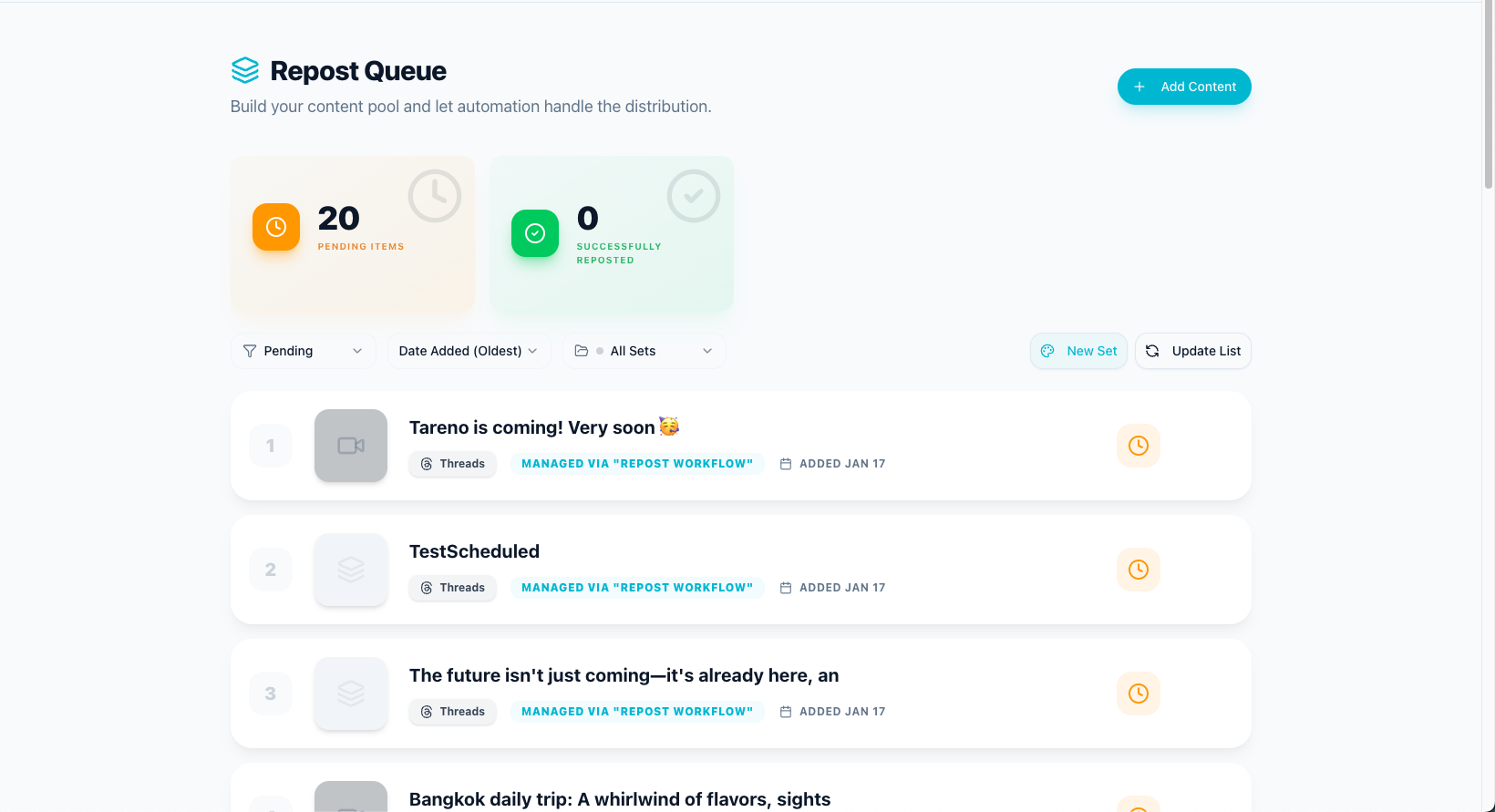
Repurposing belongs in the workflow, not as a note someone remembers later.
A repurposing queue is where successful content goes after publishing.
This is the missing piece in many content calendars.
The calendar tells you what is planned.
The repurposing queue tells you what should be reused.
A repurposing queue should include:
source post
original platform
performance reason
target platforms
owner
status
approval requirement
next publish date
adaptation notes
Example statuses:
Candidate
Needs Rewrite
Needs Design
Needs Approval
Scheduled
Published
Reuse Again
Archive
A content calendar without a repurposing queue forces teams to create from scratch too often.
A workflow with a repurposing queue helps strong content compound.
When a content calendar is enough
A content calendar may be enough if:
you are a solo creator
you publish at low volume
you do not need approvals
you do not repurpose content often
you do not manage multiple clients
you do not need team roles
you do not need automation
your content process is simple
Example:
A creator posts three times per week, writes all captions personally, and does not work with collaborators.
A simple calendar may be enough.
Do not overbuild a workflow before you need it.
When you need a content workflow
You probably need a workflow if:
multiple people touch content
approvals are required
clients review posts
content gets stuck before publishing
assets are often missing
captions need platform-specific versions
pricing or competitor claims need verification
old content should be repurposed
Make or n8n automations are part of the process
you need activity visibility
you need roles and permissions
reports should create content actions
If any of these are true, a calendar alone will not be enough.
Content calendar vs content workflow: comparison table
AreaContent calendarContent workflowMain questionWhen is content published?How does content move?Best forTiming and planningExecution and coordinationViewDates and platformsStages, owners, approvals, actionsApprovalUsually a status fieldA structured gateOwnershipOften optionalRequiredRepurposingOften missingBuilt into the lifecycleAutomationLimitedTrigger-based workflowsAnalyticsOften separateFeeds next actionsTeam visibilityBasicOperationalBest userSolo creator or simple teamTeams, agencies, workflow-heavy creators
Example workflow: creator content system
A creator workflow might look like this:
Add ideas to board.
Pick three ideas for the week.
Draft captions.
Create assets.
Review content.
Schedule posts.
Track performance.
Move winners into repurposing queue.
Rewrite for another platform.
Repeat.
The calendar shows what goes live.
The workflow shows how the creator keeps producing without starting from zero every day.
Example workflow: agency content system
An agency workflow might look like this:
Strategist creates campaign ideas.
Copywriter drafts posts.
Designer adds assets.
Account manager reviews internally.
Client reviews.
Changes are requested or approved.
Approved posts are scheduled.
Published posts are tracked.
Winning posts are repurposed.
Monthly report creates next actions.
The calendar matters.
But the workflow is what keeps the agency from drowning in approvals and revisions.
Example workflow: small team content system
A small team workflow might look like:
Marketing lead adds campaign themes.
Social manager drafts content.
Product owner checks claims.
Designer creates assets.
Manager approves.
Posts are scheduled.
Analytics are reviewed weekly.
Top posts are added to repurposing queue.
Make or n8n triggers reporting updates.
This is where workflow automation becomes powerful.
The team is no longer manually pushing every step.
The system helps move content forward.
How automation fits into content workflows
Automation should support the workflow after the process is clear.
Useful automations include:
notify reviewer when content enters Review
move approved posts to Scheduled
trigger Make when a post is approved
trigger n8n after publishing
add top-performing posts to repurposing candidates
send performance data to a report
create follow-up tasks after publishing
update a content tracker
Automation should not replace human review.
It should reduce handoff work.
The rule:
Automate repeatable movement, not creative judgment.
How Tareno fits into content calendar vs content workflow
Tareno is useful for teams that need more than a calendar.
Relevant components include:
content boards
content calendar
workflow builder
approval workflows
repurposing queue
team workspaces
roles and permissions
activity visibility
competitor analysis
unified analytics
AI captions and hashtags
API access
Make integration
n8n integration
This matters because Tareno is not positioned as only a calendar.
It is a workflow-first social media system.
It helps teams connect:
planning
approvals
scheduling
publishing
repurposing
analytics
automation
team visibility
That is the difference between content planning and content operations.
Tool comparison context
Different tools solve different parts of planning.
NeedTool type that often fitsSimple calendar schedulingBuffer-style schedulerVisual planningLater-style plannerBrand calendar planningLoomly-style plannerApproval collaborationPlanable-style review toolBroad social suiteHootsuite-style platformWorkflow automation and repurposingTareno-style workflow system
If your only problem is visual planning, Later may be enough.
If your main problem is a brand calendar, Loomly may be enough.
If your main problem is approvals, Planable may be enough.
If your main problem is workflow execution, repurposing, roles, activity visibility, Make, n8n, and API workflows, Tareno is the stronger fit.
Related Tareno resources
Use Tareno Features, Tareno Pricing and Compare Hub to place this recommendation in the broader Tareno stack. For vendor context, compare it with Loomly Alternative, Later Alternative, Buffer Alternative, Hootsuite Alternative and Planable Alternative.
FAQ
What is the difference between a content calendar and a content workflow?
A content calendar shows when content goes live. A content workflow shows how content moves through planning, creation, review, approval, publishing, repurposing, and reporting.
Do I need a content calendar or a workflow?
You need a calendar if timing is your main issue. You need a workflow if coordination, approvals, repurposing, roles, activity visibility, or automation are the main issues.
Is a content calendar enough for social media teams?
A content calendar may be enough for solo creators or simple teams. Growing teams usually need a workflow because multiple people, approvals, and repurposing create more operational complexity.
What should a social media content workflow include?
A strong workflow should include stages, owners, approval gates, platform-specific versions, scheduling, repurposing, analytics, and automation rules.
How does repurposing fit into a content workflow?
Repurposing should be a stage after publishing. High-performing posts should move into a repurposing queue where they can be adapted for other platforms and approved before reuse.
How can Make or n8n help with content workflows?
Make and n8n can help automate handoffs, notifications, reporting updates, approval-triggered actions, and repurposing tasks after content moves through workflow stages.
Which tools are best for content workflows?
It depends on the bottleneck. Buffer is good for simple scheduling. Later is good for visual planning. Loomly is good for content calendars. Planable is good for approvals. Tareno is strong for workflow automation, repurposing, boards, roles, activity visibility, Make, n8n, and API workflows.
Final thoughts
A content calendar is useful.
But it is not the same as a content workflow.
A calendar helps you see when content should go live.
A workflow helps you understand how content gets there.
That difference becomes more important as content operations grow.
If your team only needs timing, a calendar may be enough.
If your team needs approvals, roles, repurposing, analytics actions, activity visibility, Make, n8n, and automation, you need a workflow.
The best social media teams do not choose between calendar and workflow.
They combine both.
They use the calendar for timing.
They use the workflow for execution.
And they use analytics and repurposing to improve the next cycle.
Primary CTA: Explore Tareno features to see how content calendar, boards, approvals, workflow builder, repurposing queue, Make, n8n, API, analytics, roles, and activity visibility work together.
Secondary CTA: Compare Tareno with Loomly, Later, Buffer, Planable, and Hootsuite on the compare hub.