A repurposing queue is one of the simplest ways to get more value from content you have already created.
Most creators and teams create a post, publish it once, check performance, and then move on.
That is expensive.
If a post worked once, it may work again in another format, on another platform, with another hook, or for another audience.
But repurposing only works when it is organized.
Without a queue, content reuse depends on memory.
Someone remembers a good post from last month.
Someone scrolls through old content to find inspiration.
Someone copies a caption from Instagram to LinkedIn without adapting it.
Someone reposts an outdated claim.
Someone forgets to review the repurposed version before publishing.
That is not a system.
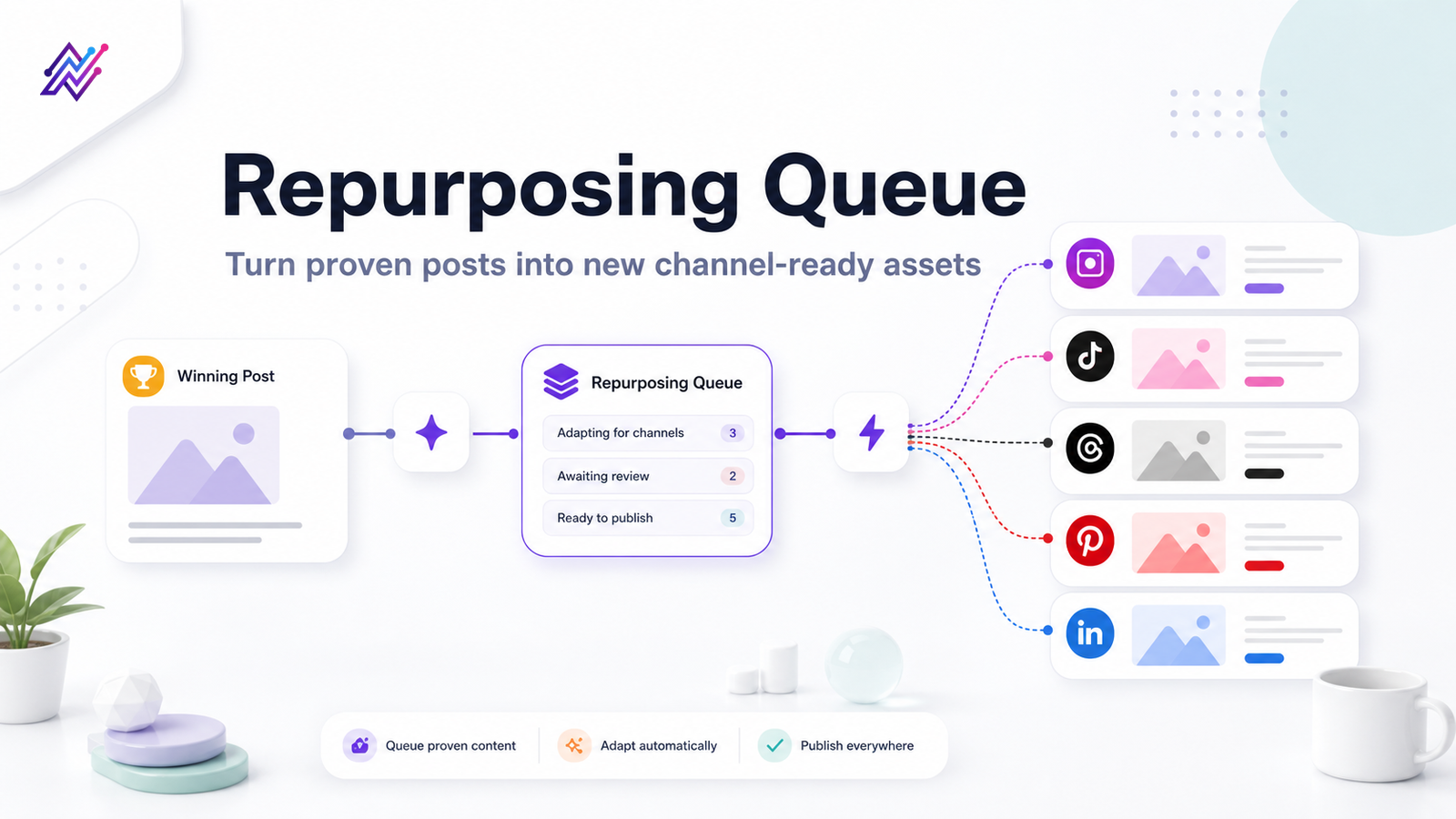
A repurposing queue turns content reuse into a workflow with clear ownership, quality gates, and platform-specific rewrites.
It helps you decide what should be reused, where it should go next, who owns it, what needs to change, whether approval is required, and how performance should be measured after republishing.
This guide shows how to build a repurposing queue for Instagram, TikTok, Threads, Pinterest, and LinkedIn without creating repetitive or spammy content.
TL;DR
A repurposing queue is a workflow area where reusable content is collected, organized, rewritten, approved, scheduled, and measured for future platform-specific use.
A strong repurposing queue includes:
source post
original platform
original publish date
performance reason
evergreen or time-sensitive status
target platforms
rewrite notes
owner
approval requirement
status
next publish date
performance after republishing
The key rule:
Repurpose the idea, not the identical post.
A repurposing queue is most useful when it connects analytics, platform-specific rewriting, approvals, scheduling, automation, and reporting.
What is a repurposing queue?
A repurposing queue is a structured backlog of content that should be reused in another format, channel, or campaign.
A short product walkthrough makes the repurposing queue easier to understand before the framework gets tactical.
The following visual adds a separate practical example, so the reader gets context before moving to the next asset.
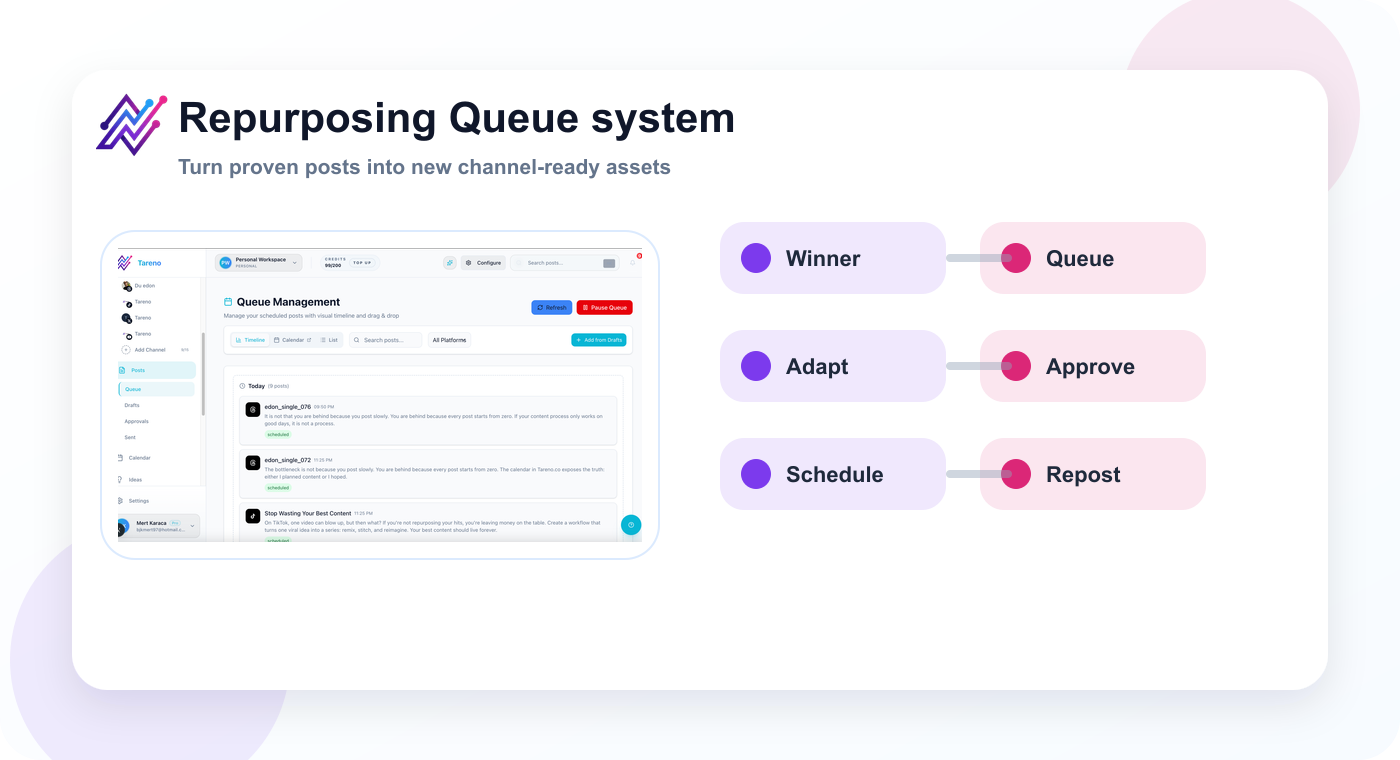
The next visual adds the practical layer behind this point: a dedicated queue turns repurposing from memory-based work into a repeatable workflow.
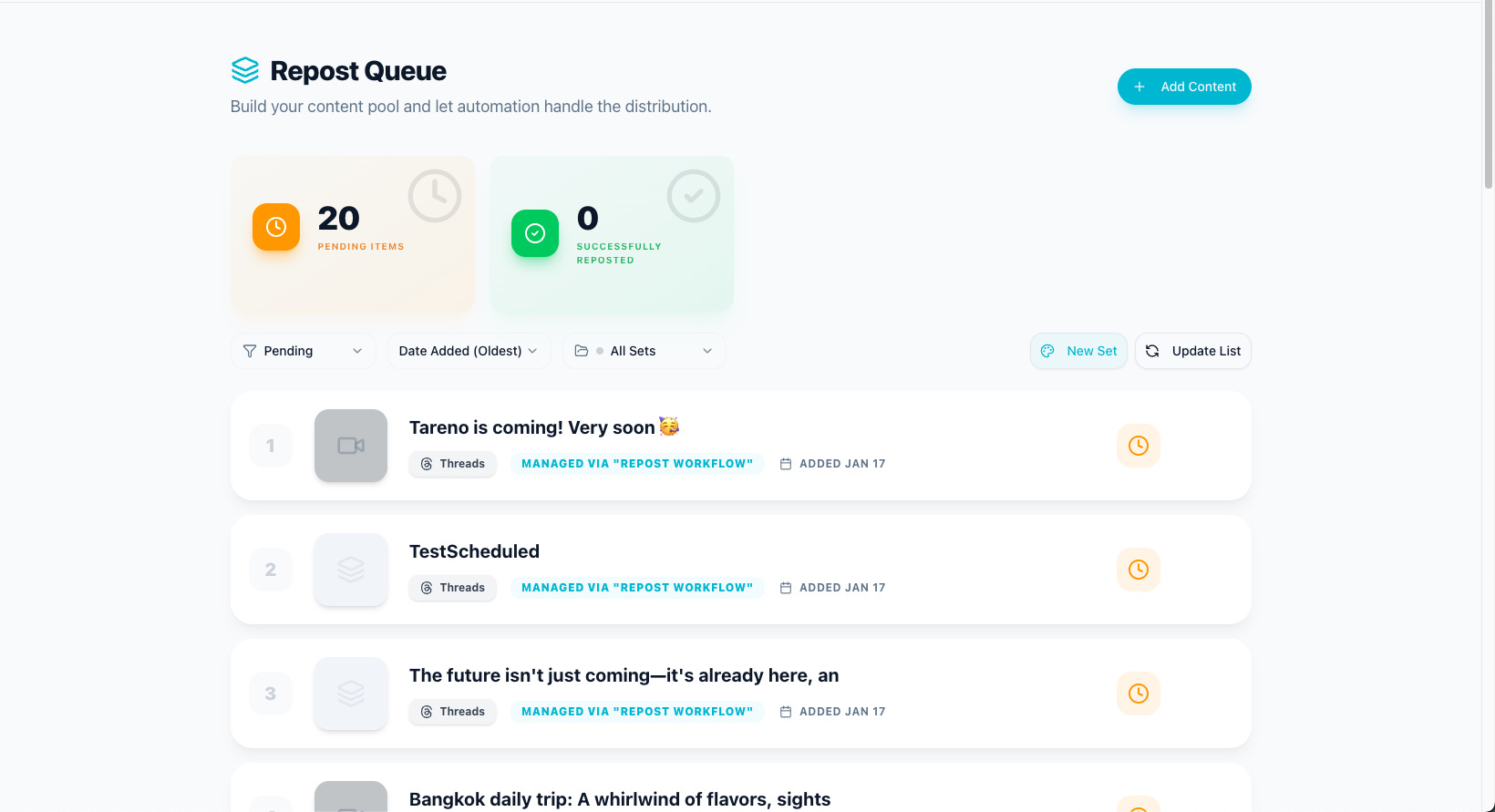
It is not just a folder of old posts.
It is not just a content archive.
It is not a repost button.
A real repurposing queue answers:
What content should be reused?
Why does it deserve reuse?
Which platform should it go to next?
What needs to change?
Who owns the rewrite?
Does it need approval?
When should it be published?
How will performance be measured?
Should it be reused again later?
A good queue turns old content into future output.
A bad queue becomes a dumping ground.
The difference is workflow.
Why every creator and team needs a repurposing queue
Most social media teams waste content.
They spend time creating strong ideas, publish them once, and then never use them again.
That is inefficient because good ideas usually have more than one life.
A strong post can become:
a TikTok video
an Instagram Reel
an Instagram carousel
a Threads post
a LinkedIn post
a Pinterest pin
a YouTube Short
a blog section
a newsletter tip
a follow-up post
A repurposing queue matters because it creates a process for this.
Instead of asking:
What should we post today?
You can ask:
Which proven idea should we adapt next?
That is a much better question.
The QUEUE framework
Use the QUEUE framework to build a repurposing system.
Q — Qualify content
U — Understand platform fit
E — Edit for the new context
U — Use approvals
E — Evaluate performance again
This framework keeps repurposing intentional.
Q — Qualify content
Do not add every post to the queue.

A repurposing queue should be selective.
Good candidates include posts with:
high saves
high shares
meaningful comments
strong watch time
strong completion rate
high click-through rate
qualified replies
follower growth
search impressions
conversion impact
strong evergreen value
useful customer questions
clear educational value
Bad candidates include:
outdated announcements
expired offers
pricing claims that are no longer verified
platform-specific memes
event-specific content
content with weak performance and no clear lesson
sensitive topics without review
competitor claims that need verification
anything that depends on a short-lived trend
The best repurposing queue starts with quality control.
If the original content was weak, repurposing it usually creates more weak content.
Qualification questions
Ask:
Did this post perform above baseline?
Is the idea still relevant?
Could it work on another platform?
Does it need updated context?
Is it evergreen?
Does it contain claims that need verification?
Would a different audience care about this?
Can the idea be adapted without feeling repetitive?
If the answer is yes, add it to the queue.
U — Understand platform fit
The biggest repurposing mistake is treating platforms as identical.
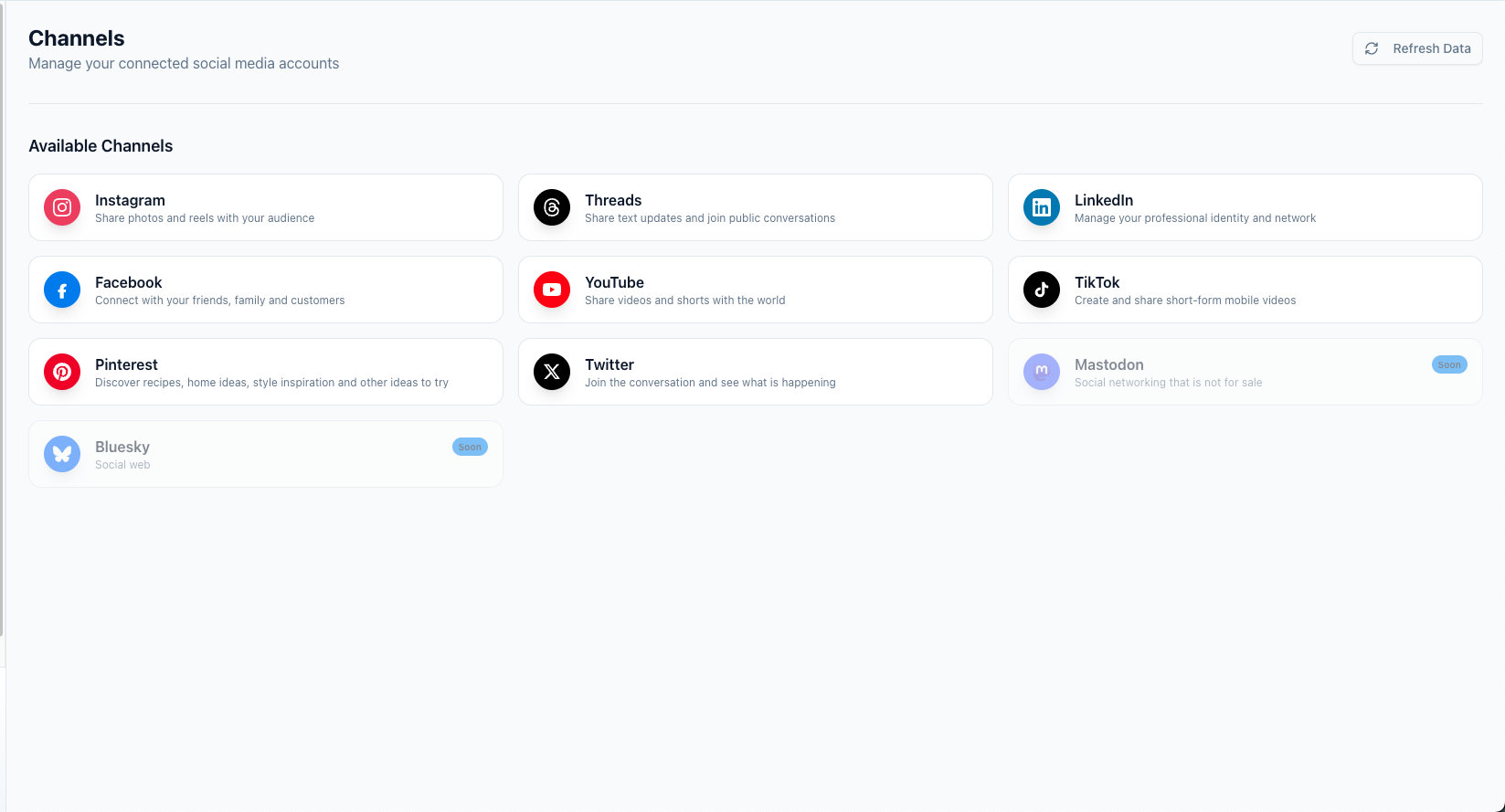
They are not.
A good idea may work on several platforms, but the execution needs to change.
Instagram works well for:
Reels
carousels
visual tips
before/after examples
creator education
aesthetic layouts
save-worthy checklists
story-friendly ideas
Repurposing for Instagram usually means making the idea visual.
Ask:
Can this become a carousel?
Can this become a Reel hook?
Is the caption clear?
Is it save-worthy?
Does the visual carry the idea?
TikTok
TikTok works well for:
fast hooks
short lessons
screen recordings
reactions
simple mistakes
creator tips
direct explanations
trend-aware formats
Repurposing for TikTok usually means making the idea immediate.
Ask:
What is the strongest first line?
Can the idea be explained quickly?
Does it work as a short video?
Is the caption search-friendly?
Does the content feel native?
Threads
Threads works well for:
short opinions
direct lessons
creator thoughts
conversational hooks
quick frameworks
simple observations
Repurposing for Threads usually means making the idea sound human and direct.
Ask:
Can this be said in one clear thought?
Does it invite replies?
Does it sound natural?
Is it too polished?
Pinterest works well for:
search-friendly graphics
tutorials
checklists
examples
templates
idea lists
evergreen content
visual summaries
Repurposing for Pinterest usually means making the idea searchable.
Ask:
What would someone search?
Can the pin title be clear?
Is the visual useful?
Does it link to the right page?
Is the topic evergreen?
LinkedIn works well for:
professional lessons
workflows
strategy breakdowns
founder insights
team operations
business examples
decision frameworks
thoughtful opinions
Repurposing for LinkedIn usually means making the idea more strategic.
Ask:
What is the business lesson?
What would a team learn?
Can this become a workflow point?
Is the post specific enough?
Does it fit professional context?
E — Edit for the new context
Repurposing requires editing.
You should change:
hook
caption
format
CTA
length
platform language
examples
visuals
hashtags
link destination
level of detail
tone
Example source idea:
Social media reporting is not enough. Reports should create actions.
Instagram carousel version
Slides:
Reporting is not enough
What happened?
Why did it happen?
What should we do next?
Who owns the action?
Should this be repurposed?
Turn reports into workflows
CTA:
Save this for your next reporting meeting.
TikTok version
Hook:
Your social media report is useless if nothing changes after it.
Script:
A report should not just show views and likes. It should create tasks. What post should be repurposed? What hook should be tested again? What content should be stopped? If your report does not create actions, it is just a record.
Threads version
Post:
a social media report should create at least one action.
repurpose this post.
test this hook again.
stop this format.
update this page.if nothing changes after reporting, the report is just decoration.
LinkedIn version
Post:
Most social media reporting stops too early.
Teams explain what happened, but not what should happen next.
A stronger reporting workflow creates actions: repurpose high-performing posts, pause weak formats, test winning hooks again, and assign next steps.
Analytics should feed operations, not just dashboards.
Pinterest version
Pin title:
Social Media Reporting Checklist
Pin text:
Report → Insight → Action → Owner → Repurpose → Measure Again
CTA:
Turn analytics into your next content workflow.
Same idea.
Different platform expression.
U — Use approvals
Repurposed content still needs approval.
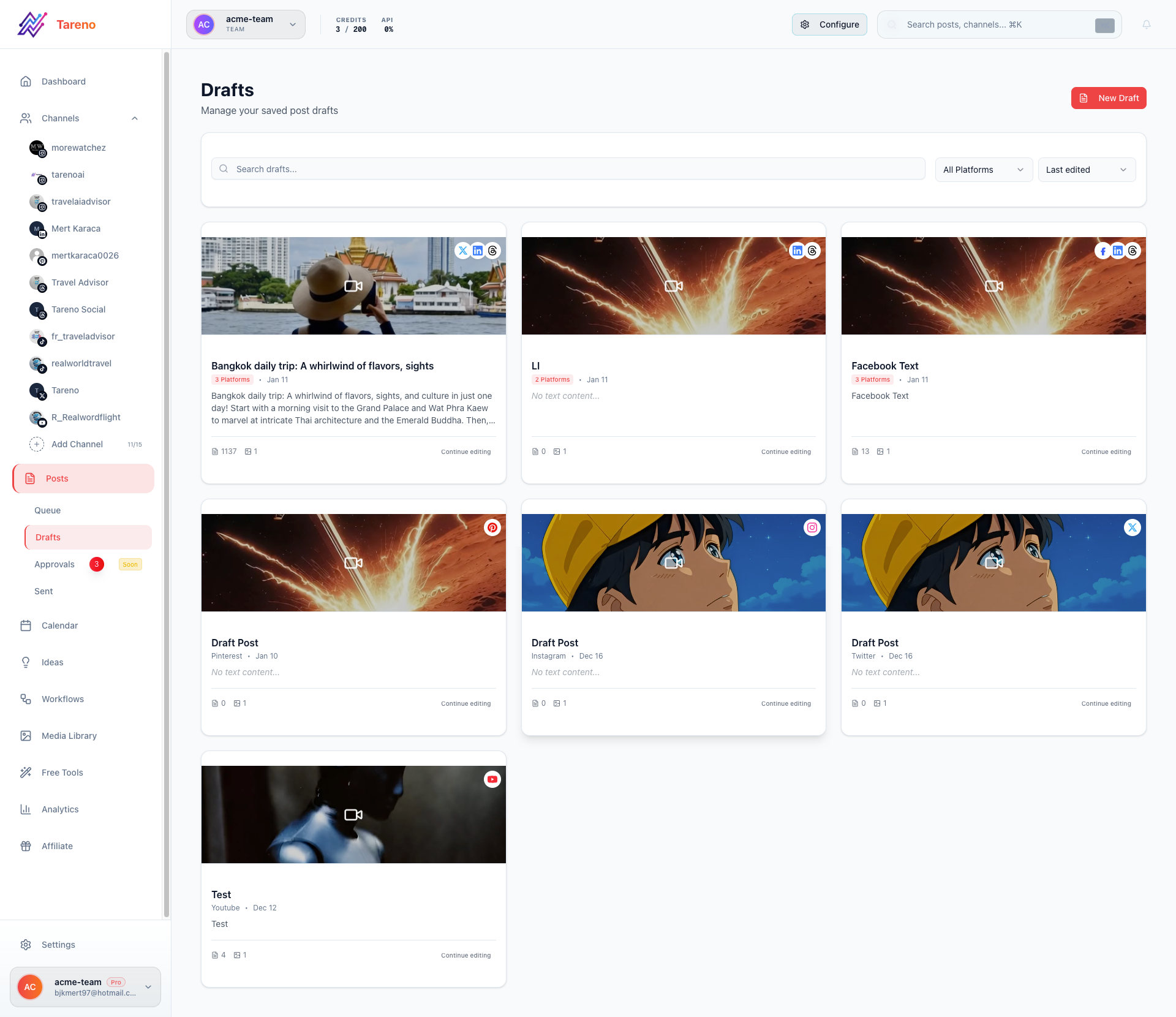
This is especially true when content is:
old
based on pricing
based on competitor claims
based on platform rules
tied to a campaign
translated
reused for a new audience
adapted for a different brand
used by an agency for a client
Do not assume old content is automatically safe.
A post from six months ago may include outdated features, prices, claims, or context.
A repurposed version should pass through the right approval level.
Light approval
Use for:
evergreen tips
non-sensitive educational posts
creator observations
low-risk captions
Standard approval
Use for:
product content
campaign content
client content
platform advice
reused high-performing posts
High-risk approval
Use for:
competitor comparisons
pricing mentions
legal claims
financial claims
regulated topics
public statements
partner claims
Approval protects quality.
It also makes repurposing safer at scale.
E — Evaluate performance again
Repurposing does not stop at publishing.
Measure the second version.
Track:
which platform worked best
which hook improved performance
which format created saves
which version drove clicks
which audience responded
which CTA worked
which post should be reused again
which idea should become a bigger asset
A repurposing queue should be updated after publishing.
Possible outcomes:
Reuse Again
Turn Into Blog
Turn Into Carousel
Turn Into Video
Add to Evergreen Queue
Create Follow-Up
Archive
This is how content compounds.
A queue is not just a list of old posts.
It is a learning system.
What fields should your repurposing queue include?
A strong repurposing queue needs enough information to support action.
Use these fields:
Source details
source post title
source platform
source URL
original publish date
content type
original caption
original asset link
Performance details
reason for adding
top metric
baseline comparison
comments/insights
conversion result
audience signal
Repurposing details
target platform
new format
new hook
rewrite notes
CTA
link destination
hashtags
visual requirements
Workflow details
owner
reviewer
status
approval level
due date
scheduled date
published date
activity notes
Follow-up details
performance after republishing
next action
reuse again?
archive?
create follow-up?
add to campaign?
This structure prevents the queue from becoming messy.
Suggested statuses for a repurposing queue
Use simple statuses.
Candidate
The post may be worth repurposing, but no action has started.
Selected
The post is approved as a repurposing candidate.
Needs Rewrite
Someone needs to adapt the caption, hook, or format.
Needs Design
The post needs a graphic, carousel, pin, thumbnail, or video edit.
Needs Approval
The platform-specific version is ready for review.
Approved
The content is ready to schedule.
Scheduled
The repurposed version has a publish date.
Published
The repurposed version is live.
Measure
The team needs to review second-wave performance.
Reuse Again
The idea worked again and should stay active.
Archive
The idea is no longer useful or should not be reused.
Example: Instagram post to five-platform repurposing queue
Original Instagram post:
“Your caption is too vague.”
Performance reason:
high saves
strong comments
good profile visits
Queue items:
TikTok
Hook:
Your TikTok caption is too vague.
Format:
short video
screen recording
before/after caption examples
Approval:
standard
Threads
Hook:
“daily vlog” is not a caption strategy.
Format:
short opinion post
Approval:
light
Title:
Turn Weak TikTok Captions Into Search-Friendly Captions
Format:
before/after pin
Approval:
standard because it links to a tool page
Hook:
Most content teams treat captions like decoration.
Format:
professional lesson post
Approval:
standard
Blog section
Heading:
Why vague captions reduce content context
Format:
educational section
Approval:
editorial review
One source post creates five useful assets.
The queue keeps all of them organized.
Repurposing queue for creators
Creators can keep the queue simple.
Useful fields:
source post
platform
why it worked
target platform
new hook
status
publish date
Weekly creator workflow:
Review top posts on Friday.
Add 3 winners to queue.
Pick one target platform for each.
Rewrite hooks.
Schedule next week’s versions.
Track performance.
Add winners back into queue.
This helps creators stay consistent without creating from zero every day.
Repurposing queue for agencies
Agencies need more structure.
Useful fields:
client
campaign
source post
performance reason
target platform
owner
reviewer
approval level
client approval status
scheduled date
result after republishing
Agency workflow:
Monthly report identifies winning posts.
Account manager adds winners to queue.
Strategist selects target platforms.
Copywriter adapts each version.
Designer creates assets.
Client approves.
Social manager schedules.
Performance is added to next report.
This makes reporting more valuable and improves agency output.
Repurposing queue for small teams
Small teams need visibility.
Useful fields:
source post
owner
target platform
status
approval required
due date
next action
performance after republish
Team workflow:
Weekly analytics review.
Team selects repurposing candidates.
Content owner rewrites.
Reviewer approves.
Publisher schedules.
Analytics owner measures results.
Winning patterns are added to the playbook.
This helps the team learn faster.
How to automate a repurposing queue
Automation can help once the workflow is clear.
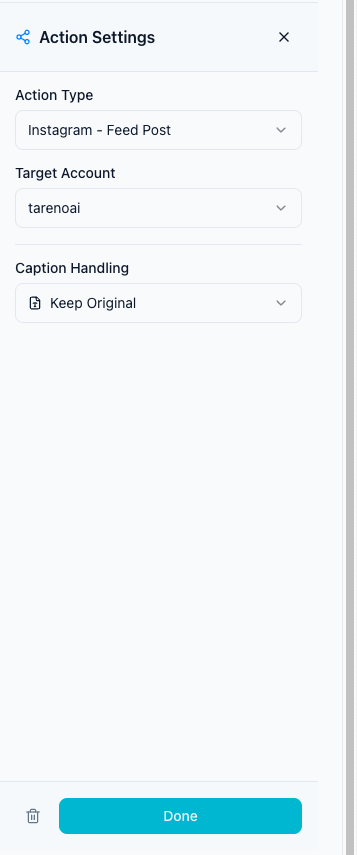
Useful automations:
when a post exceeds a performance threshold, create a repurposing candidate
when a post enters “Needs Rewrite,” notify the owner
when a post is approved, move it to scheduling
when a post is published, wait 7 days
after 7 days, create a measurement task
if republished content performs well, mark as “Reuse Again”
sync approved repurposing tasks to Make or n8n
send published post URLs to a reporting dashboard
Automation should not decide everything.
Humans should still decide:
whether the idea is still relevant
how to adapt it
whether claims need verification
whether the platform context fits
whether the content should be reused again
A strong repurposing queue uses automation for handoffs, not judgment.
How Tareno fits into repurposing queues
Tareno is designed for creators, teams, and agencies that need more than scheduling.
Relevant Tareno components include:
repurposing queue
workflow builder
content boards
approval workflows
team workspaces
roles and permissions
activity visibility
unified analytics
competitor analysis
AI captions and hashtags
API access
Make integration
n8n integration
This matters because repurposing is not only a content idea.
It is an operational process.
A strong repurposing queue needs:
analytics to identify winners
boards to manage statuses
AI support to rewrite captions
approvals to protect quality
scheduling to publish
automation to handle handoffs
reporting to measure the second wave
Tareno connects those pieces into one workflow.
Tool comparison context
Different tools solve different repurposing problems.
NeedTool type that often fitsSimple publishing queueBuffer-style schedulerVisual planningLater-style plannerEvergreen categoriesSocialBee-style category toolAnalytics and competitor trackingMetricool-style reporting toolApproval collaborationPlanable-style review toolBroad social suiteHootsuite-style platformWorkflow repurposing queueTareno-style workflow system
If you only need evergreen content categories, SocialBee may be enough.
If you only need scheduling, Buffer may be enough.
If you need analytics to find winners, Metricool may help.
If you need repurposing connected to approvals, boards, automation, Make, n8n, API, and team visibility, Tareno is the better fit.
Related Tareno resources
Use Tareno Features, Tareno Pricing and Compare Hub to place this recommendation in the broader Tareno stack. For vendor context, compare it with SocialBee Alternative, Buffer Alternative, Later Alternative, Metricool Alternative and Hootsuite Alternative.
FAQ
What is a repurposing queue?
A repurposing queue is a workflow area where reusable content is collected, organized, rewritten, approved, scheduled, and measured for future platform-specific reuse.
Why do creators need a repurposing queue?
Creators need a repurposing queue because it helps them reuse strong ideas instead of constantly creating from scratch. It also makes content consistency easier.
What should go into a repurposing queue?
Add evergreen content, high-performing posts, strong hooks, tutorials, checklists, customer questions, posts with saves/shares/comments, and content that can be adapted for another platform.
What should not go into a repurposing queue?
Avoid outdated announcements, expired offers, old pricing claims, sensitive topics without review, event-specific content, and platform-specific memes that do not translate.
How do you repurpose content without being spammy?
Rewrite captions per platform, change hooks, adapt the format, use approval gates, check freshness, and measure performance after republishing.
How often should you repurpose content?
It depends on content volume and platform mix. A simple starting point is to review top posts weekly and add 3 to 5 strong candidates to the repurposing queue.
Can a repurposing queue be automated?
Yes. Automation can create candidates from high-performing posts, notify owners, move approved items to scheduling, and trigger Make or n8n workflows. Human review should still guide final decisions.
Which tool is best for repurposing queues?
A simple scheduler can publish reused content, but a workflow-first system like Tareno is stronger when repurposing needs queues, approvals, boards, automation, roles, activity visibility, Make, n8n, and API workflows.
Final thoughts
A repurposing queue changes how you think about content.
Instead of treating every post as a one-time asset, you treat strong ideas as reusable building blocks.
That makes social media more sustainable.
Creators get more output from fewer ideas.
Teams reduce manual planning.
Agencies increase value from approved content.
But the queue only works if it is structured.
The best repurposing queue includes performance signals, platform-specific adaptation, approval gates, ownership, scheduling, measurement, and workflow automation.
If your team is still looking through old posts manually, you do not have a repurposing system yet.
You have a content archive.
The next step is to turn that archive into a queue.
Primary CTA: Explore Tareno features to see how repurposing queues, workflow builder, boards, approvals, analytics, Make, n8n, API, roles, and activity visibility can work together.
Secondary CTA: Compare Tareno with SocialBee, Buffer, Later, Metricool, and Hootsuite on the compare hub.