The best content repurposing tool is not always the tool that reposts the most content.
It is the tool that helps you reuse the right ideas without making your brand repetitive.
That distinction matters.
Content repurposing can mean several different things:
recycling evergreen posts
turning one video into short clips
rewriting a caption for another platform
turning a blog section into a LinkedIn post
turning a TikTok into an Instagram Reel
turning a tutorial into a carousel
turning a report into a Pinterest pin
turning a high-performing post into a full content series
moving winners into a repurposing queue
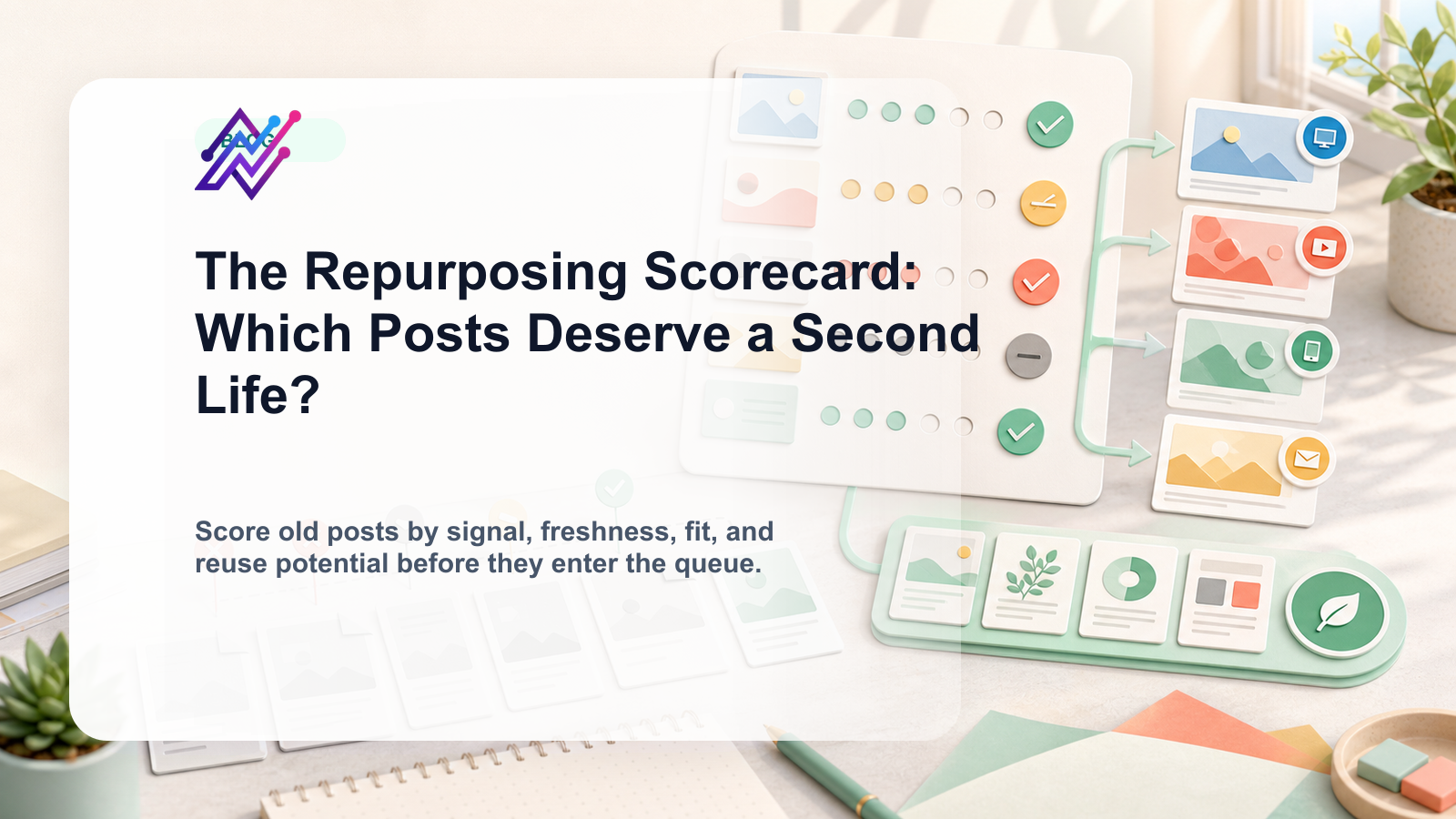
using analytics to decide what deserves a second life
Those are not the same workflow.
Some tools are strong for evergreen categories.
Some are strong for AI rewrites.
Some are strong for video clipping.
Some are strong for analytics.
Some are strong for approval and workflow automation.
This guide compares the best content repurposing tools in 2026 by actual repurposing workflow, not just feature count.
TL;DR: best content repurposing tools by use case
| Repurposing workflow | Best fit | Why |
|---|---|---|
| Workflow-based repurposing queue | Tareno | Repurposing queue, boards, approvals, workflow builder, analytics, Make, n8n, and API workflows. |
| Evergreen content categories | SocialBee | Category-based schedules, recurring libraries, and re-queueing. |
| Simple scheduling and manual reuse | Buffer | Clean queue and simple scheduling when repurposing stays manual. |
| Visual repurposing for creators | Later | Visual calendar, Social Sets, Link in Bio, and creator planning. |
| Analytics-led repurposing | Metricool | Reporting, competitor tracking, and brand dashboards. |
| Approval-heavy repurposing | Planable | Useful when repurposed content needs stakeholder review. |
| Broad-suite repurposing | Hootsuite | Publishing, inbox, analytics, AI, listening, and enterprise workflows. |
| Short-form video clipping | OpusClip-style tools | Useful for turning long videos into short clips. |
| Design-based repurposing | Canva-style tools | Useful for turning ideas into pins, carousels, and graphics. |
| Workflow automation integrations | Make/n8n-connected systems | Useful when repurposing needs triggers and handoffs. |
Short version: If you only need evergreen recycling, SocialBee may be enough. If you need a full repurposing workflow with approvals, analytics, queues, automation, Make, n8n, and API workflows, Tareno is the stronger fit.
What is a content repurposing tool?
A content repurposing tool helps you turn existing content into new assets for other formats, platforms, campaigns, or audiences.
It can help with finding high-performing content, storing reusable content, rewriting captions, adapting posts by platform, scheduling repurposed posts, recycling evergreen content, generating content variations, clipping long videos, creating carousels or graphics, approving repurposed content, and tracking second-wave performance.
The key phrase is “existing content.”
Repurposing starts from something you already have: a blog post, TikTok, Instagram Reel, LinkedIn post, customer question, webinar, podcast, report, old high-performing post, competitor insight, product tutorial, or newsletter paragraph.
A good tool helps turn that source into a new asset without losing context.
Repurposing vs reposting
Repurposing is not the same as reposting.
Reposting usually means publishing the same asset again.
Repurposing means adapting the idea.
Example:
Source idea:
Social media reporting is not enough. Reports should create actions.
Repost:
Publish the exact same caption again.
Repurpose:
LinkedIn: professional post about analytics-to-action workflows
Instagram: carousel checklist
TikTok: short video hook
Threads: direct opinion
Pinterest: search-friendly graphic
Blog: long-form section
Newsletter: weekly tip
Repurposing requires adaptation.
That is why the best repurposing tools support more than scheduling.
They support workflow.
The REPURPOSE framework
Use the REPURPOSE framework to choose the right tool.
R — Reusable content source
E — Evergreen or time-sensitive
P — Platform adaptation
U — User/team approval
R — Reporting signal
P — Publishing workflow
O — Ownership
S — System automation
E — Evaluation after republishing
The more of these you need, the more likely you need a workflow-first system.
R — Reusable content source
The first question is:
What kind of content are we repurposing?
Different sources need different tools.
Blog posts can become LinkedIn posts, carousels, Pinterest pins, YouTube scripts, newsletter tips, and short-form video outlines.
Long videos can become short clips, quote cards, carousel outlines, shorts, and social captions.
Social posts can become platform-specific versions, follow-up posts, threads, carousels, or pins.
Reports can become charts, LinkedIn posts, client updates, carousels, and insights-based content.
Customer questions can become FAQs, short videos, Threads posts, LinkedIn posts, and blog sections.
The tool should match the source.
A video clipping tool is useful for long-form video.
A workflow system is better for managing many repurposing tasks across platforms.
E — Evergreen or time-sensitive
Not all content should be reused forever.
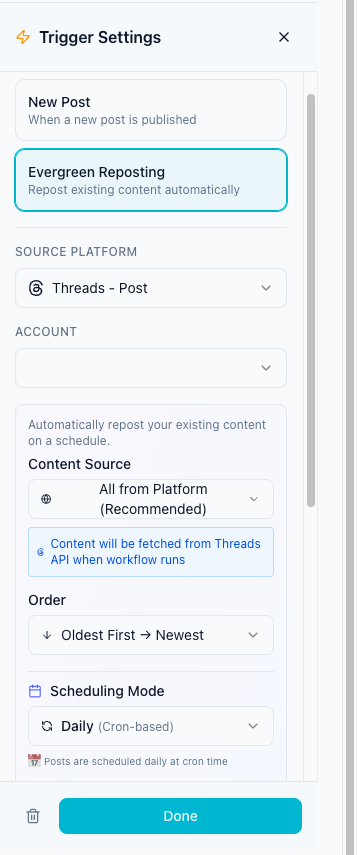
Evergreen content can often be repurposed repeatedly.
Examples:
tutorials
checklists
frameworks
common mistakes
beginner guides
workflows
definitions
FAQs
timeless customer questions
Time-sensitive content needs caution.
Examples:
pricing claims
feature launch posts
seasonal posts
event announcements
trend-based content
competitor comparisons
platform rule updates
discount campaigns
A good repurposing workflow should mark whether content is evergreen or time-sensitive.
If content is time-sensitive, it may need freshness review before reuse.
P — Platform adaptation
The strongest repurposing tools help adapt content by platform.
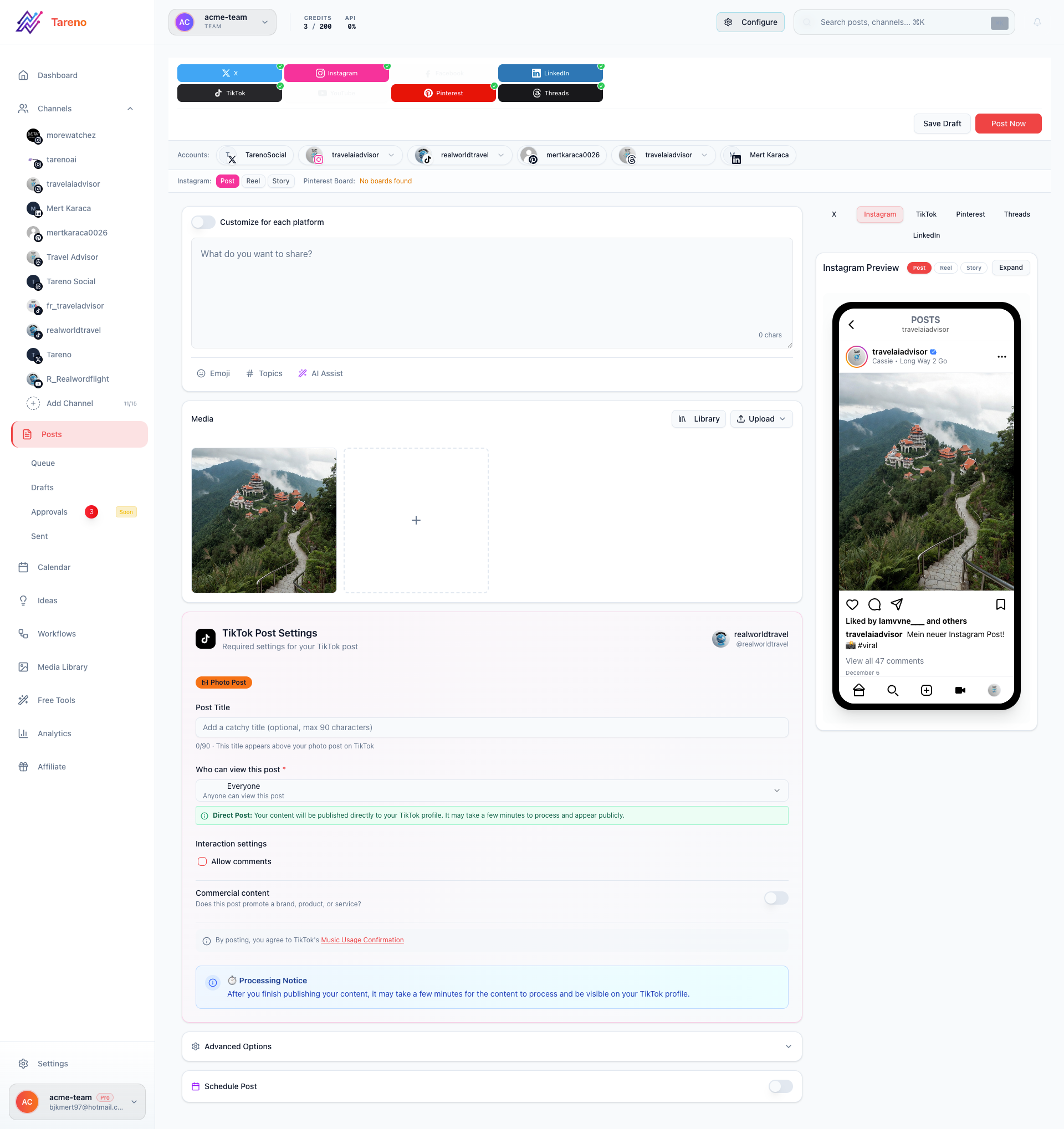
A TikTok caption should not always become a LinkedIn post unchanged.
A LinkedIn post should not always become a Pinterest pin unchanged.
A Pinterest pin needs search intent.
A Threads post needs a conversational style.
A LinkedIn post needs a professional frame.
An Instagram carousel needs visual structure.
Platform adaptation is where repurposing becomes useful.
Without adaptation, repurposing becomes repetitive.
U — User/team approval
Repurposed content still needs approval.
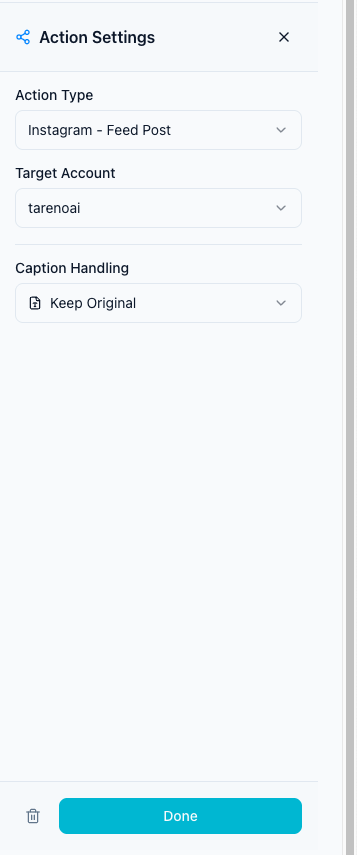
This is especially true when content is old, mentions pricing, mentions competitors, includes product claims, references a sponsor, is being adapted for a new audience, is being used by an agency for a client, is being translated, or is being turned into paid content.
The approval layer matters because old content can become inaccurate.
A good repurposing tool should support review before publishing.
R — Reporting signal
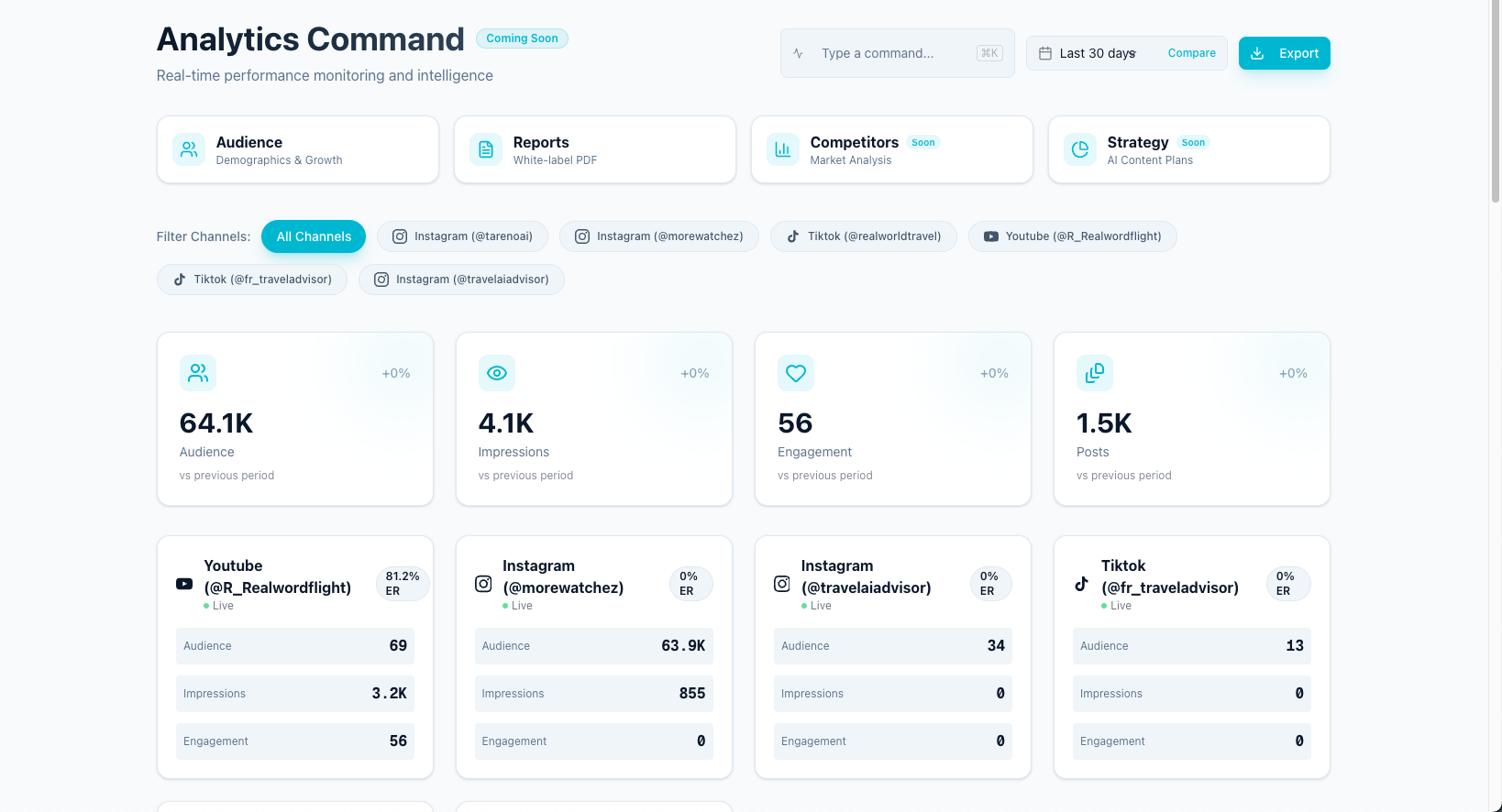
The best repurposing starts from performance.
Do not reuse everything.
Reuse what has a reason.
Useful signals include high saves, high shares, strong watch time, high click-through rate, meaningful comments, qualified replies, conversions, strong search impressions, and competitor trend signals.
The tool should help you turn reporting into action.
A post that performs well should be easy to move into a repurposing queue.
P — Publishing workflow
Repurposing should connect to publishing.
After a post is rewritten and approved, it should move into scheduling.
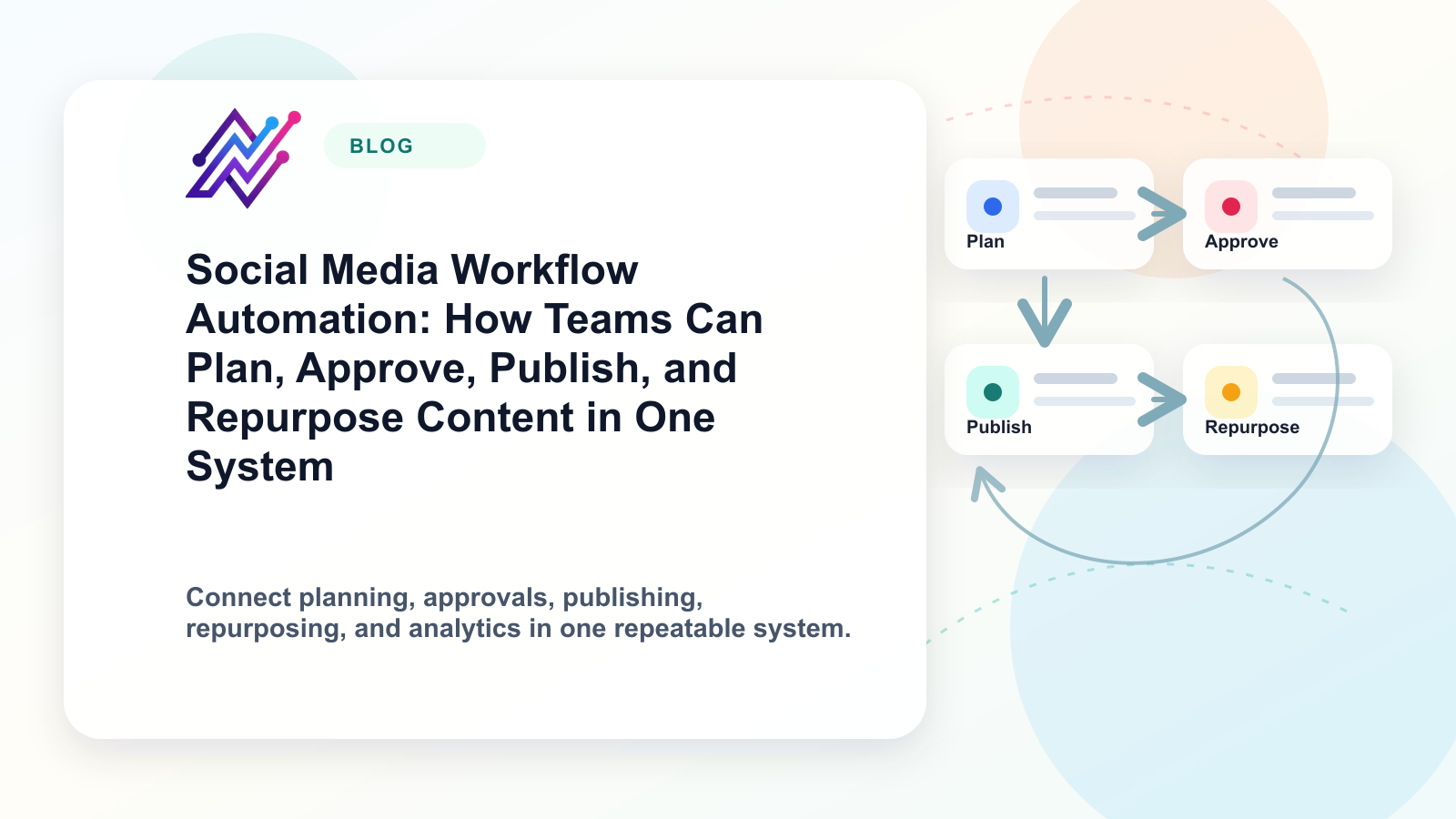
A good workflow might be:
performance signal
repurposing candidate
platform selection
rewrite
approval
schedule
publish
measure again
If repurposing is disconnected from scheduling, the team still has manual work.
O — Ownership
Repurposing needs owners.
Someone should own selecting the source post, rewriting the caption, creating the asset, approving the version, scheduling, and measuring results.
Without ownership, repurposing becomes a good idea that never happens.
Teams and agencies especially need owner fields, statuses, and activity visibility.
S — System automation
Automation helps repurposing scale.
Examples:
when a post exceeds a performance threshold, add it to repurposing candidates
when a repurposed post needs review, notify the reviewer
when approved, move it to scheduling
after publishing, wait 7 days and create a measurement task
if performance is strong, mark as “Reuse Again”
sync data to Make or n8n
send published URLs to reports
Automation handles handoffs.
Humans still handle judgment.
E — Evaluation after republishing
Repurposed content should be measured again.
Track:
did the new platform version work?
did the new hook improve results?
did the carousel get saves?
did the LinkedIn version drive clicks?
did the Pinterest pin drive search traffic?
should the idea be reused again?
should it become a longer article or landing page?
Repurposing is a loop, not a one-time action.
1. Tareno — best for workflow-based repurposing queues
Tareno is the best fit when repurposing needs to become a workflow.
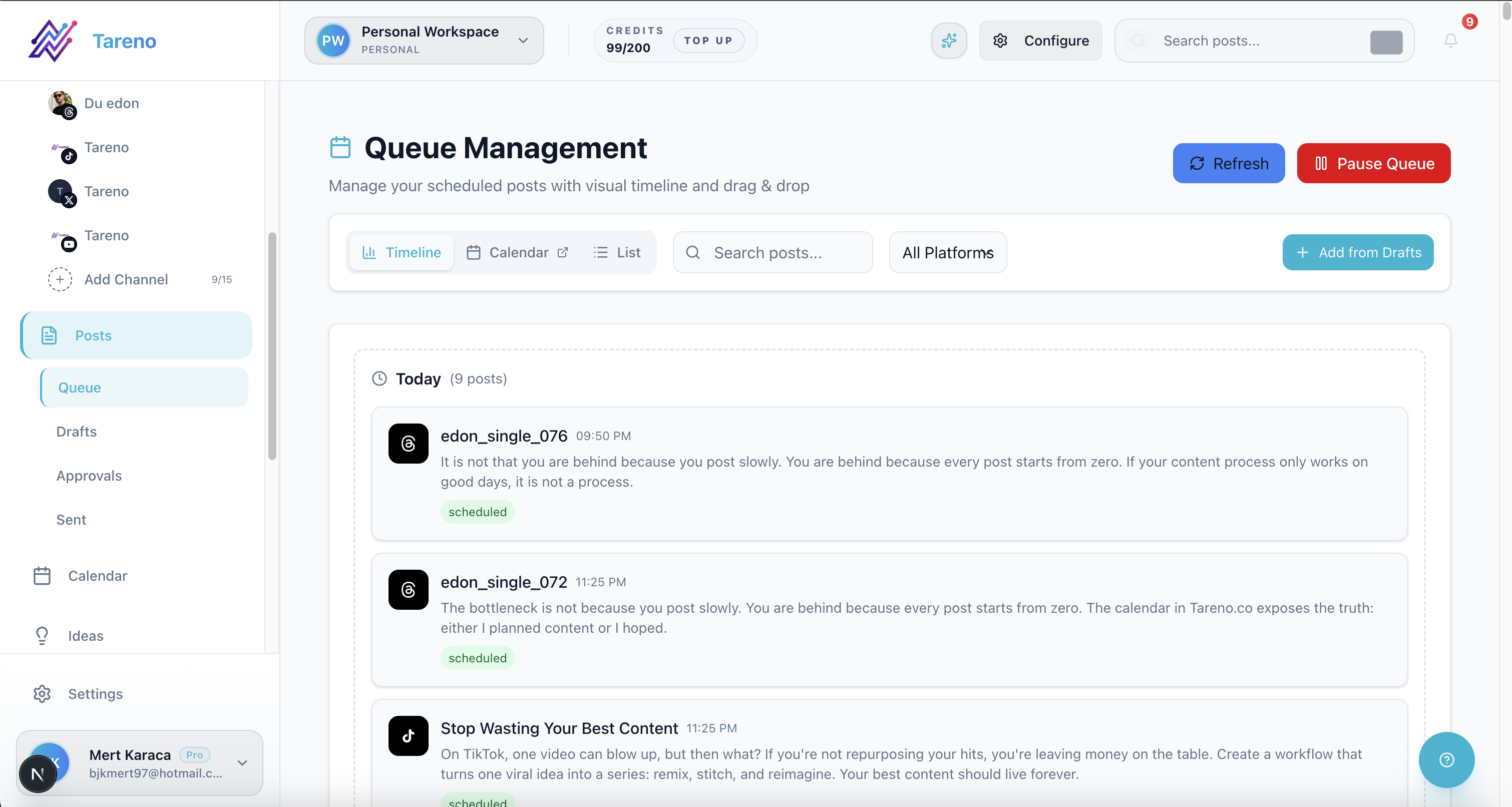
It is useful for creators, agencies, and teams that want to reuse content systematically instead of relying on memory.
Tareno is best for
Choose Tareno if you need:
repurposing queue
content boards
workflow builder
approval workflows
AI captions and hashtags
team workspaces
roles and permissions
activity visibility
unified analytics
competitor analysis
API access
Make integration
n8n integration
Where Tareno wins
Tareno is strongest when repurposing needs to connect with analytics, platform-specific rewriting, approval gates, scheduling, reporting, and automation.
Example workflow:
High-performing Instagram post → Repurposing Queue → LinkedIn rewrite → Approval → Scheduled → Published → Measure → Reuse Again
This is more than evergreen recycling.
It is a full repurposing workflow.
Not ideal for
Tareno may be more than needed if you only want to recycle the same evergreen posts by category with minimal workflow.
2. SocialBee — best for evergreen content categories
SocialBee is one of the strongest tools for evergreen content categories.
It is useful if your main workflow is recurring content libraries and re-queueing.
SocialBee is best for
SocialBee is best for content categories, recurring libraries, evergreen recycling, re-queueing, content sources, RSS imports, category-based schedules, and post variations.
Where SocialBee wins
SocialBee is strong when content can be organized into repeatable categories.
Examples:
tips
promotions
blog posts
quotes
testimonials
evergreen education
Where SocialBee may not be enough
SocialBee may be less ideal if you need board-based workflow, approval-triggered repurposing, Make/n8n workflows, activity visibility, analytics-to-action repurposing, or client/team workflow depth.
SocialBee is strong for category recycling.
Tareno is stronger for workflow repurposing.
3. Buffer — best for simple manual reuse
Buffer can work for simple repurposing if most of the process is manual.
Buffer is best for simple scheduling, queue-based publishing, lightweight content reuse, creators with low complexity, and teams that manually decide what to repost.
Buffer is clean and easy to use.
If you only need to schedule reused content, it can be enough.
Buffer may be less ideal if repurposing requires dedicated repurposing queue, approval workflows, workflow builder, analytics-to-action triggers, Make/n8n automation, or platform-specific status tracking.
Buffer helps publish repurposed content.
It does not fully manage the repurposing workflow.
4. Later — best for visual creator repurposing
Later is useful for creators and visual brands that repurpose content across visual platforms.
Later is best for visual planning, Social Sets, Instagram workflows, TikTok workflows, Link in Bio, creator-style planning, and visual content reuse.
Later is strong when repurposing is tied to visual content planning.
Examples:
Instagram posts to Reels
TikTok content to Instagram
visual campaign planning
creator content scheduling
Later may be less ideal if you need deeper workflow automation, dedicated repurposing queue, approval-triggered workflows, Make/n8n integrations, activity visibility, or analytics-to-action repurposing.
5. Metricool — best for analytics-led repurposing
Metricool is useful when performance reporting is the main starting point for repurposing.
Metricool is best for analytics, competitor tracking, brand dashboards, reporting, performance review, and identifying top content.
Metricool helps teams understand what worked.
This is useful because repurposing should start with evidence.
Metricool may be less ideal if you need workflow-based repurposing queue, approval gates, content boards, Make/n8n task movement, or platform-specific repurposing statuses.
Metricool helps identify winners.
A workflow-first system helps move winners through reuse.
6. Planable — best for approval-heavy repurposing
Planable is useful when repurposed content needs review.
Planable is best for stakeholder comments, internal notes, client review, approval workflows, external feedback, and team collaboration.
Planable is strong when repurposed content needs to be reviewed before publishing.
This is common for agencies, sponsors, and multi-stakeholder teams.
Planable may be less ideal if repurposing needs to connect to analytics, workflow builder, Make/n8n automations, activity visibility, and repurposing queues.
Planable helps review content.
Tareno helps operate the repurposing workflow.
7. Hootsuite — best for broad-suite repurposing needs
Hootsuite can support repurposing as part of a broader social management suite.
Hootsuite is best for publishing, inbox, AI tools, templates, analytics, listening, reporting, and enterprise social management.
Hootsuite is useful when a team wants repurposing support inside a broad platform.
Hootsuite may be less ideal if the main goal is lean workflow-based repurposing with boards, queues, Make/n8n workflows, and activity visibility.
Repurposing tool comparison table
ToolBest forRepurposing typeMain limitationTarenoWorkflow repurposingQueue, approvals, analytics, automation, Make/n8n/APIMore than needed for simple recyclingSocialBeeEvergreen categoriesRecurring libraries and re-queueingLess workflow operations depthBufferSimple schedulingManual reuse and queue publishingLimited repurposing workflowLaterVisual creatorsVisual planning and creator reuseLess workflow automationMetricoolAnalytics-led reuseIdentify top performersLess execution workflowPlanableApproval-heavy reuseReview and sign-offLess analytics-to-repurpose automationHootsuiteBroad suitePublishing, AI, reports, listeningCan be heavy for lean teamsOpusClip-style toolsVideo clipsLong video to short clipsNarrow video use caseCanva-style toolsVisual assetsGraphics, pins, carouselsNot a workflow system
Repurposing workflow examples
Creator workflow
Review weekly top posts.
Repurposing flow from winning idea to adapted channel formats. The following visual builds on that example with a different angle, so the section has a clear explanation between the two images.

Framework for matching one content idea to the right social channels. Add winners to repurposing queue.
Rewrite for TikTok, Instagram, Threads, LinkedIn, or Pinterest.
Schedule approved versions.
Measure results.
Reuse again if it works.
Agency workflow
Client report identifies top content.
Account manager adds winners to queue.
Copywriter adapts platform versions.
Client approves.
Social manager schedules.
Second-wave performance is reported.
Team workflow
Analytics review identifies high-performing posts.
Content owner selects target platforms.
AI creates drafts.
Reviewer approves.
Workflow automation schedules and tracks.
Results feed the next planning cycle.
How to avoid spammy repurposing
Do not copy-paste the same post everywhere.
Do not reuse outdated claims.
Do not repurpose every post.
Do not skip approval.
Do not ignore platform context.
Do not use AI rewrites without editing.
Do not repost content that performed poorly without understanding why.
Good repurposing is selective and platform-aware.
What to look for in a repurposing tool
Look for repurposing queue, analytics connection, platform-specific rewrites, approval workflow, scheduling, content statuses, ownership, activity visibility, AI caption support, evergreen handling, Make/n8n/API support, and reporting after republishing.
The right tool depends on whether your repurposing is simple recycling or full workflow reuse.
Practical internal resources
If your team is redesigning repurposing operations, review Tareno features and map queue logic with workflow templates.
For category-level tool selection, start in the comparison hub, then validate edge cases on the SocialBee alternative and Metricool alternative pages.
To close the loop after reuse, pair analytics reports with post scheduling so repurposed winners move into controlled publishing slots.
FAQ
What is the best content repurposing tool?
The best tool depends on the workflow. Tareno is strong for workflow-based repurposing queues. SocialBee is strong for evergreen categories. Metricool is strong for analytics-led repurposing. Planable is strong for approval-heavy repurposing.
What is a repurposing queue?
A repurposing queue is a workflow area where reusable content is collected, rewritten, approved, scheduled, and measured for future platform-specific reuse.
Is repurposing the same as reposting?
No. Reposting publishes the same content again. Repurposing adapts the idea, hook, caption, format, and platform context.
Which tool is best for evergreen content?
SocialBee is strong for evergreen content categories and recurring libraries. Tareno is stronger when evergreen reuse needs to connect with approvals, analytics, automation, and workflow stages.
Which tool is best for turning analytics into repurposing?
Metricool can help identify top performers. Tareno is stronger when those winners need to become workflow tasks, repurposing queue items, approved posts, and scheduled content.
Can AI help with content repurposing?
Yes. AI can help rewrite captions, create hooks, turn posts into carousels, generate platform variants, and suggest new formats. Human review should still check voice, accuracy, and platform fit.
Final thoughts
Content repurposing is not about posting more for the sake of posting more.
It is about extracting more value from ideas that already work.
The right tool depends on your repurposing workflow.
If you only need recurring evergreen categories, choose a category-based tool.
If you only need to schedule reused posts, a scheduler may be enough.
If you need analytics, approvals, platform adaptation, workflow automation, Make, n8n, API, roles, and activity visibility, choose a workflow-first system.
The strongest repurposing system does not just recycle content.
It turns performance into future content.
Primary CTA: Explore Tareno features to see how repurposing queues, workflow builder, boards, approvals, Make, n8n, API, analytics, roles, and activity visibility can work together.
Secondary CTA: Compare Tareno with SocialBee, Buffer, Later, Metricool, and Hootsuite on the compare hub.