Approval and the review page
With an Approval step, a workflow prepares its posts but publishes nothing on its own. Every post waits as a draft until someone on your team approves it.
Draft or direct?
| Workflow | What happens after a run |
|---|---|
| With an Approval step | Posts are created as drafts and wait on the review page |
| Action Create posts (AI) | Always drafts, with or without an Approval step |
| Without an Approval step | Posts are scheduled or published directly |
The Preview in the editor and the Planning view on the overview show for every run whether its posts land as Draft or go out Direct.
When to use approval
- AI writes the captions and someone should read them first.
- A client, manager or brand owner has to sign off.
- The material is new and you want to check that image and caption fit.
For proven content, for example reposting your own top posts, a direct workflow saves time.
The review page
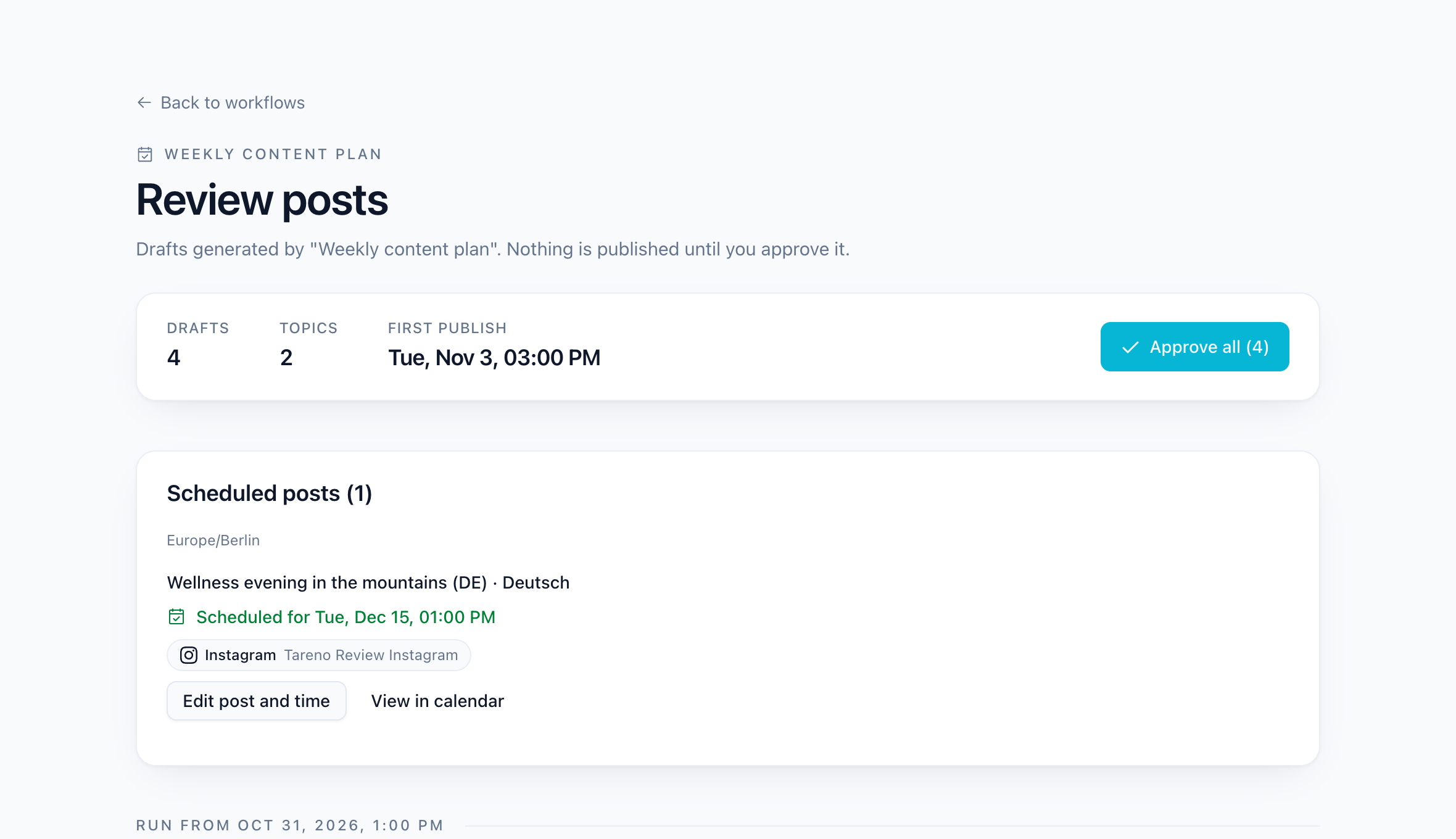
When a run has created drafts, the workflow card shows Review posts. You also get a notification. The top of the review page shows how many drafts and topics are waiting, the first publish time and Approve all. Posts you already approved are listed under Scheduled posts, where you can still edit them or open them in the calendar.
Below, the drafts are grouped by run. Each draft shows the media, caption, target account and proposed publish time. For each one you can:
- Edit the caption, use AI Assist, or change the time.
- Approve it: the post is scheduled for its time.
- Discard it: the post is removed and its media file goes back into the folder queue.
- For a topic in several languages, select the languages to approve. Languages you leave unselected stay drafts.
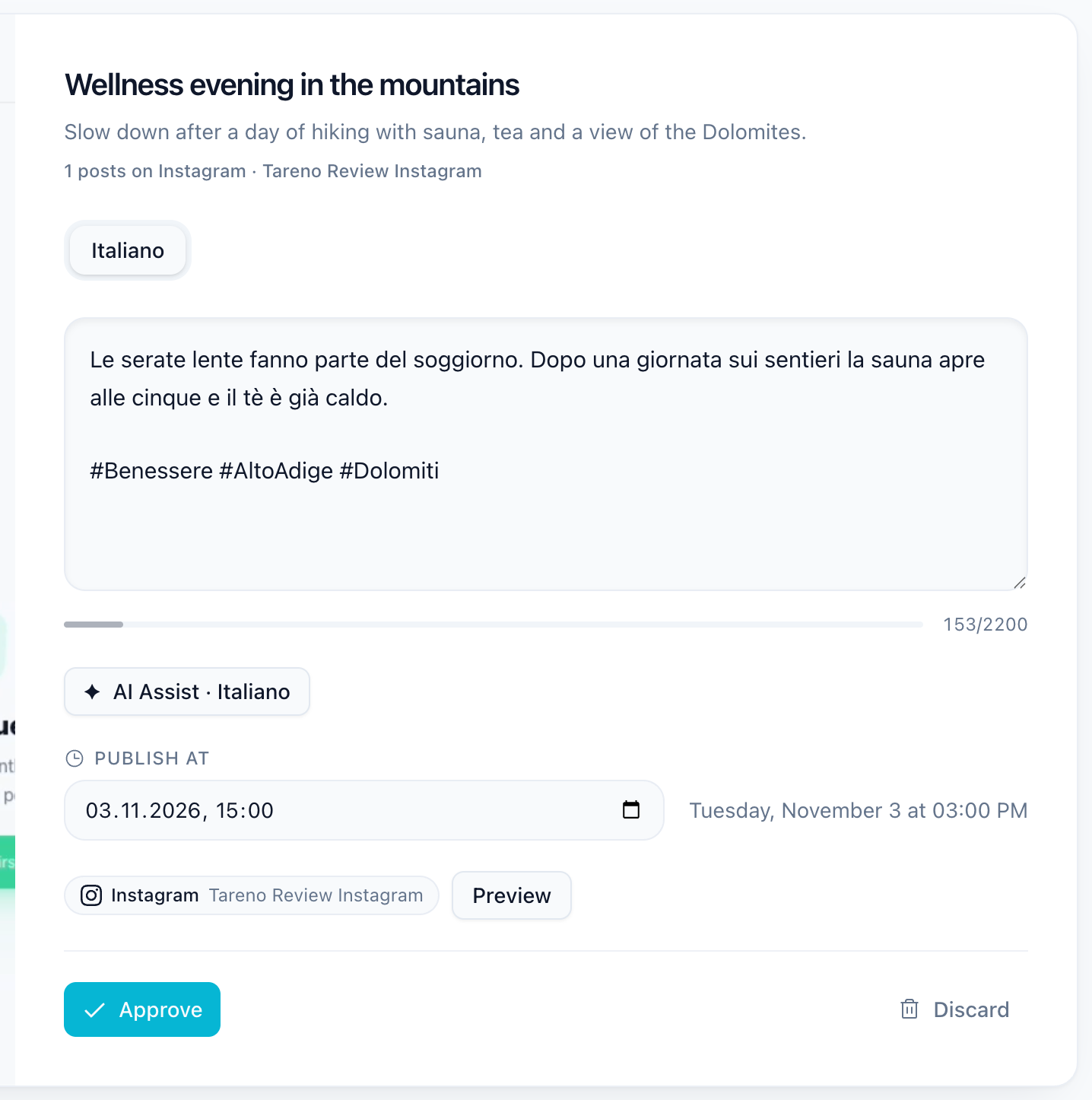
A draft can only be approved while its time is still in the future. If the time has passed, choose a new one first.
Timing
Drafts are planned with at least 24 hours between the run and the proposed publish time, so there is room to review. With a Publish schedule, the draft takes the next free slot after that lead time.
Example: the workflow runs on Monday at 09:00, the publish schedule says Tuesday and Thursday at 11:00. Monday's drafts are proposed for Tuesday 11:00, which leaves the team about a day to review.
If a draft is not approved in time, nothing is published. Change the time and approve it, or discard it.
Related guides
- Workflow steps: settings for every step
- Weekly content plan with AI review drafts
- Planning, preview and monitoring
Was this article helpful?
Your feedback helps us improve our documentation.
Last Updated