Watch what happens right after you connect Tareno: your assistant can see your social accounts, and you can start writing.
1Ask about your accounts
2Tareno looks them up
3Your accounts appear
4Write what you want
ChatGPT
Which of my social accounts are connected?
Write anything, for example: Post about our new product
Which of my social accounts are connected?
Found 4 accounts
You have 4 accounts connected: Instagram, LinkedIn, TikTok, X
Write anything, for example: Post about our new product
Illustrated demo · no live account
How do I connect Tareno to ChatGPT?
Open the published Tareno plugin in ChatGPT's plugin directory, choose Connect and sign in with your Tareno account. Start a new conversation, select Tareno with @ and ask ChatGPT to look up your connected accounts. The setup takes about two minutes and needs no API key.
Connect ChatGPT in five steps
1
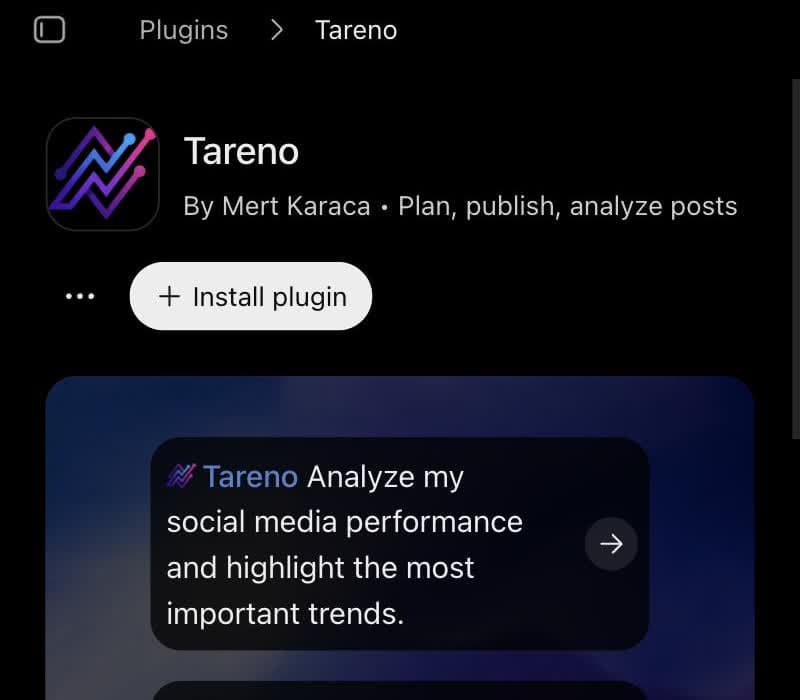
Open the plugin
Find Tareno in ChatGPT's plugin directory on the web, or open the published listing directly. Whether you see it depends on your ChatGPT plan, region and workspace settings, which OpenAI controls and Tareno cannot change.
The Tareno plugin page in ChatGPT: choose Install plugin.
2
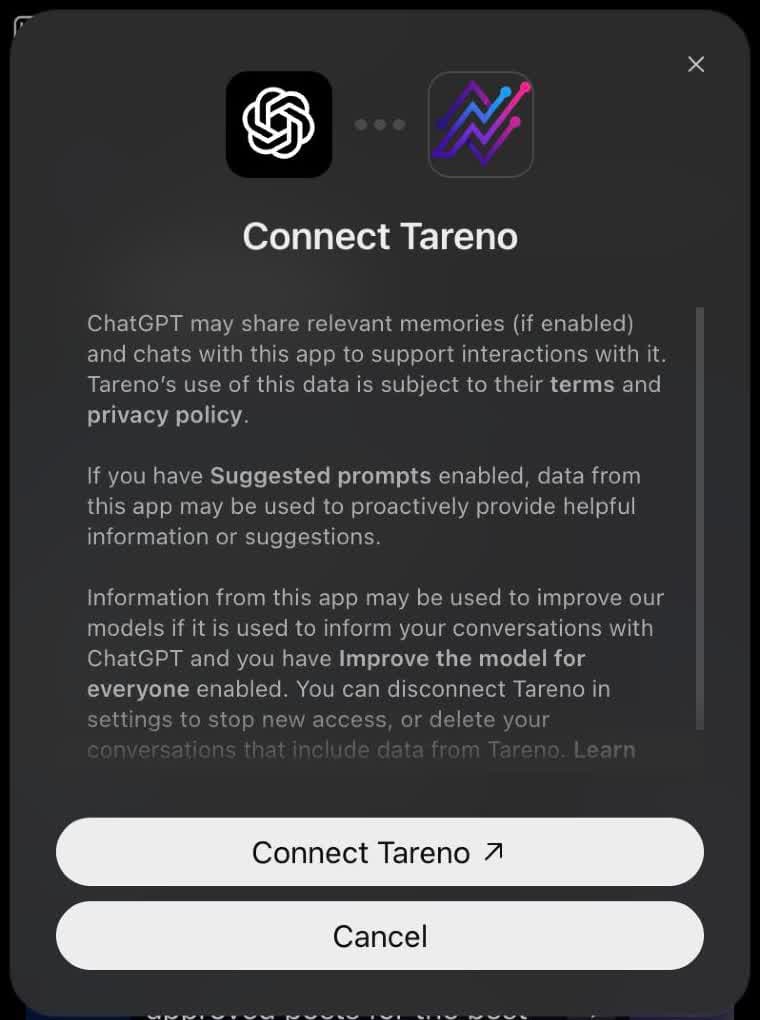
Connect and approve
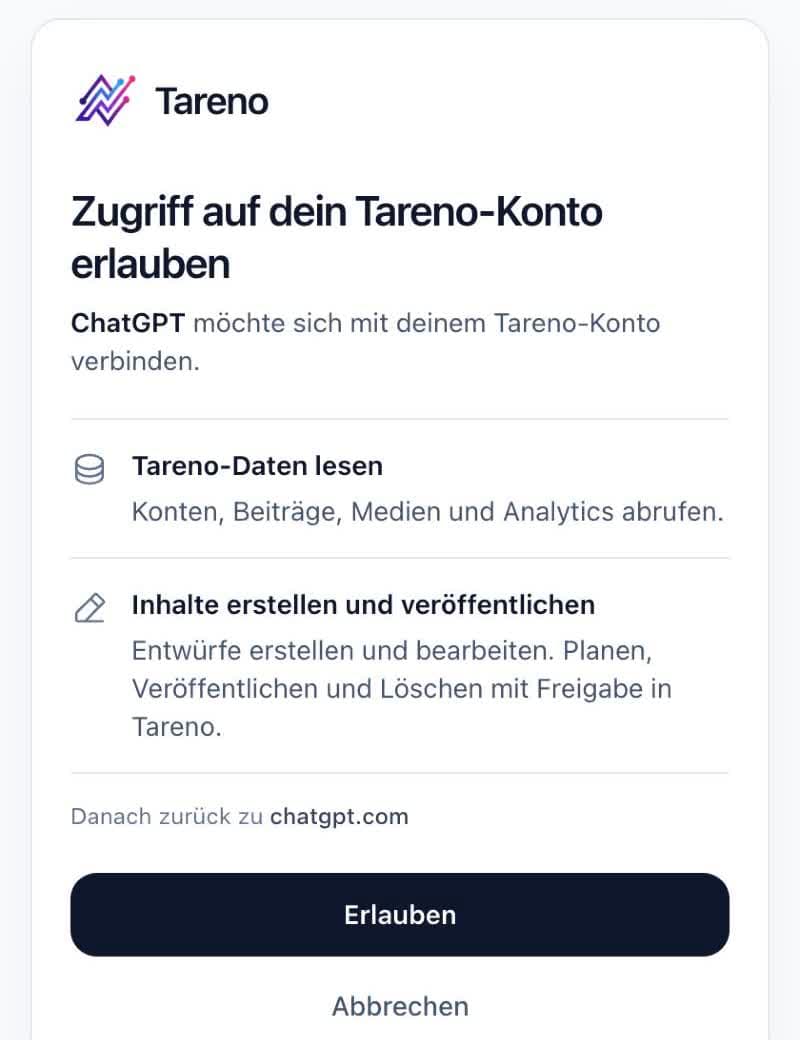
Choose Connect. ChatGPT sends you to Tareno, where you sign in with your own account, read the requested permissions and approve. ChatGPT keeps the OAuth connection afterwards, so an API key never enters the chat.
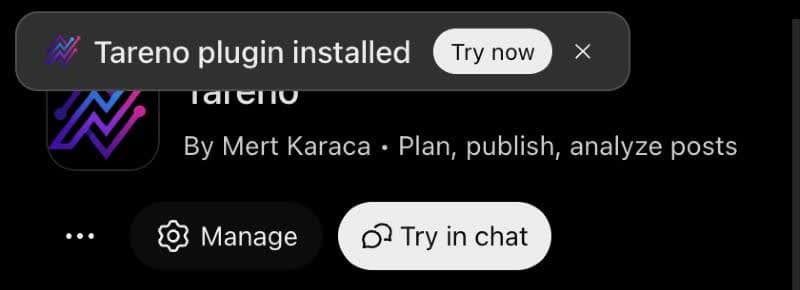
ChatGPT asks you to connect: choose Connect Tareno.You approve on Tareno's own page. This page is currently in German.Done: ChatGPT confirms that the plugin is installed.
3
Connect your social profiles in Tareno
ChatGPT sees only the profiles that are connected in your Tareno workspace. Add the Instagram, TikTok, LinkedIn, X or YouTube accounts in the dashboard first, then start a fresh conversation so the account list is current.
4
Test without changing anything
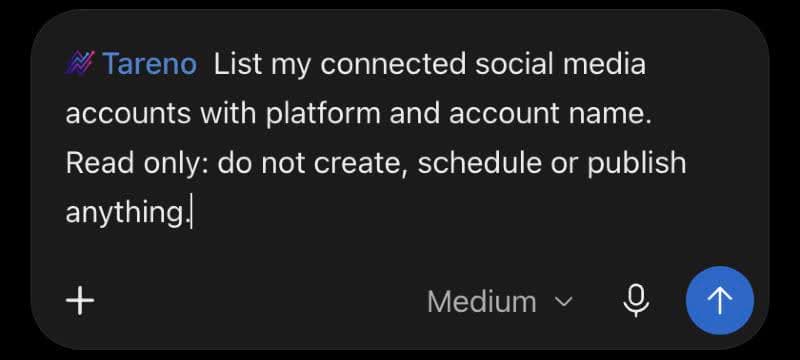
Select Tareno with @ and ask for your connected accounts with the instruction to read only. When your accounts appear, ChatGPT is ready for drafts. On a phone, check that the same personal plugin is enabled in the app.
Add a read-only request and send it.
5
If your workspace hides the plugin
An administrator can allow it, or you can create a personal connection: switch on Developer mode under Settings and Security and login, add a custom MCP connection with the endpoint on the right and choose OAuth. A personal connection is not a public listing and works only in your own account.
Review text, media, account, and time in Tareno and approve.
What ChatGPT can do with Tareno
ChatGPT is strongest where a conversation shapes the work: you think aloud, it drafts, you adjust. Tareno adds your accounts, your numbers and a safe way to schedule. These six jobs show the range, from a single caption to a month of review.
01
Drafts that fit each network
Describe an idea once and ask for versions for LinkedIn and X. ChatGPT reads the rules of each connected account by checking each network's rules, writes within them and saves every version as a draft (saving drafts), so you can compare the variants side by side in Tareno.
02
Posting times with a safety net
Name a day, a clock time and a time zone, and ChatGPT requests the slot by requesting a time. Tareno turns it into a pending action with an ID, so you approve it in the dashboard or let it lapse, and you never lose track of what the chat asked for.
03
Viral videos in your niche
Ask which videos on TikTok, Instagram or YouTube performed best for your topic in the last month. ChatGPT runs a viral video search, explains the hook and structure of the strongest ones and proposes angles for your brand that follow the pattern without copying the clip.
04
Turn approved sources into ideas
Give ChatGPT approved source links, an audience and a brief. Ask it to suggest original content ideas and show which source supports each claim. Review the links and verify the evidence yourself, then ask Manus to save the ideas you select as drafts in Tareno for your final review.
05
Transcripts and blueprints
Give ChatGPT the link of a public video on a supported network and it can fetch the spoken text as video transcripts. For a deeper breakdown with hook, structure and pacing, it asks for the price of the analysis first, and you then write your own script in your own voice.
06
A monthly review without five apps
Ask for the analytics overview for the last month and the platform numbers behind it. ChatGPT names the posts that did best, suggests three changes for the next month and labels any metric that a network did not return as unavailable instead of zero.
Prompts to copy for ChatGPT
01
Check the connection
Use Tareno to list my connected social media accounts with platform and account name. Read only: do not create, schedule or publish anything. Tell me which account fits a post about topic best and say if a network I need is missing.
02
Two networks, one idea
My idea is idea for audience. Check the rules of my LinkedIn account name and my X account name in Tareno, write one version for each within those rules, and save both as drafts. Show me the exact text and the draft IDs.
03
Research the niche
Use Tareno to find viral videos about topic on TikTok from the last 30 days. List the five strongest with views, hook and the reason they worked, then propose three video ideas for my brand brand that use the same pattern without copying a single scene.
04
Review last month
Use Tareno to get my analytics overview for the last month and the numbers for Instagram. Name my three best and three weakest posts, explain what the best have in common, and treat every metric that was not returned as unavailable, not as zero.
05
Request the slot
Take draft draft ID and ask Tareno to schedule it for Thursday 09:00 in the Europe/Berlin time zone on account name. Return the pending action ID and remind me that I have to approve it in the Tareno dashboard before anything is published.
Which social networks can ChatGPT post to?
ChatGPT can prepare drafts, scheduling requests and publishing requests for every account you connect in Tareno on these ten networks:
Connect each social account in Tareno first. Post formats and required settings depend on the network and the account type, and ChatGPT reads them from Tareno before it prepares a post.
Limits and things to know
Scheduling, publishing, edits to scheduled posts and deletions always create a pending action. You approve it in the Tareno dashboard, and the chat alone can never post.
A published ChatGPT plugin does not make a public Codex listing. Codex connects to Tareno separately, and installing in one client does not configure the other.
Availability depends on your ChatGPT plan, region and workspace permissions. If the option is missing, ask your administrator; this guide does not describe ways around an access restriction.
If ChatGPT asks you to authorize again and again, check which Tareno account you approved. An older connection from before refresh-token support may need one disconnect and reconnect. Do not keep approving in a loop; note the time and the failing request and contact Tareno support.
Viral analyses can use Tareno credits. ChatGPT can ask for a quote first, so you see the price before an analysis starts.
Transcripts and comments exist only on supported networks. For Bluesky, LinkedIn, Mastodon and X, Tareno provides no transcripts, and unavailable analytics are never turned into zeros.
ChatGPT or Codex?
Both come from OpenAI, but they reach Tareno through different doors. ChatGPT uses the published plugin in the chat app on the web, the desktop and the phone, which suits conversations about campaigns and analytics. Codex is a coding agent that connects through remote MCP and suits release work that starts in a repository. They share one Tareno account and one approval step.
Published plugin or personal connection?
Two ways to connect ChatGPT to Tareno. Most people use the plugin.
Published plugin or personal connection?
Published plugin or personal connection?
Published plugin
Personal connection
Where you add it
ChatGPT's plugin directory, on the web or through the published listing
Developer mode under Settings, then a custom MCP connection with Tareno's endpoint
Sign-in
OAuth with your Tareno account, no API key
OAuth with your Tareno account
Who can use it
Anyone whose ChatGPT plan, region and workspace allow the plugin
Only your own ChatGPT account
Public listing
Yes, published in ChatGPT's plugin directory
No, a personal connection is not a listing
Choose it when
The plugin is visible in your directory
Your workspace hides the plugin and an administrator cannot allow it
ChatGPT or Codex at a glance
ChatGPT or Codex at a glance
ChatGPT or Codex at a glance
ChatGPT
Codex
What it is
OpenAI's chat app on the web, desktop and phone
OpenAI's coding agent
Way into Tareno
The published plugin
A remote MCP connection set up separately
Public Tareno listing
Yes
No
Suits
Conversations about campaigns, drafts and analytics
Release work that starts in a repository
Shared
One Tareno account and one approval step in the dashboard
One Tareno account and one approval step in the dashboard
Open the published Tareno listing, choose install or connect, and complete the Tareno login. Enable Tareno in a new conversation. For Claude, search for Tareno in the supported plugin directory.
Choose OAuth, connect and sign in with your own Tareno account. Check the requested permissions. Refresh the client's tool list after authorization.
Run list_accounts first. Confirm the returned workspace and account IDs before creating a draft. If no accounts appear, connect a social account in Tareno first.
https://tareno.co/api/mcp
Use the same Tareno account across supported clients. Open the relevant setup guide for authentication, first use, reconnect, and revocation.
Can ChatGPT post to Instagram, TikTok or LinkedIn for me?
Yes, through Tareno. ChatGPT prepares drafts, scheduling requests and publishing requests for the accounts you connected in your Tareno workspace on ten networks. The post goes live after you approve the request in the Tareno dashboard, not before.
Is there an official Tareno plugin for ChatGPT?
Yes. The Tareno plugin is published in ChatGPT's plugin directory. You connect it with your Tareno login through OAuth, so no API key is needed, and the same account is used on the web and in the mobile app once the plugin is enabled.
Do I need a paid ChatGPT plan to use Tareno?
Plugin availability depends on your ChatGPT plan, region and workspace settings, all of which OpenAI decides. On the Tareno side you need an account with MCP access. Check the Tareno pricing page for the plans that are current today.
Does ChatGPT see my social media passwords?
No. ChatGPT connects to Tareno through OAuth, and Tareno connects to each network with that network's official login. ChatGPT never receives the passwords or tokens of your social accounts, only the results of the tools it calls.
Why does ChatGPT keep asking me to authorize Tareno?
Check which Tareno account you approved, because a different one explains most loops. A connection made before refresh-token support may need one disconnect and reconnect. If it still repeats, stop approving, write down the time and the failing request and contact Tareno support.
Can I use Tareno in the ChatGPT mobile app?
Yes, if the plugin is available and enabled for your account. Connect it once in ChatGPT on the web, then check that it is enabled on your phone. Approvals for scheduling and publishing still happen in the Tareno dashboard.
Can I research viral videos with Tareno?
Yes. Ask your agent to search by topic and supported network, then review the returned video links and results yourself. A deeper analysis can use credits: request a quote and check the cost before starting it. Use the findings for original ideas rather than copying someone else's work.
Who publishes the post after I approve it?
Tareno does. Once you approve a scheduling request, Tareno holds the schedule and publishes at the agreed time, so the chat does not have to stay open. Ask ChatGPT for `get_action_status` if you want to check it later.
Let ChatGPT prepare your next posts
Start with your Tareno account, connect your agent and prepare drafts. You approve what goes live.