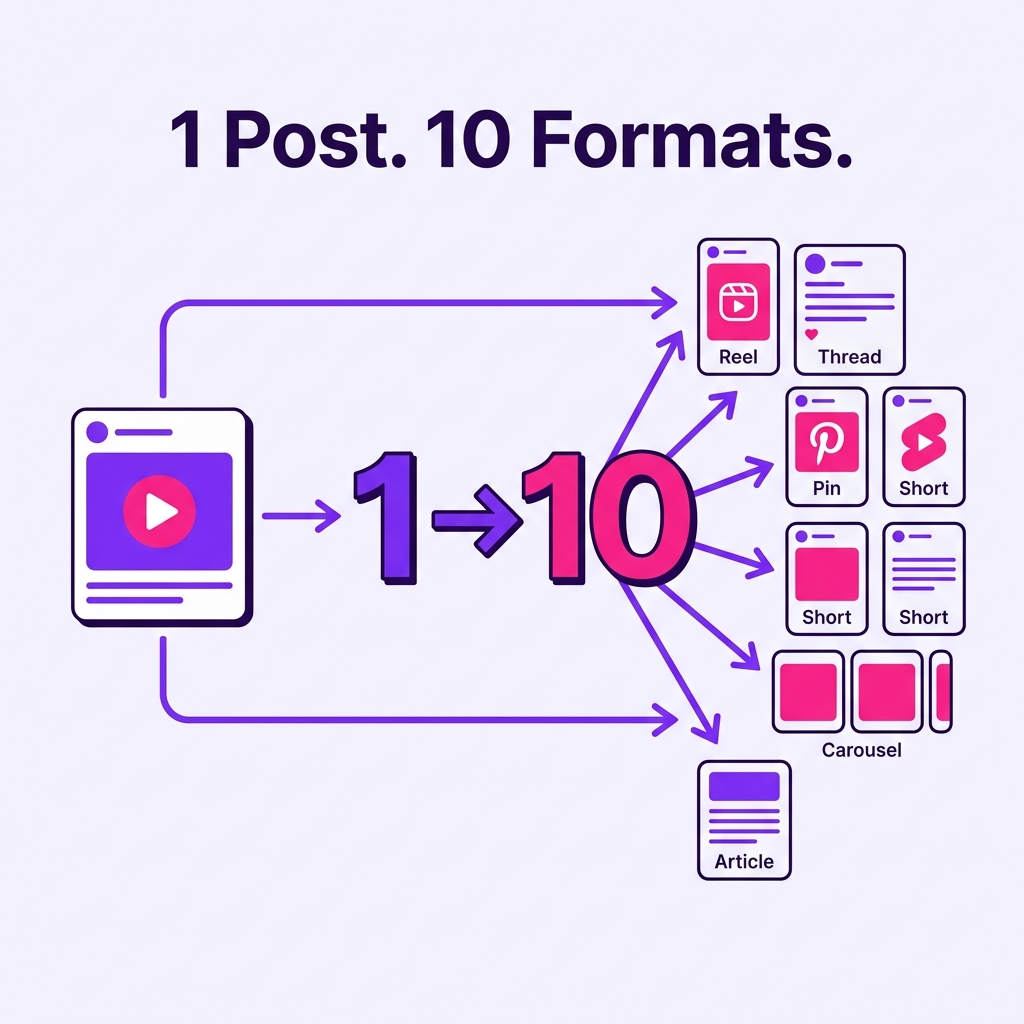
Content repurposing is not copying the same caption across every platform.
That is the lazy version.
A real content repurposing workflow turns one strong idea into several platform-specific posts, each adapted for the audience, format, search behavior, and context of the channel.
One Instagram post can become:
a TikTok short
an Instagram Reel
a Threads post
a LinkedIn post
a Pinterest pin
a YouTube Short
a carousel
a newsletter snippet
a short-form script
a follow-up post
The goal is not to post more random content.
The goal is to get more value from ideas that already work.
For creators, this means less pressure to create from scratch every day.
For teams, it means more consistent output without lowering quality.
For agencies, it means better margins because one approved idea can support multiple deliverables.
This guide shows how to build a content repurposing workflow that turns one social post into 10 platform-specific assets without becoming repetitive or spammy.
TL;DR
A strong content repurposing workflow has seven steps:
Identify a strong source post.
Decide whether it is evergreen or time-sensitive.
Extract the core idea.
Choose the best platform formats.
Rewrite the angle for each platform.
Route repurposed posts through approval.
Schedule, publish, measure, and improve.
The key rule:
Repurpose the idea, not the exact same post.
A good repurposing system uses analytics to find winners, a repurposing queue to organize reuse, platform-specific captions to adapt the idea, and approval workflows to protect quality.
What is a content repurposing workflow?
A content repurposing workflow is a repeatable process for taking one existing piece of content and turning it into multiple new assets for different platforms, formats, or audiences.
It can start from:
an Instagram post
a TikTok video
a YouTube video
a LinkedIn post
a blog article
a podcast episode
a webinar
a customer question
a high-performing tweet or thread
a short-form video script
a newsletter paragraph
a report or case study
The workflow turns that source into new platform-specific outputs.
For example:
A short TikTok video about “3 mistakes creators make before posting” can become:
Instagram Reel with a cleaner caption
Threads post with a more conversational hook
LinkedIn post focused on team workflow
Pinterest pin titled “3 Content Mistakes to Fix Before Posting”
YouTube Short with a new title and description
Carousel with one mistake per slide
Blog section in a content workflow article
Email tip for newsletter subscribers
Short quote graphic
Follow-up post answering one of the mistakes in detail
That is repurposing.
It is not duplication.
It is structured adaptation.
Why repurposing matters more in 2026
Social teams are under pressure to publish across more platforms, test more formats, and keep content fresh.
Creating everything from scratch is slow.
Repurposing helps solve that problem.
But it only works if the content is adapted properly.
Sprout Social’s repurposing guidance makes the operational case: creating relevant content for several networks can be exhausting and costly, so teams should look at existing high-performing material instead of always starting from scratch. Sprout also warns that teams should avoid sharing the same content everywhere without adapting it to each network’s features and audience.
That is the exact balance teams need:
reuse ideas
adapt execution
respect platform context
avoid repetitive copy-paste publishing
A good repurposing workflow is not about being everywhere at once.
It is about extending useful ideas intelligently.
The REUSE framework for content repurposing
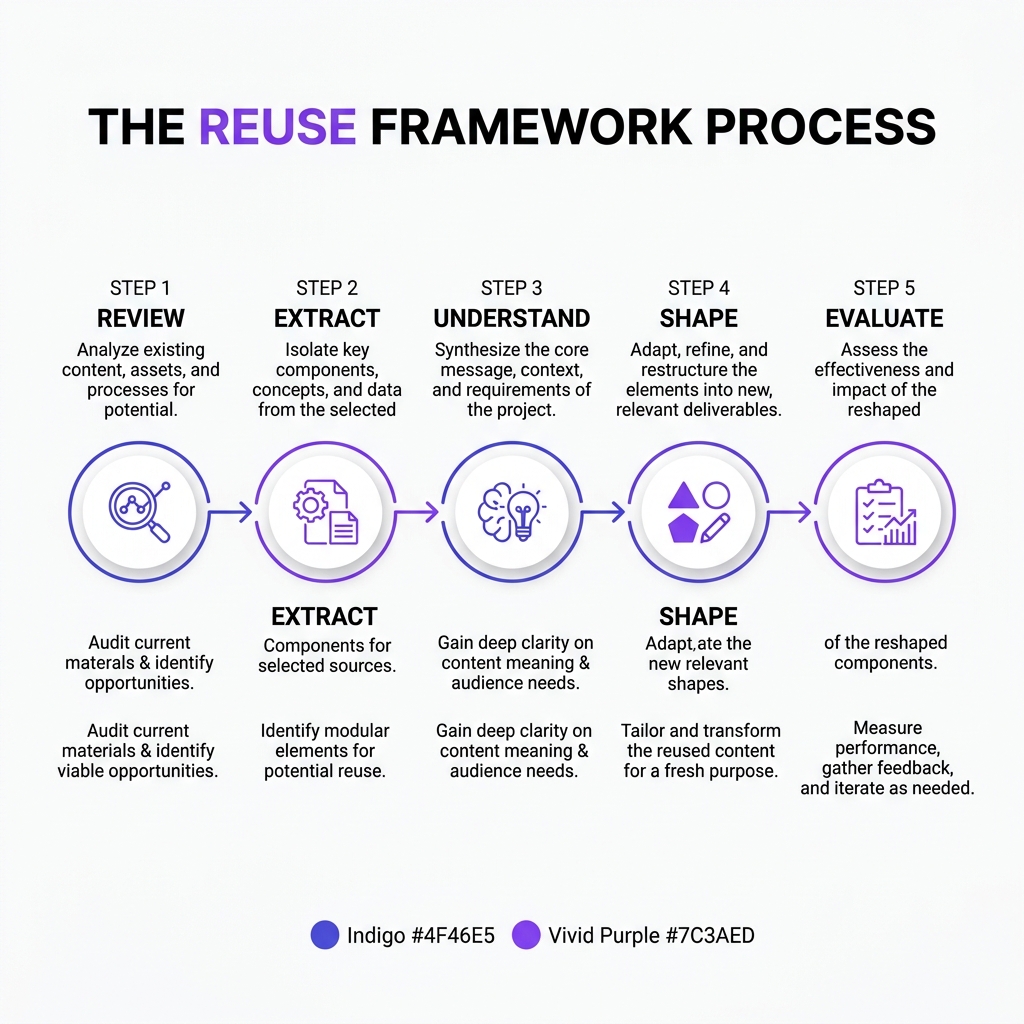
Use the REUSE framework to build a repeatable repurposing system.
R — Review performance
E — Extract the core idea
U — Understand the platform
S — Shape the new asset
E — Evaluate and repeat
This keeps repurposing strategic rather than random.
R — Review performance
The best repurposing workflows start with performance.
Do not repurpose everything.
Repurpose what has a reason to be reused.
Good signals include:
high engagement
strong saves
strong shares
meaningful comments
high click-through rate
follower growth
replies from target customers
strong watch time
strong completion rate
strong search or discovery performance
The right metric depends on your goal.
If the goal is awareness, look at reach and shares.
If the goal is community, look at comments and replies.
If the goal is conversion, look at clicks and sign-ups.
If the goal is education, look at saves and completion.
The mistake many teams make is repurposing based on convenience.
A better system repurposes based on evidence.
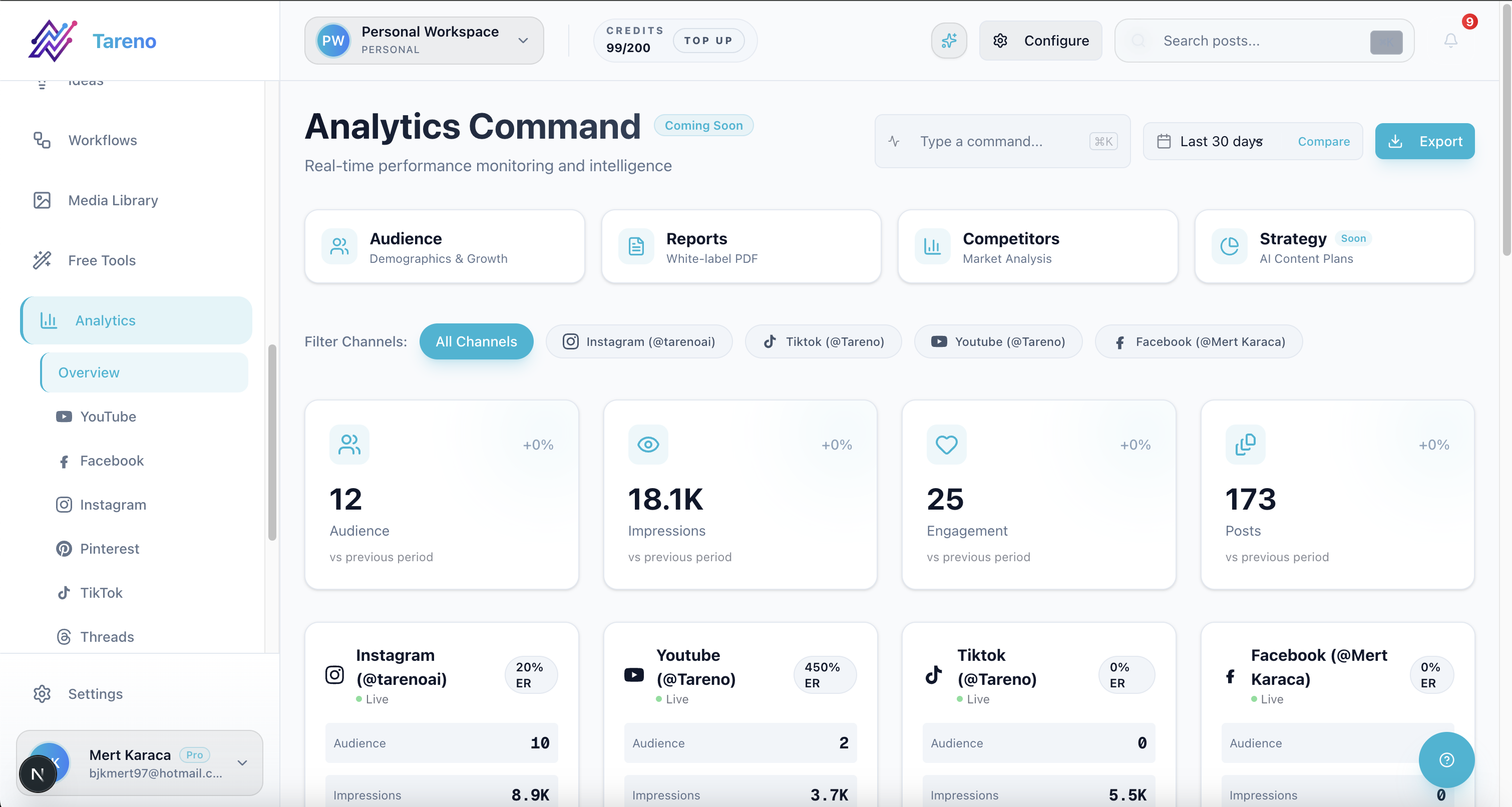
Using analytics to identify high-performing posts for your content repurposing workflow.
E — Extract the core idea
Before you turn one post into 10 assets, identify the actual idea.
A post is not just its caption.
It may contain:
a pain point
a hook
a framework
a lesson
a mistake
a before/after
a checklist
a story
a data point
a product use case
a customer objection
a workflow
The core idea should be simple enough to rewrite.
For example, this post:
“Your TikTok caption is too vague. Instead of ‘daily vlog,’ write ‘daily vlog ideas for creators trying to stay consistent.’”
The core idea is not the exact caption.
The core idea is:
Specific captions are more searchable than vague captions.
That idea can become many assets.
U — Understand the platform
Each platform needs a different version of the idea.
This is where repurposing becomes valuable.
TikTok
TikTok needs a strong hook, fast pacing, clear visual context, and simple captions.
Repurposed TikTok content should answer:
Why should someone stop scrolling?
Can the idea be understood quickly?
Does the caption help search/discovery?
Is the video native to TikTok behavior?
Instagram can support Reels, carousels, stories, and feed posts.
Repurposed Instagram content should answer:
Is this visually clear?
Is it save-worthy?
Does the caption add context?
Would this work as a carousel or Reel?
Threads
Threads works well for short opinions, quick lessons, conversational hooks, and direct creator thoughts.
Repurposed Threads content should answer:
Can the idea be stated naturally?
Does it invite replies?
Does it sound human?
Is it too polished for the platform?
LinkedIn needs a professional angle.
Repurposed LinkedIn content should answer:
What is the business lesson?
What is the workflow implication?
What can a team or founder learn?
Is the idea specific enough to be useful?
Pinterest needs search-friendly titles and visual clarity.
Repurposed Pinterest content should answer:
What would someone search for?
Is the title clear?
Does the visual show a useful outcome?
Does it link to a relevant page?
YouTube Shorts
YouTube Shorts needs a clear topic, strong title, and video structure that works even outside the original context.
Repurposed YouTube Shorts content should answer:
Is the idea complete in under 60 seconds?
Does the title make the topic obvious?
Does the video stand alone?
Is there a reason to watch until the end?
Platform adaptation is the difference between repurposing and reposting.
S — Shape the new asset
Once you know the platform, reshape the idea.
Here is how one idea becomes 10 assets.
Source idea:
Specific captions are more searchable than vague captions.
1. TikTok short
Hook:
Your TikTok caption is too vague.
Script:
If your caption only says “daily vlog,” TikTok has very little context. Try writing “daily vlog ideas for creators trying to stay consistent.” It gives the platform and the viewer a clearer topic.
Caption:
Weak captions make your content harder to understand. Try this before you post.
2. Instagram Reel
Hook overlay:
Stop writing vague captions.
Caption:
A clear caption gives your audience more context and makes your post easier to understand. Instead of “daily vlog,” try “daily vlog ideas for creators trying to stay consistent.”
3. Instagram carousel
Slides:
Your caption is too vague
Weak: daily vlog
Better: daily vlog ideas for creators trying to stay consistent
Why it works
Clear topic
Search-friendly phrase
Stronger viewer context
Save this before your next post
4. Threads post
Post:
“daily vlog” is not a caption strategy.
“daily vlog ideas for creators trying to stay consistent” gives people and platforms way more context.
vague captions make good posts harder to understand.
5. LinkedIn post
Post:
Most short-form content teams underthink captions.
A caption is not just text under a post. It is context.
“daily vlog” tells the platform almost nothing.
“daily vlog ideas for creators trying to stay consistent” tells the platform, the viewer, and the search layer what the content is about.Better captions are part of better content operations.
6. Pinterest pin
Title:
Turn Weak TikTok Captions Into Search-Friendly Captions
Pin text:
Before: daily vlog
After: daily vlog ideas for creators trying to stay consistent
CTA:
Rewrite your captions before you post.
7. YouTube Short
Title:
Your TikTok Captions Are Too Vague
Description:
Use clearer captions that explain the topic, audience, and context of your short-form video.
8. Blog section
Heading:
Why vague captions reduce content context
Section:
Captions help viewers and platforms understand what a post is about. A vague caption may feel aesthetic, but it often gives less context. A stronger caption describes the topic, audience, and outcome.
9. Newsletter tip
Subject:
Quick content fix: rewrite vague captions
Body:
Before you publish, ask: could a stranger understand the topic from the caption alone? If not, make it more specific.
10. Follow-up post
Hook:
The easiest caption test: remove the video and read the caption alone.
Post:
If the caption still explains the topic, it is probably strong. If it could describe anything, it is too vague.
One idea.
Ten assets.
Different platform logic.
That is the point.
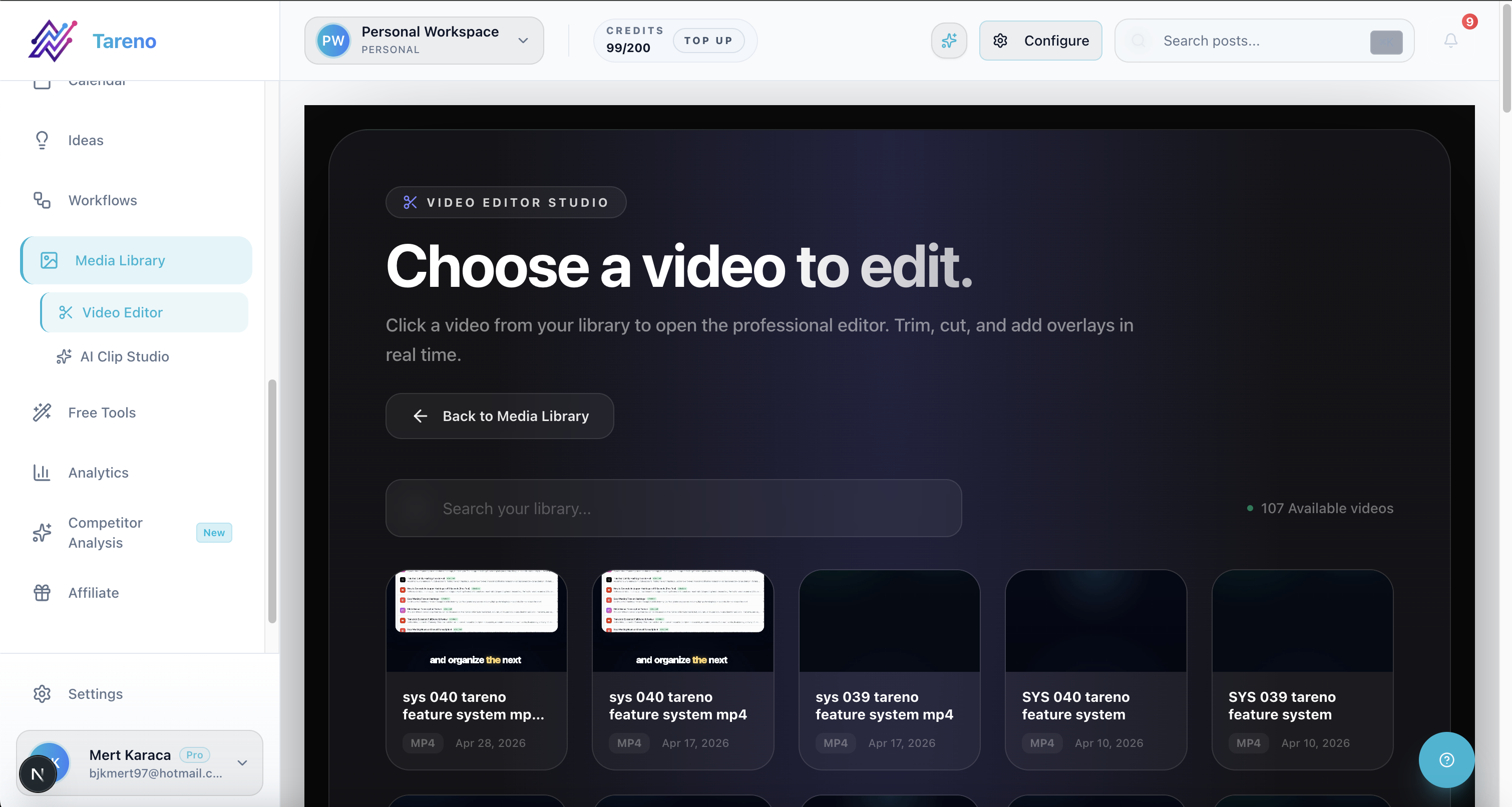
Reshaping long-form video into multiple shorts using a dedicated video repurposing tool.
E — Evaluate and repeat
Repurposing does not end when the new posts are published.
A strong workflow measures what happens next.
Track:
which platform version performed best
which hook worked best
which format generated saves
which version drove clicks
which caption style worked
which audience responded
which asset should be reused again
Then update the workflow.
For example:
If Pinterest pins drive traffic, create more pins from blog sections.
If Threads posts create replies, turn replies into new content ideas.
If LinkedIn posts create leads, repurpose more creator tips into business lessons.
If TikTok hooks work, reuse the hook format in future scripts.
If carousels get saves, turn more short posts into carousel checklists.
Repurposing should become a learning loop.
How to build a repurposing queue
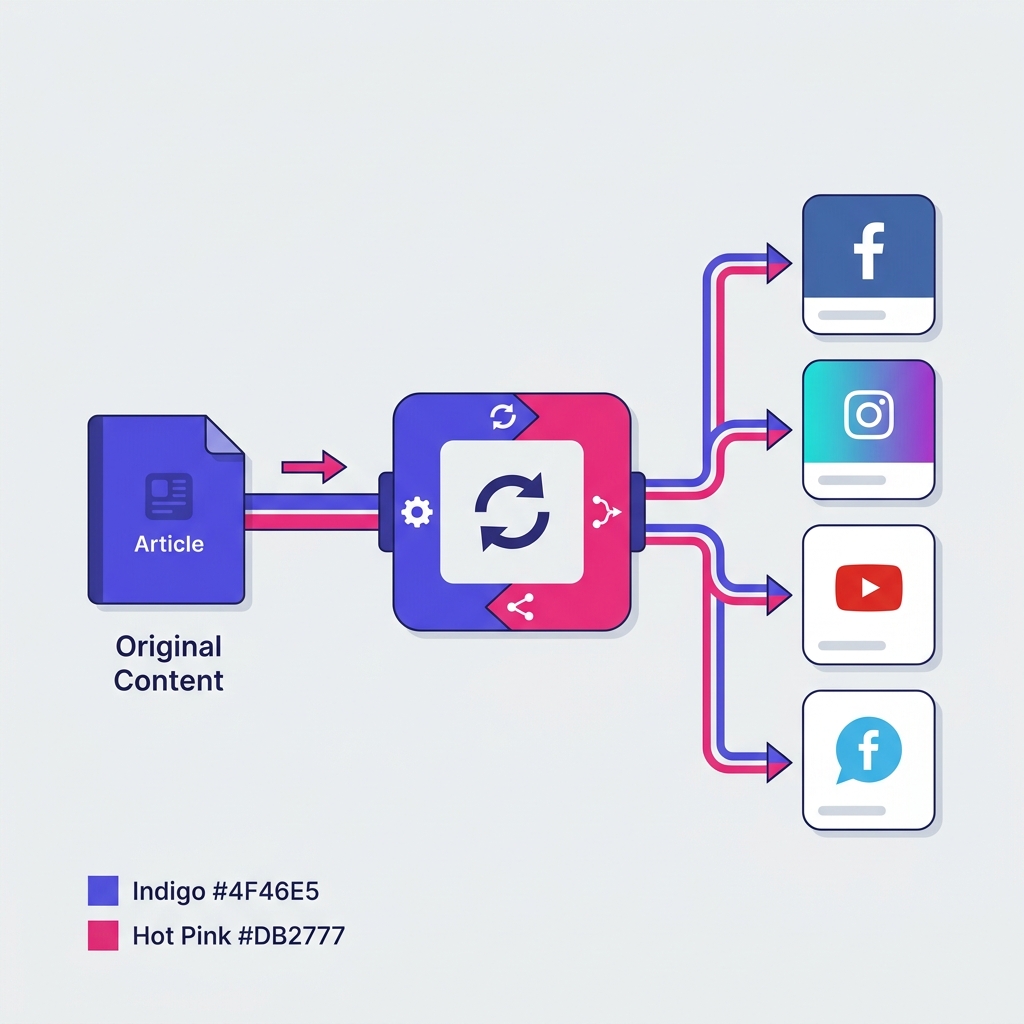
A repurposing queue is a place where reusable content waits for its next platform-specific version.
It should not be a random folder.
It should include useful metadata.
A strong repurposing queue includes:
source post
source platform
original publish date
performance reason
evergreen or time-sensitive
target platforms
status
owner
approval requirement
next publish date
notes for adaptation
link to original asset
performance after republishing
Example statuses:
Candidate
Needs Rewrite
Needs Design
Needs Approval
Scheduled
Published
Reuse Again
Archive
This makes content reuse visible.
Without a queue, repurposing depends on memory.
With a queue, repurposing becomes part of the system.
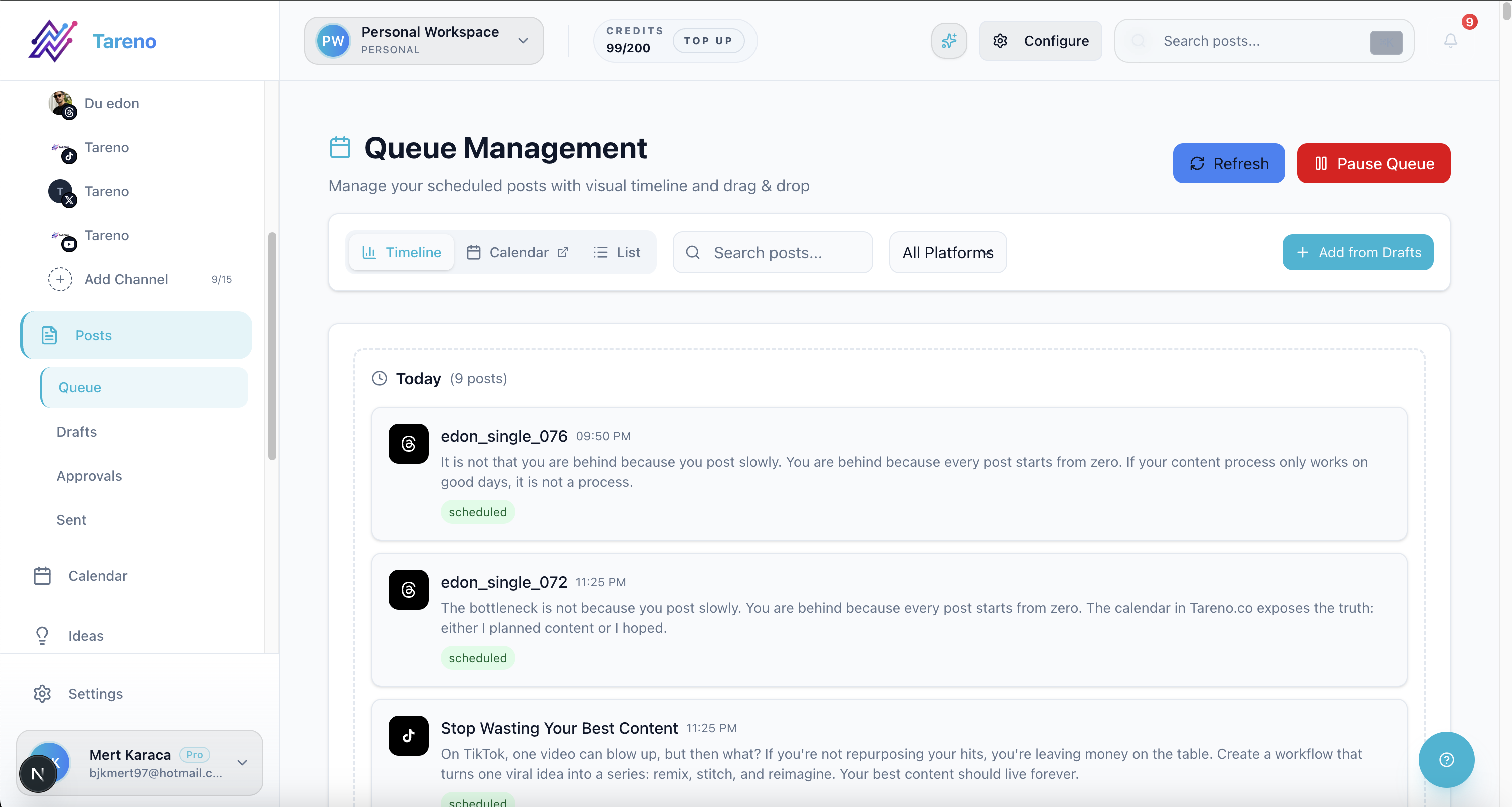
A structured repurposing queue ensures ideas are systematically distributed to the right platforms.
What content should be repurposed?
Not all content deserves to be reused.
Good candidates include:
evergreen educational posts
high-performing videos
strong hooks
posts with lots of saves
posts with useful comments
tutorials
frameworks
checklists
customer questions
product use cases
comparisons
opinion posts with strong replies
blog sections that answer common questions
Avoid repurposing:
outdated announcements
time-limited offers
event-specific posts after the event
posts with incorrect claims
sensitive or controversial content without review
platform-specific memes that do not translate
content that performed poorly for a clear reason
posts that depend on context that no longer exists
Repurposing should be selective.
The goal is more value, not more noise.
How to avoid spammy repurposing
Bad repurposing can hurt quality.
It can make your brand look repetitive, lazy, or automated.
Use these rules.
1. Rewrite captions per platform
Do not use the same caption everywhere.
A caption that works on TikTok may feel too casual on LinkedIn.
A LinkedIn post may feel too long for Threads.
A Pinterest pin needs search-friendly wording.
2. Change the hook
The hook should fit the platform.
TikTok hook:
Stop writing vague captions.
LinkedIn hook:
Most teams treat captions like decoration. They are actually context.
Pinterest hook:
Turn weak captions into searchable captions.
Same idea.
Different entry point.
3. Keep approval gates
Repurposed content should still be reviewed.
Especially if:
the original post is old
the claim may have changed
the topic is sensitive
the content references prices
the content mentions a competitor
the content is being adapted for a new audience
4. Check timing
Some content is evergreen.
Some content expires.
A “2026 trend” post may not be useful in 2027.
A pricing comparison may need verification before reuse.
A holiday post may only work seasonally.
5. Use performance data
Do not repurpose content just because it exists.
Repurpose content because there is evidence it deserves another life.
Repurposing workflow for creators
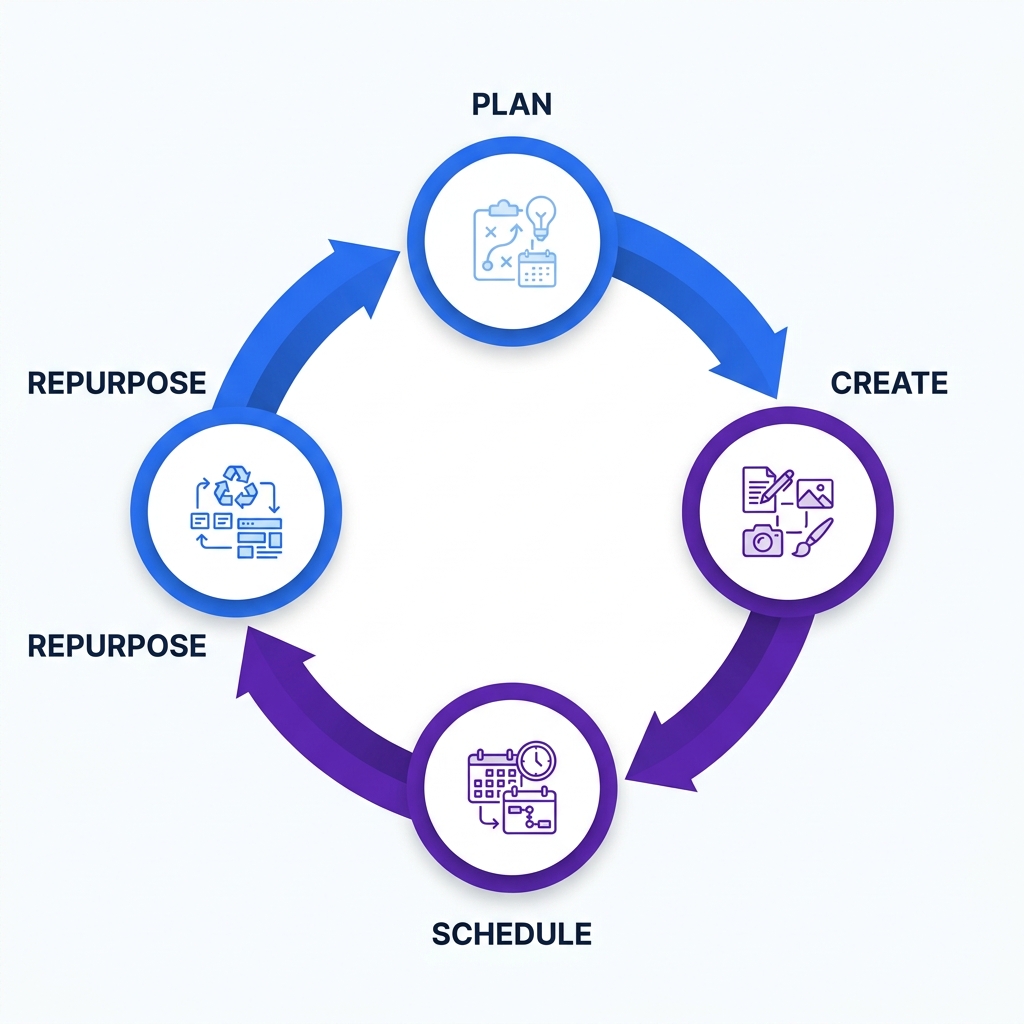
Creators often feel pressure to come up with new ideas every day.
A better system is to build a weekly repurposing workflow.
Example weekly workflow:
Monday
Create one core short-form video.
Tuesday
Turn the video into an Instagram Reel and TikTok version.
Wednesday
Turn the idea into a Threads post and LinkedIn post.
Thursday
Create a Pinterest pin and a carousel.
Friday
Review performance and add the best version to the repurposing queue.
Next week
Reuse the best idea with a new hook, new format, or new platform angle.
This creates consistency without forcing daily idea generation.
Repurposing workflow for agencies
Agencies can use repurposing to improve output and margin.
Example agency workflow:
Create a campaign content batch.
Get client approval for the core ideas.
Publish first versions across priority platforms.
Track performance.
Move winning posts into the repurposing queue.
Adapt winners for other platforms.
Send repurposed versions through lighter approval.
Schedule future posts.
Include repurposing results in the monthly report.
This helps agencies avoid starting from zero every month.
It also gives clients more value from approved ideas.
Repurposing workflow for teams
Social teams can use repurposing to connect analytics with execution.
Example team workflow:
Weekly analytics review.
Identify top posts.
Add winners to repurposing queue.
Assign platform owners.
Rewrite per platform.
Review and approve.
Schedule.
Track second-wave performance.
Update playbook.
This turns reporting into action.
Without this step, analytics is just a dashboard.
With repurposing, analytics becomes a content engine.
How Tareno fits into content repurposing workflows
Tareno is built for teams that want more than simple scheduling.
Relevant Tareno components include:
repurposing queue
workflow builder
content boards
team workspaces
approval workflows
roles and permissions
activity visibility
competitor analysis
unified analytics
AI captions and hashtags
API access
Make integration
n8n integration
This matters because repurposing is not only a content task.
It is a workflow task.
A strong repurposing system needs:
analytics to find winners
a queue to organize candidates
AI support to rewrite captions
boards to manage stages
approvals to protect quality
scheduling to publish
automation to reduce manual steps
reporting to improve the next round
That is why a workflow-first system is different from a simple scheduler.
See how Tareno's all-in-one platform powers a complete content repurposing workflow.
Tool comparison context
Different tools solve different parts of repurposing.
NeedSuggested Tool FitSimple schedulingBufferVisual planningLaterContent categoriesSocialBeeAnalytics & trackingMetricoolApproval collaborationPlanableBroad social suiteHootsuiteWorkflow & automationTareno
If your main problem is content categories, SocialBee may be useful.
If your main problem is analytics, Metricool may be useful.
If your main problem is visual planning, Later may be useful.
If your main problem is turning content into repeatable repurposing workflows, Tareno is the better fit.
FAQ
What is a content repurposing workflow?
A content repurposing workflow is a repeatable process for turning one existing content idea into multiple platform-specific assets while preserving quality, context, and approval control.
Is content repurposing the same as reposting?
No. Reposting usually means publishing the same content again. Repurposing means adapting the idea, format, hook, caption, and context for another platform or audience.
What content should I repurpose?
Repurpose evergreen content, high-performing posts, strong hooks, tutorials, frameworks, checklists, customer questions, and posts with meaningful engagement or conversions.
What content should not be repurposed?
Avoid repurposing outdated announcements, expired offers, time-limited events, inaccurate claims, sensitive content without review, or platform-specific posts that do not translate.
How many posts can one idea become?
One strong idea can often become 5 to 10 assets, including short videos, carousels, Threads posts, LinkedIn posts, Pinterest pins, YouTube Shorts, newsletter tips, and blog sections.
How do I avoid spammy repurposing?
Rewrite captions per platform, change hooks, use approval gates, check timing, avoid duplicate copy-paste publishing, and use analytics to choose what deserves to be reused.
What is a repurposing queue?
A repurposing queue is a workflow area where reusable content is stored, organized, assigned, reviewed, scheduled, and tracked for future platform-specific reuse.
Which tool is best for content repurposing workflows?
The best tool depends on the bottleneck. A simple scheduler can publish posts. A category tool can recycle evergreen content. Tareno is a strong fit when teams need repurposing queues, workflow automation, boards, approvals, roles, activity visibility, Make, n8n, and API support.
Final thoughts
Content repurposing is not a shortcut for lazy content.
Done well, it is a quality system.
It helps creators, agencies, and teams get more value from strong ideas without constantly starting from zero.
The best repurposing workflow does four things:
It uses performance data to find winners.
It extracts the core idea.
It adapts the idea for each platform.
It uses approvals and automation to keep quality high.
If your team is still manually remembering which posts to reuse, your content library is probably underperforming.
A repurposing queue turns content reuse into a system.
And once repurposing becomes a system, every strong post becomes more valuable.
Primary Action: Explore Tareno features to see how repurposing queues, workflow builder, boards, approvals, Make integration, n8n integration, API, analytics, and team roles can work together.
Secondary Action: Compare Tareno with SocialBee, Buffer, Later, Metricool, and Hootsuite on the compare hub.