A client approval process can either protect your agency workflow or slow everything down.
If the process is unclear, clients leave feedback in too many places, approvals become vague, and posts get delayed.
If the process is too heavy, every small caption change becomes a bottleneck.
The goal is not to make approval complicated.
The goal is to make it clear and auditable for both the delivery team and the client decision-maker.
A good social media approval process shows:
what the client needs to review
what version they are approving
what feedback is still unresolved
whether the post can be scheduled
who owns the next step
what happens after publishing
which content should be repurposed later
This guide explains how to build a client approval process for social media posts that works for agencies, consultants, creators, and client-facing teams.
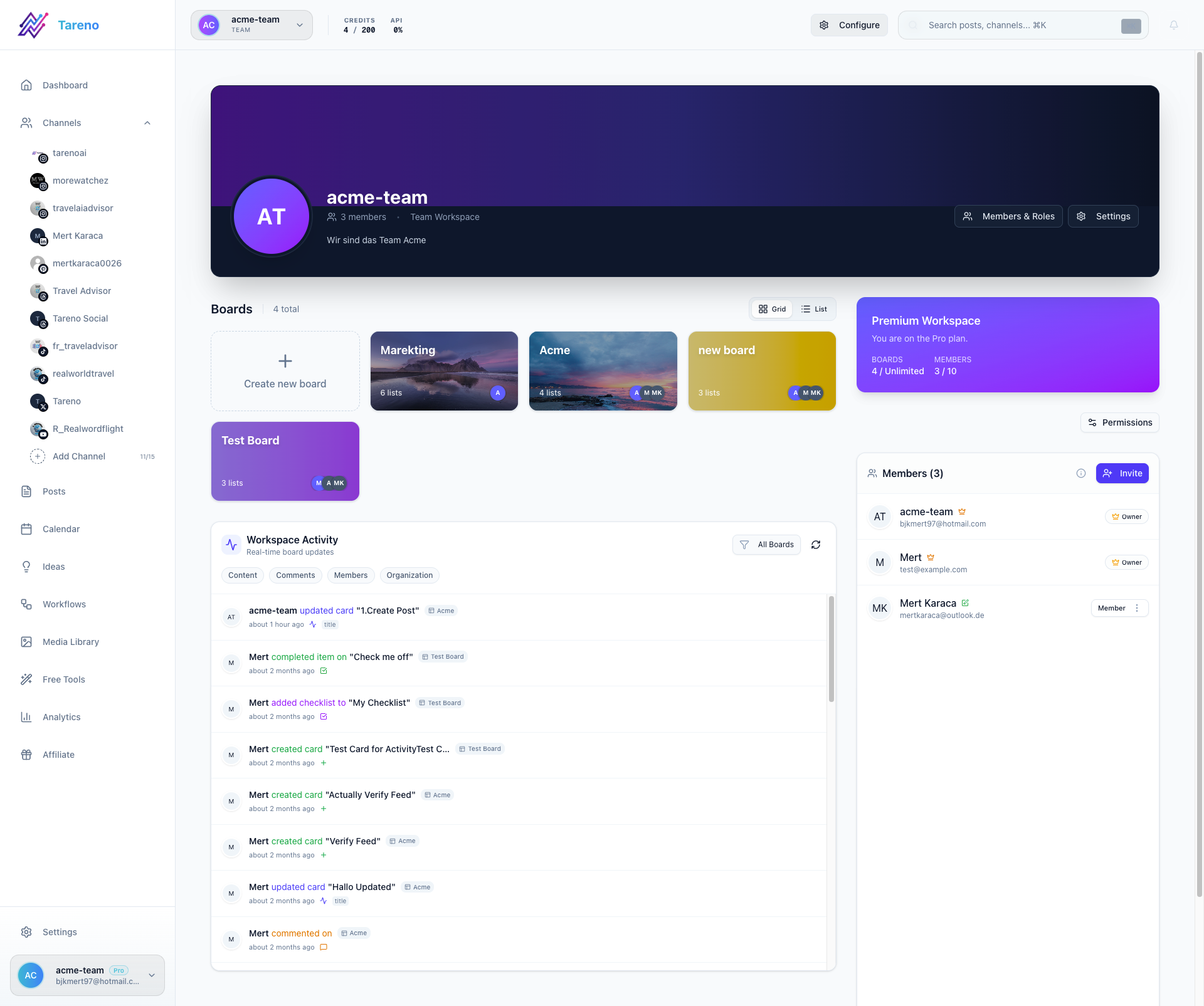
For teams comparing client approval tools, the practical requirement is simple: every social media post needs one owner, one review queue, and one visible approval state before it reaches the calendar. If you want that process inside the product rather than spread across email and screenshots, start with Tareno's approval workflows or the dedicated social media approval workflow software page.
TL;DR
A strong client approval process includes:
client brief
internal draft
internal review
client review
change requests
final approval
scheduling gate
publishing
reporting
repurposing
The key rule:
Client approval should apply to a specific version, not a vague idea.
If the client says “looks good,” your workflow should show exactly what they approved.
Why client approval processes fail
Client approval processes usually fail for simple reasons.
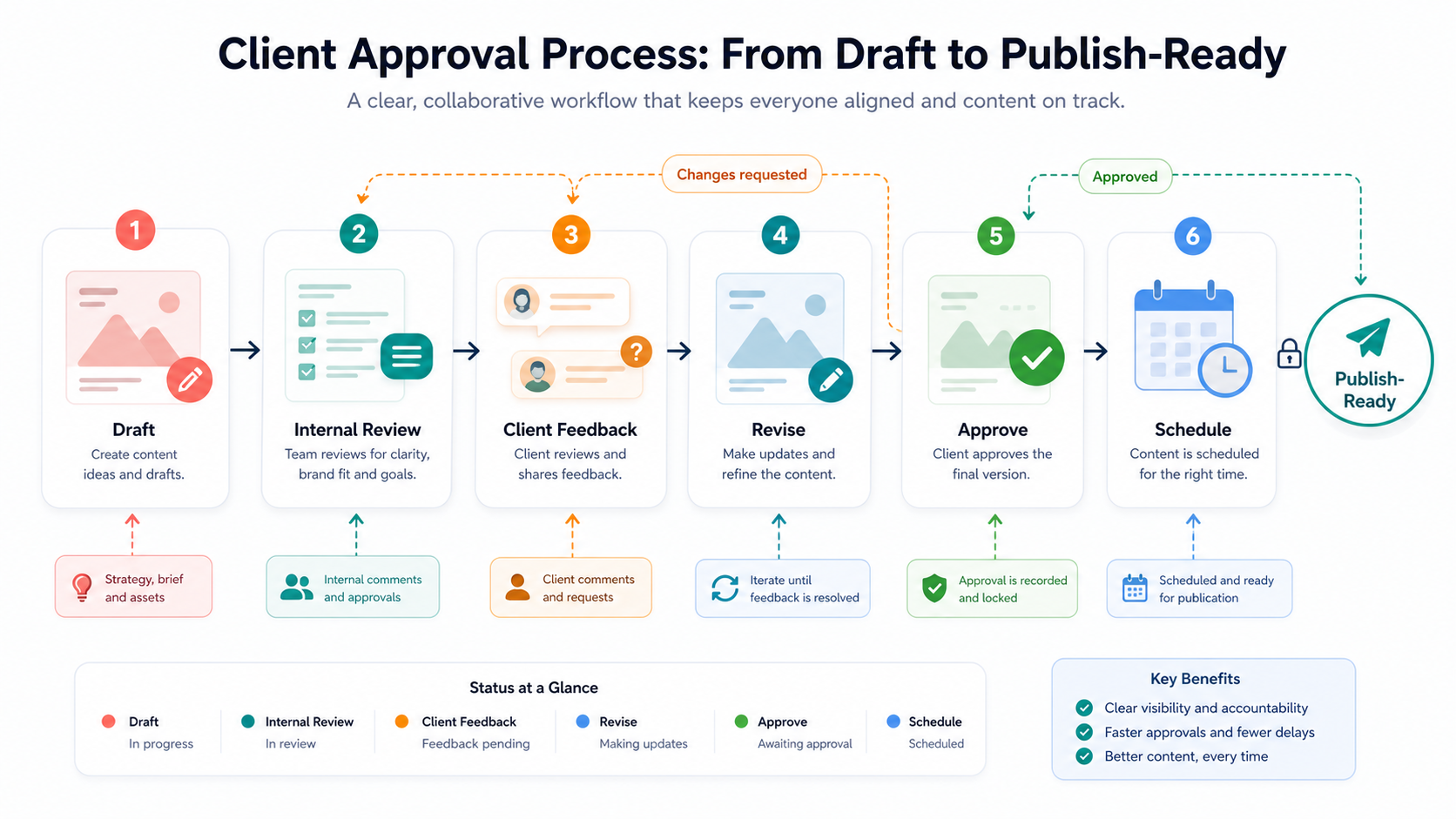
A clear approval path separates draft work, client feedback, revisions, final approval, and scheduling.
The next visual adds the practical layer behind this point: most approval failures are visibility failures: teams cannot see status, owner, or next step.
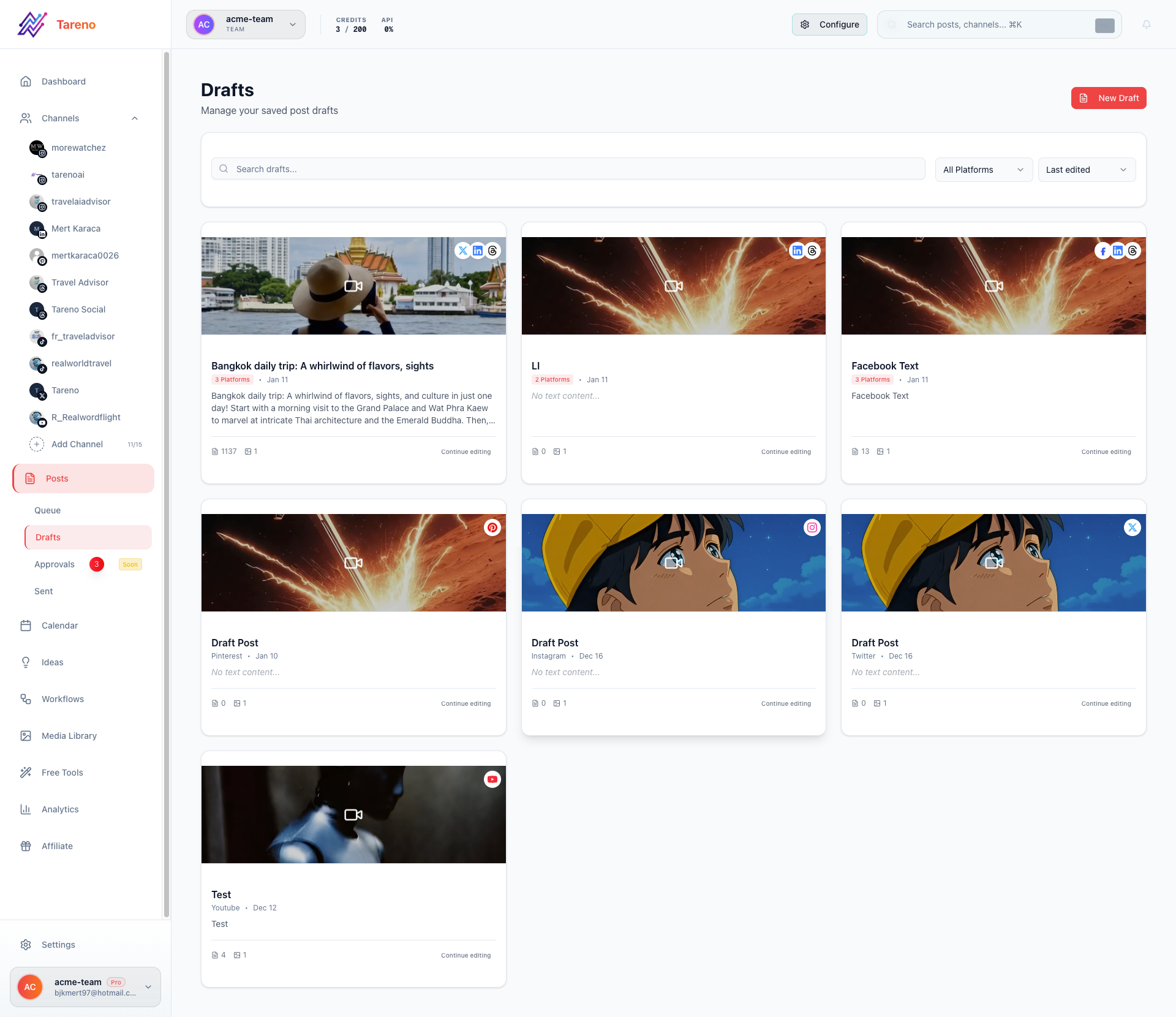
Most approval failures are visibility failures: teams cannot see status, owner, or next step.
Approval happens too late
The client sees content after the team has already assumed it is final.
Internal review is skipped
The client becomes the first quality filter.
Feedback is scattered
Comments happen in emails, chats, docs, screenshots, and meetings.
No one owns the next step
A comment is made, but no task is assigned.
Approval is vague
The client approves the concept, but not the final caption or asset.
Scheduling is not gated
Unapproved content can still be published.
Reports do not close the loop
Approved content is published, but the client never sees what happened or what the team recommends next.
A better process solves these issues.
The APPROVE framework
Use the APPROVE framework to build a client approval process.
Framework for separating feedback, approval, revision, and reporting decisions.
A — Align on rules
P — Prepare internal draft
P — Pre-review internally
R — Request client feedback
O — Obtain version-specific approval
V — Verify scheduling readiness
E — Evaluate and repurpose
This keeps approval clear and connected to execution.
A — Align on rules
Start before content is drafted.
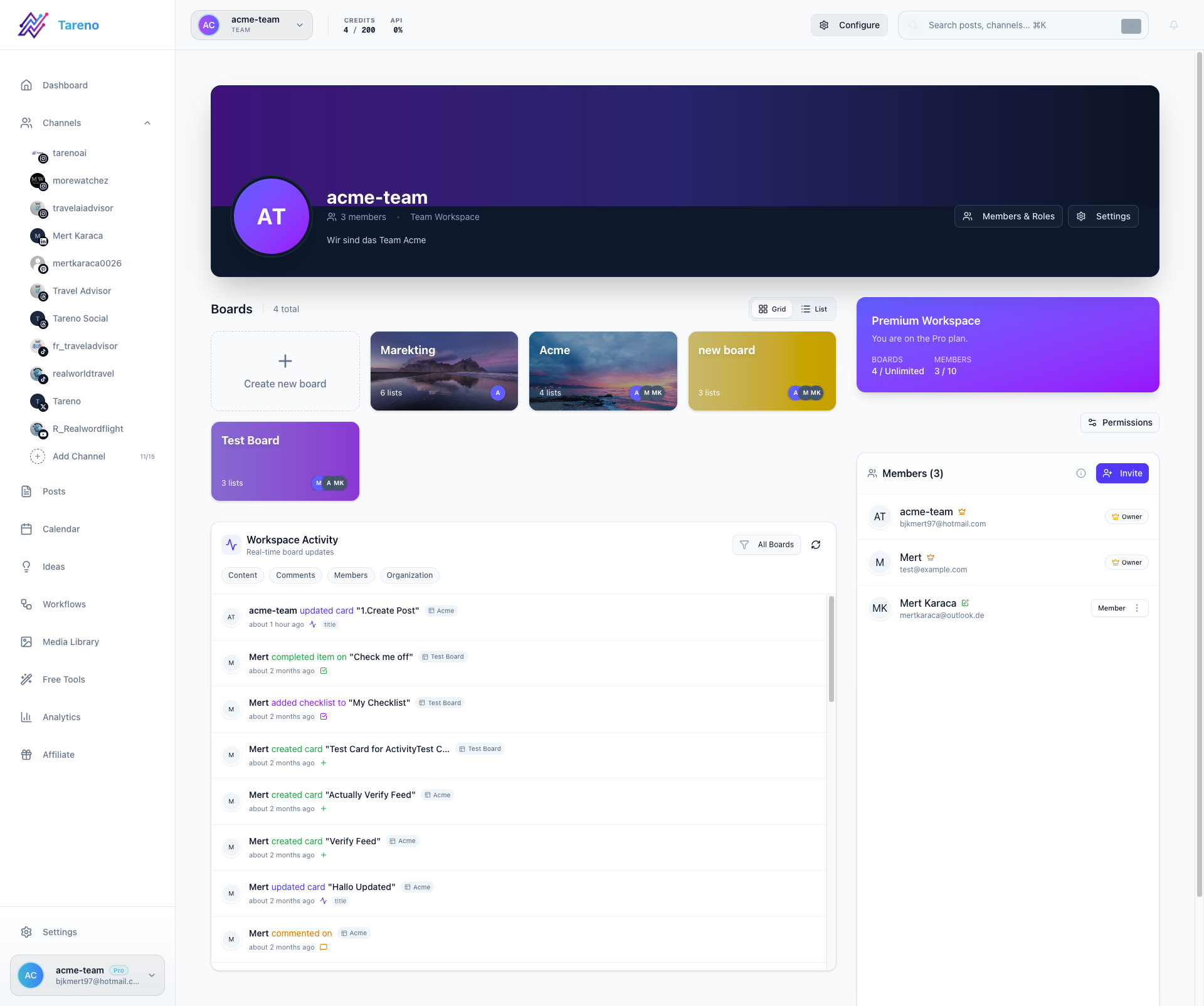
Rule clarity starts with role clarity across account managers, creators, and client approvers.
Define approval rules with the client.
Clarify:
who approves content
how many approval rounds are included
how quickly feedback is expected
which content needs approval
which content can be pre-approved
what counts as final approval
what happens if feedback is late
who approves urgent content
whether repurposed content needs review
whether sponsor or legal review is needed
This prevents confusion later.
Approval rules should be part of onboarding.
P — Prepare internal draft
Create the draft inside your workflow.
Each draft should include:
platform
caption
creative asset
hashtags if relevant
link or CTA
campaign label
scheduled target date
owner
review status
notes for the client
A client should not need to guess what they are reviewing.
The draft should be complete enough to evaluate.
P — Pre-review internally
Internal review protects quality.
Before sending to the client, check:
brand voice
spelling
platform fit
visual quality
campaign alignment
claims
pricing
competitor mentions
links
CTA
media format
legal or sponsor requirements
If the internal team sends weak drafts, the client approval process becomes slower.
Internal review reduces client back-and-forth.
R — Request client feedback
Client feedback should be structured.
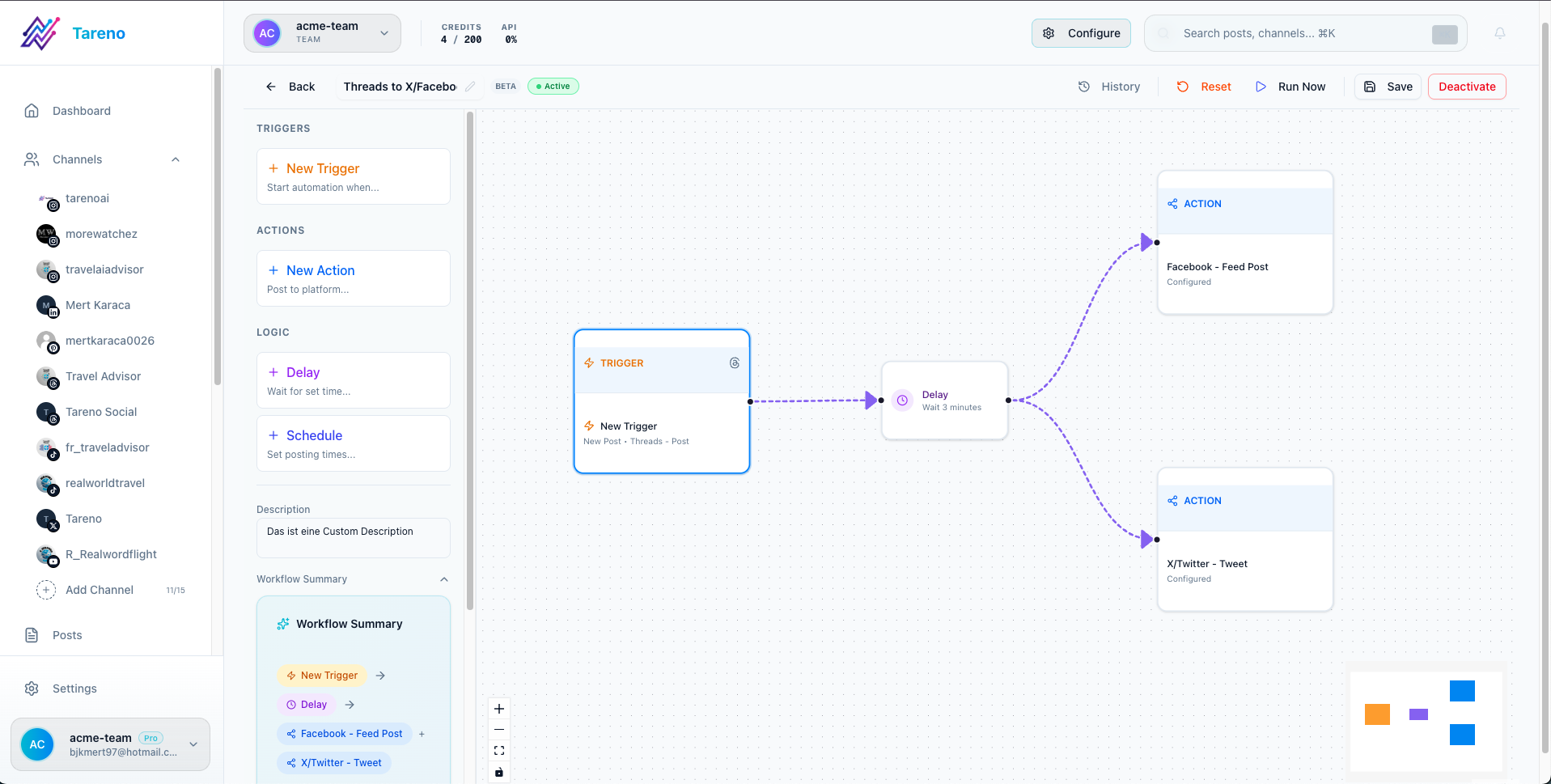
Structured feedback paths reduce vague comments and speed up decisions.
Ask the client to choose one of three outcomes:
Approved
Approved with minor edits
Changes requested
Avoid vague feedback states like:
maybe
or:
almost there
A good feedback request should include:
deadline
what needs review
how to comment
what happens after approval
whether silence counts as approval or not
Be explicit.
O — Obtain version-specific approval
Approval should be tied to the exact version.
The workflow should show:
approved caption
approved asset
approved platform
approved publish date if relevant
approving person
approval timestamp
remaining changes if any
If the caption changes after approval, the post may need re-approval.
This is especially important for client, sponsor, pricing, product, or legal-sensitive content.
V — Verify scheduling readiness
Before scheduling, verify:
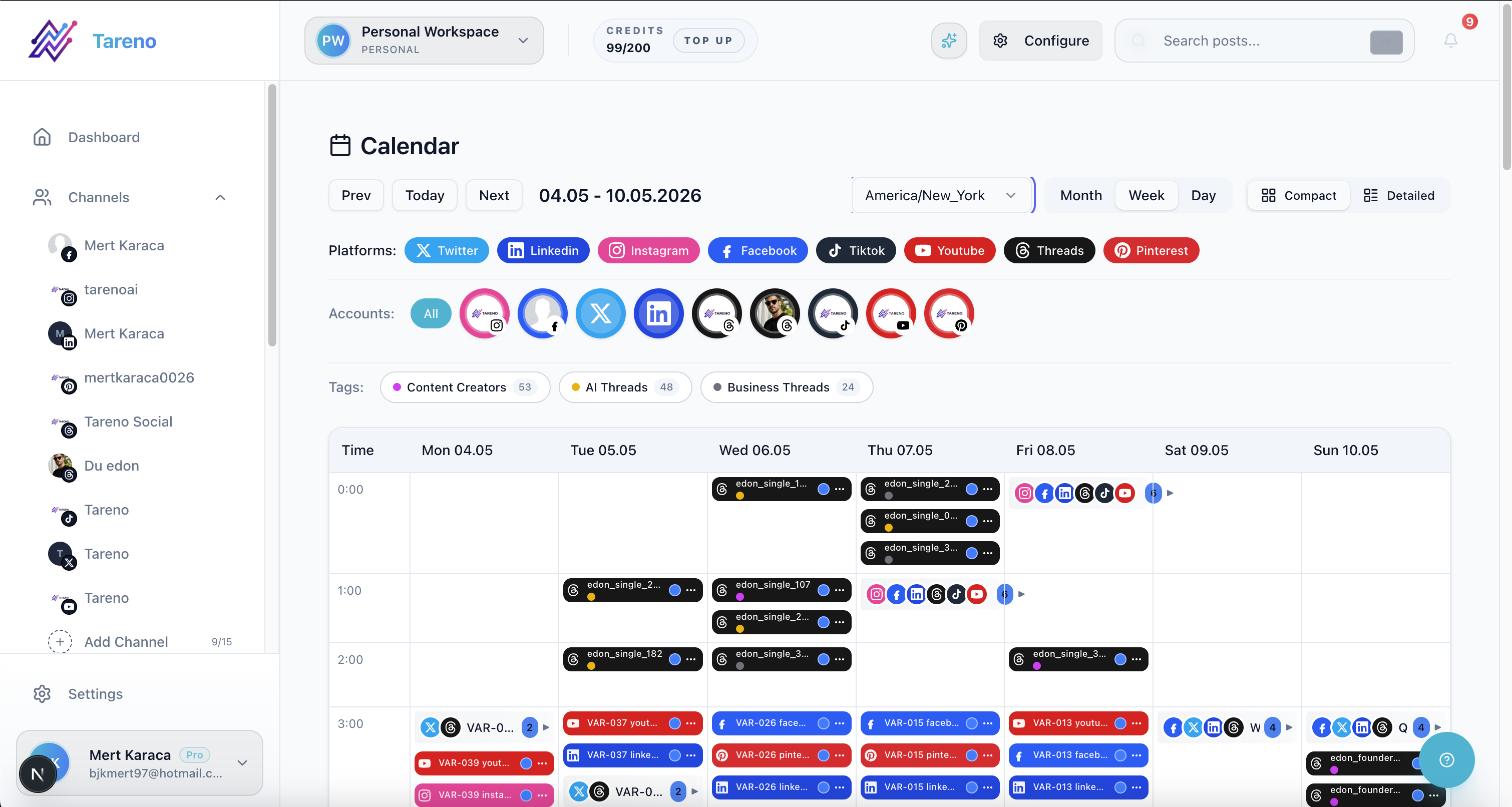
Scheduling should be downstream of approval, not a parallel step.
final approval exists
platform version is correct
caption is final
media is attached
link works
CTA is correct
hashtags are final
publish date is approved
timezone is correct
client notes are resolved
Scheduling should happen after approval, not before.
A publish gate protects the client and the team.
E — Evaluate and repurpose
Approval should not be the final step.
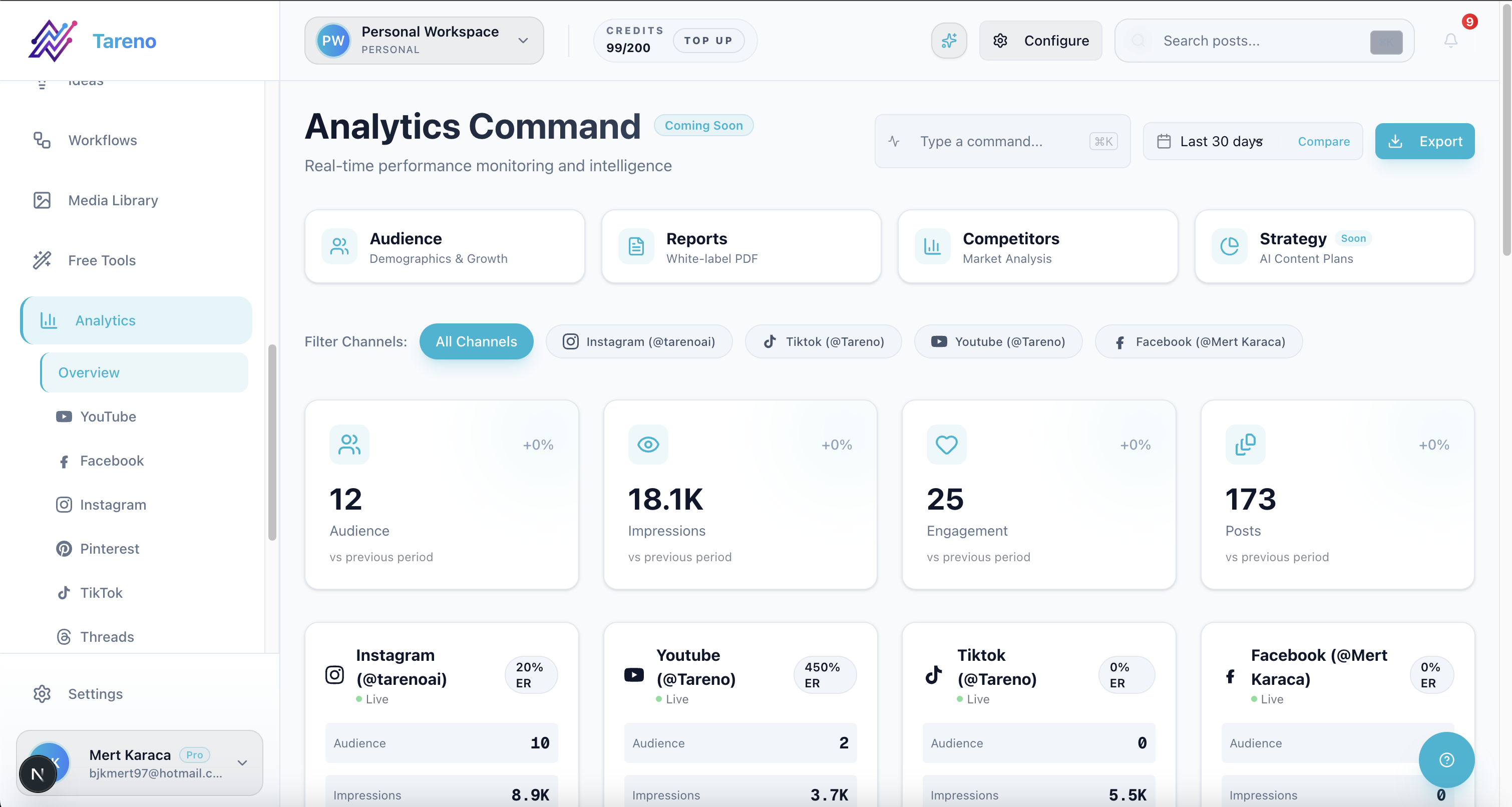
Approval is not the finish line; reporting should feed the next repurposing cycle.
After publishing, evaluate performance.
Then decide:
should this content be repurposed?
should it become a new format?
should it become a follow-up post?
should it become a case study?
should it be reused next month?
should the client see it in the report?
This turns client content into a long-term asset.
Client approval process template
Use this process:
Step 1: Client brief
Collect:
goal
campaign
audience
offer
key messages
brand notes
do-not-say list
required approvals
deadlines
Step 2: Draft
Create content with:
platform
caption
creative
CTA
link
owner
due date
notes
Step 3: Internal review
Check quality before client review.
Step 4: Client review
Send for approval with deadline and instructions.
Step 5: Changes requested
Assign changes to owner and update status.
Step 6: Final approval
Record exact version and approver.
Step 7: Schedule
Only approved posts move to scheduling.
Step 8: Publish
Post goes live.
Step 9: Report
Performance is reviewed.
Step 10: Repurpose
Winners enter the repurposing queue.
Approval levels by risk
Not every post needs the same level of approval.
Low-risk content
Examples:
evergreen tips
simple questions
generic educational posts
community prompts
Approval:
internal review
optional client approval depending on agreement
Medium-risk content
Examples:
campaign content
product/service mentions
customer examples
offer-related posts
Approval:
internal review
client approval
High-risk content
Examples:
pricing
legal claims
financial claims
competitor comparisons
sponsor posts
crisis communication
sensitive topics
Approval:
internal review
client approval
additional legal/product/founder review where needed
Risk-based approval keeps the process efficient.
How to handle late client feedback
Late client feedback is common.
Set rules early.
Options:
Option 1: Hard approval deadline
If approval is not received by the deadline, the post is moved to next available slot.
Option 2: Auto-delay
Content automatically shifts until approval is received.
Option 3: Pre-approved content bank
Low-risk evergreen content can fill gaps when client approval is late.
Option 4: Emergency approval owner
One client-side contact can approve urgent content quickly.
The rule does not matter as much as clarity.
Everyone should know what happens when feedback is late.
How to reduce approval rounds
Approval rounds become shorter when the workflow improves.
Tips:
collect better briefs
use internal review first
send complete drafts
separate internal notes from client comments
use examples
set clear deadlines
define “minor edit”
limit approval rounds
maintain brand guidelines
use templates
report what worked
Clients usually give better feedback when the review experience is clear.
How Tareno fits into client approval processes
Tareno is useful when client approval needs to connect to the broader social media workflow.
Relevant Tareno components include:
client/team workspaces
content boards
approval workflows
workflow builder
repurposing queue
roles and permissions
activity visibility
analytics
white-label reports
AI captions and hashtags
Make integration
n8n integration
API access
This matters because client approval is not only about review.
It should connect to scheduling, publishing, reporting, and repurposing.
Tareno helps manage the full approval loop.
Tool context
Different tools can support different approval needs.
NeedTool type that often fitsDedicated client reviewPlanable-style toolAgency dashboardsSendible-style toolAgency scheduling approvalsSocialPilot-style toolInbox assignmentsAgorapulse-style toolSimple team approvalsBuffer-style schedulerWorkflow approval plus repurposingTareno-style system
The right tool depends on whether approval is isolated or part of a larger workflow.
What to document
Document these rules:
who approves
where approval happens
how many rounds are included
deadline for feedback
what happens when feedback is late
what requires re-approval
what content can be pre-approved
who handles urgent approvals
how repurposed content is reviewed
how approved content is reported
This documentation reduces confusion.
Common mistakes
Mistake 1: No approval deadline
Without a deadline, scheduling becomes uncertain.
Mistake 2: No internal review
The client should not catch basic errors.
Mistake 3: Approval by vague message
Approval should be tied to a version.
Mistake 4: No publish gate
Unapproved posts should not publish.
Mistake 5: No repurposing rule
Approved content may need re-approval before reuse.
Mistake 6: No reporting connection
Clients should see what happened after approval.
Related Tareno resources
Use Tareno Features, Tareno Pricing and Compare Hub to place this recommendation in the broader Tareno stack. For vendor context, compare it with Planable Alternative, Sendible Alternative, SocialPilot Alternative, Agorapulse Alternative and Agency Solution.
FAQ
What is a social media approval process for clients?
It is the structured process for creating, internally reviewing, sending, revising, approving, scheduling, publishing, reporting, and repurposing client social media content.
How do you get client approval for social media posts?
Send a complete draft with platform, caption, asset, CTA, link, deadline, and clear approval options. Track the exact version approved before scheduling.
Should clients approve every post?
It depends on the risk level and agreement. High-risk content should be approved. Low-risk evergreen content may be pre-approved or reviewed in batches.
What should happen if a client misses the approval deadline?
The post should either move to a later slot, be replaced by pre-approved content, or follow the rule defined during onboarding.
Can approved client content be repurposed?
Yes, but repurposed content may need re-approval, especially if it is old, sponsor-related, pricing-related, or adapted to a new platform.
What tool helps with client approval workflows?
Planable, Sendible, SocialPilot, and Agorapulse can support different client approval workflows. Tareno is strong when client approval needs to connect with boards, scheduling, reporting, repurposing, Make, n8n, API, roles, and activity visibility.
Final thoughts
A client approval process should make publishing safer, not slower.
The key is clarity.
Define the rules.
Review internally.
Send complete drafts.
Track version-specific approval.
Gate scheduling.
Report results.
Repurpose winners carefully.
That is how client approval becomes part of a stronger content workflow instead of a bottleneck.
Primary CTA: Explore Tareno features to see how client workspaces, approval workflows, boards, scheduling, reporting, repurposing queues, Make, n8n, API, roles, and activity visibility work together.
Secondary CTA: Compare Tareno with Planable, Sendible, SocialPilot, and Agorapulse on the compare hub.