A social media agency does not just need a content calendar.
It needs a workflow.
A calendar shows when posts go live.
A workflow shows how client content moves from brief to strategy, draft, design, internal review, client approval, scheduling, publishing, reporting, and repurposing.
That difference matters because agency work breaks when the process is unclear.
Client feedback gets lost. Internal review happens too late. Posts are approved in Slack, but the wrong version gets scheduled. Reports are delivered, but they do not create next-month actions. High-performing content is used once and forgotten. Team members are unsure who owns the next step.
That is not a scheduling problem.
That is a workflow problem.
This guide explains how agencies can build a social media workflow that manages clients, approvals, reports, repurposing, team roles, activity visibility, Make, n8n, API workflows, and repeatable content operations.
TL;DR
A strong social media workflow for agencies includes:
client workspace
campaign brief
content strategy
content board
draft and asset production
internal review
client approval
scheduling
publishing
engagement and inbox handling
reporting
repurposing
next-month action plan
The key rule:
Agencies should not treat publishing as the end of the workflow.
Publishing should lead to reporting. Reporting should lead to repurposing and next actions. Repurposing should lead to more output from already-approved ideas.
Why agency social media workflows break
Agency workflows usually break because too many steps happen outside the system.
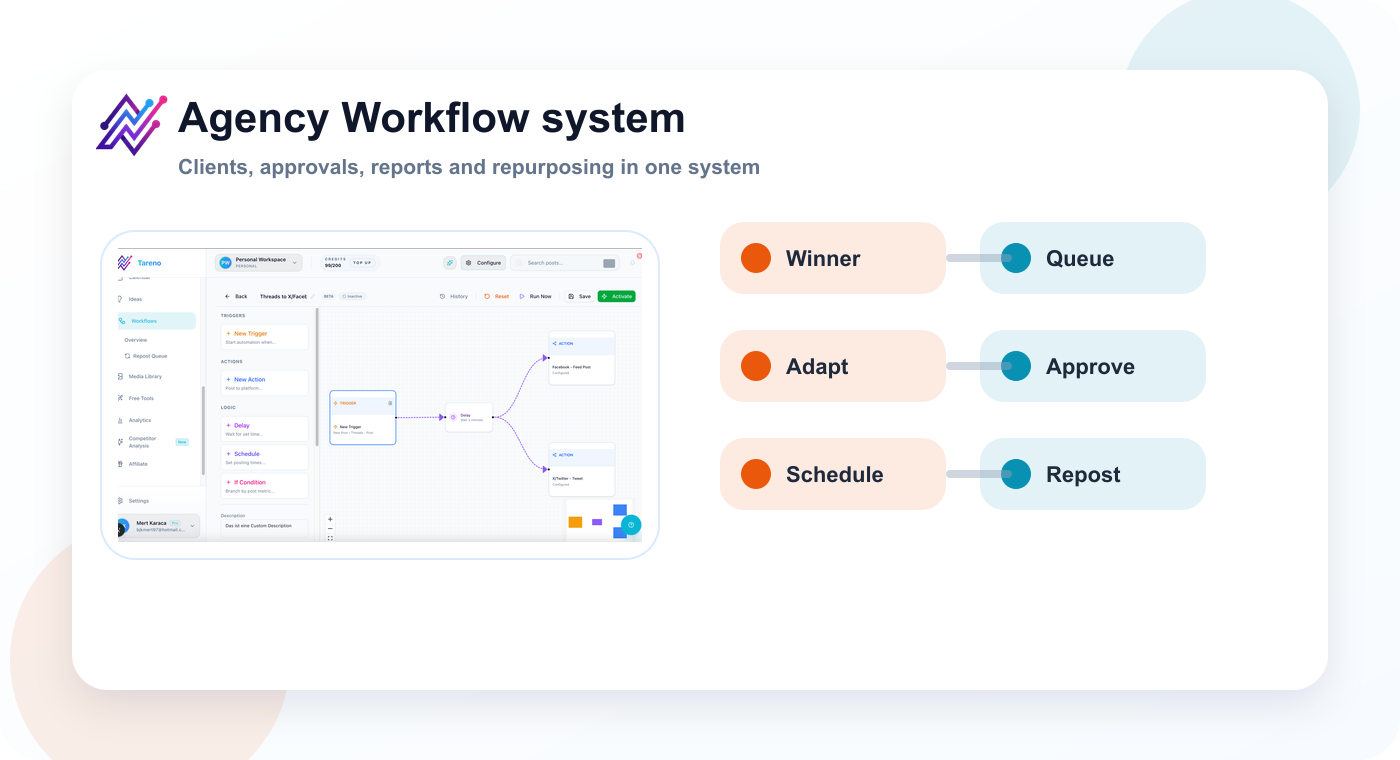
Agency workflows need a control layer across clients, approval stages, reports, and reuse.
Common problems:
client feedback is spread across email, Slack, and screenshots
content status is unclear
internal review is skipped
client approval is tied to the wrong version
team members do not know who owns the next step
reports do not create actions
content is not repurposed
client workspaces are not separated clearly
activity history is missing
automation is disconnected from approval status
Agencies do not only need to publish.
They need to coordinate.
Coordination is what protects margin.
A better workflow reduces manual follow-up and makes ownership visible.
The CLIENT framework
Use the CLIENT framework to design an agency social media workflow.
Framework for separating feedback, approval, revision, and reporting decisions.
C — Client workspace
L — Lifecycle stages
I — Internal review
E — External approval
N — Next-action reporting
T — Turn winners into repurposing
This keeps the agency workflow structured.
C — Client workspace
Every client should have a clear workspace.
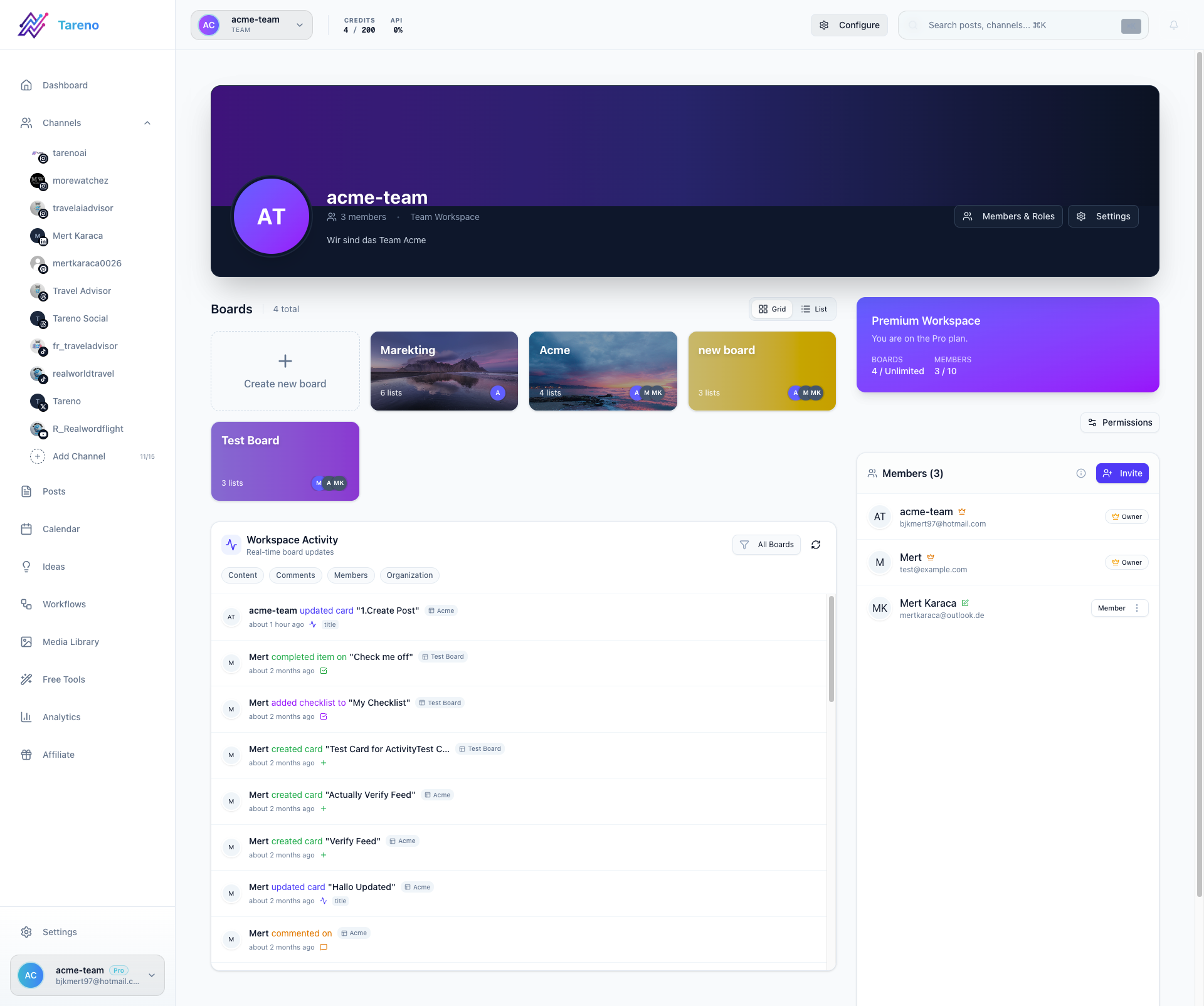
Client workspaces reduce operational ambiguity by separating owners, assets, and approval states.
A workspace should include:
client brand guidelines
content calendar
content board
campaign briefs
draft posts
approved assets
approval rules
reporting notes
repurposing queue
assigned team members
activity history
This matters because agency work becomes messy when client information is spread across tools.
A client workspace helps answer:
what is being created?
who owns it?
what is waiting on the client?
what has been approved?
what is scheduled?
what performed well?
what should be repurposed?
Without a workspace, every client becomes a collection of disconnected folders, chats, and spreadsheets.
L — Lifecycle stages
Agency content should move through clear lifecycle stages.
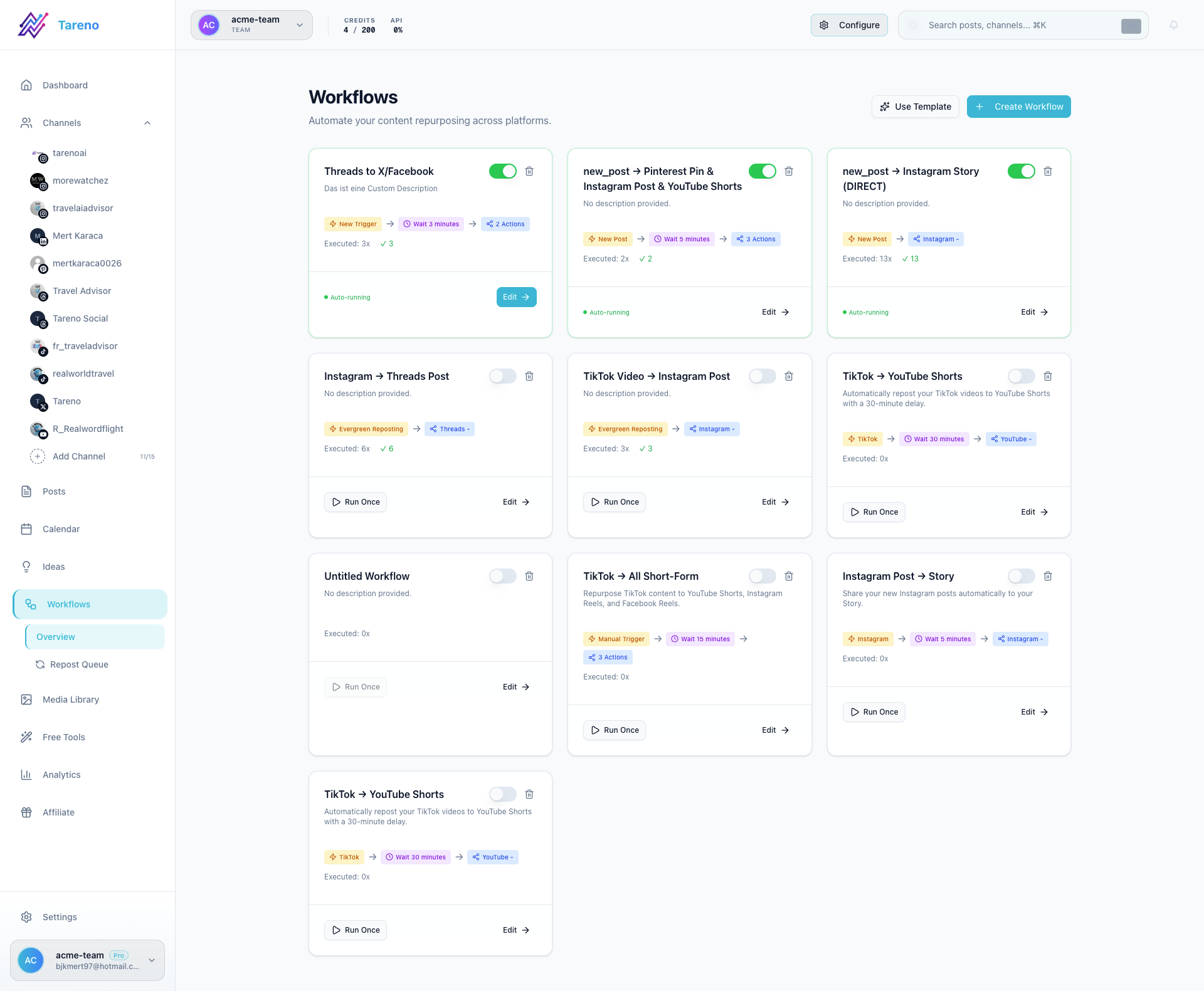
Defined lifecycle stages make agency handoffs and delivery timelines far more predictable.
Recommended stages:
Brief
Strategy
Idea
Draft
Design
Internal Review
Client Review
Changes Requested
Approved
Scheduled
Published
Report
Repurpose
Archive
These stages make work visible.
They also reduce status questions like:
“Did the client approve this?”
“Is the creative final?”
“Who is editing the caption?”
“Can this be scheduled?”
“Did this post perform well?”
“Should we reuse this next month?”
A board view is useful because it shows where every content item stands.
A client-stage board should make ownership, review status, and next actions visible at a glance for every account.
I — Internal review
Agencies should review content internally before sending it to the client.
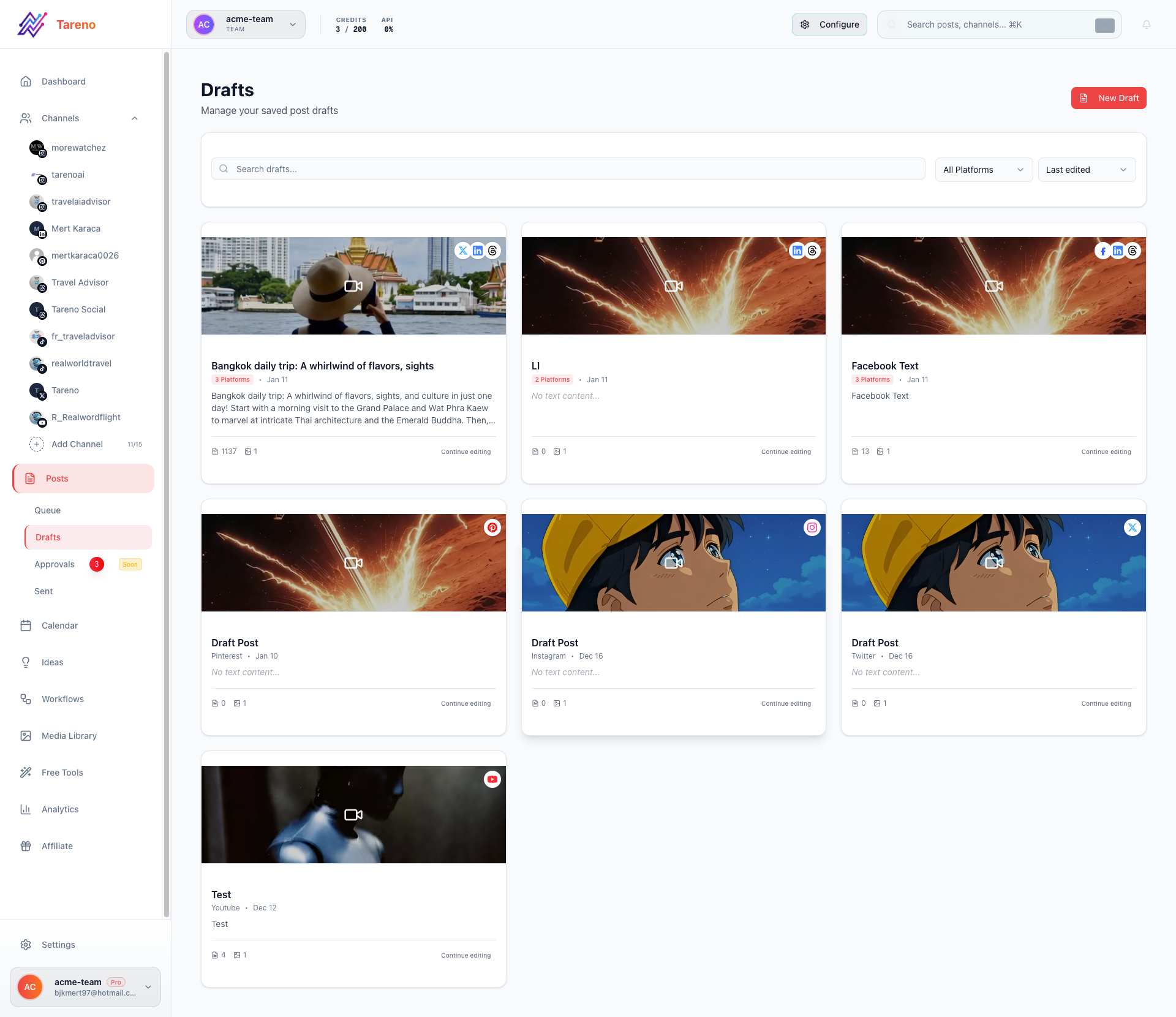
An internal review queue catches quality and compliance issues before they reach client review.
This protects quality and client trust.
Internal review should check:
strategy fit
brand voice
caption quality
visual quality
platform fit
campaign alignment
link accuracy
claim accuracy
spelling
asset version
CTA
scheduling context
The internal reviewer may be the account manager, strategist, creative director, editor, social media lead, or founder.
The goal is to send stronger drafts to the client.
If every client review becomes a full rewrite, the agency workflow is too weak.
E — External approval
External approval is the client review stage.
It should be structured.
Client approval should show:
exact post version
platform
caption
visual/video
hashtags or first comment
link
publish date
approval status
requested changes
final approval timestamp
Avoid vague approval messages like:
Looks good.
Better:
Approved for Instagram and LinkedIn. Please shorten the TikTok caption before scheduling.
Best:
The client approves the specific content item inside the workflow, and the status changes to Approved.
This reduces confusion and protects the agency.
N — Next-action reporting
Agency reports should create actions.
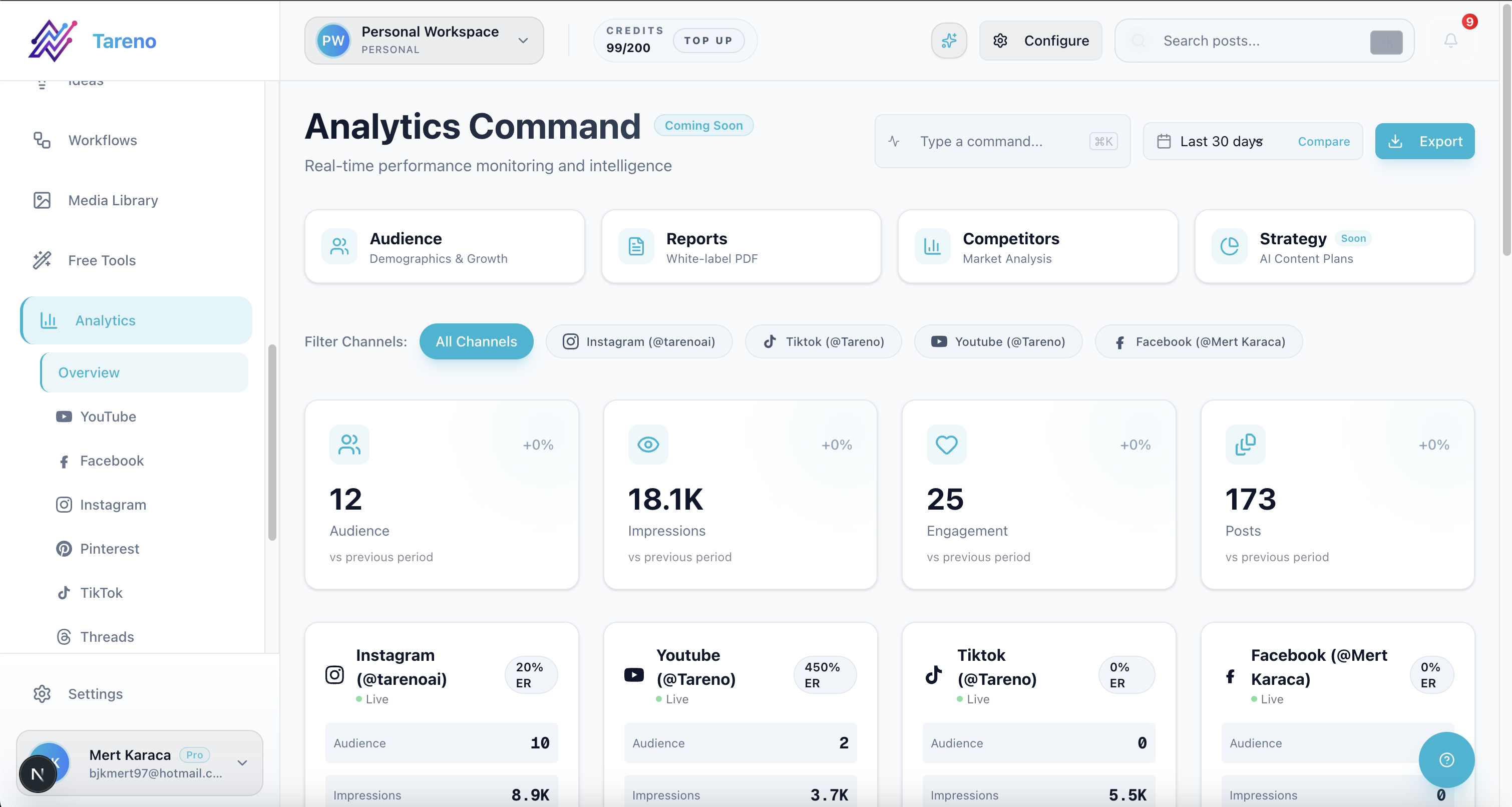
Reporting is only useful when insights convert directly into assigned actions and repurposing tasks.
A weak report says:
Here is what happened.
A strong report says:
Here is what happened, here is what it means, and here is what we will do next.
A reporting workflow should identify:
top-performing posts
weak formats
best hooks
best platforms
strongest CTAs
posts worth repurposing
competitor patterns
content gaps
landing pages to link more often
next-month content priorities
Each report should create tasks.
Example actions:
repurpose top Reel into LinkedIn post
turn high-save carousel into Pinterest pin
create follow-up post from top comment
update content calendar with winning topic
build new blog from repeated question
test same hook in a new format
Reporting without action is just documentation.
T — Turn winners into repurposing
Repurposing is one of the best ways for agencies to improve output and margin.
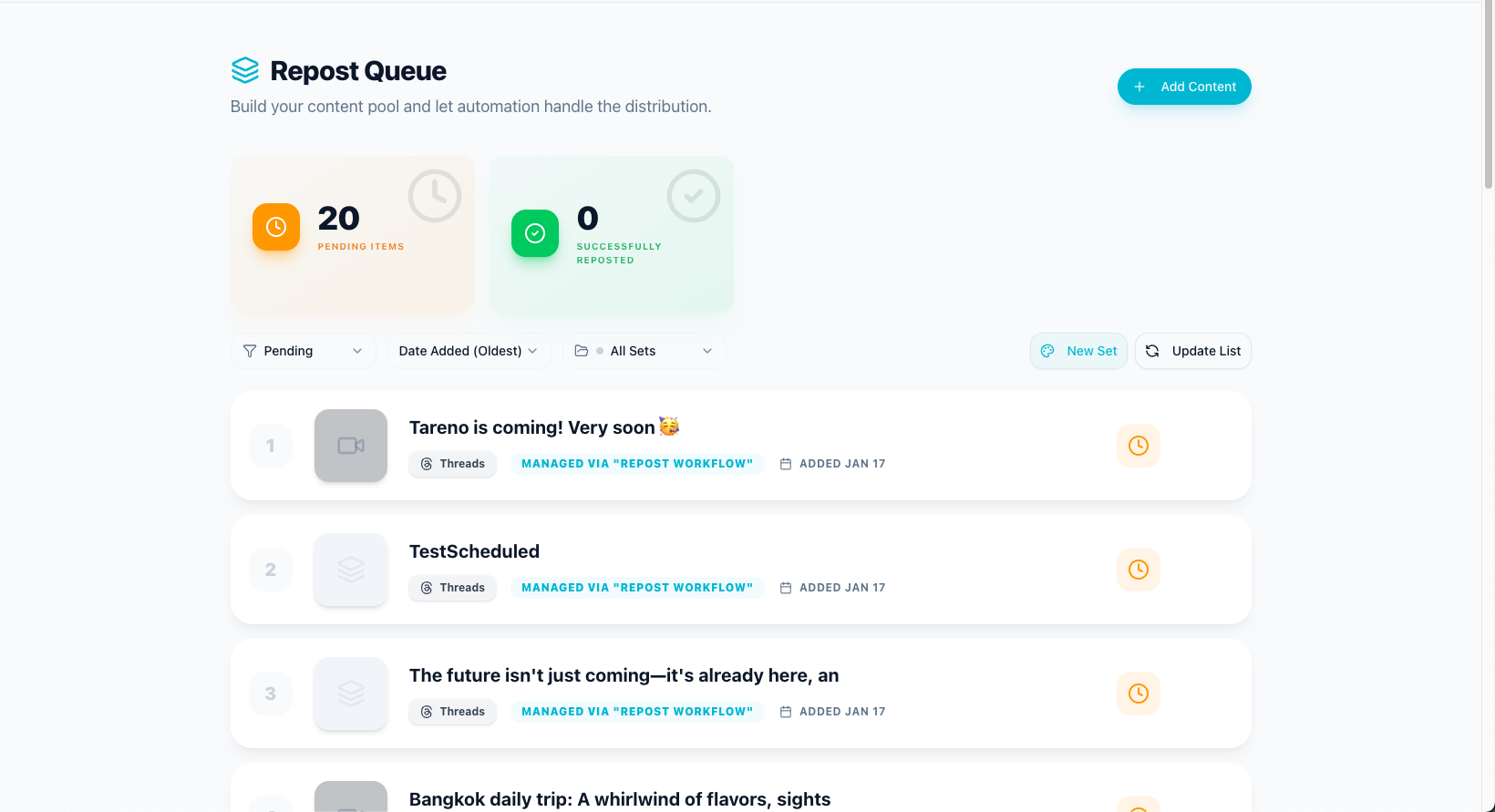
Repurposing queues help agencies reuse approved winners without restarting from zero.
A client-approved idea can become multiple assets.
Example:
One approved post idea:
“Social media reporting is not enough. Reports should create actions.”
Can become:
LinkedIn post
Instagram carousel
TikTok short
Threads post
Pinterest pin
YouTube Short
blog section
newsletter tip
client report recommendation
follow-up post
The agency does not need to start from zero.
It needs a repurposing workflow.
A repurposing queue should include source post, client, campaign, performance reason, target platform, owner, approval requirement, status, publish date, and second-wave performance.
This turns performance into more content.
Agency workflow example: full content lifecycle
Here is a practical agency workflow.
1. Client brief
The client shares campaign goal, target audience, offer, key messages, brand notes, deadlines, and required approvals.
2. Strategy
The agency defines platforms, content angles, content formats, posting cadence, approval process, and reporting metrics.
3. Ideas
Ideas are added to the client board.
Each idea includes angle, platform, format, CTA, owner, and due date.
4. Draft
Copywriter or social manager drafts the content.
5. Design
Designer adds creative, video, carousel, or pin assets.
6. Internal review
Account manager or strategist reviews before client sees it.
7. Client review
Client approves or requests changes.
8. Scheduled
Approved content is scheduled.
9. Published
Content goes live.
10. Report
Performance is reviewed.
11. Repurpose
Winning content enters the repurposing queue.
12. Improve
Insights shape the next campaign.
This is a real agency workflow.
The calendar is only one part of it.
Approval rules for agencies
Not all content needs the same approval process.
Use risk levels.
Low-risk
Examples include evergreen tips, generic reminders, and simple engagement posts.
Approval:
internal review
optional client approval depending on contract
Medium-risk
Examples include campaign content, product mentions, customer examples, and feature claims.
Approval:
internal review
client approval
High-risk
Examples include pricing, competitor comparisons, legal claims, financial claims, public crisis statements, and sensitive topics.
Approval:
internal review
client approval
legal/product/founder review where needed
verification screenshot or source note
Risk-based approval keeps the workflow efficient without sacrificing trust.
Reporting workflow for agencies
A strong agency reporting workflow has five outputs.
1. Performance summary
What happened?
2. Insight
Why did it happen?
3. Recommendation
What should change?
4. Task
Who will do it?
5. Repurposing action
Which content should be reused?
Example:
Performance:
The Instagram carousel had 2x more saves than average.
Insight:
Checklist-style content is working for this audience.
Recommendation:
Create more checklist content around the same theme.
Task:
Copywriter drafts 3 checklist posts by Friday.
Repurposing:
Turn the carousel into a Pinterest pin and LinkedIn post.
That is reporting as workflow.
How agencies can use Make and n8n
Automation tools can support agency workflows.
Example Make workflow:
trigger: content status changes to Approved
action: notify scheduler
action: update client tracker
action: create reporting row
action: prepare publishing task
Example n8n workflow:
trigger: post published
action: wait 7 days
action: pull performance data
action: if performance exceeds threshold, create repurposing candidate
action: assign owner
action: notify account manager
The goal is to automate handoffs, not strategy.
Humans still approve content and interpret client context.
Automation helps reduce admin.
Activity visibility for agencies
Agencies need activity visibility because multiple people touch each client.
Activity visibility helps answer:
who changed the caption?
who moved the post to review?
who approved it?
when did the client request changes?
who scheduled the post?
what was repurposed?
which team member handled the task?
This matters for accountability.
It also helps when something goes wrong.
Without activity visibility, agencies waste time reconstructing what happened.
How Tareno fits into agency workflows
Tareno is built for workflow-heavy social media operations.
Relevant Tareno components include:
client/team workspaces
content boards
approval workflows
workflow builder
repurposing queue
roles and permissions
activity visibility
competitor analysis
unified analytics
white-label reports
AI captions and hashtags
API access
Make integration
n8n integration
This matters because agencies need more than scheduling.
They need one operating layer for planning, client review, approvals, scheduling, publishing, reporting, repurposing, automation, and team accountability.
Tareno is especially useful when agencies want to move from scattered tools to a workflow-first system.
Tool comparison context
Different tools solve different agency workflow problems.
NeedTool type that often fitsClient dashboardsSendible-style platformScheduling and client approvalsSocialPilot-style platformApproval collaborationPlanable-style toolReporting and competitorsMetricool-style analytics toolInbox and moderationAgorapulse-style platformPremium careSprout Social-style platformBroad suiteHootsuite-style platformWorkflow automation and repurposingTareno-style workflow system
If your agency only needs client dashboards, Sendible may be enough.
If scheduling is the bottleneck, SocialPilot may be enough.
If approvals are the bottleneck, Planable may be enough.
If the agency needs boards, repurposing, workflow automation, roles, activity visibility, Make, n8n, and API workflows, Tareno is stronger.
Agency workflow checklist
Client setup
Is the client workspace created?
Are brand guidelines stored?
Are approval rules clear?
Are team roles assigned?
Content production
Are ideas in the board?
Is each item assigned?
Is the next action clear?
Are assets attached?
Review
Has internal review happened?
Is client review required?
Are requested changes resolved?
Is the approved version clear?
Publishing
Is content approved?
Is the publish date set?
Are platform versions adapted?
Are links and tags correct?
Reporting
Are top posts identified?
Are weak posts reviewed?
Are recommendations included?
Are next tasks assigned?
Repurposing
Did winners enter the repurposing queue?
Are repurposed versions adapted?
Do they need approval?
Are results measured?
Automation
Should Make or n8n trigger after approval?
Should reports create repurposing tasks?
Should published URLs sync somewhere?
Should owners be notified automatically?
Visual assets used in this guide
This draft now includes product screenshots for client workspace structure, lifecycle control, reporting-to-action loops, and repurposing queue management.
Every figure is intentionally positioned right after the section that introduces the corresponding workflow concept.
Related Tareno pages for implementation
Start with the features overview and map your client handoffs in the workflow hub. If you need copy acceleration, the Instagram caption generator helps accelerate first drafts before review.
For vendor evaluation, use the compare hub and agency alternatives pages: Sendible, SocialPilot, Planable, and Agorapulse.
FAQ
What is a social media workflow for agencies?
A social media workflow for agencies is the process for managing client content from brief to strategy, draft, design, internal review, client approval, scheduling, publishing, reporting, and repurposing.
Why do agencies need social media workflows?
Agencies need workflows to reduce approval delays, protect client trust, clarify ownership, improve reporting, manage repurposing, and keep teams aligned across clients.
What should an agency approval workflow include?
It should include internal review, client review, approval status, version visibility, requested changes, final approval, publish gates, and activity history.
How can agencies turn reports into actions?
Agencies can turn reports into actions by identifying top posts, creating recommendations, assigning tasks, adding winners to a repurposing queue, and using insights to shape next-month content.
How can agencies use repurposing?
Agencies can repurpose approved or high-performing client content into new platform-specific assets such as Reels, TikToks, LinkedIn posts, Pinterest pins, carousels, and follow-up posts.
Can agencies automate social media workflows?
Yes. Agencies can use workflow automation, Make, n8n, and API workflows to automate handoffs, notifications, reporting updates, repurposing tasks, and approval-triggered actions.
What is the best tool for agency social media workflows?
It depends on the bottleneck. Sendible is strong for client dashboards. SocialPilot is strong for scheduling and approvals. Planable is strong for review. Metricool is strong for reports. Tareno is strong for workflow automation, repurposing, boards, roles, activity visibility, Make, n8n, and API workflows.
Final thoughts
Agencies do not win by publishing more posts manually.
They win by building better workflows.
A strong agency workflow turns client briefs into content, content into approvals, approvals into publishing, publishing into reports, reports into repurposing, and repurposing into better next-month results.
The calendar matters.
But the workflow matters more.
If your agency is still managing approvals in email, feedback in Slack, reports in PDFs, and repurposing in memory, the bottleneck is not the team.
The bottleneck is the system.
Primary CTA: Explore Tareno features and workflows to build a repeatable operating system for your team.
Secondary CTA: Use the compare hub to evaluate alternatives based on your exact workflow bottleneck.