TL;DR
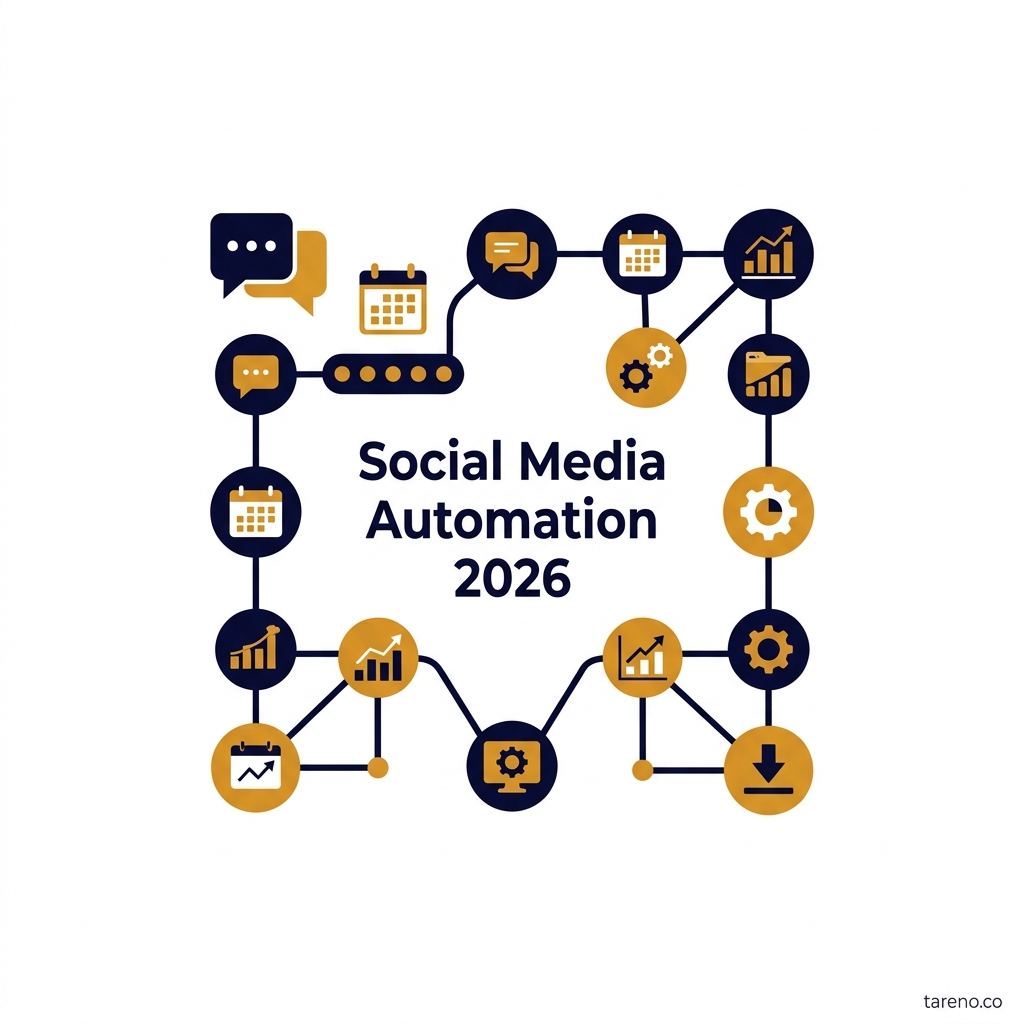
Social media automation is the design of repeatable operations across scheduling, approvals, repurposing, monitoring, and reporting.
The safest first automations are stable, rules-based tasks that already happen consistently.
Do not automate sensitive brand judgment, crisis handling, or high-stakes publishing without review.
Tool selection should follow workflow fit, visibility, and maintenance reality rather than feature count alone.
For social-first teams, a visual workflow layer can reduce coordination friction without removing humans from the loop.
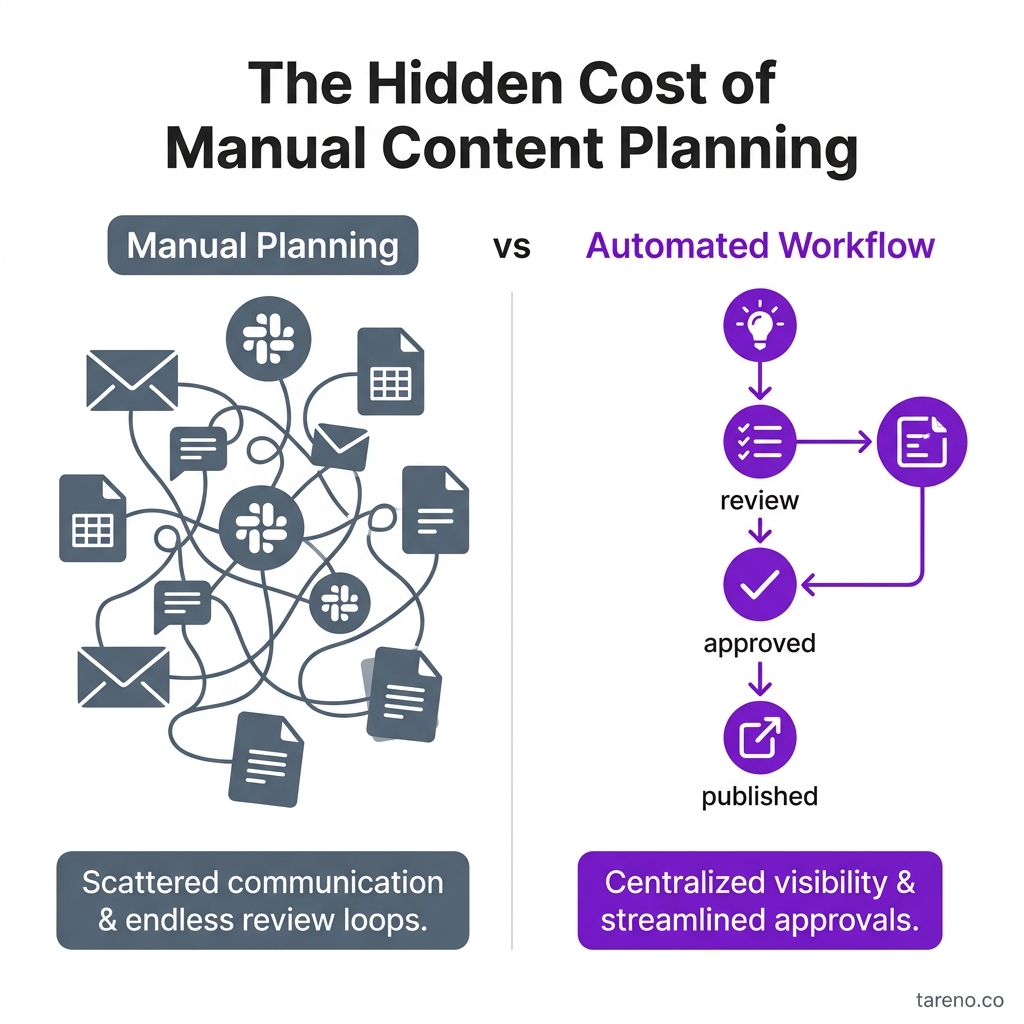
The Hidden Cost of Manual Content Planning
Quick Definition
Social media automation is the use of repeatable rules, schedules, approvals, and workflow logic to reduce manual work across planning, publishing, repurposing, monitoring, and reporting. That is broader than simple post scheduling. A scheduler handles timing. An automation system handles movement: who reviews content, when assets advance, how repurposing starts, and how recurring reporting gets done.
This broader definition matters because many teams automate the calendar, but not the operation. Content still stalls in review. Captions still get rebuilt for every channel. Reports still require manual collection. In practice, automation works best when it removes preventable coordination from work that already follows a pattern.
Why Social Media Automation Matters in 2026
The core problem is not a lack of content ideas. It is operational drag. Social teams are expected to support more channels, more formats, and more internal visibility with the same or only slightly larger headcount. The bottleneck is often coordination, not creativity.
Consider a simple campaign built from one webinar. The team wants a LinkedIn post, a short-form video cut, and a blog summary. Without a workflow, each asset becomes its own mini-project with separate owners, duplicated edits, and unclear deadlines. With an automation layer, one source asset can trigger the next steps, move through approvals, and end in a repeatable publishing sequence.
That is why automation matters. It creates consistency under pressure and makes recurring social work easier to run.
The SCOPE Framework
A useful automation strategy needs boundaries. The SCOPE Framework is a practical way to decide what belongs in the system and what should stay human-led.
Standardize repeatable tasks
Start with work that already repeats: content staging, approval reminders, queue management, recurring reports, and repurposing handoffs. If a step changes completely every time, it is probably not ready for automation.
Control risk with approvals and ownership
Every flow needs explicit owners and review points. This is especially important for agencies, cross-functional teams, or brands with legal and compliance concerns.
Orchestrate channels, assets, and timing
Strong automation connects the steps between source asset and final output. This is where repurposing becomes a real workflow instead of a nice idea that never gets scheduled.
Preserve human judgment
Automation should support people, not remove them from sensitive decisions. Crisis responses, high-stakes copy, and community nuance still need context.
Evaluate logs and results
If a workflow fails, teams should be able to see where and why. Hidden automation creates fragility. Visible automation creates operational learning.
Mini-example: an agency managing three client brands can standardize post staging and approval routing, control risk with client sign-off, orchestrate platform variants, preserve human review for brand voice, and evaluate failures through logs and weekly process reviews.
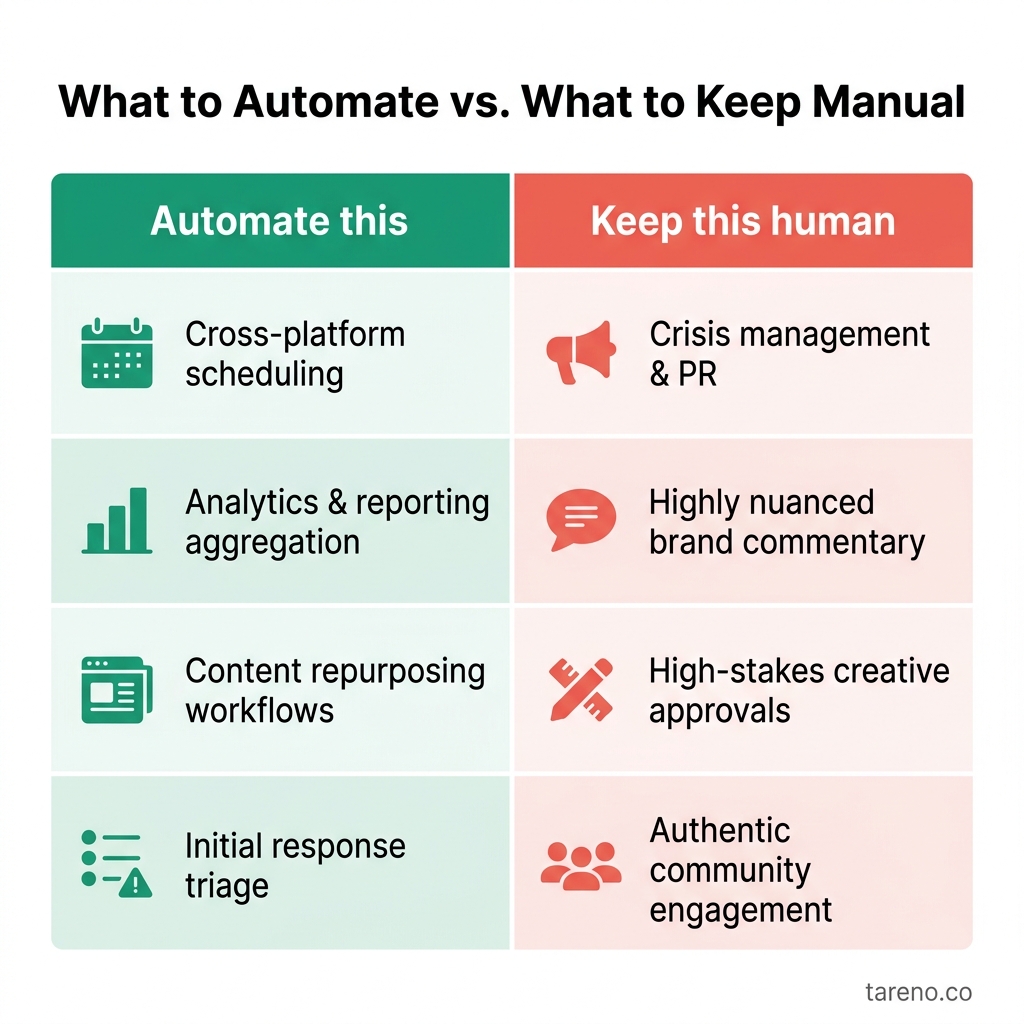
What to Automate vs. What to Keep Manual
What to Automate First
The strongest early wins usually come from routine work in the middle of the process.
1. Scheduling and queue management
This is the obvious starting point because it removes timing friction and reduces missed publishing windows.
2. Approval routing and reminders
Many teams do not lose time creating content. They lose time waiting for the right person to review it. A lightweight approval flow reduces ambiguity and makes ownership clearer.
3. Repurposing handoffs
Repurposing should be part of the original process. One webinar, article, or campaign asset can trigger downstream tasks for new channel variants instead of relying on someone to remember later. If your team is already building a video-to-blog repurposing workflow, that is a strong sign the process is ready to be systematized.
4. Reporting snapshots
Recurring reporting follows a structure. Automating exports, reminders, and review cycles reduces repetitive admin work.
5. Internal production handoffs
A lean team can automate draft movement, review notifications, and publishing checklists long before it automates anything advanced. The same logic applies to channel-specific flows such as a LinkedIn carousel production workflow or a focused Pinterest automation strategy.
What Not to Automate Blindly
Not every task becomes better when software touches it.
Crisis or reputation-sensitive replies
If a customer issue is unfolding publicly, automated replies can amplify the problem. These moments need human judgment and escalation logic.
Community management that depends on tone
Comments and DMs may look repetitive, but many require nuance. Templates can help. Full automation often overreaches.
High-stakes publishing without review
Executive posts, launch announcements, and regulated communications should usually keep a human sign-off step.
Unstable processes
If your team still argues about who owns a task or what “approved” means, do not automate that uncertainty. Stabilize the process first.
Mini-example: a product issue appears in comments minutes after a post goes live. A generic auto-response would look careless. A human social lead can acknowledge the issue, route it internally, and respond with the right tone.
The Most Common Automation Mistakes
Teams usually fail with automation for process reasons, not software reasons.
Mistake 1: Automating volume before workflow quality
If content production is disorganized, automation simply creates more disorganized output. Publishing faster does not help when approvals are unclear, messaging is inconsistent, or assets are missing.
Mistake 2: Treating repurposing as optional
Repurposing is often where automation creates the most leverage. A good workflow does not end at “post published.” It continues into adaptation, follow-up tasks, derivative assets, and reporting.
Mistake 3: Hiding logic inside one operator’s head
A workflow that only one person understands is not a scalable system. It is a dependency risk. Teams need visible stages, clear owners, and a documented handoff model.
Mistake 4: Removing review too early
Teams chasing speed often cut review steps before they cut unnecessary work. The better move is to simplify review, define thresholds, and keep human checkpoints where brand risk is real.
Mistake 5: Measuring only output, not reliability
More scheduled posts do not prove the workflow improved. Better indicators are fewer missed steps, faster approvals, cleaner handoffs, and less confusion around ownership.
What an Automated Social Workflow Actually Looks Like
In practice, strong automation is rarely one giant system. It is a chain of small, explicit rules.
A typical social workflow might look like this:
A source asset is marked ready.
Channel variants are assigned or generated as tasks.
Review moves to the correct stakeholder based on campaign type.
Approved posts enter the publishing queue.
After publishing, follow-up tasks are triggered for community checks, repurposing, or reporting.
This model is useful because it separates content judgment from process movement. Humans still decide whether the post is good. Automation decides what happens next once the decision is made.
Mini-example: a B2B team records one product webinar. Once the long-form asset is approved, the workflow creates a LinkedIn summary task, a short-video clip request, and a blog recap handoff. None of that requires a new meeting.
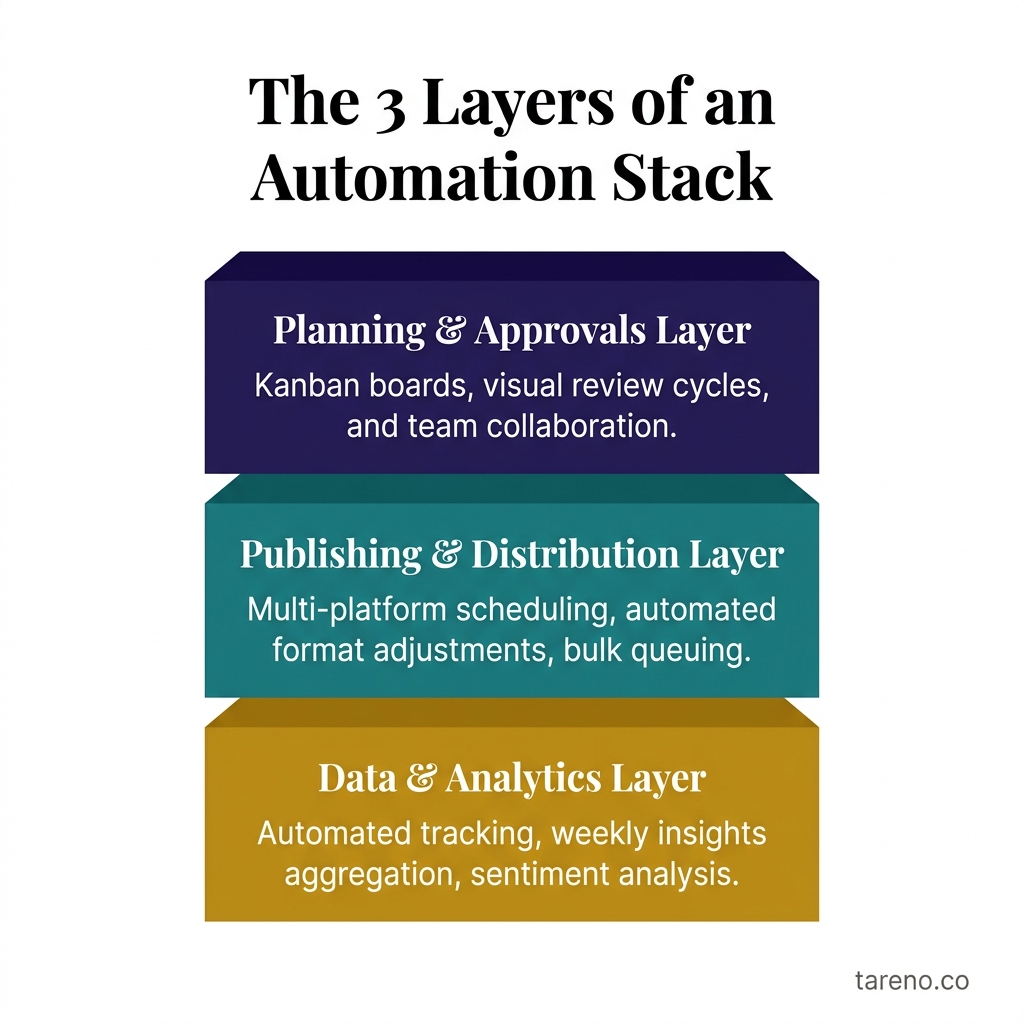
The 3 Layers of an Automation Stack
Tool Categories: What Kind of Automation Stack Do You Need?
A better question than “What is the best automation tool?” is “What level of control does this workflow actually need?” If you are actively comparing n8n vs. Make vs. native integrations, start by mapping the process, not the tool list.
CategoryBest forMain strengthsMain limitsNative social suiteTeams that want quick setup and lower maintenanceEasier adoption, fewer moving parts, faster time to valueLess flexible for complex cross-tool orchestrationIntegration layerTeams connecting multiple apps and handoffsBroader workflow flexibility, more cross-system coverageMaintenance can rise as logic becomes more complexCustom workflow stackTechnical teams with unique or highly specific processesDeep control and custom logicHighest setup and maintenance burden
A small team may start with a native suite for scheduling and approvals. As repurposing, reporting, and cross-tool coordination grow, an integration layer can make more sense. Teams with unusual process requirements may eventually need custom orchestration. The wrong choice is usually buying too little structure for a complex workflow or building too much complexity for a simple one.
When to Use Automation, and When to Hold Back
Not every team needs the same amount of workflow structure. The question is not whether automation is “good.” The question is whether your operating environment rewards standardization.
Use automation aggressively when
the same campaign pattern repeats every week or month
multiple people touch the same assets before publication
one source asset should become several downstream outputs
reporting and client visibility are recurring demands
missed steps already create real operational cost
Use automation carefully when
approvals depend on legal, regulatory, or executive review
audience conversations are sensitive or reputation-heavy
the process is still evolving every cycle
the team has no clear workflow owner
Hold back when
automation is being used to compensate for weak content strategy
no one can explain the workflow in plain language
the team wants full autopilot before it has a stable manual process
A good rule is simple: if you cannot run the process cleanly once by hand, you are probably not ready to automate it at scale.
Comparison: Manual Process vs. Structured Automation
Workflow dimensionMostly manual processStructured automationOwnership clarityOften dependent on chat messagesExplicit stages and ownersApproval visibilityEasy to lose trackEasier to audit and followRepurposing consistencyOften ad hocMore likely to happen every cycleError recoveryDepends on memory and inboxesEasier with logs, status, and run historyTeam onboardingSlower because knowledge is informalFaster because process is visible
The point is not that manual work is always bad. Manual work is often the right starting point. But once a workflow becomes routine, staying manual usually means the team is paying a coordination tax every week.
How Tareno Fits into an Automation Stack
For social-first teams, Tareno fits most naturally as an operational workflow layer. Internal product documentation lists a live Workflow Builder and Automations-Engine with visual modeling, schedules, delays, templates, execution controls, and logs.
That matters in two places. First, a visual workflow builder helps teams map recurring social processes in a way that is understandable to non-technical operators. Second, execution visibility becomes important once a workflow includes more than simple scheduling. If a process fails, logs and run history make diagnosis and governance easier.
A practical example is a campaign flow that moves from draft to approval to scheduled publishing, then triggers a repurposing follow-up task. In that kind of setup, a visible workflow is often more useful than a chain of disconnected manual reminders.
Step-by-Step: Build Your First Social Media Automation System
The safest way to start is with one workflow that already matters.
Step 1: Audit one repeatable process
Choose a real workflow such as weekly campaign publishing, webinar repurposing, or monthly reporting. Document every step and owner.
Step 2: Mark review and risk points
Identify where approvals are required, where brand mistakes would be costly, and where humans must stay in the loop.
Step 3: Automate the middle
Start with reminders, scheduling, status changes, and repeatable handoffs. Leave strategy, creative judgment, and sensitive replies manual.
Step 4: Run a pilot
Test the workflow for one campaign cycle or client cycle. Watch for unclear ownership, skipped steps, and failure points.
Step 5: Review and refine
Use logs, outcomes, and team feedback to improve the process before scaling it to more channels or clients.
How to Review an Automation System After Launch
The first version of a workflow is rarely the final one. Once a system is live, the next question is not whether it ran once. The next question is whether it keeps producing reliable, understandable work.
Review failure patterns
Look for repeated issues such as missing approvals, skipped downstream tasks, wrong publish timing, or steps that still rely on someone remembering to intervene.
Review maintenance burden
If the workflow technically works but needs constant hand-holding, it may be overbuilt. Good automation should reduce manual coordination, not move it into a hidden admin layer.
Review adoption
A workflow that only one person trusts will not scale. Ask whether the team understands the stages, knows where exceptions go, and can explain the process without guesswork.
Review business usefulness
Not every automated step deserves to survive. If a step does not reduce risk, save time, or improve consistency, it may not belong in the workflow.
Governance Rules That Keep Automation Safe
The difference between a useful automation system and a risky one is governance. Teams do not need bureaucracy, but they do need a few explicit rules.
Define approval thresholds
Not every post needs the same review depth. Routine evergreen content may need one editor. Campaign launches, executive commentary, or regulated content may need multiple sign-offs. The threshold should be written down before automation is enabled.
Assign one workflow owner
Every automation needs a person accountable for maintenance. Without that owner, errors become “everyone’s problem,” which usually means no one fixes them quickly.
Keep exception paths visible
Strong workflows define what happens when something goes wrong: a missed asset, a failed publish, a blocked approval, or a channel-specific change. Exception handling is part of the workflow, not an afterthought.
Review the system on a cadence
A monthly process review is often enough for most teams. The goal is not to rebuild everything. It is to see whether the workflow still matches reality.
A Practical 30-Day Rollout Plan
If you want to move from theory to execution, a 30-day rollout is usually enough for a first meaningful pilot.
Week 1: Map the process
Document one workflow end to end. Keep it small: one campaign type, one recurring report, or one repurposing path.
Week 2: Build the first version
Add owners, review stages, scheduling logic, and one or two simple triggers. Avoid overengineering.
Week 3: Run live with supervision
Use the workflow in a real operating cycle, but keep a human close to the process. The goal is to learn where the logic is incomplete.
Week 4: Clean up and decide
Review what saved time, what created friction, and whether the process should be scaled. A good first month should produce clarity, not perfection.
Choosing the Right First Pilot
The best first automation project is not the loudest workflow. It is the one with clear repeatability, visible pain, and low reputational risk. That usually means a recurring campaign checklist, a repurposing handoff, or a reporting cycle rather than a sensitive customer-facing response flow.
A strong pilot should meet three tests:
it happens often enough to justify the setup work
the current manual version already has a known owner
success or failure is easy to spot within one cycle
If a pilot passes those tests, the team can learn quickly without betting the brand on a fragile first attempt.
FAQ
Is social media automation just scheduling?
No. Scheduling is one part of automation. A fuller automation system also covers approvals, asset movement, repurposing, monitoring, and reporting.
What should agencies automate first?
Agencies usually benefit first from approval routing, recurring publishing workflows, repurposing handoffs, and client-facing reporting cycles.
Can automation hurt brand voice?
Yes, if teams automate copy or responses that still require nuance. Automation should handle repeatable structure, not replace editorial judgment.
Do I need Zapier, Make, or n8n?
Not always. Many teams should start with a native workflow setup first and add an integration layer only when cross-tool complexity justifies it.
Should comments and DMs be automated?
In most cases, only partially. Triage or tagging can be systematized, but audience interactions often need human context.
What should I review after launch?
Check failure points, skipped approvals, timing issues, and whether the workflow actually reduced manual coordination. If it saved clicks but created confusion, it needs redesign.
How do I keep automation from making content feel robotic?
Separate workflow automation from message automation. Use automation for movement, reminders, staging, approvals, and repurposing tasks. Keep positioning, tone, and sensitive audience-facing responses under human review.
What metrics matter after implementation?
Do not focus only on volume. Review missed approvals, handoff delays, publishing consistency, repurposing completion, and how often workflows fail or need manual rescue.
Key Takeaways
Social media automation is an operating model, not just a scheduling feature.
The best automations target stable, rules-based work first.
Human review still matters for brand risk, tone, and exception handling.
Tool choice should follow workflow complexity and maintenance reality.
Visibility, logs, and ownership matter as much as automation itself.
Quotable Passage
Automation is not the removal of humans from social media. It is the removal of preventable manual coordination from work that already follows a pattern.