
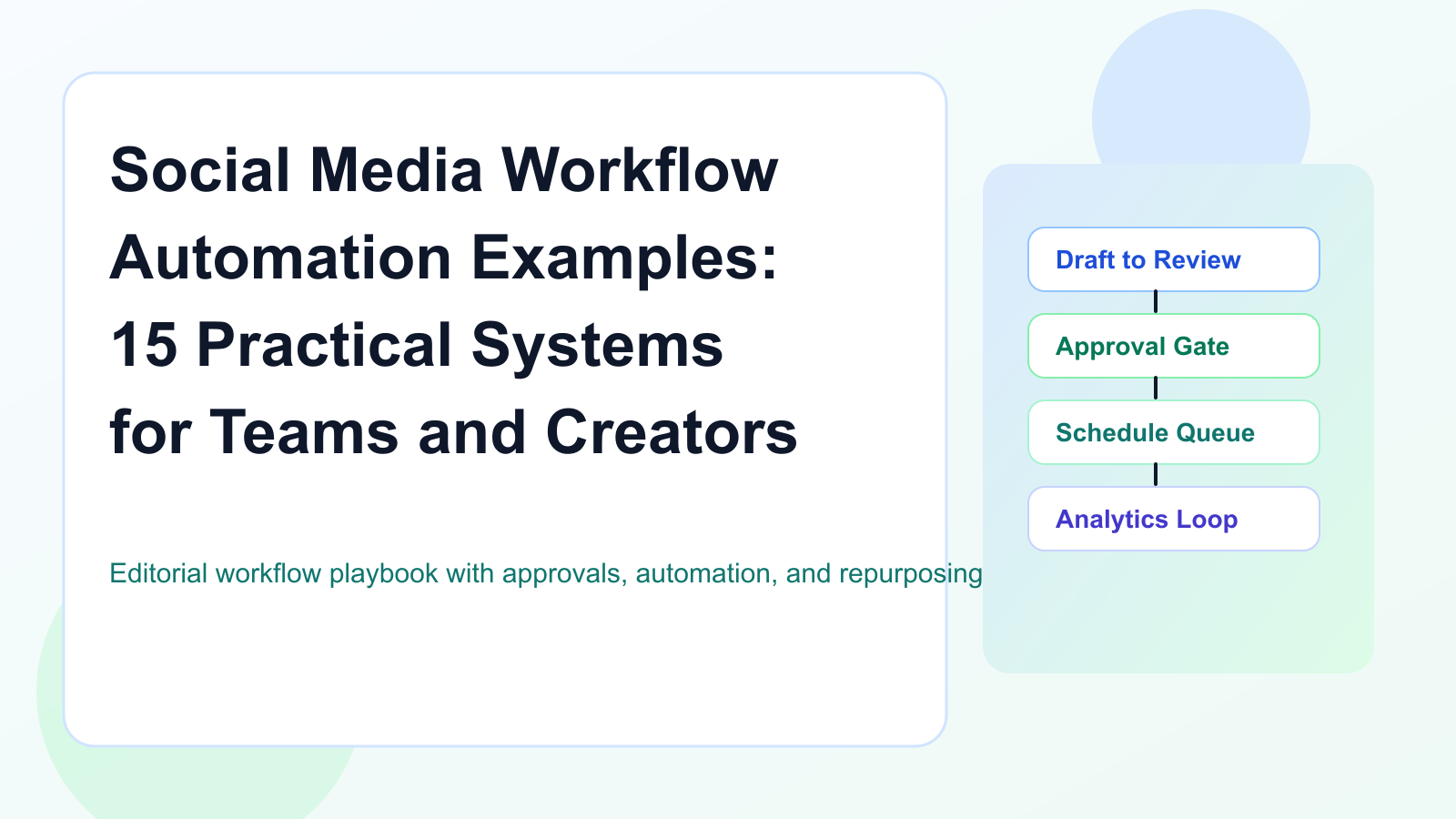
Social media automation should not mean “let AI publish everything.”
That is risky.
The better version of automation is workflow automation.
Workflow automation helps content move from one stage to the next without constant manual follow-up.
It can notify reviewers, move approved posts to scheduling, create repurposing tasks, trigger Make or n8n workflows, update reporting trackers, and connect analytics to future content decisions.
The goal is not to remove humans from the workflow.
The goal is to remove repetitive handoffs.
This guide gives 15 practical social media workflow automation examples for creators, agencies, SaaS teams, startups, and small teams. Use it as a working blueprint for your own process.
Use them as a workflow library.
TL;DR
Good social media workflow automation helps with:
idea capture
AI drafting
platform rewrites
approvals
scheduling
publishing
reporting
repurposing
client workflows
Make/n8n/API handoffs
analytics-to-action
The key rule:
Automate movement. Keep judgment human.
That means automation can move content to review, notify owners, create tasks, and sync data.
Humans should still approve final content, product claims, pricing claims, sensitive topics, sponsor content, and client posts.
What is social media workflow automation?
Social media workflow automation is the use of triggers, rules, statuses, integrations, and tasks to move social content through a repeatable process.
A workflow might look like:
Idea captured
Draft created
Review assigned
Approval granted
Post scheduled
Post published
Analytics reviewed
Winner repurposed
Automation helps the workflow move without requiring someone to manually chase every step.
Examples:
when a draft is ready, notify reviewer
when content is approved, move it to scheduling
when a post is published, create a reporting task
when a post performs well, add it to repurposing queue
when a client approves, trigger a Make scenario
when a blog goes live, create social drafts
This is different from simple scheduling.
Scheduling controls publish time.
Workflow automation controls what happens across the content lifecycle.
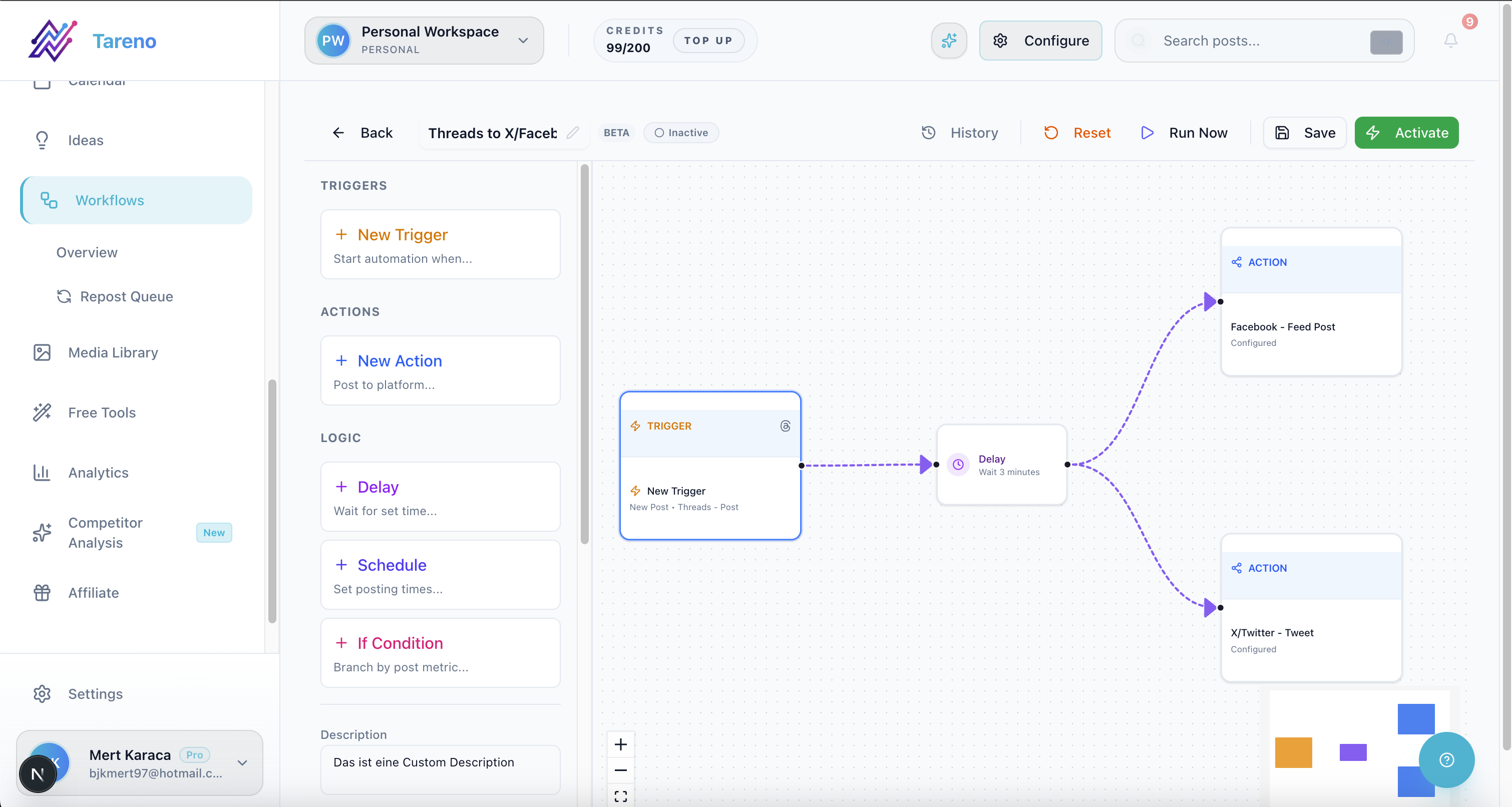
Workflow automation board view for status-driven handoffs from draft to publish.
The AUTOMATE framework
Use the AUTOMATE framework before building any automation.
A — Approval stays human
U — Use triggers carefully
T — Track ownership
O — Organize statuses
M — Measure outcomes
A — Avoid duplicate publishing
T — Test before scaling
E — Error handling matters
Automation should make the workflow safer, not more chaotic.
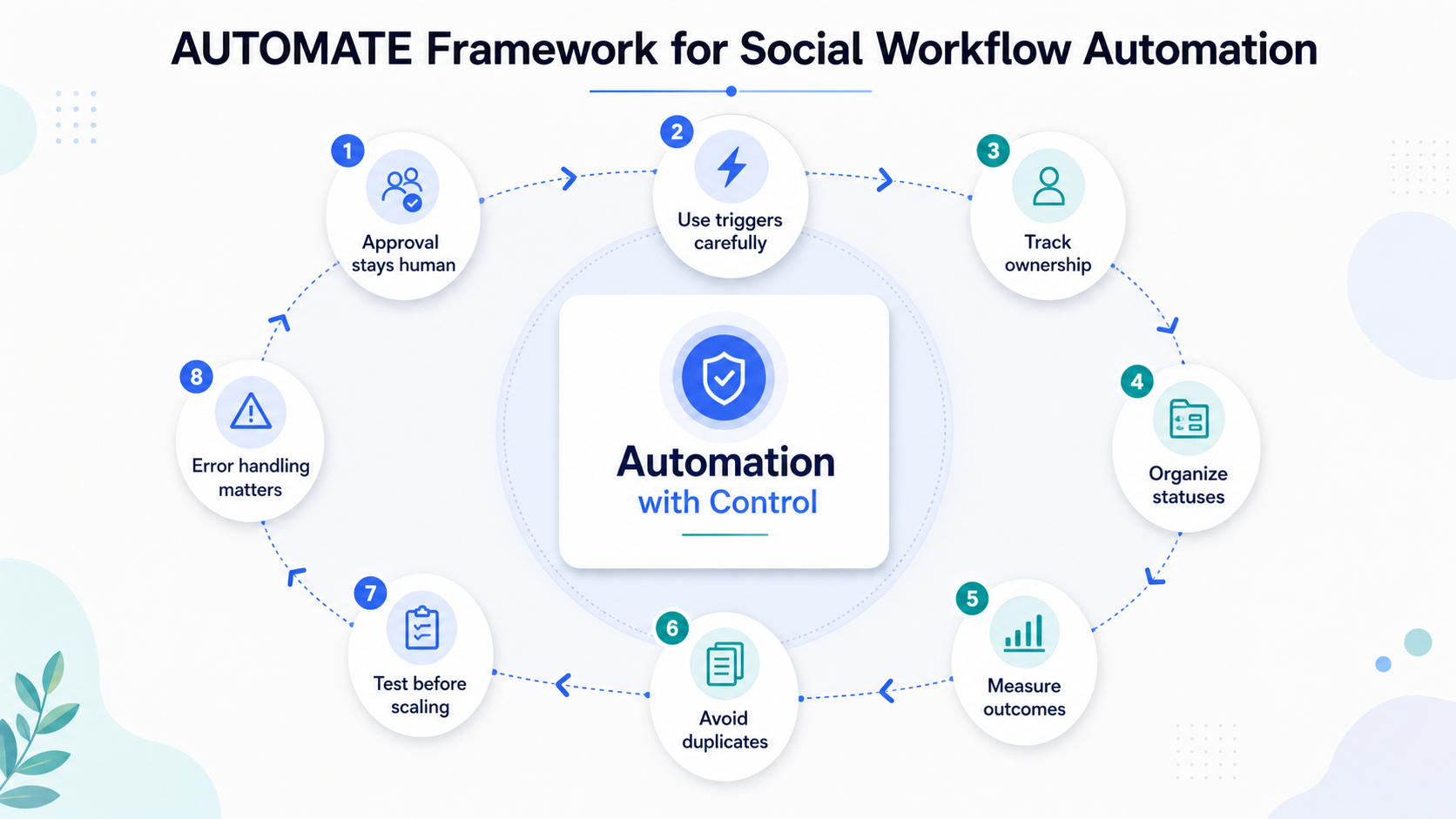
AUTOMATE framework: clear checkpoints for workflow automation with human control.
A — Approval stays human
Do not automate final publishing for risky content without review.
Human approval should remain for:
product claims
pricing claims
competitor comparisons
legal-sensitive content
sponsored posts
client posts
sensitive customer replies
repurposed old content
AI-generated drafts
Automation should prepare content for review.
Humans should approve.
U — Use triggers carefully
Good triggers are specific.
Weak trigger:
New post created.
Better trigger:
Post status changed from Draft to Ready for Review.
Best trigger:
Post approved and scheduled date selected.
Specific triggers prevent accidental automation.
They also make workflows easier to debug.
T — Track ownership
Every workflow needs an owner.
Automation should not create tasks nobody owns.
Each workflow should define:
content owner
reviewer
approver
scheduler
analytics owner
repurposing owner
automation owner
Ownership prevents silent failures.
O — Organize statuses
Automation depends on clear statuses.
Useful statuses:
Idea
Draft
Ready for Review
Changes Requested
Approved
Scheduled
Published
Measure
Repurpose Candidate
Repurposed
Archive
If statuses are unclear, automation will be unreliable.
Define statuses before automating.
M — Measure outcomes
Automation should improve outcomes.
Track whether automation reduces:
missed approvals
late posts
manual follow-ups
forgotten repurposing
reporting delays
unclear ownership
repeated mistakes
The goal is not automation for its own sake.
The goal is a better workflow.
A — Avoid duplicate publishing
Social media automation can create duplicates if triggers are not controlled.
Use safeguards:
unique IDs
status checks
publish gate
duplicate detection
approval status
scheduled date check
error logs
This is especially important with Make, n8n, and API workflows.
T — Test before scaling
Test automations with low-risk content first.
Do not start with client posts or pricing claims.
Start with internal drafts, reporting rows, or repurposing tasks.
Once the workflow is reliable, expand.
E — Error handling matters
Automations can fail.
Reasons include:
expired social tokens
missing fields
API limits
disconnected profiles
invalid media format
approval not completed
duplicate trigger
changed platform rules
A good workflow should notify the owner when something fails.
15 social media workflow automation examples
1. Idea capture to content board
Use case:
A creator, founder, or team member saves an idea from a note, form, or internal source.
Workflow:
New idea is submitted.
Automation creates a board item.
Owner is assigned.
Source is labeled.
Idea waits in the Ideas column.
Best for:
creators
startups
SaaS teams
agencies
Why it matters:
Ideas stop getting lost.
2. Blog post to social draft workflow
Use case:
A blog goes live and should become social content.
Workflow:
New blog is published.
Automation extracts title, summary, and URL.
AI creates draft versions for LinkedIn, Threads, TikTok, and Pinterest.
Drafts enter Review.
Human edits and approves.
Approved posts are scheduled.
Best for:
SaaS teams
content teams
agencies
founder-led brands
Why it matters:
Blog distribution becomes repeatable instead of manual.
3. AI caption draft to human review
Use case:
AI helps create captions but should not publish directly.
Workflow:
Content idea enters Draft.
AI creates caption variations.
Automation moves draft to Ready for Review.
Reviewer gets notified.
Human edits and approves.
Approved caption moves to scheduling.
Best for:
creators
small teams
agencies
Why it matters:
AI speeds up writing without removing quality control.
4. Draft ready to reviewer notification
Use case:
Posts sit in Draft because nobody knows they are ready.
Workflow:
Status changes to Ready for Review.
Reviewer is notified.
Due date is attached.
If not reviewed after a set time, reminder is sent.
Best for:
teams
agencies
client workflows
Why it matters:
Review bottlenecks become visible.
5. Changes requested to owner task
Use case:
Reviewer requests changes, but the creator misses it.
Workflow:
Reviewer marks Changes Requested.
Automation assigns task to owner.
Requested changes are attached.
Owner gets notification.
Post moves back to Draft.
Best for:
agencies
small teams
creators with assistants
Why it matters:
Feedback becomes actionable.
6. Approved post to scheduling
Use case:
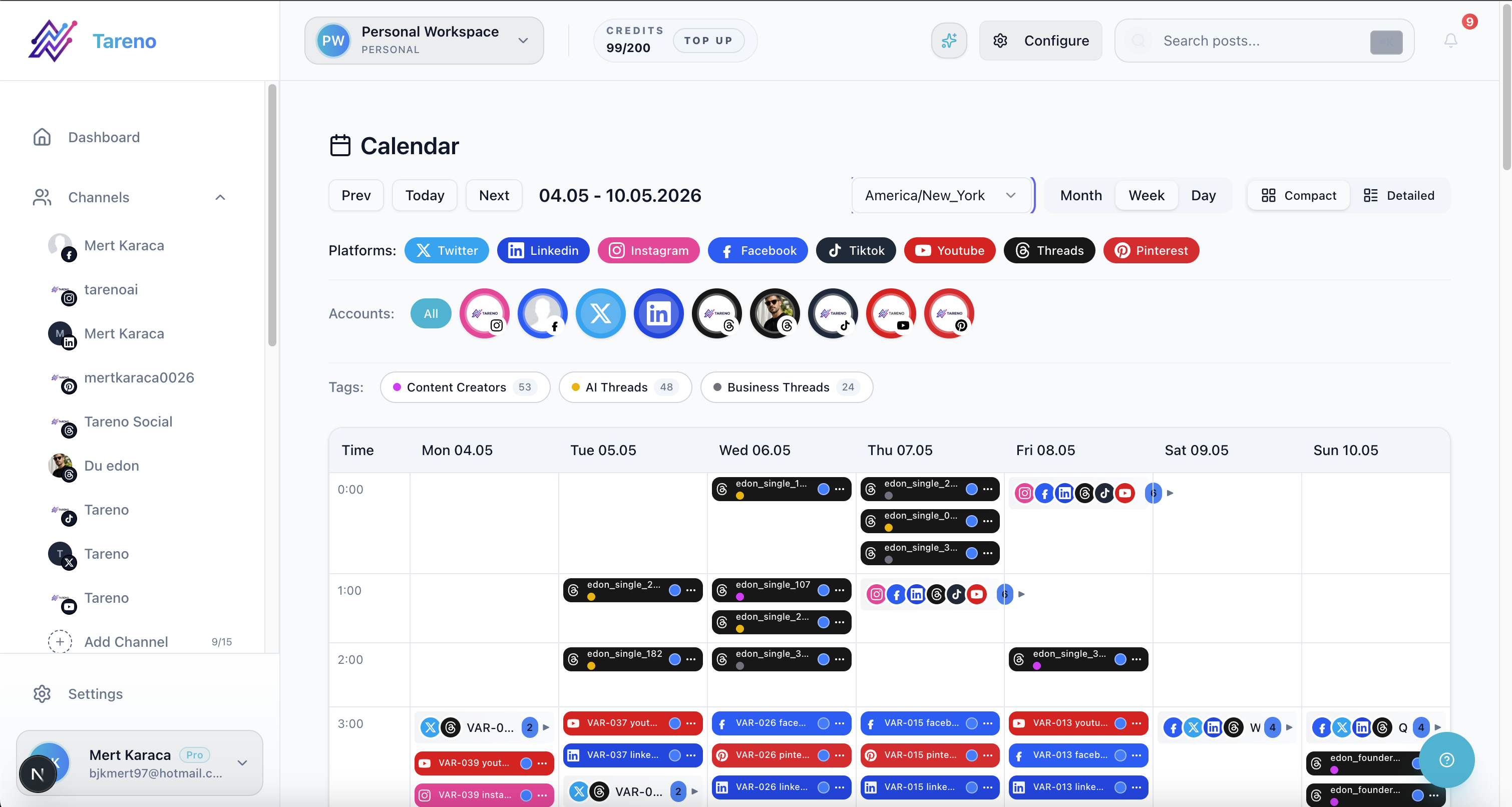
Approved content should move into a visible publishing calendar, not disappear into a queue.
Approved posts should move to publishing queue.
Workflow:
Post is approved.
Automation checks platform versions.
Post moves to Scheduled or Ready to Schedule.
Publisher is notified.
Calendar is updated.
Best for:
agencies
teams
startups
Why it matters:
Approval becomes connected to execution.
7. Client approval to Make scenario
Use case:
Client approves content and external systems need updating.
Workflow:
Client approves post.
Make scenario is triggered.
Approval row is added to tracker.
Publisher is notified.
Client report draft is updated.
Best for:
agencies
consultants
client-facing teams
Why it matters:
Client approval becomes operational.
8. Post published to reporting row
Use case:
Published posts need to be tracked for later reporting.
Workflow:
Post is published.
Automation stores post URL and metadata.
Reporting tracker is updated.
Measurement date is set.
Analytics owner is assigned.
Best for:
agencies
SaaS teams
analytics teams
Why it matters:
Reports become easier to produce.
9. Wait 7 days, then measure performance
Use case:
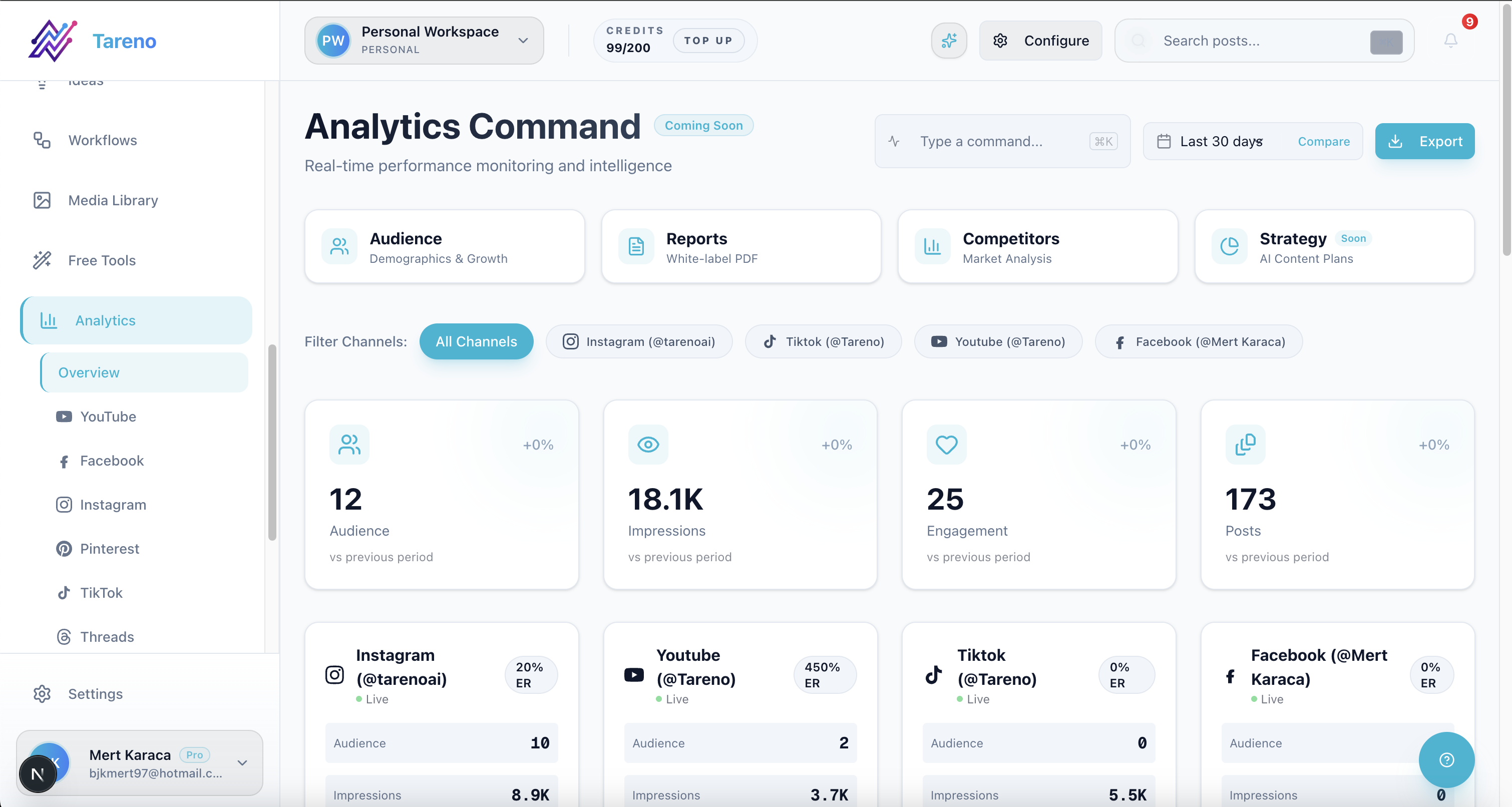
Measurement workflows should turn performance data into the next operational decision.
Teams forget to review performance after publishing.
Workflow:
Post is published.
Automation waits 7 days.
Measurement task is created.
Owner reviews analytics.
Outcome is marked: repeat, repurpose, improve, or archive.
Best for:
creators
teams
agencies
Why it matters:
Analytics become part of the workflow.
10. High performer to repurposing queue
Use case:
Strong posts should be reused.
Workflow:
Performance crosses benchmark.
Automation creates repurposing item.
Source post is attached.
Target platforms are suggested.
Owner is assigned.
Approval requirement is set.
Best for:
creators
agencies
SaaS teams
startups
Why it matters:
Winning content compounds.
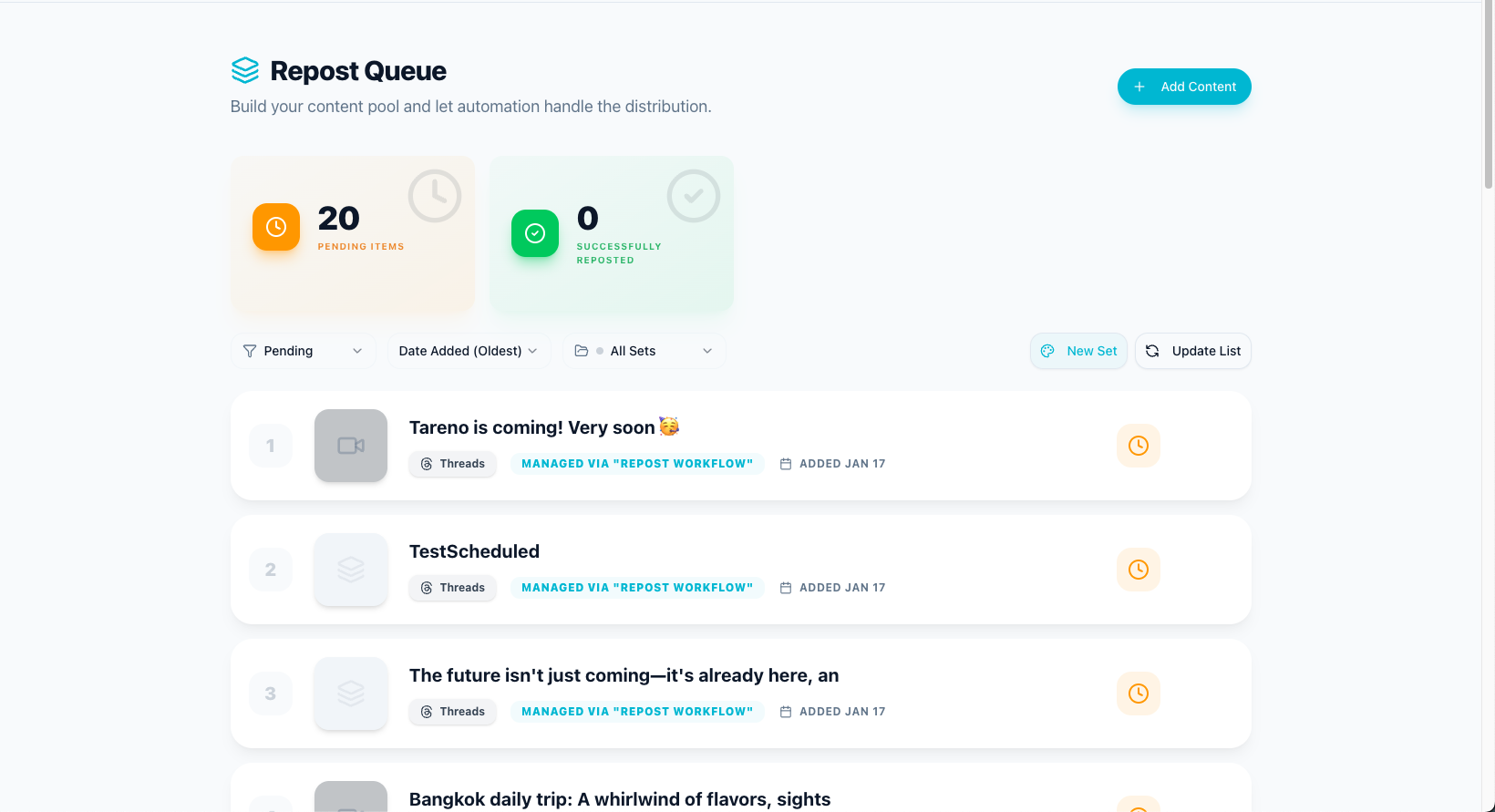
Repurposing queue to turn high performers into platform-specific follow-up posts.
11. Instagram winner to TikTok/Threads/Pinterest drafts
Use case:
An Instagram post performs well and should be adapted.
Workflow:
Instagram post is marked as winner.
AI creates draft versions for TikTok, Threads, and Pinterest.
Drafts enter Review.
Human edits platform voice.
Approved versions are scheduled.
Best for:
creators
social teams
creator-led brands
Why it matters:
Repurposing becomes systematic.
12. Competitor signal to content idea
Use case:
A competitor topic or pattern creates an opportunity.
Workflow:
Competitor signal is added.
Automation creates content idea.
Team adds audience intent and content gap.
Strategist assigns platform and owner.
Idea moves to Draft.
Best for:
SaaS teams
agencies
growth teams
Why it matters:
Competitor analysis becomes output.
13. Product update to launch content workflow
Use case:
A SaaS feature update needs social distribution.
Workflow:
Product update is approved internally.
Automation creates launch content tasks.
AI drafts platform versions.
Product owner reviews claims.
Marketing approves.
Posts are scheduled.
Performance is reviewed.
Best for:
SaaS companies
startups
product marketing teams
Why it matters:
Product social posts become accurate and repeatable.
14. Monthly report to next-month content plan
Use case:
Reports should create future actions.
Workflow:
Monthly report is completed.
Top themes are extracted.
Automation creates next-month ideas.
Winners enter repurposing queue.
Weak formats are flagged.
Team reviews plan.
Best for:
agencies
SaaS teams
small teams
Why it matters:
Reporting becomes planning.
15. n8n or API workflow for custom social operations
Use case:
A technical team needs custom workflows.
Workflow:
Content status changes in social tool.
n8n or API workflow receives event.
Internal system is updated.
Data is synced to dashboard.
Error handling logs failures.
Owner gets notified if something breaks.
Best for:
SaaS teams
technical agencies
teams with internal tools
AI-agent workflows
Why it matters:
Social media becomes connected to the wider operating system.
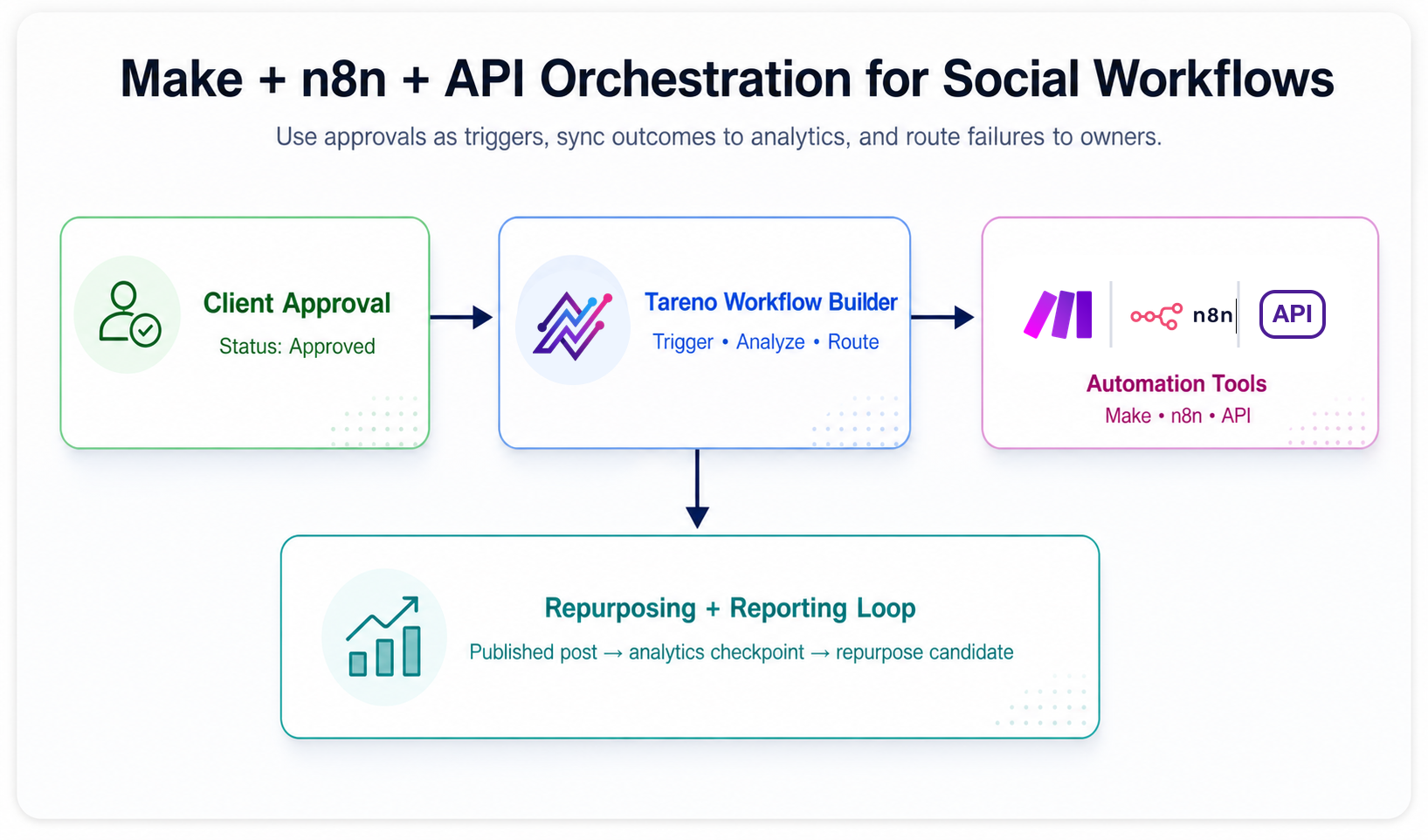
Approval-triggered orchestration map linking Tareno workflow status to Make, n8n, API, reporting, and repurposing actions.
How Tareno fits into workflow automation
Tareno is useful when social media automation needs to connect content stages.
Relevant Tareno components include:
workflow builder
content boards
approval workflows
repurposing queue
team workspaces
roles and permissions
activity visibility
unified analytics
competitor analysis
AI captions and hashtags
Make integration
n8n integration
API access
Tareno is strongest when teams need workflows like:
idea → draft → review → approval → schedule → publish → measure → repurpose → improve
This is deeper than a scheduler.
It is a workflow system.
Automation workflow checklist
Before launching any automation, check:
Is the trigger specific?
Is there an owner?
Is approval preserved?
Is duplicate publishing prevented?
Is there error handling?
Is the next action clear?
Are sensitive claims reviewed?
Is the workflow documented?
Does the automation improve a real bottleneck?
If not, simplify before automating.
Related Tareno resources
Use the workflow builder, approval workflows, post scheduling, and repurposing queue pages to implement these examples. For end-to-end blueprints, review social media workflow builder and n8n social media automation. For benchmark context, compare with the Buffer alternative and Metricool alternative.
FAQ
What is social media workflow automation?
Social media workflow automation uses triggers, statuses, rules, integrations, and tasks to move content through stages like idea, draft, review, approval, scheduling, publishing, reporting, and repurposing.
What are examples of social media automation?
Examples include AI draft creation, reviewer notifications, approval-triggered scheduling, published post tracking, analytics reminders, high-performer repurposing, client approval updates, and Make/n8n workflows.
Should social media publishing be fully automated?
Usually no. Automation should move content through the workflow, but humans should approve final posts, claims, client content, sponsor content, and sensitive topics.
Can Make and n8n automate social media workflows?
Yes. Make and n8n can automate handoffs, reporting updates, approval notifications, repurposing tasks, tracker updates, and custom workflows connected to social media tools.
What is the best automation for social media teams?
The best automation depends on the bottleneck. Many teams benefit from approval notifications, approved-to-scheduled workflows, published-to-reporting workflows, and high-performer-to-repurposing workflows.
How can agencies automate social media workflows?
Agencies can automate client approval updates, reporting rows, reviewer notifications, content status changes, repurposing tasks, and monthly report-to-content-plan workflows.
Final thoughts
Social media workflow automation works best when it supports human judgment.
The goal is not to remove the creator, strategist, reviewer, or client.
The goal is to remove repetitive handoffs that slow the work down.
Start with one bottleneck.
Automate that.
Then expand.
A strong workflow automation system helps content move from idea to approval, publishing, reporting, repurposing, and improvement without constant manual chasing.
Primary CTA: Explore Tareno workflow automation to see how workflow builder, boards, approvals, repurposing queue, analytics, Make, n8n, API, roles, and activity visibility work together.
Secondary CTA: Compare Tareno with Buffer, Hootsuite, Metricool, Planable, and SocialBee on the compare hub.


