
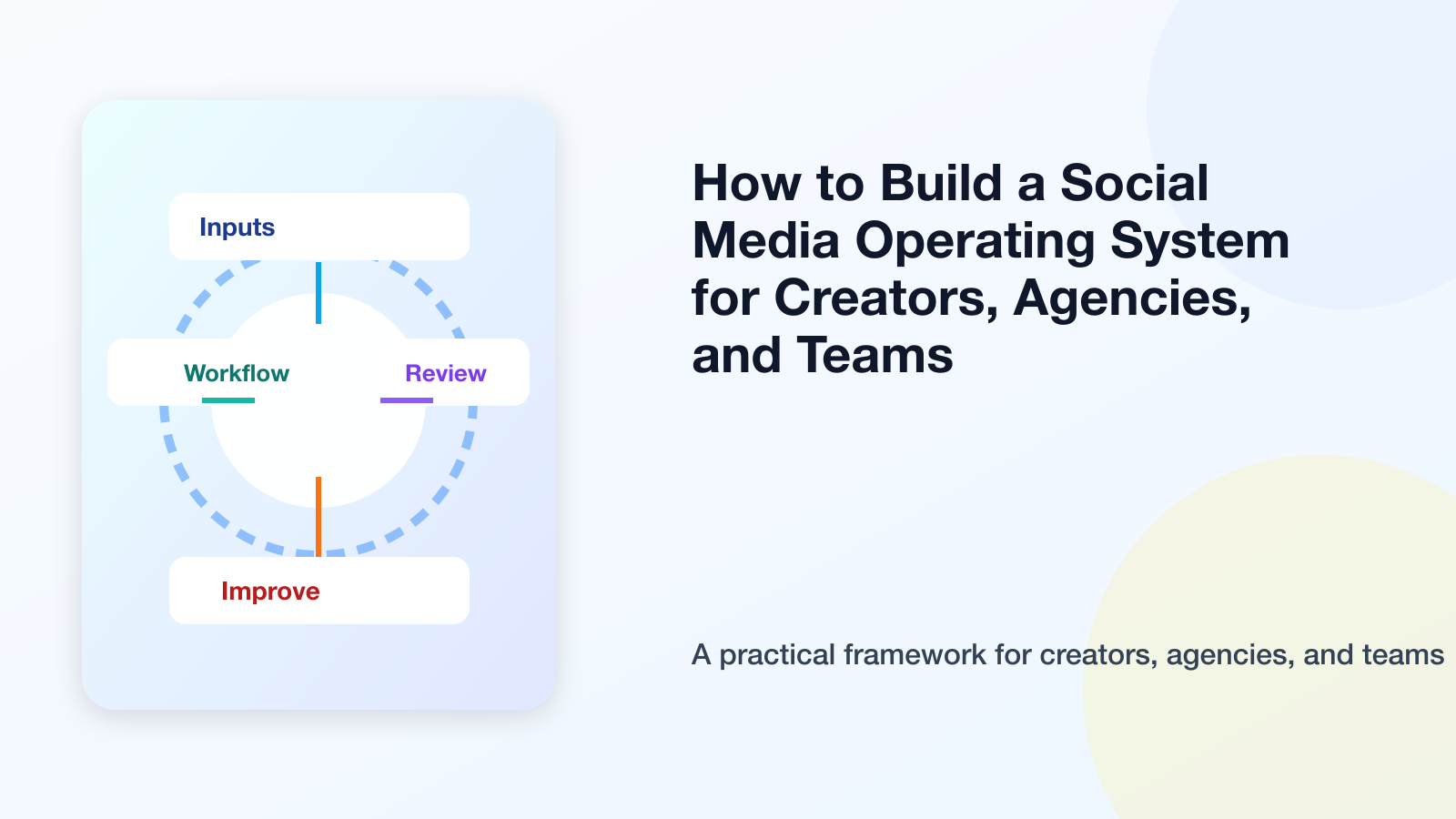
Most social media teams do not need more random tools.
They need an operating system.
A scheduler handles publishing.
An analytics tool handles reporting.
A notes app holds ideas.
A project management tool holds tasks.
A chat app holds approvals.
A spreadsheet holds performance.
A design tool holds assets.
A no-code tool runs automations.
All of these can work individually.
But when they are disconnected, the workflow becomes fragile.
A social media operating system brings the core pieces together: ideas, planning, boards, approvals, scheduling, publishing, analytics, repurposing, automation, roles, and activity visibility.
This guide explains how to build a social media operating system for creators, agencies, and teams.
TL;DR
A social media operating system is the structured workflow that manages social content from idea to performance improvement.
It should include:
idea capture
content boards
platform planning
content calendar
approval workflows
scheduling
analytics
repurposing queue
roles and permissions
activity visibility
workflow builder
Make/n8n/API integrations
The key rule:
A social media operating system should connect the work before publishing, the work during publishing, and the work after publishing.
If your tools only handle one stage, your workflow may still be fragmented.
What is a social media operating system?
A social media operating system is the central process and tool structure that helps a creator, agency, or team run social media consistently.
It is not only software.
It is a system of:
inputs
stages
roles
rules
approvals
automations
reports
repurposing loops
decision points
A social media OS answers:
where do ideas go?
how are posts drafted?
who approves content?
when does content publish?
what happens after publishing?
which posts should be reused?
how does analytics feed planning?
who changed what?
which workflow runs next?
A calendar alone cannot answer all of these.
A social media operating system can.
Why social media stacks become messy
Teams usually build their social stack one problem at a time.
First, they need scheduling.
Then they need analytics.
Then they need approvals.
Then they need a content board.
Then they need automation.
Then they need client reporting.
Then they need repurposing.
Each new problem adds a new tool.
Eventually, the stack looks powerful but feels messy.
The problem is not that the tools are bad.
The problem is that the workflow is disconnected.
A social media operating system reduces the gap between tools and decisions.
The SYSTEM framework
Use the SYSTEM framework to build your social media OS.
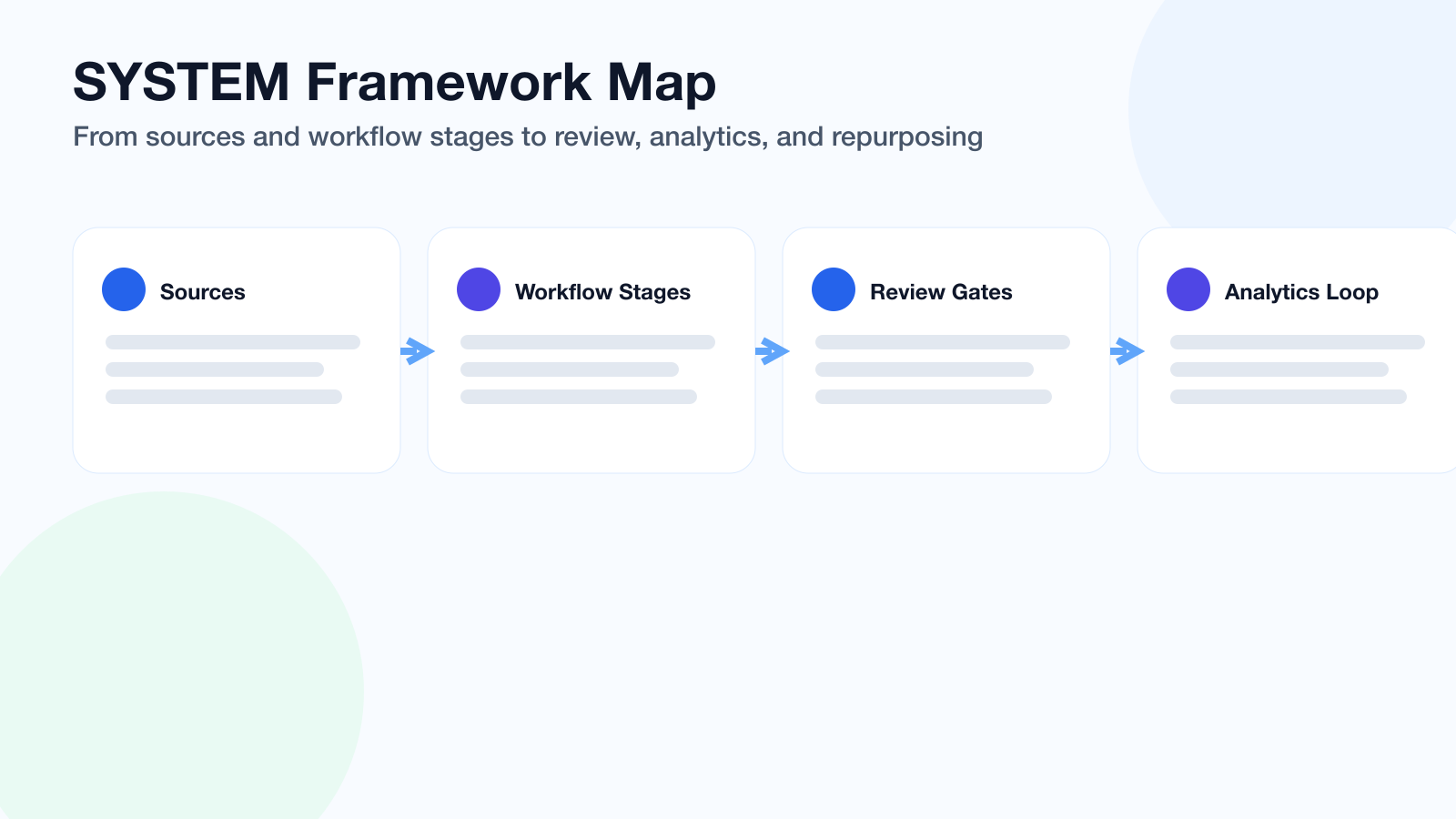
The SYSTEM framework connects each stage so social media decisions do not break across tools.
S — Sources and inputs
Y — Your workflow stages
S — Scheduling and publishing
T — Team roles and approvals
E — Evaluation and reporting
M — Multiplication through repurposing
This keeps the operating system focused.
S — Sources and inputs
Every social media system starts with inputs.
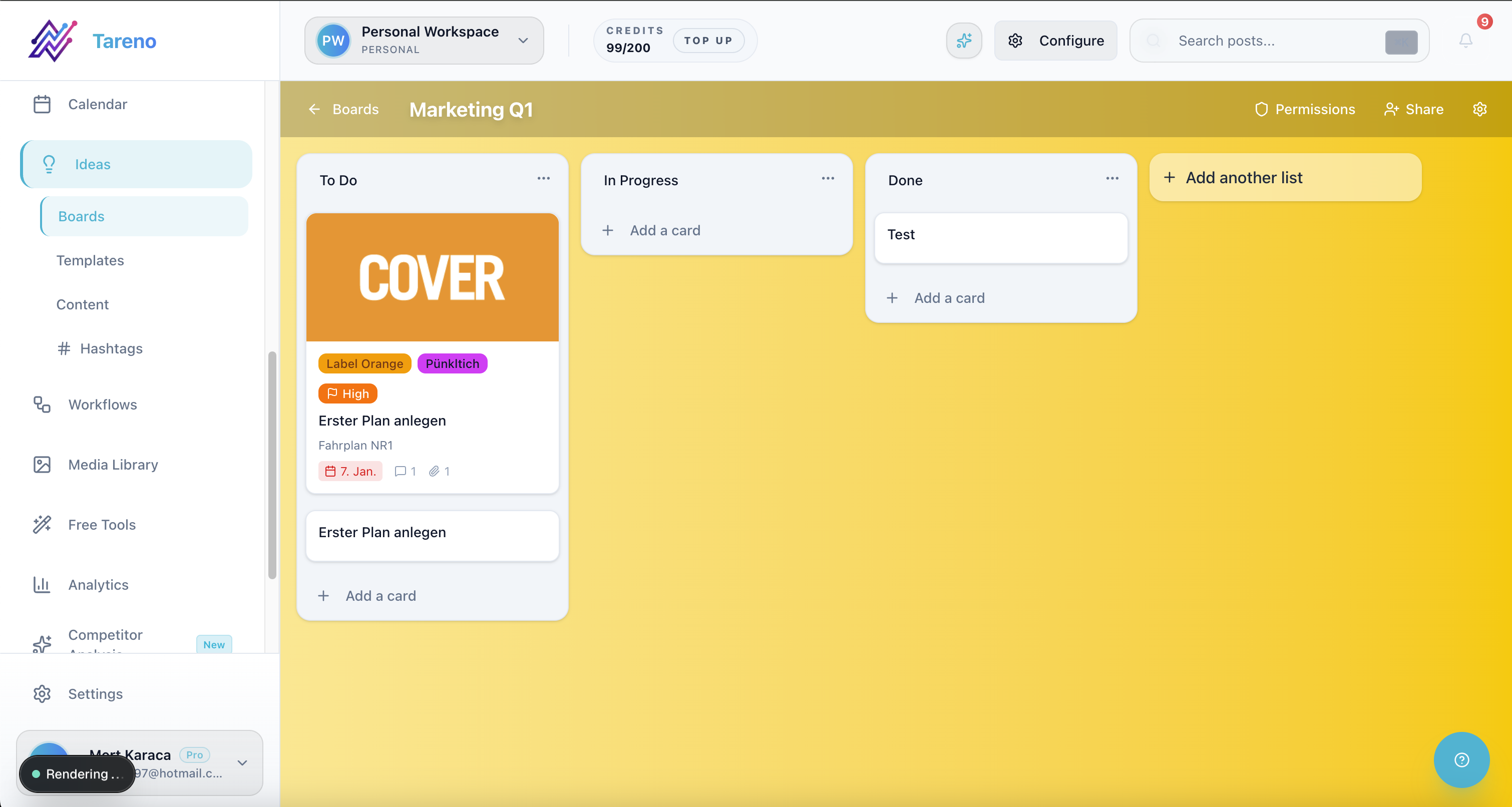
Input capture gets reliable when every idea source lands in one structured board.
Inputs include:
content ideas
customer questions
competitor insights
old high-performing posts
blog posts
video clips
product updates
campaign briefs
analytics reports
comments and DMs
team suggestions
founder notes
sales objections
SEO queries
community discussions
The first job of a social media OS is to capture these inputs.
If inputs are scattered, output becomes inconsistent.
A strong system should make it easy to collect and label ideas.
Example labels:
creator tip
agency workflow
product feature
competitor insight
customer question
repurposing candidate
blog-to-social
video-to-social
high intent
needs approval
Y — Your workflow stages
The workflow stages define how content moves.
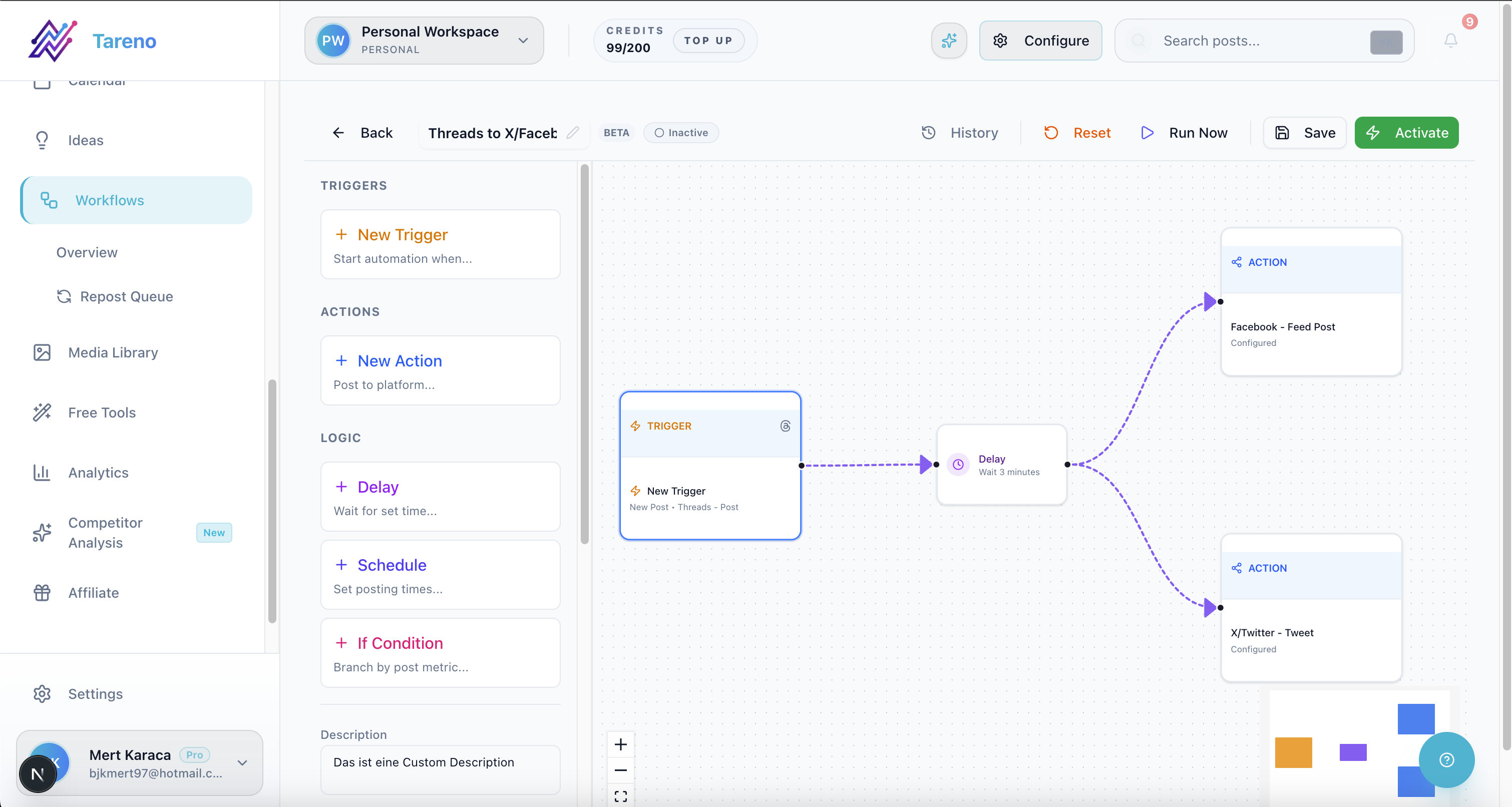
Stage-based workflows make ownership and next actions visible across the full content pipeline.
Recommended stages:
Inbox
Idea
Selected
Draft
Design
Review
Approved
Scheduled
Published
Measure
Repurpose
Archive
Creators may use fewer stages.
Agencies may need more stages.
Teams with legal or product review may add claim verification.
The important part is that stages should match the real workflow.
Do not create stages nobody uses.
Do not hide important review steps.
A useful operating system shows the current state of every content item.
S — Scheduling and publishing
Scheduling is still part of the operating system.
But it should not be isolated.
The calendar should connect to:
board stages
approval status
platform versions
campaign labels
owner
publishing rules
repurposing status
A post should not simply appear on a date.
It should have context.
For example:
approved by whom?
which platform version?
which campaign?
which source idea?
should it be repurposed after publishing?
what metric will define success?
A calendar becomes much more useful when it sits inside the wider workflow.
T — Team roles and approvals
A social media operating system needs accountability.
Roles may include:
creator
assistant
social media manager
copywriter
designer
editor
client
account manager
product reviewer
brand lead
legal reviewer
publisher
analytics owner
Approval rules should be based on risk.
Low-risk posts may need one reviewer.
Client content may need client approval.
Pricing claims need verification.
Competitor claims need source checks.
Repurposed old content may need freshness review.
The OS should make these rules visible.
This prevents accidental publishing.
E — Evaluation and reporting
A social media OS should include analytics, but analytics are not enough.
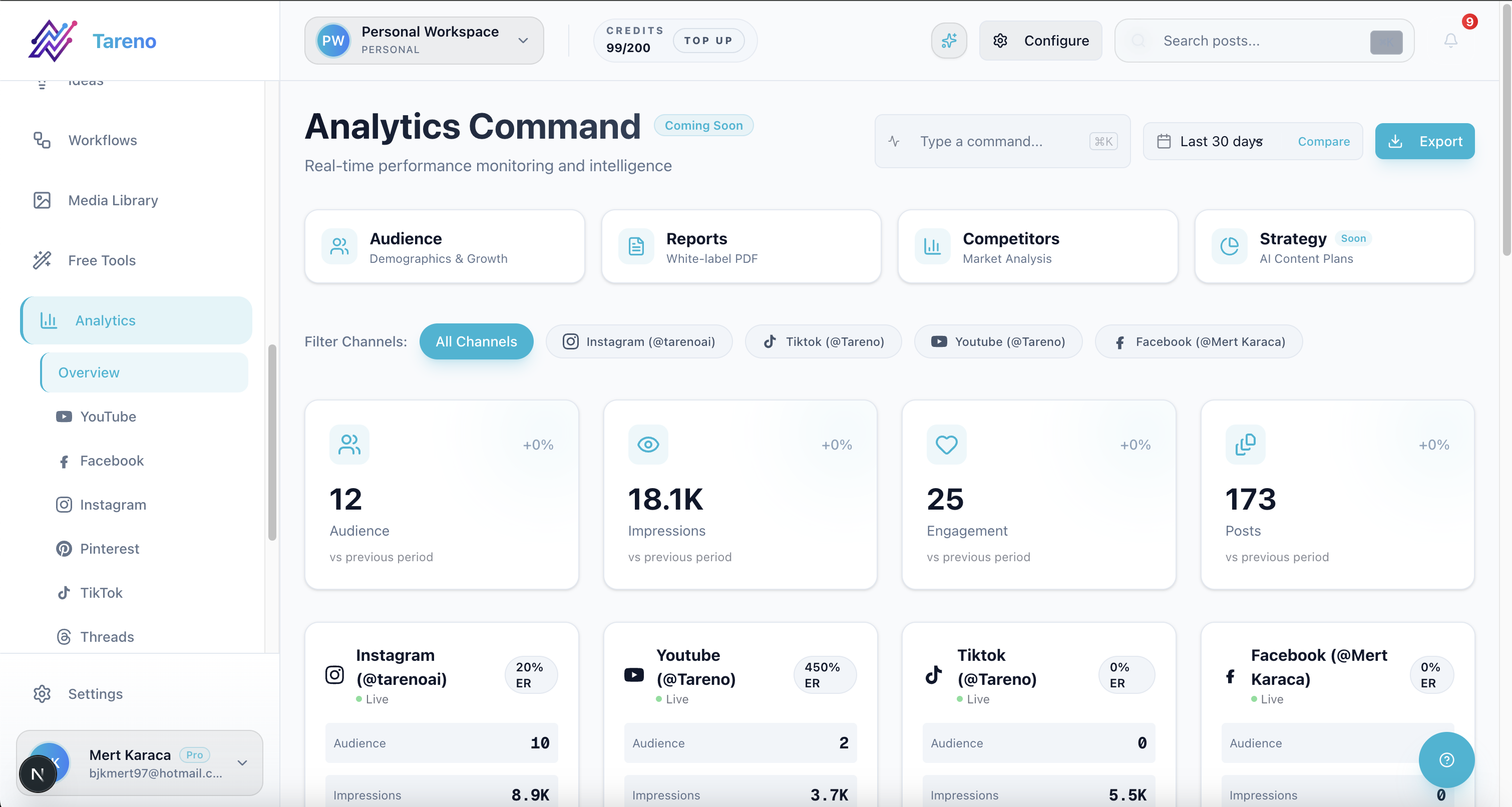
Reporting becomes operational only when insights feed directly into the next content cycle.
Evaluation should create decisions.
Ask:
what performed above baseline?
what underperformed?
which hook worked?
which format worked?
which audience responded?
which competitor signal matters?
which post should be reused?
which content should become a blog?
which page should get internal links?
which workflow should change?
Reporting is only useful if it affects the next cycle.
Evaluation should feed planning and repurposing.
M — Multiplication through repurposing
The final piece is repurposing.
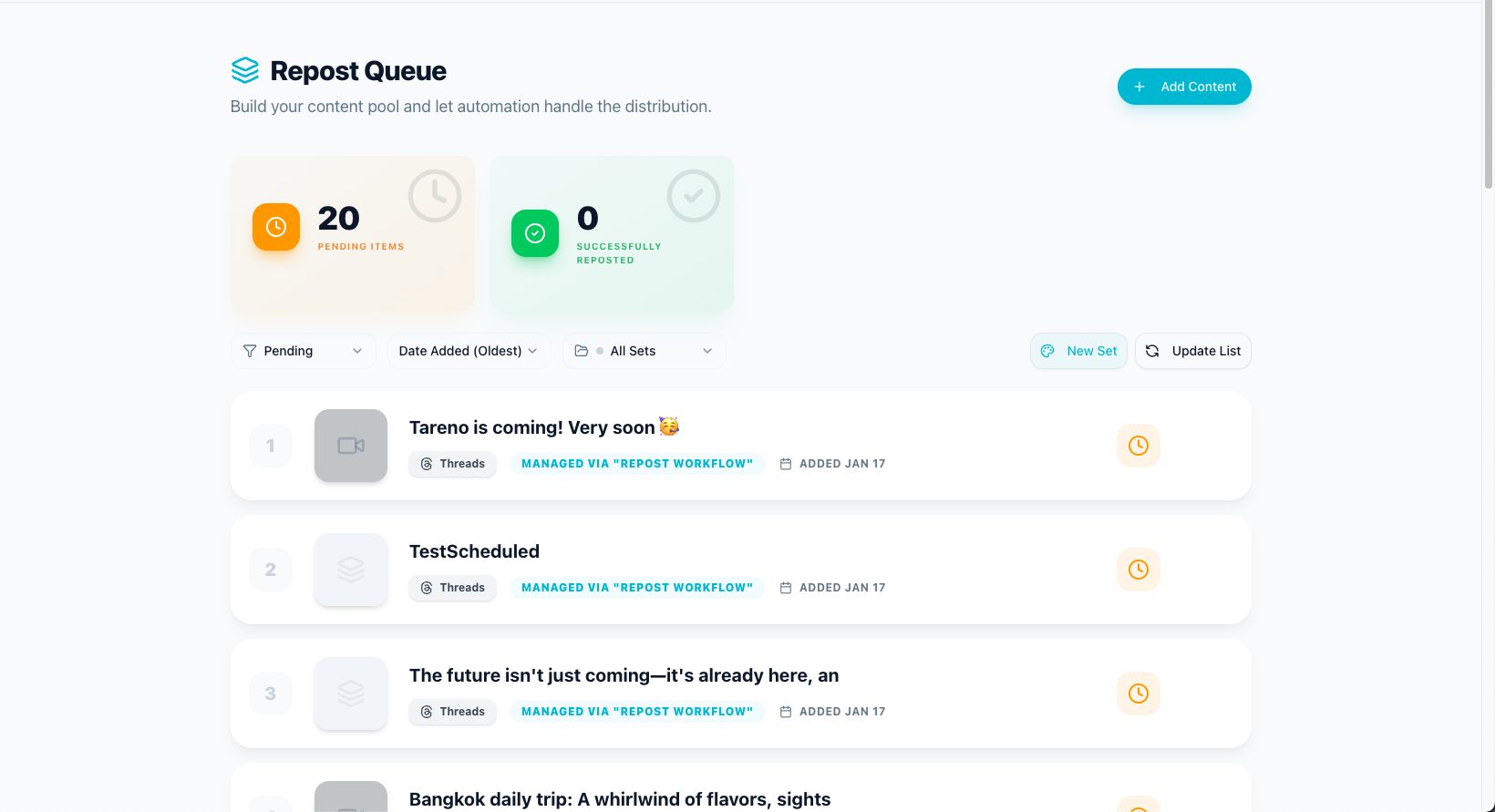
A repurposing queue prevents strong posts from disappearing after one publish.
A social media operating system should multiply strong ideas.
A source idea can become:
TikTok short
Instagram Reel
Instagram carousel
Threads post
LinkedIn post
Pinterest pin
YouTube Short
blog section
newsletter note
sales asset
follow-up post
A repurposing queue manages this.
It should track:
source content
performance reason
target platform
owner
rewrite notes
approval status
publish date
second-wave result
Without repurposing, the OS becomes a one-way publishing machine.
With repurposing, it becomes a compounding system.
Social media OS for creators
Creators need a lightweight operating system.
A creator OS might include:
idea inbox
weekly content board
AI draft support
content calendar
repurposing queue
analytics review
optional sponsor approval workflow
A creator does not need excessive complexity.
The system should help them stay consistent while preserving voice.
Example weekly loop:
Capture ideas.
Pick 3 to 5 ideas.
Draft with AI support.
Edit for voice.
Schedule posts.
Review top performers.
Repurpose winners.
Social media OS for agencies
Agencies need a more structured OS because they manage clients.
An agency OS should include:
client workspaces
campaign briefs
internal review
client approval
content calendar
reporting
repurposing queue
activity visibility
roles and permissions
Make/n8n automation
white-label reporting
The goal is to protect client trust and agency margin.
A strong agency OS reduces status questions and prevents feedback from getting lost.
Social media OS for teams
Teams need an OS that balances speed and control.
A team OS might include:
campaign planning
content boards
platform-specific drafts
product/brand review
approval gates
scheduling
analytics
repurposing
activity logs
API-connected workflows
The larger the team, the more important permissions, ownership, and visibility become.
A social media OS should help the team move faster without lowering quality.
How automation fits into the OS
Automation is the connective tissue of a social media operating system.
Useful automations include:
idea added → assign owner
draft ready → notify reviewer
changes requested → notify owner
approved → move to schedule
published → create reporting task
high performer → add to repurposing queue
repurposed item ready → assign reviewer
client approval → update tracker
analytics benchmark hit → create new content task
Make, n8n, and APIs are useful when the OS needs to connect to external systems.
Automation should reduce handoffs.
It should not remove human judgment.
What to avoid when building a social media OS
Avoid too many tools without a workflow
More tools do not automatically create a better system.
Avoid calendar-only thinking
A calendar is one view, not the full OS.
Avoid no owner
Every content item needs accountability.
Avoid automating before stages are clear
Automation needs a defined workflow.
Avoid repurposing without review
Old content can become outdated.
Avoid reports without next actions
Reporting should improve the next content cycle.
Avoid making the system too complex
The best OS is simple enough to use every week.
How Tareno fits as a social media operating system
Tareno is positioned as a workflow-first social media system.
Relevant components include:
content boards
content calendar
workflow builder
approval workflows
repurposing queue
team workspaces
roles and permissions
activity visibility
unified analytics
competitor analysis
AI captions and hashtags
API access
Make integration
n8n integration
This matters because social media work is not only publishing.
It is an operating loop:
idea → draft → review → approve → schedule → publish → measure → repurpose → improve
Tareno is strongest when teams want that loop in one system.
Tool comparison context
Different tools cover different parts of a social media OS.
NeedTool type that often fitsSimple schedulingBuffer-style schedulerVisual planningLater-style plannerApproval collaborationPlanable-style toolAnalyticsMetricool-style toolEvergreen contentSocialBee-style toolBroad managementHootsuite-style suiteWorkflow-first OSTareno-style system
Some teams may combine several tools.
Others may prefer one workflow-first system.
The right decision depends on how fragmented the current process is.
Social media OS checklist
Inputs
Are ideas captured in one place?
Are customer questions saved?
Are competitor insights tracked?
Are old winners marked?
Workflow
Are stages visible?
Are owners assigned?
Is next action clear?
Review
Are approval rules defined?
Are high-risk claims verified?
Is approval tied to a version?
Publishing
Is the calendar connected to workflow?
Are platform versions adapted?
Are posts approved before scheduling?
Analytics
Are results reviewed?
Do reports create actions?
Are winners identified?
Repurposing
Is there a queue?
Are rewritten versions reviewed?
Are results measured again?
Automation
Are handoffs automated?
Are Make/n8n/API workflows useful?
Are errors visible?
Related Tareno resources
Use the feature overview to map the system building blocks, then connect execution with the social media workflow builder.
For publishing control and metrics loops, combine post scheduling with analytics reports.
If you want tool-level accelerators, add the Instagram caption generator and compare stack options with the compare hub plus the Buffer alternative page.
FAQ
What is a social media operating system?
A social media operating system is the workflow and tool structure that manages social media from idea capture to publishing, analytics, repurposing, and improvement.
How is a social media operating system different from a scheduler?
A scheduler manages publish timing. A social media operating system manages the full workflow before, during, and after publishing.
Do creators need a social media operating system?
Creators need a lightweight system when they manage multiple platforms, use AI, work with assistants or sponsors, repurpose content, or want more consistency.
Do agencies need a social media operating system?
Yes. Agencies benefit from client workspaces, approvals, reporting, repurposing, roles, activity visibility, and automation because client work has more moving parts.
What should a social media OS include?
It should include idea capture, boards, calendar, approval workflows, scheduling, analytics, repurposing queue, roles, activity visibility, and automation integrations.
Can Make and n8n be part of a social media OS?
Yes. Make and n8n can automate handoffs, reporting updates, repurposing tasks, approval notifications, and external system syncs.
Final thoughts
A social media operating system is not about making content more complicated.
It is about making the work easier to repeat.
The best system helps creators, agencies, and teams know what to create, who owns it, what needs approval, when it publishes, what performed, and what should be reused.
A scheduler can be part of that system.
But it is not the whole system.
If your social media workflow feels scattered, the next step is not always another tool.
It may be a clearer operating system.
Primary CTA: Explore Tareno features to see how boards, calendar, workflow builder, approvals, repurposing queue, analytics, Make, n8n, API, roles, and activity visibility work together.
Secondary CTA: Compare Tareno with Buffer, Hootsuite, Later, Metricool, Planable, and SocialBee on the compare hub.


