AI can remove blank-page friction, but it does not remove the need for a workflow.
Without clear owners, review rules, and publishing readiness checks, fast drafts simply create faster confusion.
The real goal of an AI-assisted content workflow is not to automate everything. It is to make the next action obvious while keeping risky decisions in human hands.
TL;DR
A practical AI-assisted content workflow should do four things well: capture context up front, let AI accelerate drafting, require human review where risk is real, and turn performance signals into repurposing decisions.
If your team wants speed without chaos, build the workflow first and then layer in tools like an Instagram caption generator, approval stages, and automation triggers around it.
Why AI-assisted workflows break down
Teams usually blame AI when the real problem is operational design. Drafts multiply, but the reviewer does not know the goal. Approval is requested, but nobody knows which version is final. A post gets scheduled, but the asset, CTA, or claim check is still unresolved.
That breakdown is common when AI output lives in one place, approvals in another, scheduling in another, and performance review nowhere useful. Instead of a single system, the team gets a pile of disconnected moments.
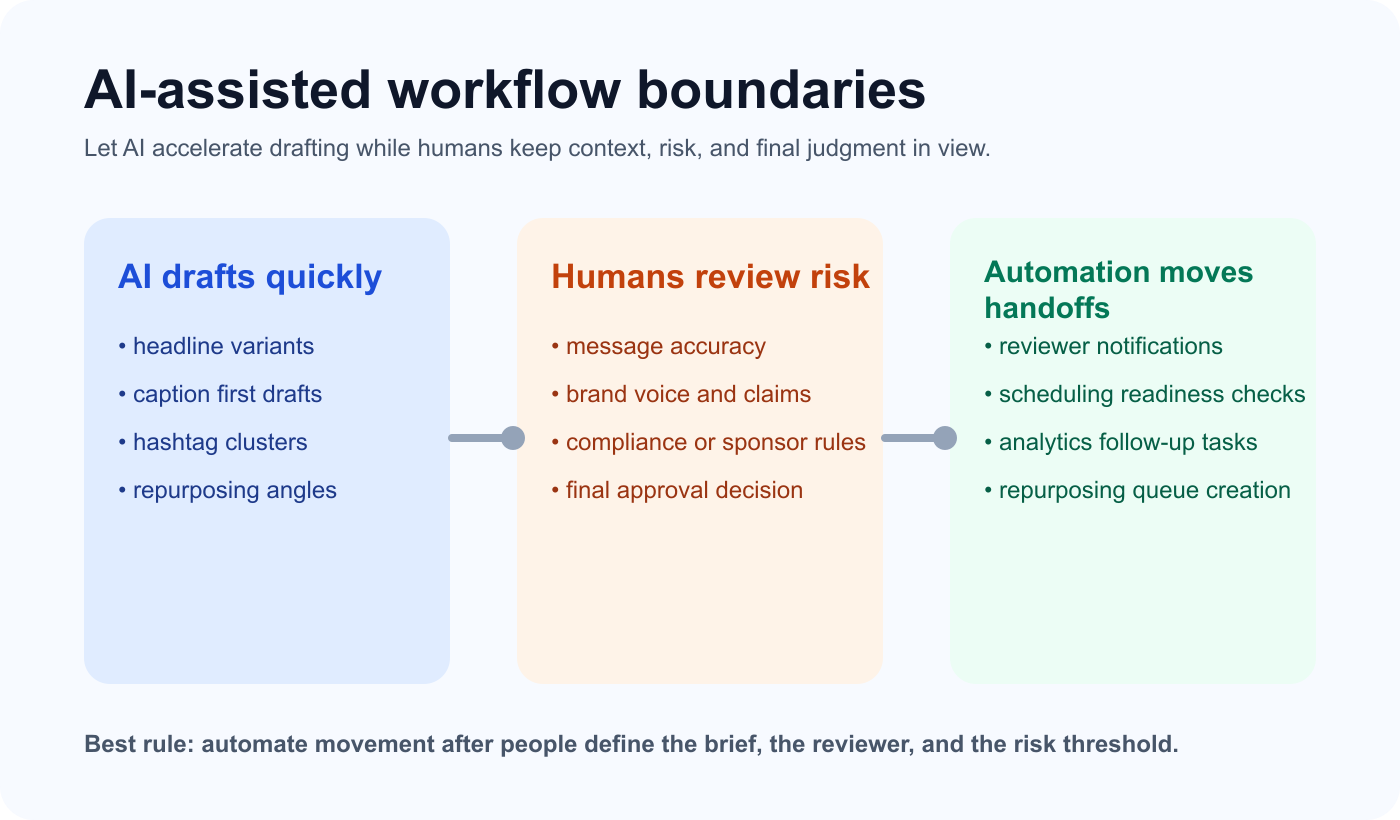
A reliable AI-assisted workflow keeps drafting, review, and automation in separate roles instead of mixing them together.
A strong workflow fixes that by making the path visible from intake to analysis. The content may be AI-assisted, but the operating model still needs owners, statuses, and clear publishing rules.
Build the workflow around human checkpoints
The simplest way to keep AI helpful is to separate responsibilities. Let AI draft, summarize, remix, and suggest angles. Let people decide whether the idea matches strategy, whether the claim is safe, and whether the final version is ready to publish.
That distinction matters because teams move faster when they automate movement instead of judgment. A reviewer should not rewrite everything from scratch, but they should still own the final call on positioning, compliance, and brand voice.
For many teams, this is also where the operating rules become explicit. Notifications, approval ownership, and readiness checks should be defined before the team tries to automate them.
Stage 1: Intake and AI drafting
AI drafting only works when the brief is specific enough to constrain the output. Before anyone generates a caption, script, or carousel outline, the intake should define the audience, platform, goal, CTA, owner, risk level, and asset requirement.
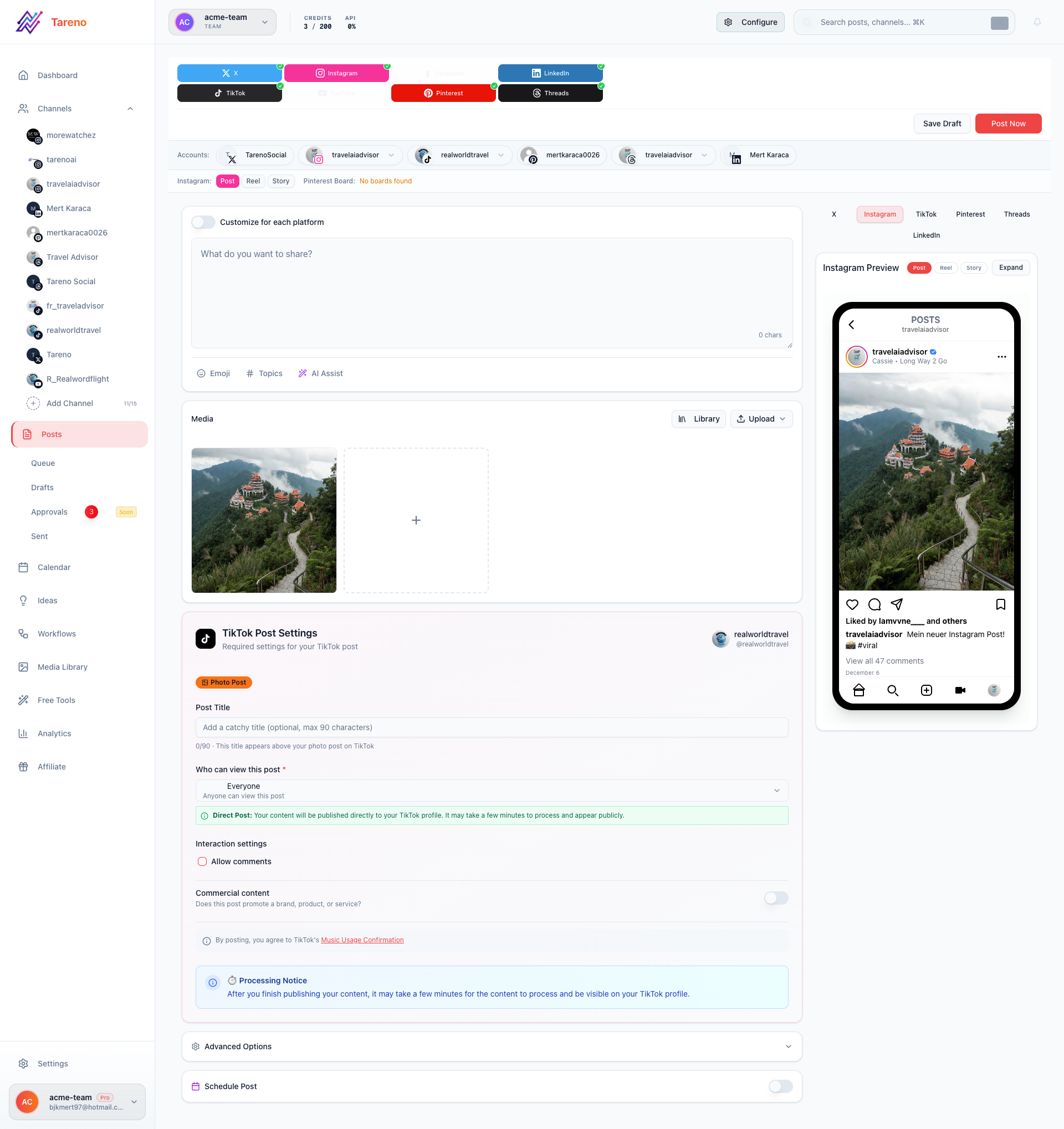
A draft workspace works best when the brief, owner, and CTA are visible before AI expands the first version.
That intake does not need to be heavy. It needs to be clear. If the brief is loose, the AI can produce polished copy that still points in the wrong direction.
Once the brief exists, AI becomes a speed layer rather than a strategy replacement. It can create first drafts, CTA options, hook variations, and hashtag ideas without deciding the message for you.
Stage 2: Review, approval, and scheduling
Review rules should match risk. Educational evergreen content may need only an owner review. Sponsored posts, competitor claims, regulated topics, or client-facing assets need a stronger approval path.
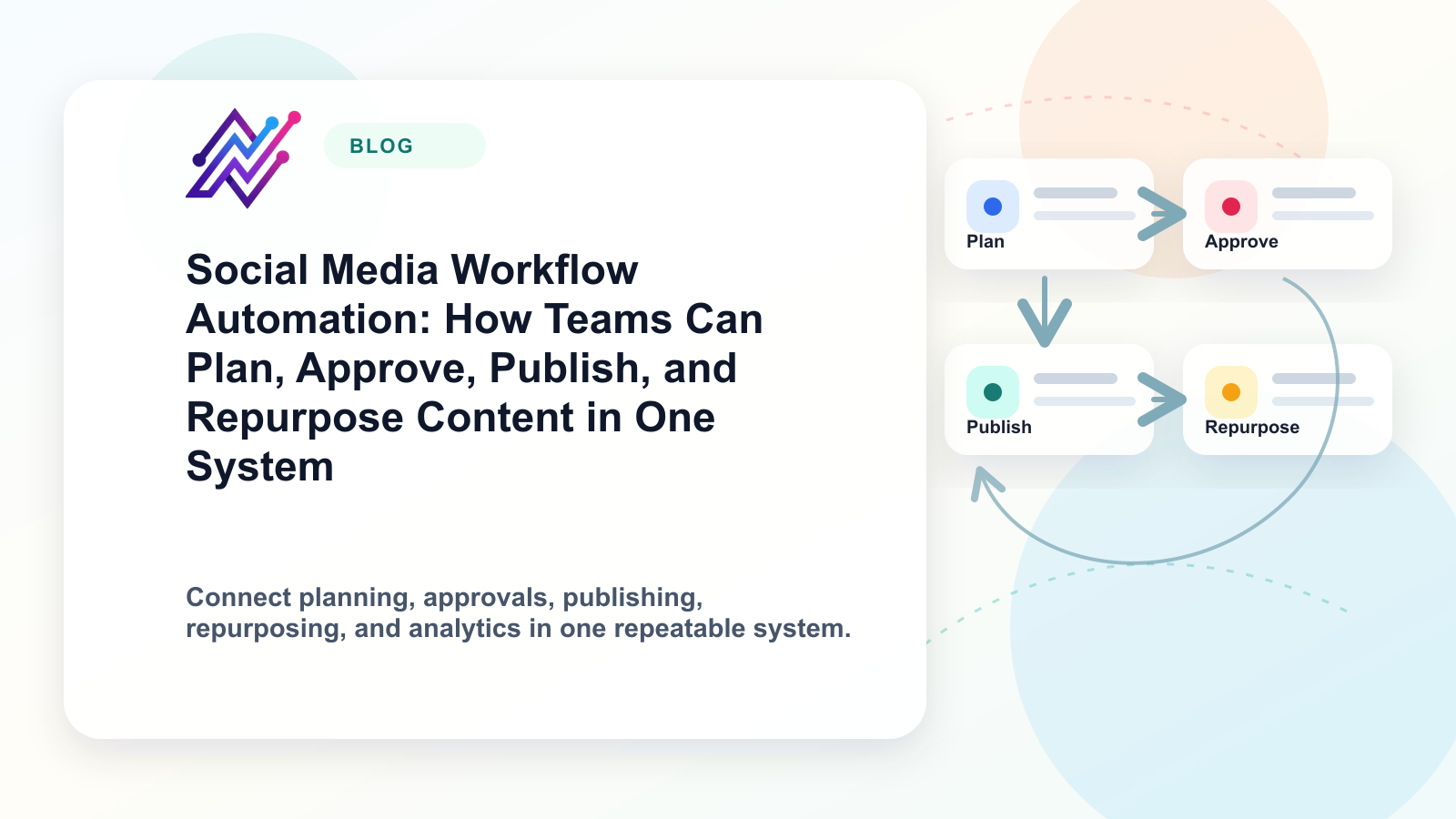
A repeatable review layer is easier to manage when the team uses named stages instead of relying on side messages. That is the main job of structured approval workflows: make it obvious who reviews what, and when a draft can move to scheduling.
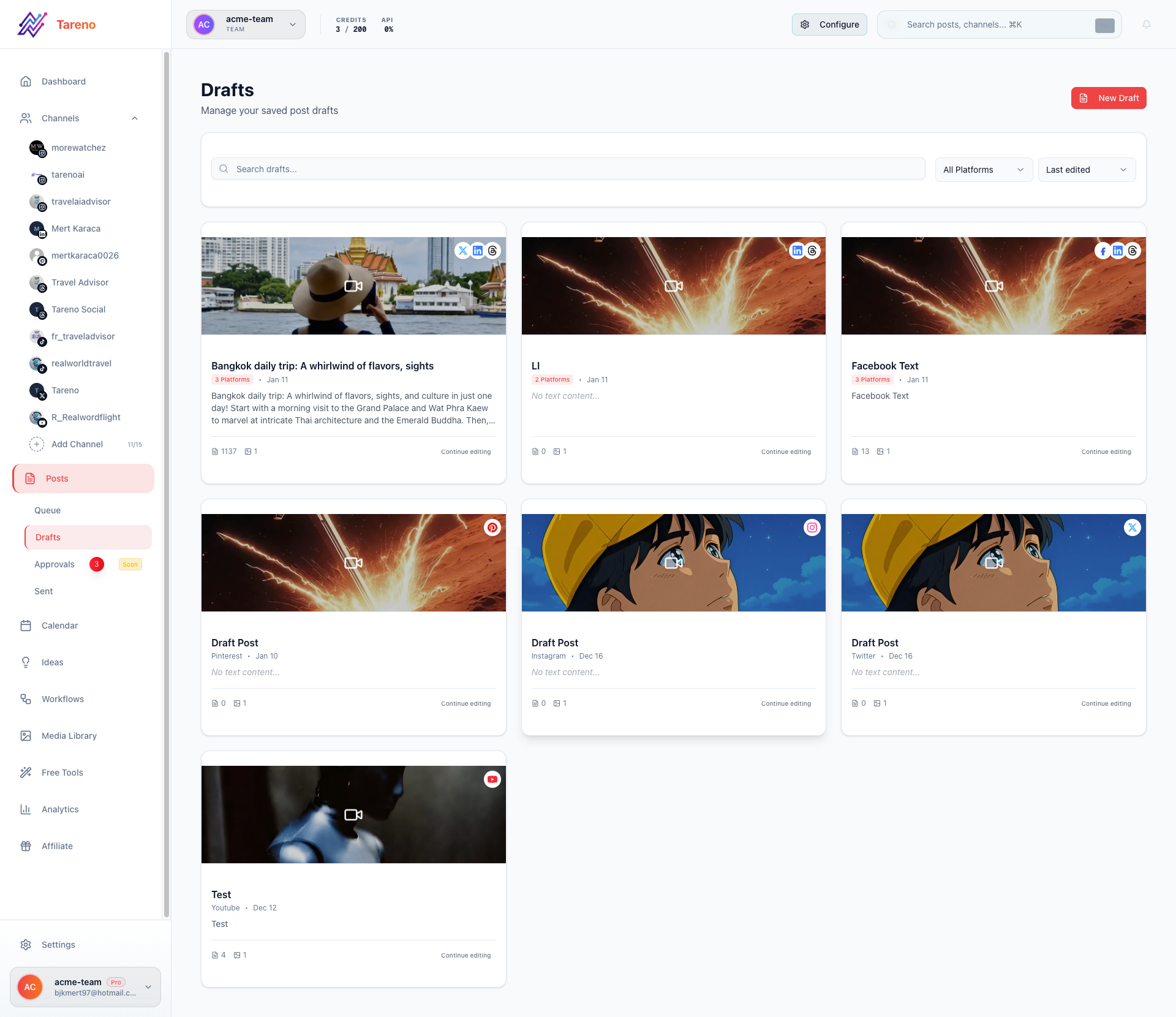
Approval visibility matters because a scheduled date should never hide an unfinished or unapproved draft.
Scheduling should happen only after readiness is confirmed. The draft is complete, the asset is attached, the platform version is correct, the link is checked, and the required approval is finished. A calendar date alone does not mean a post is safe to publish.
That is why strong teams connect review to post scheduling rather than treating them as unrelated steps. A schedule should reflect readiness, not optimism.
Stage 3: Reporting and repurposing should start immediately after publish
The workflow is incomplete if performance lives in a dashboard with no follow-up action. After publishing, the owner should know when the post will be reviewed, which signal matters most, and what decision each signal should trigger.
Useful examples are simple: high saves may justify a deeper educational carousel, strong comments may become an FAQ post, and high click-through intent may justify a blog expansion or comparison page.
This is where reporting should connect directly to planning. Reporting is not just proof that something happened. It is the source of the next brief.
The same logic applies to reuse. A strong social media repurposing workflow takes winning posts and turns them into second-wave assets instead of letting them disappear after one publish date.
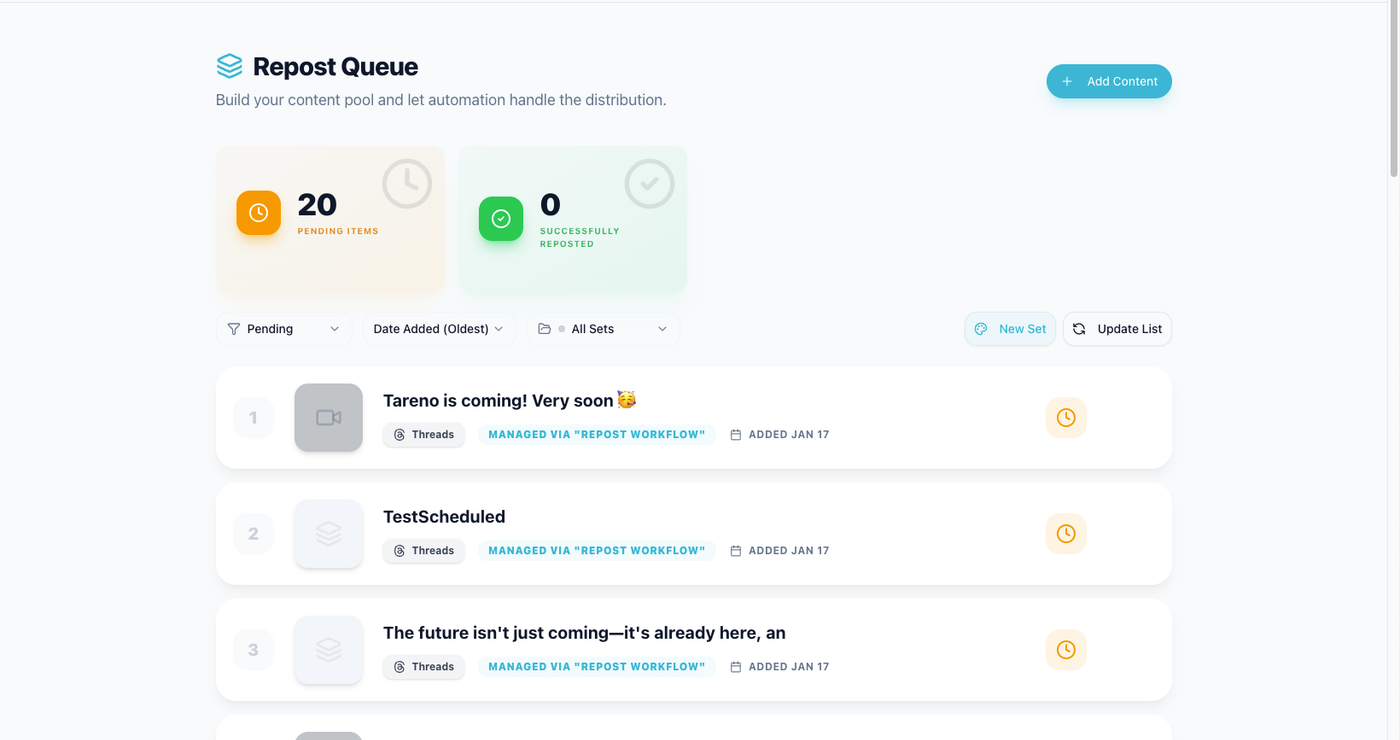
Reporting becomes operational when the next reuse task appears right after the review.
How Tareno supports the workflow
Tareno is most useful when the team wants AI assistance without losing operational clarity. The practical value is not a single AI feature. It is the combination of boards, draft visibility, approvals, scheduling, analytics, and automation in one system.
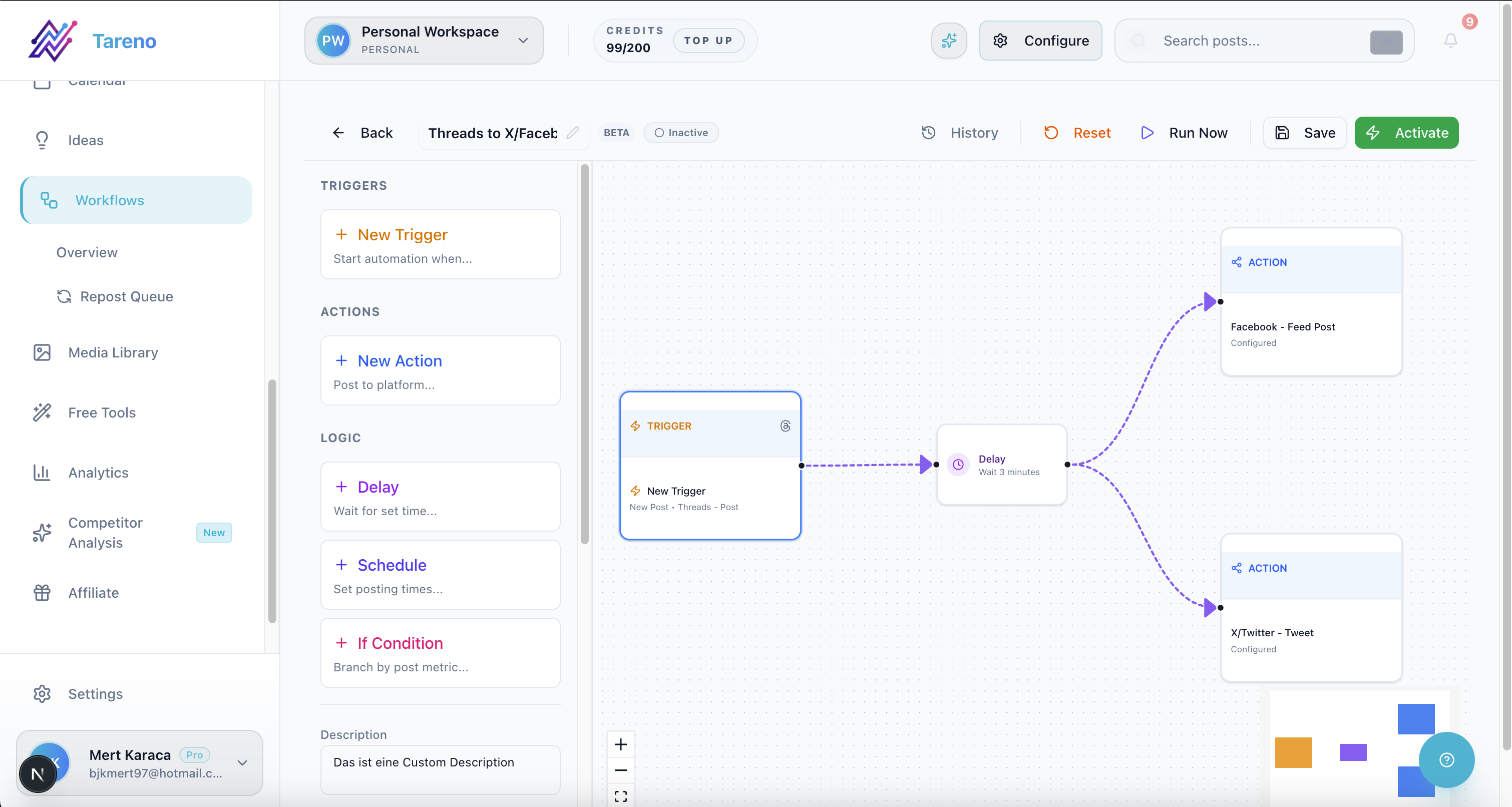
Once the workflow is clear, automation can handle the handoffs without bypassing human judgment.
In practice, that means a team can capture the brief, generate a draft, route it through review, schedule only approved content, and then create follow-up tasks once results come in. The workflow stays visible, so AI speed does not create blind spots.
Common mistakes to avoid
The first mistake is using AI before defining the brief. That usually creates drafts that sound polished but miss the audience or CTA. The second mistake is making every piece of content go through the same approval path, which slows the team down for no strategic reason.
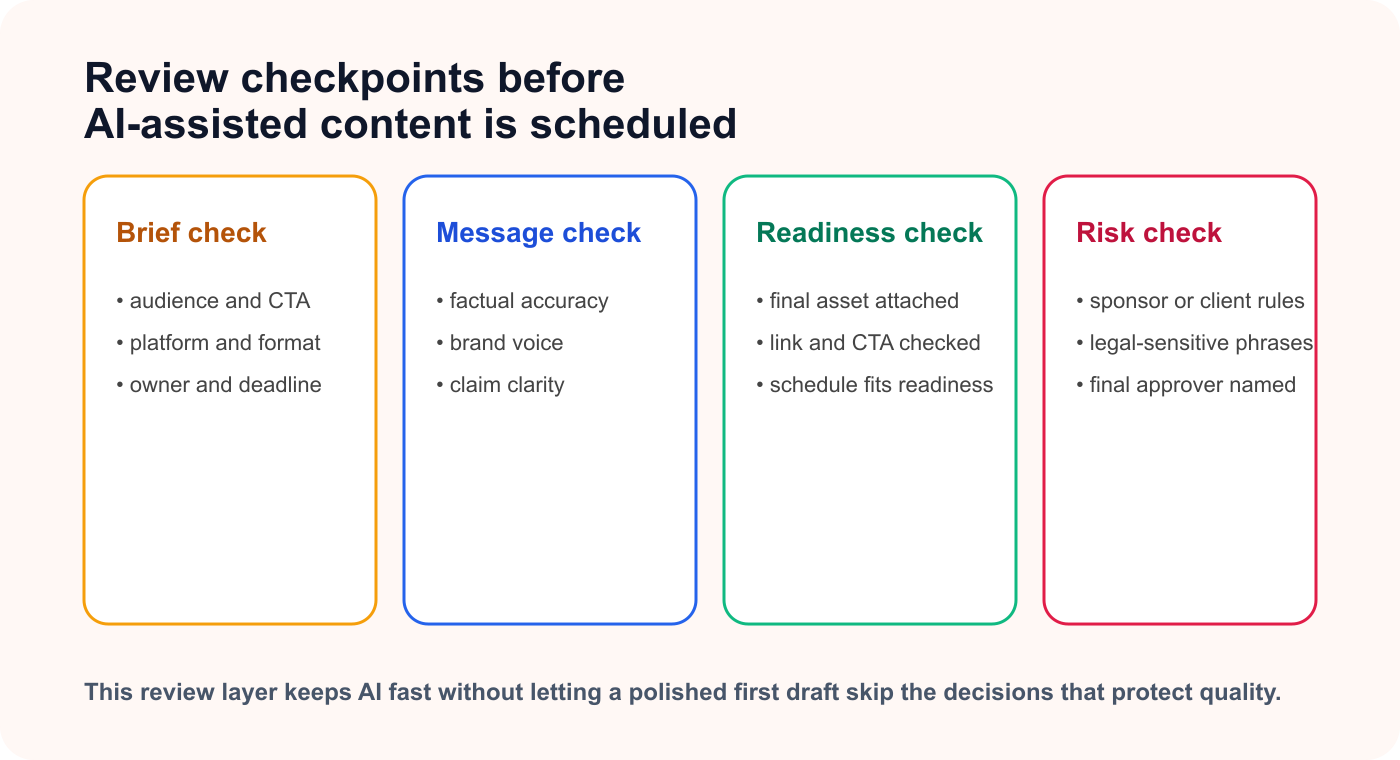
A short review checklist prevents AI-assisted drafts from moving into scheduling before the important checks are complete.
The third mistake is treating AI as a publishing shortcut. The safest pattern is to automate reminders, assignments, measurement tasks, and repurposing handoffs while keeping message accuracy and final approval human-led.
The fourth mistake is forgetting to close the loop. If reporting never creates a next action, then the workflow still ends too early.
Related Tareno resources
Keep the workflow moving
Feature Approval Workflows Create named review stages before content is scheduled. See approvals -> Feature Post Scheduling Connect readiness checks to the publishing calendar. Open scheduling -> Workflow Repurposing Workflow Move proven posts into second-wave assets automatically. View workflow -> Tool Instagram Caption Generator Use AI for faster first drafts without losing review control. Try tool ->
FAQ
What should AI do in a content workflow?
AI should accelerate repetitive drafting work such as outline generation, caption variants, hook options, summaries, and repurposing suggestions. It should not decide the final message quality, the risk level, or whether a draft is approved.
Does every AI-assisted draft need approval?
No. The approval depth should match the content risk. Low-risk educational posts can move faster, while pricing claims, client work, or sponsored content deserve stricter checks.
How do you keep AI output on brand?
Use a stronger intake, one accountable owner, and a review stage that checks voice, claims, and CTA fit before scheduling.
When should automation be added?
Add automation after the statuses, owners, and approval rules are already clear. Otherwise automation only hides workflow problems instead of solving them.
Final thoughts
An AI-assisted content workflow works when AI speeds up the draft while humans keep strategy, review, and readiness visible. That balance is what turns automation into leverage instead of noise.