A social media client onboarding questionnaire is not just an admin form.
It is the foundation of the workflow.
If the onboarding is weak, the agency will keep guessing.
The team will guess the brand voice.
The designer will guess the visual rules.
The copywriter will guess what claims are allowed.
The account manager will guess who approves content.
The social media manager will guess which metrics matter.
The result is usually slow feedback, unclear approvals, and content that needs too many revisions.
A good onboarding questionnaire prevents this.
It gives the agency the information needed to create better content, set up the right approval workflow, define reporting expectations, and build a repeatable content system.
Use this questionnaire before starting social media management, content production, client approvals, reporting, or repurposing work.
Quick answer: the best client onboarding questionnaire collects business goals, brand rules, approvers, reporting expectations, access needs, and repurposing boundaries before any content draft starts.
A good social media onboarding questionnaire should cover:
business context
target audience
brand voice
platforms and profiles
content pillars
visual guidelines
offers and CTAs
approval workflow
claims and compliance
reporting expectations
repurposing rules
access and permissions
workflow automation needs
success metrics
The key rule:
Do not start creating content until you know who approves it, what success means, and what should never be said.
Why onboarding matters for social media agencies
Most social media workflow problems begin before the first post is created.
Common problems:
the client does not know what they want
the agency does not know who approves
brand voice is unclear
content pillars are too vague
the client changes direction after drafts are created
product or pricing claims are not verified
reports track metrics the client does not care about
old content is reused without permission
the agency has access to profiles but not the right permissions
approval deadlines are not defined
A good questionnaire prevents many of these issues.
It turns client knowledge into workflow rules.
How to use this questionnaire
Use the questionnaire in three stages.
The highest-leverage move is to translate answers immediately into owners, review rules, and production steps. That prevents onboarding from becoming a ceremonial form that never influences the actual workflow.
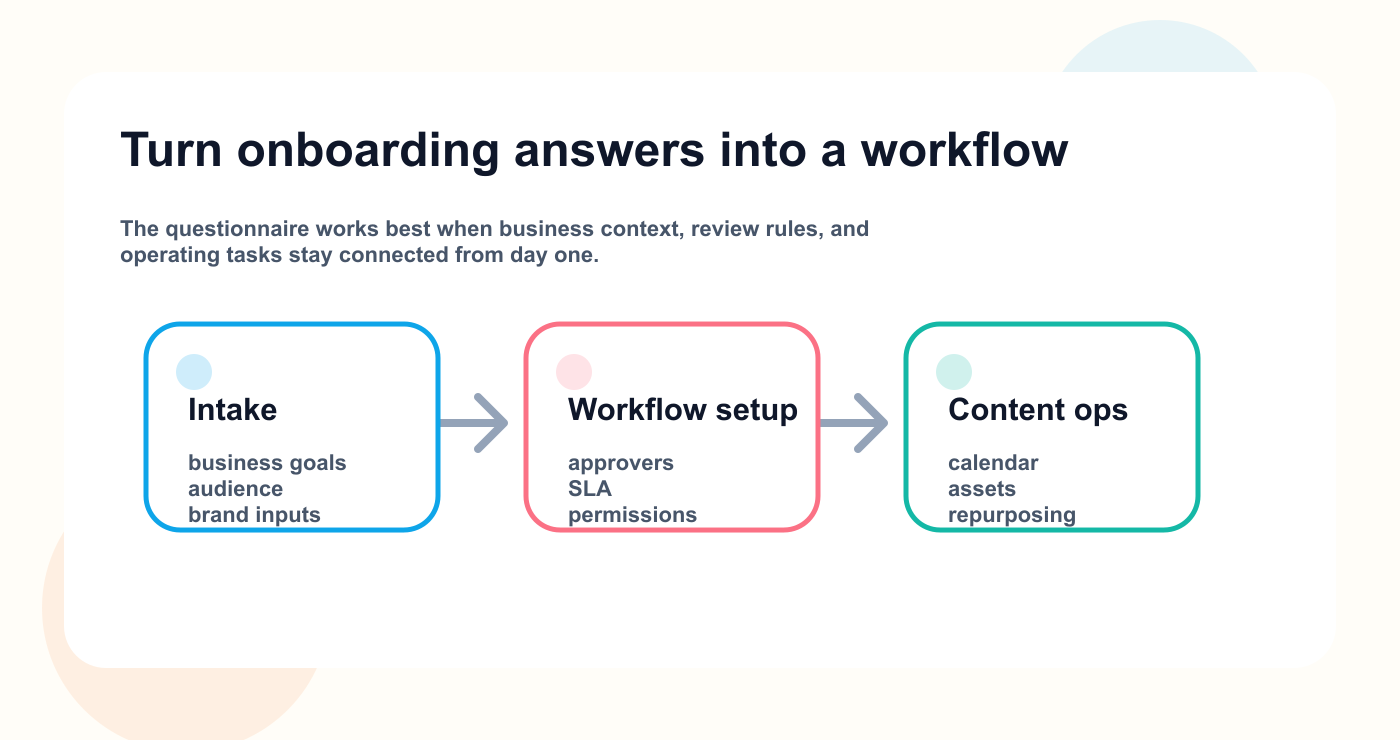
The questionnaire becomes valuable when business context, approvals, and content operations stay connected from the start.
The highest-leverage move is to translate answers immediately into owners, review rules, and production steps. That prevents onboarding from becoming a ceremonial form that never influences the actual workflow.
Stage 1: Intake
Collect business context, goals, audience, platforms, and brand voice.
Stage 2: Workflow setup
Define approvals, roles, content stages, reporting cadence, and profile access.
Stage 3: Content operations
Define content pillars, repurposing rules, AI usage, automation needs, and measurement.
Do not send every question to every client.
For small clients, use a shorter version.
For larger clients, SaaS teams, regulated businesses, or multi-stakeholder brands, use the full version.
Foundation questions
Section 1: Business context
Start with the basics.
Business context sets the ceiling for every later decision. If the agency does not know the commercial goal, the audience, and the expected buying motion, the rest of the questionnaire becomes surface-level decoration.
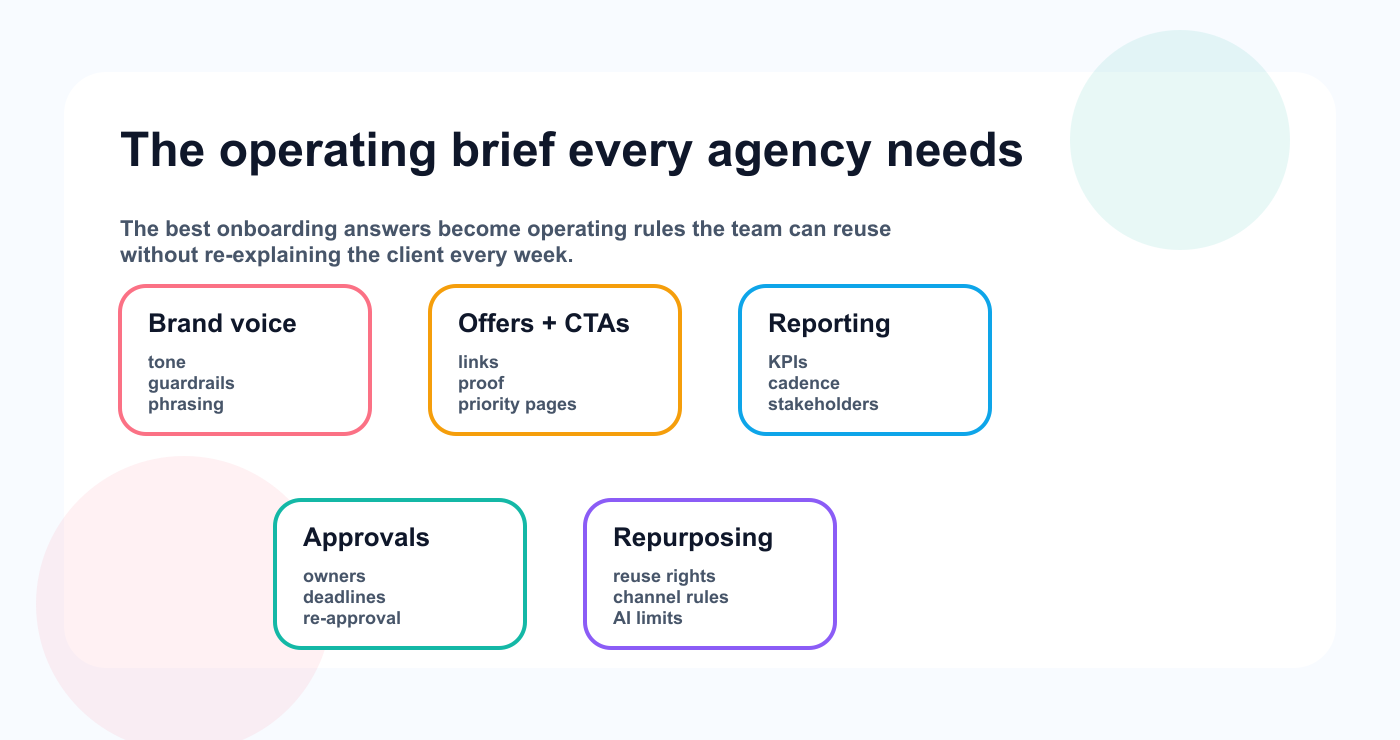
The best onboarding questionnaires turn answers into an operating brief the team can reuse every week.
Business context sets the ceiling for every later decision. If the agency does not know the commercial goal, the audience, and the expected buying motion, the rest of the questionnaire becomes surface-level decoration.
## Business Context

1. What does your company do?
2. Who do you serve?
3. What are your main products or services?
4. What is your current positioning?
5. What makes you different from competitors?
6. What are your main business goals for the next 3 to 6 months?
7. Are there seasonal campaigns or launches coming up?
8. What should people think after seeing your content?
9. What should people do after seeing your content?
10. Which competitors or reference brands should we understand?
These answers give the agency strategic context.
Without them, content becomes generic.
Section 2: Audience and customer insight
Social media content should be written for a specific audience.
## Audience

1. Who is your ideal customer?
2. What problems does your audience care about?
3. What objections do they usually have?
4. What questions do customers ask repeatedly?
5. What level of knowledge does your audience have?
6. What words or phrases does your audience use?
7. What topics does your audience already respond to?
8. Which platforms does your audience use most?
9. What content do they save, share, or comment on?
10. Are there customer segments we should treat differently?
This section is especially useful for content pillars, hooks, captions, and repurposing.
Section 3: Brand voice
Brand voice prevents endless revisions.
## Brand Voice

1. How should your brand sound?
2. Should the tone be professional, casual, bold, educational, humorous, direct, premium, friendly, or technical?
3. What should the brand never sound like?
4. Are there words or phrases you use often?
5. Are there words or phrases to avoid?
6. Should content use “we,” “I,” or the brand name?
7. Should content address the reader directly?
8. Do you use emojis?
9. Do you prefer short captions or longer educational posts?
10. Share 3 examples of content that feels on-brand.
11. Share 3 examples of content that feels off-brand.
A clear voice guide reduces feedback like:
This does not sound like us.
Section 4: Platforms and profile access
Do not assume which platforms matter.
## Platforms

1. Which platforms do you currently use?
2. Which platforms do you want to prioritize?
3. Which platforms should we ignore for now?
4. What is the goal of each platform?
5. How often do you want to publish on each platform?
6. Which post formats do you want to use?
7. Are there platform-specific rules we should follow?
8. Are there old posts that performed especially well?
9. Are there old posts you do not want reused?
10. Who can provide access to each social profile?
For each profile, collect:
Profile:
Platform:
Admin contact:
Access status:
Connected to tool:
Publishing permission:
Analytics permission:
Notes:
Profile access should be solved before production begins.
Content and brand inputs
Section 5: Content pillars
Content pillars give structure to the calendar.
Content pillars should lead directly into a visible idea bank, otherwise the team keeps repeating intake calls instead of shipping. This is where a structured board usually becomes more valuable than a loose spreadsheet.
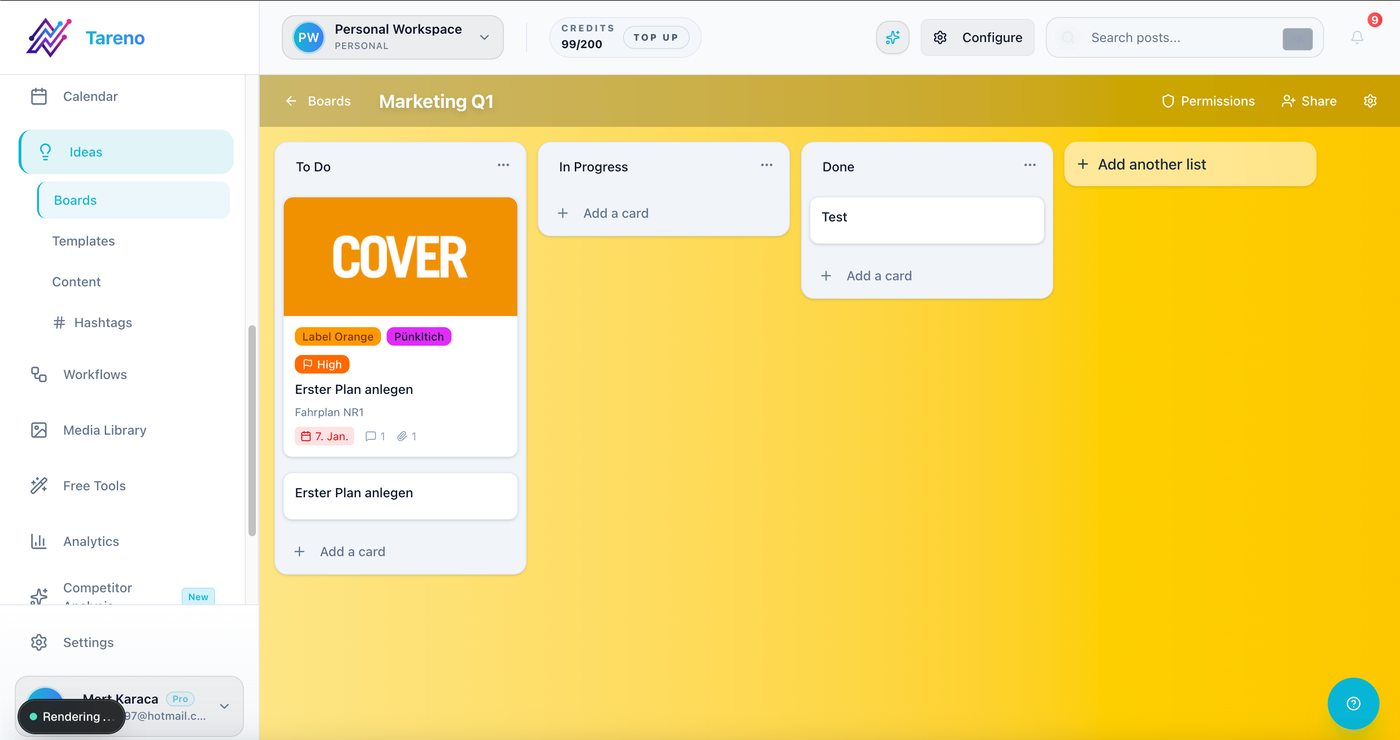
Content pillars become actionable when the team can sort ideas, priorities, and briefs in one visible board.
Content pillars should lead directly into a visible idea bank, otherwise the team keeps repeating intake calls instead of shipping. This is where a structured board usually becomes more valuable than a loose spreadsheet.
## Content Pillars

1. What topics should we post about regularly?
2. What topics should we avoid?
3. Which product or service areas should get more attention?
4. Which customer questions should become content?
5. Which objections should content answer?
6. Which case studies, testimonials, or examples can we use?
7. What educational topics are evergreen?
8. What topics support sales?
9. What topics support retention or customer success?
10. What topics should be saved for campaigns?
Recommended format:
PillarPurposeExample postPriorityEducationBuild trust“How to…”HighProductExplain valueFeature use caseMediumSocial proofBuild credibilityCustomer resultMediumOpinionDifferentiateIndustry takeHigh
This makes planning easier.
Section 6: Visual guidelines
Visual rules should be clear before assets are created.
## Visual Guidelines

1. Do you have brand guidelines?
2. Which colors, fonts, or layouts should be used?
3. Are there templates available?
4. What should images or videos never include?
5. Do you prefer polished or native-looking content?
6. Should people/faces appear in content?
7. Are product screenshots allowed?
8. Are customer screenshots allowed?
9. Are logos or partner marks allowed?
10. What examples should we follow?
If visual expectations are unclear, design revisions will slow the workflow.
Section 7: Offers, CTAs, and links
Every content workflow needs clear CTAs.
## Offers and CTAs

1. What should social content promote?
2. What are the main links?
3. Which landing pages should we use?
4. Which CTAs are approved?
5. Which CTAs should we avoid?
6. Are there free tools, guides, demos, trials, or offers?
7. Are there UTM rules?
8. Should we use different CTAs by platform?
9. Are there campaigns with specific links?
10. Who approves new CTA language?
Examples:
“Start free”
“Book a demo”
“Read the guide”
“Try the free tool”
“Compare alternatives”
“Join the waitlist”
CTA clarity improves reporting.
Workflow and risk rules
Section 8: Approval workflow
This is one of the most important sections.
## Approval Workflow

1. Who reviews content internally?
2. Who gives final approval?
3. Does every post need approval?
4. Which content needs extra approval?
5. How many approval rounds are included?
6. What is the expected feedback deadline?
7. What happens if feedback is late?
8. Can the agency schedule approved content directly?
9. What counts as final approval?
10. Do changes after approval require re-approval?
11. Should clients approve platform versions separately?
12. Who handles urgent approvals?
Recommended rule:
Approval should be tied to the exact version being published.
This prevents confusion.
Section 9: Claims, compliance, and risk
Some content needs careful review.
## Claims and Compliance

1. Are there product claims we can use?
2. Are there product claims we cannot use?
3. Are pricing claims allowed?
4. Are competitor comparisons allowed?
5. Are customer results allowed?
6. Are testimonials allowed?
7. Are screenshots allowed?
8. Are there legal or regulatory restrictions?
9. Does any content require legal review?
10. Who verifies claims before publishing?
11. How often should old claims be reviewed?
12. What topics are high risk?
This is critical for SaaS, finance, health, legal, regulated industries, and sponsor content.
Section 10: Reporting expectations
Reporting should be defined before publishing starts.
Reporting questions matter early because they define which metrics deserve attention and which stories the client needs to hear. If no one agrees on that during onboarding, monthly reviews turn into guesswork.
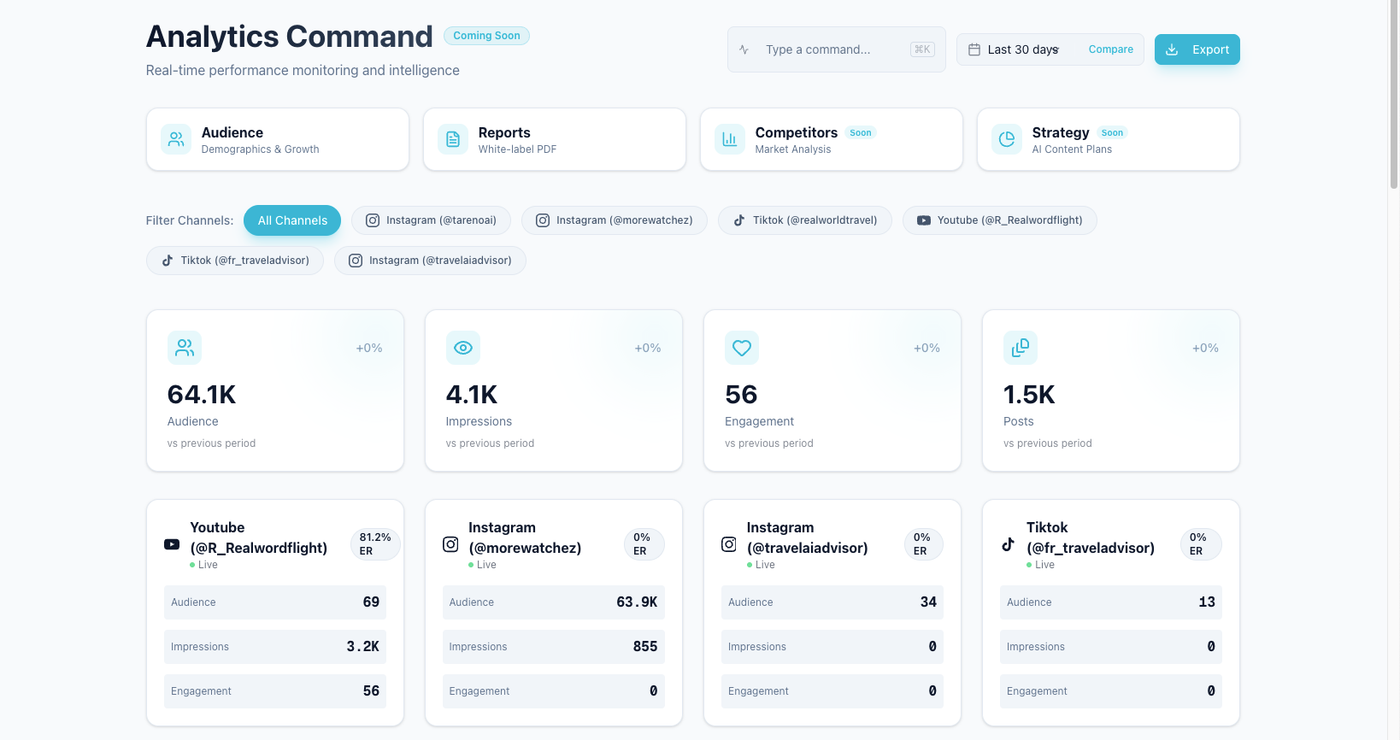
Reporting expectations are easier to manage when clients and teams agree on what success looks like before the first monthly review.
Reporting questions matter early because they define which metrics deserve attention and which stories the client needs to hear. If no one agrees on that during onboarding, monthly reviews turn into guesswork.
## Reporting

1. What does success mean?
2. Which metrics matter most?
3. Which metrics do you not care about?
4. How often should reports be delivered?
5. Who receives reports?
6. Should reports include recommendations?
7. Should reports include repurposing candidates?
8. Should reports include competitor insights?
9. Should reports include platform-by-platform analysis?
10. What decisions should reports help you make?
A strong report should not only show numbers.
It should tell the client what happens next.
Section 11: Repurposing rules
Agencies should ask about repurposing early.
## Repurposing

1. Can high-performing posts be reused?
2. Can approved posts be adapted for other platforms?
3. Does repurposed content need re-approval?
4. Are there old posts we should repurpose?
5. Are there old posts we should avoid?
6. Can blog posts become social posts?
7. Can videos become clips?
8. Can client-approved content become future evergreen content?
9. Are there usage rights restrictions?
10. Who approves repurposed content?
Repurposing creates leverage, but it needs permission.
Section 12: AI usage
AI should be discussed openly.
## AI Usage

1. Can AI be used for drafts?
2. Can AI be used for captions?
3. Can AI be used for hashtags?
4. Can AI be used for platform rewrites?
5. Can AI summarize reports?
6. Are there topics where AI should not be used?
7. Does AI-generated content need special approval?
8. Should AI output be disclosed internally?
9. Who reviews AI-generated claims?
10. What brand voice rules should AI follow?
Recommended rule:
AI output is a draft, not final approved content.
Access and automation setup
Section 13: Workflow automation
Ask whether the client needs automation.
Automation only helps once the questionnaire has already clarified owners, approval deadlines, and handoffs. Otherwise the agency automates confusion instead of reducing it.
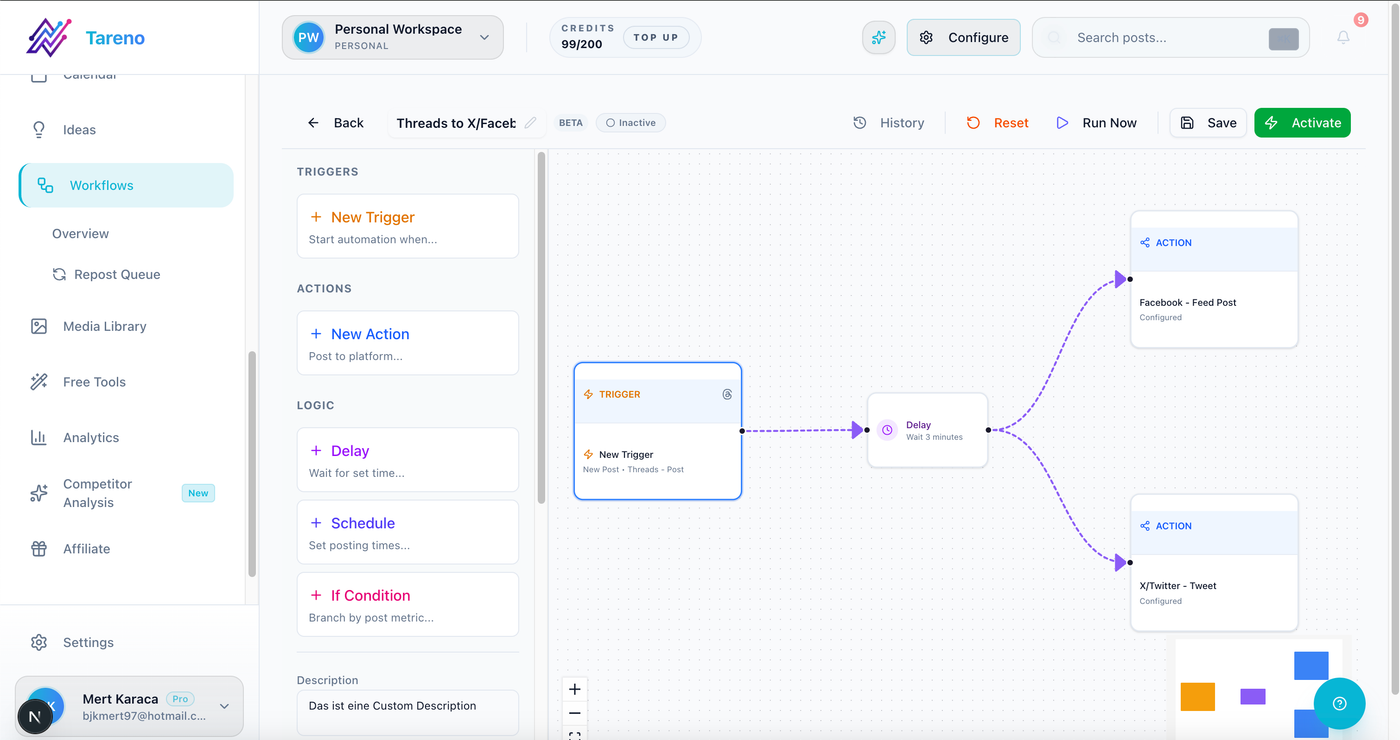
Automation should reinforce the onboarding rules the team already agreed on, not invent them later.
Automation only helps once the questionnaire has already clarified owners, approval deadlines, and handoffs. Otherwise the agency automates confusion instead of reducing it.
## Workflow Automation

1. Should approvals trigger scheduling tasks?
2. Should reports create next-month tasks?
3. Should high-performing posts create repurposing tasks?
4. Should published posts update a tracker?
5. Should Make, n8n, Zapier, or API workflows be used?
6. Which tools should connect to the workflow?
7. Who owns automation errors?
8. Are there systems we should not connect?
This matters for technical clients and agencies with repeatable workflows.
Section 14: Access and permissions
Get access right from the beginning.
Access rules belong near launch because publishing, analytics, and client review often span different people. Teams move faster when workspace access, channel ownership, and approval visibility are set once and documented clearly.
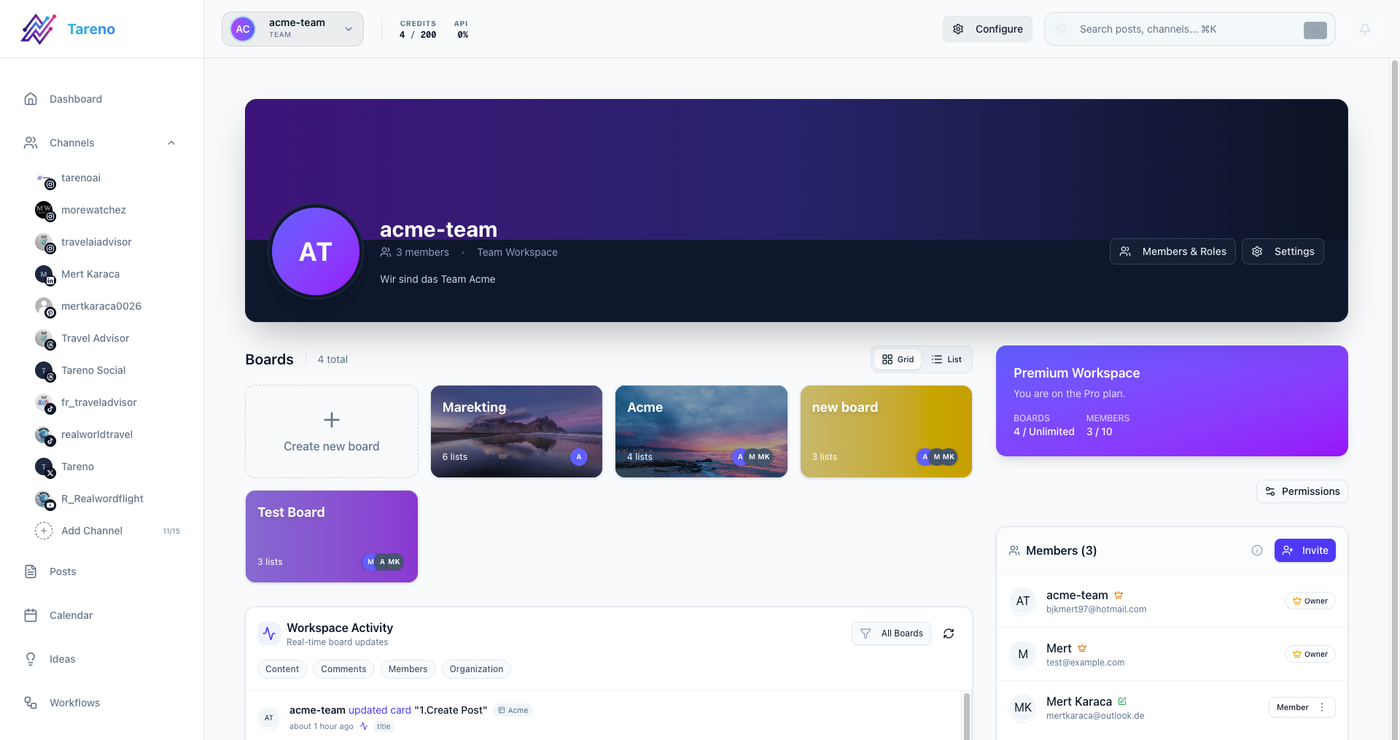
Access decisions are part of onboarding because the wrong role setup slows approvals, reporting, and publishing later.
Access rules belong near launch because publishing, analytics, and client review often span different people. Teams move faster when workspace access, channel ownership, and approval visibility are set once and documented clearly.
## Access

1. Who owns each social profile?
2. Who can grant admin access?
3. Is two-factor authentication enabled?
4. Who should have publish access?
5. Who should have review-only access?
6. Who should receive reports?
7. Are there contractors involved?
8. Should access be removed after the project?
9. Are there password manager rules?
10. Are there security restrictions?
Bad access setup can delay the entire workflow.
Short onboarding version
Use this if the client is small.
1. What are your main goals?
2. Who is your audience?
3. What platforms should we focus on?
4. What topics should we post about?
5. What should we avoid?
6. What tone should we use?
7. Who approves content?
8. How fast can you give feedback?
9. What metrics matter?
10. Can we repurpose old or high-performing content?
11. Are there claims we need to verify?
12. Who can provide profile access?
This version is fast but still covers essentials.
How Tareno fits client onboarding
Tareno is useful when onboarding should become workflow setup.
Relevant Tareno components include:
client/team workspaces
content boards
approval workflows
content calendar
roles and permissions
activity visibility
repurposing queue
analytics
white-label reports
workflow builder
AI captions and hashtags
Make integration
n8n integration
API access
The onboarding answers can directly map into the workspace:
content pillars become board labels
approvers become roles
reporting goals become dashboard priorities
repurposing rules become queue rules
automation needs become workflow triggers
Copy/paste onboarding checklist
## Social Media Client Onboarding Checklist

Business:
- [ ] Business context collected
- [ ] Audience defined
- [ ] Competitors listed
- [ ] Goals defined

Content:
- [ ] Brand voice defined
- [ ] Content pillars defined
- [ ] Visual guidelines collected
- [ ] CTAs and links collected
- [ ] Claims and restrictions documented

Workflow:
- [ ] Platforms selected
- [ ] Profile access requested
- [ ] Reviewers defined
- [ ] Final approver defined
- [ ] Approval deadlines defined
- [ ] Urgent approval rule defined

Reporting:
- [ ] Metrics defined
- [ ] Reporting cadence defined
- [ ] Report recipients defined
- [ ] Repurposing rules defined

Automation:
- [ ] AI usage rules defined
- [ ] Make/n8n/API needs defined
- [ ] Workflow triggers defined
Common onboarding mistakes
Mistake 1: Asking only brand questions
You also need workflow, approvals, reporting, and access information.
Mistake 2: No final approver
Without one final approver, feedback can become endless.
Mistake 3: No claim rules
Product, pricing, and competitor claims need verification.
Mistake 4: No feedback deadline
Late feedback breaks calendars.
Mistake 5: No repurposing permission
Agencies should know whether old or approved content can be reused.
Mistake 6: No reporting expectations
If success is undefined, reporting will disappoint.
Related Tareno resources
Use the article as a working system
Solution Workflow Builder Turn onboarding answers into owners, stages, automations, and reusable operating rules. Open workflow builder -> Solution White-Label Reports Align reporting expectations early so agencies know what clients expect to see every month. View reporting solution -> Feature Approval Workflows Translate feedback deadlines and final approvers into visible review stages. See approvals -> Workflow Repurposing Workflow Document reuse rules early so old winners can be adapted safely later. Open workflow ->
FAQ
What is a social media client onboarding questionnaire?
It is a set of questions agencies use to collect business context, audience details, brand voice, platforms, content pillars, approval rules, reporting expectations, access needs, and repurposing permissions before starting work.
What should I ask a new social media client?
Ask about goals, audience, platforms, brand voice, content pillars, approvals, claims, reporting metrics, profile access, repurposing rules, and AI usage.
Why is client onboarding important for social media agencies?
Good onboarding prevents unclear feedback, slow approvals, off-brand content, wrong metrics, access delays, and content that needs too many revisions.
Should approval rules be part of onboarding?
Yes. Agencies should define who reviews content, who gives final approval, how long feedback takes, and what happens if feedback is late.
Should repurposing be discussed during onboarding?
Yes. Agencies should know whether old posts or approved content can be reused, adapted, or republished on other platforms.
Can onboarding answers become a workflow setup?
Yes. Content pillars, approvers, reporting goals, repurposing rules, and automation needs can be turned into boards, labels, approval stages, roles, and workflows.
Final thoughts
Client onboarding is not paperwork.
It is workflow design.
The better the onboarding, the fewer revisions, delays, and approval problems the agency will face later.
Ask about brand voice, but also ask about approvals, claims, reporting, access, AI usage, and repurposing.
That is how onboarding becomes the foundation for better social media operations.
Primary CTA: Explore Tareno features to see how client workspaces, boards, approvals, roles, reporting, repurposing queues, workflow builder, Make, n8n, and API support agency onboarding.
Secondary CTA: Compare Tareno with other agency social media tools on the compare hub.