Social media workflow automation is not just scheduling posts in advance.
That is the old definition.
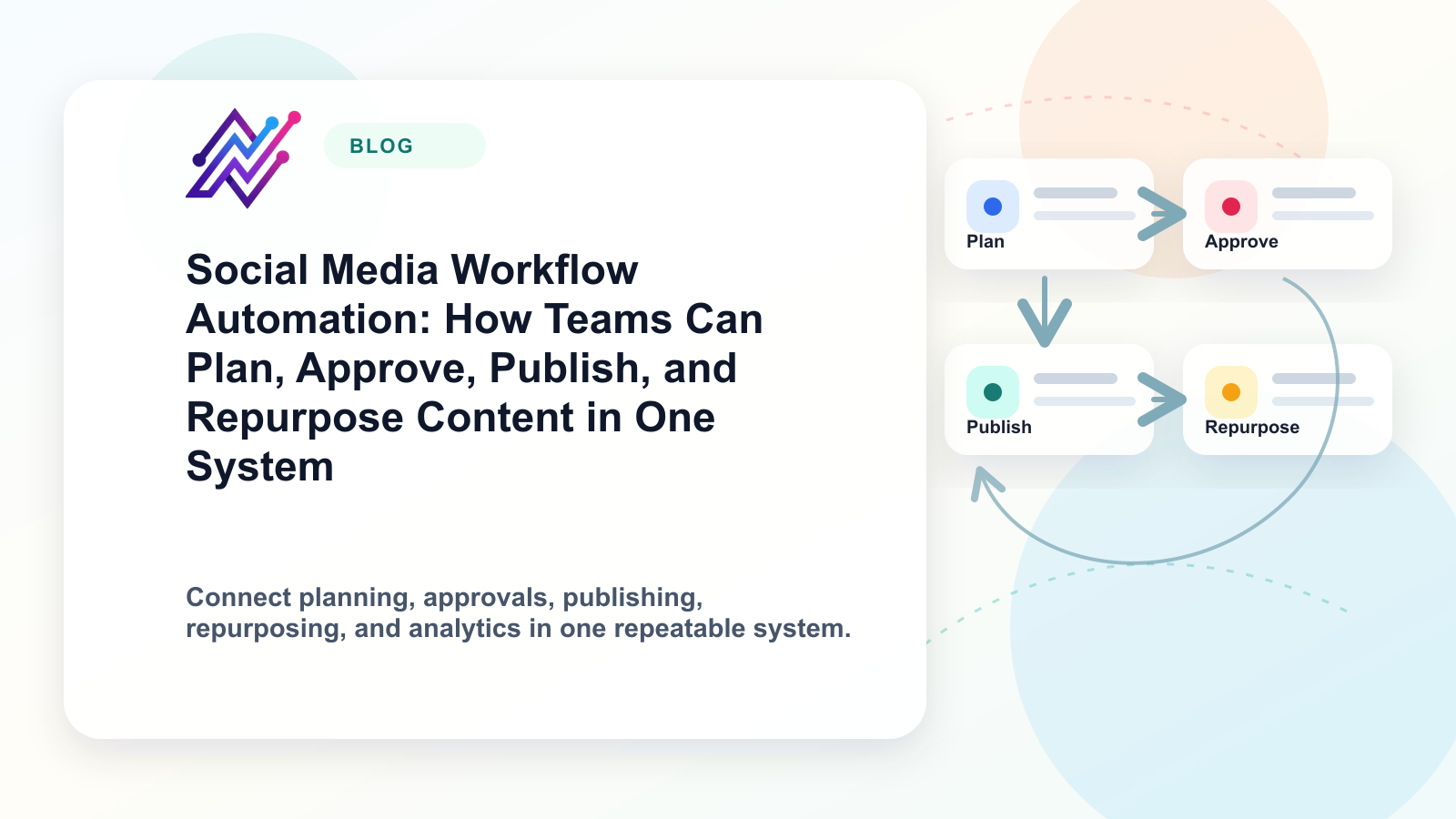
A real social media workflow automation system helps a team move content from idea to draft, from draft to approval, from approval to publishing, from publishing to repurposing, and from reporting back into the next content decision.
That difference matters.
A scheduler answers one question:
When should this post go live?
A workflow answers a bigger question:
How does this content move through the team, get approved, get published, get reused, and improve over time?
For creators, that means less manual posting and more consistent output.
For agencies, that means fewer lost approvals, fewer client bottlenecks, and less repeated work.
For social media teams, that means one operating system instead of five disconnected tools.
This guide breaks down how to build a social media workflow automation system that covers planning, approval, publishing, repurposing, analytics, roles, and team visibility.
TL;DR
Social media workflow automation is the process of turning social media operations into repeatable systems.
A strong workflow includes:
content ideas
content boards
drafts
approval steps
scheduling
publishing
repurposing queues
analytics
role-based collaboration
activity visibility
integrations with tools like Make, n8n, and API workflows
Basic scheduling tools can help you publish.
Workflow automation helps you run the entire content operation.
The best system is not fully automatic. It combines automation with human review.
Use automation for repetitive steps.
Use humans for strategy, taste, accuracy, brand voice, and final approval.
What is social media workflow automation?
Social media workflow automation is the process of using systems, rules, triggers, approvals, and integrations to move content through the social media lifecycle with less manual coordination.
A simple workflow might look like this:
Add an idea to a content board.
Turn the idea into a draft.
Assign it to a reviewer.
Approve the post.
Schedule it across selected platforms.
Publish it.
Move it into a repurposing queue.
Review performance.
Reuse the best content later.
A more advanced workflow might include:
different approval paths for different brands
automatic delays between platform posts
platform-specific captions
Make or n8n automations
API-connected reporting
activity logs for team accountability
repurposing rules based on content type
competitor analysis feeding future ideas
The main idea is simple:
Social media workflow automation removes repeated coordination work without removing human judgment.
That is why workflow automation is different from autopilot posting.
Autopilot posting can become spammy.
Workflow automation can improve quality because it adds structure, review, reuse, and accountability.
Why scheduling alone is no longer enough
For years, social media tools were mostly judged by how well they scheduled posts.
That is still useful.
But modern social media operations are more complex. Current social media management guidance from major platforms describes social work as a mix of content planning, publishing, customer care, analytics, team management, approvals, and optimization, not just queue scheduling.
A creator may need to publish across Instagram, TikTok, YouTube, Threads, Pinterest, LinkedIn, and X.
A small team may need someone to draft, someone to approve, and someone to report.
An agency may need separate client workspaces, review stages, roles, and content reuse systems.
A content manager may need to know:
Who owns this post?
Has it been approved?
Which platforms will it go to?
Should this post be repurposed?
Was the caption changed for each platform?
Did anyone review the compliance risk?
Did this content perform well enough to reuse?
Which team member changed the status?
What should happen next?
A scheduler does not answer all of these questions.
A workflow system does.
That is why many teams outgrow simple scheduling tools. They do not necessarily need a more complicated calendar. They need an operating system for content execution.
The real social media workflow: from idea to repurposing
Most teams think their workflow is:
create content → schedule content → publish content
But the real workflow is longer:
Research
Idea
Draft
Internal review
Approval
Platform adaptation
Scheduling
Publishing
Engagement
Reporting
Repurposing
Improvement
If your tool only supports steps 7 and 8, your team still has manual work everywhere else.
That is where bottlenecks happen.
Content ideas sit in notes apps.
Drafts live in Google Docs.
Approvals happen in Slack.
Scheduling happens in a tool.
Reporting happens in another dashboard.
Repurposing happens only when someone remembers.
The workflow is not broken because the team is lazy. It is broken because the system is fragmented.
A strong social media workflow automation system brings those steps closer together.
The PLAN framework for social media workflow automation
Use the PLAN framework to design a better workflow:
P — Plan the content pipeline
L — Link approvals to publishing
A — Automate repeatable actions
N — Normalize repurposing and reporting
Each part solves a different operational problem.
P — Plan the content pipeline
The first step is to stop treating content as individual posts.
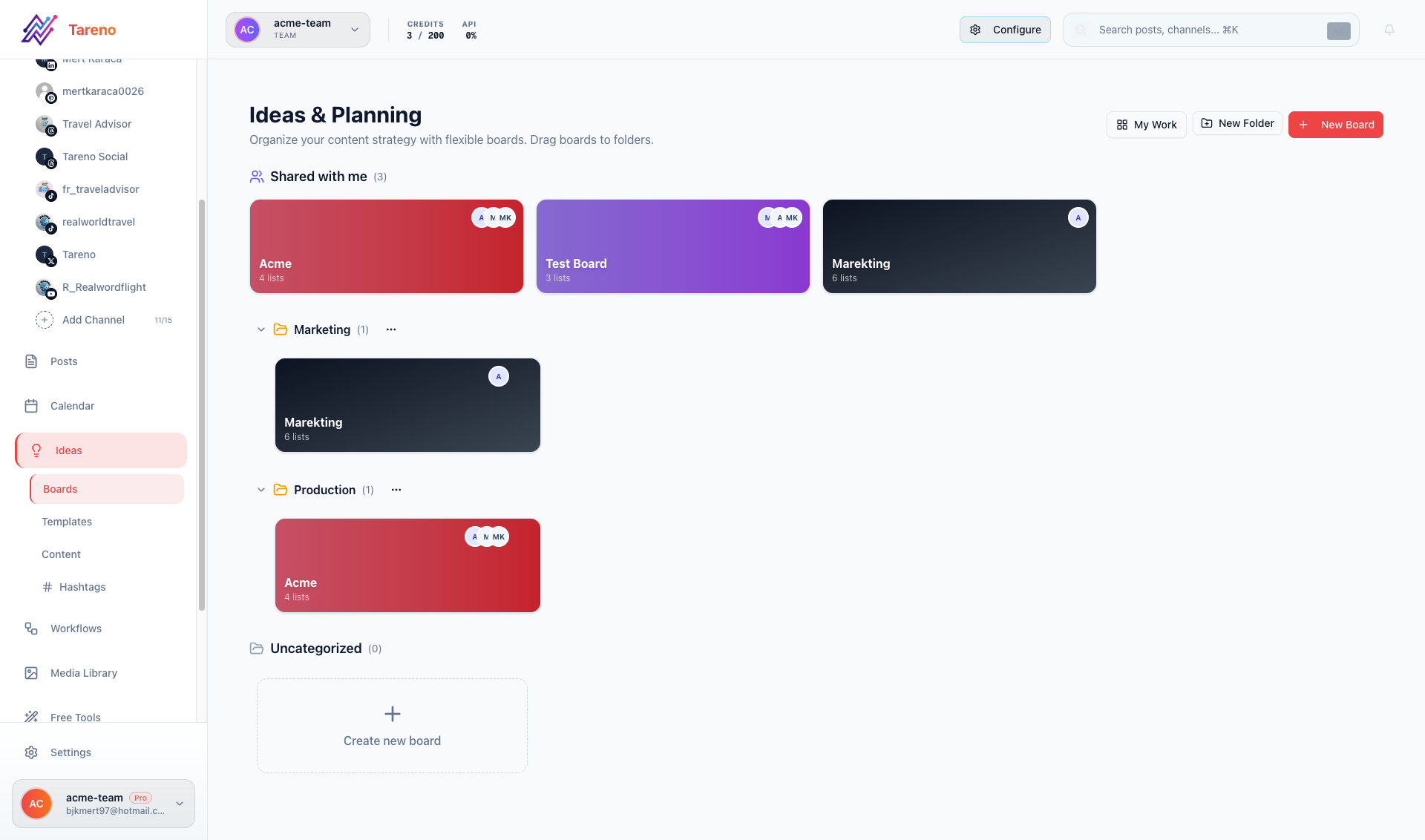
Pipeline boards make draft ownership and bottlenecks visible before scheduling starts.
Treat content as a pipeline.
Every post should have a status.
For example:
Idea
Draft
Needs Review
Approved
Scheduled
Published
Repurpose
Archived
This is where boards become more useful than a calendar alone.
A calendar tells you when content goes live.
A board tells you where content stands.
For teams, this is critical.
If five people are working on content, a board makes ownership visible.
You can see:
what is being drafted
what is stuck in review
what is ready to schedule
what has already been published
what should be repurposed
what needs reporting
A calendar without a workflow board can hide bottlenecks.
A workflow board makes bottlenecks visible.
L — Link approvals to publishing
Approvals are one of the most important parts of social media workflow automation.
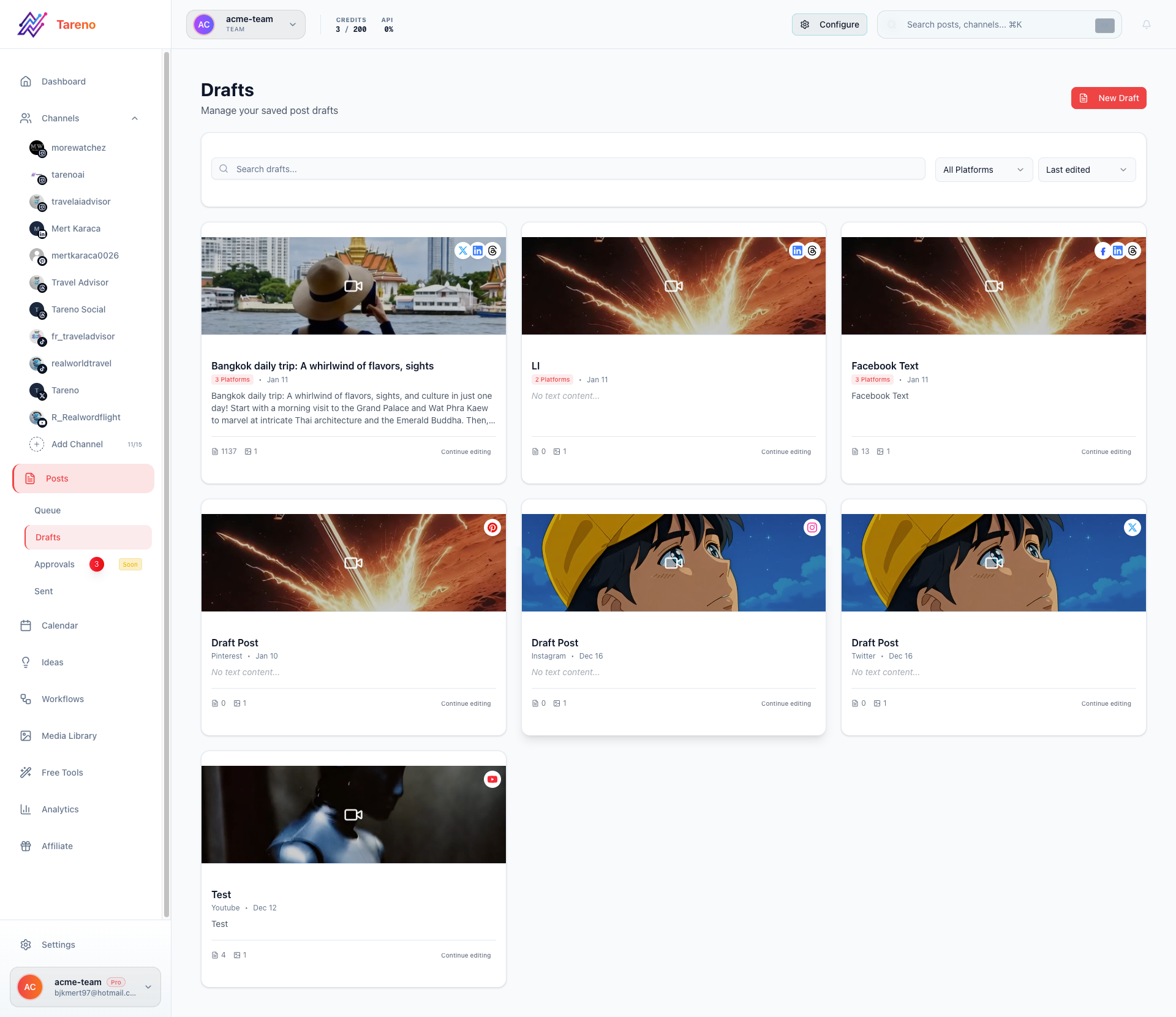
Approval queues prevent accidental publishing and keep revision requests traceable.
They are also one of the biggest sources of delays.
In many teams, approvals happen like this:
a post is drafted in one tool
a screenshot is sent in Slack
a manager says “looks good”
someone forgets which version was approved
the wrong caption gets scheduled
the post goes live with a mistake
That is not a workflow.
That is a risk.
A better approval workflow includes:
clear review status
assigned reviewer
version visibility
platform preview
approval timestamp
role-based permissions
optional client approval
clear publish gate
The important rule:
Content should not move to publishing until the approval step is complete.
Automation can help here.
For example:
when a post is approved, move it to the scheduling stage
when a post needs changes, move it back to draft
when a client approves, notify the publishing owner
when a post is approved, trigger a Make or n8n scenario
when a post is rejected, create a revision task
This is not about adding bureaucracy.
It is about reducing confusion.
A — Automate repeatable actions
Once planning and approvals are clear, automation becomes safer.
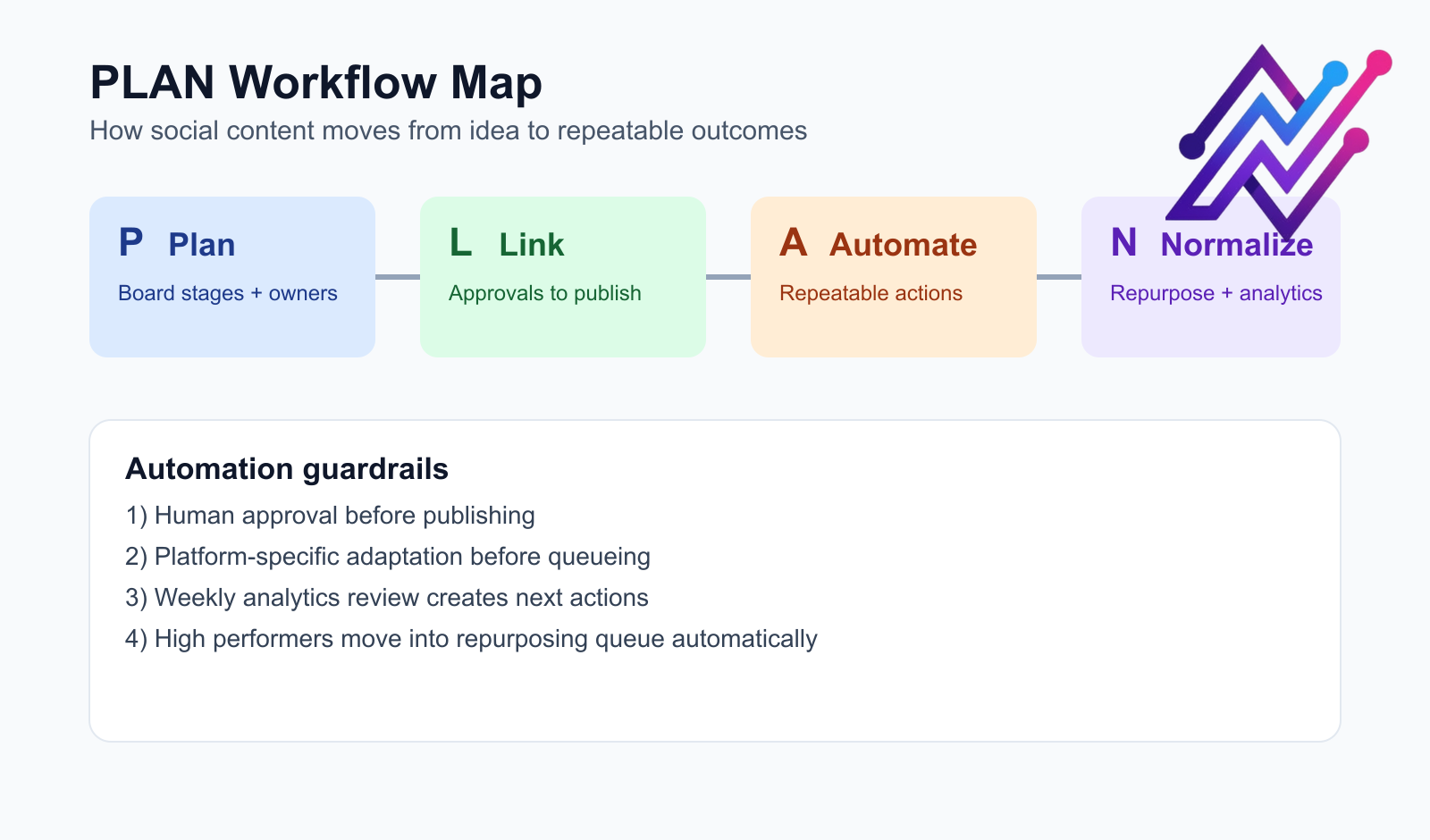
The PLAN map shows where automation should assist teams without replacing human review.
This is where many teams make a mistake.
They automate too early.
If your workflow is messy, automation makes the mess move faster.
A better order is:
define the workflow
define approval rules
define platform rules
automate repeatable actions
review performance
improve the workflow
Good social media automations include:
move approved posts to scheduling
delay cross-posts by platform
create platform-specific variants
notify reviewers
add approved posts to a repurposing queue
send published post data to a reporting sheet
trigger a Make scenario after publication
trigger an n8n workflow after approval
create follow-up tasks after high performance
Bad automations include:
blindly reposting the same caption everywhere
auto-publishing unreviewed AI content
posting too frequently without platform context
using the same hashtag set across every channel
repurposing sensitive or time-limited content without review
Automation should remove repetitive work.
It should not remove editorial judgment.
N — Normalize repurposing and reporting
Most teams underuse their best content.
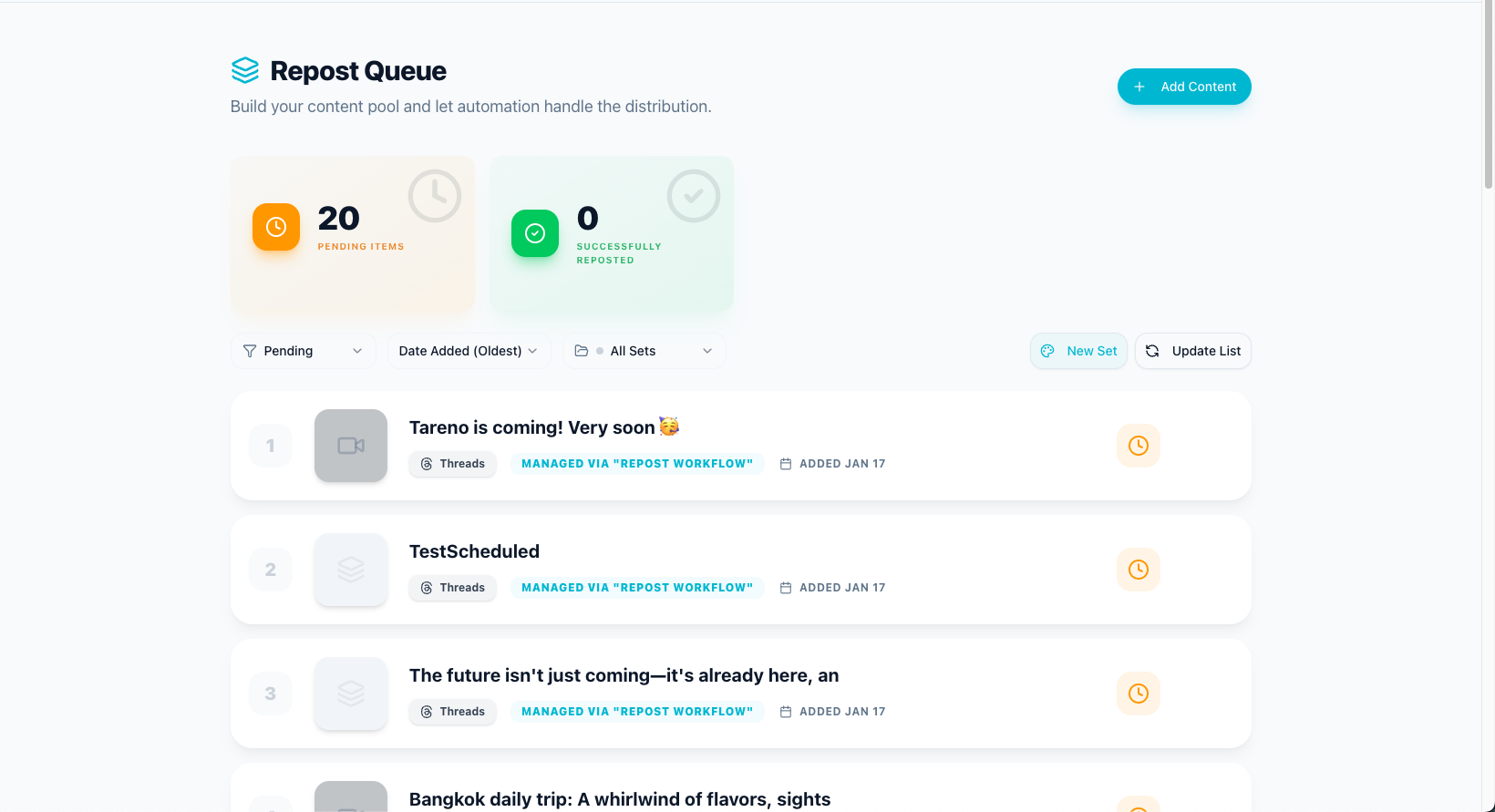
Repurposing queues turn analytics winners into a reliable second wave of content.
They create something once, publish it once, and then move on.
That is expensive.
A better workflow treats high-performing content as an asset.
If a post performs well, it should enter a repurposing workflow.
That workflow might include:
rewrite caption for another platform
turn a post into a carousel
turn a carousel into a thread
turn a short post into a LinkedIn post
turn a video into multiple short clips
turn a tutorial into a Pinterest pin
add the idea to an evergreen queue
schedule a follow-up post later
Repurposing does not mean copy-pasting.
It means adapting.
A TikTok caption should not always be the same as a LinkedIn caption.
A Threads post should not always read like an Instagram caption.
A Pinterest pin may need a search-friendly title.
A LinkedIn post may need a clearer professional angle.
This is why a repurposing queue is more powerful than a simple repost button.
It gives content a second life while still allowing platform-specific changes.
Example workflow: creator repurposing system
A creator might use this workflow:
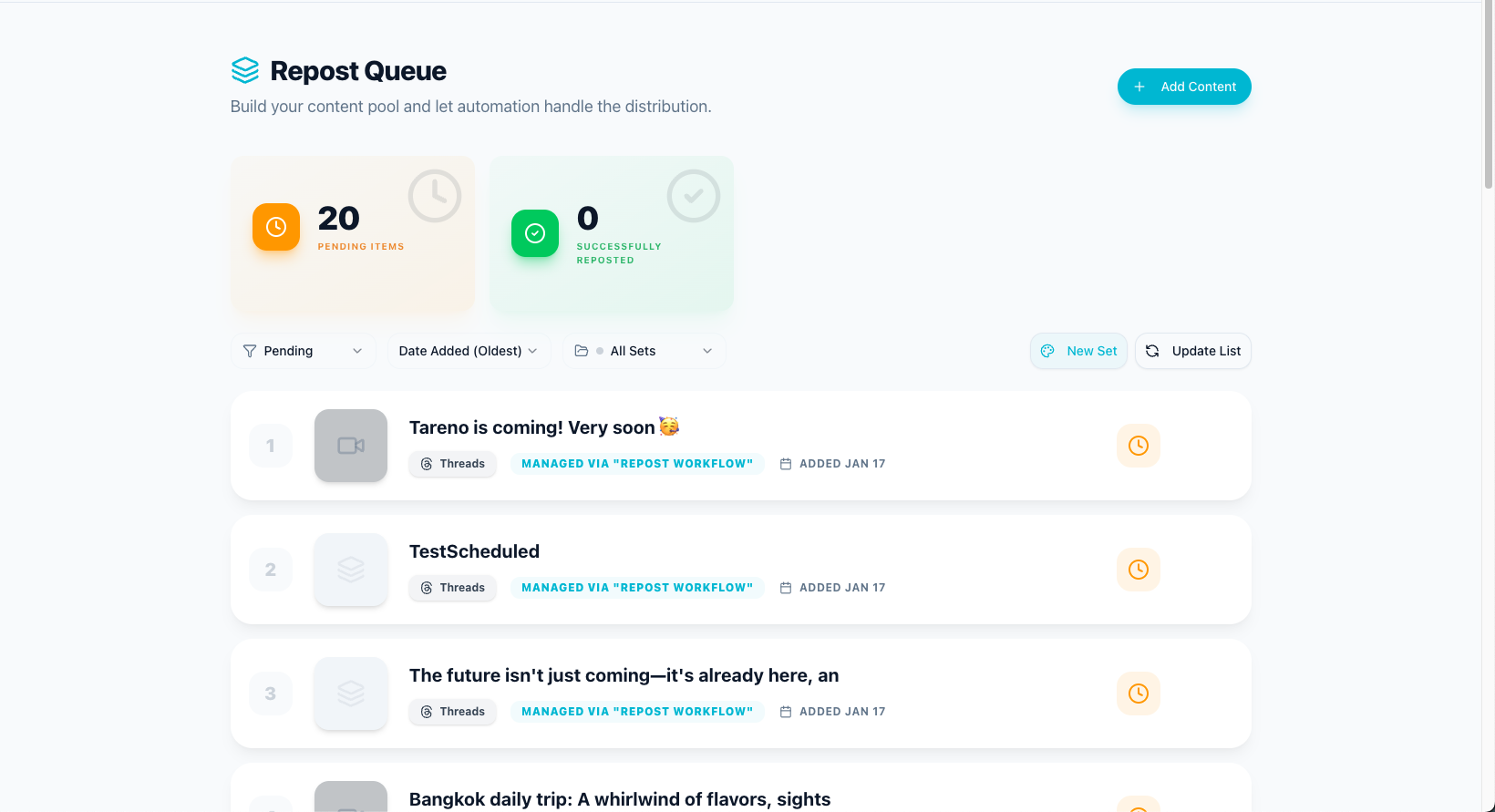
Creator repurposing loops convert high-performing posts into fast second-wave assets.
Record one short video.
Post it to TikTok.
If it performs well, move it to “Repurpose.”
Rewrite the hook for Instagram Reels.
Turn the main idea into a Threads post.
Create a Pinterest pin from the topic.
Schedule a LinkedIn version with a more professional angle.
Review performance after 7 days.
Keep the best version in an evergreen queue.
This turns one idea into a multi-platform system.
The creator is not just posting more.
They are extracting more value from the same idea.
Example workflow: agency approval and repurposing system
An agency might use this workflow:
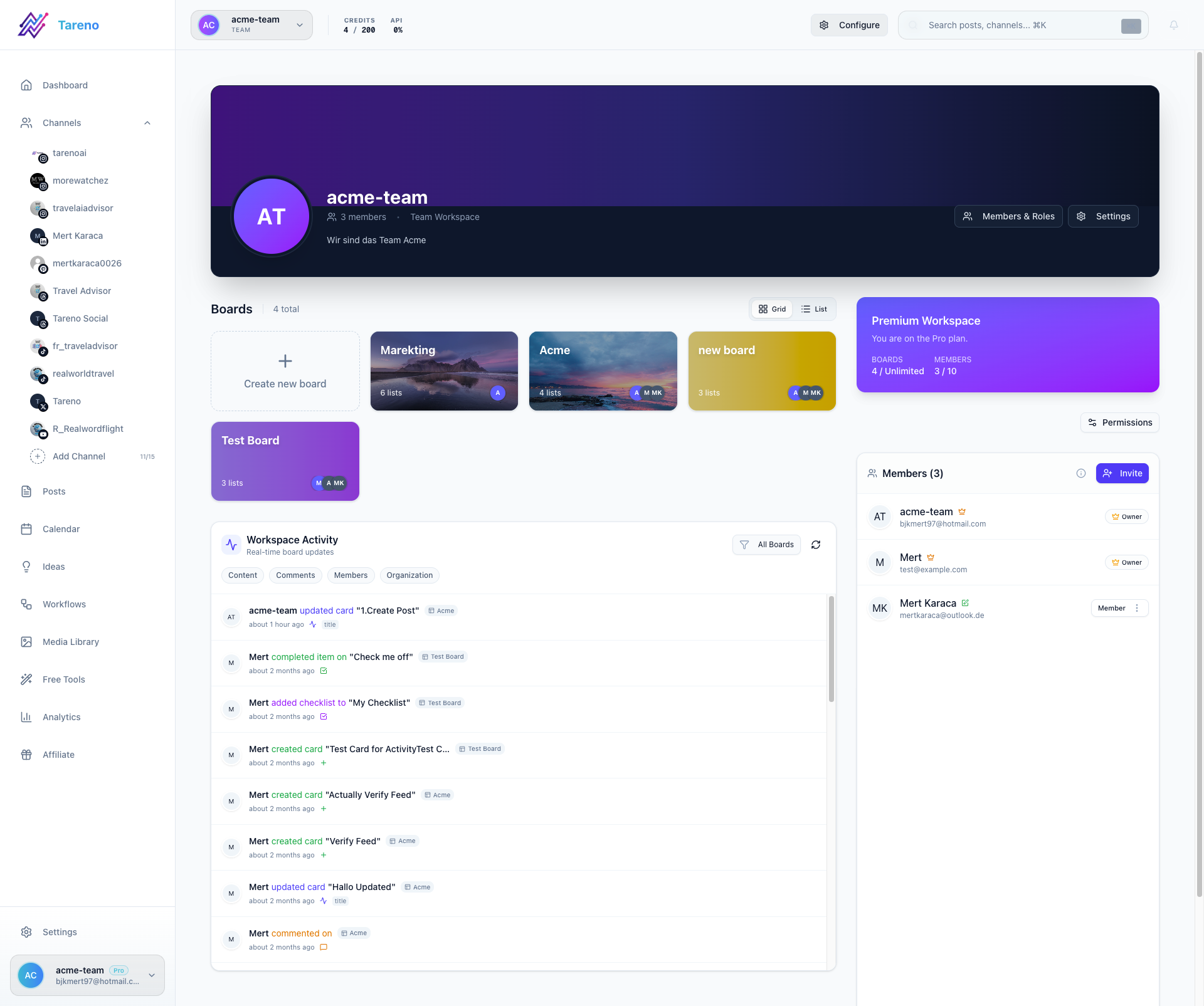
Shared workspaces keep agency handoffs and client ownership transparent across stages.
Content strategist adds campaign ideas to a client workspace.
Copywriter drafts posts.
Designer adds assets.
Account manager moves posts to internal review.
Client reviews approved internal drafts.
Approved posts move to scheduled.
Published posts are tracked.
Top-performing posts move into repurposing.
Repurposed posts go through a lighter review.
Monthly report identifies the next campaign ideas.
This workflow reduces chaos because every stage has a clear owner.
It also improves margins because the agency gets more output from approved content.
Example workflow: team automation with Make or n8n
A team using Make or n8n might build automation around social workflow events.
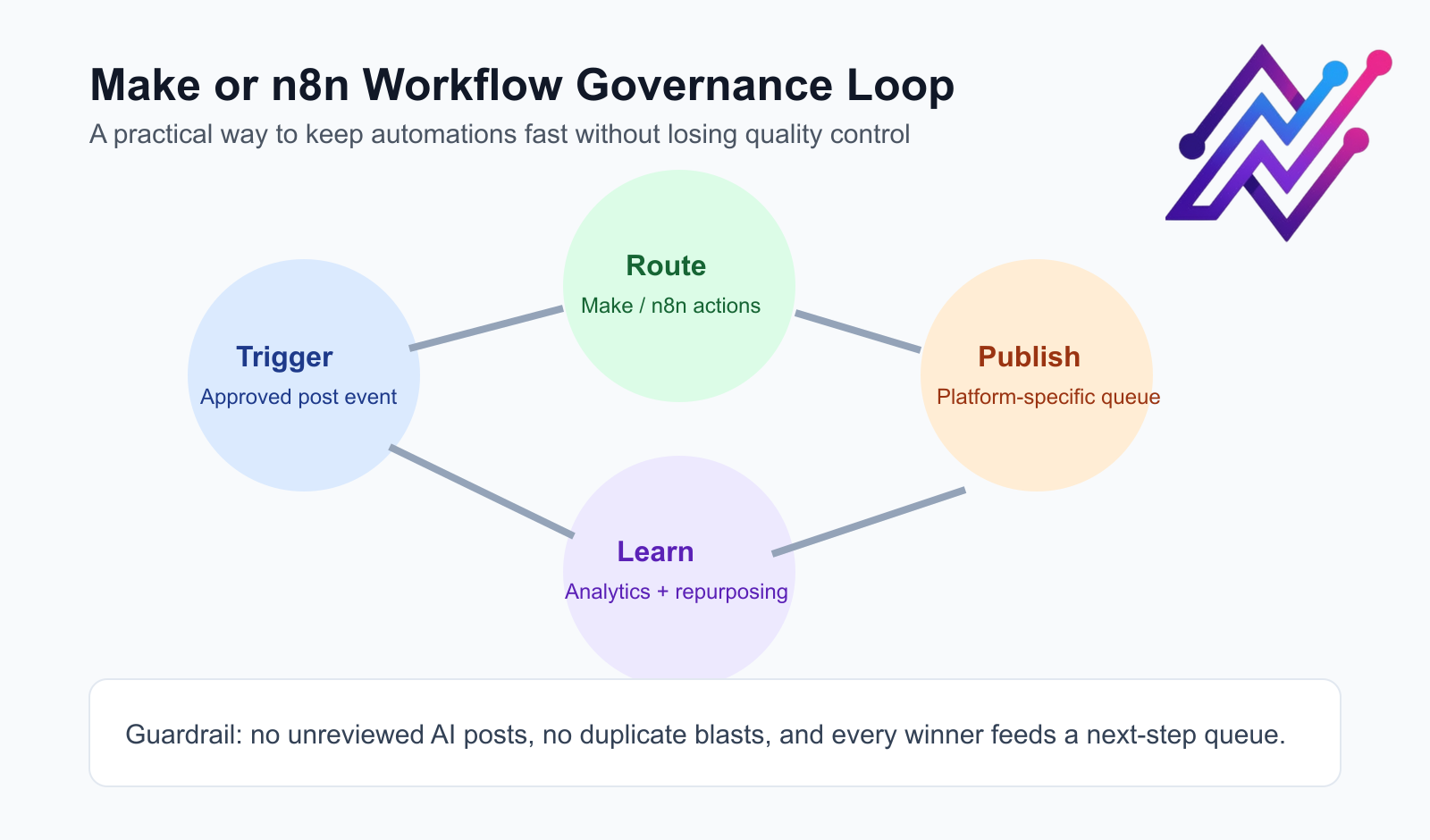
A governance loop keeps Make or n8n automations fast while preserving editorial control.
Example:
when a post is moved to Approved, trigger a Make scenario
Make adds the post to a campaign tracker
after publishing, n8n stores the post URL in a database
after 7 days, performance is checked
if performance is above threshold, the post is added to a repurposing queue
a reviewer is notified to adapt it for another platform
This is where workflow automation becomes powerful.
The team is not just scheduling posts.
It is building a content machine.
What to automate vs. what to keep human
A good workflow does not automate everything.
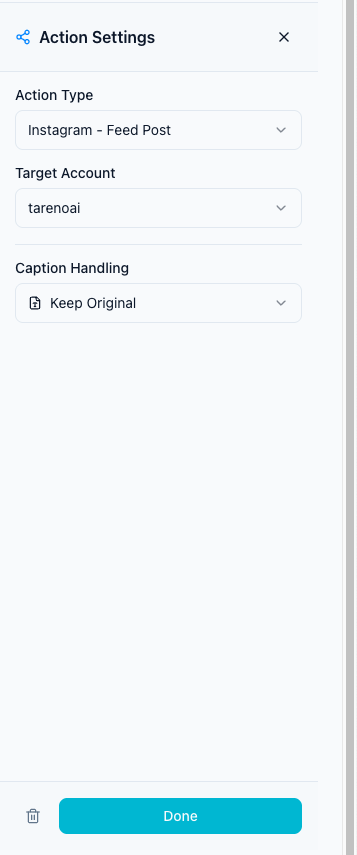
Guardrail settings define where automation stops and human approval must take over.
It automates the repetitive parts and protects the strategic parts.
Good candidates for automation
Automate:
status changes
reviewer notifications
scheduling after approval
delay logic
reporting exports
content movement between stages
repurposing queue entry
reminders
platform-specific task creation
Make/n8n/API syncs
Keep human
Keep humans involved for:
brand voice
sensitive topics
final approval
customer context
creative direction
campaign strategy
competitor interpretation
platform fit
legal or compliance review
deciding whether content should be repurposed
The goal is not to replace the social media manager.
The goal is to remove operational drag so the social media manager can make better decisions.
How to avoid spammy automation
Workflow automation can become harmful if it creates low-quality repetition.
To avoid that, follow these rules:
1. Do not publish unreviewed AI content
AI can help draft captions, hashtags, and ideas.
But final publishing should still include human review, especially for brand accounts.
2. Do not repost the same content everywhere
Repurpose ideas, not identical captions.
Each platform has different norms, formats, search behavior, and audience expectations.
3. Add approval gates
Automation should not bypass review.
It should move content to the next stage only when the right conditions are met.
4. Keep logs and ownership visible
Activity visibility matters.
If something goes wrong, the team should know what changed, when it changed, and who changed it.
5. Use analytics to improve the workflow
Automation should not be static.
If a workflow produces weak content, change the workflow.
Social media workflow automation checklist
Use this checklist before building your workflow.
Planning
Do we have a content board?
Do we have clear workflow stages?
Do we know who owns each stage?
Do we separate ideas, drafts, approvals, scheduled posts, and repurposing?
Approval
Do we know who must approve each post?
Do we have different approval rules for different content types?
Can content be published without approval?
Can we track approval history?
Publishing
Do we adapt posts per platform?
Do we schedule content intentionally?
Do we use delays between platforms where useful?
Do we avoid duplicate copy-paste publishing?
Repurposing
Do we know which posts should be reused?
Do we have a repurposing queue?
Do we change captions per platform?
Do we review repurposed content before publishing?
Analytics
Do we review performance regularly?
Do reports create next actions?
Do winning posts feed the repurposing workflow?
Do competitor insights create new content ideas?
Automation
Do we use automation only after the workflow is clear?
Do we connect Make, n8n, or API workflows where useful?
Do automations include approval gates?
Do we keep humans involved where judgment matters?
How Tareno fits into social media workflow automation
Tareno is built for teams that need more than scheduling.
It is designed around the idea that social media work should move through a workflow, not a scattered set of tools.
Relevant Tareno workflow components include:
workflow builder
repurposing queue
content boards
team workspaces
approval workflows
roles and permissions
activity visibility
competitor analysis
unified analytics
AI captions and hashtags
API access
Make integration
n8n integration
That makes Tareno especially relevant for teams that have outgrown simple scheduling.
A simple scheduler is useful when the question is:
“When should this post go live?”
Tareno is more relevant when the question is:
“How does content move from idea to approval to publishing to repurposing?”
Tool comparison context: when to use what
Different tools solve different parts of the workflow.
NeedTool type that often fitsSimple schedulingBuffer-style schedulerVisual planningLater-style plannerAnalytics and reportingMetricool-style analytics toolApproval-heavy collaborationPlanable-style review toolInbox and moderationAgorapulse-style inbox toolEnterprise care and listeningSprout-style platformContent categories and evergreen recyclingSocialBee-style systemWorkflow automation and repurposingTareno-style workflow system
This is why the best tool depends on the bottleneck.
Do not buy the tool with the longest feature list.
Buy the tool that solves the operational bottleneck.
Related Tareno resources
Keep building the workflow
Product Tareno Features See the planning, scheduling, approval, and workflow features behind this guide. Explore features -> Plans Tareno Pricing Match the workflow depth in this article to the right plan and trial option. View pricing -> Compare Comparison Hub Compare Tareno with common social media management tools by workflow fit. Compare tools -> Docs Make Automation Guide Connect workflow automation when your social process needs external triggers. Open docs ->
FAQ
What is social media workflow automation?
Social media workflow automation is the process of using workflows, triggers, approvals, roles, and integrations to move content from idea to approval, publishing, repurposing, and reporting with less manual coordination.
Is social media workflow automation the same as scheduling?
No. Scheduling is only one part of the workflow. Workflow automation also includes planning, approvals, team roles, repurposing, analytics, and integrations.
What should social media teams automate?
Teams should automate repetitive steps such as status changes, notifications, scheduling after approval, reporting exports, repurposing queue entry, and Make/n8n/API syncs.
What should not be fully automated?
Brand voice, sensitive topics, final approval, creative judgment, customer context, and legal or compliance review should usually remain human-controlled.
How can teams avoid spammy automation?
Avoid posting unreviewed AI content, do not copy-paste the same post everywhere, add approval gates, adapt content per platform, and use analytics to improve the workflow.
What is a social media repurposing workflow?
A repurposing workflow is a system for turning existing or high-performing content into new platform-specific posts, such as turning a TikTok idea into an Instagram Reel, Threads post, Pinterest pin, or LinkedIn post.
Which tool is best for social media workflow automation?
The best tool depends on the bottleneck. Simple schedulers work for publishing. Analytics tools work for reporting. Approval tools work for review. Tareno is a strong fit when teams need workflow automation, repurposing, boards, approvals, roles, activity visibility, API, Make, and n8n.
Final thoughts
Workflow automation works when your system mirrors how your team already makes decisions.
Use automation to remove repetitive handoffs, then keep people responsible for judgment, review quality, and brand voice.
If your stack can plan, approve, publish, repurpose, and learn in one loop, your output becomes both faster and more consistent.