TL;DR
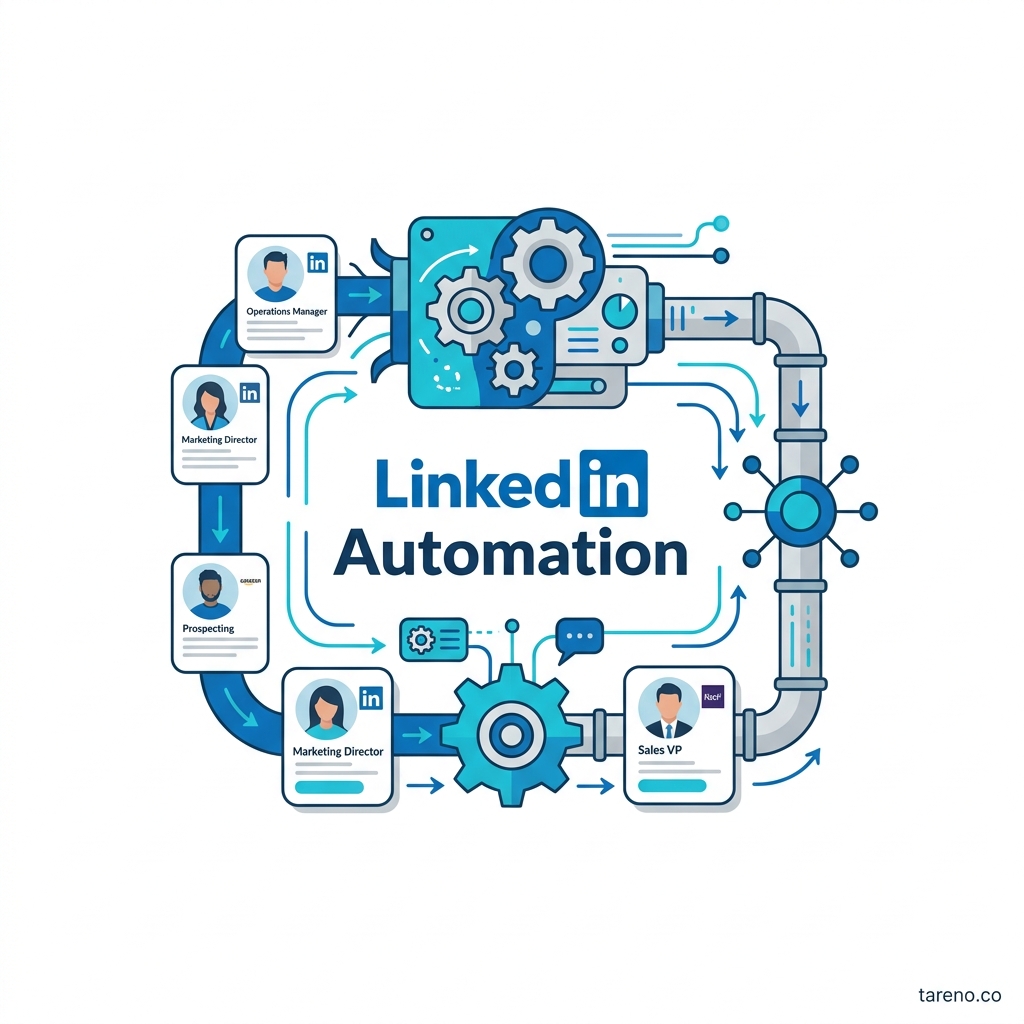
LinkedIn automation is safest when it improves workflow around content, approvals, scheduling, and lead routing.
It becomes risky when it tries to automate the relationship itself through scraping, auto-DMs, or fake engagement.
For most B2B teams, better process improves consistency more reliably than it improves persuasion.
Start with editorial automation and human review first before touching anything outreach-heavy.
Quick Definition
LinkedIn B2B automation is the use of systems to reduce manual work in LinkedIn-related content operations, sales workflows, and lead handling. In practice, that can include draft generation, approval flows, scheduling, repurposing, CRM routing, and follow-up reminders. It should not be confused with bot-driven behavior such as scraping, auto-connecting, auto-messaging, or artificial engagement.
The Real Question Behind “Leads on Autopilot”
Most teams do not actually want “autopilot” in the literal sense. They want a system that keeps LinkedIn active without making the founder, marketer, or SDR team do everything manually every week.
That makes the real question more practical: which parts of LinkedIn lead generation are operational, and which parts still require judgment?
For B2B teams, that distinction matters because lead quality rarely comes from raw activity alone. It comes from audience fit, expertise, timing, and trust. Automation can help protect consistency around those factors. It cannot replace them.
A company that publishes specific insights for a defined buyer and routes relevant responses to the right owner can use automation well. A company that tries to scale generic connection requests and templated messages may create more surface activity, but not necessarily better pipeline.
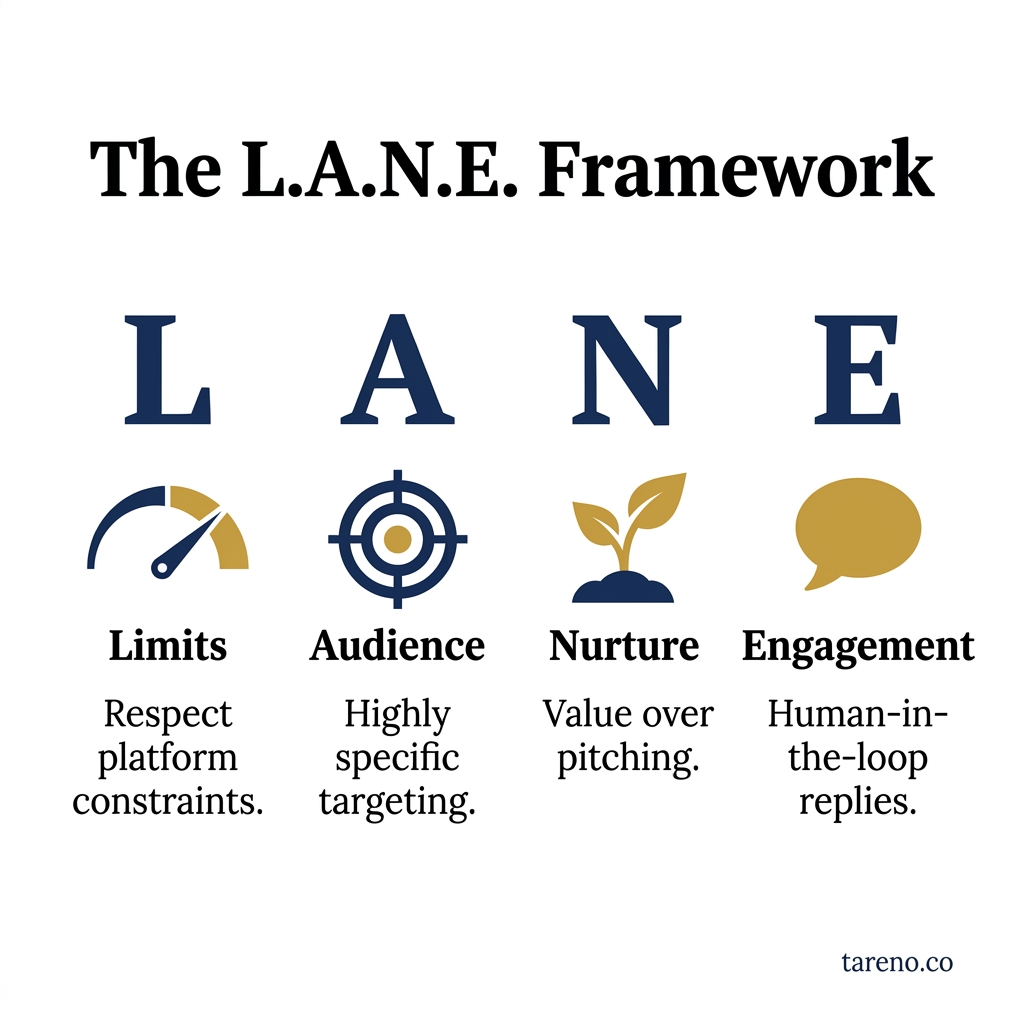
The L.A.N.E. Framework
The LANE Framework for LinkedIn Automation
A simple way to evaluate LinkedIn automation is the LANE framework:
L — Legitimate tasks
A — Audience fit
N — Native-risk check
E — Escalation to human
L — Legitimate tasks
Start with automation that clearly reduces operational friction: drafting post options, assigning review, moving approved posts into a queue, or routing inbound interest into pipeline notes.
A — Audience fit
Efficiency is useless if the message is still generic. A polished workflow cannot fix vague positioning. The tighter the buyer definition, the more useful automation becomes.
N — Native-risk check
Before using any tool, ask whether it depends on behavior that creates platform or trust risk. LinkedIn’s public terms, community policies, and help guidance are the right baseline. If a tool scrapes profiles, automates account actions, or imitates human behavior at scale, it deserves extra scrutiny.
E — Escalation to human
Decide where a person must review, reply, or qualify. This is where strong systems stay credible. Automation prepares and routes; humans personalize and decide.
Mini-example: a B2B marketing team approves a workflow that turns webinar notes into post drafts and routes inbound discussion to sales or marketing. The same team rejects an extension that promises automated connection requests and DM sequences.
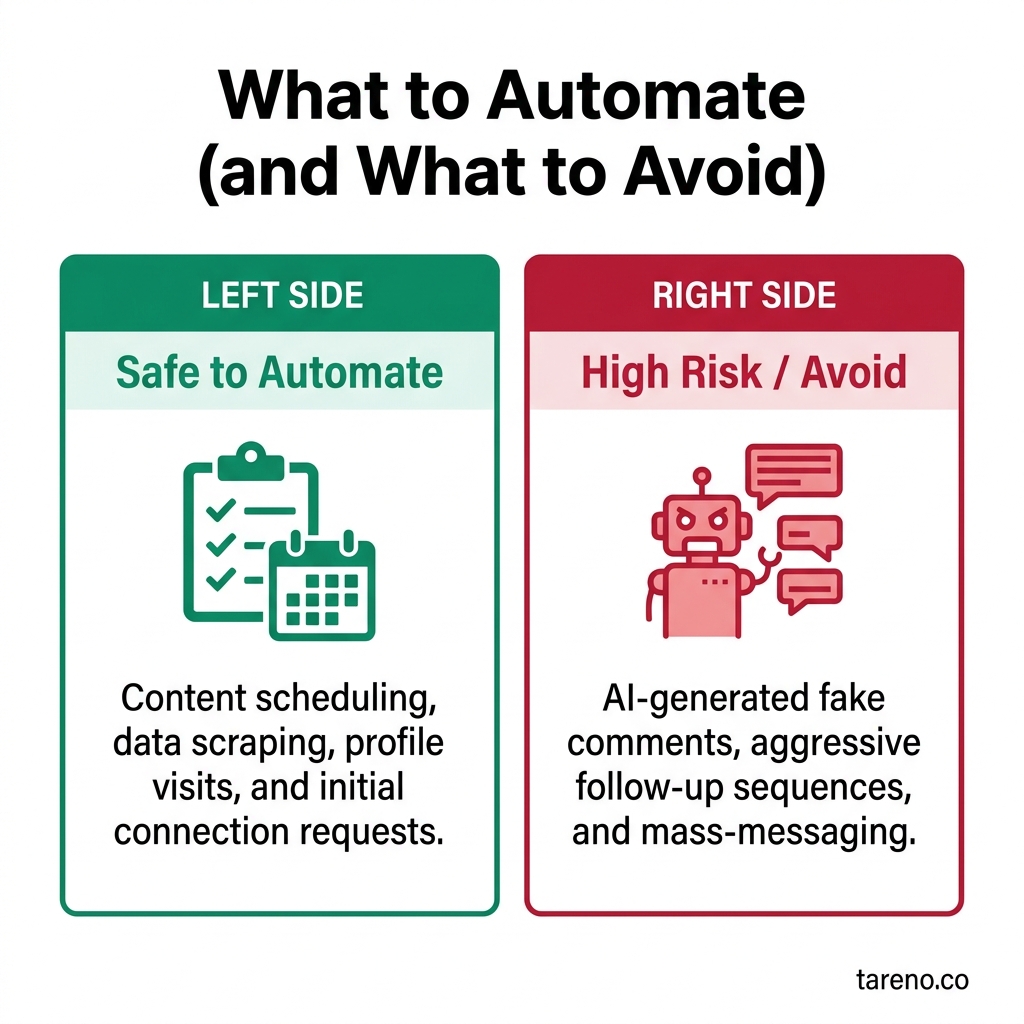
What to Automate (and What to Avoid)
What You Can Automate Safely
Most B2B teams get the best results from automation in four areas.
1) Draft generation and idea expansion
Experts are often good at explaining a problem, but slow at packaging it into post-ready content. Draft generation helps transform rough expertise into clearer hooks, post structures, and variants.
2) Approval workflows
A Draft -> Review -> Scheduled workflow makes founder-led, agency, or compliance-sensitive publishing more reliable. It reduces last-minute errors and keeps ownership visible.
3) Scheduling and repurposing
A Content Calendar, Publishing Queue, and Multi-platform scheduler help teams turn one useful idea into several planned assets. This is often where LinkedIn becomes sustainable instead of reactive. For teams working on content quality, it also helps to understand how LinkedIn relevance signals work.
4) CRM or pipeline handoff
If a relevant buyer comments, asks a question, or requests contact, automation can help route that signal into a CRM for manual qualification and follow-up.
Mini-example: a consultancy records one client lesson, turns it into three post drafts, gets approval, publishes the strongest version, and logs relevant inbound replies for the sales owner.
What You Should Not Automate Aggressively
The danger zone is smaller, but more expensive when ignored.
1) Scraping and prohibited account automation
LinkedIn publishes a user agreement, professional policies, and help guidance on prohibited software and extensions. That does not mean every workflow tool is unsafe. It does mean B2B teams should be cautious with anything that scrapes data, automates account behavior, or bypasses normal use patterns.
2) Auto-DMs and fake personalization
Mass personalized outreach often sounds personalized only to the sender. Buyers notice patterns quickly, especially in niche B2B markets. More reply volume can still mean worse-fit conversations.
3) Artificial engagement systems
Automated likes, comments, or engagement pods can inflate visibility signals, but they distort what the team is actually learning from the market.
Mini-example: an SDR team tests a high-volume outreach extension and gets more replies, but spends more time filtering weak-fit conversations than moving real deals forward.
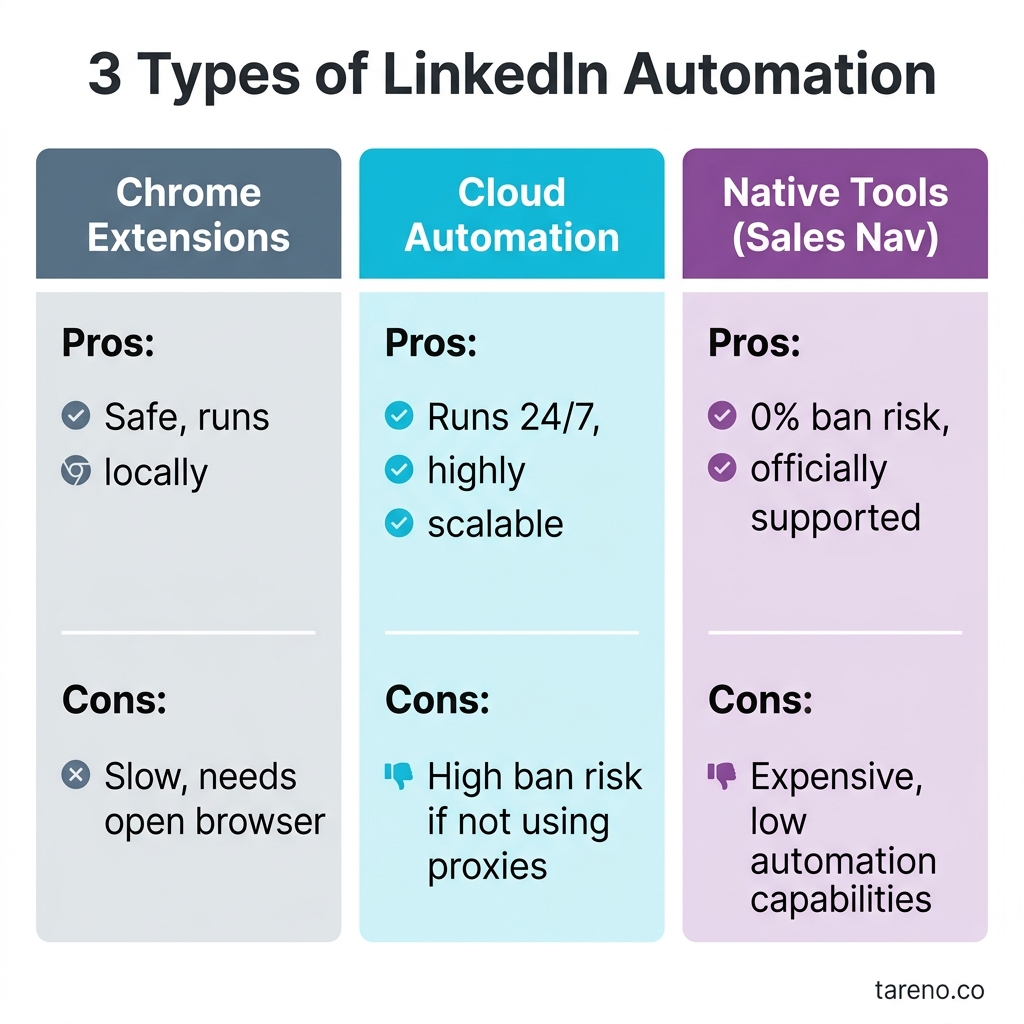
3 Types of LinkedIn Automation
Comparison Table: Three Types of LinkedIn Automation
TypeWhat it automatesBest use caseMain upsideMain riskEditorial automationdrafting, approvals, scheduling, repurposingfounder-led marketing, content ops, social selling supportconsistency and speedgeneric output if review is weakSales workflow automationreminders, routing, CRM updates, task sequencingstructured B2B follow-up with clear ownershipfewer missed signalsmore process without better messagingBehavioral/account automationconnection requests, DMs, scraping, artificial engagementhigh-risk, usually poor fit for trust-led brandsshort-term activityplatform risk and weak trust
When to Use LinkedIn Automation — and When Not to
The strongest case for LinkedIn automation is a team that already has a clear point of view and a repeatable publishing or follow-up rhythm. In that situation, automation acts like operational scaffolding. It keeps useful work moving.
Use it when
your experts have ideas but no time to package them,
your approval path is slowing publishing,
your sales team loses warm signals between comment, DM, and CRM,
or your team repeats the same manual formatting and routing work every week.
Do not expect too much when
your ICP is still fuzzy,
your offer is still changing every week,
your team has no owner for follow-up,
or your LinkedIn strategy is basically “more volume somehow.”
That is the uncomfortable truth: automation works best after strategic clarity, not before it. If the message is weak, automation mostly helps you publish weak content more consistently.
Edge case: founder-led brands
Founder-led B2B brands often benefit the most from editorial automation and the least from aggressive sales automation. Their real leverage comes from insight density and trust, not just volume.
Edge case: SDR-led outbound teams
Sales teams can still automate reminders, routing, and task sequencing. But once the system begins to imitate human conversation at scale, the trust cost usually rises faster than the efficiency gain.
When Automation Helps B2B Lead Generation — and When It Hurts
Automation helps when LinkedIn already has a job inside the go-to-market system. For example:
founder authority building,
category education,
warm inbound qualification,
or disciplined sales follow-up.
It hurts when teams use automation to compensate for weak strategy. If the audience is broad, the positioning is generic, and the offer is unclear, more output just scales the same problem.
This is why founder-led and expert-led B2B teams often benefit more from editorial automation than from aggressive outreach tools. Their bottleneck is usually not “how do we send more messages?” It is “how do we turn expertise into consistent market-facing content and route good signals correctly?”
Mini-example: a RevOps consultancy publishes specific breakdowns of forecasting errors and then follows up manually with relevant responders. A second firm auto-messages broad “growth” offers. The first system scales slower, but usually creates stronger buyer-fit conversations.
Deep Dive: LinkedIn Post Generator (Free Tool)
The most defensible role for a LinkedIn Post Generator (Free Tool) is first-draft acceleration.
That matters because many B2B teams do not suffer from a lack of ideas. They suffer from translation friction. Good insights stay trapped in calls, Slack threads, founder notes, or voice memos because nobody turns them into clear posts fast enough.
A drafting tool helps by turning one raw idea into multiple usable angles. From there, the stronger workflow is:
create a draft,
review for buyer relevance and evidence,
assign Approval status,
move the best version into Draft -> Review -> Scheduled,
place approved content in the Content Calendar or Publishing Queue.
Mini-example: after a customer call, a marketer creates three versions of the same insight — a contrarian hook, a checklist post, and a short case-note format. If the team wants to turn one expert idea into a structured LinkedIn asset, that repurposing step becomes much easier after the first draft exists.
Used this way, the tool supports consistency. It does not claim to automate trust, qualification, or pipeline by itself.
A Practical B2B Workflow to Start With
If your team wants a safer starting point, use a simple weekly system:
Choose one source of truth: founder notes, sales call patterns, webinar takeaways, or customer objections.
Turn that source into 2-3 draft post angles.
Review each draft for specificity, audience fit, and claim safety.
Schedule only approved posts.
Route meaningful inbound responses to a named human owner.
Review which posts created qualified conversations, not just surface activity.
This workflow is not flashy, but that is part of its value. It is easier to maintain, easier to teach, and easier to trust. Teams comparing tooling choices at the system level should also compare native workflows with Make or n8n.
Decision Rules for B2B Teams
If you are unsure where to start, use these decision rules.
Start with editorial automation if
your team already has expertise but struggles with consistency,
subject-matter experts hate writing from scratch,
content review is currently stuck in Slack or email,
and your pipeline depends partly on thought leadership.
Add sales workflow automation if
you already receive relevant comments, DMs, or content-driven hand-raisers,
leads are being dropped between marketing and sales,
and ownership for follow-up is clearly assigned.
Avoid behavioral automation if
the tool promises scale mainly through connection or DM volume,
the workflow depends on scraping or browser automation,
or you cannot clearly explain how the tool stays aligned with platform and trust expectations.
A good rule of thumb is simple: the closer automation gets to public content operations and internal routing, the safer it usually is. The closer it gets to pretending to be a human salesperson at scale, the more careful you should be.
Common Failure Patterns
Most LinkedIn automation failures are not technical. They are strategic.
Failure pattern 1: confusing activity with demand
A team sees more sent messages, more generated drafts, or more dashboard activity and assumes pipeline quality has improved. Often it has not.
Failure pattern 2: removing the review layer
Draft generation without review usually creates bland claims, repeated hooks, or positioning drift. That may increase output but weaken authority.
Failure pattern 3: routing without ownership
If comments, DMs, or warm signals enter a system but nobody owns response quality, automation simply makes neglect more efficient.
Failure pattern 4: using the same message for every buyer state
Cold prospects, engaged followers, webinar attendees, and inbound hand-raisers are not the same audience. Automation breaks when teams ignore context.
Free Tools (Quick Links)
LinkedIn Post Generator — Turn one expert insight into several LinkedIn draft angles before editorial review.
LinkedIn Hook Generator — Create sharper opening lines for niche B2B posts without rewriting the whole post.
LinkedIn Headline Generator — Draft clearer positioning or campaign headline variations for LinkedIn-facing assets.
FAQ
Is LinkedIn automation allowed?
Some workflow automation around content and operations can be legitimate. But tools that automate prohibited behavior, scraping, or account actions create materially higher risk.
Can automation generate qualified leads by itself?
No. It can improve consistency, routing, and speed. Qualified demand still depends on targeting, expertise, offer clarity, and human follow-up.
What should small B2B teams automate first?
Start with drafting, review, scheduling, and simple CRM handoff. Those steps usually reduce manual work without damaging trust.
Is Sales Navigator the same as outreach automation?
No. A documented sales platform or integration environment is not the same thing as uncontrolled auto-DM or scraping software.
How much human review is still needed?
Enough to check claims, tone, buyer fit, and follow-up quality. The more sensitive the message or stage, the more human review matters.
Are post generators safer than DM bots?
Usually yes, because they support content creation rather than simulate human behavior. They still need editorial review.
What is the best KPI to watch first?
For most B2B teams, the best early KPI is not raw impressions or sent-message volume. It is whether posts and conversations create more qualified follow-up opportunities, clearer buyer questions, or stronger sales context.
Should every LinkedIn post be automated somehow?
No. Some of the best posts come from fast manual reactions, point-of-view takes, or event-driven observations. Automation should support the baseline system, not flatten every message into the same structure.
Conclusion
LinkedIn automation is useful when it behaves like operations support, not relationship theater. For most B2B teams, the winning system is not the one that sends the most activity. It is the one that turns expertise into consistent visibility, keeps approval and routing clear, and preserves human judgment where trust actually matters.
The practical takeaway is not “avoid automation.” It is “automate the parts that are repeatable, visible, and operational.” Drafting, approvals, scheduling, repurposing, and lead routing fit that description well. Fake personalization, uncontrolled scraping, and bot-style account behavior do not.
If you want the broader context beyond LinkedIn, it also helps to review broader automation trade-offs across social channels.
Key Takeaways
Automate workflow around LinkedIn before automating buyer-facing behavior.
Drafting, approvals, scheduling, and routing are safer starting points than outreach bots.
Better process improves consistency more reliably than it improves persuasion.
Human review is still the control layer that protects relevance, trust, and accuracy.
Quotable Passage
“Good LinkedIn automation removes friction around expertise. Bad LinkedIn automation tries to fake expertise, fake relevance, or fake relationships — and that is usually where the system breaks.”
Sources
LinkedIn, User Agreement: https://www.linkedin.com/legal/user-agreement
LinkedIn, Professional Community Policies: https://www.linkedin.com/legal/professional-community-policies
LinkedIn Help, Prohibited software and extensions: https://www.linkedin.com/help/linkedin/answer/a1341387
Microsoft Learn, Sales Navigator Application Platform Documentation - LinkedIn: https://learn.microsoft.com/en-us/linkedin/sales/