
Small teams need different social media tools than solo creators or large enterprises.
A solo creator can often manage content with a simple scheduler.
An enterprise team may need a broad suite with governance, listening, social care, procurement, and advanced reporting.
Small teams sit in the middle.
They need more structure than a solo creator.
But they usually do not want a heavy enterprise platform.
A small team may need:
shared content planning
roles and permissions
approval workflows
workspaces
activity visibility
scheduling
analytics
repurposing
AI captions
Make or n8n integrations
reporting that creates actions
The best tool depends on the team’s main bottleneck.
This guide compares the best social media tools for small teams in 2026 by collaboration, approvals, workflow automation, analytics, and repurposing needs.
TL;DR: best social media tools for small teams by use case
Small team needBest fitWhyWorkflow automation and repurposingTarenoBoards, approvals, roles, workspaces, activity visibility, repurposing, Make, n8n, APISimple team schedulingBufferClean queue, simple publishing, lightweight approvals on team workflowsVisual planningLaterVisual calendar, Social Sets, creator-friendly planningApproval collaborationPlanableComments, internal notes, stakeholder review, approval workflowsAgency-style team schedulingSocialPilotClient approvals, manager approvals, account/user scalingClient/team dashboardsSendibleClient workflows, reports, dashboards, approvalsAnalytics and competitor trackingMetricoolReports, competitor profiles, dashboardsBroad suiteHootsuitePublishing, inbox, analytics, listening, AI, enterprise capabilitiesInbox and moderationAgorapulseSocial inbox, assignments, moderation rules, ROI reports
Short version: If your team only needs simple scheduling, Buffer may be enough. If your team needs approvals, roles, activity visibility, repurposing, and workflow automation without enterprise complexity, Tareno is a strong fit.
What small teams need from social media tools
Small teams usually care about three things:
getting content out consistently
avoiding confusion between team members
learning what to repeat
The problem is not only publishing.
It is coordination.
Small teams need to know:
who owns each post
what stage the post is in
whether it has been approved
what is scheduled
what performed well
what should be repurposed
which platform version is final
who changed what
what happens next
A small team tool should be simple enough to use daily and structured enough to prevent mistakes.
The TEAMWORK framework
Use the TEAMWORK framework to choose a small-team social media tool.
T — Team roles
E — Execution workflow
A — Approval process
M — Multi-platform publishing
W — Workflow automation
O — Operational visibility
R — Reporting and repurposing
K — Keep pricing scalable
This framework helps small teams avoid tools that are either too simple or too heavy.
T — Team roles
Small teams need roles.
Even a team of three can have different responsibilities:
founder
social media manager
designer
assistant
editor
strategist
product reviewer
client manager
analyst
The tool should make ownership visible.
It should answer:
who owns the post?
who reviews it?
who approves it?
who schedules it?
who measures it?
who repurposes it?
Without roles, tasks become unclear.
E — Execution workflow
Execution workflow is how content moves.
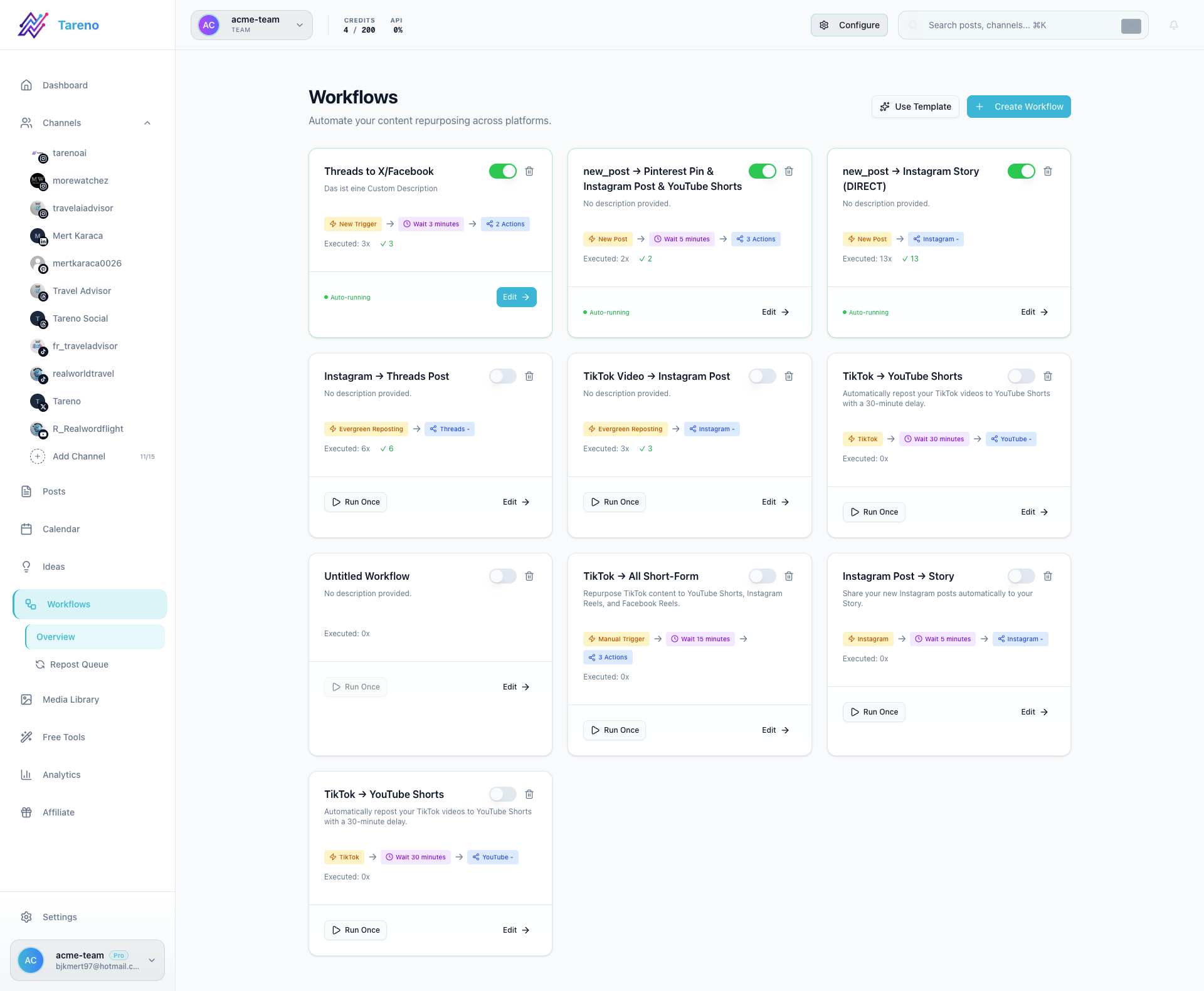
A small-team workflow might look like:
Idea
Draft
Design
Review
Approved
Scheduled
Published
Measure
Repurpose
A calendar alone does not show all of this.
A board or workflow view is useful because it shows status and blockers.
Small teams should choose tools that match how they actually work.
A — Approval process
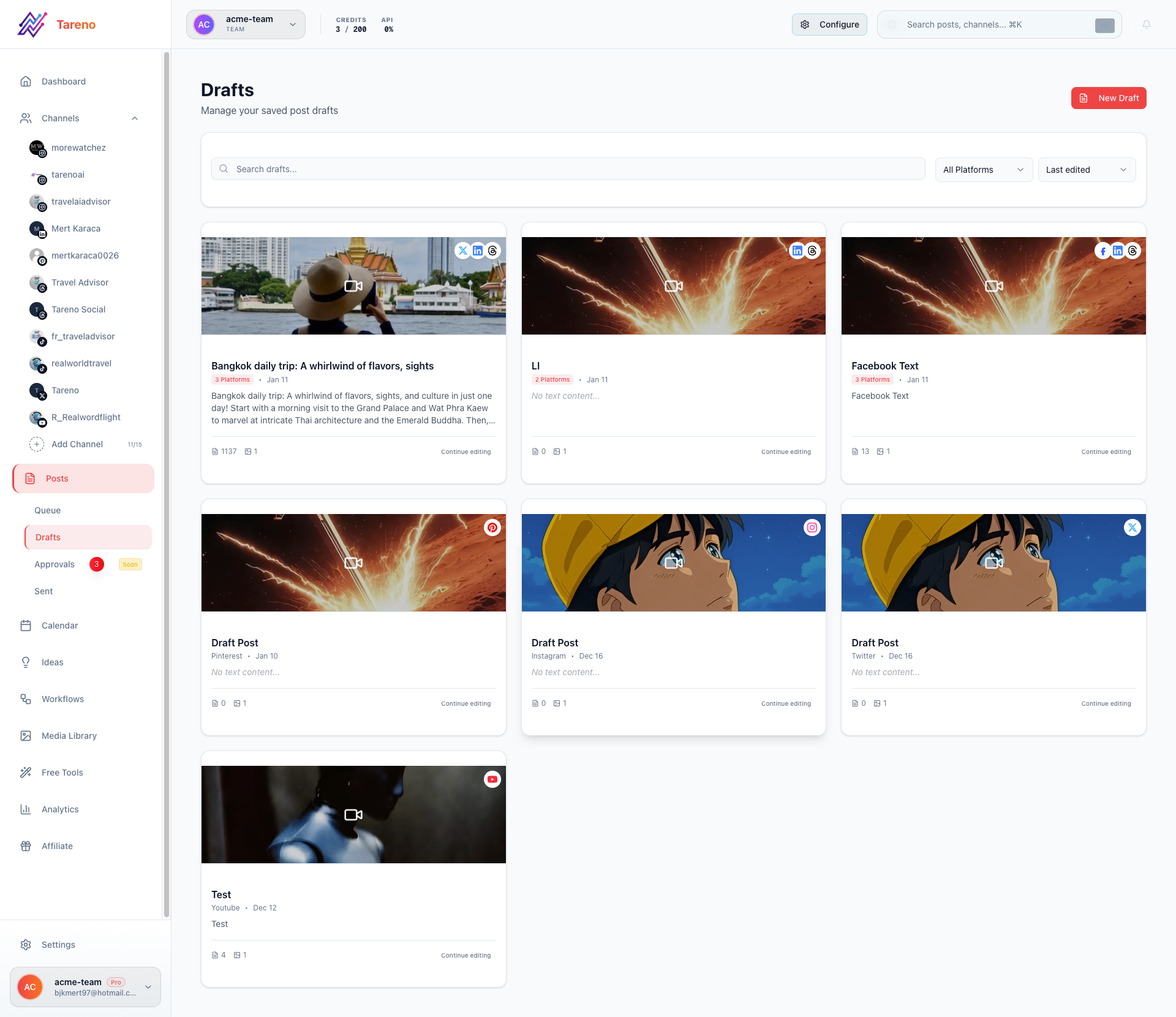
Approval matters when more than one person touches content.
A small team may need approval for:
product claims
pricing mentions
campaigns
sponsor posts
client posts
competitor comparisons
repurposed old content
legal-sensitive topics
A good approval process should:
assign reviewers
track status
show requested changes
prevent unapproved publishing
record the final version
connect approval to scheduling
Approvals should protect quality without slowing the team unnecessarily.
M — Multi-platform publishing
Small teams often publish across several platforms.
Common platforms include:
Instagram
TikTok
LinkedIn
Threads
Facebook
YouTube
Pinterest
X / Twitter
The tool should support platform-specific versions.
A LinkedIn post should not always be the same as a TikTok caption.
Multi-platform publishing works best when the team can adapt one idea across platforms.
W — Workflow automation
Workflow automation helps small teams reduce manual handoffs.
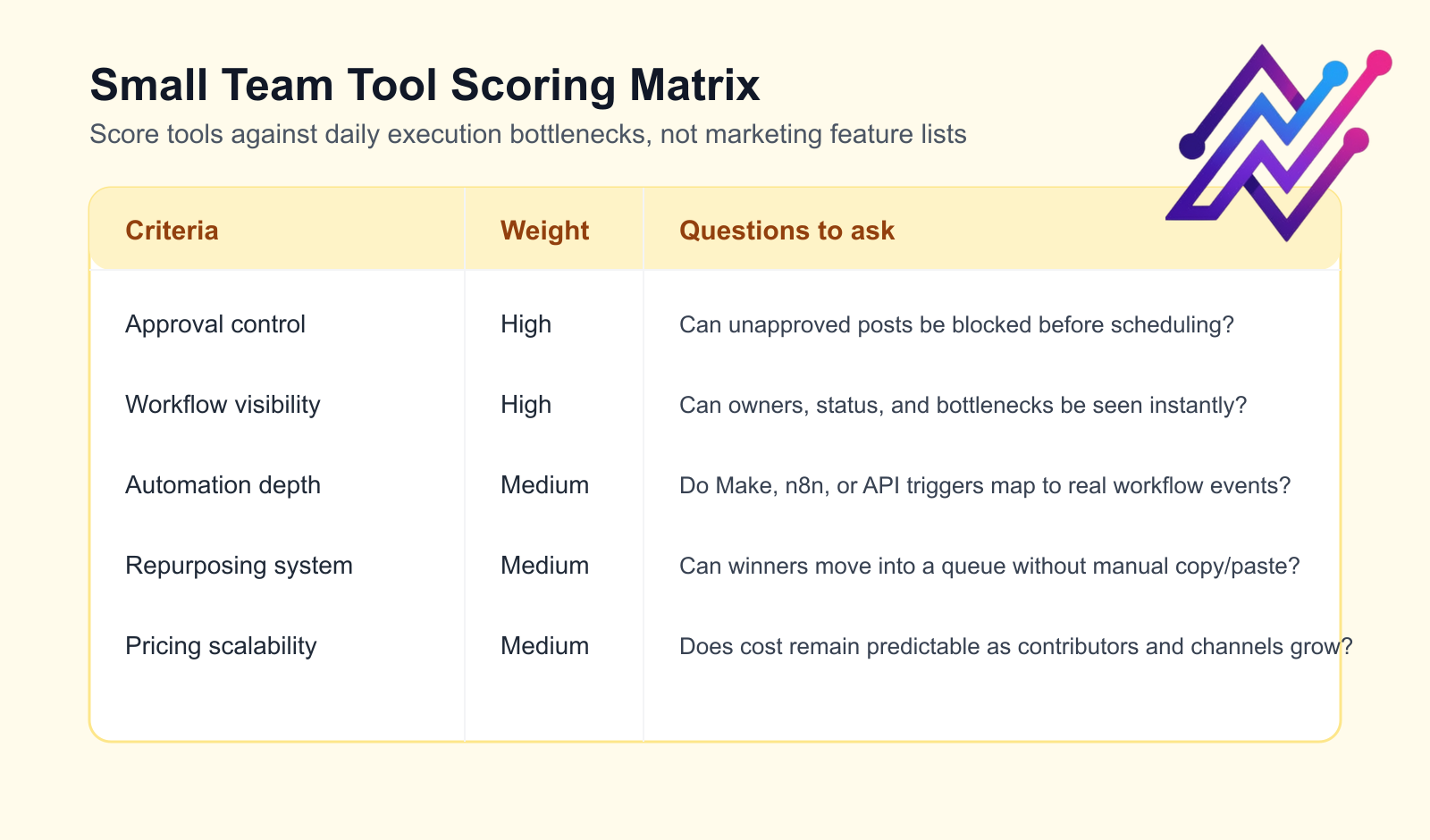
Useful automations include:
draft ready → notify reviewer
changes requested → notify owner
approved → move to scheduled
published → create analytics task
high performer → add to repurposing queue
client approval → notify publisher
post scheduled → update tracker
report complete → create next-month tasks
Make, n8n, and API workflows matter when the social media tool needs to connect with other systems.
O — Operational visibility
Small teams need visibility into work.
Activity visibility helps answer:
who changed the caption?
who moved this card?
who approved it?
when was it scheduled?
who requested changes?
what was repurposed?
This prevents confusion.
It also helps small teams stay accountable without adding more meetings.
R — Reporting and repurposing
Reporting should help small teams decide what to do next.
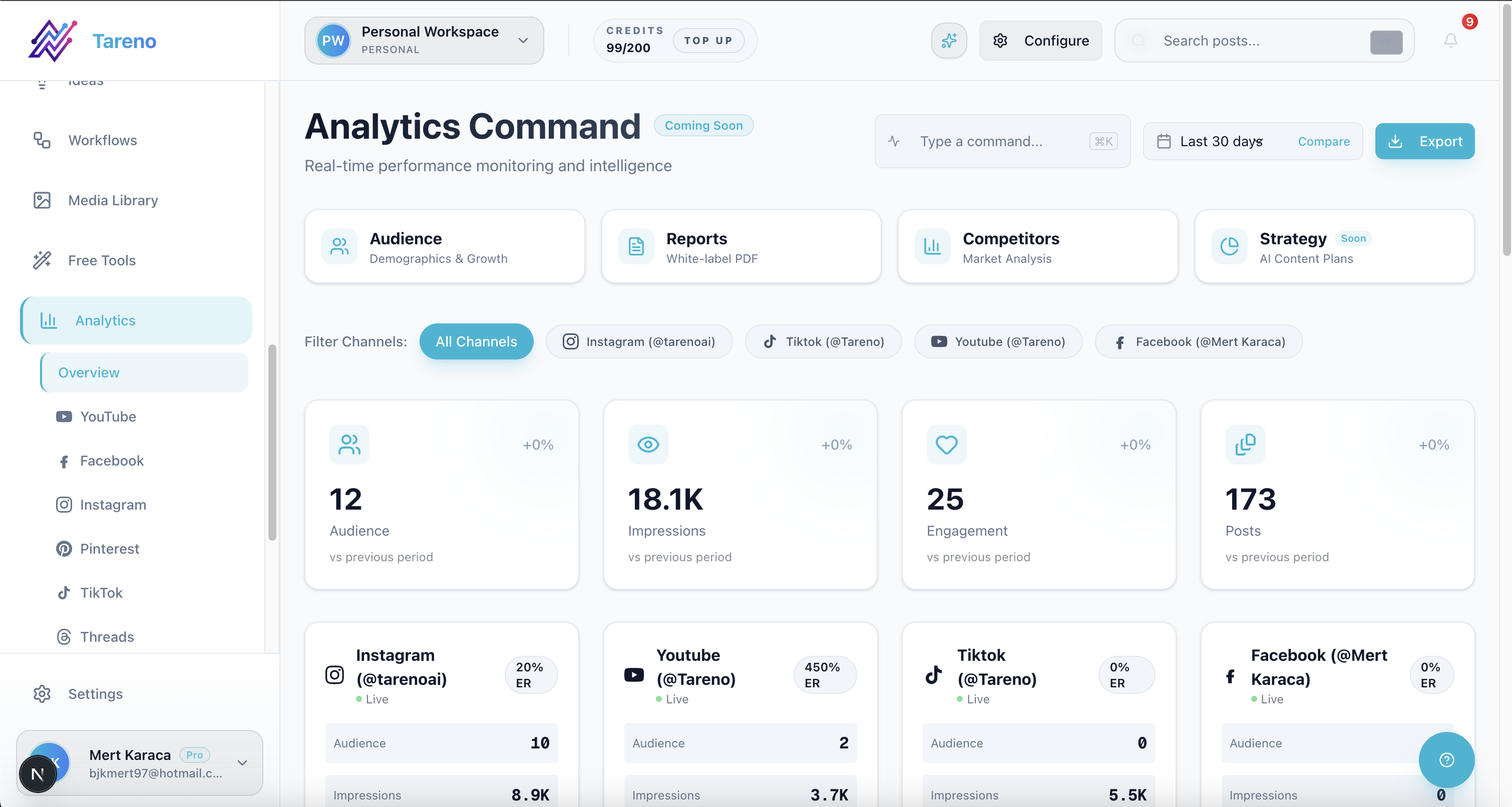
A useful report should identify:
top posts
weak posts
best hooks
best formats
best platforms
content worth repurposing
topics worth repeating
Repurposing is especially valuable for small teams because they have limited time.
A strong post should become more than one asset.
K — Keep pricing scalable
Small teams need to watch pricing.
Check:
number of users included
number of channels included
number of workspaces
approval availability
analytics limits
scheduled post limits
AI credits
API access
Make/n8n availability
reporting limits
whether pricing is per user, channel, brand, or workspace
A tool that looks affordable for one person may become expensive for a team.
1. Tareno — best for workflow automation and repurposing
Tareno is a strong fit for small teams that need more than scheduling.
It is especially useful when the team needs planning, approvals, roles, repurposing, analytics, and automation in one workflow.
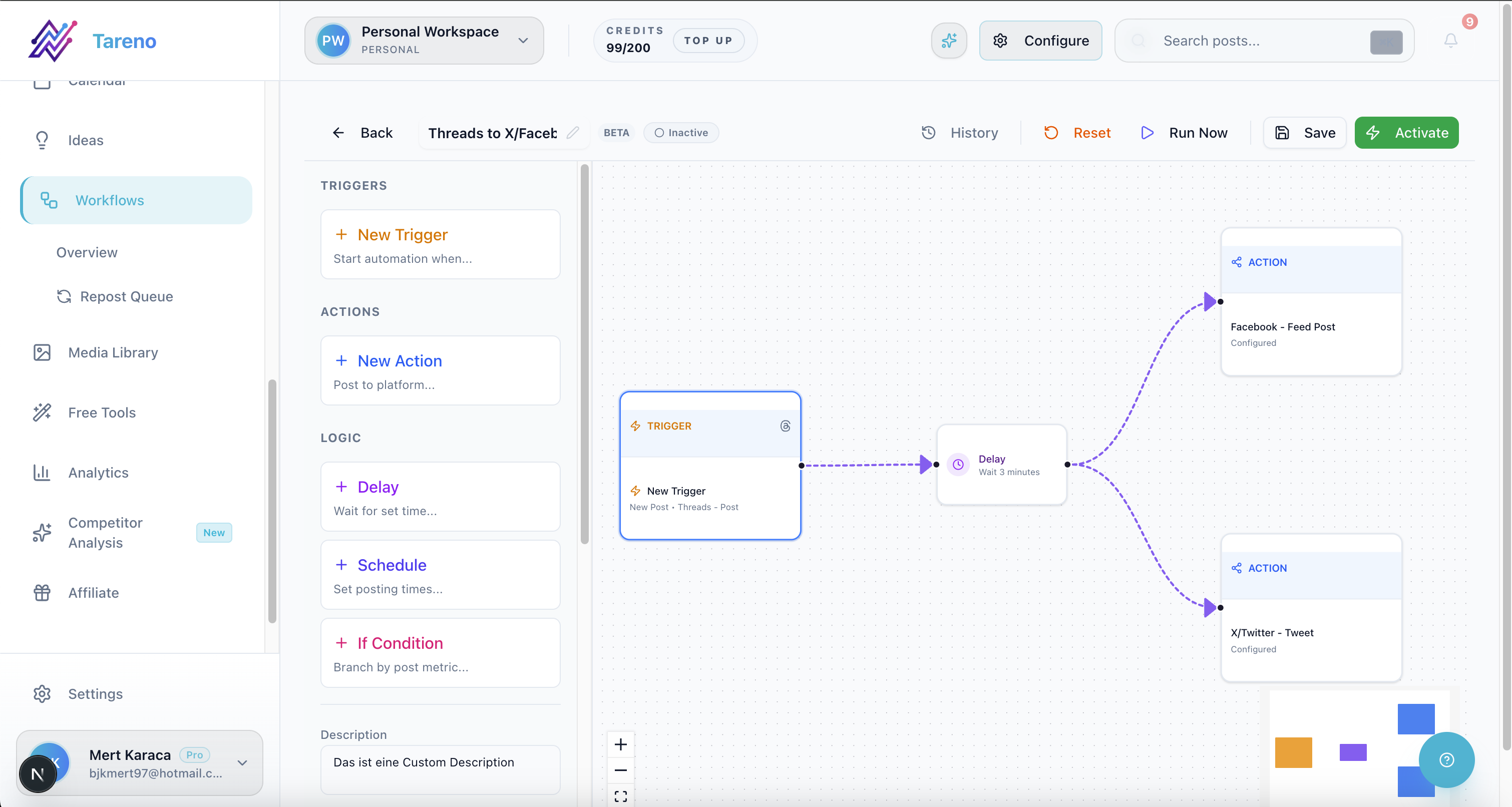
Tareno is best for
Choose Tareno if your team needs:
content boards
content calendar
approval workflows
team workspaces
roles and permissions
activity visibility
repurposing queue
workflow builder
unified analytics
competitor analysis
AI captions and hashtags
Make integration
n8n integration
API access
Where Tareno wins
Tareno wins when the team needs to answer:
what is being created?
who owns it?
has it been approved?
what is scheduled?
what performed well?
what should be repurposed?
what workflow should run next?
That is more than a scheduler.
It is a small-team operating system.
Not ideal for
Tareno may be more than needed if the team only needs a simple calendar and queue.
2. Buffer — best for simple team scheduling
Buffer is useful for small teams that mainly need simple publishing.

Buffer is best for
Buffer is best for:
simple scheduling
clean publishing queues
lightweight team workflows
basic analytics
easy setup
low learning curve
Where Buffer wins
Buffer is strong when the team does not need a complex workflow.
It is easy to adopt and useful for simple publishing operations.
Where Buffer may not be enough
Buffer may be less ideal if the team needs:
deeper approval workflows
content boards
repurposing queue
Make/n8n workflow automation
detailed roles and activity visibility
analytics-to-action workflows
3. Planable — best for approval collaboration
Planable is strong when the main small-team pain is feedback and approval.

Planable is best for
Planable is best for:
comments
internal notes
review workflows
approval collaboration
external stakeholder review
client or sponsor sign-off
Where Planable wins
Planable helps teams reduce approval chaos.
It is useful when content review is the bottleneck.
Where Planable may not be enough
Planable may be less ideal if the team also needs:
repurposing queues
workflow builder
Make/n8n automation
analytics-to-action
activity visibility across the full content lifecycle
4. Later — best for visual planning
Later is useful for small teams with visual-first content.

Later is best for
Later is best for:
visual calendar
Social Sets
Instagram and TikTok planning
Link in Bio
creator-style workflows
visual campaign planning
Where Later wins
Later is strong when the team needs to see and plan content visually.
Where Later may not be enough
Later may be less ideal if the team needs:
workflow automation
repurposing queue
board-based production
Make/n8n workflows
deeper team activity visibility
5. Metricool — best for analytics and competitor tracking
Metricool is useful when small teams need strong reporting and competitor visibility.
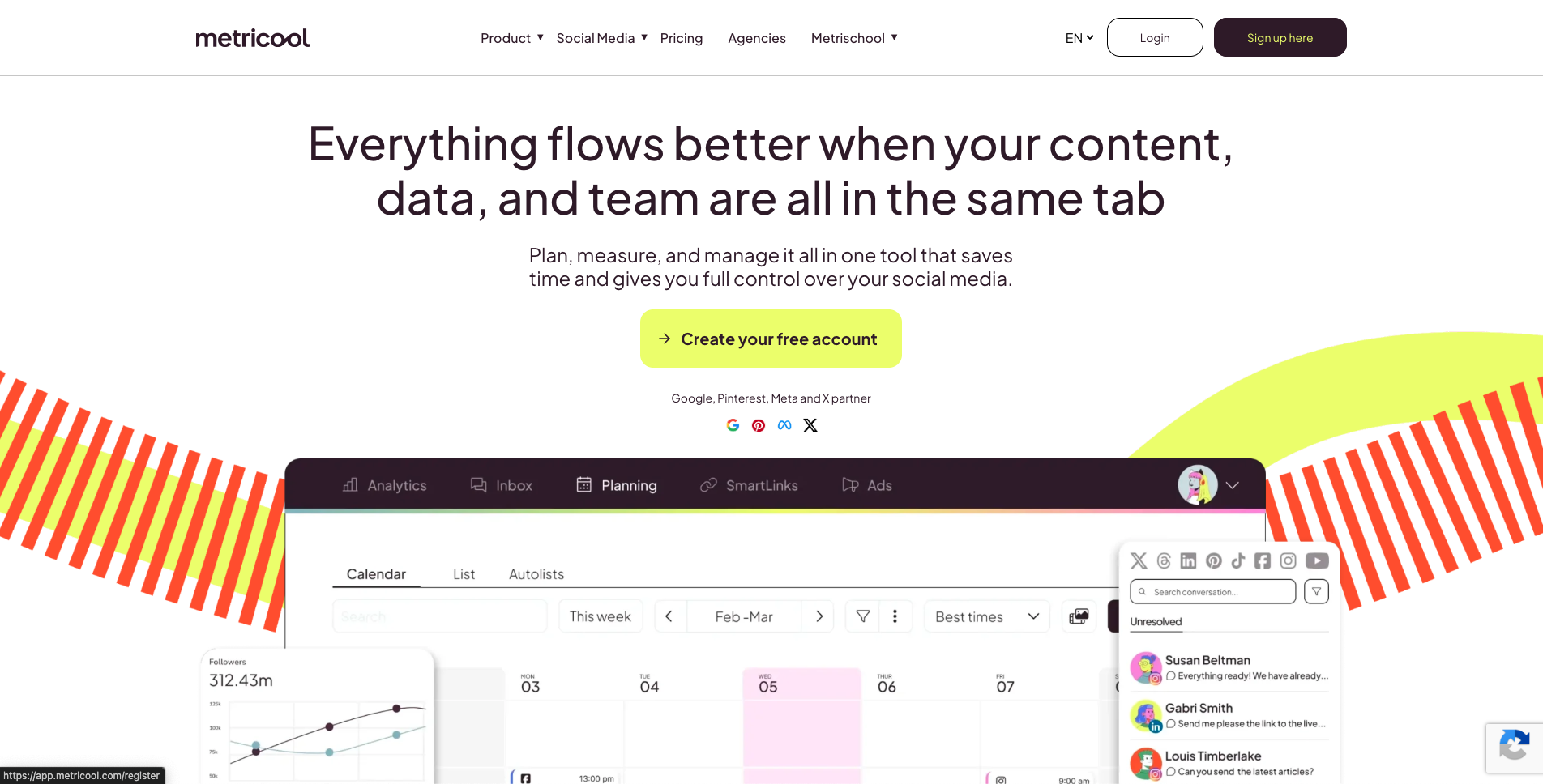
Metricool is best for
Metricool is best for:
analytics dashboards
competitor profiles
brand dashboards
reports
performance review
data-driven planning
Where Metricool wins
Metricool helps teams understand what worked.
This is valuable for deciding what to repeat.
Where Metricool may not be enough
Metricool may be less ideal if the team needs:
workflow builder
repurposing queue
content board stages
approval-triggered automation
activity visibility
analytics-to-action task movement
6. SocialPilot — best for small agencies and client approvals
SocialPilot is useful for small teams that manage multiple clients or brands.
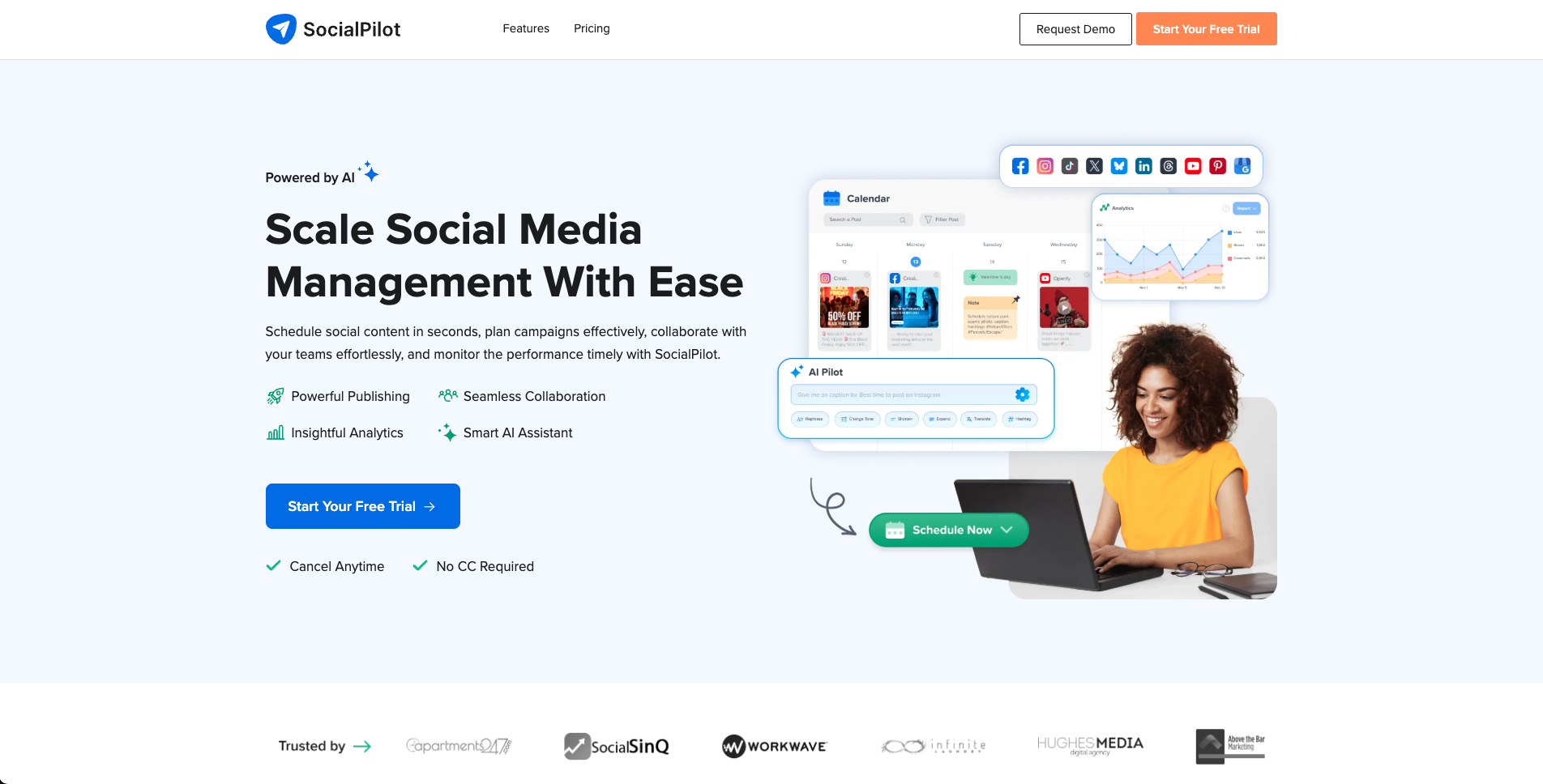
SocialPilot is best for
SocialPilot is best for:
client approvals
manager approvals
agency scheduling
bulk scheduling
account/user scaling
white-label reports
advanced analytics
Where SocialPilot wins
SocialPilot is practical when a small team works like a mini-agency.
Where SocialPilot may not be enough
SocialPilot may be less ideal if the team needs deeper workflow automation, repurposing queue, Make/n8n workflows, or content operations depth.
7. Sendible — best for client/team dashboards
Sendible is useful when small teams need client-facing dashboards and agency-style workflows.
Sendible is best for
Sendible is best for:
client dashboards
client approvals
social inbox
reports
permissions
white-label workflows
engagement monitoring
Where Sendible wins
Sendible is strong when client visibility and dashboard workflows matter.
Where Sendible may not be enough
Sendible may be less ideal if the small team needs workflow-first repurposing, Make/n8n automation, and board-based content operations.
Small team tool comparison table
The comparison table below works best when the team evaluates each tool against the workflow gap it actually needs to close.
ToolBest forTeam strengthMain limitationTarenoWorkflow automation and repurposingBoards, roles, approvals, activity visibility, Make/n8n/APIMore than needed for simple schedulingBufferSimple schedulingClean team publishingLimited workflow depthPlanableApproval collaborationComments and reviewLess post-approval automationLaterVisual planningVisual calendar and Social SetsLess workflow automationMetricoolAnalyticsReports and competitor trackingLess execution workflowSocialPilotSmall agenciesClient approvals and schedulingLess deep workflow operationsSendibleClient dashboardsAgency-style workflowsLess repurposing workflowHootsuiteBroad suitePublishing, inbox, listening, analyticsCan be heavy for small teamsAgorapulseInbox/moderationAssignments and moderationLess content workflow depth
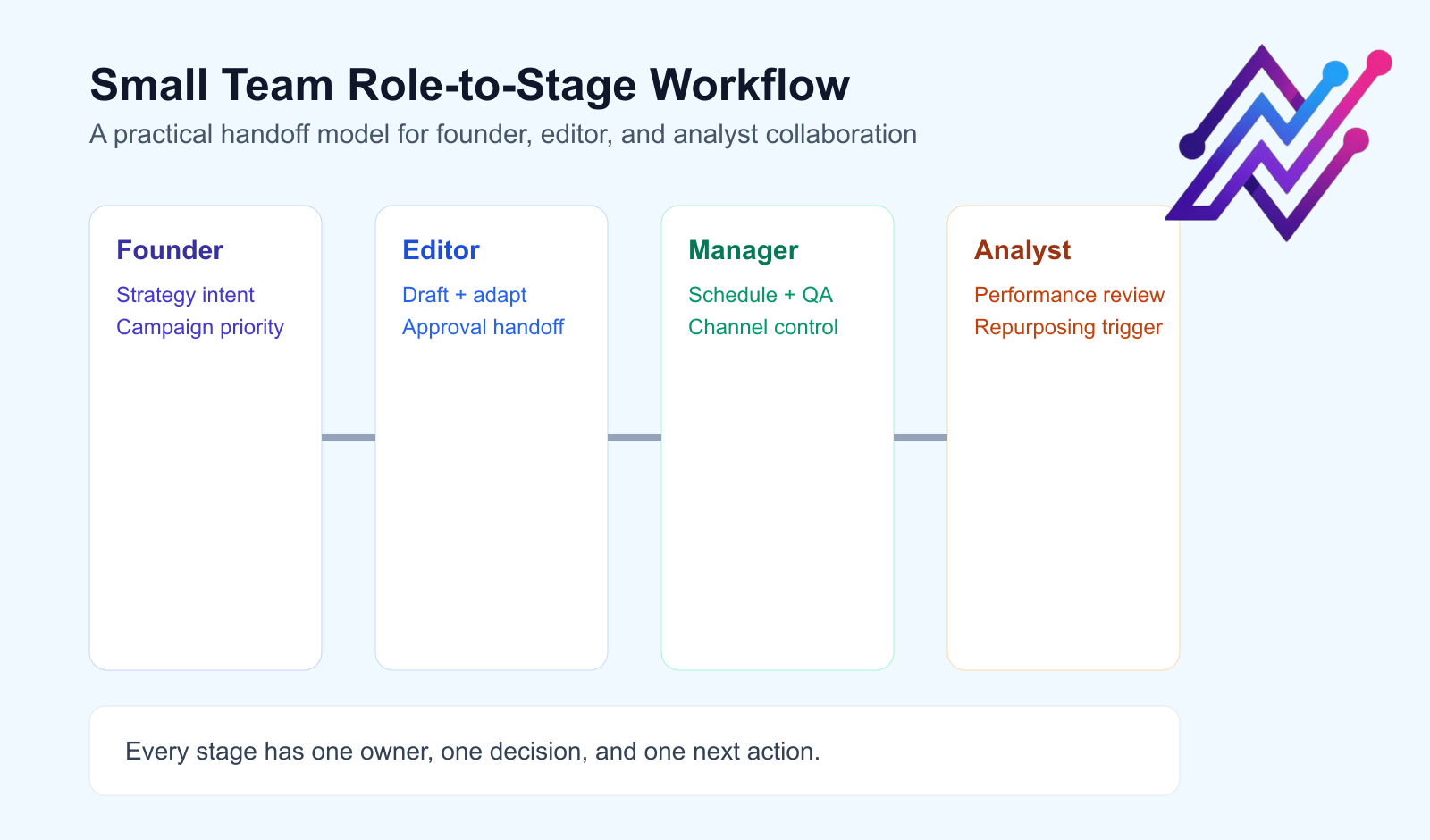
Small team workflow examples
Founder-led brand
Founder adds ideas.
Social manager drafts.
Founder approves.
Posts are scheduled.
Analytics are reviewed weekly.
Winners enter repurposing queue.
Small SaaS team
Marketing lead creates campaign themes.
Social manager drafts platform versions.
Product owner checks feature claims.
Marketing lead approves.
Posts are scheduled.
Clicks and signups are reviewed.
Strong topics become blogs or comparison pages.
Small agency team
Account manager receives client brief.
Copywriter drafts.
Designer creates assets.
Account manager reviews.
Client approves.
Social manager schedules.
Monthly report creates repurposing tasks.
What small teams should avoid
Avoid choosing only by price
A cheap tool can cost more time if it creates manual coordination.
Avoid enterprise complexity too early
Do not buy a heavy suite if your team will not use it.
Avoid calendar-only workflows
A calendar is useful, but it does not manage approvals, ownership, or repurposing by itself.
Avoid unclear roles
Every post should have an owner.
Avoid reporting without action
Reports should create next steps.
Avoid ignoring repurposing
Small teams should get more value from content that already worked.
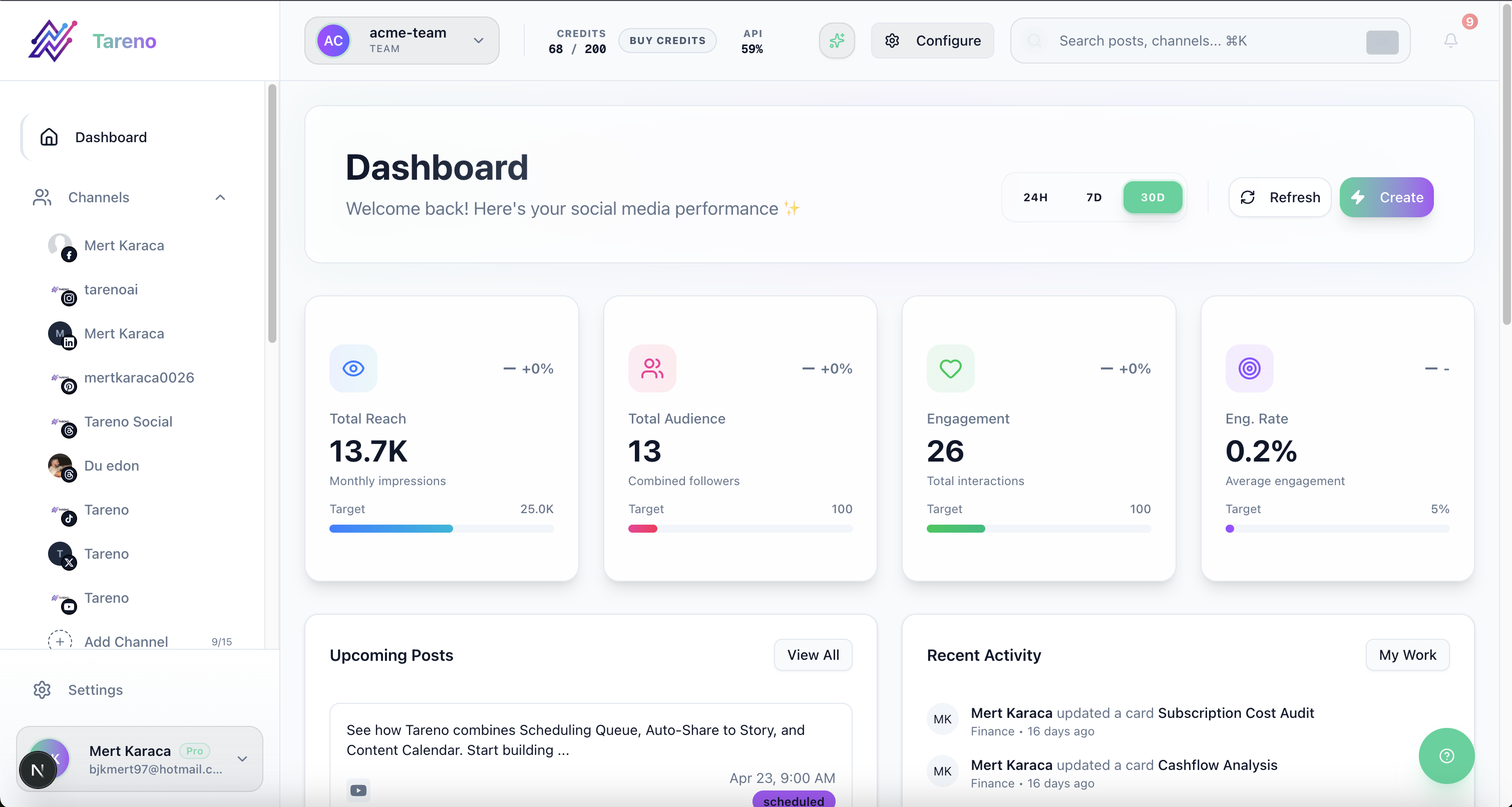
Related Tareno resources
Explore workflow depth in the features overview.
Estimate team scale and contributor cost on pricing.
Use the compare hub to shortlist tools by bottleneck.
Review scheduler-first tradeoffs in the Buffer alternative.
Check visual-first planning fits in the Later alternative.
Compare approval collaboration in the Planable alternative.
Evaluate agency-style scaling with the SocialPilot alternative.
Review client dashboard positioning in the Sendible alternative.
FAQ
What is the best social media tool for small teams?
It depends on the workflow. Buffer is strong for simple scheduling. Planable is strong for approvals. Metricool is strong for analytics. Tareno is strong for small teams that need boards, roles, approvals, repurposing, workflow automation, Make, n8n, and API.
What should small teams look for in social media software?
Small teams should look for scheduling, team roles, approval workflows, workspaces, analytics, repurposing, activity visibility, and automation integrations.
Do small teams need approval workflows?
Yes, if multiple people touch content, product claims need review, a founder approves posts, or client/sponsor content is involved.
What is the best tool for small team approvals?
Planable is strong for dedicated review. Tareno is stronger when approvals need to connect to boards, scheduling, repurposing, reporting, and automation.
What is the best social media scheduler for small teams?
Buffer is a strong simple scheduler. Later is strong for visual planning. Tareno is stronger when scheduling needs to connect with workflow automation, roles, approvals, and repurposing.
Can small teams automate social media workflows?
Yes. Small teams can automate handoffs, reviewer notifications, reporting tasks, repurposing tasks, and external system updates with workflow builders, Make, n8n, and API workflows.
Final thoughts
Small teams do not need the most features. They need the fewest workflow gaps.
Choose the tool that removes your current bottleneck first, then expand only when your operating rhythm is stable.
The right system should make ownership clear, approvals predictable, and repurposing automatic enough to sustain weekly output.


