
Social media gets harder when the problem is no longer “what should we post?”
At some point, the real problem becomes operations.
Ideas are scattered.
Drafts sit in different tools.
Approvals happen in chat.
Reports do not create actions.
Strong posts are forgotten after one publish.
Nobody knows who owns the next step.
That is when social media stops being a content problem and becomes a content operations problem.
Social media content operations is the system that moves content from idea to draft, review, approval, scheduling, publishing, reporting, repurposing, and improvement.
A good system helps teams publish more consistently without becoming chaotic.
This guide explains how to build social media content operations for creators, agencies, and teams that need more than a calendar.
TL;DR
Social media content operations is the repeatable process for managing content across planning, production, approvals, publishing, analytics, repurposing, and automation.
A strong content operations system includes:
idea capture
content boards
calendar planning
assigned owners
approval workflows
scheduling
publishing
analytics review
repurposing queue
activity visibility
Make/n8n/API workflows
continuous improvement
The key rule:
A content calendar shows timing. Content operations manages the whole system.
If your team is still planning in one place, reviewing in another, scheduling in another, and reporting somewhere else, your content operations are probably too fragmented.
What is social media content operations?
Social media content operations is the process, structure, and workflow behind social media publishing.
It defines:
where ideas are captured
how posts are drafted
who owns each post
who reviews content
when content can be scheduled
how publishing happens
how performance is reviewed
which posts get repurposed
how tasks move between people
what automations support the process
Content operations is not just a calendar.
It is not just a scheduler.
It is not just analytics.
It is the system that connects those pieces.
A simple content operations workflow might look like this:
Idea
Draft
Review
Approved
Scheduled
Published
Measure
Repurpose
Improve
The goal is to make social media repeatable without removing creativity.
Why random posting breaks
Random posting can work for a while.
A founder posts when inspired.
A creator posts when an idea feels good.
A small team posts when something is ready.
But as volume grows, random posting breaks.
The team loses visibility
Nobody knows what is being created, what is approved, or what is scheduled.
Approvals slow everything down
Feedback happens in Slack, email, screenshots, and meetings.
Performance does not feed planning
The team sees what worked, but does not turn it into future tasks.
Strong content is wasted
A great post gets published once and then disappears.
Ownership becomes unclear
Several people touch content, but no one owns the next action.
Automation is impossible
You cannot automate a workflow that is not defined.
This is why teams need content operations.
The OPERATE framework
Use the OPERATE framework to build social media content operations.
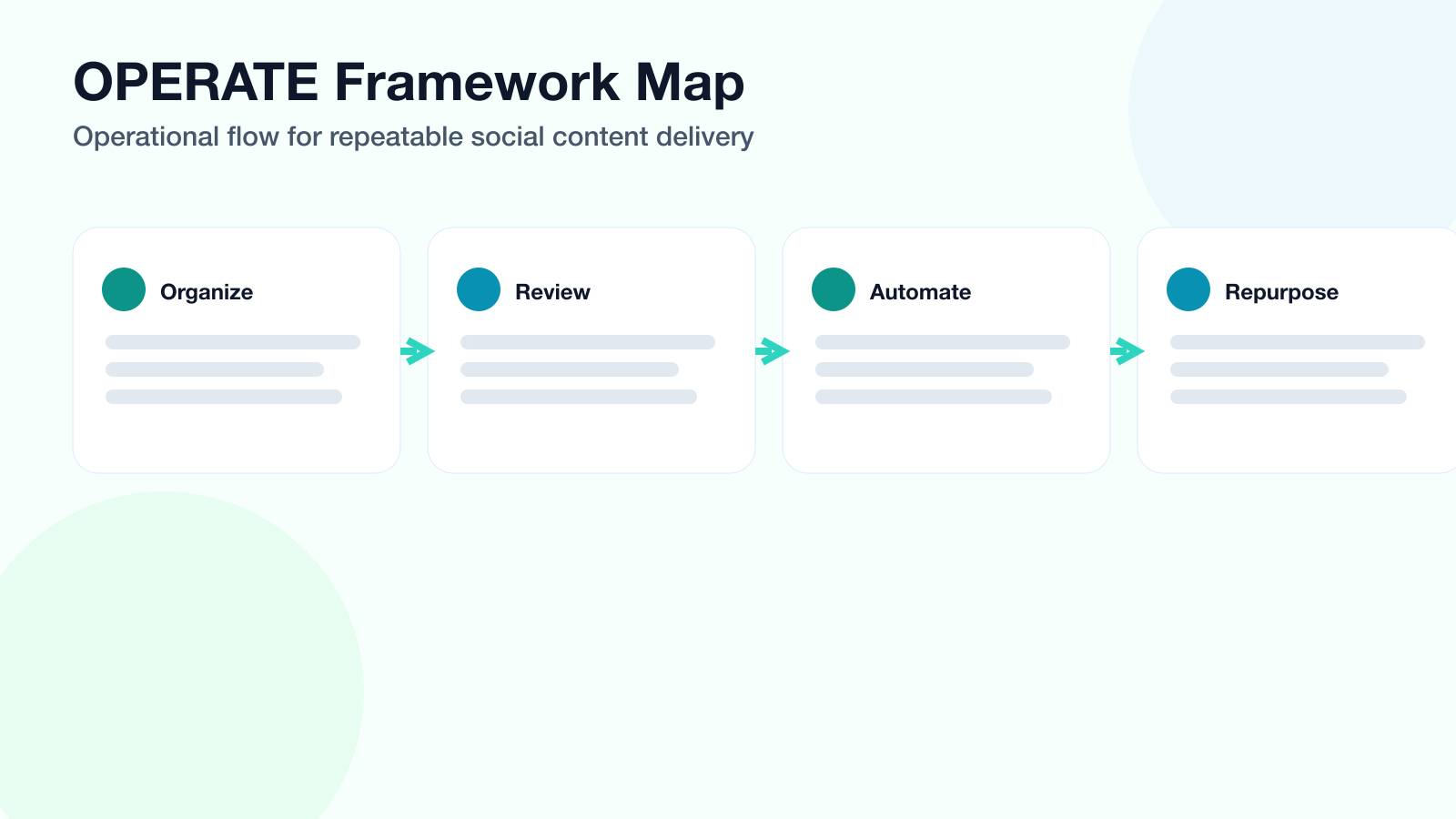
The OPERATE framework keeps content operations measurable from idea intake to repurposing.
O — Organize ideas
P — Plan by workflow stage
E — Establish ownership
R — Review with approval gates
A — Automate handoffs
T — Turn analytics into action
E — Extend through repurposing
This framework keeps operations practical.
O — Organize ideas
Content operations starts with idea capture.
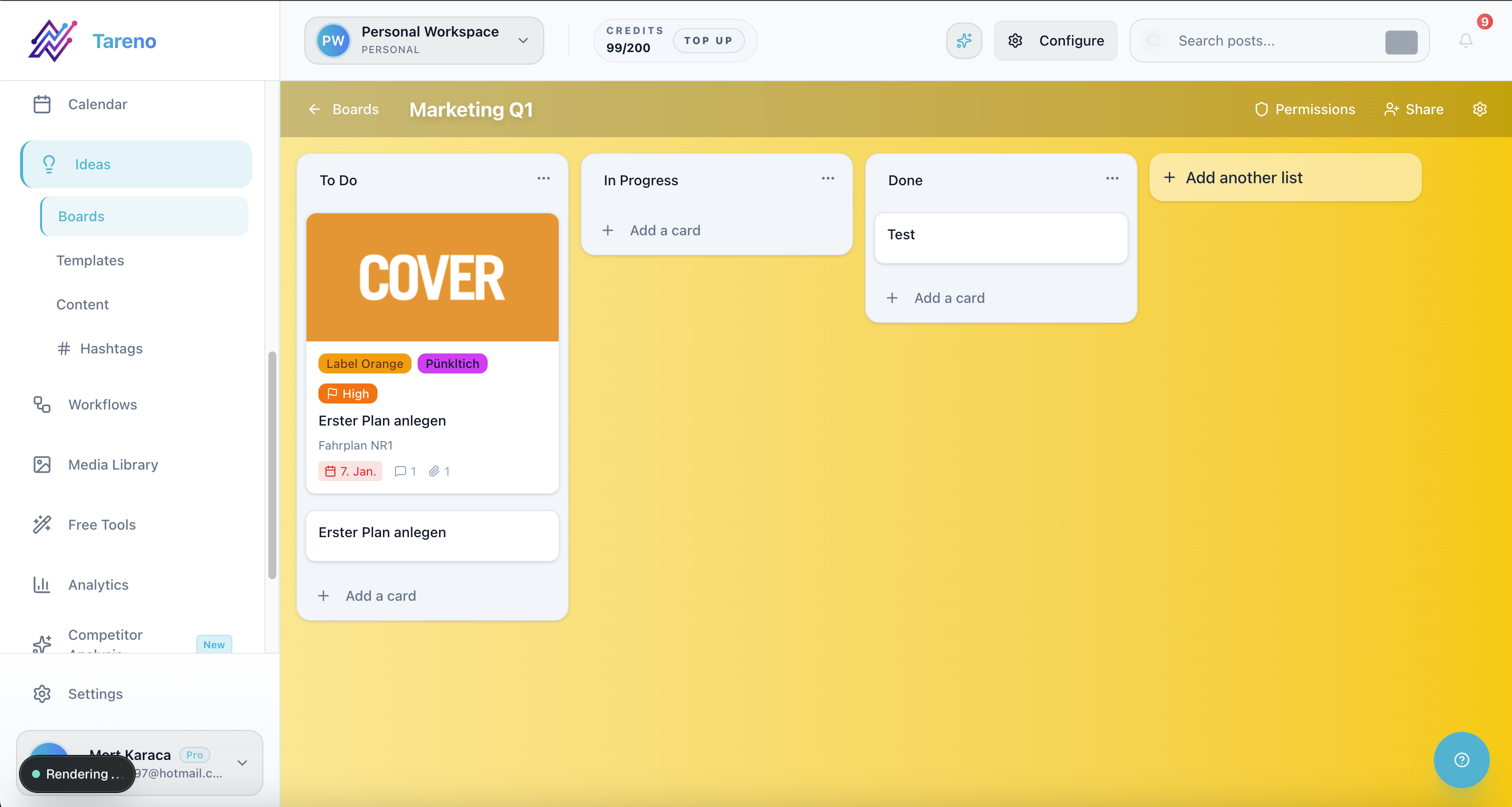
Organized idea capture is the first requirement for repeatable content operations.
Ideas should not live only in someone’s head.
Create one place for:
audience questions
customer objections
competitor insights
old high-performing posts
product use cases
campaign ideas
blog sections
video concepts
platform-specific hooks
repurposing candidates
Idea capture should be fast.
If saving an idea takes too long, the team will avoid it.
A good idea board should show:
idea
source
platform fit
owner
priority
status
internal link target
repurposing potential
The first operational win is simple:
Stop losing ideas.
P — Plan by workflow stage
A content calendar is useful, but a calendar is not enough.
Teams also need workflow stages.
Recommended stages:
Ideas
Selected
Draft
Design
Internal Review
Client/Manager Review
Changes Requested
Approved
Scheduled
Published
Measure
Repurpose
Archive
Stages show movement.
A post planned for next Tuesday is not useful if it is still missing a caption or approval.
Workflow stages make bottlenecks visible.
They help answer:
what is stuck?
who owns it?
what needs review?
what is ready to schedule?
what should be repurposed?
This is where boards become more useful than a calendar alone.
E — Establish ownership
Every content item needs an owner.
The owner does not need to do every task.
But the owner is responsible for moving the post forward.
Ownership should be clear for:
idea owner
caption owner
design owner
reviewer
final approver
scheduler
analytics owner
repurposing owner
Without ownership, content gets stuck.
A team should never need to ask:
Who is responsible for this post?
That should already be visible in the workflow.
R — Review with approval gates
Approval gates protect quality.
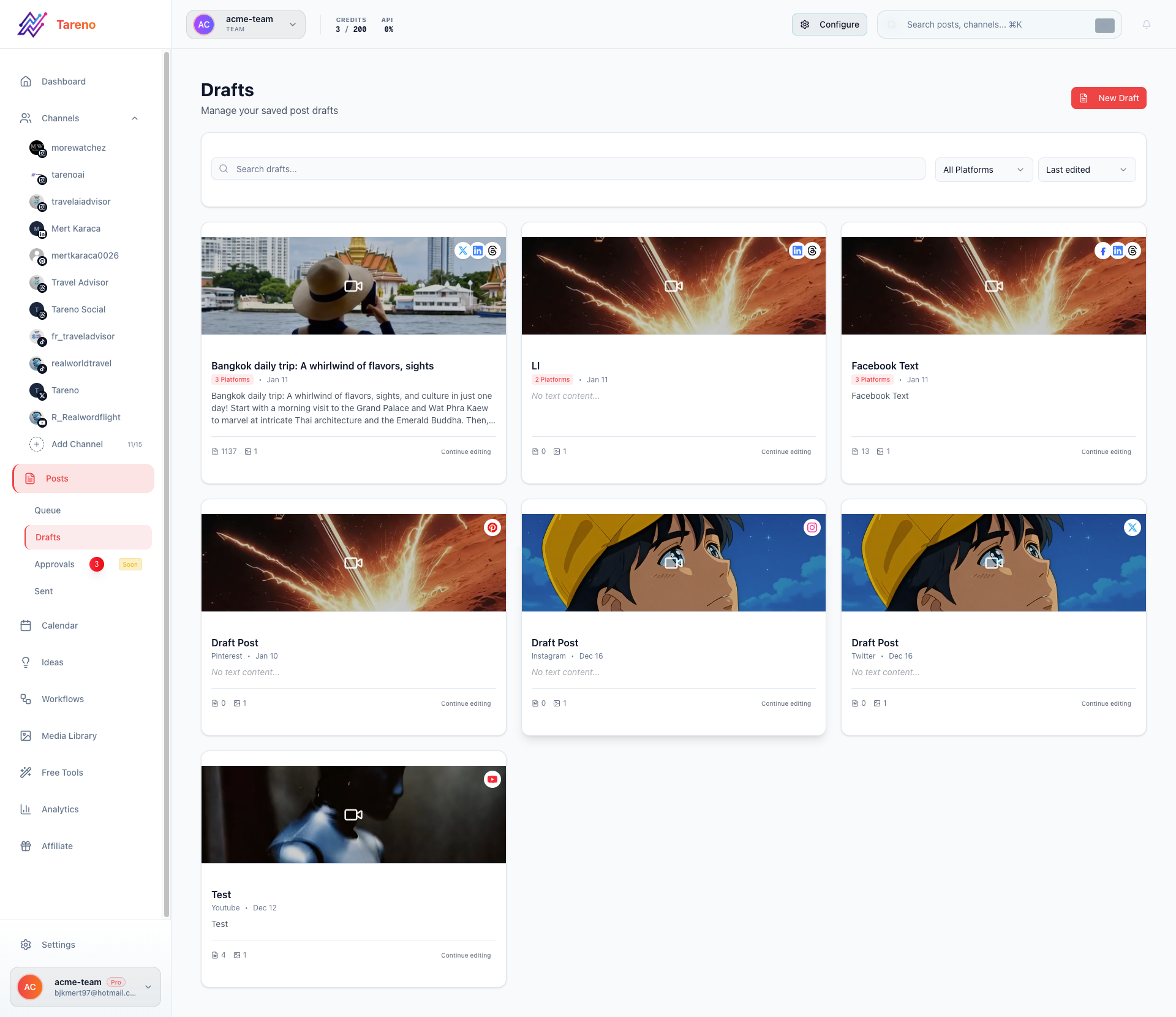
Approval gates reduce bottlenecks by making review states explicit before scheduling.
They also make operations clearer.
A simple approval gate:
Only approved posts can be scheduled.
A more advanced approval system:
low-risk content needs social lead review
product claims need product review
pricing claims need verification
competitor claims need source checks
client content needs client approval
repurposed old content needs freshness review
Approval should be tied to a specific version.
A vague Slack message saying “looks good” is not enough for high-risk content.
The workflow should show what was approved and by whom.
A — Automate handoffs
Automation should reduce manual coordination.
Useful automations include:
when draft is ready, notify reviewer
when changes are requested, notify owner
when approved, move to scheduled
when published, create measurement task
when performance exceeds benchmark, add to repurposing queue
when client approves, notify publisher
when post is scheduled, update reporting tracker
when content is repurposed, assign reviewer
Tools like Make, n8n, and APIs are useful when content operations need to connect to other systems.
But automation should not bypass review.
Automate handoffs, not judgment.
T — Turn analytics into action
Analytics should not sit in a dashboard.
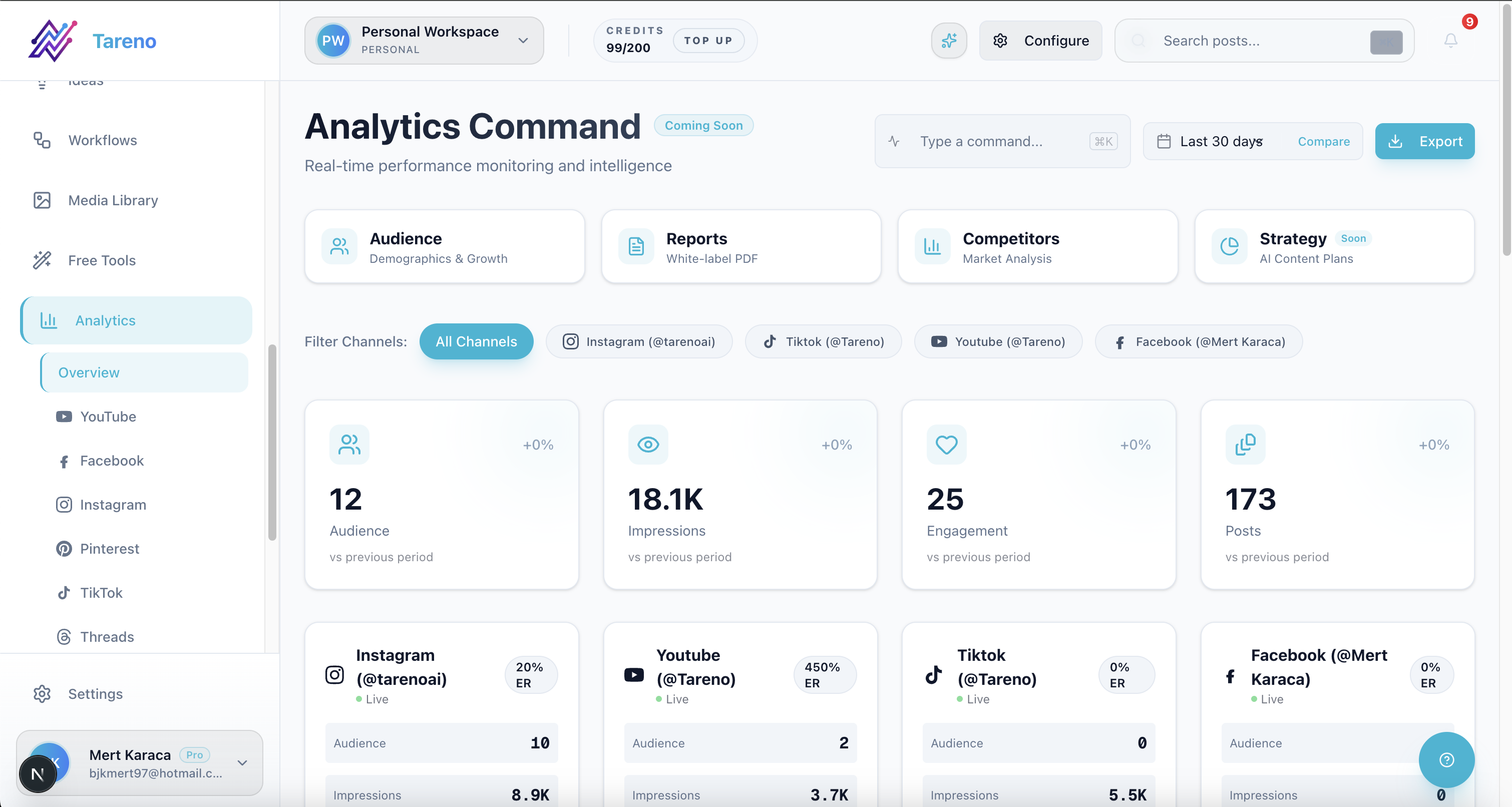
Operations mature when analytics reviews end with actions, not dashboards alone.
They should feed the next workflow.
A useful analytics review creates actions:
repurpose this post
reuse this hook
turn this topic into a blog
create a follow-up video
pause this format
update this landing page
create a comparison page
add internal links
build a content series
Content operations becomes stronger when performance data changes the next cycle.
A report that does not create action is only a record.
E — Extend through repurposing
Repurposing is the compounding layer of content operations.
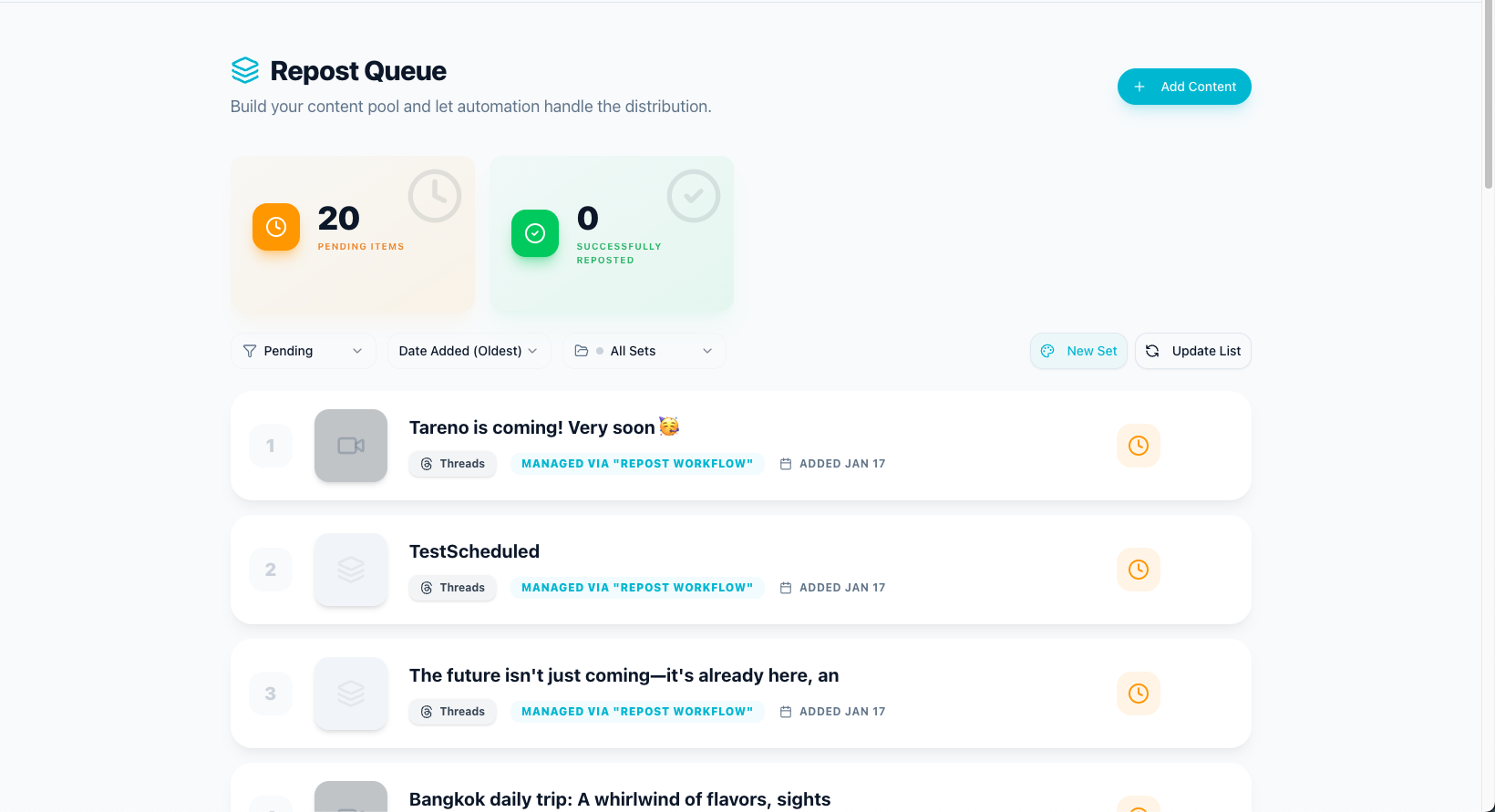
Repurposing should be an explicit stage in content operations, not an afterthought.
A strong post should not disappear after one publish.
It can become:
TikTok
Instagram Reel
Instagram carousel
Threads post
LinkedIn post
Pinterest pin
YouTube Short
blog section
newsletter tip
sales enablement point
A repurposing queue helps teams manage this.
It should include:
source post
original platform
performance reason
target platform
owner
rewrite notes
approval status
scheduled date
performance after republishing
This turns content operations into a loop.
Content operations for creators
Creators need lightweight operations.
A creator workflow might be:
Capture ideas daily.
Pick 3 to 5 ideas weekly.
Use AI for first drafts.
Edit for voice.
Schedule platform versions.
Review top posts weekly.
Repurpose winners.
Creators should avoid overbuilding too early.
The goal is to reduce daily chaos, not create a corporate process.
A creator with an assistant may add approval steps:
assistant drafts
creator edits
assistant schedules
creator reviews winners
assistant repurposes
Content operations for agencies
Agencies need stronger operations because client work creates more complexity.
Agency content operations should include:
client workspace
campaign brief
strategy board
internal review
client approval
scheduled calendar
reporting workflow
repurposing queue
activity visibility
white-label reporting
next-month action plan
The biggest operational mistake agencies make is treating reporting as the end.
A good report should create next-month tasks and repurposing actions.
This improves client value and agency margin.
Content operations for teams
Teams need operations that protect speed and quality.
A team workflow might be:
Marketing lead adds campaign themes.
Social manager creates drafts.
Designer adds assets.
Product owner checks claims.
Brand lead approves.
Content is scheduled.
Analytics are reviewed weekly.
Winners enter repurposing queue.
Make/n8n triggers reporting updates.
The more people touch content, the more important roles and activity visibility become.
Common content operations mistakes
Mistake 1: Using only a calendar
A calendar shows when content goes live, but not how it gets there.
Mistake 2: Approving in chat only
Approval should be tied to a specific version.
Mistake 3: No owner
Every content item needs a clear owner.
Mistake 4: Reporting without workflow
Analytics should create tasks, not just charts.
Mistake 5: No repurposing system
Strong posts should become future content.
Mistake 6: Automating too early
Clean the workflow before automating it.
Mistake 7: No activity visibility
Teams need to know who changed, approved, moved, or scheduled content.
How Tareno fits into content operations
Tareno is built for workflow-first social media operations.
Relevant Tareno components include:
content boards
content calendar
workflow builder
approval workflows
repurposing queue
team workspaces
roles and permissions
activity visibility
unified analytics
competitor analysis
AI captions and hashtags
API access
Make integration
n8n integration
This matters because content operations are not one feature.
They are the connection between planning, creation, review, publishing, reporting, and reuse.
Tareno helps teams manage the full loop.
Tool comparison context
Different tools solve different content operations problems.
NeedTool type that often fitsSimple schedulingBuffer-style schedulerVisual planningLater-style plannerApproval collaborationPlanable-style review toolAnalytics and reportsMetricool-style analytics toolEvergreen categoriesSocialBee-style toolBroad social managementHootsuite-style platformWorkflow-first content operationsTareno-style system
If your only problem is scheduling, a scheduler may be enough.
If your problem is the whole content lifecycle, you need content operations.
Content operations checklist
Ideas
Do ideas have one place to go?
Are audience questions saved?
Are competitor insights captured?
Are old winners marked?
Workflow
Are stages visible?
Is each item assigned?
Is the next action clear?
Are blockers visible?
Approval
Are reviewers assigned?
Is approval tied to the correct version?
Are publish gates enforced?
Are risky claims verified?
Publishing
Is the calendar connected to workflow stages?
Are platform versions adapted?
Are scheduled posts approved?
Reporting
Are top posts identified?
Do reports create tasks?
Are insights connected to planning?
Repurposing
Do winners enter a queue?
Are repurposed versions reviewed?
Are second-wave results measured?
Automation
Are handoffs automated?
Are Make/n8n/API workflows useful?
Is human approval preserved?
Related Tareno resources
Build your operating baseline from the feature set and run execution with the workflow builder.
For approvals and release readiness, pair the approval workflow with post scheduling.
Close the loop using analytics reports, then benchmark stack fit via the compare hub and the Later alternative plus Planable alternative pages.
FAQ
What are social media content operations?
Social media content operations are the systems and workflows that manage content from idea to draft, review, approval, scheduling, publishing, reporting, repurposing, and improvement.
How are content operations different from a content calendar?
A content calendar shows when content goes live. Content operations manage the full process that gets content ready, approved, published, measured, and reused.
Why do teams need social media operations?
Teams need social media operations when content involves multiple people, approvals, reporting, repurposing, platform adaptation, or workflow automation.
What should a social media operations workflow include?
It should include idea capture, workflow stages, owners, approvals, scheduling, analytics, repurposing, activity visibility, and automation handoffs.
Can content operations be automated?
Yes. Handoffs, notifications, reporting updates, repurposing tasks, and status movement can be automated with workflow builders, Make, n8n, or API workflows. Human approval should remain for sensitive decisions.
Which tool is best for social media content operations?
It depends on the bottleneck. Buffer is good for scheduling. Later is good for visual planning. Planable is good for approvals. Metricool is good for analytics. Tareno is strong for workflow-first content operations, repurposing, approvals, Make, n8n, API, roles, and activity visibility.
Final thoughts
Random posting does not scale.
A team can publish consistently for a while with effort and discipline, but once volume grows, operations matter.
A strong social media content operations system helps teams capture ideas, create content, review it, schedule it, publish it, measure it, repurpose it, and improve the next cycle.
The goal is not more process for the sake of process.
The goal is less chaos.
Primary CTA: Explore Tareno features to see how boards, calendar, workflow builder, approvals, repurposing queue, analytics, Make, n8n, API, roles, and activity visibility work together.
Secondary CTA: Compare Tareno with Buffer, Later, Planable, Metricool, and SocialBee on the compare hub.


