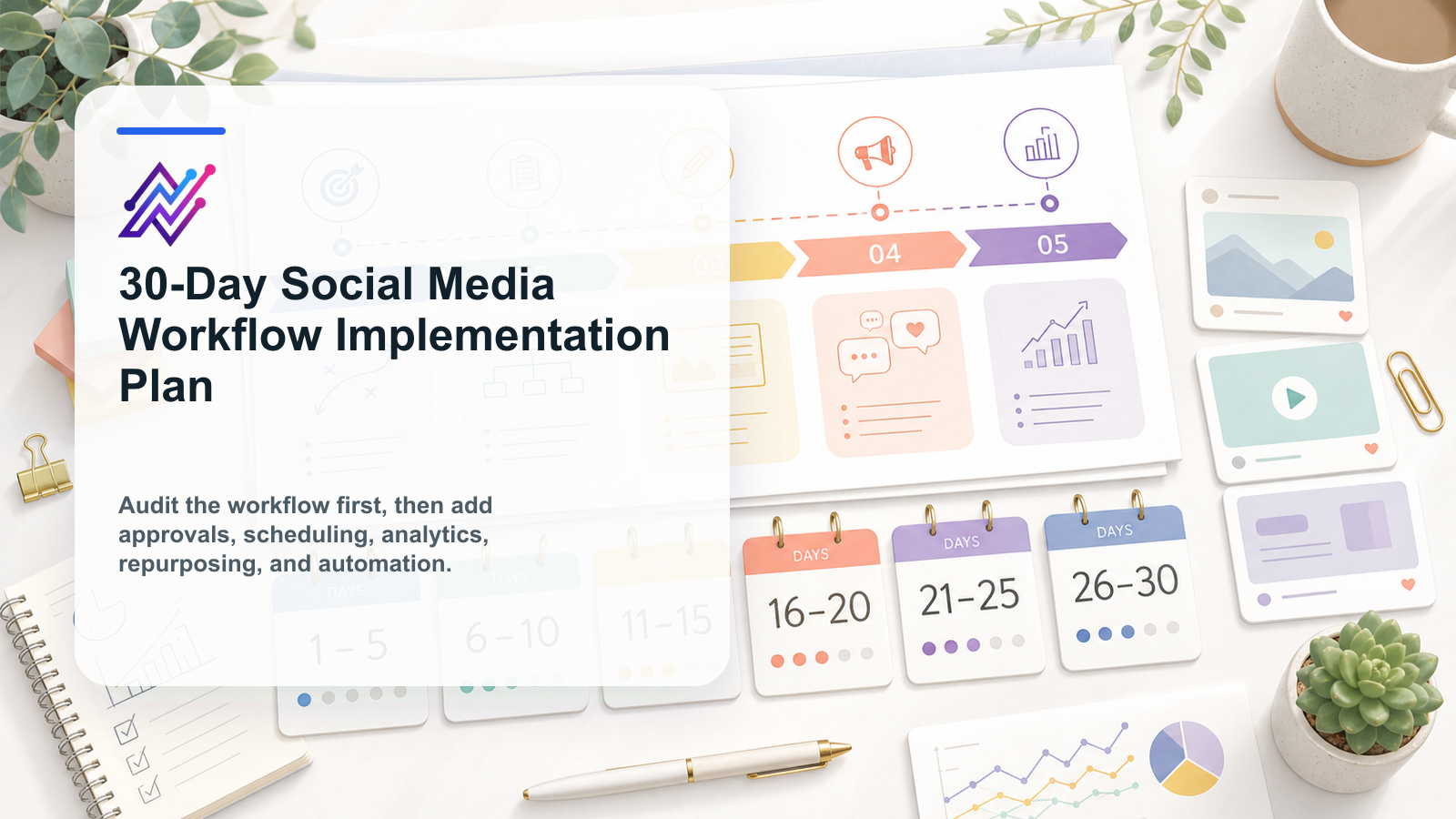
Building a better social media workflow does not need to take six months.
Most teams can make a meaningful change in 30 days if they focus on the right order.
The mistake is trying to fix everything at once.
A team starts with automation before the workflow is clear.
Or it builds reports before defining what decisions the reports should create.
Or it creates approval rules without assigning owners.
A better approach is progressive.
First, clean the current workflow.
Then define stages and ownership.
Then add approvals.
Then connect post scheduling so the calendar reflects a workflow that already has owners and review rules.
Then add analytics reports, a structured content repurposing workflow, and lightweight automation.
This 30-day plan helps creators, agencies, startups, SaaS teams, and content teams implement a practical social media workflow without overbuilding.
TL;DR
Use this 30-day structure:
Week 1: Audit the current workflow and find bottlenecks.
Week 2: Build the core workflow: boards, owners, statuses, approvals, and calendar.
Week 3: Add analytics, repurposing, and lightweight automation.
Week 4: Test, document, improve, and scale.
The key rule:
Do not automate a broken workflow.
Automation comes after the workflow is clear.
What this plan is designed to fix
This plan is useful if your team struggles with:
inconsistent publishing
scattered ideas
unclear ownership
slow approvals
weak reporting
unused old content
no repurposing process
no activity visibility
too many manual reminders
AI drafts with no review or a defined approval workflow
Make/n8n workflows that are hard to maintain without a clear workflow builder model
scheduled posts that are not connected to strategy
The goal is not to create a perfect system.
The goal is to create a workflow that people actually use.
Before day 1: define the outcome
Before starting, define what success means.
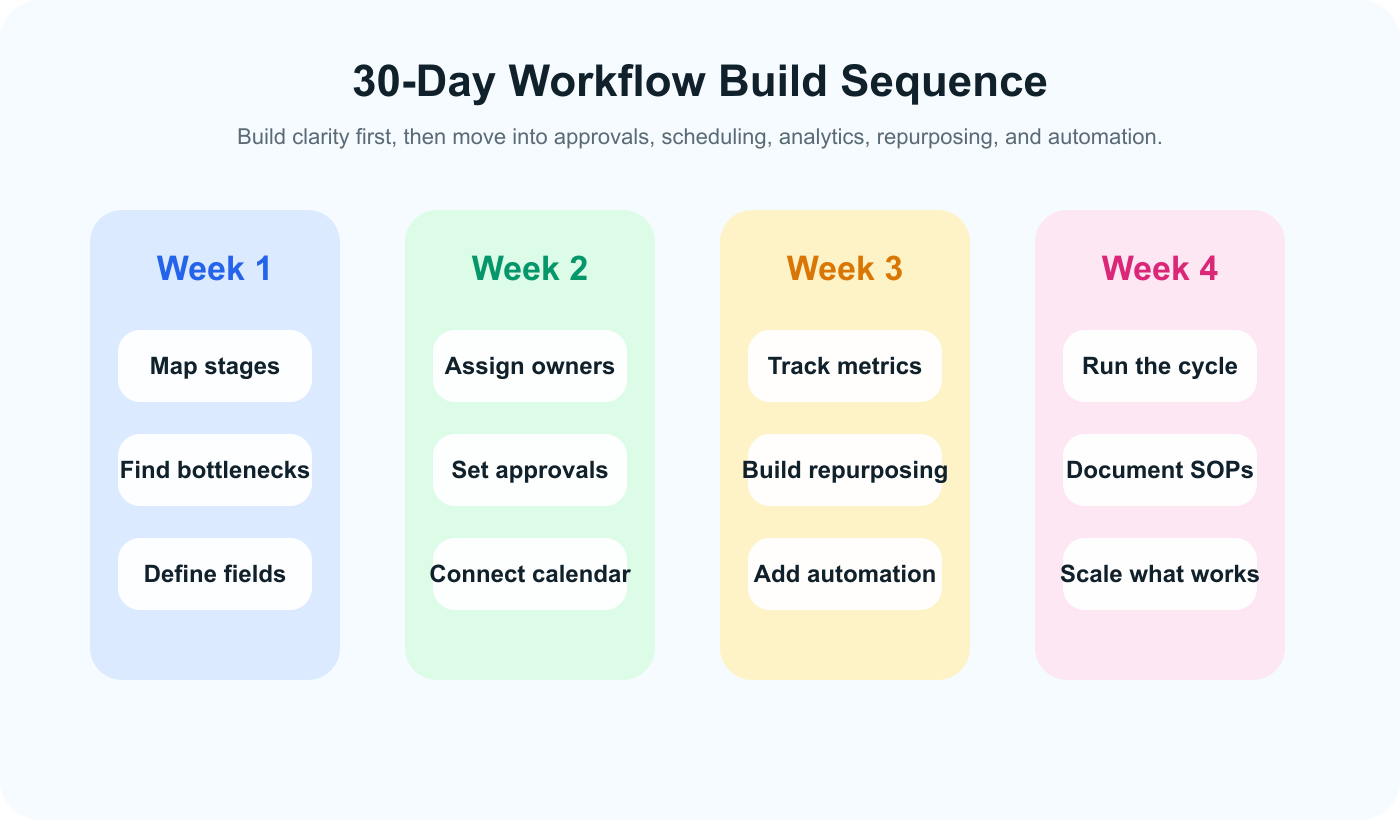
The fastest 30-day implementation sequence starts with clarity, then adds control, measurement, and automation in order.
Choose 3 to 5 outcomes.
Examples: if you already know the team needs faster drafting, pair the rollout with an Instagram caption generator so AI rules are tested inside the workflow instead of outside it.
publish consistently across priority platforms
reduce approval delays
stop losing content ideas
make reporting create next actions
build a repurposing queue
connect approved posts to scheduling
automate reviewer notifications
assign clear owners to every content item
make old winners easier to reuse
Write the outcome clearly.
Example:
By the end of 30 days, every social post should have an owner, status, approval state, scheduled date, measurement date, and repurposing decision.
That is specific enough to implement.
Week 1: Audit and simplify
Week 1 is about understanding the current workflow.
Do not build yet.
Map first.
Week 1: audit and simplify the workflow
Day 1: Map the current workflow
Write down how content currently moves.
Use this structure:
StageCurrent toolOwnerProblemIdeasNotes / SlackEveryoneIdeas get lostDraftsGoogle DocsCopywriterNo status visibilityApprovalEmailClientVersion confusionSchedulingSchedulerSocial managerNot connected to approvalReportingPDFAccount managerNo next actions
Be honest.
The current process may not be pretty.
That is fine.
You cannot improve what you cannot see.
Day 2: Identify the top 3 bottlenecks
Do not fix everything.
Choose the top 3 bottlenecks.
Common bottlenecks:
ideas are not captured
posts are waiting on review
client approvals are slow
scheduled posts are missing final assets
reports do not create tasks
high-performing posts are not reused
AI drafts are too generic
no one knows who owns the next step
Rank them by impact.
Ask:
If we fixed only one thing this month, what would make the biggest difference?
That answer should guide the implementation.
Day 3: Choose core workflow stages
Create a simple status system.
Recommended statuses:
Idea
Selected
Draft
Asset Needed
Internal Review
Changes Requested
Approved
Scheduled
Published
Analyze
Repurpose
Archive
Do not create 25 statuses.
A workflow that is too detailed becomes hard to maintain.
Start simple.
Add complexity only if the team truly needs it.
Day 4: Define content item fields
Every content item should have required fields.
Use:
title
source
platform
format
owner
status
caption
asset
reviewer
approver
publish date
approval state
measurement date
repurposing decision
This creates structure.
A post should not exist only as a chat message.
Day 5: Clean active content
Review all currently active content.
Classify each item:
keep in workflow
needs owner
needs review
ready to schedule
should be archived
should become repurposing candidate
This prevents old chaos from entering the new system.
Week 1 deliverables
By the end of Week 1, you should have:
current workflow map
top 3 bottlenecks
selected workflow statuses
required content fields
cleaned active content list
Do not move to automation yet.
Week 2: Build the operating workflow
Week 2 creates the system the team will use.
Week 2: add ownership, approvals, and the calendar
Day 6: Create your content board
Set up a board with the workflow stages.
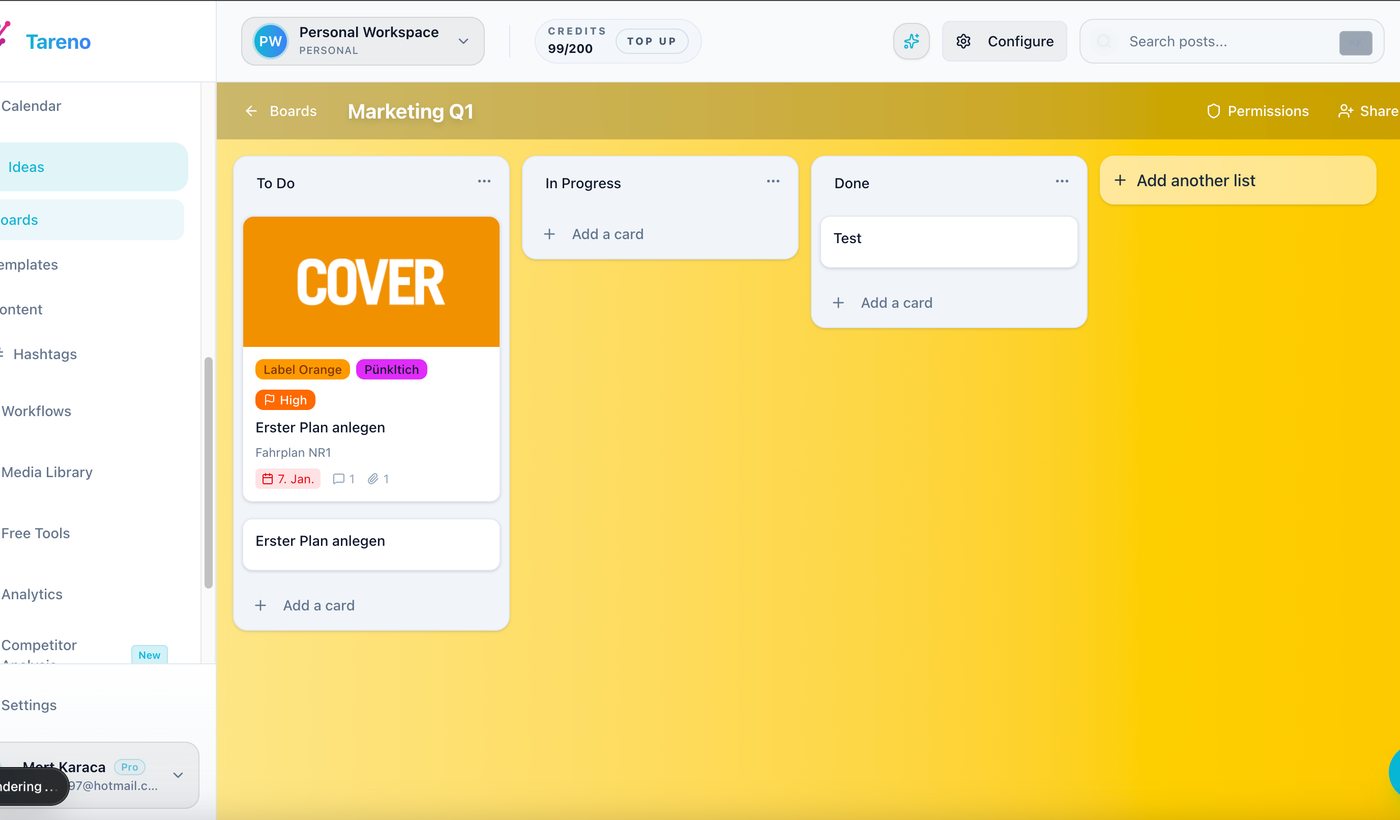
A shared content board keeps workflow stages, owners, and priorities visible before scheduling begins.
Each item should move from idea to archive or reuse.
Board columns:
Idea
Selected
Draft
Internal Review
Changes Requested
Approved
Scheduled
Published
Analyze
Repurpose
Archive
A board gives visibility.
The team can see what is stuck.
Day 7: Assign owners
Every active content item needs an owner.
Owner rules:
one owner per item
owner moves the item forward
owner does not need to do every task
owner is responsible for next action
This prevents vague accountability.
If no one owns a post, it will eventually stop moving.
Day 8: Add approval rules
Define approval by risk level.
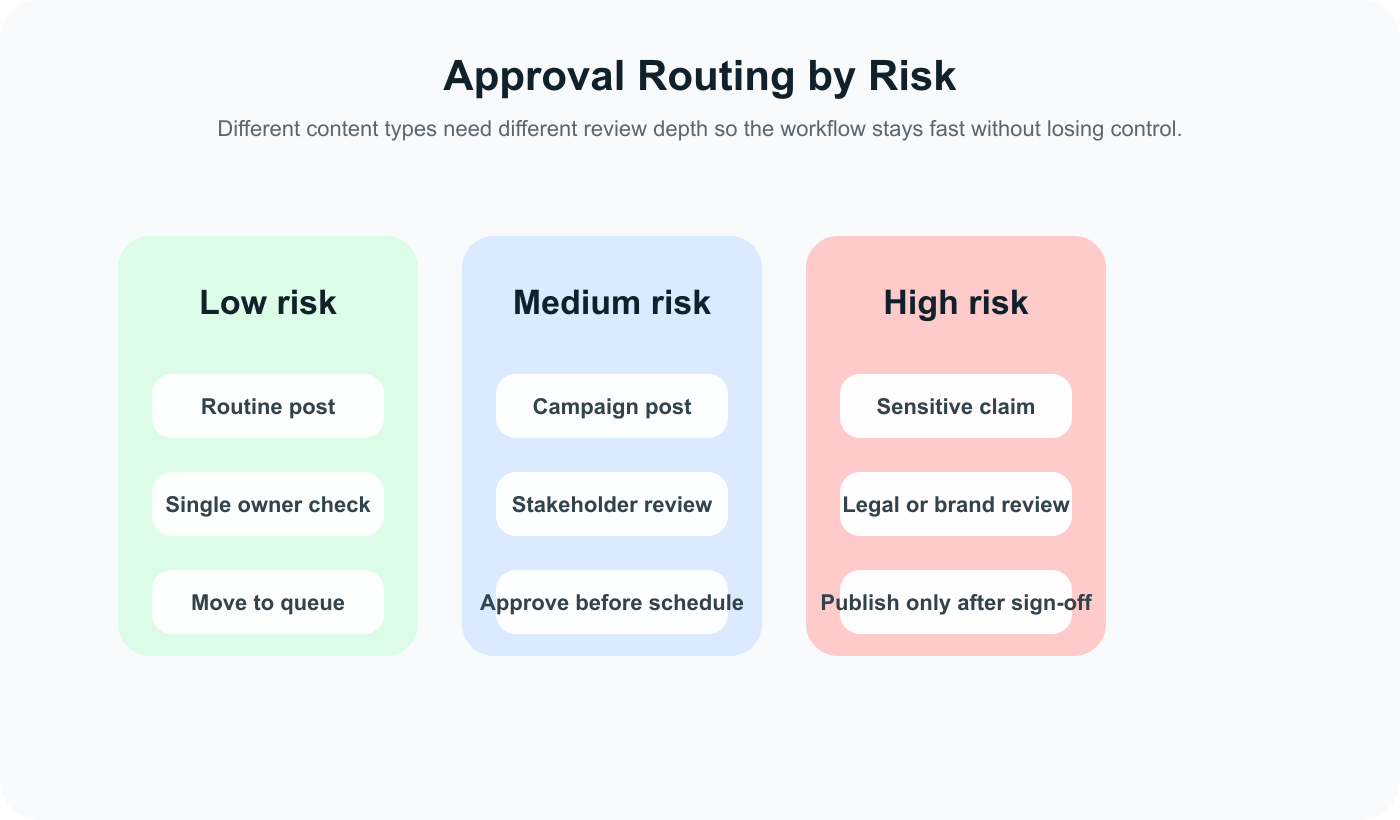
Approval rules should scale with risk so simple posts move fast and sensitive posts get the extra review they need.
Low-risk
Evergreen tips, simple engagement posts, basic educational content.
Approval:
owner review or light internal review
Medium-risk
Campaign content, product education, customer examples.
Approval:
internal review and manager approval
High-risk
Pricing, competitor claims, legal-sensitive posts, sponsor posts, client content, product launch claims.
Approval:
version-specific approval and publish gate
The rule should be simple:
High-risk content cannot be scheduled until approved.
Day 9: Connect the calendar
Your calendar should not be separate from workflow.
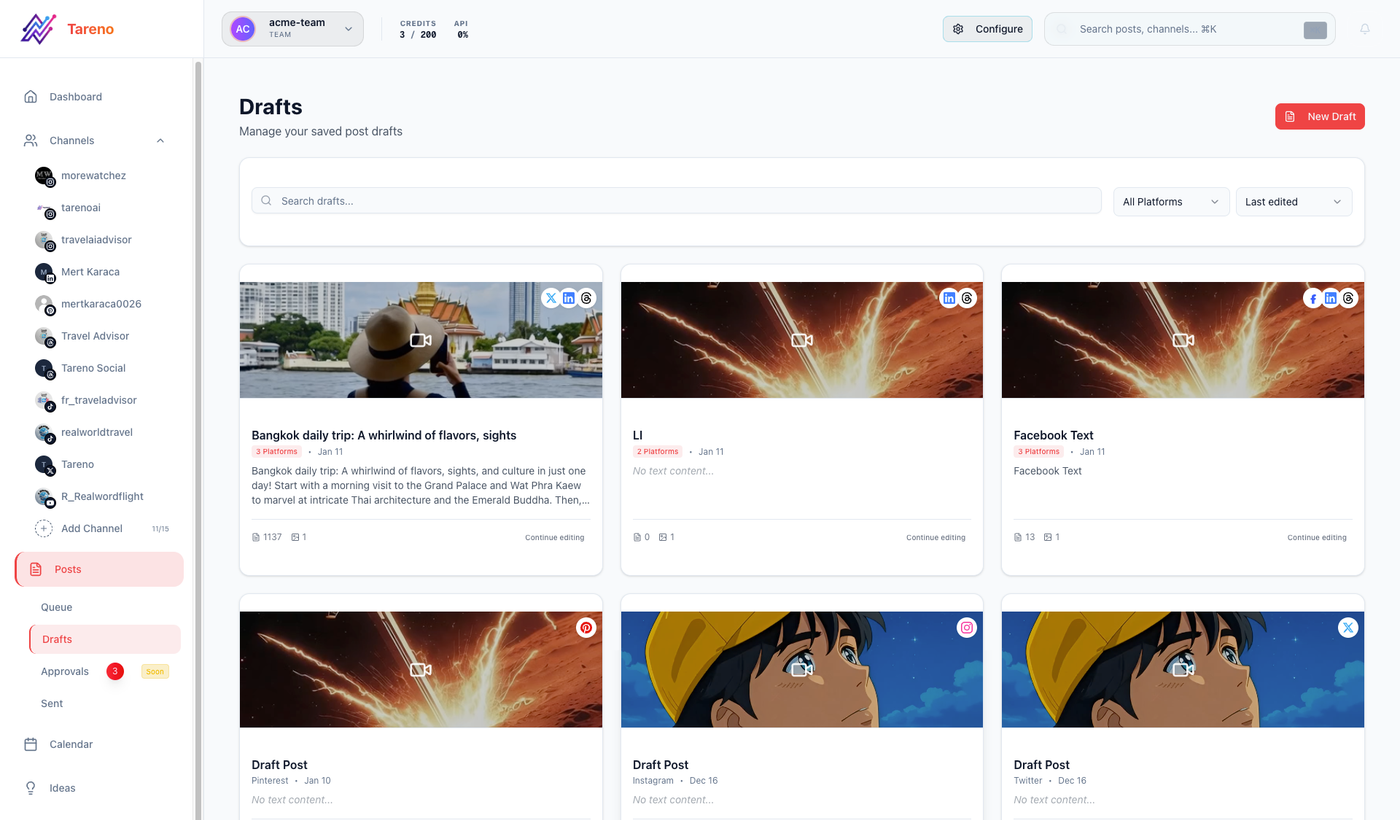
Approval rules work best when teams can see which drafts are ready, blocked, or still missing revisions.
Each scheduled post should show:
platform
owner
status
approval state
publish date
campaign
asset
source idea
A date is not enough.
A post should only be scheduled as final when approved.
Day 10: Create a weekly planning ritual
Set one weekly planning time.
Agenda:
Review active board.
Choose content for the week.
Assign owners.
Check approval blockers.
Review upcoming scheduled posts.
Add analytics tasks.
Add repurposing tasks.
Keep it short.
A consistent ritual makes the workflow real.
Week 2 deliverables
By the end of Week 2, you should have:
content board
owner rules
approval rules
connected calendar
weekly planning ritual
Now the workflow can function.
Week 3: Add analytics, repurposing, and automation
Week 3 adds leverage.
Week 3: connect analytics, repurposing, and automation
Day 11: Define your core metrics
Choose metrics by goal.
Awareness
reach
impressions
video views
follower growth
Engagement
comments
saves
shares
replies
watch time
Traffic
clicks
CTR
landing page visits
Conversion
signups
trials
demo requests
purchases
Do not track every metric equally.
Choose the metrics that create decisions.
Day 12: Create a measurement stage
After publishing, content should move to Analyze.
Set a measurement date.
Examples:
24 hours for fast posts
7 days for standard posts
30 days for Pinterest/search-driven posts
campaign end date for campaigns
The analytics owner reviews performance and marks one decision:
repeat
repurpose
improve
pause
archive
A report should create a decision.
Day 13: Build the repurposing queue
Create a queue for content worth reusing.
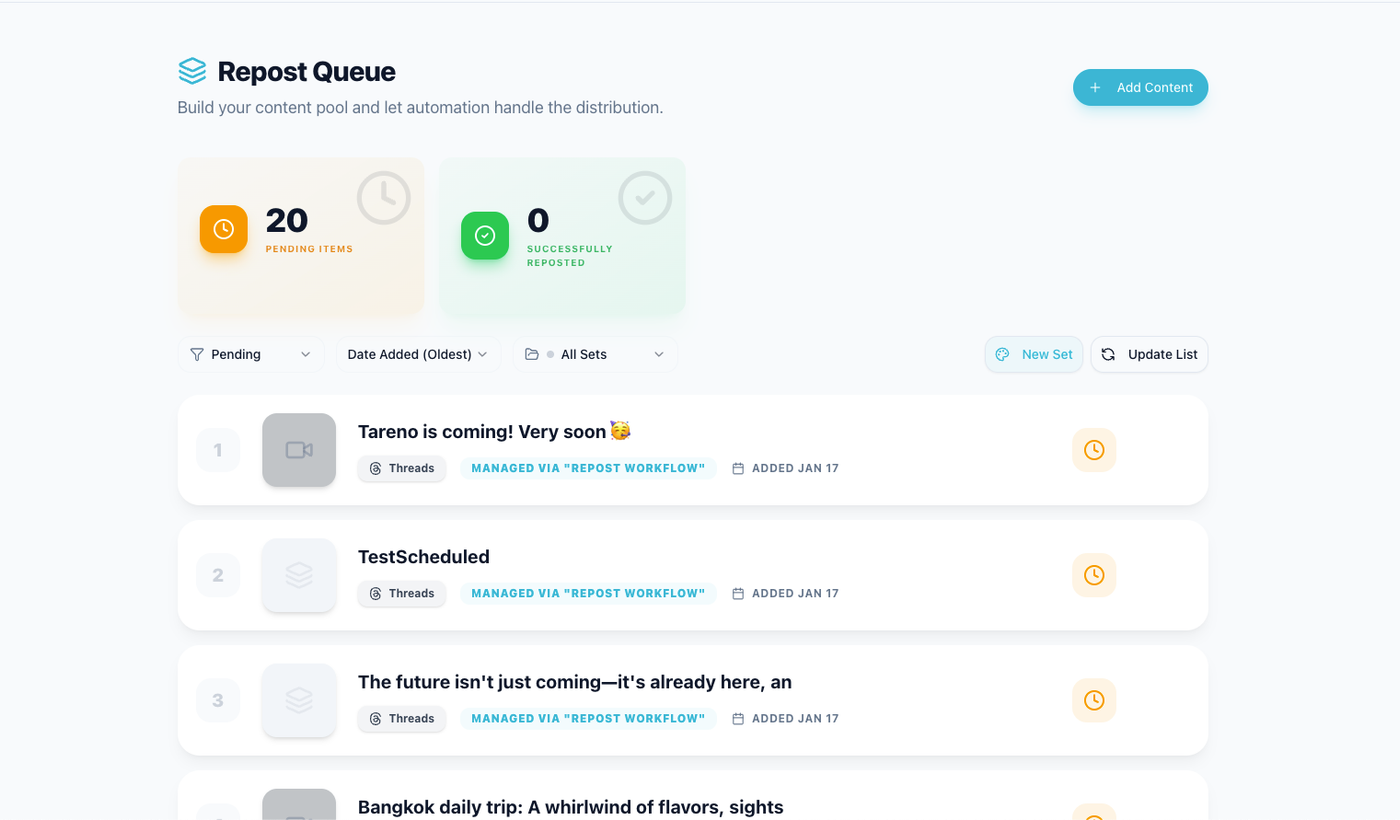
Repurposing queues make sure strong posts become reusable assets instead of one-time wins.
Fields:
source post
performance signal
target platform
new format
owner
approval needed
due date
scheduled date
second-wave result
Example:
SourceSignalTargetStatusInstagram carouselHigh savesPinterest pinDraftLinkedIn postHigh clicksBlog sectionReviewTikTok videoHigh watch timeYouTube ShortScheduled
This prevents winners from disappearing.
Day 14: Add AI drafting rules
AI can help, but it needs process.
Allowed AI uses:
caption drafts
hook variations
hashtag suggestions
platform rewrites
carousel outlines
short-form scripts
repurposing ideas
Review rule:
AI output is a draft, not final approved content.
High-risk AI content needs human review.
Day 15: Add your first automation
Start with one low-risk automation.
Good first automations:
Draft ready -> notify reviewer
Changes requested -> notify owner
Approved -> move to scheduled
Published -> create measurement task
High performer -> create repurposing task
Do not start with auto-publishing.
Automate handoffs first.
Day 16: Connect Make, n8n, or API only where useful
Use Make, n8n, or API workflows when social content needs to connect to other systems.
Examples:
approved post -> Google Sheet row
published post -> Slack notification
report completed -> Notion task
top post -> Airtable repurposing queue
blog published -> social draft task
client approval -> CRM note
Keep integrations documented.
Every automation should have an owner.
Week 3 deliverables
By the end of Week 3, you should have:
core metric list
measurement stage
repurposing queue
AI drafting rules
one to three automations
Make/n8n/API plan if needed
Now the workflow has leverage.
Week 4: Test, document, and scale
Week 4 is about stability.
Week 4: test, document, and scale
Day 17: Run a real content cycle
Take real content through the full workflow:
Idea
Draft
Review
Approval
Schedule
Publish
Analyze
Repurpose
Do not use fake test content.
Use real posts.
Real content reveals real friction.
Day 18: Fix what breaks
Look for:
unclear ownership
missing fields
weak approval rules
too many statuses
missed notifications
broken integrations
unclear measurement dates
repurposing tasks with no owner
Fix the workflow before adding more complexity.
Day 19: Create a simple SOP
Document the workflow.
Include:
statuses
required fields
owner rules
approval rules
AI usage rules
measurement process
repurposing process
automation list
escalation rules
Keep it short.
A 2-page SOP that people use is better than a 20-page process nobody reads.
Day 20: Train the team
Run a short walkthrough.
Show:
how to add an idea
how to assign an owner
how to request review
how approval works
how to schedule
how to measure
how to add repurposing tasks
what automations exist
Make sure everyone knows their role.
Day 21: Review results
After the first real cycle, ask:
Did posts move faster?
Were approvals clearer?
Did the calendar stay accurate?
Did reporting create decisions?
Did repurposing happen?
Did automation reduce manual work?
Did anyone feel confused?
Use answers to improve.
Day 22 to Day 30: Scale carefully
Add more:
more profiles
more team members
more clients
more automations
more repurposing
more reporting workflows
But scale gradually.
Do not rebuild every old workflow at once.
The goal is adoption.
30-day implementation checklist
## Week 1: Audit
- [ ] Current workflow mapped
- [ ] Top 3 bottlenecks identified
- [ ] Statuses selected
- [ ] Required fields defined
- [ ] Active content cleaned

## Week 2: Workflow setup
- [ ] Content board created
- [ ] Owners assigned
- [ ] Approval rules defined
- [ ] Calendar connected
- [ ] Weekly planning ritual scheduled

## Week 3: Leverage
- [ ] Core metrics defined
- [ ] Measurement stage created
- [ ] Repurposing queue built
- [ ] AI drafting rules defined
- [ ] First automation launched
- [ ] Make/n8n/API needs reviewed

## Week 4: Stabilize
- [ ] Real content cycle tested
- [ ] Broken steps fixed
- [ ] SOP created
- [ ] Team trained
- [ ] Results reviewed
- [ ] Scale plan created
How Tareno fits this implementation plan
Tareno is useful when teams want this workflow inside one system.
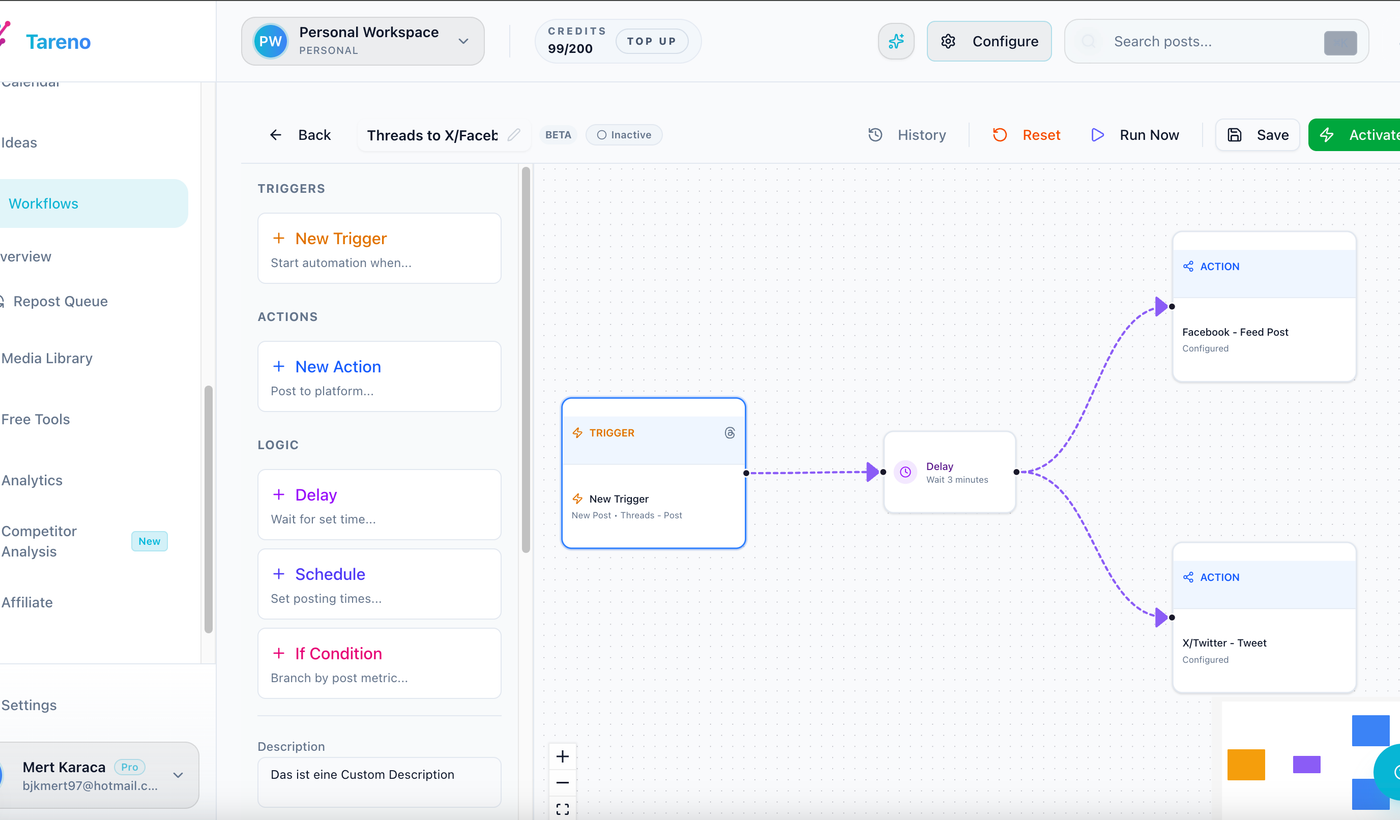
Automation belongs after the workflow is clear, so triggers and actions reinforce the process instead of masking gaps.
Relevant Tareno components include:
content boards
content calendar
approval workflows
workflow builder
repurposing queue
analytics
competitor analysis
AI captions and hashtags
team workspaces
roles and permissions
activity visibility
Make integration
n8n integration
API access
This matters because the 30-day plan depends on connecting stages.
A disconnected stack can still work, but it requires more manual coordination.
A workflow-first system reduces handoffs.
Common implementation mistakes
Mistake 1: Starting with automation
Automation should come after workflow clarity.
Mistake 2: Too many statuses
Keep the system simple enough to use daily.
Mistake 3: No owner
Every content item needs one person responsible for movement.
Mistake 4: Reporting without action
A late-stage review should still end in a next move, which is why teams often pair analytics reports with a repurposing or scheduling step instead of treating reporting as the last stop.
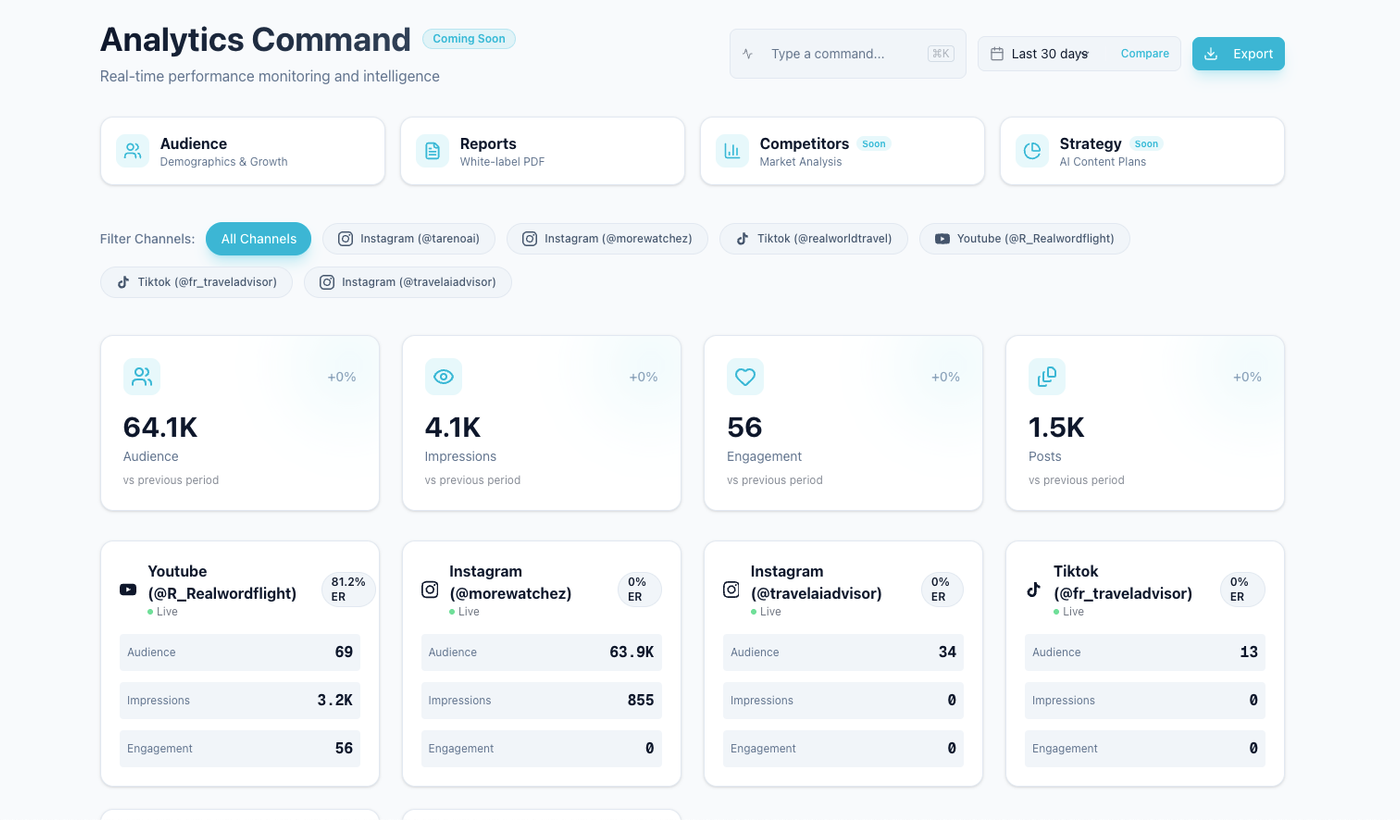
Reporting becomes useful when the team can see the signal and decide what to do next.
Reports should create decisions.
Mistake 5: No repurposing queue
Winning content should not disappear after publishing.
Mistake 6: No SOP
If the workflow only lives in someone’s head, it will break.
Related Tareno resources
Workflow builderMap stages, owners, approvals, and automation logic in one social media workflow system.Post schedulingMove approved content into a live queue only after the planning workflow is stable.Analytics & reportsTurn weekly measurement into concrete next actions instead of passive reporting.Repurposing workflowConvert strong posts into a repeatable second-wave content system.
FAQ
How long does it take to implement a social media workflow?
A practical workflow can usually be implemented in 30 days if the team focuses on audit, workflow setup, approvals, analytics, repurposing, and only a few automations at first.
What should a social media workflow include?
It should include ideas, drafts, owners, statuses, approvals, scheduling, publishing, analytics, repurposing, and workflow automation where useful.
Should I automate social media workflows immediately?
No. First define the workflow, owners, statuses, and approval rules. Then automate repetitive handoffs.
What is the most important part of workflow setup?
Ownership and approval rules are usually the most important because they prevent content from getting stuck or publishing before review.
How do Make and n8n fit into social media workflows?
Make and n8n can automate handoffs, reporting updates, repurposing tasks, approval notifications, and external system syncs.
How do I know if the workflow is working?
The workflow is working when posts move through stages clearly, approvals are visible, reports create decisions, winners are repurposed, and the team spends less time chasing updates.
Final thoughts
A better social media workflow is not built by adding more tools.
It is built by making content movement clear.
Start with the audit.
Build simple stages.
Assign owners.
Add approval rules.
Connect scheduling.
Measure performance.
Repurpose winners.
Then automate the handoffs.
That is enough to create a real improvement in 30 days.
Primary CTA: Explore Tareno features to see how boards, calendar, approvals, repurposing queue, analytics, workflow builder, Make, n8n, API, roles, and activity visibility support this 30-day implementation plan.
Secondary CTA: Compare Tareno with other social media management tools on the compare hub.