

A SaaS product launch usually begins long before the public announcement.
The engineering team finishes the feature.
Product confirms the final behavior.
Design prepares screenshots.
Marketing decides the positioning.
Support needs the right explanation.
Sales needs the new talking points.
Then social media receives a short message:
The feature is live. Please create some posts.
That is where many launch workflows break.
The social team may not know:
the final feature name
the exact audience
the real use case
which claims are approved
which screenshots are current
what is already live
which platforms should receive the announcement
whether the content needs localization
who gives final approval
what happens after launch day
The result is either slow production or generic content.
A stronger launch system connects product information to a controlled campaign workflow.
Tareno can act as the operating layer.
AI agents can transform approved release information into drafts.
n8n, Make, and Zapier can connect product systems to the campaign.
Codex can work from technical and repository context.
Tareno can handle approvals, platform versions, scheduling, publishing, analytics, and repurposing.
The goal is not to automate the launch blindly.
The goal is to remove repeated work while protecting product accuracy.
TL;DR
A practical SaaS launch workflow looks like this:
confirm the feature is actually ready
create an approved release brief
define audience, message, proof, CTA, and restrictions
create a launch campaign board
generate platform-native drafts
review every product claim
approve the exact assets and captions
schedule a launch sequence, not one isolated post
localize selected assets for priority markets
measure launch-day and second-wave performance
turn questions and winners into follow-up content
archive approved language and lessons for future releases
The key rule is:
Automate from approved product truth, not from unfinished assumptions.
Why product launches need a workflow
A launch contains several types of risk.
Product risk
The content may describe a feature that:
changed before release
is not available to every plan
works differently by platform
is still in staged rollout
has an important limitation
Brand risk
The announcement may:
overpromise
use hype without proof
confuse existing customers
position the product incorrectly
conflict with the website
Operational risk
The team may:
publish too early
use the wrong screenshot
schedule in the wrong timezone
post from the wrong account
forget an approval
publish duplicate messages
Measurement risk
The launch may end without:
tracking
feedback collection
follow-up posts
repurposing
learning
A structured workflow addresses all four.
The launch operating model
A strong launch has six layers.
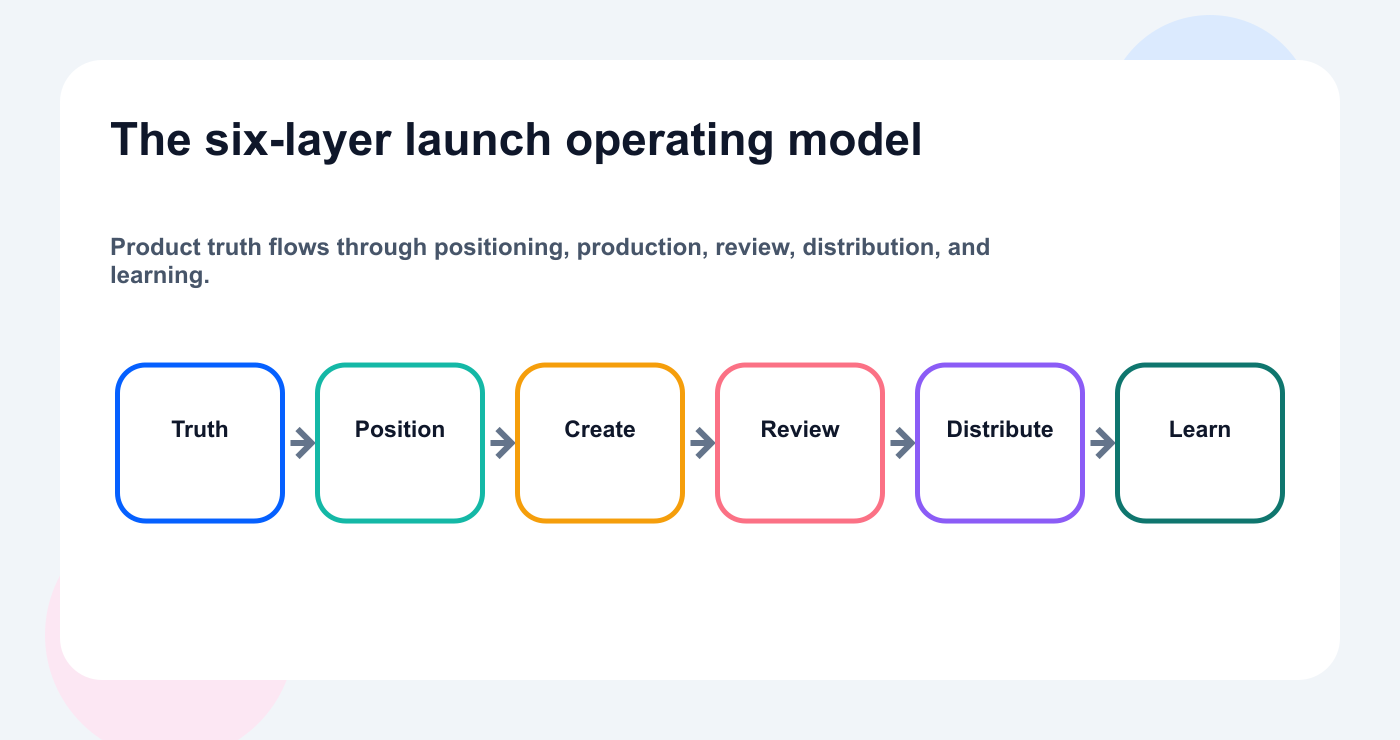
A repeatable launch connects approved facts to distribution and a measurable learning loop.
1. Product truth
The approved facts.
2. Positioning
Why the feature matters.
3. Content production
The campaign assets.
4. Review and approval
The quality and risk controls.
5. Distribution
The calendar and publishing sequence.
6. Learning
Analytics, questions, feedback, and repurposing.
Architecture:
Product release
  ↓
Approved release brief
  ↓
Campaign board
  ↓
Platform and language variants
  ↓
Product and marketing review
  ↓
Tareno approval
  ↓
Scheduled launch sequence
  ↓
Analytics and comments
  ↓
Follow-up content
Ground the campaign in product truth
Step 1: define what “ready” means
A feature should not enter the public launch workflow because a developer says:
It works locally.
Define a release-ready state.
Checklist:
- [ ] Production deployment complete
- [ ] Final feature name approved
- [ ] User-facing behavior confirmed
- [ ] Known limitations documented
- [ ] Supported accounts or platforms documented
- [ ] Pricing or plan availability confirmed
- [ ] Screenshots updated
- [ ] Help documentation ready
- [ ] Landing page ready
- [ ] Support brief ready
- [ ] Rollback or incident owner defined
The social workflow should begin after this state is reached.
Step 2: create the release brief
The release brief is the source of truth.
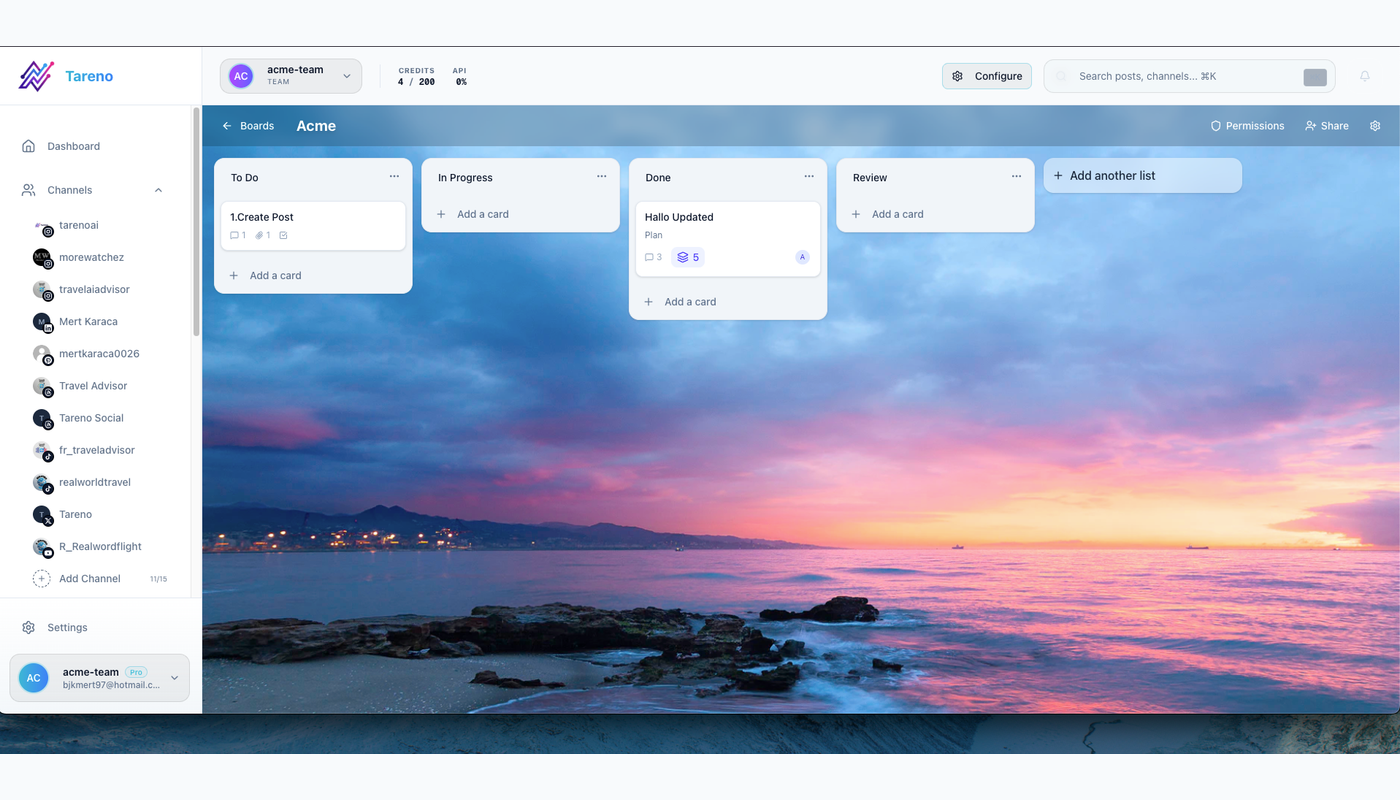
A visible release brief gives every launch asset the same approved source of truth.
Template:
Feature name:
Internal release ID:
Release date:
Product owner:
Target audience:
Primary problem:
Primary use case:
Main value:
How it works:
Supported platforms:
Availability:
Known limitations:
Approved claims:
Claims to avoid:
Primary CTA:
Landing page:
Documentation:
Screenshots:
Demo video:
Support contact:
Final approvers:
Every draft should connect to this brief.
If the feature changes, update the brief before updating 20 posts manually.
Step 3: separate product facts from marketing interpretation
Product facts:
what the feature does
who can access it
what inputs it accepts
which platforms it supports
known limitations
Marketing interpretation:
why it matters
which pain it removes
how it changes a workflow
which audience should care
what makes the release interesting
Keep both visible.
The AI agent can help with interpretation.
It should not invent product facts.
Step 4: choose the launch angle
One release can support several angles.
Problem angle
Managing AI-generated social posts is easy until the agent can publish to the wrong account.
Workflow angle
Draft, approve, schedule, and analyze agent-generated content in one system.
Product angle
Tareno now exposes social tools through MCP.
Founder angle
We did not want AI agents to publish without control, so we built approval-first actions.
Technical angle
Connect Codex, OpenClaw, or Hermes to Tareno through a remote MCP server.
Customer angle
Agencies can separate workspaces and keep client publishing reviewable.
The campaign should select the angles deliberately.
Create and approve the campaign
Step 5: create a launch asset matrix
A launch is not one post.
Move approved campaign assets into a shared post scheduling view so channel timing is visible before launch day.
Use a matrix.
AssetPurposePlatformOwnerReviewLaunch announcementAwarenessLinkedInMarketingProductFounder postNarrativeLinkedIn/ThreadsFounderMarketingShort demoDemonstrationTikTok/Reels/ShortsVideoProductTechnical guideEducationBlogContentProductBluesky postCommunityBlueskySocialMarketingMastodon postContextMastodonSocialMarketingFAQ postObjectionsMultipleSupportProductComparison postIntentBlog/socialContentLegal/marketingEmailActivationNewsletterLifecycleProductChangelogAccuracyProductProductProduct
Tareno can represent these items on a campaign board and calendar.
Step 6: generate platform-native drafts
Prompt:
Use the approved release brief to create native drafts for LinkedIn, Threads, Bluesky, Mastodon, X, Facebook, and a short-form video script. Do not introduce claims outside the brief. Save drafts only.
Each platform should have a different execution.
business context
use case
product lesson
clear CTA
Threads
conversational founder angle
short rhythm
discussion prompt
Bluesky
concise product insight
low-hype
self-contained
Mastodon
more context
community-aware
technical explanation where useful
X
fast announcement
strong hook
optional thread
accessible explanation
clear customer benefit
Short-form video
immediate hook
demonstration
simple explanation
visible payoff
CTA
Step 7: create a founder narrative
Feature announcements often perform better when they explain the reason behind the release.
Founder post structure:
original problem
what users were doing before
why existing workflows were insufficient
what the team built
product principle
who should try it
CTA
Example:
We kept seeing AI agents become better at creating content, but the execution layer was still either manual or dangerously open.
So we built a workflow where the agent can inspect, draft, and prepare social actions while the user keeps final approval.
The founder post should add perspective.
It should not duplicate the changelog.
Step 8: create a demo-first asset
A product demo should show the workflow.
Example for an MCP release:
connect Tareno
list accounts
ask the agent for drafts
show the pending action
approve in Tareno
show the scheduled post
Example for Get Viral Now:
paste YouTube URL
show transcript analysis
show hook and structure
generate original script
save as draft
adapt by platform
The demo should prove the product claim visually.
Step 9: use Get Viral Now for launch content
A launch demo or founder interview can become a source.
Workflow:
Launch video
  ↓
Get Viral Now
  ↓
Transcript analysis
  ↓
Content atoms
  ↓
Short-form scripts
  ↓
Tareno drafts
Extract:
product principle
problem
example
objection
founder story
customer use case
technical explanation
Do not reuse the same clip or caption everywhere.
Step 10: add product review
Product review should verify:
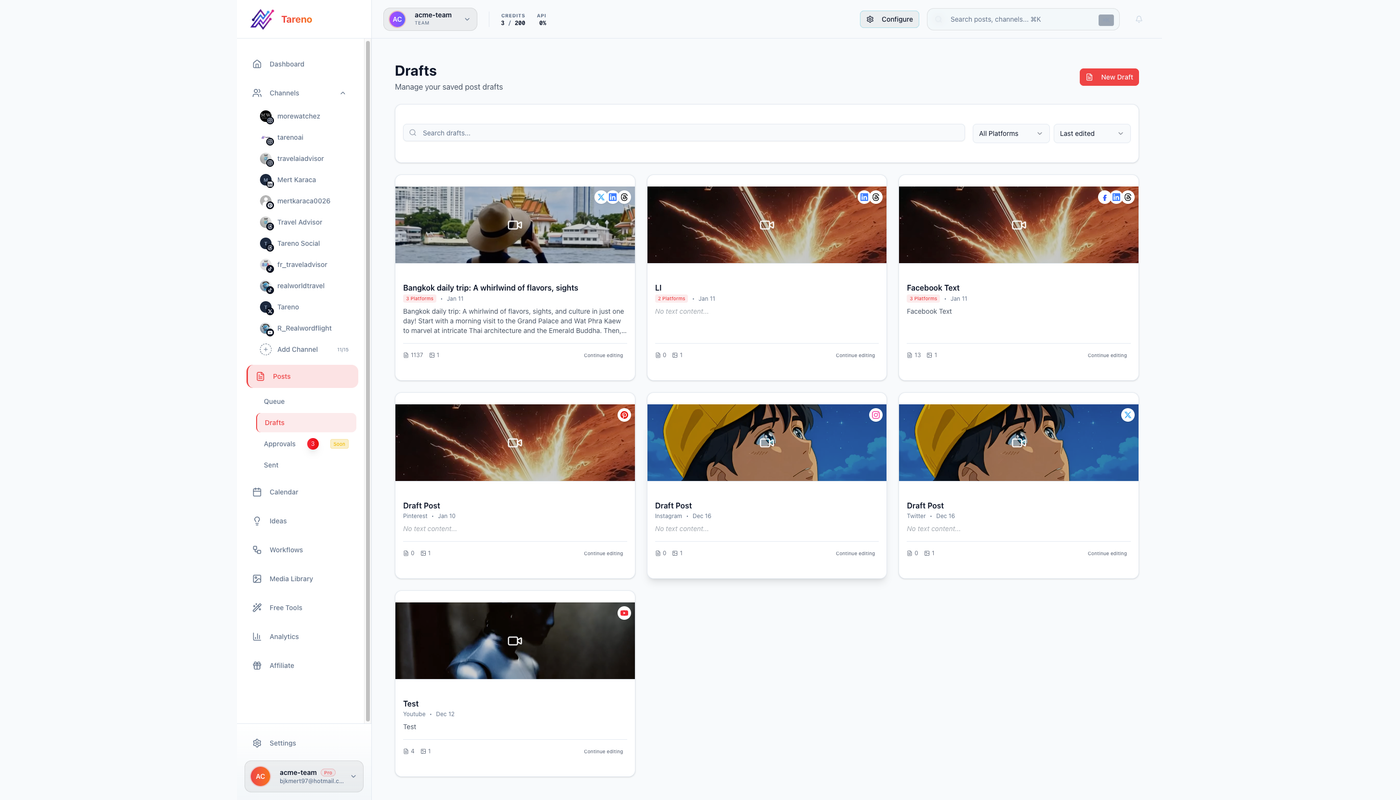
Product and marketing reviewers should approve the exact copy, asset, account, and timing.
feature name
availability
supported platforms
screenshot accuracy
limitations
technical terminology
CTA destination
claims
timeline
Product reviewers should not rewrite every sentence.
They should focus on accuracy.
Marketing should own clarity and platform fit.
Step 11: add marketing review
Marketing review should check:
positioning
audience fit
hook
brand voice
platform adaptation
campaign consistency
CTA
timing
duplication
The launch needs both product accuracy and communication quality.
Step 12: approve the exact final version
Approval should include:
An approval workflow should bind the decision to the exact copy, media, account, and scheduled time.
account
platform
caption
asset
link
CTA
date
time
timezone
language
campaign
disclosure if relevant
If the feature changes after approval, identify affected assets.
Reapprove material changes.
Automate launch production safely
Step 13: automate from GitHub or a release system
A deterministic workflow can begin when the release state changes.
Possible triggers:
GitHub release published
Linear issue marked released
Jira version released
Productboard feature launched
Notion release status approved
Supabase record updated
internal webhook
Flow:
Release marked ready
  ↓
Load approved release brief
  ↓
Create Tareno campaign items
  ↓
Generate drafts
  ↓
Product review
  ↓
Marketing approval
Do not trigger public publishing directly from a code merge.
A merge does not always mean customer-ready.
Step 14: use Codex for technical launch workflows
Codex can read:
repository context
release notes
documentation
code examples
implementation details
Prompt:
Use the approved release notes and documentation to create one technical LinkedIn post, one developer-oriented Bluesky thread, one Mastodon explanation, and one launch FAQ. Do not infer unsupported behavior. Save drafts through Tareno.
This is useful for developer tools and SaaS products.
Tareno remains the publishing layer.
Step 15: use ChatGPT for campaign planning
Prompt:
Review the release brief, target audience, previous launch analytics, and available platforms. Propose a two-week launch content sequence. Do not create drafts until the plan is approved.
ChatGPT can help decide:
launch-day message
follow-up education
FAQ
proof
comparison
founder narrative
second-wave repurposing
Step 16: use OpenClaw or Hermes Agent
An agent can coordinate a launch across several systems.
Prompt:
Review the release brief and current Tareno campaign. Identify missing assets, drafts waiting for review, account gaps, and schedule conflicts. Do not publish anything.
After review:
Create the missing drafts and route them to the correct reviewers.
The agent acts as an operator.
Tareno controls external effects.
Step 17: automate with n8n
n8n launch workflow:
Release-ready webhook
  ↓
Load release data
  ↓
Validate required fields
  ↓
AI generates campaign drafts
  ↓
Risk and claim classifier
  ↓
Tareno drafts
  ↓
Product reviewer notification
Add deterministic rules:
If pricing field is present,
route to finance/product review.

If client result is present,
route to customer success.

If feature is beta,
add beta language to every draft.
Step 18: automate with Make
Make scenario:
Watch release database
  ↓
Filter approved releases
  ↓
Router by platform
  ↓
Router by language
  ↓
Tareno drafts
  ↓
Approval notifications
Make is useful for visually representing:
platforms
languages
review branches
assets
follow-up tasks
Use Data Store to prevent duplicate campaign creation.
Step 19: automate with Zapier
Simpler workflow:
New approved release in Airtable
  ↓
Create launch brief
  ↓
Generate LinkedIn and Bluesky drafts
  ↓
Create Tareno drafts
  ↓
Notify product reviewer
Zapier is useful for smaller launch systems.
Use n8n or Make when the campaign needs many branches.
Step 20: use Tareno Workflow Builder
Native workflow examples:
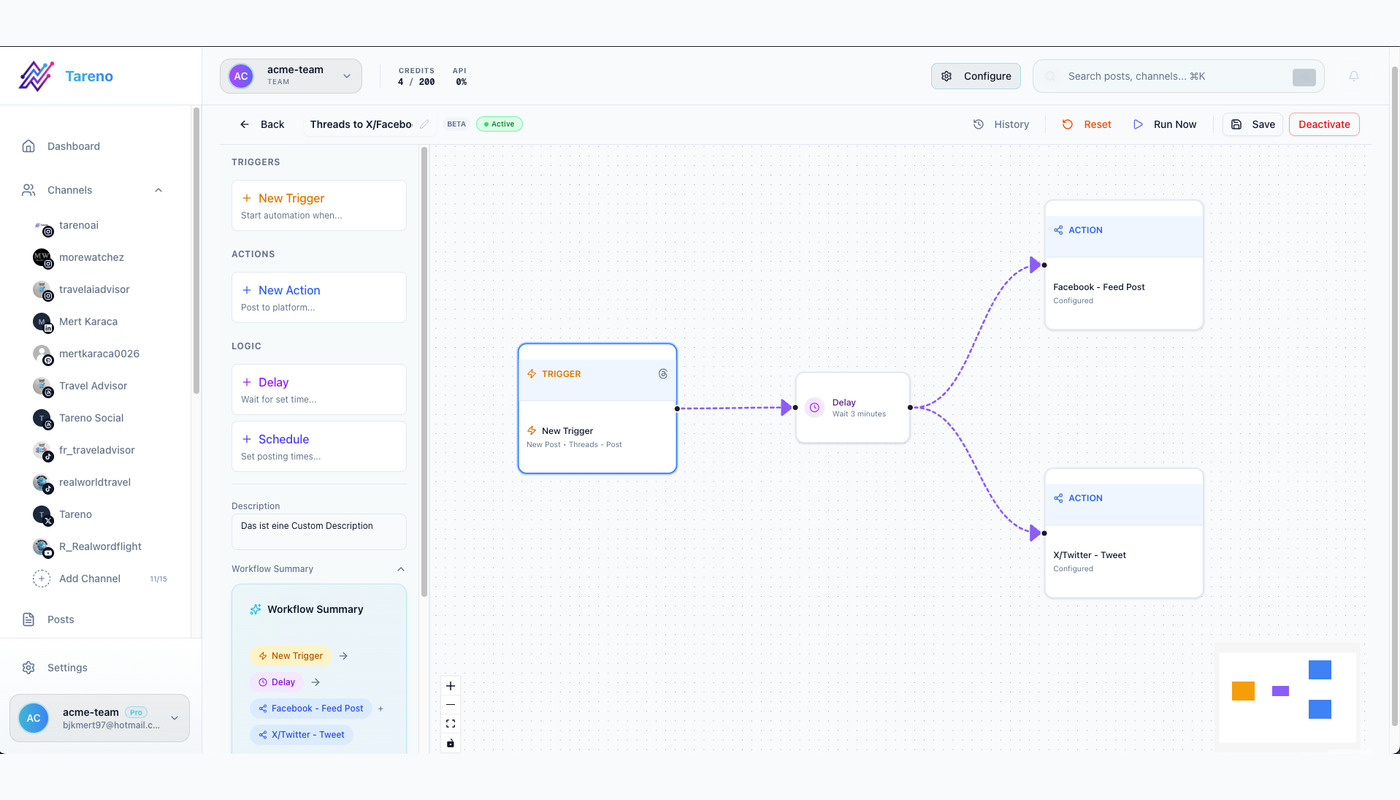
A visible workflow turns release events into reviewable campaign work rather than immediate publishing.
A reusable workflow builder turns release events into controlled campaign work instead of immediate publishing.
product-approved draft → marketing review
marketing approval → scheduling preparation
launch post published → create seven-day analytics task
high-performing launch post → repurposing queue
LinkedIn announcement approved → create delayed Bluesky and Mastodon versions
launch campaign completed → postmortem task
Use native logic when the process stays inside Tareno.
Sequence and operate the launch
Step 21: build a launch timeline
Example:
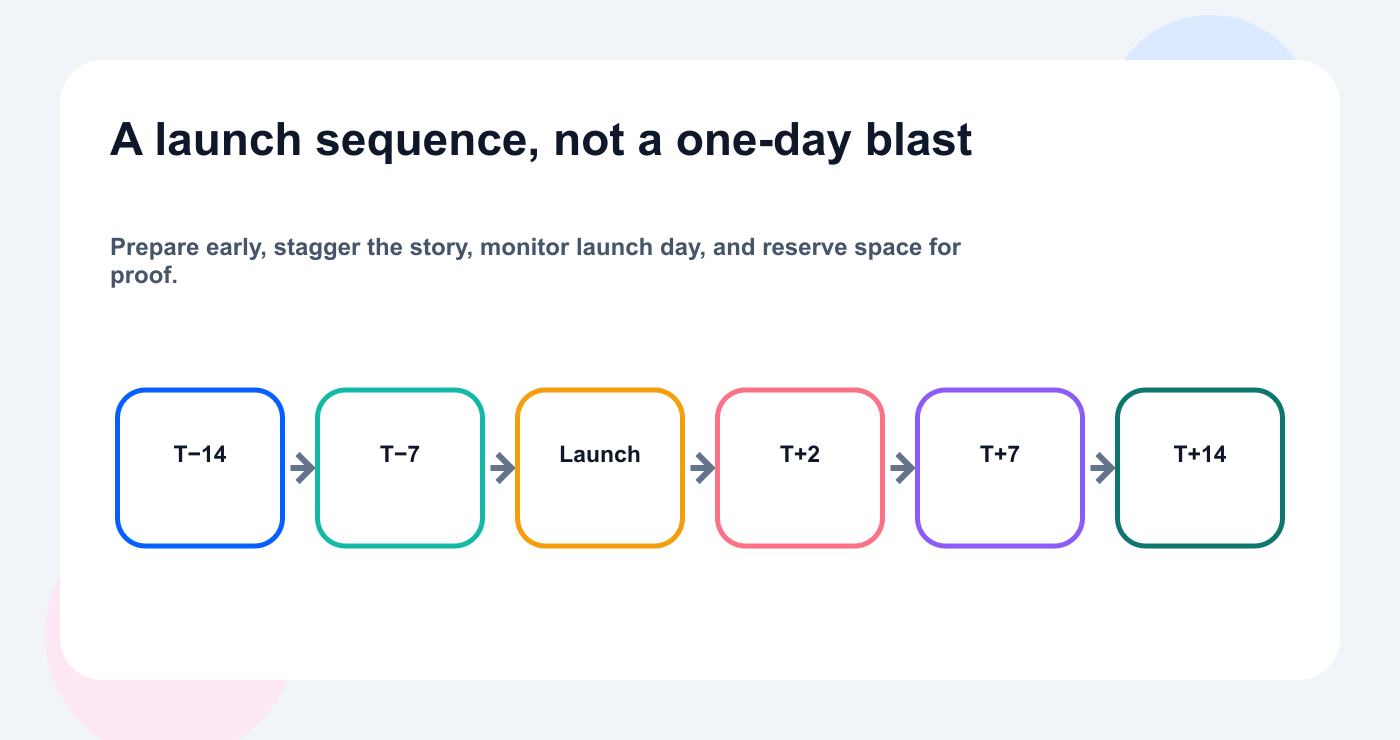
A staged launch leaves room for education, proof, customer questions, and follow-up content.
T-14 days
finalize release brief
create asset matrix
create draft campaign
prepare landing page
T-10 days
product review
video recording
technical article
multilingual selection
T-7 days
marketing review
founder post
email draft
social drafts
T-3 days
final screenshots
final approval
schedule confirmation
support brief
Launch day
primary announcement
founder post
demo
community response
T+2 days
FAQ
objection handling
technical explanation
T+7 days
analytics review
strongest-angle follow-up
T+14 days
postmortem
repurposing queue
evergreen content
Step 22: plan a sequence instead of a blast
A launch sequence can include:
problem
teaser
announcement
demo
use case
FAQ
founder lesson
customer proof
comparison
recap
Publishing everything on launch day wastes future opportunities.
Use a staggered calendar.
Step 23: localize selected assets
Tareno supports workflows across:
English
German
French
Spanish
Portuguese
Russian
Italian
Japanese
Arabic
Do not translate every launch asset automatically.
Prioritize:
primary announcement
main demo
product-education post
FAQ
landing-page CTA
Workflow:
Approved master
  ↓
Market selection
  ↓
AI localization
  ↓
Terminology check
  ↓
Native review
  ↓
Local scheduling
For Japanese and Arabic, include visual review.
Step 24: create Bluesky and Mastodon versions
Bluesky launch post
Should be:
concise
clear
low-hype
useful without clicking
conversational
Mastodon launch post
Should include:
more context
technical or community relevance
appropriate hashtags
content warning if relevant
natural link placement
Do not treat either network as a copy of X.
Step 25: prepare support and comment workflows
A launch creates questions.
Possible automation:
New comments or support questions
  ↓
Cluster by topic
  ↓
Classify:
  - confusion
  - bug
  - feature request
  - pricing
  - setup
  ↓
Create FAQ or support task
Do not let an AI agent publicly answer sensitive product questions without approved information.
It can prepare draft responses.
Step 26: launch-day monitoring
Monitor:
publishing status
broken links
wrong screenshots
account errors
product incidents
high-value comments
support questions
sentiment
conversions
Create an escalation matrix.
IssueOwnerWrong social copyMarketingProduct bugEngineeringIncorrect claimProductBroken linkWebClient complaintCustomer successFailed publishSocial operations
Measure results and build the second wave
Step 27: measure the launch
Use goals.
Awareness
reach
impressions
video views
profile visits
Engagement
comments
saves
shares
replies
watch time
Traffic
clicks
landing-page visits
documentation visits
Activation
signups
trials
feature usage
connections
API keys
integrations activated
Workflow
approval time
publishing failures
draft-to-publish time
revision count
percentage repurposed
A launch should measure content and operations.
Step 28: create a launch dashboard
Recommended fields:
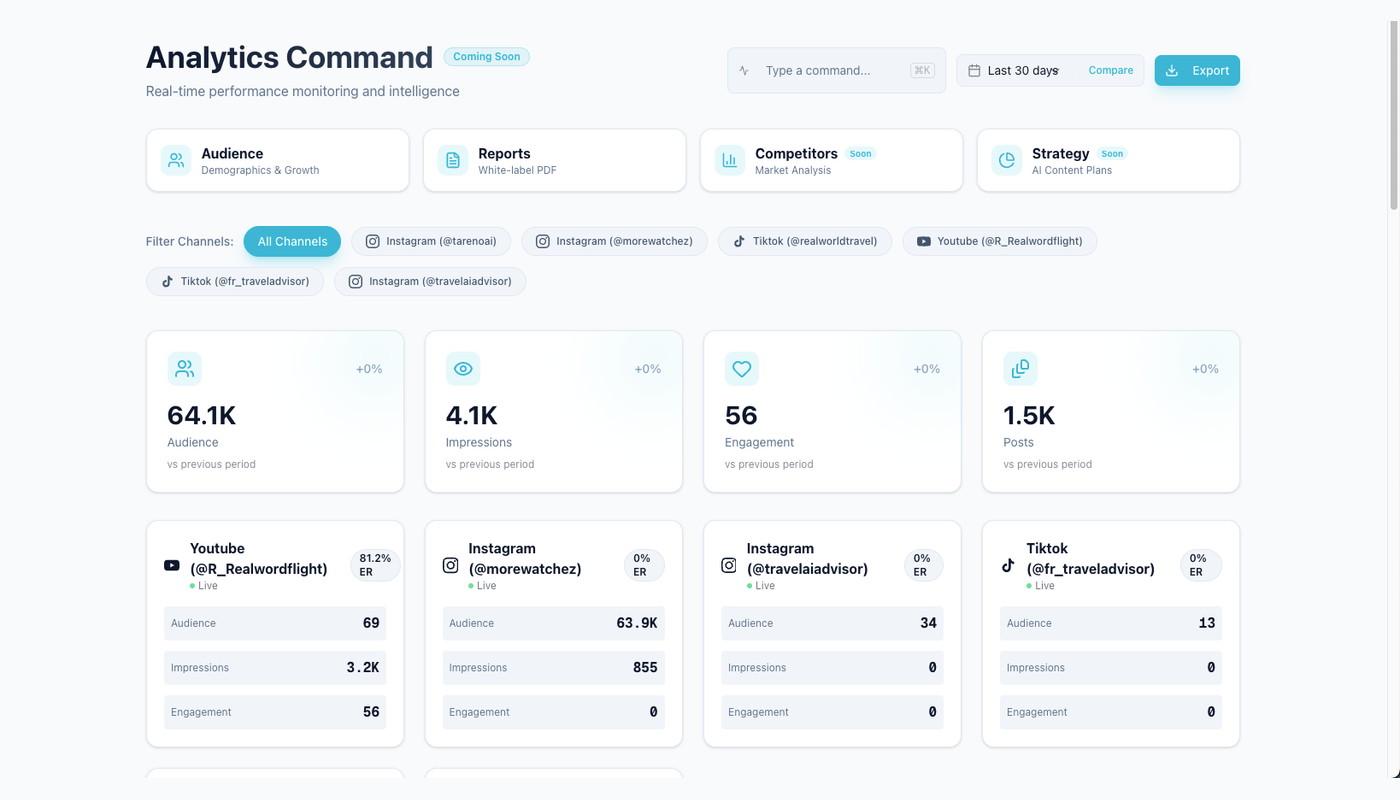
Launch reporting matters when it routes a signal into a specific second-wave decision.
Connect reach, traffic, activation, and operational signals in analytics reports that point to a next action.
AssetPlatformGoalStatusResultNext actionAnnouncementLinkedInAwarenessPublishedStrong savesCarouselDemoTikTokReachPublishedStrong watch timeSecond demoTechnical postMastodonEducationPublishedHigh repliesFAQThreadBlueskyEngagementPublishedHigh repostsFollow-upLocalized postJapaneseActivationPublishedHigh clicksTutorial
The next-action column matters.
Step 29: run a seven-day review
Questions:
Which hook worked?
Which platform created useful engagement?
Which CTA drove action?
Which questions repeated?
Which claim caused confusion?
Which asset should be repurposed?
Which market performed unexpectedly?
Which workflow step was slow?
Create tasks directly from the review.
Step 30: create the second wave
Second-wave content may include:
user questions
setup tutorial
objection handling
advanced use case
customer example
integration guide
comparison page
short demo
multilingual follow-up
founder reflection
The launch should become a content source.
It should not end after the announcement.
Launch postmortem template
Feature:
Launch date:
Primary goal:
Planned assets:
Published assets:
Delayed assets:
Top-performing asset:
Strongest platform:
Strongest language:
Strongest CTA:
Most common question:
Product confusion:
Approval bottleneck:
Publishing issue:
Repurposing candidates:
Recommended next experiment:
Workflow improvement:
This creates institutional learning.
Safeguards and launch quality checks
Duplicate prevention
Use:
releaseId + campaignId + platform + accountId + language + assetType
Store:
release ID
source version
Tareno draft ID
action ID
post ID
content hash
status
If release notes change, update affected drafts rather than duplicating them.
Error handling
Handle:
release marked ready too early
missing screenshot
incomplete brief
invalid landing page
disconnected account
expired approval
changed feature name
failed publish
translation issue
duplicate campaign
product incident
Recommended routes:
Incomplete brief -> return to product owner
Missing asset -> assign designer
Approval expired -> request review
Platform outage -> retry with limit
Product incident -> pause scheduled campaign
Wrong claim -> stop and escalate
A launch automation needs a pause mechanism.
Security checklist
- [ ] Use approved release data
- [ ] Keep credentials outside prompts
- [ ] Use explicit workspaces and accounts
- [ ] Use minimum scopes
- [ ] Keep publishing behind approval
- [ ] Keep deletion behind approval
- [ ] Validate asset URLs
- [ ] Track draft and action IDs
- [ ] Prevent duplicate campaigns
- [ ] Review agent tool access
- [ ] Separate staging and production
- [ ] Pause campaigns during incidents
Launch quality checklist
Product:
- [ ] Feature live
- [ ] Name approved
- [ ] Availability confirmed
- [ ] Limitations documented
- [ ] Claims approved

Content:
- [ ] Audience clear
- [ ] Platform versions native
- [ ] CTA correct
- [ ] Links tested
- [ ] Screenshots current
- [ ] Alt text added

Approval:
- [ ] Product review complete
- [ ] Marketing review complete
- [ ] Final version approved
- [ ] Account and timezone confirmed

Measurement:
- [ ] Campaign labels added
- [ ] Analytics date set
- [ ] Conversion tracking ready
- [ ] Postmortem scheduled
Common launch mistakes
Mistake 1: launching from unfinished release notes
Use an approved brief.
Mistake 2: one generic announcement
Build a sequence.
Mistake 3: AI invents product claims
Ground every draft.
Mistake 4: publishing every asset on launch day
Stagger the campaign.
Mistake 5: no product review
Marketing cannot verify technical truth alone.
Mistake 6: no follow-up content
Use questions and analytics.
Mistake 7: literal translations
Localize selected assets.
Mistake 8: same copy on Bluesky and Mastodon
Adapt by network.
Mistake 9: no pause mechanism
Product incidents can require stopping the campaign.
Mistake 10: no postmortem
Every launch should improve the next one.
Twenty launch automation ideas
GitHub release → campaign brief
Linear release → Tareno board
Notion release → draft package
Product screenshot → asset update
Release notes → LinkedIn post
Release notes → Bluesky thread
Release notes → Mastodon guide
Demo video → Get Viral Now
Product FAQ → support posts
Approved master → nine languages
Launch approval → schedule sequence
Launch-day comments → FAQ tasks
Product incident → pause campaign
Published announcement → seven-day review
High-save launch post → carousel
High-watch-time demo → second video
Strong market result → local tutorial
Failed publish → incident route
Launch report → repurposing queue
Postmortem → next launch template
Related Tareno resources
Build the next part of this workflow
LinkedIn post generatorDraft a channel-native launch angle from approved facts.Explore resource →Repurposing workflowTurn launch proof and questions into the second wave.Explore resource →MCP guideConnect agents to controlled social media actions.Explore resource →Tool alternativesCompare the operating model against other social media stacks.Explore resource →
FAQ
Can a SaaS launch be automated?
Yes. Intake, drafting, platform adaptation, approvals, scheduling, reporting, and repurposing can be automated to different degrees.
Should a release trigger immediate publishing?
No. A release event should create or update campaign work. Product and marketing approval should happen before public publishing.
Can Codex create launch content?
Yes. Codex is useful when release notes, repositories, technical documentation, and social content are connected.
Can ChatGPT plan the launch sequence?
Yes. It can help create the campaign plan, drafts, and analysis when grounded in approved product information.
Can n8n automate a launch workflow?
Yes. n8n is useful for release triggers, validation, policy checks, databases, and custom routing.
Can Make automate launch campaigns?
Yes. Make is useful for visual platform and language branches.
Can Tareno publish to Bluesky and Mastodon?
Yes, where the final integrations and accounts are available. Use separate native versions.
Can Tareno localize launches?
Yes. Tareno supports multilingual content workflows across nine languages, subject to final product verification.
Can Get Viral Now help with a launch?
Yes. A launch demo, webinar, or founder video can become original short-form scripts and social assets.
What should happen after launch day?
Measure performance, collect questions, create follow-up content, repurpose winners, and run a postmortem.
Final thoughts
A product launch should not depend on a rushed message sent to marketing at the end of development.
Build a system.
Confirm the product truth.
Create the release brief.
Choose the angles.
Build the asset matrix.
Generate platform-native drafts.
Review claims.
Approve the exact versions.
Schedule a sequence.
Monitor launch day.
Measure the result.
Turn the best signals into the second wave.
Tareno can connect those steps across AI agents, integrations, approvals, publishing, analytics, and repurposing.
That is how a SaaS team can launch faster without becoming less accurate.
Primary CTA: Create one release brief and launch campaign board in Tareno.
Secondary CTA: Automate draft creation only after the release-ready state and approval rules are defined.


