
Reposting old content is not the problem. Reposting without rules is the problem.
Strong evergreen posts often deserve another run. The mistake is treating every old post the same: same caption, same visual, same CTA, same timing, and no check that the claim is still true.
An evergreen repost policy gives your team a clear way to decide what can return, what needs a refresh, who approves repeats, how often themes can appear, and when a post should be retired. It is the policy layer that sits on top of a practical content repurposing workflow.
TL;DR
A useful evergreen repost policy defines eligibility, refresh rules, approval requirements, spacing limits, platform adaptation, performance review, and retirement criteria. It should protect audience trust while helping the team get more value from proven content.
Repeat the idea only when the audience gets a fresh reason to care.
The goal is not to hide repetition. The goal is to reuse durable ideas with enough context, freshness, and timing that they still feel useful.
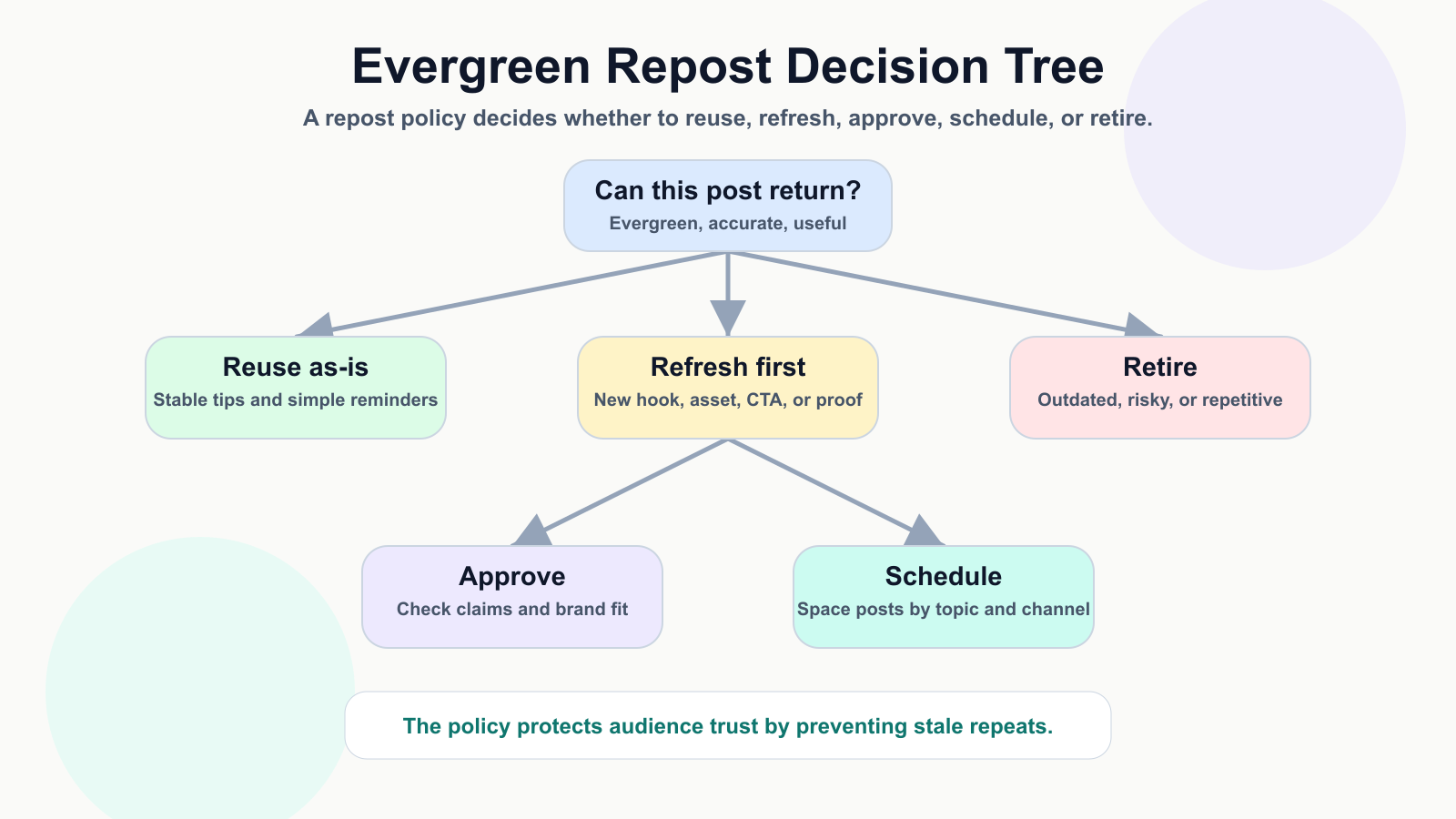
A policy decision tree keeps reposting useful instead of repetitive.
The Evergreen Repost Policy Template
Use this policy template before any old post returns to the calendar. First, confirm the post is evergreen: the advice is still accurate, the offer is still active, the screenshot is current, and the CTA still points to the right destination. Next, decide whether the post can be reused as-is, refreshed, repurposed, or retired.
The decision tree below gives content managers a fast path. It prevents the two common extremes: never reusing proven posts, or dumping every old caption back into the schedule.
Define What Is Eligible For Reposting
A post is eligible when it is useful beyond the original publish date. Good candidates include tutorials, checklists, mistakes, frameworks, FAQs, customer questions, product use cases that remain accurate, and posts that generated meaningful saves, shares, comments, clicks, or watch time.
A post is not eligible when it depends on a temporary offer, dated event, old screenshot, expired claim, outdated platform rule, or legal-sensitive statement that has not been rechecked. High-performing posts can still be bad repost candidates if they create accuracy risk.
Choose Repost, Refresh, Or Repurpose
The policy should separate three actions. Repost means the same idea returns with minimal changes. Refresh means the hook, asset, CTA, example, or proof point changes. Repurpose means the idea becomes another format or channel.
Most teams should refresh more often than they repost. A carousel can become a short video script. A LinkedIn post can become a Threads sequence. A blog section can become a social series through a repurpose blog to social process.
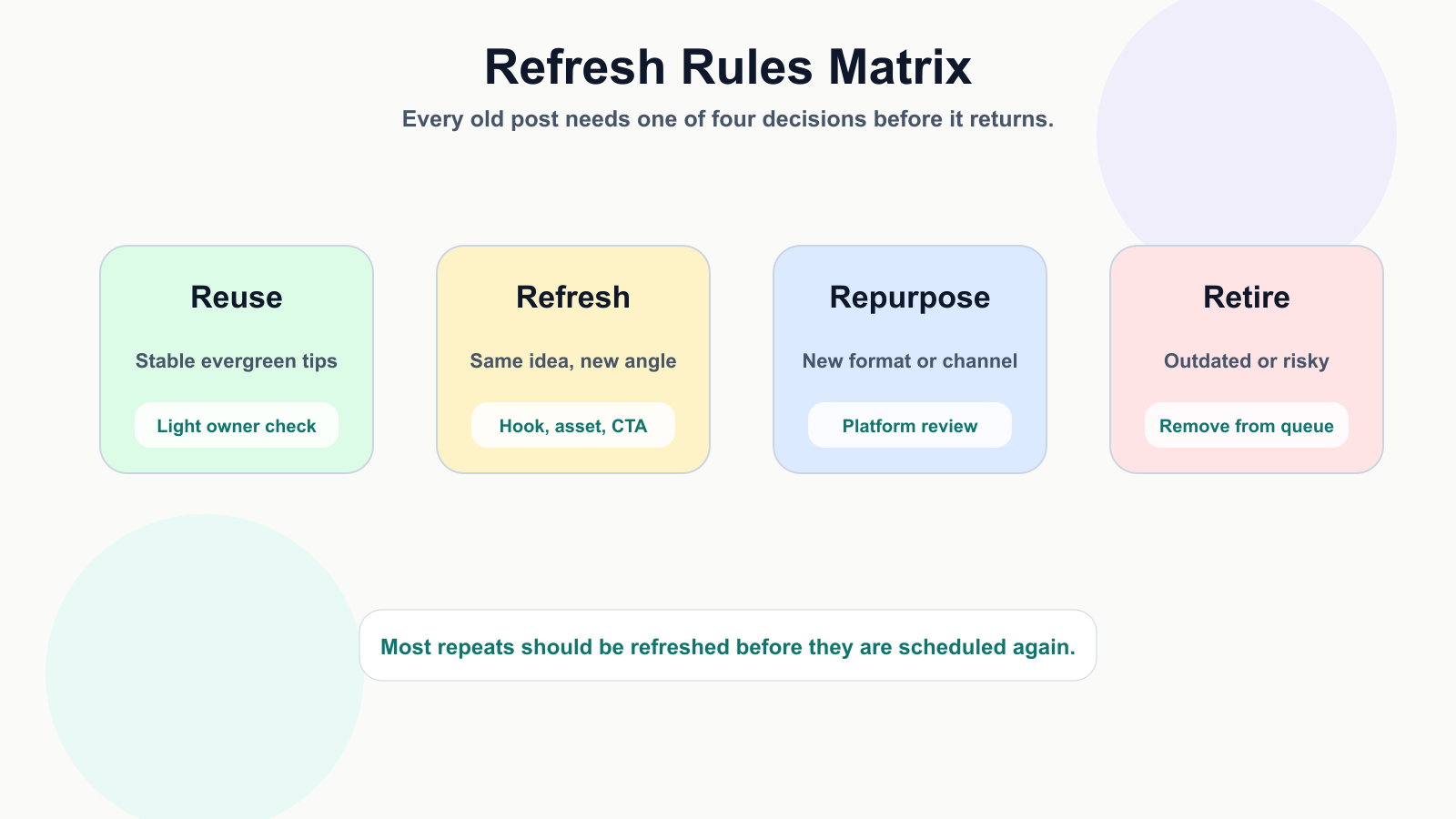
Refresh rules stop old posts from returning as stale duplicates.
Set Spacing Rules So Reposts Do Not Feel Repetitive
Spacing rules keep evergreen content from crowding the calendar. Define the minimum gap by topic, platform, and format. For example, a high-value tutorial may return every 60 to 90 days with a refreshed hook, while a promotional CTA may need a longer gap and stronger approval.
Also track theme density. If three posts in the same week all repeat the same advice, the audience will notice even if each post has different copy. A shared calendar makes this easier because reviewers can see patterns before posts go live. Tareno's post scheduling workflow gives the policy a practical place to enforce those gaps.
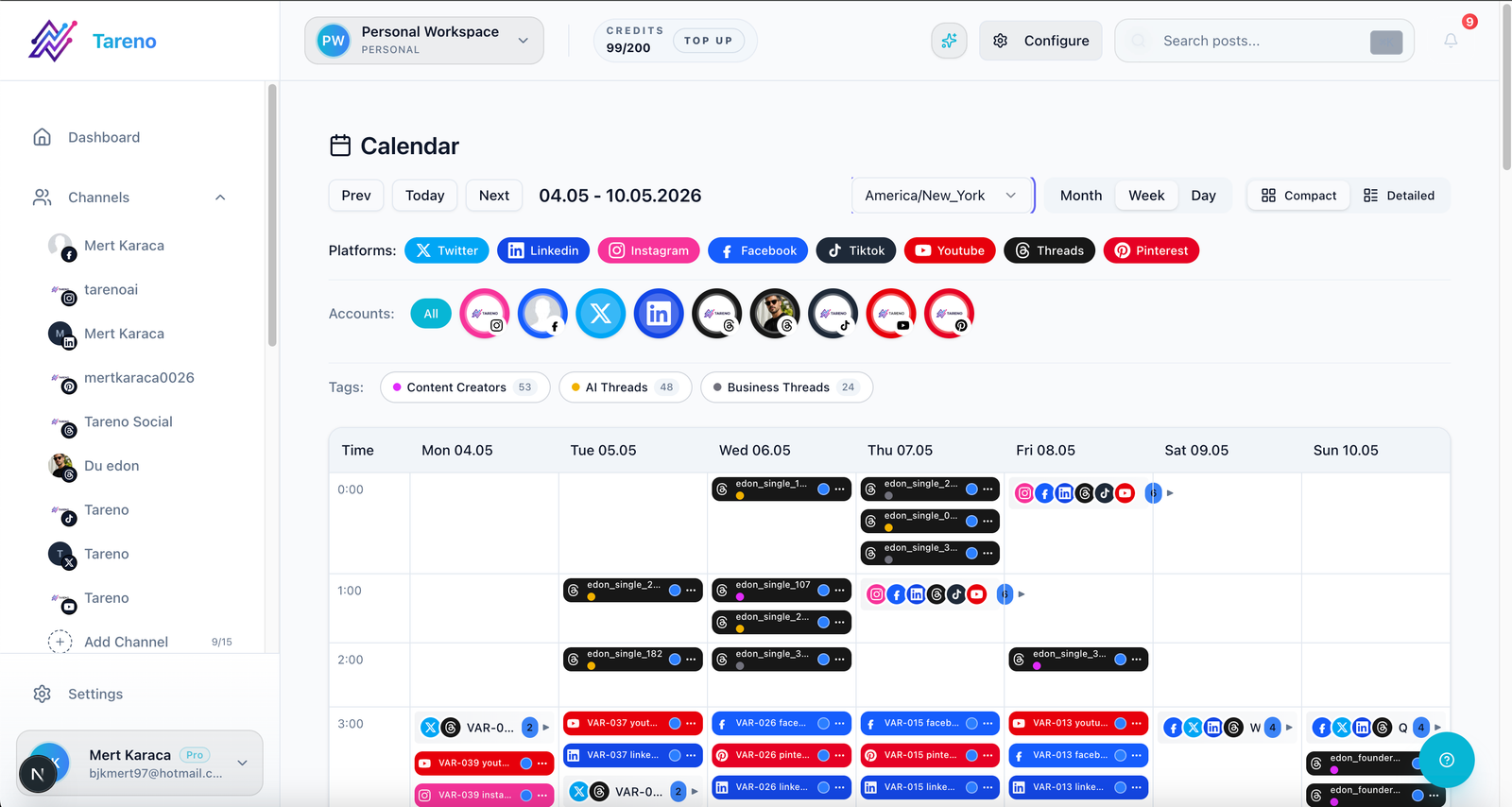
Spacing rules are easier to enforce when reposts live on a shared calendar.
Add Approval Rules Based On Risk
Not every repost needs the same review path. Low-risk educational tips may only need owner review. Medium-risk product education should be checked by a marketer or product owner. High-risk posts need final approval when they include pricing, competitor references, customer examples, sponsored content, legal-sensitive claims, AI-generated claims, or old screenshots.
A clear social media approval workflow prevents the policy from becoming a spreadsheet nobody follows. The reviewer should know exactly what to check: claim accuracy, brand fit, asset freshness, CTA destination, and channel spacing.
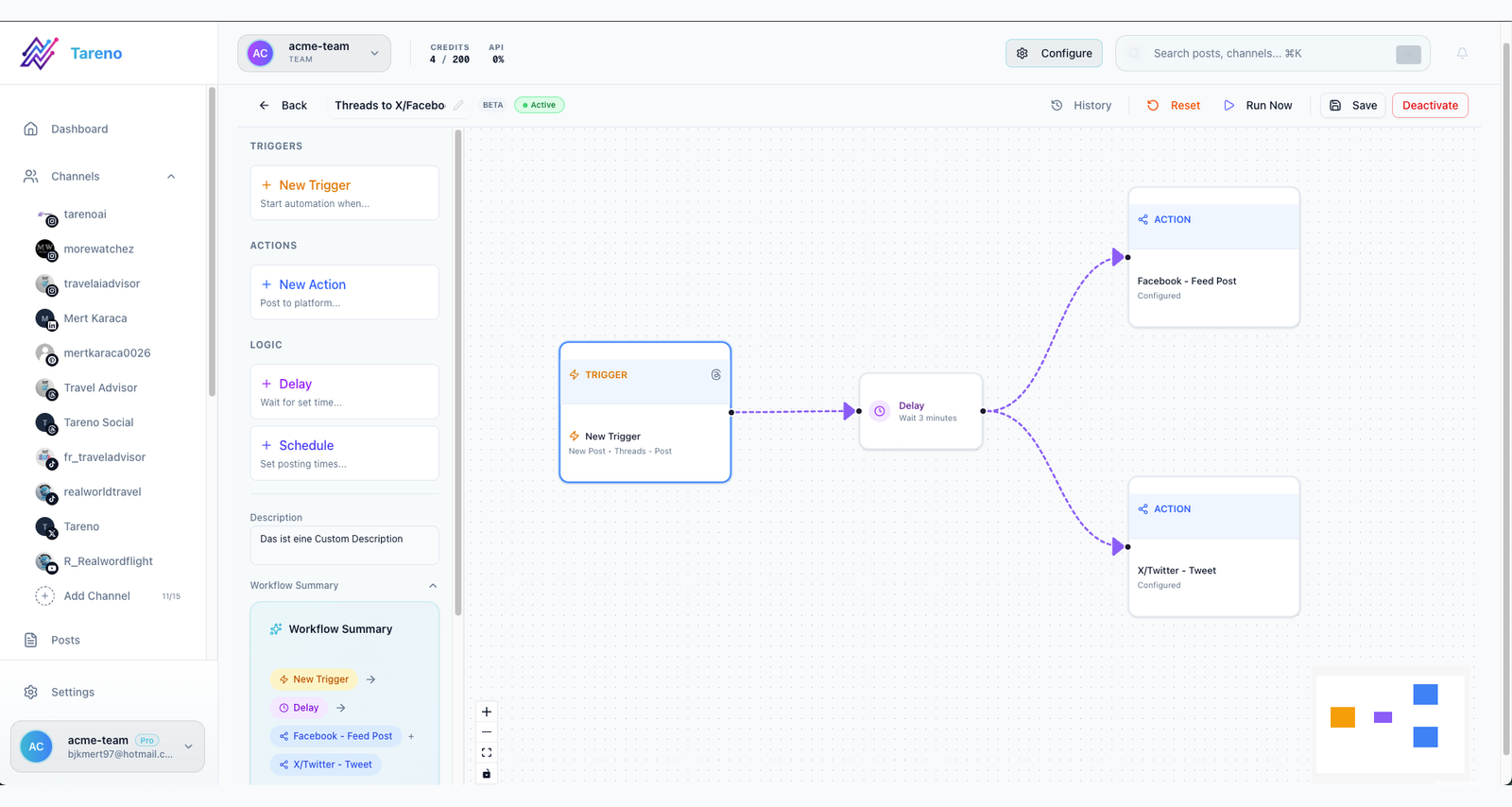
Approval rules make repost checks repeatable instead of dependent on memory.
Refresh The Creative Before Scheduling
A refreshed post should not look like a duplicate. Change the first line, the creative asset, the example, the CTA, the format, or the platform angle. If the original was a static tip, turn it into a checklist. If the original was a short video, turn it into a carousel or an email snippet.
Keep the core insight, but change the packaging. When the team needs a first pass, free tools such as the Instagram caption generator or LinkedIn post generator can help draft variants that a human can review and tighten.
Review The Second Wave
The policy should end with measurement. After the repost or refreshed version goes live, compare it with the original. Look at saves, shares, comments, clicks, watch time, completion rate, and qualitative replies. Then decide whether the idea should stay in the queue, get refreshed again, be repurposed, or be retired.
Do not judge only by reach. A lower-reach repost can still be valuable if it drives clicks, saves, or sales conversations. Tareno's analytics reports help connect the second wave to the next planning decision.

A repost policy should end with a decision: keep, refresh, retire, or repurpose.
Final Thoughts
An evergreen repost policy is a trust system. It lets the team reuse proven ideas without making the feed feel automated, stale, or careless.
Start with the simple version: define eligibility, require refreshes for most repeats, enforce spacing, add review for risky claims, and measure the second wave. Once that is working, connect the policy to a workflow builder so owners, approvals, and scheduling steps are visible.
Related Tareno resources
Build the workflow in Tareno
Workflow Approval Workflow Route higher-risk reposts through the right reviewers. Open workflow -> Feature Post Scheduling Space evergreen posts across platforms and campaigns. Explore scheduling -> Feature Analytics Reports Compare original and second-wave performance. View reports -> Workflow Workflow Builder Turn the policy into repeatable ownership and review steps. See builder ->


