Most teams create new content too quickly and review old content too rarely.
That is a missed opportunity.
Your old social media posts can show what your audience cares about, what formats worked, what topics deserve a second life, and what content should be removed from your future workflow.
A social media content audit helps you decide what to keep, fix, repurpose, update, or archive.
This is especially useful if you already have months or years of posts across Instagram, TikTok, LinkedIn, Threads, YouTube, Pinterest, Facebook, or X.
The goal is not to judge every old post.
The goal is to extract value from your existing library.
A good audit creates actions.
Not just observations.
TL;DR
Use this audit framework:
Collect old posts.
Sort by platform and format.
Review performance signals.
Identify evergreen winners.
Mark outdated or risky content.
Fix posts with good ideas but weak execution.
Add winners to a repurposing queue.
Update posts that need freshness review.
Archive content that should not be reused.
Turn audit findings into future content workflows.
The key rule:
A content audit is only useful if it creates decisions.
Why run a social media content audit?
A content audit helps you find hidden assets.
Your old posts may include:
high-performing ideas
strong hooks
useful comments
customer questions
evergreen topics
weak posts with strong concepts
outdated claims
content worth repurposing
topics worth turning into blogs
platform formats worth repeating
content that should be archived
Most teams only look forward.
They ask:
What should we post next?
A content audit asks:
What have we already proven?
That question can save time and improve strategy.
When to run an audit
Run a social media content audit when:
you have published consistently for at least 3 months
you are changing strategy
you are building a repurposing queue
you are launching a new content calendar
performance has dropped
your team has many old posts
you are preparing reports for clients
you want to identify evergreen content
you are cleaning outdated claims
you are building SEO/GEO content from social insights
Agencies can run audits quarterly.
Creators can run audits monthly.
SaaS teams can run audits before big campaigns or product launches.
The KEEP framework
Use the KEEP framework for your audit.
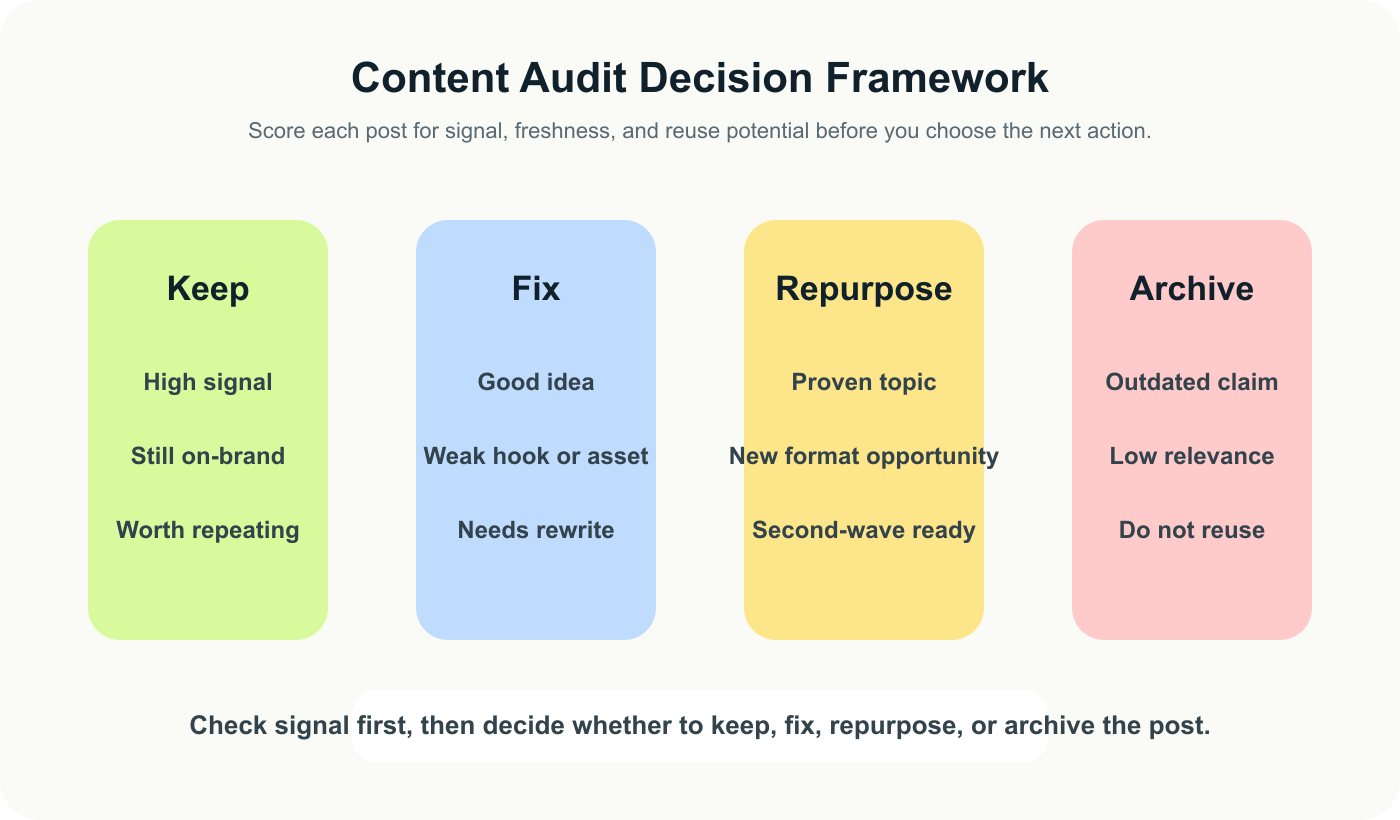
A content audit becomes useful when every post ends in a clear keep, fix, repurpose, or archive decision.
K — Keep what still works
E — Edit what has potential
E — Extend winners into new formats
P — Purge or pause outdated content
This keeps the audit practical.
The 10-step audit process
Step 1: Collect your content
Start by gathering posts from your main platforms.
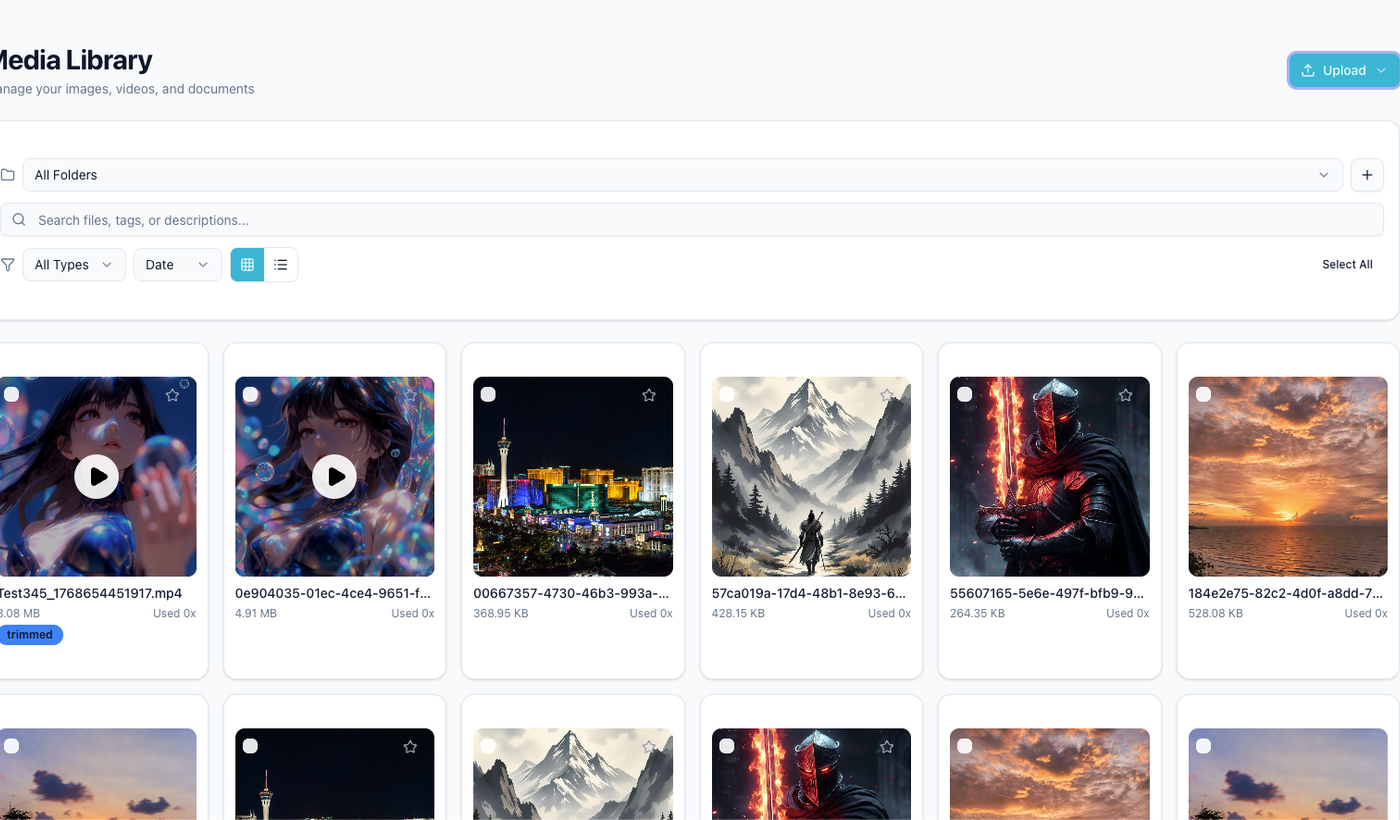
A real audit starts by collecting the posts, files, and source assets you want to review together.
Include:
Instagram posts
Instagram Reels
TikTok videos
LinkedIn posts
Threads posts
YouTube Shorts
Pinterest pins
Facebook posts
X posts
For each post, capture:
platform
publish date
format
caption
topic
hook
CTA
asset link
performance metrics
comments or questions
business goal
current status
This can live in a spreadsheet, content board, or social media management tool.
Step 2: Categorize by topic
Group content into themes.
Examples:
tutorials
mistakes
checklists
opinion posts
product updates
customer questions
competitor angles
behind-the-scenes
founder content
case studies
feature education
social proof
trend content
memes
evergreen tips
Topic grouping helps you see patterns.
Maybe your tutorials outperform opinion posts.
Maybe your customer questions create more comments.
Maybe your competitor posts drive clicks.
The goal is to understand which content themes deserve more investment.
Step 3: Categorize by format
Next, group by format.
Examples:
text post
short-form video
carousel
image post
story
pin
thread
live clip
screen recording
quote graphic
tutorial
checklist
product demo
Format matters because a good idea can fail in the wrong format.
A weak-performing Instagram image may become a strong TikTok script.
A LinkedIn post with strong comments may become a useful carousel.
Do not only evaluate the idea.
Evaluate the format too.
Step 4: Review performance signals
Use analytics reports to normalize the evidence you compare, especially when different platforms surface different engagement metrics.
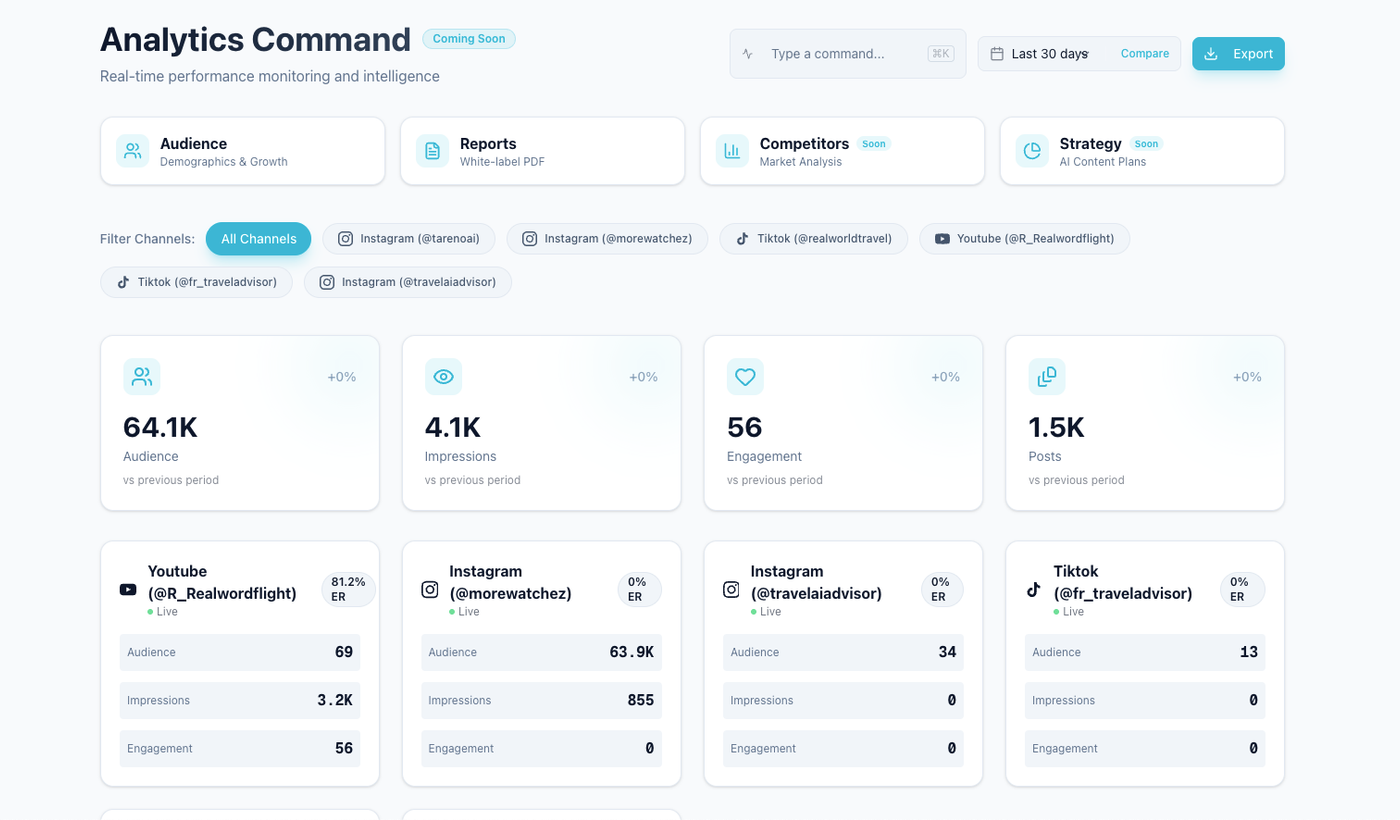
Performance signals should tell you which ideas earned attention, not just which posts were recently published.
Look for signals, not just big numbers.
Useful signals include:
high saves
high shares
high comments
high replies
strong watch time
strong completion rate
high clicks
high profile visits
above-average reach
qualified comments
repeated questions
competitor/topic relevance
conversions if tracked
Compare each post to the correct baseline.
A post with 500 views may be strong for one account and weak for another.
Use platform-specific and format-specific baselines where possible.
Step 5: Mark evergreen winners
Evergreen winners are posts that still matter today.
Examples:
tutorials
frameworks
checklists
workflows
mistakes
FAQs
beginner tips
recurring customer questions
timeless creator advice
product use cases that are still accurate
Mark these as:
Keep / Repurpose
These are the easiest candidates for reuse.
They can become:
new posts
TikToks
LinkedIn posts
Threads posts
Pinterest pins
carousels
blog sections
newsletter tips
sales assets
Step 6: Identify posts to fix
When the idea is good but the packaging is weak, a tool like the Instagram caption generator helps the team test stronger hooks and rewrites without losing the original angle.
Some posts have a good idea but weak execution.
Signs:
good comments but low reach
strong topic but weak hook
useful information but poor formatting
high clicks but low engagement
strong concept but wrong platform
good caption but weak asset
good video but unclear CTA
Mark these as:
Fix / Retry
Possible fixes:
rewrite hook
shorten caption
improve visual
change CTA
turn text into carousel
turn carousel into video
move topic to LinkedIn
move tutorial to Pinterest
add a stronger example
use a more specific title
Do not throw away strong ideas because the first execution failed.
Step 7: Identify posts to update
Some posts should not be reused until reviewed.
Examples:
pricing mentions
feature claims
competitor comparisons
platform rule advice
legal-sensitive content
sponsor content
old event content
old statistics
outdated screenshots
old product UI
discontinued offers
Mark these as:
Update Before Reuse
This is important for teams and agencies.
Repurposing outdated content can damage trust.
A good workflow should route these posts to review before scheduling.
Step 8: Identify posts to archive
Some content should not be reused.
Archive posts when:
the claim is outdated
the offer expired
performance was weak and the idea is not useful
the topic no longer fits the brand
the post was trend-dependent
the format does not fit future strategy
the content conflicts with current positioning
the client or sponsor context has expired
Mark these as:
Archive
Archiving does not always mean deleting from the platform.
It means removing it from future content reuse.
Step 9: Build a repurposing queue
The strongest audit winners should move into a live content repurposing workflow so the second wave is planned, not improvised.
After the audit, create a repurposing queue.
Each queue item should include:
source post
platform
performance signal
reason to repurpose
target platform
new format
owner
approval needed
due date
scheduled date
second-wave metric
Example:
SourceSignalNew assetStatusInstagram carousel about vague captionsHigh savesPinterest pin + LinkedIn postDraftTikTok script about posting mistakesHigh watch timeInstagram Reel + Threads postReviewLinkedIn post about reportingHigh clicksBlog section + carouselApproved
This turns the audit into content production.
Step 10: Turn findings into strategy
That next plan is easier to operationalize when a workflow builder connects the audit decisions to owners, approvals, and the next queue.
The audit should create strategic decisions.
Examples:
publish more checklists
reduce trend content
repurpose high-save posts to Pinterest
turn LinkedIn comments into FAQs
create more screen recordings
build blog posts from high-click topics
update old feature posts
add approval review for pricing claims
create new evergreen content categories
The audit should change the next content calendar.
Otherwise, it is just a spreadsheet.
Content audit scoring system
Use a simple score from 1 to 5.
CriteriaScorePerformance vs baseline1–5Evergreen potential1–5Business relevance1–5Repurposing potential1–5Accuracy/freshness1–5Brand fit1–5
Then classify:
Total scoreAction24–30Keep and repurpose18–23Fix or update12–17Maybe archive0–11Archive or ignore
This does not need to be perfect.
It just needs to help your team decide.
Audit workflow by team type
Audit workflow for creators
Creators can keep the audit simple.
Monthly:
Review top posts.
Mark 5 winners.
Choose 2 posts to repurpose.
Rewrite for another platform.
Schedule.
Measure again.
Creators should focus on:
saves
shares
comments
watch time
replies
profile visits
The goal is to find repeatable ideas.
Audit workflow for agencies
Agencies usually need the audit to travel into client communication too, which is where white-label social media reports become useful.
Agencies can run audits for clients.
Quarterly:
Pull client performance data.
Identify top content by platform.
Classify keep, fix, update, archive.
Build repurposing queue.
Present recommendations.
Add approved repurposed content to next-month calendar.
This creates client value because the agency is not only reporting.
It is using past content to improve future output.
Audit workflow for SaaS teams
SaaS teams should connect audits to product marketing and SEO.
Quarterly:
Review posts by topic.
Identify high-click and high-comment content.
Map top topics to product pages or blog opportunities.
Update outdated feature claims.
Turn strong posts into comparison sections, FAQs, or educational content.
Repurpose winning topics across platforms.
This turns social media into a strategy input.
How Tareno fits into content audits
Inside Tareno, the audit can feed directly into post scheduling once the team agrees on which posts should be refreshed, repurposed, or archived.
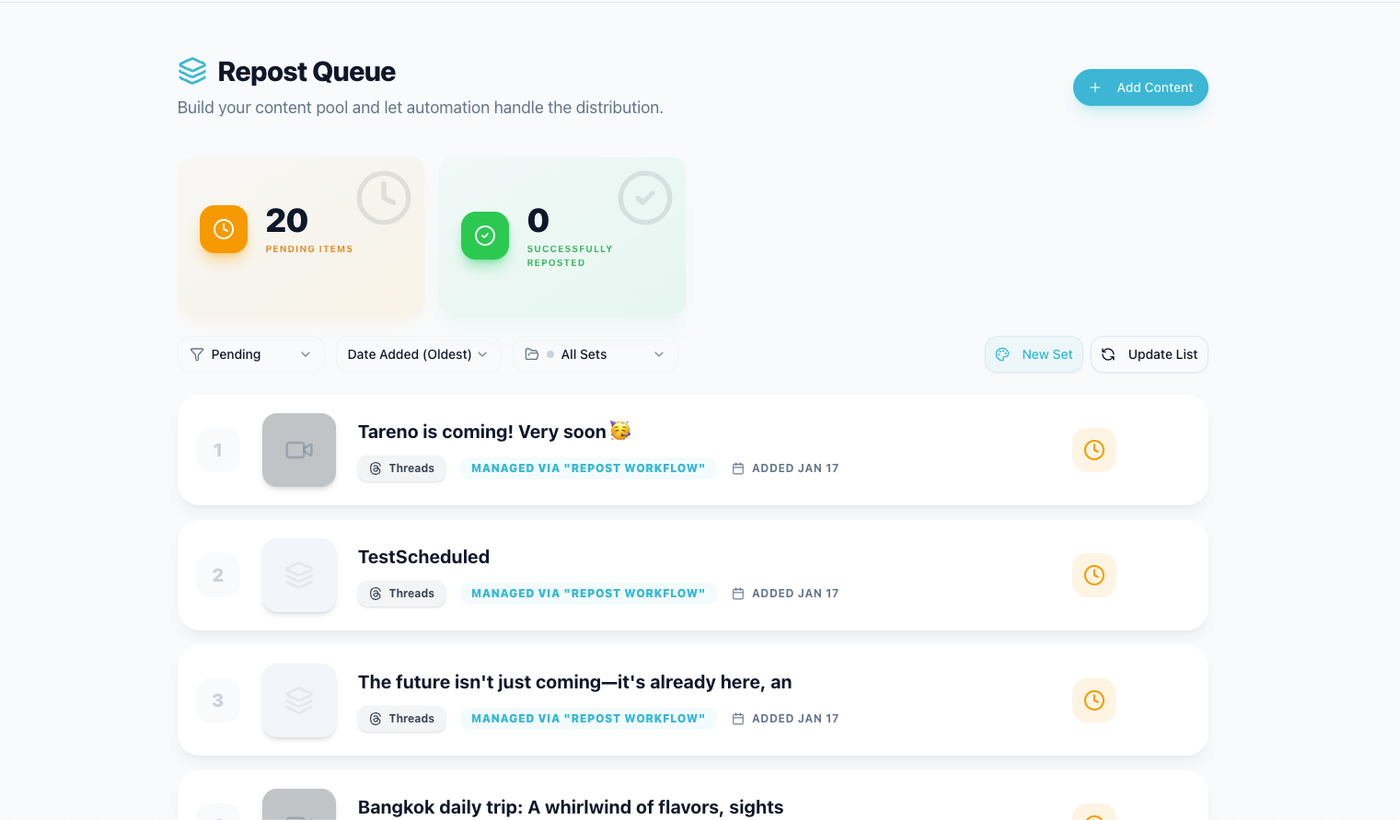
Audit winners become more valuable when they immediately flow into a structured repurposing queue.
Tareno is useful when audits need to become workflow actions.
Relevant Tareno components include:
analytics
competitor analysis
content boards
repurposing queue
approval workflows
content calendar
workflow builder
team workspaces
roles and permissions
activity visibility
AI captions and hashtags
Make integration
n8n integration
API access
The key workflow:
Audit → Identify winner → Add to repurposing queue → Rewrite → Approve → Schedule → Measure again
That is how audits become growth systems.
Copy/paste audit checklist
Use this checklist:
## Social Media Content Audit Checklist

For each post:
- [ ] Platform recorded
- [ ] Publish date recorded
- [ ] Format recorded
- [ ] Topic tagged
- [ ] Hook reviewed
- [ ] CTA reviewed
- [ ] Metrics collected
- [ ] Baseline compared
- [ ] Evergreen potential scored
- [ ] Business relevance scored
- [ ] Accuracy checked
- [ ] Brand fit checked
- [ ] Repurposing potential checked
- [ ] Action selected: Keep / Fix / Update / Repurpose / Archive
- [ ] Owner assigned
- [ ] Next step added to workflow
This makes the audit actionable.
Common audit mistakes
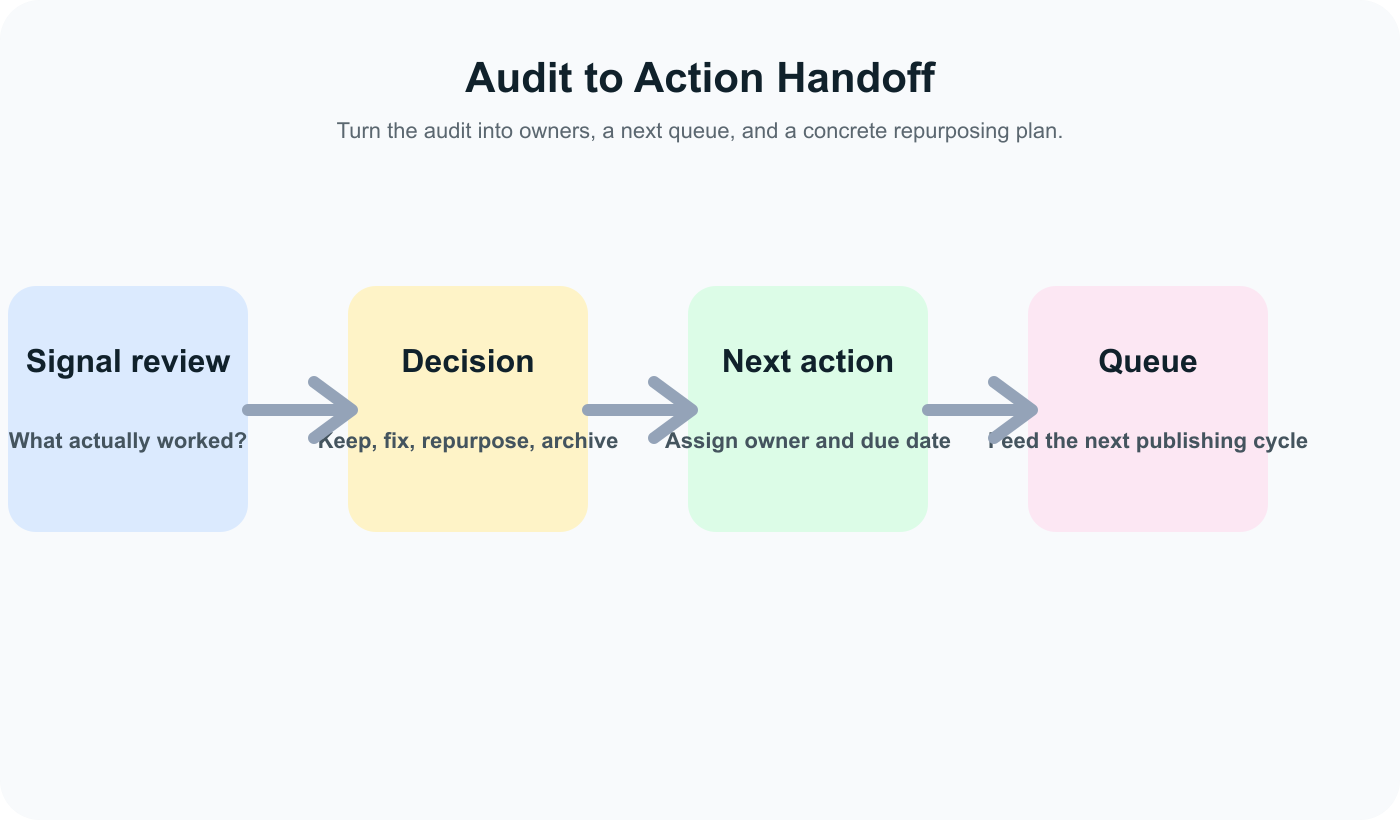
The audit only matters when the review becomes a decision, an owner, and a concrete next action.
Mistake 1: Only looking at reach
Reach matters, but saves, shares, comments, clicks, and watch time can be more useful depending on the goal.
Mistake 2: Auditing without action
Every reviewed post should get a decision.
Mistake 3: Repurposing outdated content
Old claims need freshness review.
Mistake 4: Ignoring weak posts with strong ideas
A bad first execution does not always mean a bad idea.
Mistake 5: No owner
Audit findings need owners or they will not move.
Mistake 6: No second-wave measurement
Repurposed content should be measured after publishing.
Related Tareno resources
Analytics & reportsReview old content with consistent performance signals and share the findings clearly.Repurposing workflowMove evergreen winners from the audit straight into new drafts and channel adaptations.Post schedulingLet the next queue reflect what the audit proved, not just what the team has not posted yet.Workflow builderConnect audit findings to approvals, scheduling, and execution without rebuilding the process each month.
FAQ
What is a social media content audit?
A social media content audit is a review of old posts to decide what to keep, fix, update, repurpose, or archive.
How often should I audit social media content?
Creators can audit monthly. Agencies and teams can audit quarterly. SaaS teams should audit before major campaigns or product launches.
What metrics should I check in a social media audit?
Check reach, impressions, saves, shares, comments, clicks, watch time, completion rate, profile visits, conversions, and platform-specific baselines.
Should I delete old social media posts?
Not always. Archiving for workflow purposes usually means you do not reuse the content. Deleting depends on brand, legal, and platform considerations.
How do I decide what to repurpose?
Repurpose posts with strong performance signals, evergreen value, business relevance, and platform adaptation potential.
Can AI help with a content audit?
Yes. AI can help summarize old posts, group themes, suggest rewrites, and create platform variations. Human review should still check accuracy and brand fit.
Final thoughts
A social media content audit is not busywork.
It is a way to turn old content into future strategy.
Your archive already contains signals.
Some posts should be reused.
Some should be improved.
Some should be updated.
Some should be archived.
The value comes from making decisions and moving those decisions into your content workflow.
Primary CTA: Explore Tareno features to see how analytics, content boards, repurposing queues, approvals, workflow builder, Make, n8n, API, roles, and activity visibility support content audits.
Secondary CTA: Compare Tareno with other social media tools on the compare hub.