A social media content workflow should make publishing easier, not heavier.
The goal is not to add process for the sake of process.
The goal is to make sure every post has a clear source, owner, status, approval path, publish date, performance review, and repurposing decision.
Without a workflow, teams rely on memory.
With a workflow, content moves.
This template gives creators, agencies, SaaS teams, startups, and content teams a practical way to manage social media content from brief to repurposing.
You can use it as a starting point inside a social media tool, project board, spreadsheet, Notion board, or workflow-first platform like Tareno's workflow builder.
The full workflow at a glance
Use this workflow as the baseline:
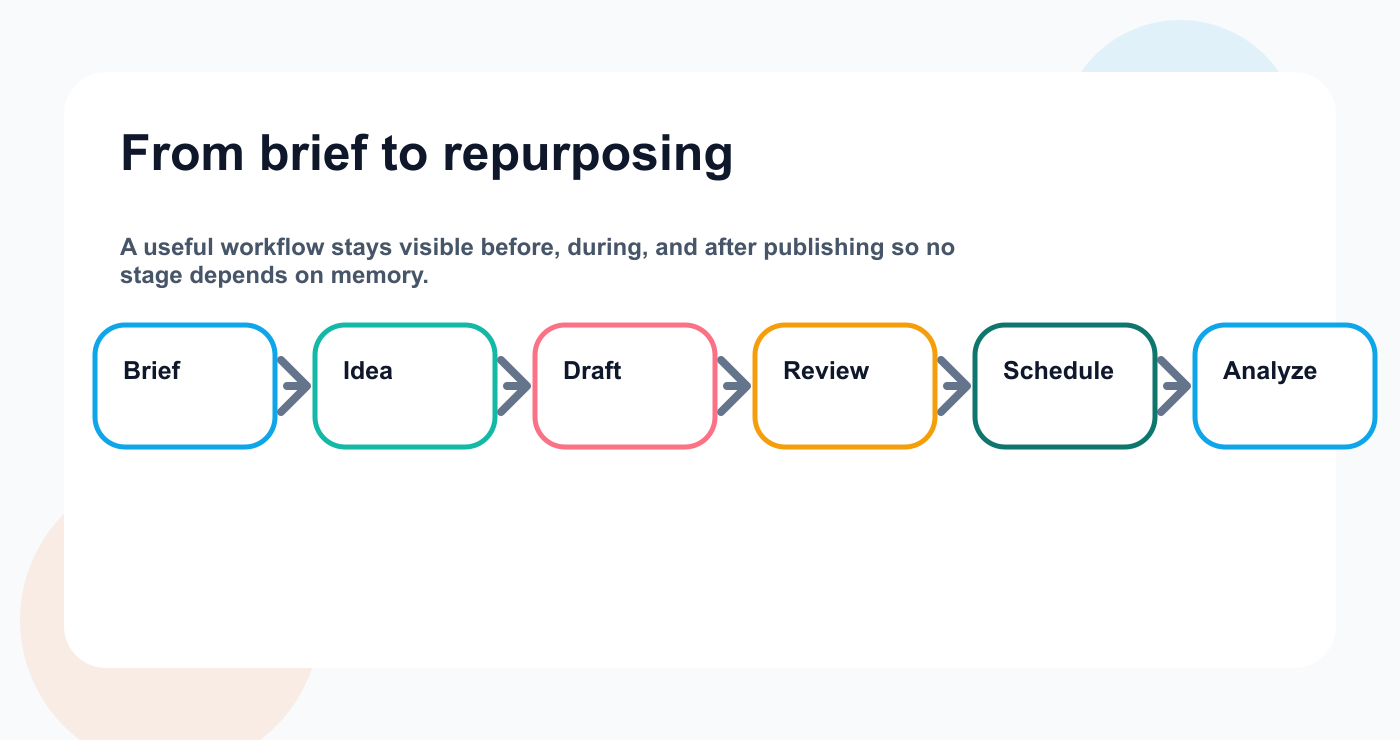
This stage map keeps the whole workflow visible before the team starts assigning owners and deadlines.
Brief
Idea
Selected
Draft
Design / Asset
Internal Review
Changes Requested
Approved
Scheduled
Published
Analyze
Repurpose
Archive or Reuse Again
This workflow works because it includes the steps before and after publishing.
Most teams only track:
Draft → Scheduled → Published
That misses the real work.
A better workflow tracks how content becomes publish-ready and what happens after it performs. That usually means connecting planning to post scheduling, reporting, and the next reuse decision instead of ending the process at publish.
Template fields
Every content item should include these fields.
FieldPurposeContent titleShort internal nameSourceWhere the idea came fromPlatformTarget platformFormatReel, carousel, text post, pin, short, storyOwnerPerson responsibleStatusCurrent workflow stageCampaignOptional campaign labelCaptionDraft or final captionAssetImage, video, design, linkReviewerPerson who reviewsApproverPerson who approvesDue dateInternal deadlinePublish dateScheduled dateApproval stateNot reviewed, changes requested, approvedPerformance signalResult after publishRepurposing decisionReuse, improve, archive, expand
This prevents confusion.
A post should never exist as only a caption in a chat thread. Teams that draft fast often use an Instagram caption generator early, but the workflow still needs ownership and review inside the main system.
Core workflow stages
Step 1: Brief
The brief defines the goal.
A brief can be detailed for agencies or lightweight for creators.
Brief template
Use these fields:
Goal
Audience
Platform
Campaign
Core message
Source material
Offer or CTA
Brand voice
Required claims
Claims to avoid
Approval needed
Deadline
Success metric
Example
Goal:
Explain why social media reporting should create actions.
Audience:
Social media managers and small agencies.
Platforms:
LinkedIn, Threads, Instagram carousel.
CTA:
Compare workflow-first social media tools.
Approval:
Marketing lead review.
Success metric:
Saves and clicks.
The brief keeps content focused.
Step 2: Idea
Ideas should be captured before they become posts.
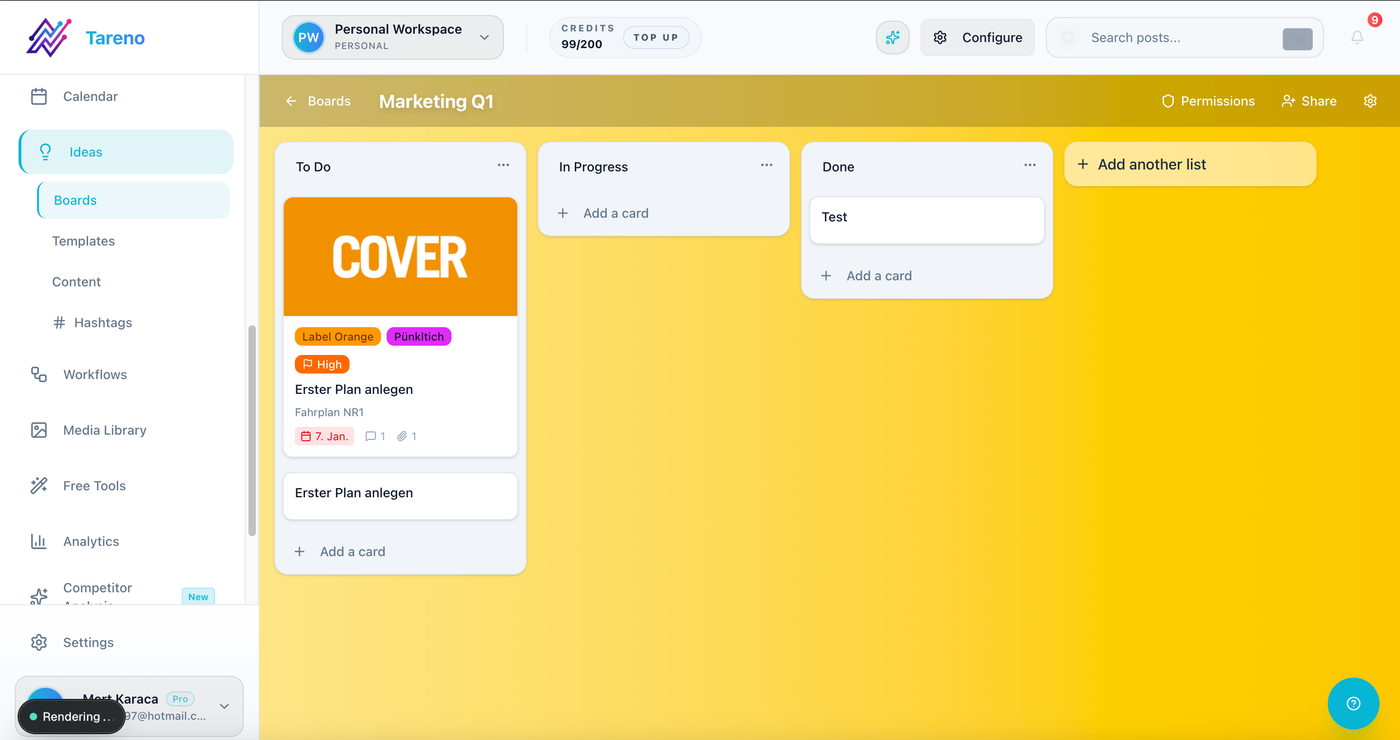
Idea boards make content intake visible before a post ever reaches drafting or review.
Idea sources include:
customer questions
competitor posts
blog sections
product updates
old high-performing posts
founder notes
support tickets
comments
webinars
reports
community discussions
SEO keywords
sales objections
Idea template
Idea
Source
Why it matters
Target audience
Possible platforms
Repurposing potential
Priority
Good ideas should not disappear because they were saved in the wrong place.
Step 3: Selected
Not every idea deserves production.
Move only selected ideas into the production workflow.
Selection criteria:
clear audience
clear pain point
platform fit
business relevance
reusable potential
timing relevance
performance evidence
internal priority
This prevents the board from becoming a storage dump.
Step 4: Draft
The draft stage turns the idea into content.
Draft fields:
hook
caption
CTA
platform version
asset notes
link
hashtags
first comment if needed
internal notes
source references
AI can help here.
Use AI for:
caption variations
hook options
platform rewrites
hashtag suggestions
carousel outlines
TikTok scripts
Threads versions
Pinterest titles
But AI drafts should not be final by default.
Human editing should check voice and accuracy.
Step 5: Design or asset
Some posts need assets.
Asset types:
image
video
carousel
screen recording
chart
infographic
meme
product screenshot
tutorial clip
Pinterest pin
YouTube Short
thumbnail
Asset fields:
asset owner
file link
format
dimensions
platform fit
status
alt text if needed
version
Asset and caption should be reviewed together.
A caption may be approved, but the creative may still need changes.
Step 6: Internal review
Internal review should happen before client or external review.
Review checklist:
Is the hook specific?
Is the caption clear?
Is the platform version appropriate?
Is the CTA correct?
Are claims accurate?
Is the asset final?
Are links correct?
Is the tone aligned?
Does this need client/product/legal approval?
Is the publish date realistic?
Internal review reduces external feedback loops.
Step 7: Changes requested
When changes are requested, the workflow should make them actionable.
A change request should include:
what needs to change
who owns the change
deadline
whether re-review is needed
whether the asset, caption, or CTA is affected
Avoid vague notes like:
Make it better.
Better note:
Replace the generic hook with a concrete agency pain point and remove the pricing claim until verified.
Clear feedback saves time.
Step 8: Approved
Approval should be specific.
Approval should show:
approved platform
approved caption
approved asset
approving person
approval time
whether changes after approval need re-approval
A post should only move to scheduling when the correct version is approved.
This is especially important for:
client content
sponsor content
product claims
pricing
competitor comparisons
legal-sensitive topics
repurposed old content
Approval is a publish gate.
Step 9: Scheduled
The scheduling stage should include:
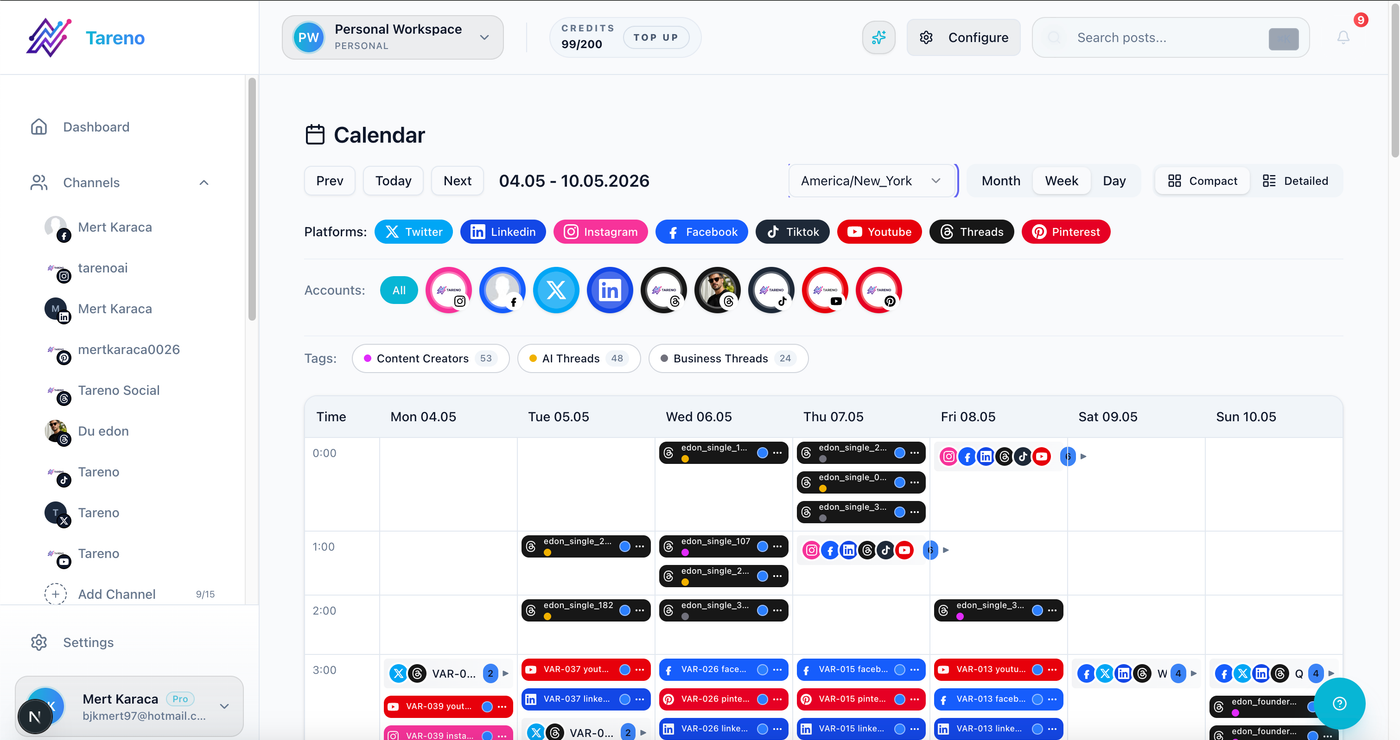
Scheduling only works when the workflow already knows the owner, asset, approval state, and publish date.
platform
publish date
publish time
timezone
approved version
attached asset
final caption
link
campaign label
owner
backup plan if publish fails
A scheduled post should not still be waiting on approval.
If it is not approved, it should remain in review.
Step 10: Published
After publishing, save the published URL where possible.
Published fields:
live URL
platform
publish date
campaign
owner
source idea
related assets
measurement date
This makes reporting easier later.
Step 11: Analyze
Set a measurement window.
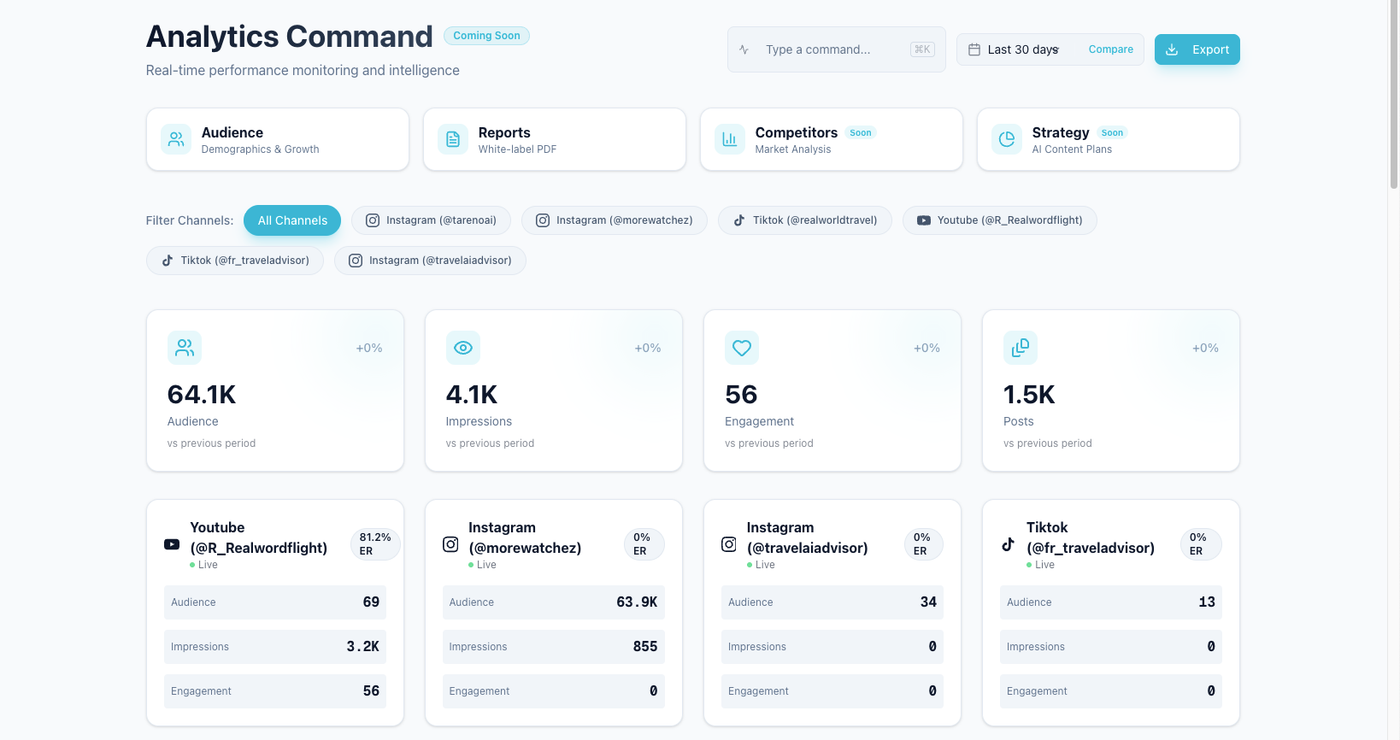
Performance review works better when the same workflow records which posts earned useful signals and which ones need a follow-up action.
Examples:
24 hours for fast-moving posts
7 days for standard posts
30 days for Pinterest/search-driven content
campaign end date for campaign posts
Analyze:
reach
impressions
saves
shares
comments
clicks
watch time
completion rate
follower growth
conversions if tracked
The purpose is not to collect numbers.
The purpose is to decide what happens next.
Step 12: Repurpose
Repurposing decisions:
reuse same idea
rewrite for another platform
turn into carousel
turn into TikTok
turn into LinkedIn post
turn into Pinterest pin
turn into blog section
turn into email
create follow-up
archive
A repurposing queue should include:
source content
reason for repurposing
target platform
owner
new hook
approval needed
scheduled date
second-wave result
This is where content compounds.
Step 13: Archive or reuse again
Not every post should stay active.
Archive posts when:
they are outdated
they performed poorly
the claim changed
the campaign ended
the offer expired
the content is no longer relevant
Reuse again when:
performance is strong
topic is evergreen
comments show demand
it works on multiple platforms
it supports business goals
The workflow should end with a decision.
Status template
Use these statuses:
StatusMeaningIdeaCaptured but not selectedSelectedApproved for productionDraftCopy is being createdAsset NeededCreative is not readyInternal ReviewTeam review neededChanges RequestedOwner must reviseApprovedReady to scheduleScheduledPublish time selectedPublishedLiveAnalyzeWaiting for performance reviewRepurposeCandidate for reuseArchiveNo further action
Keep statuses simple enough that people actually use them.
Workflow variations
Solo creator version
Use fewer stages:
Idea
Draft
Scheduled
Published
Repurpose
Creator with assistant
Use:
Idea
Assistant Draft
Creator Review
Scheduled
Published
Repurpose
Agency version
Use:
Client Brief
Draft
Internal Review
Client Review
Approved
Scheduled
Published
Report
Repurpose
SaaS team version
Use:
Product/Content Source
Social Draft
Product Review
Marketing Approval
Scheduled
Published
Analytics
Repurpose or Expand
Automation ideas
Automate handoffs, not judgment.
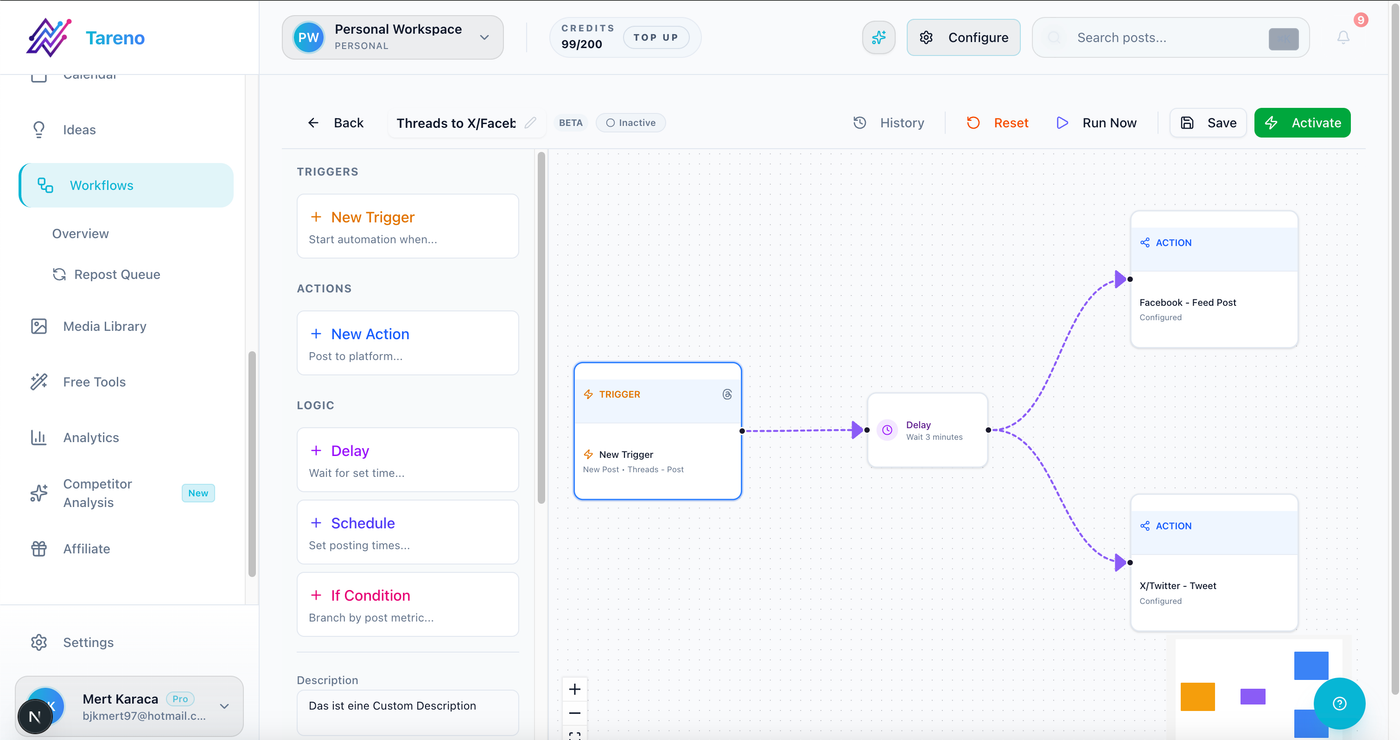
Automation helps after the process is clear, because triggers should reinforce the workflow rather than replace it.
Useful automations:
new idea → assign owner
draft ready → notify reviewer
changes requested → notify owner
approved → move to scheduling
scheduled → update calendar
published → create measurement task
high performer → create repurposing item
report completed → create next content tasks
client approved → trigger Make workflow
status changed → trigger n8n workflow
Make, n8n, and API workflows can help connect this process to trackers, dashboards, CRMs, or internal systems.
How Tareno fits this workflow
Tareno is designed for workflow-first social media operations.
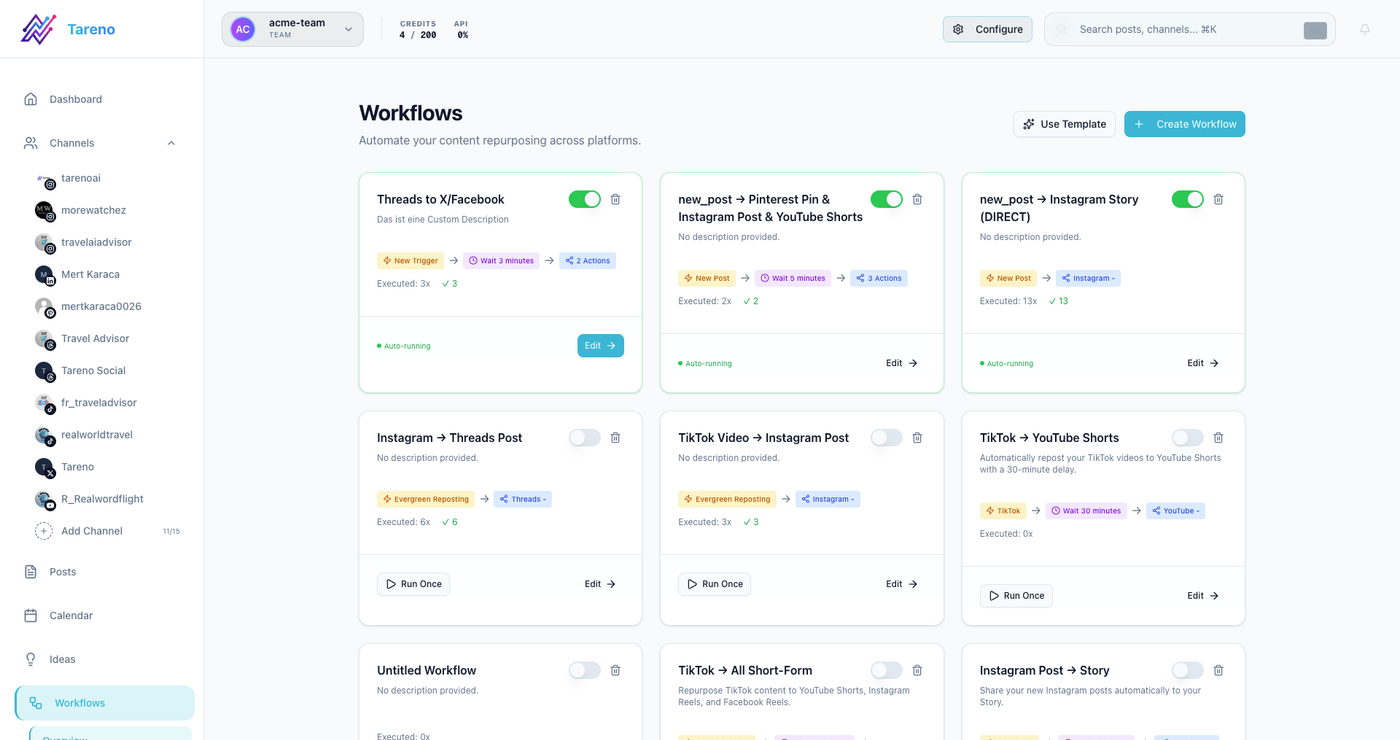
A workflow tool is most useful when the stages, owners, and automations stay visible in one operating view.
Relevant Tareno components include:
content boards
content calendar
approval workflows
workflow builder
repurposing queue
team workspaces
roles and permissions
activity visibility
analytics
competitor analysis
AI captions and hashtags
Make integration
n8n integration
API access
This makes it useful when teams want the workflow inside one system instead of scattered across docs, calendars, chat, and spreadsheets.
Copy/paste workflow SOP
Use this as a lightweight SOP.
Social media content workflow SOP
Every new post starts as an idea or brief.
Every selected idea gets an owner.
Every post has a target platform and format.
Drafts must include caption, CTA, and asset notes.
High-risk content requires review before scheduling.
Client or sponsor content requires version-specific approval.
Approved content moves to scheduling.
Published content gets a live URL and measurement date.
Top-performing posts enter the repurposing queue.
Every repurposed post gets reviewed before publishing.
Reports must create at least one next action.
Outdated content is archived.
This keeps the process simple and repeatable.
Common mistakes
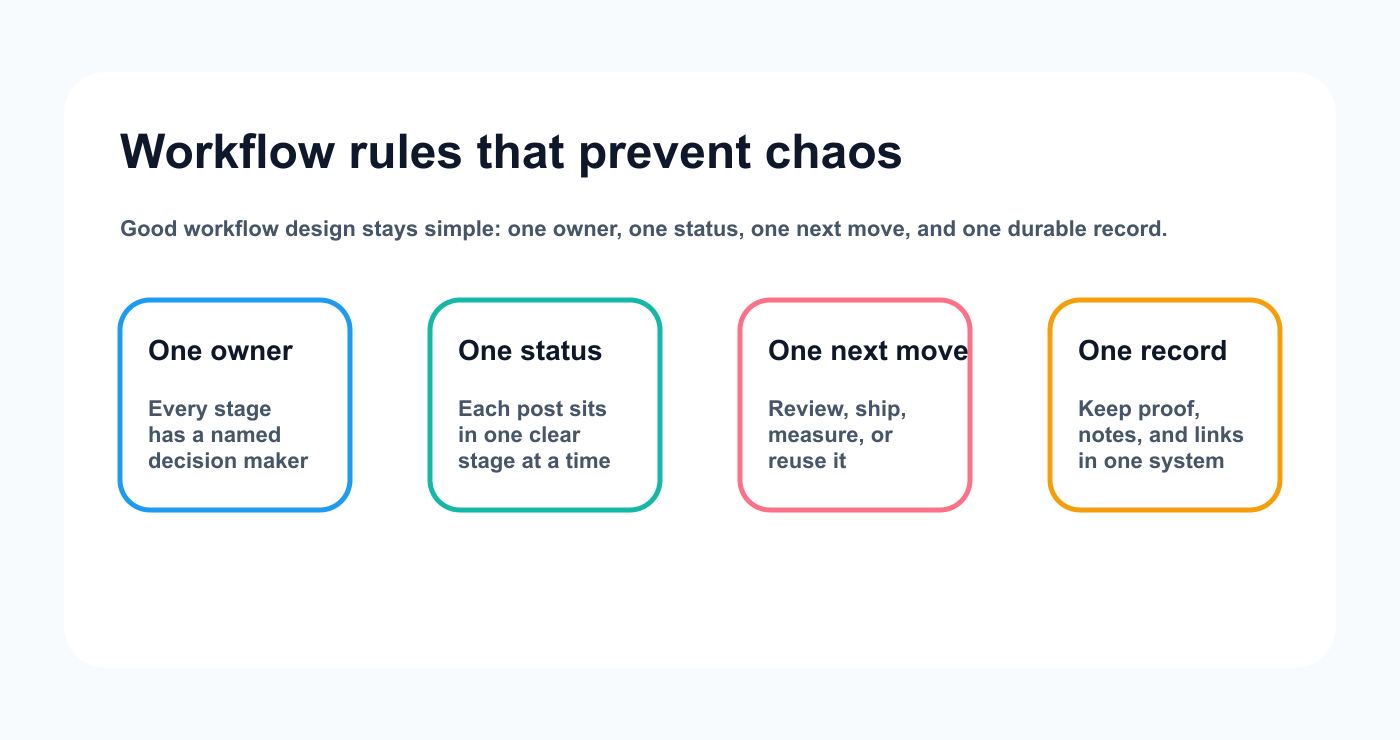
These four workflow rules keep a content operation usable even as more people, channels, and approvals are added.
Mistake 1: Too many statuses
If statuses are too complex, the team stops updating them.
Mistake 2: No owner
Every item needs someone responsible for moving it forward.
Mistake 3: Approval in chat only
Approval should be attached to the content item.
Mistake 4: Scheduling before review
A publish date does not mean the post is ready.
Mistake 5: No measurement stage
Publishing without analysis prevents learning.
Mistake 6: No repurposing stage
High-performing content should not disappear.
Related Tareno resources
Keep the workflow moving
Feature Post Scheduling See how approved content moves into a real publishing calendar. Open feature -> Workflow Workflow Builder Map owners, review gates, and automations into one system. See workflow builder -> Workflow Repurposing Workflow Turn winning posts into reusable channel-ready follow-ups. View workflow -> Tool Instagram Caption Generator Speed up caption drafting before content enters review. Try tool ->
FAQ
What is a social media content workflow?
A social media content workflow is the repeatable process for moving content from idea or brief to draft, review, approval, scheduling, publishing, analytics, and repurposing.
What should a social media workflow include?
It should include idea capture, owner assignment, draft stage, asset stage, internal review, approval, scheduling, publishing, analytics, and repurposing.
Do all teams need the same workflow?
No. Solo creators can use fewer stages. Agencies need client review. SaaS teams may need product review. Content teams may need multiple approvals.
What is the most important workflow stage?
Approval is one of the most important stages for teams, agencies, and brands because it prevents unreviewed content from publishing.
How do you automate a social media workflow?
Automate handoffs like reviewer notifications, status changes, reporting tasks, and repurposing tasks. Keep human approval for final content decisions.
How does repurposing fit into the workflow?
Repurposing should happen after analytics. Strong posts should enter a queue, be rewritten for another platform, reviewed, scheduled, and measured again.
Final thoughts
A good social media content workflow creates clarity.
It shows what is being made, who owns it, what needs review, what is approved, what is scheduled, what performed, and what should be reused.
The workflow does not need to be complicated.
It needs to be consistent.
Start with this template, remove stages you do not need, and add only the review steps that protect your team.
Primary CTA: Explore Tareno features to see how boards, calendar, approvals, repurposing queue, analytics, workflow builder, Make, n8n, API, roles, and activity visibility support this workflow.
Secondary CTA: Compare Tareno with other social media management tools on the compare hub.