Most creators do not struggle because they lack ideas.
They struggle because their ideas are not inside a system.
A creator might have screenshots, notes, drafts, half-written captions, old posts that performed well, saved competitor examples, voice memos, and content ideas spread across five apps.
That is why consistency becomes hard.
Not because the creator is not creative.
Because the workflow is scattered.
A social media workflow for creators helps turn ideas into posts, posts into repurposed assets, performance into decisions, and consistency into something repeatable.
The goal is not to become robotic.
The goal is to create a system that protects your creative energy.
This guide explains how creators can plan, post, repurpose, automate, and stay consistent without losing their voice.
TL;DR
A strong creator workflow includes idea capture, content selection, drafting, AI-assisted caption support, platform-specific adaptation, scheduling, publishing, analytics review, a repurposing queue, and repeatable weekly planning.
The key rule:
Creators should systemize the workflow, not the personality.
Automation should support consistency. It should not remove creative judgment, personal voice, or final approval.
Why creators lose consistency
Creators usually lose consistency for predictable reasons.
Ideas live in notes, DMs, screenshots, comments, drafts, and memory. When it is time to post, the creator starts searching instead of creating.
Every post starts from zero. If every post requires a new idea, a new caption, a new format, and a new angle, content becomes exhausting.
Strong posts are not reused. Creators often have old posts that worked, but they never become a system for future content.
Platforms need different versions. TikTok, Instagram, Threads, Pinterest, LinkedIn, and YouTube Shorts do not behave the same way. Copy-pasting the same post everywhere rarely works as well as adapting the idea.
Analytics are reviewed casually. Creators see that something performed well, but they do not turn the insight into a next action.
AI is used without workflow. AI can generate captions, but captions alone do not create consistency.
The CREATE framework
Use the CREATE framework to build a creator workflow.
- C — Capture ideas
- R — Rank what matters
- E — Edit with AI support
- A — Adapt by platform
- T — Turn winners into repurposing
- E — Evaluate and repeat
This framework keeps the system simple but useful.
C — Capture ideas
The first step is to stop losing ideas.
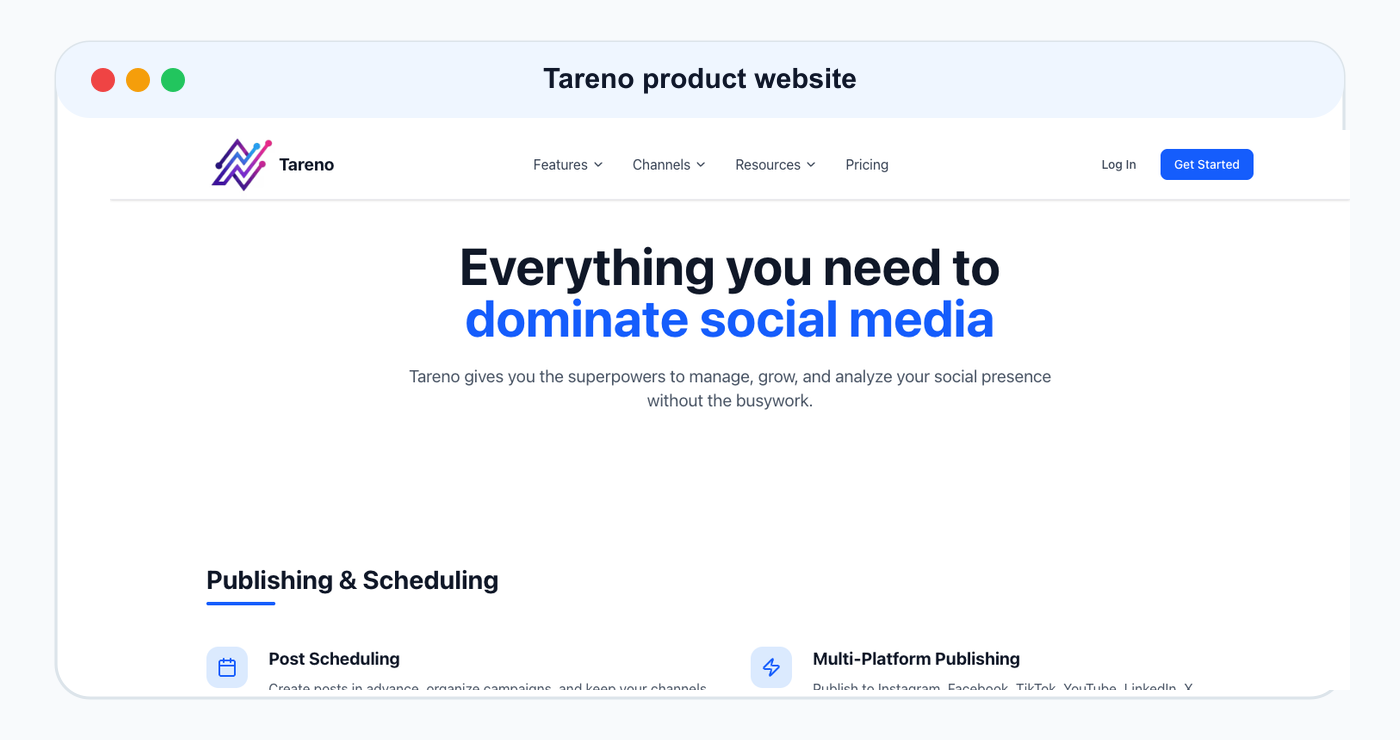
Create one place where ideas go.
That place can be a board, workspace, content inbox, or simple database.
Capture comments from your audience, questions people ask repeatedly, old posts that performed well, competitor content patterns, personal stories, lessons learned, mistakes you see in your niche, product or tool use cases, short hooks, carousel ideas, TikTok scripts, Pinterest pin titles, and LinkedIn angles.
Do not judge every idea immediately.
The goal of capture is collection. Filtering comes later.
A good idea capture system should be fast. If it takes too long to save an idea, the creator will stop using it.
A practical idea board makes capture frictionless and keeps future drafts, hooks, and repurposing candidates in one place.
R — Rank what matters
Not every idea deserves to become a post.
Rank ideas by audience relevance, platform fit, effort required, search value, sponsor/client relevance, conversion potential, repeatability, repurposing potential, personal point of view, trend fit, and evergreen value.
A useful ranking question:
Can this idea become more than one post?
If yes, it may be stronger than a one-off idea.
Another useful question:
Would my audience save, share, reply, click, or act on this?
If not, the idea may need a stronger angle.
Creators should not only choose what is easiest to post. They should choose what can become a repeatable content asset.
E — Edit with AI support
AI can help creators move faster.
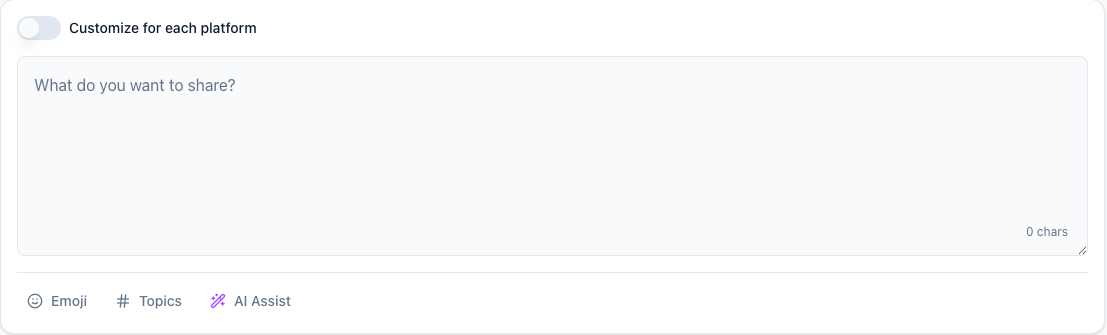
But AI should not replace the creator’s voice.
Use AI for caption drafts, hook variations, hashtag ideas, post outlines, carousel structure, TikTok scripts, LinkedIn rewrites, Threads versions, Pinterest titles, content idea expansion, and turning one post into multiple formats.
Then edit.
The creator should check:
- does this sound like me?
- is the hook specific?
- is the example real?
- is the caption too generic?
- is the CTA clear?
- is the claim accurate?
- would I actually say this?
- is the platform context right?
AI creates options. Creators choose taste.
That is the right balance.
A — Adapt by platform
A creator workflow should avoid lazy cross-posting.
Repurpose the idea, not the identical post.
Example idea:
“Your caption is too vague.”
TikTok version:
Your TikTok caption is too vague. “daily vlog” gives almost no context. Try “daily vlog ideas for creators trying to stay consistent.”
Instagram version:
Stop writing vague captions. Make your caption clear enough that someone understands the topic before watching.
Threads version:
“daily vlog” is not a caption strategy. Specific captions give people and platforms more context.
LinkedIn version:
Captions are part of content operations. A vague caption makes good content harder to understand and harder to reuse.
Pinterest version:
Turn Weak Captions Into Search-Friendly Captions
Same idea. Different execution.
A strong workflow makes this adaptation normal.
T — Turn winners into repurposing
Repurposing is how creators stay consistent without always starting over.
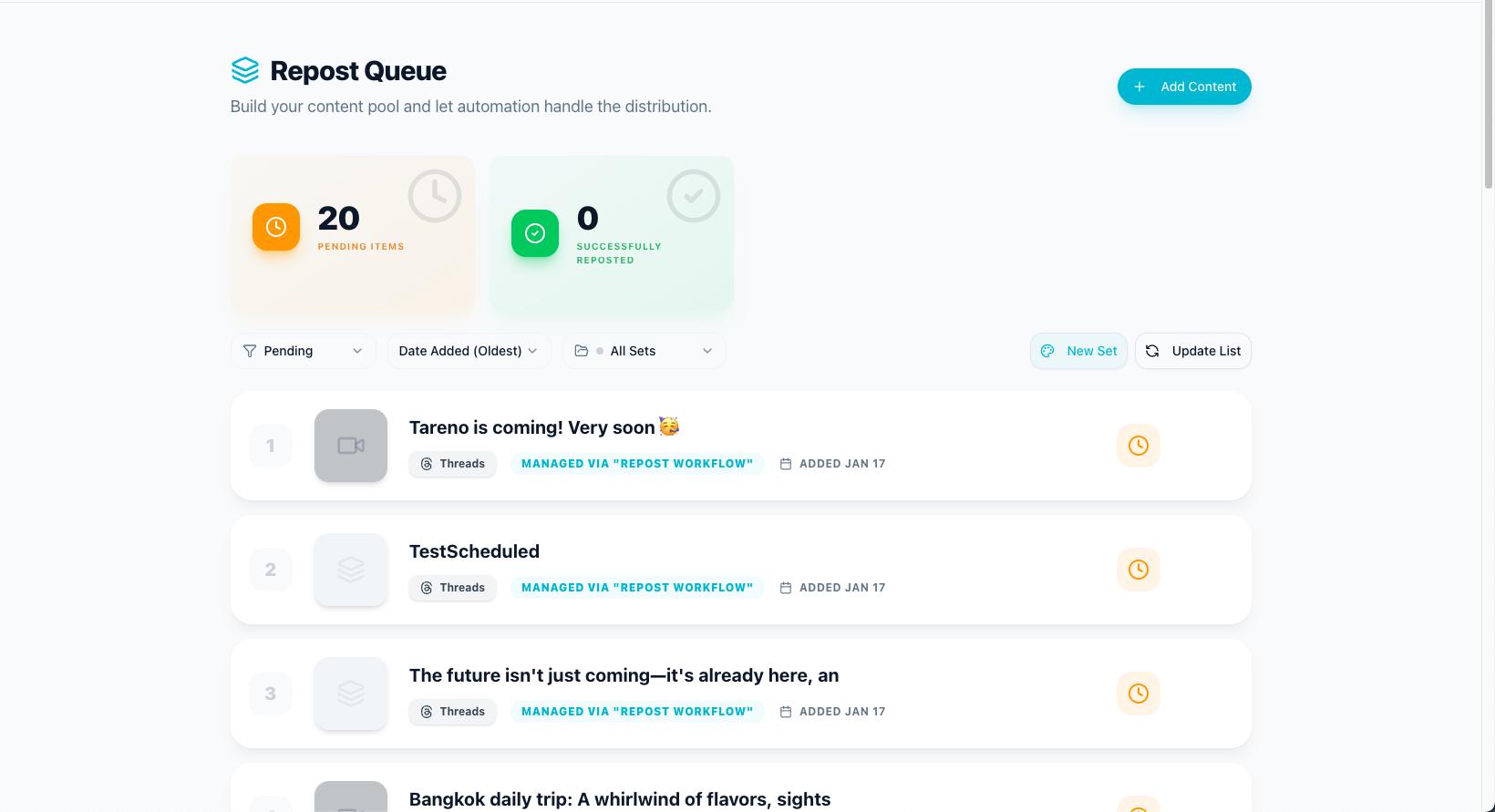
After publishing, review what worked.
Move winners into a repurposing queue.
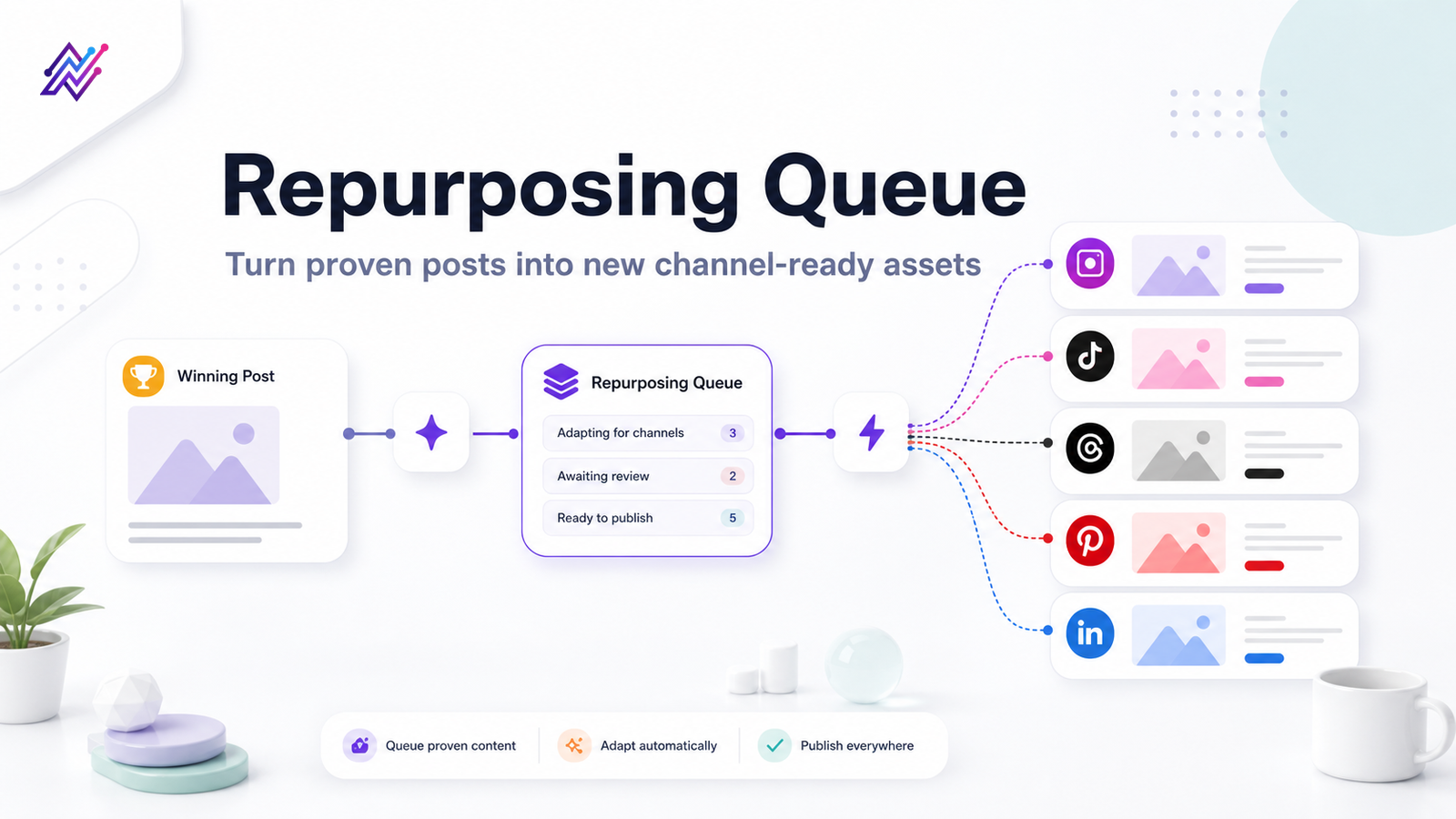
A repurposing queue should include source post, original platform, performance reason, target platform, new hook, new format, owner, status, approval requirement, and next publish date.
Creator queue statuses can be simple:
- Candidate
- Rewrite
- Record
- Design
- Review
- Scheduled
- Published
- Reuse Again
- Archive
A repurposing queue helps creators turn strong ideas into multiple assets.
This is how one idea can support a whole week of content.
E — Evaluate and repeat
Consistency improves when creators review performance regularly.
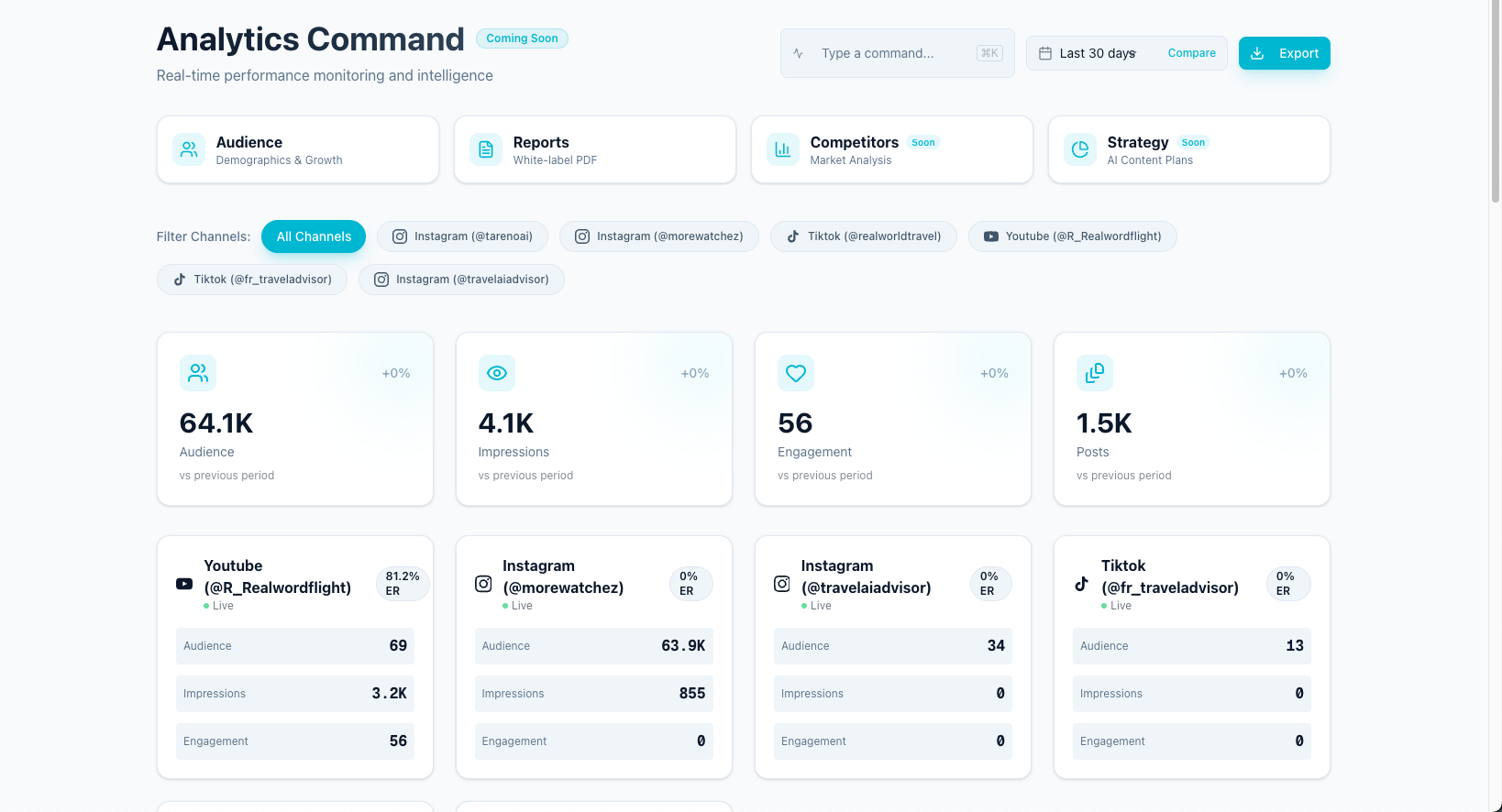
A simple weekly review is enough.
Ask:
- What got the most saves?
- What got the most replies?
- What got the most clicks?
- What had strong watch time?
- Which hook worked?
- Which format worked?
- Which post should be repurposed?
- Which idea should become a series?
- Which platform deserves more focus?
- Which content should be stopped?
Then choose three actions for the next week.
Examples:
- repurpose this post into a carousel
- reuse this hook format
- turn this comment into a video
- make a Pinterest pin from this topic
- write a LinkedIn version of this TikTok
- add this idea to a blog
- create a follow-up post
Reporting should create action.
Weekly creator workflow
Here is a practical weekly workflow.
Monday: choose ideas
Pick 3 to 5 ideas from your idea board.
Choose based on relevance, effort, platform fit, and repurposing potential.
Tuesday: draft
Use AI to create first drafts, hooks, captions, and platform variants.
Edit for your voice.
Wednesday: create assets
Record videos, create carousels, design pins, or prepare screenshots.
Thursday: review and schedule
Check captions, visuals, links, hashtags, and platform fit.
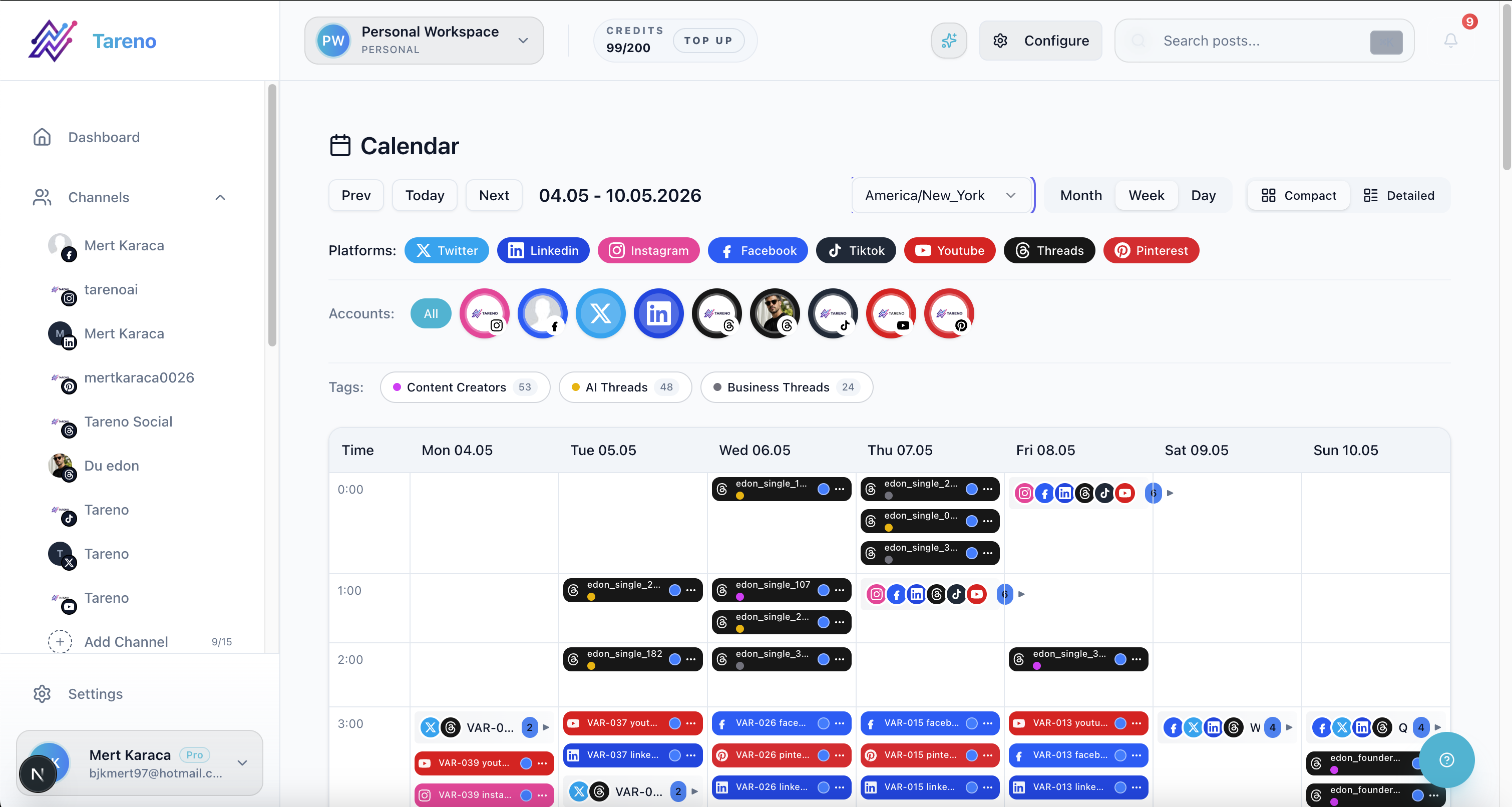
Schedule approved posts.
Friday: analyze and repurpose
Review top posts and move winners into the repurposing queue.
Weekend: optional batching
Batch extra posts, scripts, or pins if you have energy.
This creates a repeatable rhythm without forcing daily chaos.
Workflow for creators with assistants
A creator with an assistant needs more structure.
Example:
- Creator adds ideas to board.
- Assistant drafts captions.
- AI helps create variants.
- Creator edits voice.
- Assistant prepares platform versions.
- Creator approves.
- Assistant schedules.
- Analytics are reviewed weekly.
- Assistant adds winners to repurposing queue.
This keeps the creator focused on judgment, voice, and direction.
The assistant handles operational work.
Workflow for creators with sponsors
Sponsored content needs stronger review.
Example:
- Sponsor brief is added to workspace.
- Creator drafts content concept.
- AI helps create caption options.
- Creator edits for voice.
- Sponsor reviews exact version.
- Required claims and links are checked.
- Final version is approved.
- Post is scheduled.
- Performance is reported.
- Repurposing is only done if the sponsorship agreement allows it.
This protects both the creator and sponsor.
Workflow for multi-platform creators
A multi-platform creator needs a platform adaptation system.
Source idea:
“Social media reporting is not enough.”
Platform outputs:
- TikTok: quick video hook
- Instagram: carousel checklist
- Threads: opinion post
- LinkedIn: professional workflow lesson
- Pinterest: search-friendly pin
- YouTube Shorts: short explanation
A workflow-first system should help track all versions.
Otherwise, the creator forgets what was posted where.
How automation helps creators
Automation should reduce repetitive work.
Useful automations include:
- move approved posts to scheduling
- remind creator to review drafts
- notify assistant when changes are requested
- add high-performing posts to repurposing candidates
- create a task after publishing
- send published URLs to a tracker
- trigger Make or n8n workflows
- sync content with analytics or reporting tools
Automation should not remove creator approval.
The creator’s voice is the product.
How Tareno fits into creator workflows
Tareno is built for creators who need more than simple scheduling.
Relevant Tareno components include:
- content boards
- content calendar
- AI captions
- AI hashtags
- workflow builder
- repurposing queue
- team workspaces
- approval workflows
- roles and permissions
- activity visibility
- competitor analysis
- unified analytics
- API access
- Make integration
- n8n integration
This matters because creator consistency is not only about publishing.
It is about turning ideas into a repeatable system.
Tareno is especially useful when creators need to plan, post, repurpose, measure, and repeat across multiple platforms.
Tool comparison context
Different creator tools solve different workflow problems.
| Need | Tool type that often fits |
|---|---|
| Simple scheduling | Buffer-style scheduler |
| Visual planning | Later-style planner |
| Evergreen categories | SocialBee-style category tool |
| Analytics and competitors | Metricool-style analytics tool |
| Approval collaboration | Planable-style review tool |
| Broad social suite | Hootsuite-style platform |
| Workflow automation and repurposing | Tareno-style workflow system |
If you only need scheduling, a simple scheduler may be enough.
If you need visual planning, a visual planner may be enough.
If you need a full creator workflow with repurposing, AI support, approvals, analytics, Make, n8n, and API workflows, a workflow-first system is stronger.
Creator workflow checklist
Ideas
- Do you have one place to capture ideas?
- Are comments and audience questions saved?
- Are old winners marked for reuse?
Drafting
- Do you use AI for first drafts?
- Do you edit for your voice?
- Are hooks specific?
Platform adaptation
- Is each platform version different?
- Is the caption native to the platform?
- Is the CTA clear?
Scheduling
- Are posts scheduled ahead?
- Is the timing intentional?
- Are links and hashtags checked?
Repurposing
- Are top posts moved into a queue?
- Are repurposed posts rewritten?
- Are old claims checked?
Analytics
- Do you review performance weekly?
- Do insights create next actions?
- Do winners become future posts?
Automation
- Are handoffs automated?
- Are Make or n8n workflows useful?
- Is final approval still human?
Visual assets used in this guide
This draft now uses product screenshots mapped directly to workflow concepts: idea capture, AI drafting, platform scheduling, repurposing queue operations, and analytics-to-action review.
Each visual is placed immediately after the paragraph that introduces the same concept to keep the reading flow coherent.
Related Tareno pages for implementation
Use the features overview to review available modules, then open the workflow library to model your weekly creator process.
For drafting speed, pair the Instagram caption generator with the Instagram hashtag generator. For stack decisions, compare options via the compare hub, the Buffer alternative page, and the Later alternative page.
FAQ
What is a social media workflow for creators?
A social media workflow for creators is a repeatable process for capturing ideas, drafting posts, adapting them by platform, scheduling, publishing, reviewing analytics, and repurposing strong content.
How can creators stay consistent on social media?
Creators can stay consistent by using an idea board, weekly planning rhythm, AI-assisted drafts, platform-specific templates, scheduling, analytics review, and a repurposing queue.
Should creators use AI for social media?
Yes, but AI should support drafts, hooks, captions, hashtags, and repurposing ideas. Creators should still edit for voice and approve final content.
What is the best workflow for repurposing creator content?
Review top posts weekly, move winners into a repurposing queue, rewrite each idea for the target platform, approve the version, schedule it, and measure performance again.
What should creators automate?
Creators can automate reminders, scheduling, reporting summaries, repurposing tasks, and handoffs. They should keep creative direction, voice, and final approval human.
Which tool is best for creator workflows?
It depends on the creator. Buffer is good for simple scheduling. Later is good for visual planning. SocialBee is good for evergreen categories. Metricool is good for analytics. Tareno is strong for workflow automation, repurposing, AI support, approvals, Make, n8n, and API workflows.
Final thoughts
Creators do not need to become machines to stay consistent.
They need a better workflow.
A strong creator workflow captures ideas, turns them into drafts, adapts them by platform, schedules them, reviews performance, repurposes winners, and repeats the process.
The system should support the creator’s voice, not replace it.
That is the difference between consistency and generic content.
Primary CTA: Explore Tareno features and workflows to build a repeatable operating system for your team.
Secondary CTA: Use the compare hub to evaluate alternatives based on your exact workflow bottleneck.