Social media scheduling and social media automation are often treated like the same thing.
They are not.
Scheduling answers one question:
When should this post go live?
Automation answers a bigger question:
What should happen before, during, and after this post goes live?
That difference matters because many creators, agencies, and teams buy a scheduler when the real problem is workflow.
A scheduler helps you queue posts. A workflow automation system helps you move content from idea to draft, review, approval, scheduling, publishing, repurposing, reporting, and improvement.
Both are useful, but they solve different problems.
This guide explains the difference between social media automation and scheduling, when a scheduler is enough, and when your team needs deeper workflow automation.
TL;DR
Social media scheduling means planning posts to publish at a future date and time.
Social media automation means using rules, triggers, workflows, approvals, integrations, and queues to reduce manual work across the entire content lifecycle.
Scheduling is part of automation, but automation is much broader.
You need scheduling if your main problem is consistency.
You need automation if your main problem is coordination, approvals, repurposing, reporting, team ownership, or workflow handoffs.
The key rule:
Scheduling manages publish time. Automation manages workflow movement.
What is social media scheduling?
Social media scheduling is the process of preparing posts in advance and setting them to publish later.
Framework for deciding what needs human review before publishing.
The next visual adds the practical layer behind this point: visual map showing which workflow steps can be automated safely.
Visual map showing which workflow steps can be automated safely.
The following visual builds on that example with a different angle, so the section has a clear explanation between the two images.
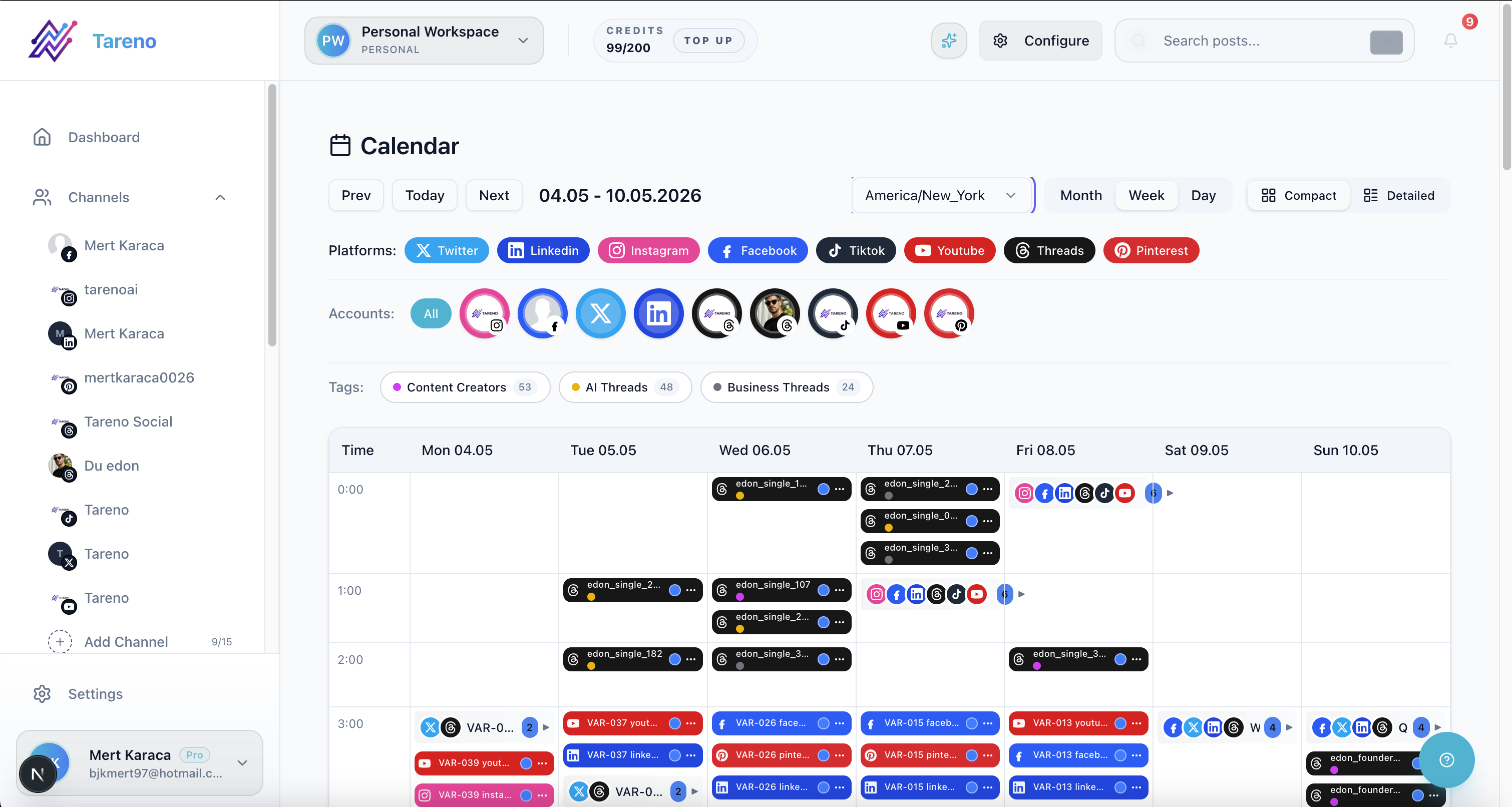
Scheduling is about planned publish timing, not conditional process logic.
A scheduler usually helps you write posts, choose platforms, upload assets, select publish times, create a posting queue, view a calendar, publish automatically at the selected time, and track basic performance.
Scheduling is useful because it helps creators and teams stay consistent.
Instead of posting manually every day, you can batch content and schedule it ahead.
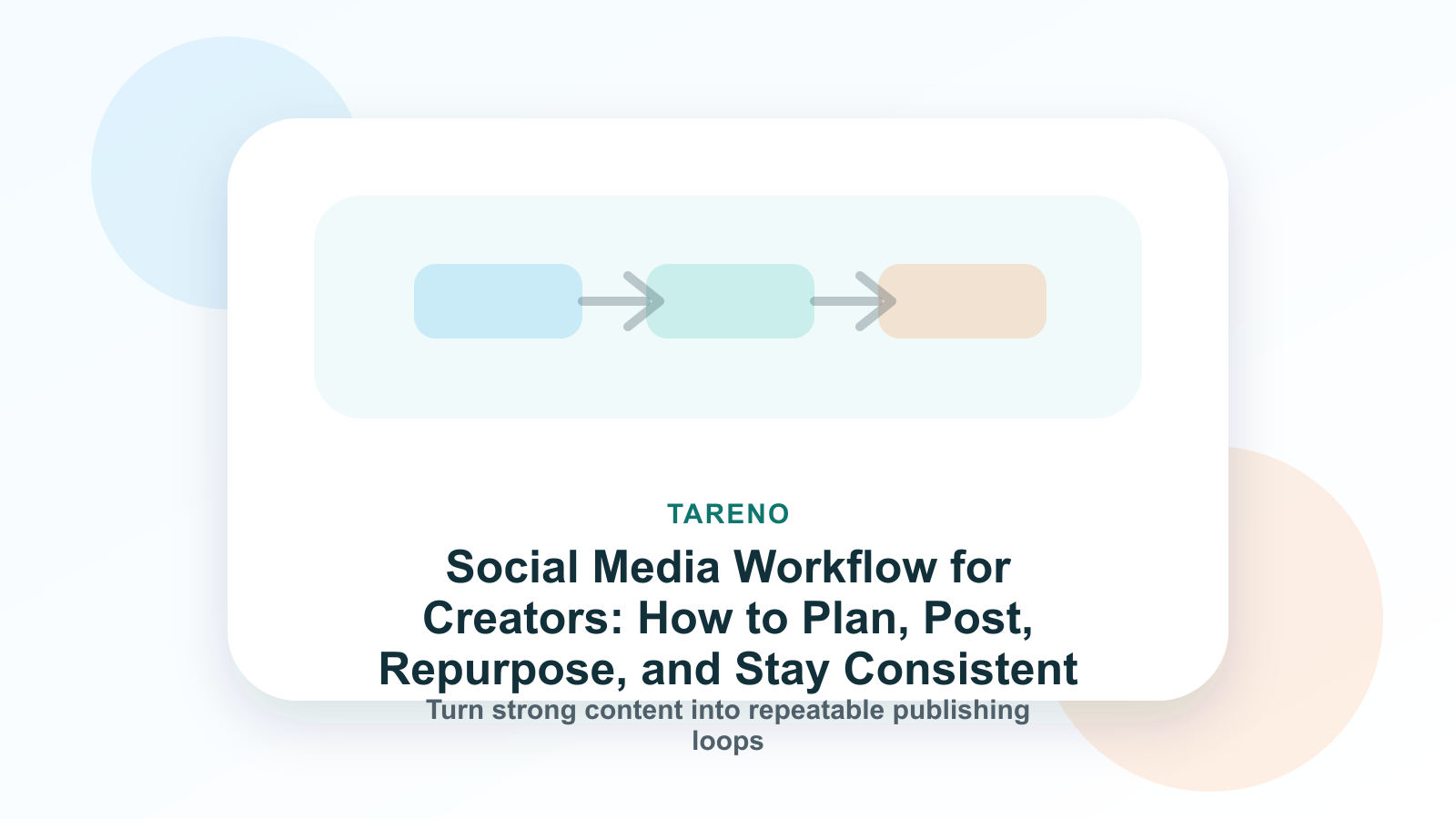
A simple scheduling workflow might look like this:
Write caption.
Upload image or video.
Pick platform.
Choose date and time.
Schedule.
Publish.
That is helpful, but it is not the full workflow.
What is social media automation?
Social media automation is the use of workflows, rules, triggers, approvals, queues, integrations, and systems to reduce repetitive manual work across social media operations.
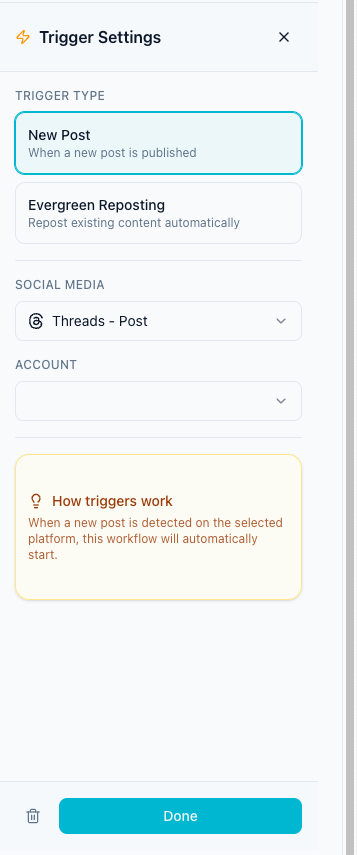
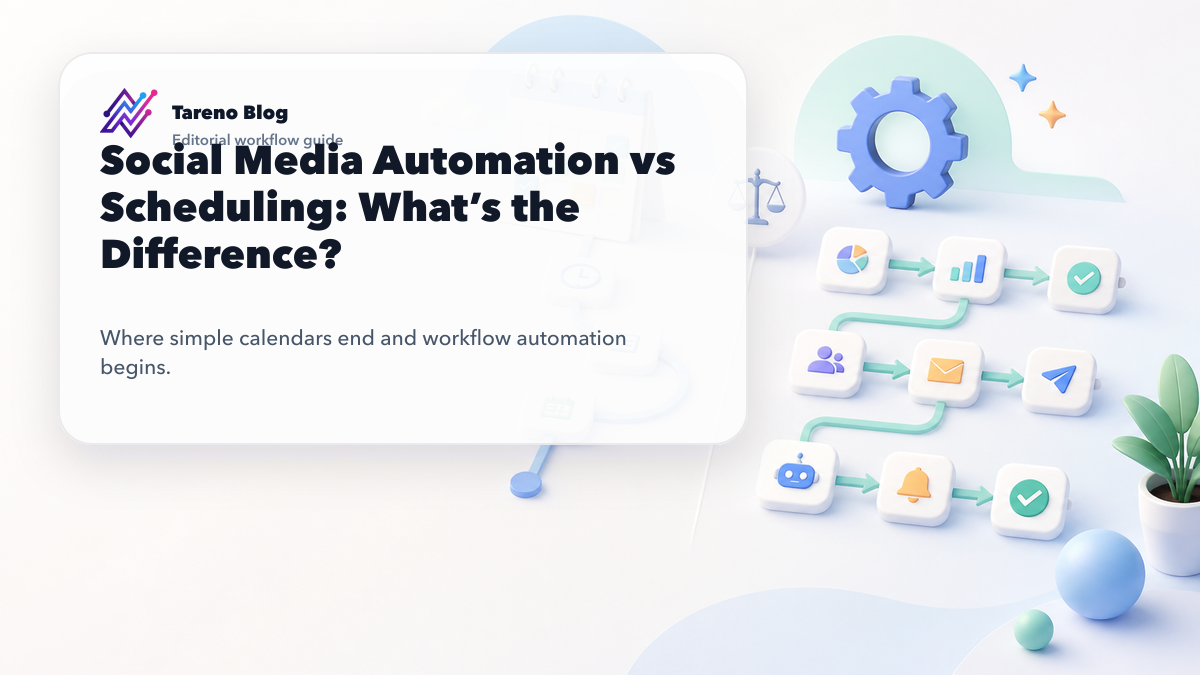
Automation adds trigger logic, approvals, and chained actions around publishing.
It can include scheduling, but it can also include idea capture, AI caption drafting, status movement, approval notifications, client review, workflow builder logic, delays between platform posts, repurposing queues, reporting exports, competitor analysis actions, Make workflows, n8n workflows, API-connected operations, analytics-based tasks, and team activity visibility.
A simple automation might be:
When a post is approved, move it to scheduled and notify the publisher.
A more advanced automation might be:
When an Instagram post performs above benchmark, add it to the repurposing queue, assign a LinkedIn rewrite, require approval, then schedule after review.
That is not scheduling. That is workflow automation.
Why people confuse scheduling with automation
People confuse scheduling and automation because many scheduling tools use the word “automation.”
A tool may say it automates social media because it publishes posts at a scheduled time.
That is technically a kind of automation. But it is a narrow kind.
Publishing a post later is automation of timing.
It does not automatically solve planning, ownership, approvals, platform adaptation, content reuse, reporting actions, competitor insights, team workflows, Make/n8n handoffs, or activity visibility.
This is why a team can have a scheduler and still feel chaotic.
The posts go live on time, but the process behind the posts is still manual.
The difference in one table
AreaSchedulingAutomationMain questionWhen does this post publish?What happens across the workflow?ScopePublish timingFull content lifecycleBest forConsistency and batchingCoordination, approvals, repurposing, reportingTypical viewCalendar or queueBoards, triggers, statuses, rulesApproval supportSometimes basicBuilt into workflow gatesRepurposingUsually manualQueue-based and repeatableReportingOften dashboard-onlyCan create next actionsIntegrationsBasicMake, n8n, API, triggersTeam visibilityLimitedRoles, owners, activity historyRisk controlLow to mediumHigher with approval gates
Scheduling is a feature. Automation is a system.
When scheduling is enough
A scheduler may be enough if you are a solo creator, publish a few times per week, do not need approvals, do not manage multiple clients, do not need repurposing workflows, do not need Make or n8n integrations, do not need roles or activity visibility, and only need to batch and publish posts.
Example:
A creator posts three times per week on Instagram and LinkedIn. They write all captions themselves and do not need review.
A simple scheduler can work well.
Do not overbuild before you need to.
When scheduling is not enough
Scheduling is not enough when the content process becomes more complex.
You may need automation if posts need approval before publishing, several people touch content, old posts should be repurposed, reporting should create next actions, content needs platform-specific rewrites, clients need review, workspaces need separation, roles and permissions matter, activity history matters, Make or n8n workflows are part of the process, competitor analysis should feed content ideas, or analytics should trigger repurposing tasks.
If the problem is not “when should this post publish?” but “how does content move through the team?” then scheduling alone is not enough.
The SCHEDULE framework
Use the SCHEDULE framework to decide what you need.
S — Simple publishing
C — Collaboration
H — Human approval
E — Evergreen reuse
D — Data-driven actions
U — Unified workflow
L — Logic and integrations
E — Execution visibility
If you only need the first one, scheduling may be enough.
If you need several of them, you likely need automation.
S — Simple publishing
Simple publishing is the core job of a scheduler.
A scheduler helps you choose dates, publish consistently, avoid manual posting, batch content, manage a queue, and keep a calendar.
This is valuable for creators and small teams.
The mistake is expecting simple publishing to solve every social media operations problem.
C — Collaboration
Collaboration adds complexity.
If several people touch content, you need more than a calendar.
You need to know who owns the post, who wrote the caption, who created the asset, who reviews it, who approves it, who schedules it, and what happens after publishing.
A scheduler may show the post.
A workflow system shows ownership and movement.
H — Human approval
Approval is one of the clearest signs that scheduling is not enough.
If content needs review, the system should prevent unapproved posts from going live.
Approval automation can handle reviewer notifications, changes requested, publish gates, approval timestamps, client review, legal review, product claim review, and repurposed content review.
This keeps publishing safer.
E — Evergreen reuse
Scheduling helps you publish new posts.
Repurposing helps you reuse strong posts.
If your content library has old winners, you need a system to bring them back.
That means identifying high-performing posts, adding them to a repurposing queue, rewriting for another platform, approving the new version, scheduling it, and measuring performance again.
That is automation, not simple scheduling.
D — Data-driven actions
A reporting dashboard can show what happened.
Workflow automation can help turn that into actions.
Examples:
high-save post → create carousel follow-up
high-watch-time TikTok → repurpose to Instagram Reel
high-click LinkedIn post → create blog expansion
competitor topic spike → create response content
weak format → pause or test new hook
Scheduling does not do this by itself.
A workflow should connect analytics to execution.
U — Unified workflow
Many teams work across too many tools.
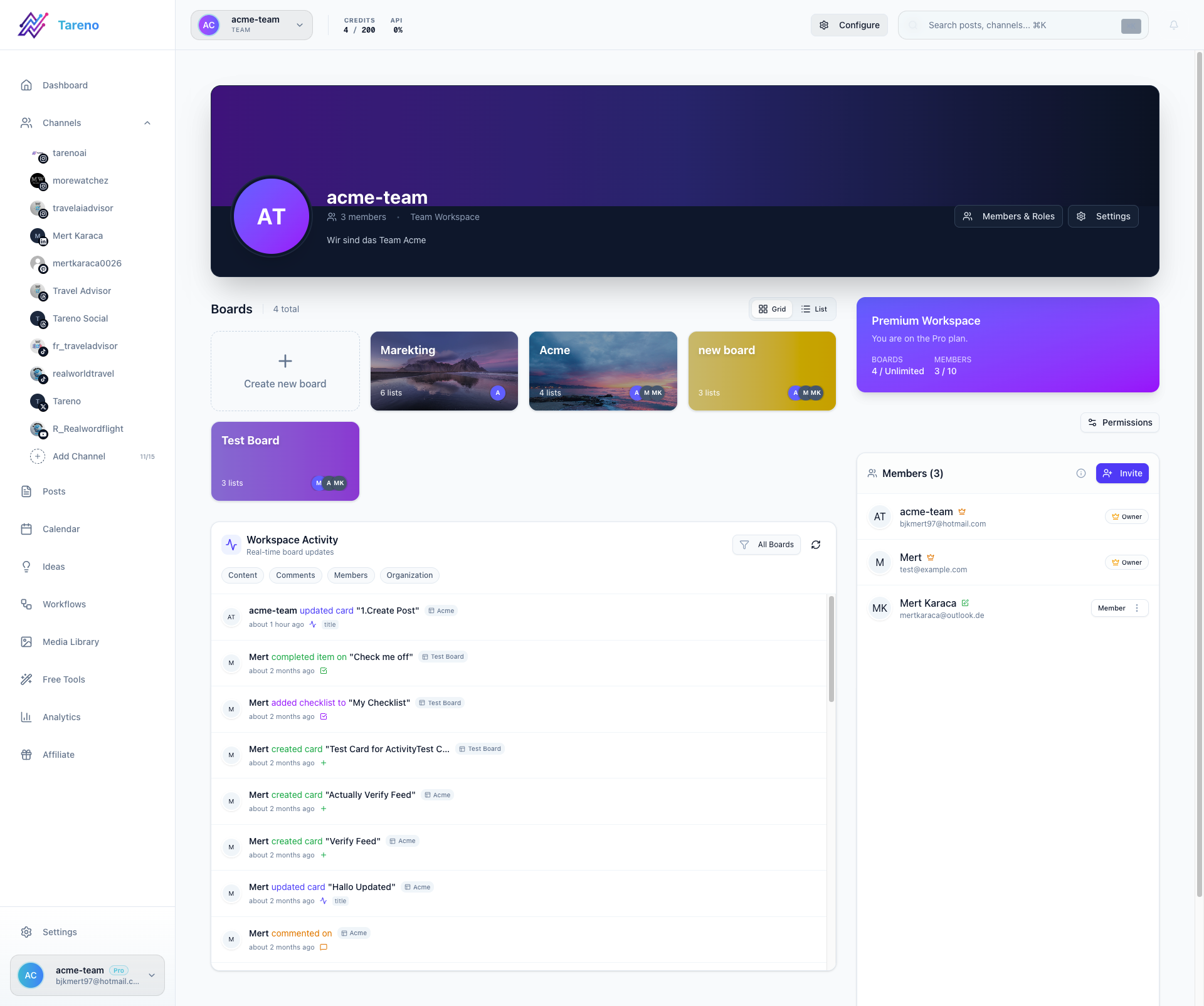
Unified workflows reduce handoff errors by keeping planning, approval, and execution connected.
Ideas live in notes. Drafts live in docs. Approvals happen in Slack. Scheduling happens in a scheduler. Reports live in dashboards. Repurposing lives in memory.
A unified workflow brings these steps closer together.
It reduces manual coordination.
It makes the process visible.
L — Logic and integrations
Automation often requires logic.
Examples:
if approved, then schedule
if rejected, then return to draft
if published, then wait 7 days
if performance is above threshold, then add to repurposing queue
if competitor topic appears repeatedly, then create content task
if client approves, then notify publisher
Integrations like Make, n8n, and API workflows help connect the social media process to other systems.
This is far beyond scheduling.
E — Execution visibility
Teams need to know what happened.
Activity visibility helps answer who moved the post, who changed the caption, who approved it, who scheduled it, when it was published, why it was repurposed, and what changed after review.
This matters for teams, agencies, and creators with assistants.
A calendar alone often does not show enough history.
Examples: scheduling vs automation
Basic creator
Need: post three times per week, no approvals, no repurposing, no team.
Best fit: scheduling.
Creator with assistant
Need: assistant drafts posts, creator approves, assistant schedules, winners get reused.
Best fit: automation with approval and repurposing.
Agency
Need: client workspaces, internal review, client approval, scheduling, reports, repurposing, activity history.
Best fit: workflow automation.
Social team
Need: team roles, board stages, approval gates, analytics-to-action, Make/n8n workflows, competitor analysis.
Best fit: workflow automation.
Tool categories: scheduling vs automation
Different tools sit in different categories.
NeedTool typeSimple schedulingBuffer-style schedulerVisual planningLater-style plannerContent categoriesSocialBee-style evergreen toolAnalytics and reportsMetricool-style analytics toolApproval collaborationPlanable-style approval toolBroad suiteHootsuite-style platformWorkflow automation and repurposingTareno-style workflow system
This is why “best tool” depends on the problem.
A scheduler is not bad. It is just not the same as a workflow automation system.
How Tareno fits into automation vs scheduling
Tareno includes scheduling, but its stronger value is workflow automation.
Relevant Tareno components include:
content calendar
content boards
workflow builder
approval workflows
repurposing queue
team workspaces
roles and permissions
activity visibility
competitor analysis
unified analytics
AI captions and hashtags
API access
Make integration
n8n integration
This matters because Tareno is designed for teams that need more than a posting queue.
It helps connect idea capture, AI drafts, review, approval, scheduling, publishing, repurposing, reporting, and automation.
That is the difference between “we scheduled content” and “we operate a social media workflow.”
Social media automation mistakes to avoid
Mistake 1: Automating before the workflow is clear
If your process is messy, automation makes the mess faster.
Define stages first.
Mistake 2: Removing human approval
Automation should not publish risky content without review.
Mistake 3: Copy-paste cross-posting
Automation should adapt content by platform.
Mistake 4: Ignoring repurposing
If you only schedule new posts, old winners are wasted.
Mistake 5: Reporting without action
Analytics should create tasks, repurposing items, or workflow changes.
Mistake 6: Choosing the wrong tool type
Do not buy a scheduler if your real problem is approvals, roles, or workflow movement.
Decision checklist
Choose scheduling if you only need publish dates, work alone, approvals are not needed, repurposing is not important yet, you do not use Make/n8n/API workflows, and you want the simplest setup.
Choose automation if multiple people touch content, approvals are required, old content should be reused, analytics should create actions, clients or stakeholders review posts, platform-specific versions matter, Make or n8n workflows are useful, roles and activity visibility matter, or competitor analysis should become content tasks.
Related Tareno resources
Use Tareno Features, Tareno Pricing and Compare Hub to place this recommendation in the broader Tareno stack. For vendor context, compare it with Buffer Alternative, Later Alternative, Hootsuite Alternative, Metricool Alternative and SocialBee Alternative.
FAQ
What is the difference between social media automation and scheduling?
Scheduling means setting posts to publish at a future time. Automation means using workflows, rules, triggers, approvals, integrations, and queues to manage the larger content process.
Is scheduling a type of automation?
Yes. Scheduling is a basic form of automation because it publishes posts automatically at a selected time. But full workflow automation goes much further.
When is a social media scheduler enough?
A scheduler is enough when you mainly need to batch posts, choose publish times, and maintain consistency without approvals, repurposing, team roles, or integrations.
When do teams need social media automation?
Teams need automation when content requires approvals, repurposing, analytics actions, client review, Make/n8n integrations, activity visibility, or workflow movement beyond a calendar.
Can automation make social media spammy?
Yes, if it publishes unreviewed content or copy-pastes the same post everywhere. Good automation uses approval gates, platform adaptation, and performance feedback.
What is workflow automation for social media?
Workflow automation for social media manages steps like idea capture, drafting, review, approval, scheduling, publishing, repurposing, reporting, and team handoffs.
Which tool is best for social media automation?
It depends on the bottleneck. Buffer is good for simple scheduling. Later is good for visual planning. Metricool is good for analytics. Tareno is strong for workflow automation, repurposing, approvals, Make, n8n, API, roles, and activity visibility.
Final thoughts
Scheduling is useful.
But scheduling is not the same as automation.
A scheduler helps you publish posts on time. A workflow automation system helps you run the entire content operation.
That difference becomes important as your workflow grows.
If you only need to plan posts, a scheduler may be enough.
If you need approvals, repurposing, analytics actions, roles, activity visibility, Make, n8n, API workflows, and content movement, you need automation.
The question is not:
Do we need a scheduler?
The better question is:
Do we only need publish timing, or do we need the workflow around publishing?
Primary CTA: Explore Tareno features to see how scheduling, workflow builder, boards, approvals, repurposing queues, Make, n8n, API, analytics, roles, and activity visibility work together.
Secondary CTA: Compare Tareno with Buffer, Later, Hootsuite, Metricool, and SocialBee on the compare hub.