Most social media teams do not fail because they lack ideas.
They fail because the workflow is unclear.
The post is drafted, but nobody knows who reviews it.
The client approves one version, but another version gets changed later.
The calendar looks full, but half the posts are not actually approved.
The report shows top posts, but nobody repurposes them.
AI creates drafts faster, but the team spends more time cleaning generic content.
Automation is added before the process is stable.
These are workflow problems.
And workflow problems create content problems.
This guide covers 11 common social media workflow mistakes and how to fix them.
TL;DR
The most common workflow mistakes are:
using a calendar as the whole workflow
not assigning owners
treating approval as a vague status
sending weak drafts to clients
using the same caption everywhere
reporting without next actions
forgetting repurposing
automating too early
letting AI bypass review
ignoring activity history
choosing tools by feature count instead of workflow fit
The key rule:
A good workflow makes the next action obvious.
If the next action is unclear, the workflow is broken.
The 11 workflow mistakes
Mistake 1: Treating the calendar as the workflow
A content calendar is useful.
But a calendar is not the whole workflow.
A calendar shows when posts should go live.
It does not always show:
who owns the post
whether the asset is ready
whether the caption is final
whether the post is approved
what changes were requested
whether the post needs product review
whether the post should be repurposed later
what performance signal it created
The fix:
Use a workflow board before the calendar.
Recommended stages:
Idea
Draft
Asset Needed
Review
Changes Requested
Approved
Scheduled
Published
Analyze
Repurpose
Then let the calendar show only content that is actually ready or actively scheduled through post scheduling.
A post should not look complete just because it has a date.
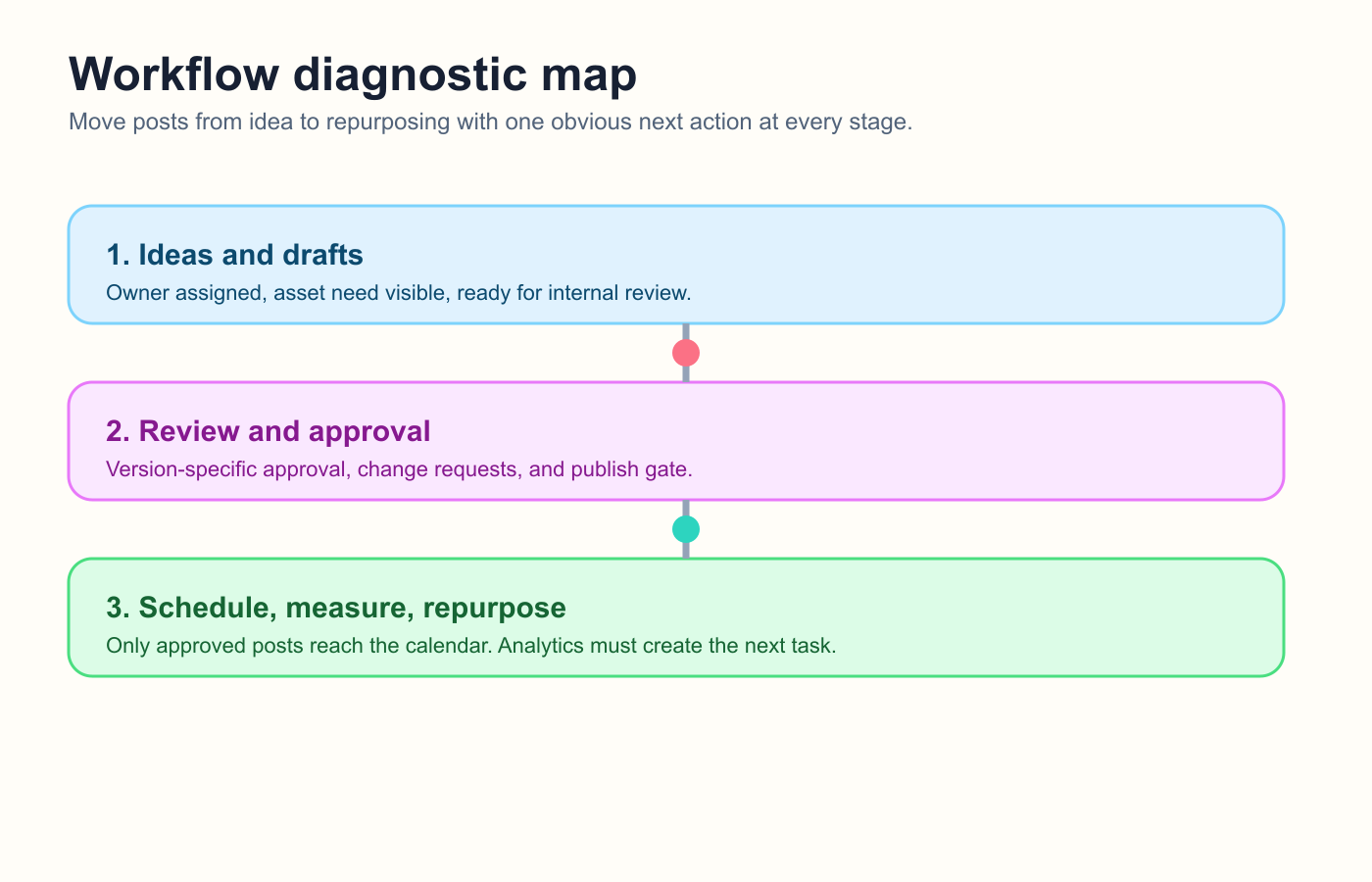
A real workflow adds ownership, approval, and measurement before a post reaches the calendar.
Mistake 2: No clear owner
If everyone owns a post, no one owns it.
Social media content often involves several people:
writer
designer
reviewer
client
founder
publisher
analyst
But each content item needs one primary owner.
The owner is responsible for moving it to the next stage.
They do not need to do every task.
They need to make sure the post does not get stuck.
The fix:
Add an owner field to every content item.
Owner rules:
one owner per item
owner updates status
owner follows up on blockers
owner confirms readiness before scheduling
owner changes only when explicitly reassigned
This one change can reduce a lot of confusion.
Mistake 3: Approval is too vague
“Approved” often means different things to different people.
Did the client approve the idea?
The caption?
The image?
The Instagram version?
The LinkedIn version?
The date?
The CTA?
The final version after edits?
Vague approval creates risk.
The fix:
Make approval version-specific.
Approval should show:
platform
final caption
final asset
approver
approval time
whether changes after approval require re-approval
For high-risk content, approval should block publishing.
That means the post cannot be scheduled as final until approved.
This matters for product claims, pricing, competitor comparisons, sponsor posts, client content, and legal-sensitive topics.
Mistake 4: Sending weak drafts to clients
Some agencies send content to clients too early.
The client becomes the first real reviewer.
That creates more revisions.
It also makes the agency look less strategic.
The fix:
Add internal review before client review.
Internal review should check:
strategy fit
brand voice
spelling
platform fit
visual quality
links
CTA
product claims
pricing
competitor references
approval requirements
Clients should review polished drafts, not unfinished thinking.
This makes client approval faster and cleaner.
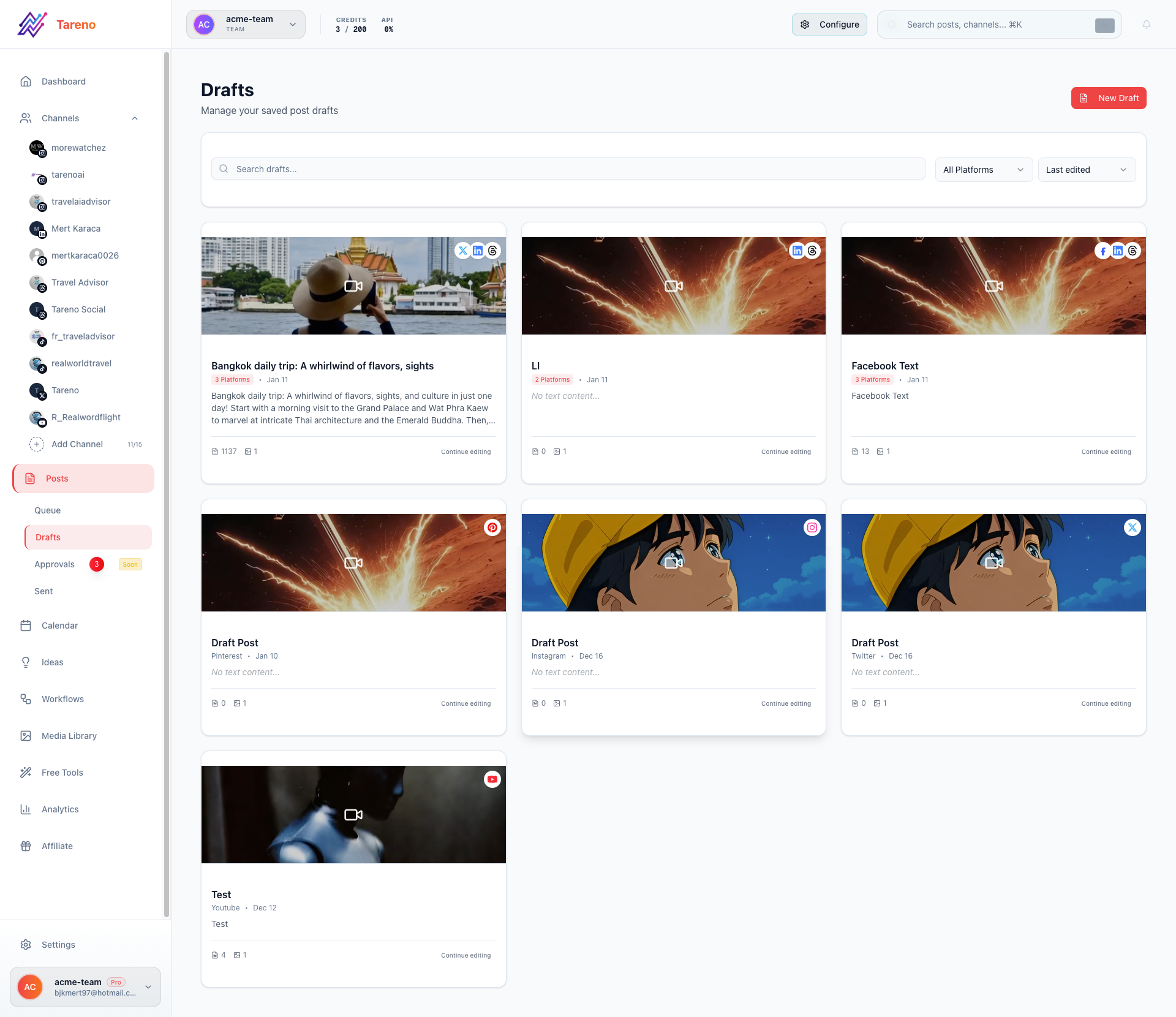
Draft visibility helps teams polish work before client review starts.
Mistake 5: Using the same caption everywhere
Cross-posting the same caption to every platform is easy.
But it often weakens content.
TikTok needs a hook.
LinkedIn needs a professional angle.
Threads needs conversational tone.
Pinterest needs search-friendly packaging.
Instagram may need visual context.
The fix:
Repurpose the idea, not the identical post.
Example source idea:
Reports should create actions.
Platform versions:
LinkedIn: content operations lesson
Threads: short opinion
TikTok: script with hook
Pinterest: checklist pin
Instagram: carousel
Blog: deeper section
Same idea.
Different execution.
Mistake 6: Reporting without next actions
A report that only shows metrics is incomplete.
Reports should answer:
what worked?
why did it work?
what should we do next?
what should be repeated?
what should be repurposed?
what should be stopped?
what should become a deeper asset?
The fix:
Add a “next actions” section to every report so your analytics reports drive decisions instead of passive dashboards.
Use this format:
InsightActionOwnerDue dateCarousel had 2x savesTurn into Pinterest pinContent LeadFridayLinkedIn post drove clicksExpand into blog sectionWriterMondayTikTok hook workedReuse structureCreatorNext week
Reporting should create work.
Otherwise, it is only documentation.
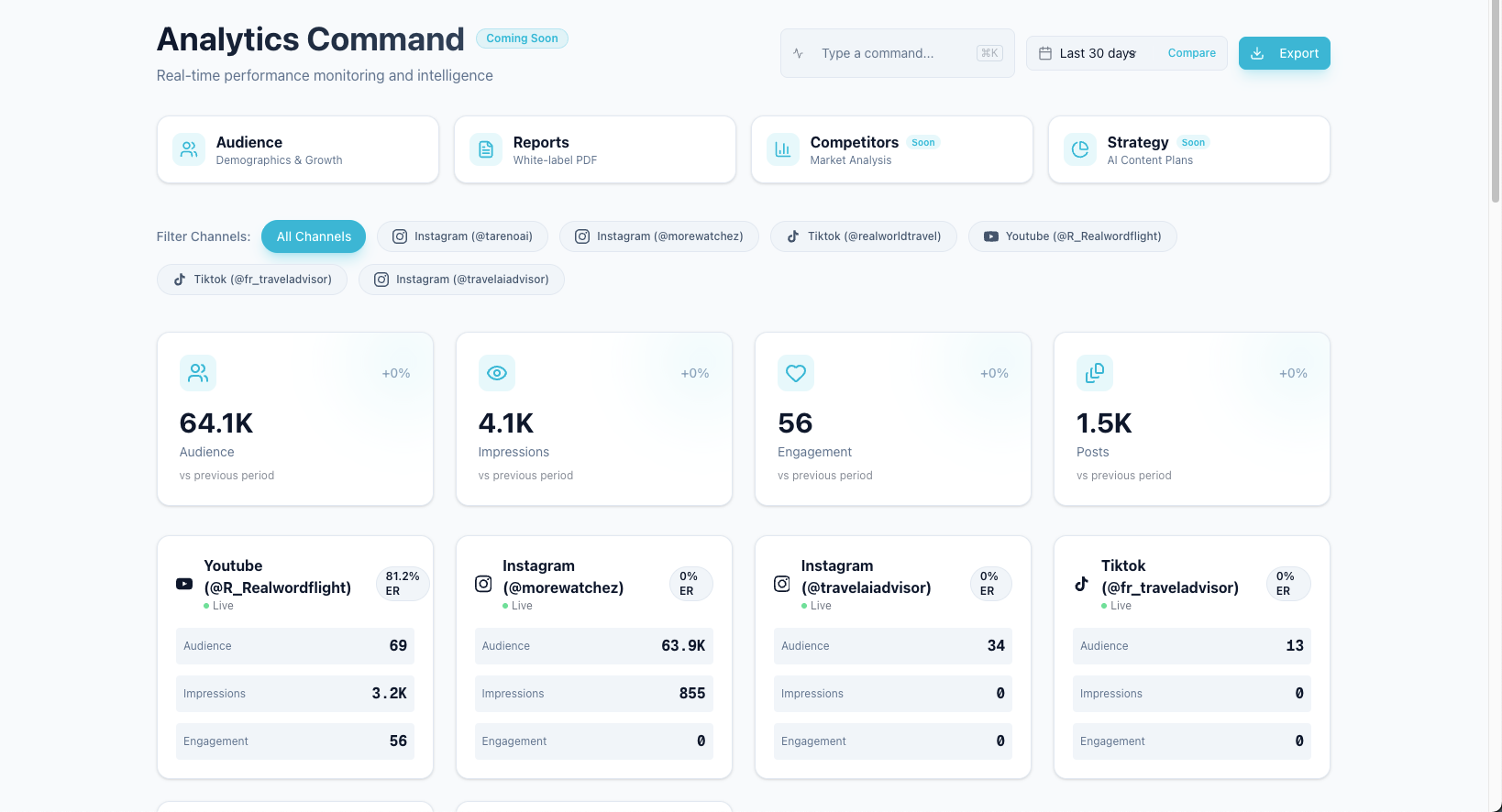
Reporting only matters when the analytics review creates the next action.
Mistake 7: Forgetting repurposing
Many teams publish a strong post once and move on.
That wastes the proof they already created.
If a post performed well, it may deserve a second life.
The fix:
Create a content repurposing workflow so strong posts move into second-wave formats instead of disappearing.
Track:
source post
performance signal
target platform
new format
owner
approval needed
scheduled date
second-wave performance
Repurposing candidates include:
high-save posts
high-share posts
high-click posts
high-comment posts
high-watch-time videos
strong customer questions
evergreen tutorials
high-performing client posts
Repurposing is how content compounds.
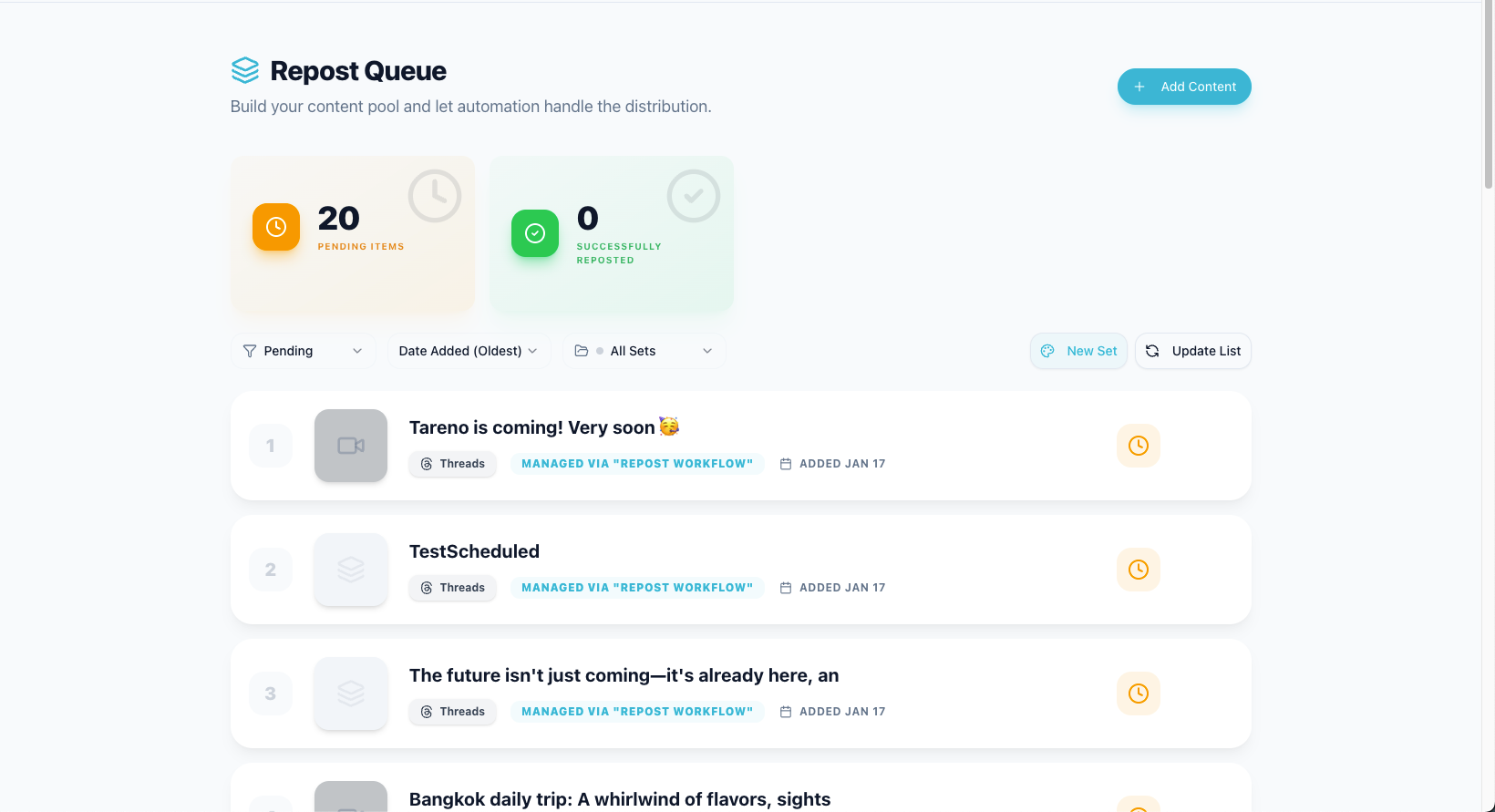
A repurposing queue keeps strong posts moving into new formats instead of disappearing after one publish.
Mistake 8: Automating too early
Automation is useful.
But automating a messy process creates faster chaos.
If your workflow stages are unclear, automations will move posts to the wrong places.
If approval rules are weak, automation can create risk.
If owners are missing, automation creates tasks nobody handles.
The fix:
Define the workflow before automation.
Then start with safe automations:
draft ready -> notify reviewer
changes requested -> notify owner
approved -> move to scheduling
published -> create measurement task
high performer -> create repurposing item
Avoid starting with auto-publishing.
Automate handoffs first.
Mistake 9: Letting AI bypass review
AI can speed up social content.
But AI output can be generic, inaccurate, repetitive, or off-brand.
The mistake is treating AI content as final.
The fix:
Treat AI as a drafting assistant.
AI can help with:
hooks
captions
hashtags
platform rewrites
carousel outlines
TikTok scripts
repurposing ideas
report summaries
But humans should approve:
final voice
accuracy
claims
CTA
platform fit
client/sponsor requirements
product or pricing mentions
AI should accelerate the workflow.
It should not bypass judgment.
Mistake 10: No activity history
When something goes wrong, teams often cannot answer:
who changed this caption?
who approved this post?
when was the asset replaced?
who scheduled it?
why was the publish date moved?
who requested changes?
Without activity history, accountability becomes guesswork.
The fix:
Use a workflow that tracks activity.
At minimum, track:
creator
editor
reviewer
approver
scheduler
publish time
change requests
status changes
Activity visibility is especially important for agencies, teams, and client work.
Mistake 11: Choosing tools by feature count
A tool with more features is not automatically better.
The better question is:
Does this tool fit our workflow?
A small team may not need an enterprise suite.
An agency may need approvals more than listening.
A creator may need repurposing more than advanced reports.
A SaaS team may need product review, analytics, API, and Make/n8n workflows.
The fix:
Choose by bottleneck.
If the bottleneck is scheduling, start with leaner shortlist pages such as the Buffer alternative.
If the bottleneck is approval, compare tools with stronger review controls such as the Planable alternative.
If the bottleneck is analytics, choose reporting.
If the bottleneck is the full content lifecycle, choose a workflow-first system.
How Tareno helps avoid these mistakes
Tareno is useful when social media workflow needs to be structured end to end, especially for teams that need connected features instead of more disconnected tools.
Relevant Tareno components include:
content boards
content calendar
approval workflows
repurposing queue
workflow builder
analytics
competitor analysis
AI captions and hashtags
team workspaces
roles and permissions
activity visibility
Make integration
n8n integration
API access
This matters because most workflow mistakes happen between tools.
A caption is drafted in one place.
Approval happens somewhere else.
Scheduling happens in a third place.
Reporting happens later.
Repurposing is forgotten.
A workflow-first system helps connect the stages.
Mistake-to-fix checklist
## Social Media Workflow Mistake Checklist

Calendar:
- [ ] Calendar is connected to approval status
- [ ] Posts without final approval are not treated as ready

Ownership:
- [ ] Every content item has one owner
- [ ] Owner is responsible for next action

Approval:
- [ ] Approval is version-specific
- [ ] High-risk content has publish gate

Client review:
- [ ] Internal review happens before client review
- [ ] Client feedback is attached to content item

Platforms:
- [ ] Captions can differ by platform
- [ ] Posts are adapted, not copy-pasted

Reporting:
- [ ] Reports include next actions
- [ ] Owners and due dates are assigned

Repurposing:
- [ ] High-performing posts enter a queue
- [ ] Repurposed posts are measured again

Automation:
- [ ] Workflow is clear before automation
- [ ] Automation moves handoffs, not judgment

AI:
- [ ] AI drafts require human review
- [ ] High-risk AI output gets approval

Activity:
- [ ] Changes, approvals, and scheduling are visible
Related Tareno resources
Keep building the workflow
Product Tareno Features See the planning, scheduling, approval, and workflow features behind this guide. Explore features -> Plans Tareno Pricing Match the workflow depth in this article to the right plan and trial option. View pricing -> Compare Comparison Hub Compare Tareno with common social media management tools by workflow fit. Compare tools -> Docs Make Automation Guide Connect workflow automation when your social process needs external triggers. Open docs ->
FAQ
What is the biggest social media workflow mistake?
The biggest mistake is treating scheduling as the whole workflow. A real workflow includes idea capture, ownership, drafting, review, approval, scheduling, publishing, analytics, and repurposing.
Why do social media approval workflows fail?
They fail when approval is vague, feedback is scattered, final versions are unclear, or unapproved posts can still be scheduled.
Should social media teams automate publishing?
Not immediately. Teams should first automate safe handoffs like review notifications, measurement tasks, and repurposing tasks. Publishing should usually stay behind approval gates.
How can AI cause workflow problems?
AI can create generic or inaccurate drafts if it bypasses human review. AI output should be treated as a draft, not final approved content.
How do you fix social media reporting?
Add next actions, owners, and due dates to every report. Reports should create decisions, not only summarize numbers.
What is the best way to improve a social media workflow?
Start by mapping the current process, identifying bottlenecks, assigning owners, creating approval rules, adding a repurposing queue, and automating only after the workflow is stable.
Final thoughts
Social media workflow problems are usually fixable.
You do not need a massive process.
You need clear stages, owners, approvals, reporting decisions, repurposing rules, and safe automation.
The best workflow makes the next action obvious.
When everyone knows what happens next, content moves faster.
If your team keeps losing momentum between drafting, approval, scheduling, and measurement, start by tightening one stage at a time. Then review Tareno’s feature set and the broader social media alternatives hub to see which operating model fits your bottleneck.