The best social media analytics tool is not necessarily the one with the most charts. It is the one that helps your team make better decisions about content, channels, campaigns, and ownership.
A dashboard can show follower growth, impressions, engagement rate, clicks, shares, saves, watch time, and top posts. Those numbers become valuable only when they change what happens next.
A useful analytics workflow should help you decide:
what to repeat
what to stop
what to repurpose
what to test again
what content should become a campaign
what competitor pattern deserves a response
what landing page needs stronger cross-links
what platform deserves more effort
what should be assigned to the team
Different products optimize different jobs: recurring reports, competitor analysis, social care, executive visibility, or turning performance signals into workflow actions. This guide compares the best social media analytics tools in 2026 by that operating fit, from reporting dashboards to the analytics reports that shape next week's plan.
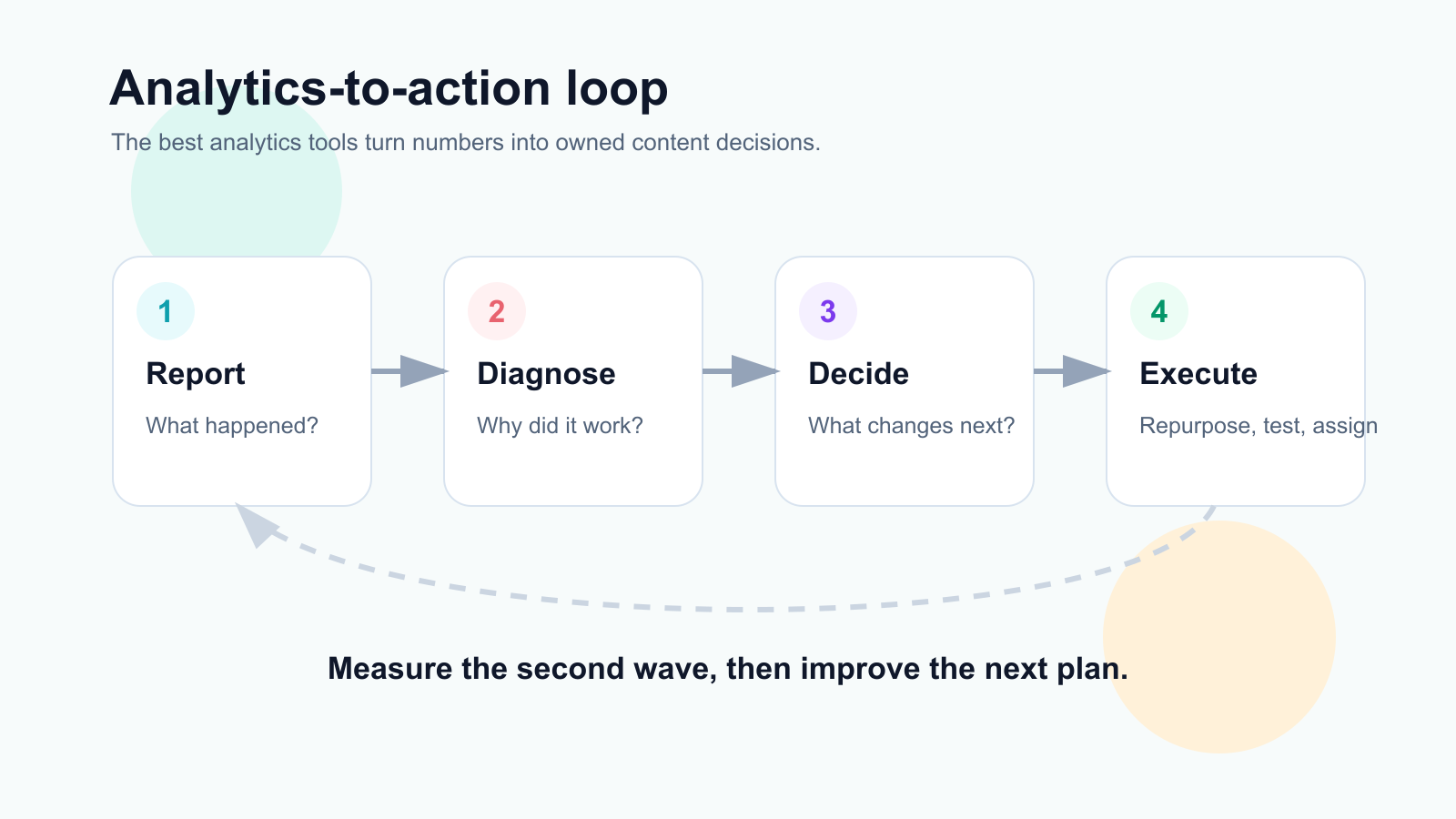
Analytics tools are most useful when reports become decisions, tasks, and second-wave tests.
TL;DR: best social media analytics tools by use case
Analytics needBest fitWhyAnalytics-to-action workflowsTarenoAnalytics connected to repurposing, boards, approvals, workflow builder, Make, n8n, APISocial media reporting and competitor trackingMetricoolStrong dashboards, competitor profiles, reports, brand analyticsInbox, moderation, and ROI reportingAgorapulseSocial inbox analytics, assignments, moderation, ROI-style reportingPremium social care analyticsSprout SocialSmart Inbox, care reports, productivity reports, enterprise visibilityBroad suite reporting and listeningHootsuitePublishing, analytics, inbox, listening, competitor benchmarkingSimple post analyticsBufferClean analytics for simple scheduling workflowsVisual creator analyticsLaterUseful for visual planning and creator-style performance reviewApproval/reporting collaborationPlanableUseful when reports connect to stakeholder review and content planning
Short version: If you only need reporting dashboards, Metricool, Agorapulse, Sprout Social, or Hootsuite may fit. If you need analytics to create repurposing tasks, content decisions, approvals, and workflow automation, Tareno is stronger.
What is a social media analytics tool?
A social media analytics tool compares social performance with a goal or baseline.
Depending on network access, it can track:
impressions
reach
engagement
saves
shares
comments
clicks
follower growth
video views
watch time
completion rate
profile visits
conversions
campaign performance
competitor performance
inbox response time
team productivity
ROI signals
A useful product does more than display numbers. It helps the team answer:
why did this work?
what should we repeat?
what should we repurpose?
what should we stop doing?
what should we improve?
which content should become a new asset?
which team member owns the next action?
The useful output is a decision with an owner.
Reporting vs analytics vs intelligence
Reporting, analytics, and intelligence describe three levels of value.
Reporting
Reporting explains what happened.
Example:
Instagram reach increased 18% this month.
Analytics
Analytics interprets what happened.
Example:
Reach increased because Reels with before/after hooks performed above baseline.
Intelligence
Intelligence turns the analysis into a decision.
Example:
Create 5 more before/after Reels, repurpose the top one into a carousel, and test the same angle on LinkedIn.
The best tools move teams from reporting to analytics to intelligence. Teams get stuck at reporting when nobody owns the next step.
The ANALYTICS framework
Use the ANALYTICS framework to evaluate social media analytics tools.
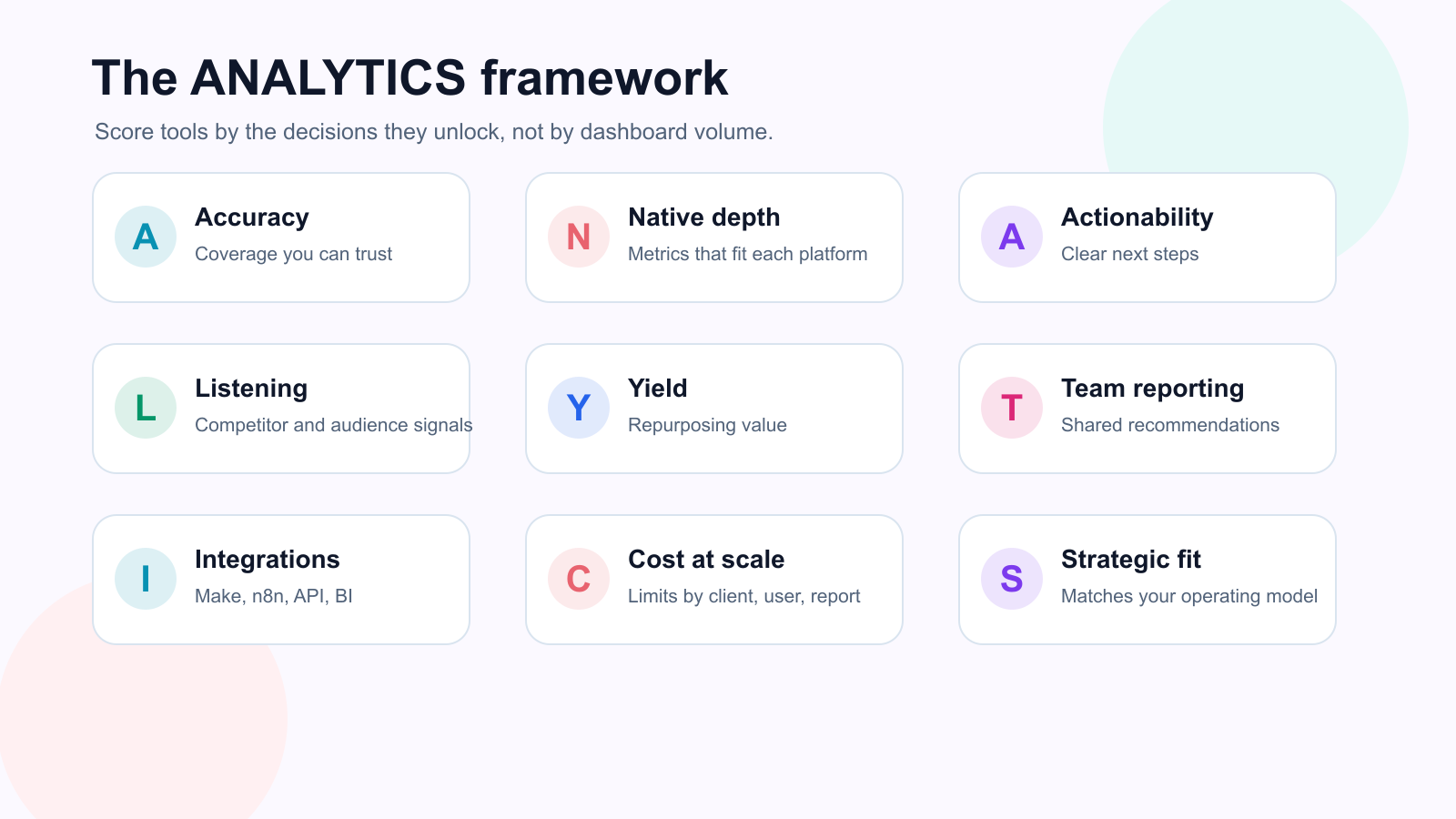
The ANALYTICS framework keeps tool evaluation tied to coverage, actionability, and strategic fit.
A — Accuracy and coverage
N — Native platform depth
A — Actionability
L — Listening and competitors
Y — Yield from repurposing
T — Team reporting
I — Integrations
C — Cost at scale
S — Strategic fit
This helps you choose the right tool by workflow, not by dashboard design.
A — Accuracy and coverage
A social media analytics tool should cover the platforms you actually use.
Check whether it supports:
Instagram
TikTok
LinkedIn
Facebook
YouTube
Pinterest
X / Twitter
Threads
Google Business Profile
paid channels
review platforms
inbox data
competitor profiles
Also check whether it tracks the metrics that matter for your goals.
For creators, saves, comments, watch time, and follower growth may matter.
For agencies, client reports, campaign labels, and white-label exports may matter.
For SaaS teams, clicks, conversions, content topics, and competitor signals may matter.
N — Native platform depth
Not all tools provide the same depth per platform.
Coverage depth varies by network, metric, account type, plan, and API access. A product can list many channels while exposing shallow or short-lived history on the ones you care about. Ask:
Does the tool show post-level analytics?
Does it show video performance?
Does it show audience growth?
Does it show link clicks?
Does it show best time to post?
Does it show competitor data?
Does it show platform-specific metrics?
Does it support historical data?
Do not choose a tool only by total platform count.
Choose by the depth you need.
A — Actionability
This is the most important factor.
A tool is actionable if it helps you decide what to do next.
Actionable analytics should create:
repurposing candidates
new content ideas
format tests
hook tests
internal link updates
landing page updates
campaign changes
competitor response ideas
reporting tasks
approval tasks
team assignments
A dashboard records the signal; a workflow assigns the next step.
L — Listening and competitors
Competitor analysis and listening can be valuable when they feed content decisions.
Useful signals include:
competitor top posts
repeated topics
content gaps
audience comments
engagement spikes
brand mentions
sentiment changes
unanswered questions
platform trends
But competitor analysis is not about copying.
It is about understanding intent.
A good competitor workflow asks:
what is the audience responding to?
what did the competitor miss?
what better angle can we create?
should this become a post, blog, comparison page, or landing page section?
Y — Yield from repurposing
Analytics should help identify content that deserves reuse.
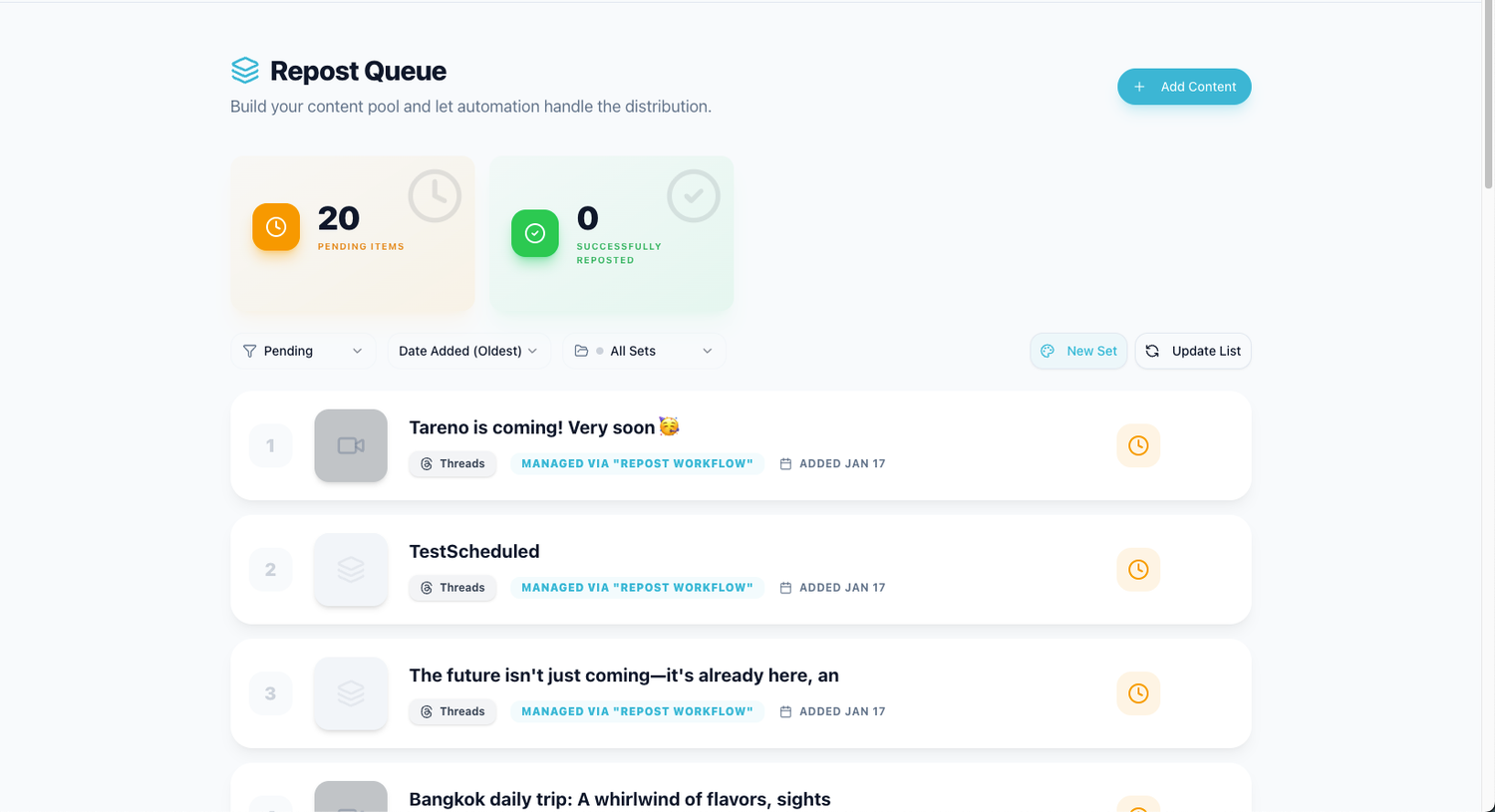
Repurposing queues turn high-performing posts into reusable assets instead of one-time wins.
A useful analytics tool should make it easy to spot:
high-save posts
high-share posts
high-watch-time videos
high-click posts
strong comments
posts above baseline
evergreen winners
The next step should be a content repurposing workflow, not another static dashboard export.
Example:
Top-performing Instagram carousel → Repurposing queue → LinkedIn rewrite → Approval → Scheduled → Measure again.
That is analytics-to-action.
T — Team reporting
Teams and agencies need reporting that supports collaboration.
Look for:
client reports
PDF exports
white-label reports
scheduled reports
custom dashboards
team performance
campaign labels
notes and recommendations
report-to-task workflows
owner assignments
A good report should not only impress the client.
It should help the team decide what to do next, then package the decision in white-label social media reports when stakeholders need context.
I — Integrations
Analytics often needs to connect to other systems.
Useful integrations include:
Make
n8n
API
Zapier
Google Sheets
Looker Studio
Airtable
Notion
Slack
CRM tools
dashboards
data warehouses
Integrations matter when analytics should create tasks, update reports, trigger repurposing, or sync with internal systems.
C — Cost at scale
Analytics tools can become expensive as teams add:
brands
social profiles
users
reports
competitors
historical data
white-label exports
API access
integrations
approval workflows
A tool that is affordable for one brand may not be affordable for an agency with 20 clients.
Compare the current monthly price and plan limits against your real number of brands, channels, users, reports, and clients; those operating units matter more than the headline entry price.
S — Strategic fit
The best analytics tool depends on your operating model.
A creator needs different analytics than an agency.
A SaaS team needs different analytics than a local business.
An enterprise customer care team needs different analytics than a founder-led brand.
Choose based on the decision you need to make.
Best social media analytics tools in 2026
Use the shortlist below to match each tool to a real analytics workflow, not just a feature checklist.
1. Tareno — best for analytics-to-action workflows
Tareno is strongest when analytics need to become actions inside the content workflow.
It is not only about viewing reports.
It is about using performance to decide what to repurpose, approve, schedule, test, and automate.
Tareno is best for
Choose Tareno if you need:
unified analytics
competitor analysis
repurposing queue
content boards
workflow builder
approval workflows
team workspaces
roles and permissions
activity visibility
Make integration
n8n integration
API access
AI captions and hashtags
Where Tareno wins
Tareno wins when a team wants to connect analytics to execution.
Example workflow:
Top-performing post → Add to repurposing queue → Rewrite for another platform → Approve → Schedule → Measure again.
That workflow is more valuable than a report that only shows top posts, especially when it connects to a workflow builder for repeatable handoffs.
Not ideal for
Tareno may be more than needed if you only want a standalone analytics dashboard with no workflow, repurposing, or approvals.
2. Metricool — best for reporting and competitor tracking
Metricool is one of the strongest options for social media reporting and competitor tracking.
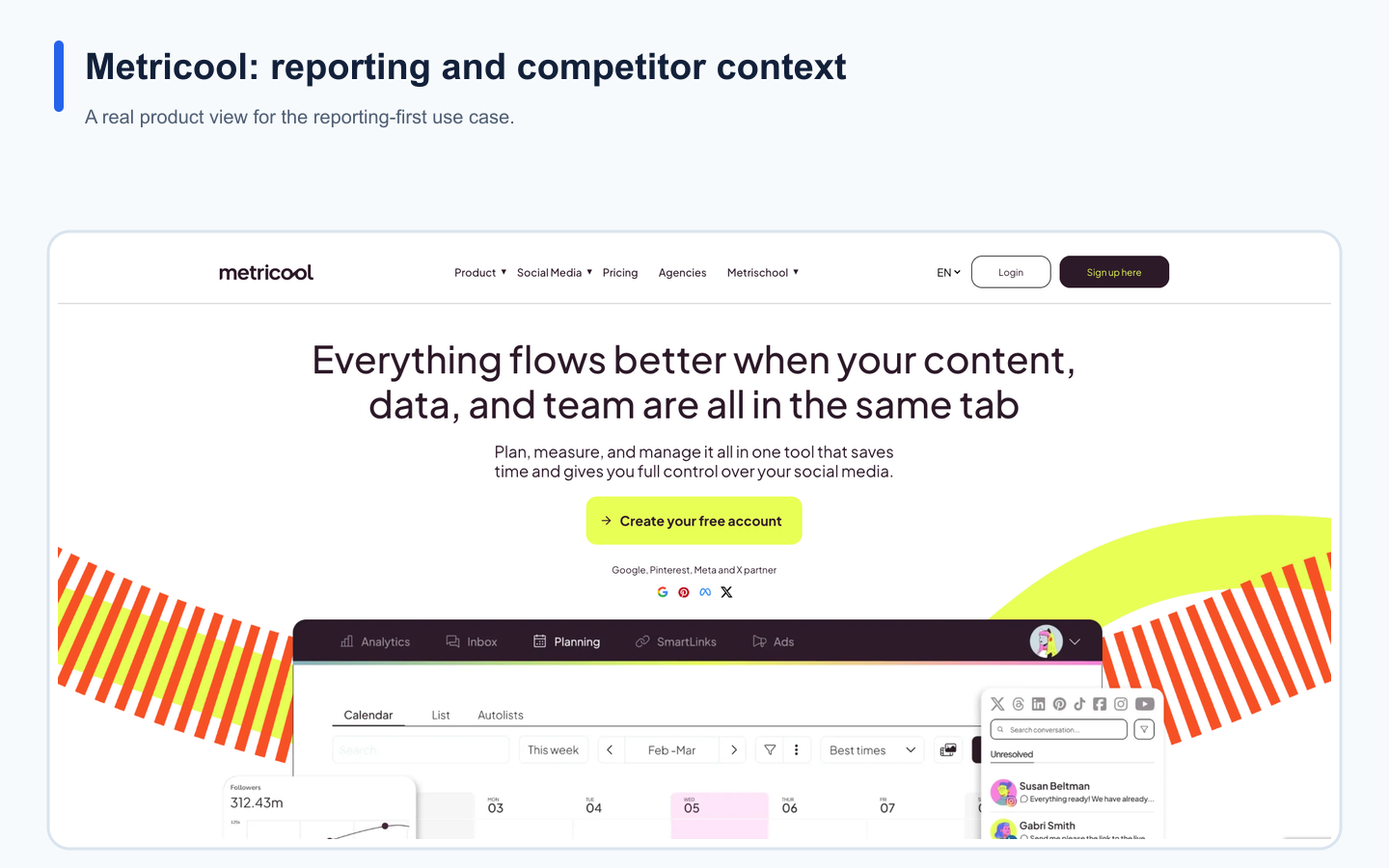
Metricool's real landing page provides product context for the use case described in this section.
It is useful for creators, agencies, and teams that want clear dashboards and competitor visibility.
Metricool is best for
Metricool is best for:
analytics dashboards
competitor profiles
brand dashboards
scheduled reports
PDF/PPT-style reporting
historical analytics
data-driven planning
Looker Studio/API workflows on relevant plans
Where Metricool wins
Metricool is strong when the main need is reporting clarity.
It helps teams understand what happened and how performance compares.
Where Metricool may not be enough
Metricool may be less ideal if the team needs:
workflow builder
repurposing queues
approval-triggered automation
content board stages
activity visibility
analytics-to-repurpose workflows
Metricool helps identify signals; teams comparing that reporting-first model can review the Metricool alternative.
Tareno helps turn signals into workflow actions.
3. Agorapulse — best for inbox, moderation, and ROI reporting
Agorapulse is strong when analytics are connected to community management, inbox operations, moderation, and reporting.
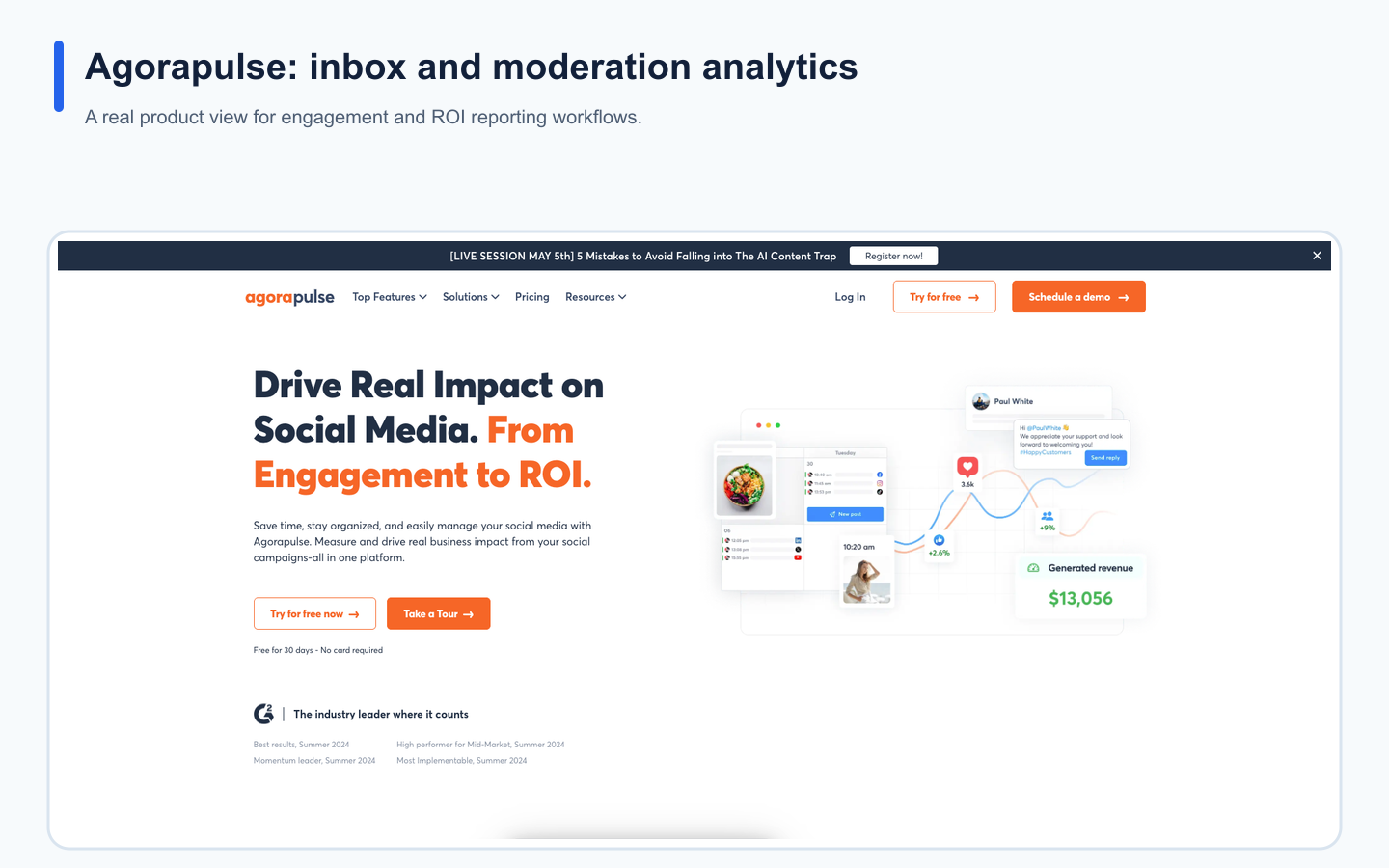
Agorapulse's landing page provides product context; current capabilities are verified in its help center.
Agorapulse is best for
Agorapulse is best for:
social inbox and community-management reporting
moderation rules, assignments, and team response metrics
audience, post-performance, paid, and ROI reporting
scheduled exports and client-ready reporting on eligible plans
Facebook and Instagram competitor reports on eligible plans
Where Agorapulse wins
Agorapulse is useful when engagement operations and stakeholder reporting belong in the same system. Its July 2026 Report Studio release adds a flexible report canvas for published content, competitor benchmarks, listening insights, context blocks, and branded PDF export on Advanced and Tailored plans.
Agorapulse documented the end of September 2026 as the removal deadline for legacy Custom Reports and their schedules. That deadline has passed, so do not treat a legacy report—even if it still appears during a staged rollout—as a dependable production asset. Start with a workspace check: record which legacy reports and schedules are still visible, which deliveries actually ran, and which exports or recipient emails survive. Rebuild every required report in Report Studio from that evidence, bind it to an owner, run the replacement over a known date range, compare the exported PDF and recipients, and record the first successful delivery. If the legacy report is already gone, use the last export, schedule history, and recipient copy as the reconstruction source rather than guessing at widgets or cadence. Before assigning the rebuild, verify the operator's role: Agorapulse says Member and Advanced Member roles cannot edit, duplicate, or delete Report Studio reports. Record the actual editor and a separate recipient-review owner so the replacement is both maintainable and independently checked.
Where Agorapulse may not be enough
Agorapulse may be less ideal when the primary requirement is a board-based content operating system, a dedicated repurposing queue, or Make/n8n workflows that turn a report signal directly into an owned production task. Its standard Competitors report is also limited to Facebook pages and Instagram professional profiles, so verify network coverage before choosing it for competitor intelligence.
4. Sprout Social — best for premium social care analytics
Sprout Social is strong for larger teams and enterprise-style social care.
Sprout Social is best for
Sprout Social is best for:
Smart Inbox analytics
customer care reporting
review management
productivity reports
social listening
sentiment and brand monitoring
enterprise reporting
helpdesk-connected workflows
Where Sprout Social wins
Sprout is strong when social media is part of customer care, support, brand reputation, and enterprise visibility.
Where Sprout Social may not be enough
Sprout may be more than many creators, startups, and lean teams need.
It may be less ideal if the priority is lightweight workflow automation, repurposing queues, and Make/n8n-connected content operations.
5. Hootsuite — best for broad suite analytics and listening
Hootsuite is useful when analytics are part of a larger social media management suite.

Hootsuite's real landing page provides product context for the use case described in this section.
Hootsuite is best for
Hootsuite is best for:
publishing analytics
inbox analytics
social listening
reports
competitor benchmarking
AI-assisted workflows
enterprise support
broad social suite needs
Where Hootsuite wins
Hootsuite is strong when a team wants publishing, inbox, analytics, competitor benchmarking, and social listening in one mature platform. Its standard analytics include competitive benchmarking, while custom ROI metrics and combined social-and-web analysis sit in Advanced Analytics for Enterprise, so verify the required plan before comparing cost.
Where Hootsuite may not be enough
Hootsuite may be less ideal if the main need is lean analytics-to-action workflows, repurposing queues, Make/n8n automation, and workflow-first execution.
6. Buffer — best for lightweight cross-channel insights
Buffer's web-based Insights covers ten networks, adds saved views and AI takeaways, and offers CSV, Markdown, and PDF exports on paid plans; metric depth still varies by network. Buffer says Analyze retires on October 7, 2026. Treat that date as a cutover: assign an owner to every Analyze report or data set, export a final known-good copy, recreate the available view in Insights, compare the same period, and label the result as replaced, replaced with a documented gap, or still dependent on Analyze. Insights does not reproduce Analyze's drag-and-drop custom report builder, audience demographics, or Best Time to Post recommendations. Ad-post data, audience demographics, and older custom reports may not carry over; Buffer says customers can request that data for 90 days after retirement. Record the exact missing data, intended requester, and deadline now so the post-retirement request is actionable rather than a vague backup plan. Also test the assigned export owner on every selected channel: Buffer allows view-only members to see Insights but not export CSV, Markdown, or PDF, and a mixed All Channels export includes only channels the operator can export. Resolve missing full Publish access before the final export and save the channel list beside each file so an apparently successful partial export is not mistaken for a complete archive.
Keep one cutover record outside the retiring interface. Include the report or data-set owner, final Analyze export filename and time, exact channel and date-range scope, permissions used, corresponding Insights view and export, known metric-definition differences, missing data, retrieval requester and deadline, and the first stakeholder delivery verified from Insights. Do not compare engagement rates blindly: Buffer documents different aggregation and audience denominators between Analyze and Insights, so record the definition beside the baseline. Close each dependency only when the replacement has been opened, checked, and delivered—not merely when an export file exists.
Buffer is best for
Buffer is best for:
post and channel performance
cross-channel overviews
clean dashboards and exports
analytics beside publishing
creators and small teams
Where Buffer wins
Buffer works when teams want saved views, cross-channel comparisons, and shareable exports beside publishing. Test the exact channels, account types, history, and metrics you depend on because network APIs create real coverage differences.
Where Buffer may not be enough
Buffer may be less ideal for deep competitor intelligence, social listening, multi-stage automation, or analytics-to-action tasks; see the Buffer alternative.
Analytics tool comparison table
ToolBest forAnalytics strengthMain limitationTarenoAnalytics-to-action workflowsAnalytics connected to repurposing, approvals, automationMore than needed for standalone reportingMetricoolReporting and competitorsDashboards, competitors, reportsLess workflow executionAgorapulseInbox and ROI reportingInbox, moderation, assignments, ROILess repurposing workflowSprout SocialPremium care analyticsSmart Inbox, care, listening, enterprise reportsHeavy for lean teamsHootsuiteBroad suite analyticsListening, reports, publishing, inboxLess workflow-first repurposingBufferLightweight insightsInsights beside publishingLess listening depthLaterVisual workflowPlan, publish, and analyzeLess BI depthPlanableReview analyticsApprovals and reportsCollaboration-led
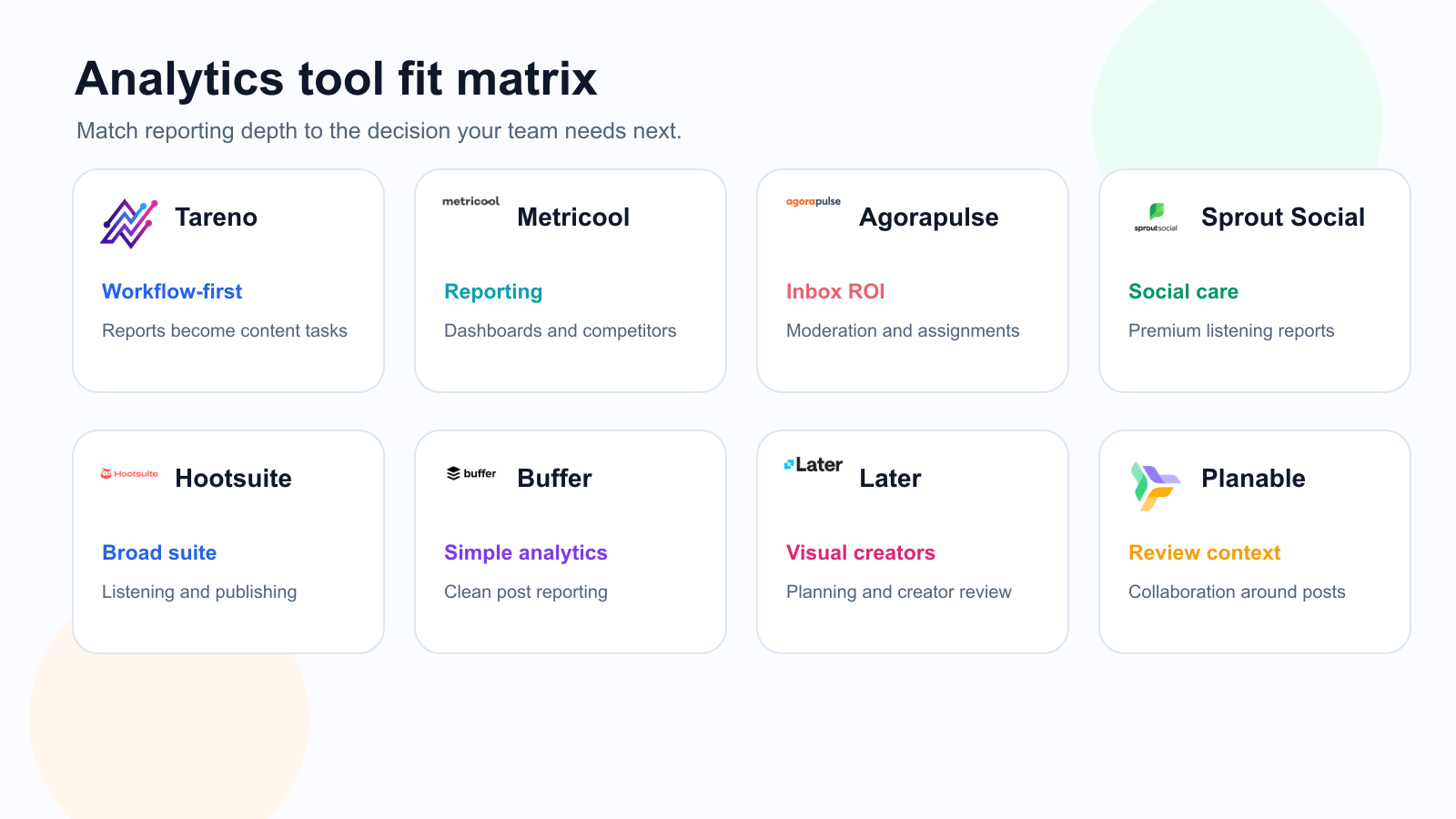
A tool-fit matrix helps separate reporting-first tools from workflow-first analytics systems.
Analytics workflows by team type
Creator workflow
Review top posts weekly.
Identify best hook or format.
Add winners to repurposing queue.
Rewrite for another platform.
Schedule and measure again.
Agency workflow
Pull client report.
Identify top posts and weak formats.
Create recommendations.
Assign next-month tasks.
Repurpose winners.
Include second-wave performance in next report.
SaaS team workflow
Review social performance by topic.
Identify topics that create clicks or signups.
Turn strong topics into blog posts or comparison pages.
Add contextual links to the follow-up pages.
Repurpose landing page sections into social posts.
Measure clicks and conversions.
What to look for in a social media analytics tool
Look for:
platform coverage
post-level analytics
video analytics
competitor tracking
custom reports
client reports
white-label exports
dashboard flexibility
campaign labels
team reporting
integrations
API access
workflow actions
repurposing support
pricing at scale
The best tool supports the decisions your team needs to make. Verify current plan limits and network coverage before purchase.
Related Tareno resources
Continue the workflow
Free social media toolsUse focused generators and utilities inside the reporting workflow.Sprout Social alternativeCompare care-heavy analytics with workflow-first operations.
FAQ
What is the best social media analytics tool?
The best fit covers your channels and turns reliable metrics into owned decisions.
What is analytics-to-action?
Analytics-to-action connects a signal to a decision, owner, due date, and follow-up measurement.
Final thoughts
Choose a social media analytics tool by the decisions it improves, not by chart count.
Reporting records the past; a useful analytics workflow also assigns the next action.