n8n is the orchestration layer: it can trigger a workflow, shape data, call models, branch, pause for a review, retry failures, and connect internal systems. Tareno is the social execution layer: it manages connected accounts, platform-specific drafts, scheduling, publishing, analytics, and repurposing.
Together, n8n and Tareno create a practical architecture for teams that want deeper automation without giving an AI model or background workflow unrestricted access to public accounts.
A resilient setup does not jump from trigger to publish. It enriches the input, creates a draft, binds approval to the exact revision and destination, executes through Tareno, verifies the resulting state, and turns a measured signal into the next owned task.
This guide explains how to connect n8n to Tareno, when to use the native node, External API, or MCP route, how to structure credentials, and how to build workflows for RSS feeds, YouTube videos, product launches, CRM events, multilingual campaigns, AI agents, reports, and evergreen repurposing.
TL;DR
A safe n8n and Tareno workflow looks like this:
Start with a business event.
Clean and enrich the source data.
Use AI only where judgment or transformation is needed.
Create a Tareno draft instead of publishing immediately.
Route high-risk content through review.
Schedule approved content through Tareno.
Capture the final post and action status.
Wait for a measurement window.
Read performance data.
Create repurposing or improvement tasks.
The key principle is:
n8n should orchestrate the workflow. Tareno should control the social media consequence.
That separation makes the system easier to maintain and safer to scale.
Why n8n and Tareno fit together
n8n and Tareno solve different layers of the problem.
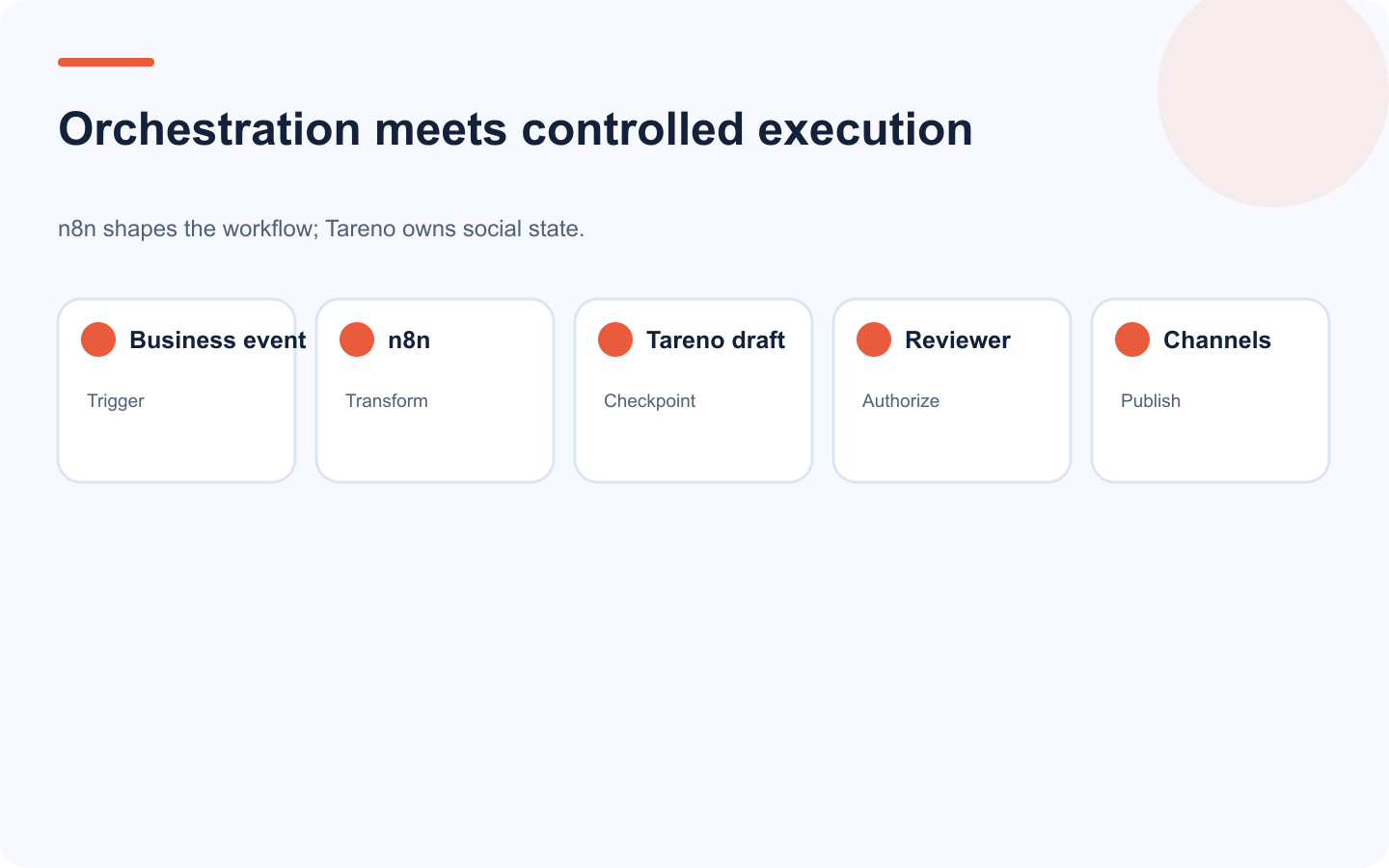
The boundary between orchestration and social execution makes the system safer to scale.
n8n handles orchestration
n8n is useful for:
triggers
webhooks
database events
API calls
AI transformations
branching
loops
delays
approvals
retries
error handling
custom code
self-hosted logic
Tareno handles social execution
Tareno is useful for:
connected social accounts
workspaces
platform requirements
drafts
media
approvals
scheduling
publishing
analytics
reports
repurposing queues
social-specific activity visibility
A robust architecture looks like this:
Source system
  ↓
n8n trigger
  ↓
Data cleanup and enrichment
  ↓
AI generation or classification
  ↓
Tareno draft
  ↓
Human review and approval
  ↓
Tareno publishing queue
  ↓
Social platforms
  ↓
Tareno analytics
  ↓
n8n follow-up workflow
The social accounts remain connected in Tareno.
n8n does not need direct credentials for every platform.
Native node or HTTP API?
There are two common ways to connect n8n to Tareno.
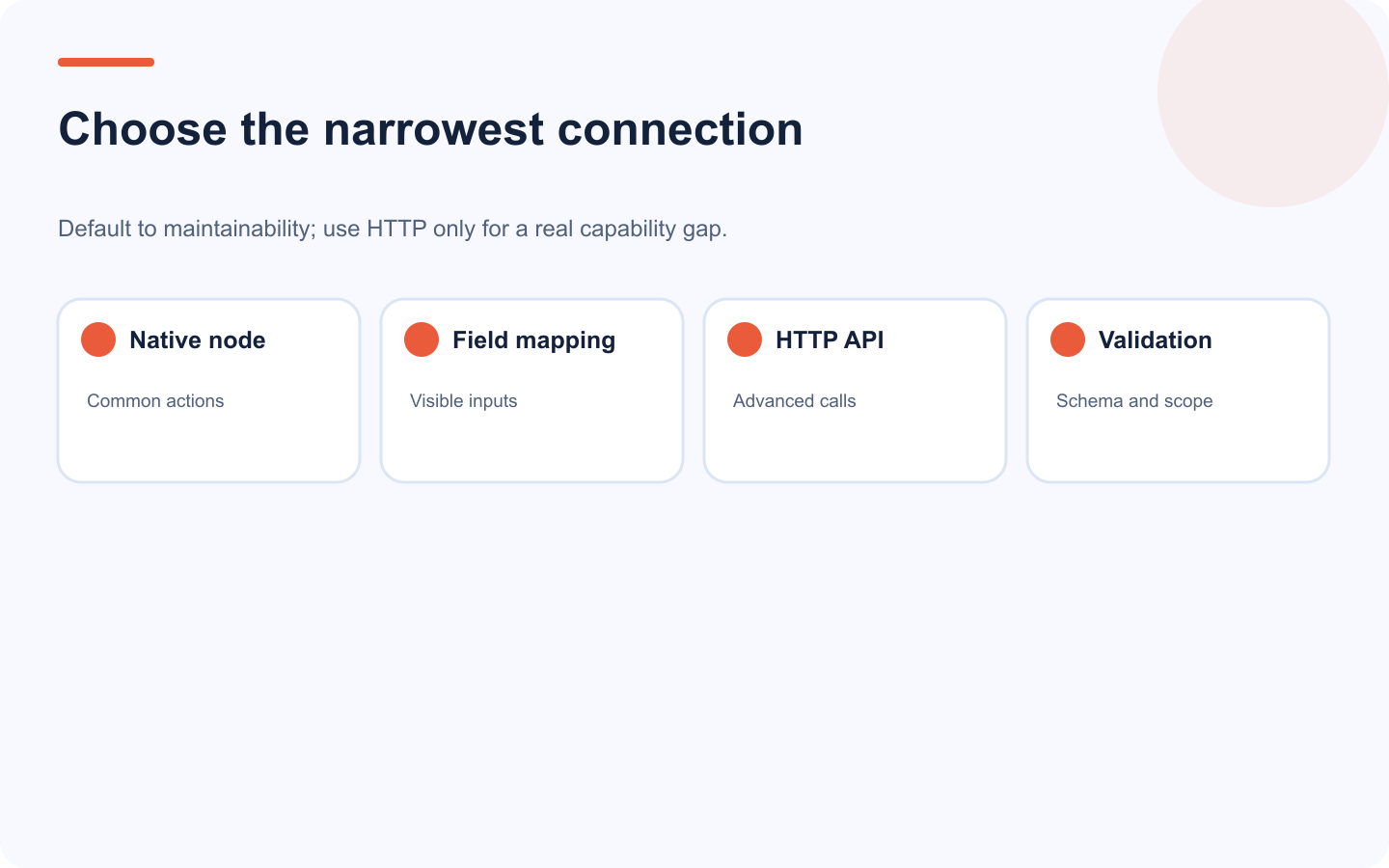
The native node is usually easier to maintain; HTTP is useful when advanced control is necessary.
Option 1: Native Tareno node
Use the native node when the required operation is available. Because community-node capabilities can change by package version, compare the installed node with the live Tareno documentation before deploying the workflow.
The repository version reviewed for this guide is n8n-nodes-tareno 1.8.6. Treat that version as the evidence boundary for the operations below; re-check the installed package and the live documentation before promoting a workflow.
connected-account lookup in the account selector
immediate publishing
scheduled publishing with an IANA timezone
listing Media Library assets
uploading media from a URL or binary input
Use the HTTP Request node with the live External API reference when the workflow needs draft mode, analytics, usage data, or another public endpoint that is not exposed by the community node.
Option 2: HTTP Request node
Use the HTTP Request node for a documented public endpoint, filter, or payload that the community node does not expose. You own the authentication, account mapping, platform requirements, retries, idempotency, rate limits, and status reconciliation.
A precise rule is:
Use the native node for media and direct publish or schedule. Use
POST /api/external/publishwithmode: "draft"for a reversible review checkpoint.
The native node and External API schedule or publish modes are direct write paths; they do not create a Tareno dashboard approval request. Enforce approval in n8n or your application before calling them, bind it to the exact payload revision, and use MCP when an agent workflow needs Tareno's server-enforced approval boundary.
Set up Tareno credentials in n8n
The current community node uses a single Tareno API credential created from Dashboard → Settings → API Keys.
Store the key once as an n8n credential. The node sends X-Tareno-API-Key and tests the connection against the usage endpoint.
Treat credential rotation, a Tareno node upgrade, and a workflow edit as three separate change windows. Before each change, pause production triggers and record the last successful execution, installed node version, workflow version, credential owner, and unresolved Tareno IDs. Apply one change in staging, run the credential test, list the intended accounts, create one draft, and reconcile the returned draft ID before re-enabling the trigger. If any check fails, restore the previous credential or workflow version and keep the trigger paused. Separating these changes preserves attribution: operators can identify which change caused a failure and roll it back without guessing.
Separate production, staging, and client keys; grant only the required read and publish scopes; record the owner and revocation path.
For a manual HTTP Request node, use Bearer or X-Tareno-API-Key authentication at https://tareno.co/api/external, validate identity with GET /me, and resolve a connected destination with GET /accounts before any schedule or publish request.
Start with draft-first automation
The safest first workflow creates a draft.
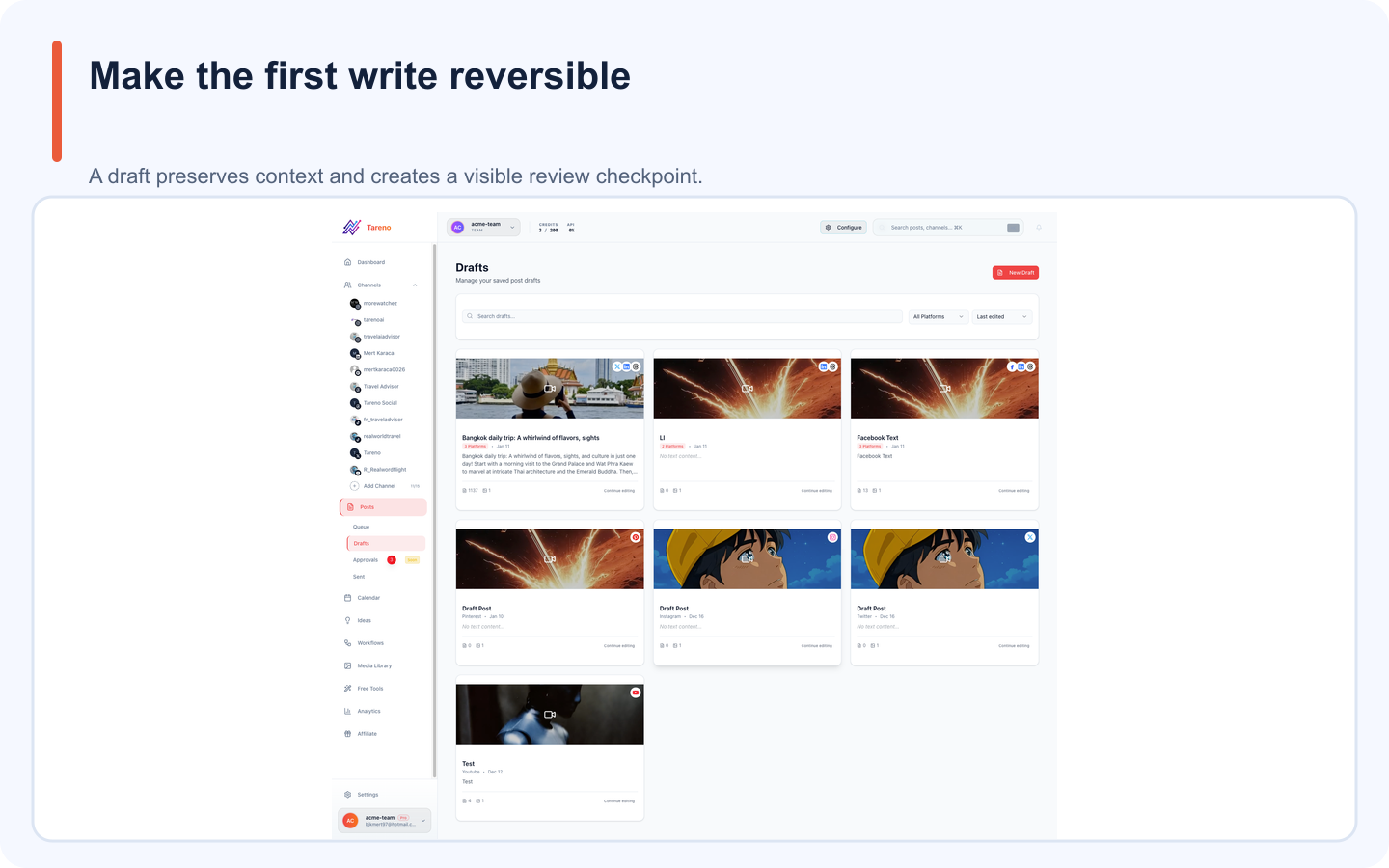
Draft-first execution is the safest starting point for every new n8n workflow.
Example:
RSS Feed Trigger
  ↓
Filter relevant articles
  ↓
Extract title and summary
  ↓
AI creates platform-specific captions
  ↓
Tareno creates drafts
  ↓
Notify reviewer
Why draft-first works:
no accidental public post
easy human review
platform versions remain editable
claims can be verified
CTA can be adjusted
assets can be added
the workflow can be tested safely
Create and review the draft first. In your workflow state, approve an immutable revision containing the exact caption, media, connected account, IANA timezone, and publish time. Only then call post scheduling; a material edit must invalidate the approval before another direct API or node write.
Practical n8n workflow library
The most useful workflow library groups automations by their source of truth and the consequence they are allowed to request.
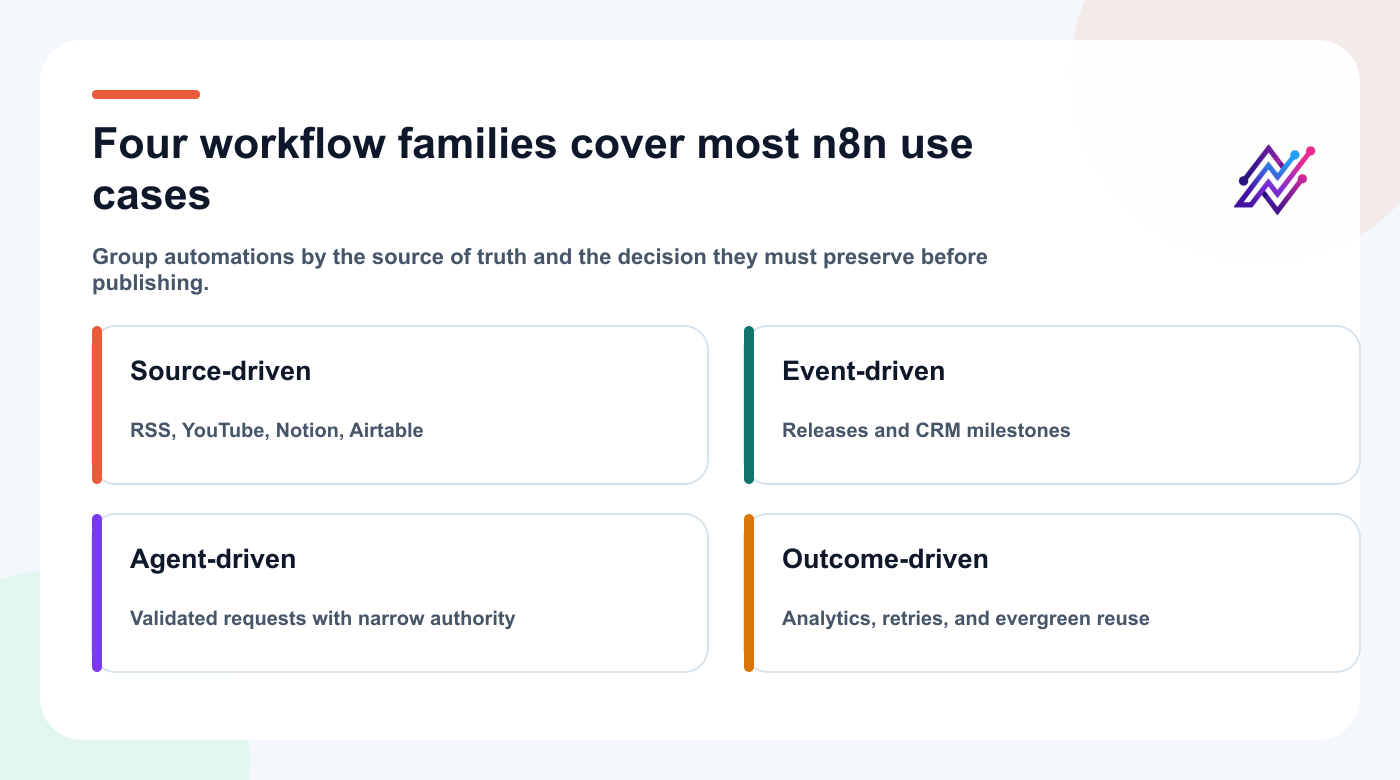
Grouping workflows by source and consequence makes the library easier to build, review, and recover.
Use the map as an index: begin with one source-driven path, then add event, agent, or outcome loops only when the first workflow is observable and recoverable.
Workflow 1: RSS feed to Tareno drafts
Use case:
A company publishes blog posts and wants matching social content.
Nodes
RSS Feed Trigger
Filter
HTTP Request or content extraction
AI generation
Structured output parser
Tareno draft node
Slack or email notification
Prompt structure
Create native social drafts from this article.

Audience:
Small SaaS teams.

Platforms:
LinkedIn, Bluesky, Mastodon, Threads.

Requirements:
- Do not copy the title as the hook.
- Keep the core idea accurate.
- Use a professional version for LinkedIn.
- Use concise, low-hype language for Bluesky.
- Add more context for Mastodon.
- Save drafts only.
Important fields
source URL
source title
campaign
platform
caption
CTA
account
asset
internal note
approval requirement
Add the original URL to the internal notes.
This helps reviewers verify the content.
Workflow 2: YouTube video to Get Viral Now workflow
Use case:
A new YouTube video should become several social assets.
Flow
Manual public YouTube URL
  ↓
Create Quick Blueprint with one primary source
  ↓
Optionally add up to four distinct supporting sources
  ↓
Request source-snapshot-bound credit quote
  ↓
Request analysis through MCP
  ↓
Approve the run in the Tareno dashboard
  ↓
Credits reserve and analysis starts
  ↓
Create original Tareno drafts from the completed brief
viral:run authorizes the client to request analysis, not to bypass dashboard approval. If the source set changes, request a new quote. Treat a Recreation Pack as a separate follow-on job for a completed blueprint.
Possible outputs:
TikTok script
Instagram Reel script
YouTube Short
LinkedIn post
Bluesky thread
Mastodon post
Pinterest idea
FAQ post
The workflow should not copy the source transcript.
It should extract:
hook mechanism
structure
pacing
tension
proof
payoff
CTA
Then create an original angle.
Recommended approval rule:
Any generated script with a product, competitor, pricing, or performance claim requires human review.
Workflow 3: Product release to multi-platform campaign
Use case:
A product team marks a feature as released.
Trigger sources
GitHub release
Linear issue status
Jira issue status
Notion database
Airtable
Supabase
PostgreSQL
internal webhook
Flow
Feature released
  ↓
Load release notes
  ↓
Load approved positioning
  ↓
Generate campaign angles
  ↓
Create platform-specific drafts
  ↓
Product review
  ↓
Marketing approval
  ↓
Tareno scheduling
Content outputs:
launch announcement
educational post
use-case post
founder opinion
short demo script
Bluesky post
Mastodon post
follow-up FAQ
Do not let the model invent product details.
Provide:
approved feature name
release notes
screenshots
limitations
CTA
target audience
claims to avoid
Workflow 4: CRM milestone to social proof draft
Use case:
A customer reaches a milestone and the team wants to prepare a success post.
Trigger
HubSpot lifecycle stage
Salesforce event
Stripe milestone
internal customer success database
manual approval form
Flow
Milestone detected
  ↓
Check consent status
  ↓
Load approved customer details
  ↓
Generate social proof draft
  ↓
Customer success review
  ↓
Customer approval if required
  ↓
Tareno schedule
Critical safeguards:
consent
approved customer name
approved metrics
no confidential data
no invented result
exact timeframe
approval record
This workflow should never publish directly.
Customer stories are high-risk content.
Workflow 5: Notion content calendar to Tareno
Use case:
A team plans in Notion but publishes through Tareno.
Trigger
Notion page status changes to:
Ready for Tareno
Flow
Notion trigger
  ↓
Read page fields
  ↓
Validate required fields
  ↓
Map platform versions
  ↓
Upload media
  ↓
Create Tareno drafts
  ↓
Update Notion with Tareno IDs
Required fields:
title
platform
account
caption
asset URL
CTA
publish target
approval status
campaign
language
Add a validation branch.
If required fields are missing, return the item to Notion with a clear error.
Do not create an incomplete post silently.
Workflow 6: Airtable campaign production
Airtable can serve as the source table.
Suggested columns:
FieldPurposeCampaignGroupingSource ideaContextPlatformTargetCaptionCopyAsset URLMediaAccount IDDestinationApprovalGatePublish dateScheduleTareno IDTraceabilityStatusSync
Flow:
Airtable record approved
  ↓
Check Tareno ID
  ↓
Create or update draft
  ↓
Save Tareno ID
  ↓
Wait for final approval
  ↓
Schedule
Use the Tareno ID to prevent duplicates.
Workflow 7: Bluesky and Mastodon through the MCP route
Tareno's core platform and MCP catalog support Bluesky and Mastodon, but the current n8n community node and External API platform lists do not expose them. Use this branch only through the documented MCP tools, not by inventing an unsupported native-node option.
Adding those networks should not mean copying the X caption.
Use a branch for each network, then send the validated payload through Tareno's MCP endpoint with the same Bearer-key and approval boundaries documented for Codex, Claude Code, and Cursor.
Bluesky branch
Transform for:
concise language
self-contained insight
less corporate tone
thread only where useful
Mastodon branch
Transform for:
more context
community-aware phrasing
optional content warning
instance-aware tone
appropriate link placement
Flow:
Approved source post
  ├─ Bluesky transformation
  └─ Mastodon transformation
      ↓
n8n validates the payload
      ↓
Tareno MCP draft tools
      ↓
Authenticated approval before scheduling or publishing
One source idea becomes several native versions.
Workflow 8: Multilingual campaign factory
Tareno supports content workflows in:
English
German
French
Spanish
Portuguese
Russian
Italian
Japanese
Arabic
Polish
A multilingual n8n workflow should not simply loop over a translation node.
Use:
approved source message
language and market mapping
localization prompt
terminology glossary
quality check
native review where needed
Tareno draft creation
Suggested data object:
{
  "language": "ja",
  "market": "Japan",
  "tone": "professional and concise",
  "cta": "localized",
  "requiresNativeReview": true
}
For Arabic, add:
right-to-left asset review
typography check
mixed-language product name check
For Japanese, add:
formality
line breaks
CTA tone
over-literal phrasing check
Workflow 9: AI agent to Tareno through n8n
n8n can also sit between an AI agent and Tareno.
Example:
Codex, Claude Code, or Cursor request
  ↓
n8n validates structured input
  ↓
Policy checks
  ↓
Tareno draft or approval request
  ↓
Return the stored record and status
Why add n8n in the middle?
custom validation
logging
rate control
enrichment
business rules
approval routing
internal database sync
client-specific policy
Example rule:
If platform = LinkedIn
and content contains pricing
then require Product Review
before Tareno scheduling.
This creates a policy layer.
However, do not add n8n between the agent and Tareno if it creates unnecessary complexity.
Use direct MCP when natural-language interaction is enough.
Use n8n when you need deterministic business logic.
Workflow 10: Approval status to Slack
Use case:
Reviewers need a clear notification. This pattern applies to a Tareno MCP approval action; direct native-node and External API writes do not create a pending dashboard action.
Flow:
Tareno MCP action created
  ↓
n8n receives event or checks status
  ↓
Format approval summary
  ↓
Send Slack message
  ↓
Reviewer opens Tareno
Slack message fields:
workspace
account
platform
caption preview
asset preview
scheduled time
requester
risk level
Tareno approval link
Do not make Slack the approval authority unless the integration explicitly supports secure, version-specific approval.
The final review should remain tied to the Tareno action.
Workflow 11: Published post to analytics task
Flow:
Post published
  ↓
Wait for the preselected channel-and-format measurement window
  ↓
Get Tareno analytics
  ↓
Compare with a like-for-like baseline
  ↓
Classify result
  ↓
Create one owned repurposing or improvement task
Classification:
repeat
repurpose
improve
pause
archive
Illustrative hypothesis:
If saves exceed the account-and-format baseline
then test one carousel adaptation for Pinterest.
Define the threshold from your own baseline, change one meaningful variable, and compare a similar measurement window before scaling the pattern.
Do not use one metric for every format.
Workflow 12: Evergreen queue automation
Flow:
Analytics result
  ↓
Score evergreen potential
  ↓
Check freshness risk
  ↓
Create Tareno repurposing item
  ↓
Generate new platform version
  ↓
Approval
  ↓
Schedule
Score:
performance
evergreen value
audience relevance
business relevance
platform flexibility
freshness risk
Analytics reports should turn results into future production.
Workflow 13: Error handling and retries
Production workflows need error paths.
Handle:
authentication failure
rate limit
invalid account
missing platform requirement
unsupported media
timeout
duplicate request
approval expiration
disconnected account
AI output parsing failure
Recommended branches:
Success
  ↓
Save Tareno ID

Retryable error
  ↓
Wait
  ↓
Retry with limit

Validation error
  ↓
Return to source system

Approval required
  ↓
Notify reviewer

Permanent failure
  ↓
Create incident task
Do not retry every error blindly.
A missing required field will not fix itself.
Reliability, approvals, and security
Duplicate publishing is one of the biggest risks in automation.
Use:
source record ID
content hash
Tareno action ID
Tareno draft ID
campaign ID
idempotency key
last processed timestamp
Before creating a new draft:
Search for existing Tareno ID.
Check content hash.
Confirm status.
Create only if no matching item exists.
For loops, use one item per platform with a unique composite key:
sourceId + sourceRevision + platform + accountId + language + actionType
Store this key in your own system with the returned Tareno ID. The current External API does not document an Idempotency-Key header, so search your durable mapping before retrying a write instead of assuming the endpoint will deduplicate it.
Approval architecture
Recommended policy:
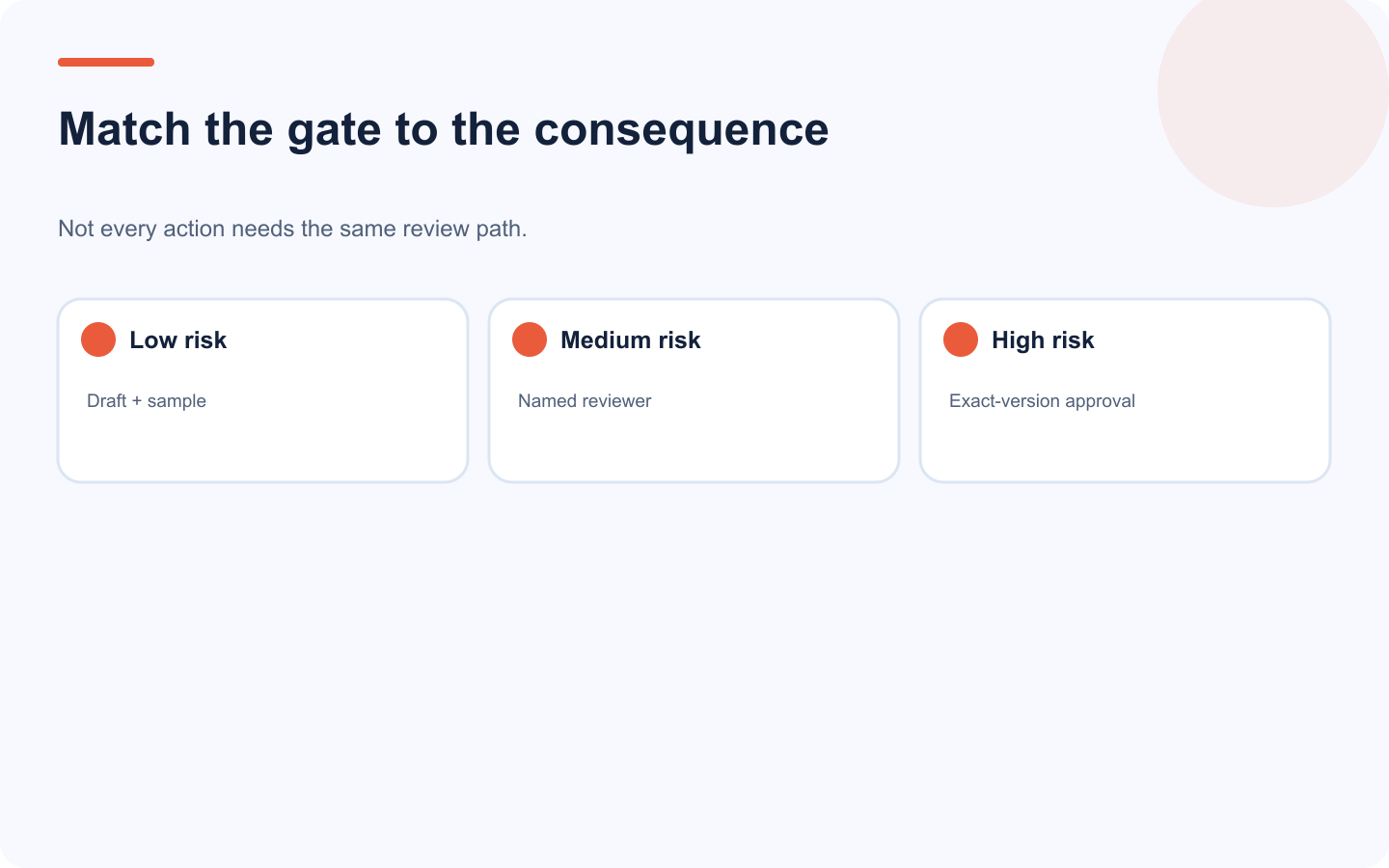
Risk-based approval preserves speed while protecting consequential public actions.
ActionDefaultRead accountsDirectRead analyticsDirectCreate draftDirectUpload approved mediaDirect with validationScheduleApprovalPublish nowApprovalEdit scheduled postApprovalDeleteApprovalCustomer storyCustomer success + client approvalPricing claimProduct or finance reviewSponsored contentBrand approval
Keep this policy inside n8n or your application and record the approved revision, actor, target account, local time, IANA timezone, resolved UTC instant, and expiry. The External API and native node execute schedule and publish requests directly; MCP scheduling and publishing tools instead prepare a dashboard approval before mutation.
Do not rely only on a prompt saying “be careful,” and never reuse an approval after the payload changes.
Before enabling a direct schedule or publish path, run three controlled tests in staging:
Mutation test: approve a revision, change its caption or media, and confirm the old approval can no longer authorize the write.
Replay test: submit the same source revision twice and confirm the durable composite key resolves to the existing Tareno record instead of creating a duplicate.
Uncertain-result test: simulate a timeout after submission, reconcile by stored source key and returned status, and retry only when no matching action exists.
Keep the workflow in draft-only mode until all three tests produce auditable records. This is stronger evidence than a successful happy-path execution.
Promote the workflow with a release record, not a verbal handoff. Record the n8n workflow ID and version, installed Tareno node version, credential owner, source composite key, payload hash, approved revision and actor, destination account, resolved UTC instant, n8n execution ID, returned Tareno draft/action/post ID, and terminal status. When a timeout leaves the result uncertain, reconcile that record before another execution is allowed to write.
Define the observation and rollback contract before promotion. Choose a window appropriate to the workflow's normal volume, name the owner, and record the comparison baseline plus stop conditions such as an unexpected destination, duplicate source key, validation failure, unresolved execution, or missing returned Tareno identity. During the window, reconcile every qualifying execution against the release record. If a stop condition occurs, pause the trigger first, preserve the failed evidence, and restore the previous credential, node, or workflow version identified in the change record. Close the window with an explicit continue, pause, or rollback decision rather than assuming silence means success.
Choosing the right automation layer
Use n8n when:
the trigger is deterministic
the workflow runs in the background
multiple systems need synchronization
retry logic matters
business rules are explicit
data transformation is complex
you need self-hosting
Use MCP when:
the user gives natural-language instructions
the exact steps vary
the agent should choose tools
the workflow is interactive
reasoning matters more than a fixed trigger
Use both when:
an agent proposes a task
n8n validates and enriches it
Tareno controls approval and publishing
n8n vs Make
n8n is often attractive when:
you want self-hosting
you need custom code
you want deeper branching
you need flexible data handling
you prefer technical control
Make is often attractive when:
you want visual scenarios
non-developers will maintain the workflow
you want rapid app-to-app mapping
the scenario is easier to understand visually
Tareno can remain the social layer in either system.
n8n vs Zapier
Use n8n for:
complex workflows
custom API logic
loops
branching
data transformation
self-hosted environments
technical teams
Use Zapier for:
simpler triggers
quick app connections
straightforward app-to-app automations
less technical operators
The decision should be based on workflow complexity, not hype.
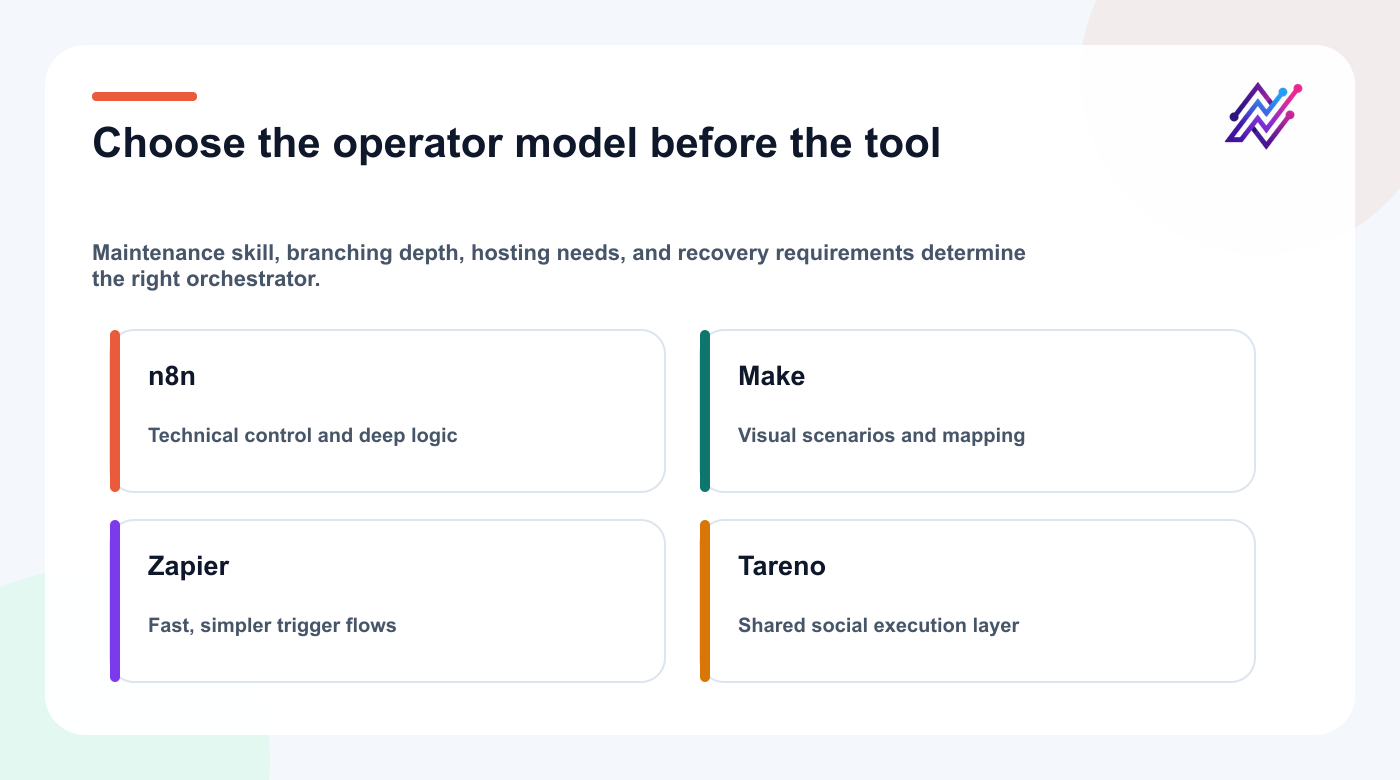
The best orchestration tool is the one the team can understand, test, and recover.
Security checklist
- [ ] Use n8n credentials, not hardcoded keys
- [ ] Use separate staging and production credentials
- [ ] Use minimum Tareno scopes
- [ ] Protect webhook URLs
- [ ] Validate source payloads
- [ ] Sanitize external text before AI steps
- [ ] Keep publishing behind approval
- [ ] Log Tareno action IDs
- [ ] Prevent duplicate requests
- [ ] Add retry limits
- [ ] Review error workflows
- [ ] Rotate credentials
- [ ] Restrict agency-client access
For self-hosted n8n:
keep the instance updated
secure the database
encrypt credentials
restrict public access
monitor executions
back up workflows
Twenty n8n workflow ideas
RSS feed → Tareno drafts
YouTube upload → Get Viral Now
GitHub release → product launch campaign
Notion approval → Tareno draft
Airtable row → multi-platform content
Supabase event → social notification
Stripe milestone → customer proof draft
HubSpot lifecycle change → campaign draft
Typeform response → UGC brief
Google Drive asset → media upload
Blog publish → LinkedIn, Bluesky, and Mastodon drafts
Webinar transcript → short-form scripts
Podcast episode → content package
Published post → seven-day analytics task
High-save post → evergreen queue
Approval delay → Slack reminder
Failed publish → incident workflow
Multilingual source → ten language-market draft branches
AI agent request → policy validation → Tareno
Monthly report → next-month content plan
Related Tareno resources
n8n integration guideUse the supported connection patterns and field model.API documentationValidate payloads and keep social writes explicit.Approval workflowsRoute consequential drafts to human review.Workflow builderManage social execution after orchestration finishes.
FAQ
Can n8n publish to social media through Tareno?
Yes, through the Tareno integration or API. The safer default is to create drafts and require approval before consequential publishing actions.
Do I need direct social platform credentials in n8n?
No. Tareno manages the connected social accounts.
Can I automate Bluesky and Mastodon?
Yes, through Tareno's documented MCP tools when the accounts are connected. The current native n8n node and External API public platform lists do not expose those targets, so do not model them as ordinary node operations.
Can n8n use Get Viral Now?
The native n8n node and External API do not expose Quick Blueprint. Use a compatible MCP client for the source-bound quote and dashboard-approved analysis; n8n can orchestrate surrounding source, notification, draft, and result handoffs. For a transcript-only path, use the documented YouTube transcript extractor.
Should I use the Tareno node or HTTP Request?
Use the native node for its current account, media, immediate-publish, and schedule operations. Use HTTP Request for documented endpoints such as draft creation, post lookup, usage, or analytics; keep direct public writes downstream of your own approval gate.
Can I create multilingual posts?
Yes. n8n can loop through language configurations and create localized Tareno drafts. Human review is recommended for high-value campaigns.
Can n8n work with AI coding agents?
Yes. Codex, Claude Code, and Cursor can use Tareno through the documented MCP connection, while n8n remains useful when a request also needs deterministic validation, enrichment, or internal-system routing.
Is n8n better than MCP?
They solve different problems. n8n is deterministic orchestration. MCP enables interactive tool use by AI agents.
How do I prevent duplicate posts?
Store source IDs, Tareno IDs, content hashes, and idempotency keys. Check before creating new items.
Should immediate publishing be enabled?
Not initially. Begin with drafts and approval-first scheduling.
Final thoughts
n8n gives teams deep control over automation.
Tareno gives those workflows a social media operating layer.
The strongest combination is not a giant autonomous posting machine.
It is a controlled system:
Trigger the workflow.
Enrich the data.
Use AI where it adds value.
Create a draft.
Review the consequence.
Publish through Tareno.
Measure the result.
Repurpose what worked through a reusable workflow.
That is how n8n and Tareno can automate more without making the workflow less accountable.
Primary CTA: Connect n8n to Tareno and build your first draft-only workflow.
Secondary CTA: Add approval-first scheduling after the draft workflow is stable.