
A social media content calendar becomes useful when every planned post carries enough context to move safely from idea to result.
Dates alone do not create that system. Teams also need clear owners, platform-specific drafts, final assets, approval state, publishing checks, a defined measurement date, and an explicit next-action field.
This standard operating procedure explains how content enters the calendar, how responsibility changes at each stage, what counts as ready, and how published work feeds the next planning cycle.
Use this SOP if you manage content for creators, agencies, SaaS teams, startups, or in-house marketing teams. If your team already uses content boards, this SOP is the bridge between ideas and final publishing.
TL;DR
A strong calendar SOP covers cadence, idea intake, owners, drafts, assets, approvals, scheduling checks, reporting, repurposing decisions, and maintenance.
A post should not be treated as ready just because it has a publish date.
Ready means the caption, asset, platform version, link, CTA, owner, approval state, and scheduled account are complete. Give the approved version a stable revision ID so a later edit cannot silently inherit its approval.
What A Calendar SOP Controls
A social media content calendar SOP is the standard procedure for reviewing, scheduling, publishing, and improving social media content. It tells the team where ideas go, who drafts, who creates assets, who reviews, who approves, who schedules, and who decides what to repurpose.
The SOP reduces guessing because every content item moves through the same visible operating loop.
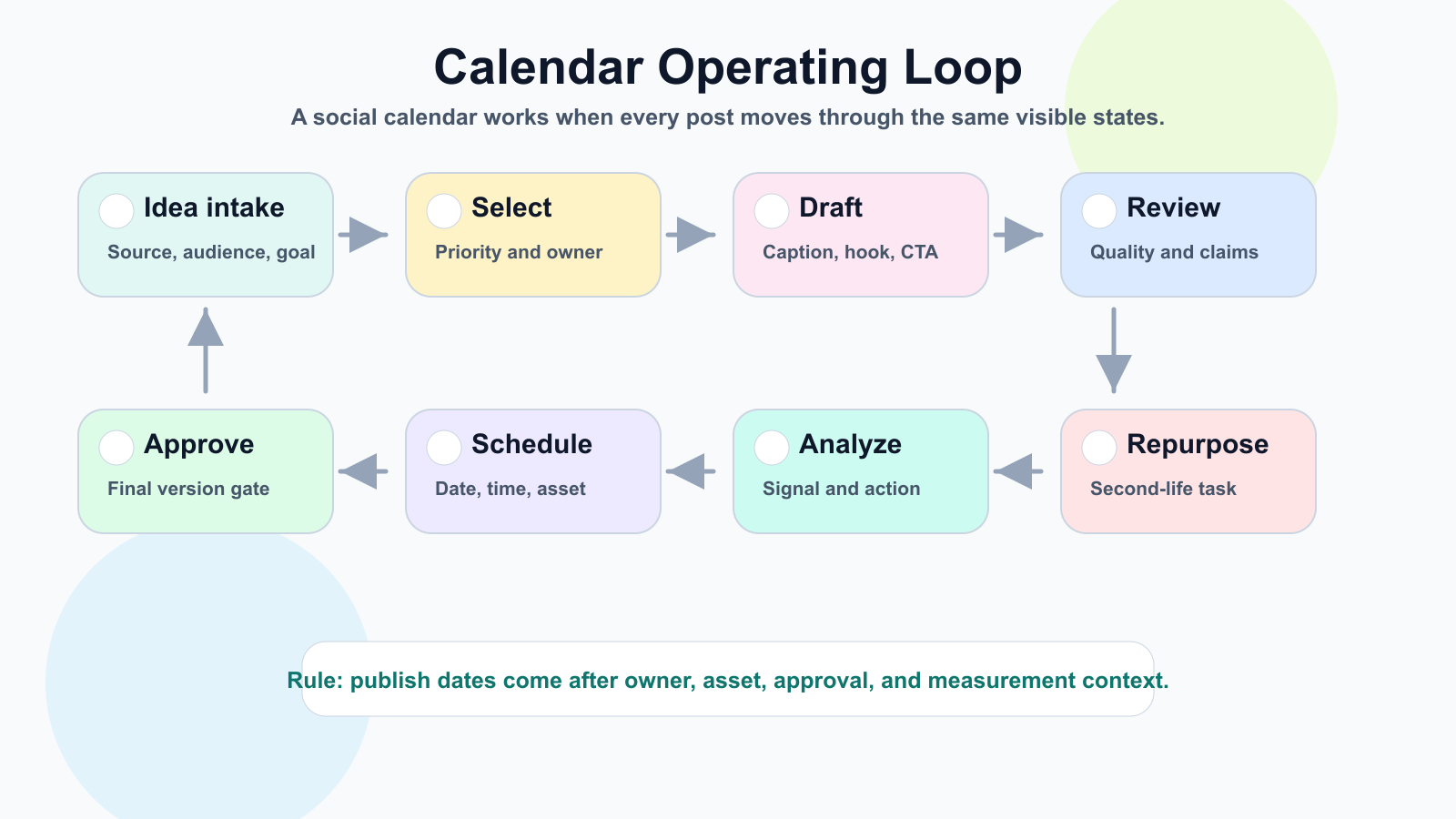
The SOP turns a calendar from a date list into an operating loop.
Roles, Stages, And Weekly Planning
Define roles first. One person can hold multiple roles, but every role should be clear before content enters production.
RoleResponsibilityContent ownerMoves the post through the workflowWriterCreates caption, script, or post copyDesigner/editorCreates or updates visual assetsReviewerChecks quality, accuracy, and brand fitApproverGives final version-specific approvalSchedulerAdds approved content to the publishing calendarAnalystReviews performance and recommends the next action
Use a small, explicit status system: Idea, Selected, Draft, Asset Needed, Review, Changes Requested, Approved, Scheduled, Published, Analyze, Repurpose, and Archive. Keep unselected ideas in a backlog, and promote only committed work into the operating calendar.
Run a weekly planning session to review last week's performance, select posts for the next one to two weeks, assign owners, identify assets, confirm approval needs, and note blockers. The goal is not to brainstorm forever. The goal is to decide what moves forward.
Drafting, Assets, Review, And Approval
Every idea should include enough context to evaluate it: source, audience, platform suggestion, format suggestion, business goal, priority, and repurposing potential. Good idea intake prevents weak drafts later.
Drafts should include platform, caption, hook, CTA, link if needed, hashtags if needed, asset notes, first comment if needed, internal notes, and approval requirement. AI can help with drafting, but its output remains a draft; keep the source context and an accountable editor attached when traceability matters.
Assets should not be an afterthought. Track asset type, owner, dimensions, format, platform, file link, version, approval state, alt text if needed, and usage rights if relevant. Caption and asset should be reviewed together.
Internal review happens before final approval or client review. A good approval workflow checks hook clarity, platform fit, CTA, attached assets, links, claims, tone, spelling, visual quality, campaign fit, and version state.
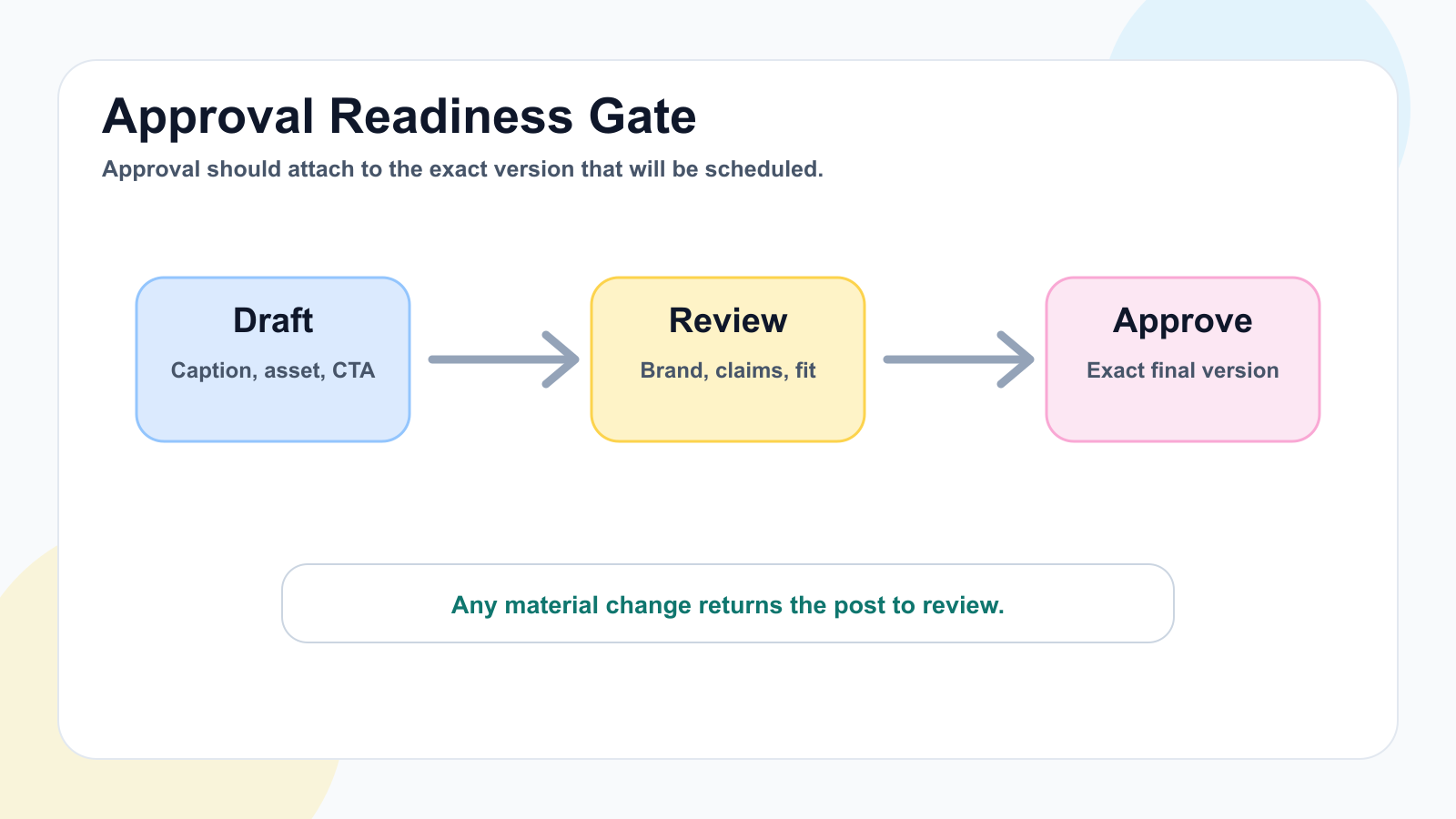
Approval should attach to the exact caption, asset, CTA, link, and publish date.
Approval should bind to one exact platform version: caption, asset, CTA, link, and publish date where relevant. Record who approved it and when. Any material change creates a new version and returns the item to review, preventing a stale approval from authorizing different content.
Scheduling, Publishing, And Analytics
Only approved content should move to final scheduling. The scheduler should confirm the destination account, platform, date, time, IANA timezone, resolved UTC time, final caption, final asset, CTA, link, campaign label, owner, approval revision, and any platform-specific media limits. For larger teams, post scheduling should be the final handoff, not the first quality gate.
Treat the final handoff as a release record rather than a loose calendar row. Give each batch a stable idempotency key, store the returned Tareno action ID, and do not create a new key merely because the client timed out. If a date, account, caption, media asset, or timezone changes, invalidate the old release record and return the new revision to approval. Re-resolve UTC when daylight-saving rules or the local publish time change.
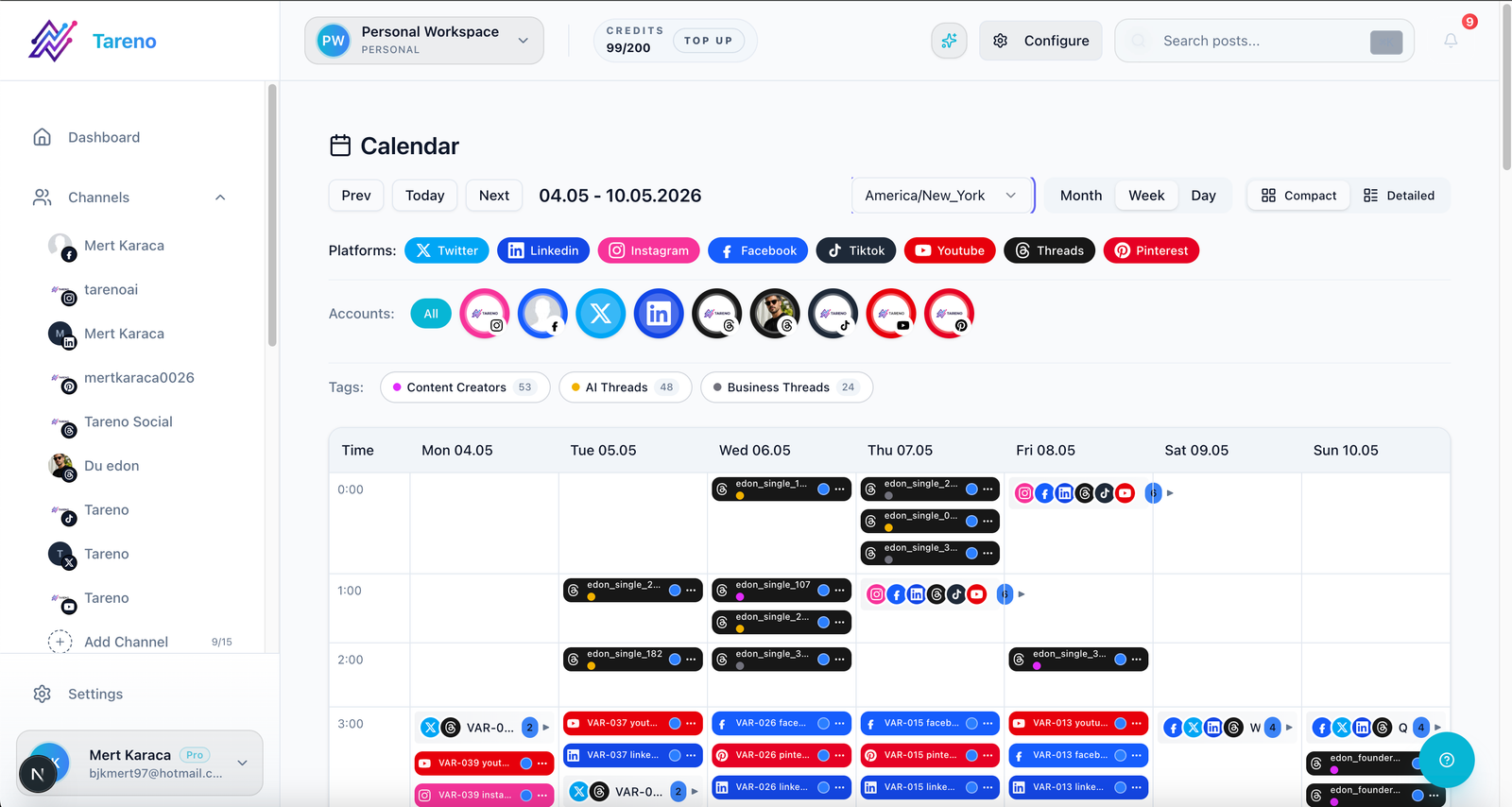
A calendar view is useful only when each post carries owner, asset, and approval context.
After a post goes live, record the live URL and confirm the destination account, media, caption, tags, links, and platform status against the approved revision. If publishing fails, preserve the error and attempted version, notify the owner, and retry only after checking connection state, media requirements, platform limits, and whether the first attempt actually succeeded. Use the stable content ID and returned post or action ID to reconcile the result before any retry.
Every published post needs a review window, decision owner, and comparison basis such as the channel median, campaign target, or previous format baseline. Choose the checkpoint by the channel's distribution curve and the campaign's decision date rather than applying one universal window; document the chosen window before publishing. At that checkpoint, record one next action: repeat, repurpose, improve, pause, or archive. Analytics reports should create decisions, not just screenshots.
Repurposing, Automation, And Tareno
Repurposing should be part of the calendar. A post enters the repurposing queue when it has a clear signal: high saves, high shares, strong watch time, meaningful comments, conversions, useful client feedback, or a repeated customer question.
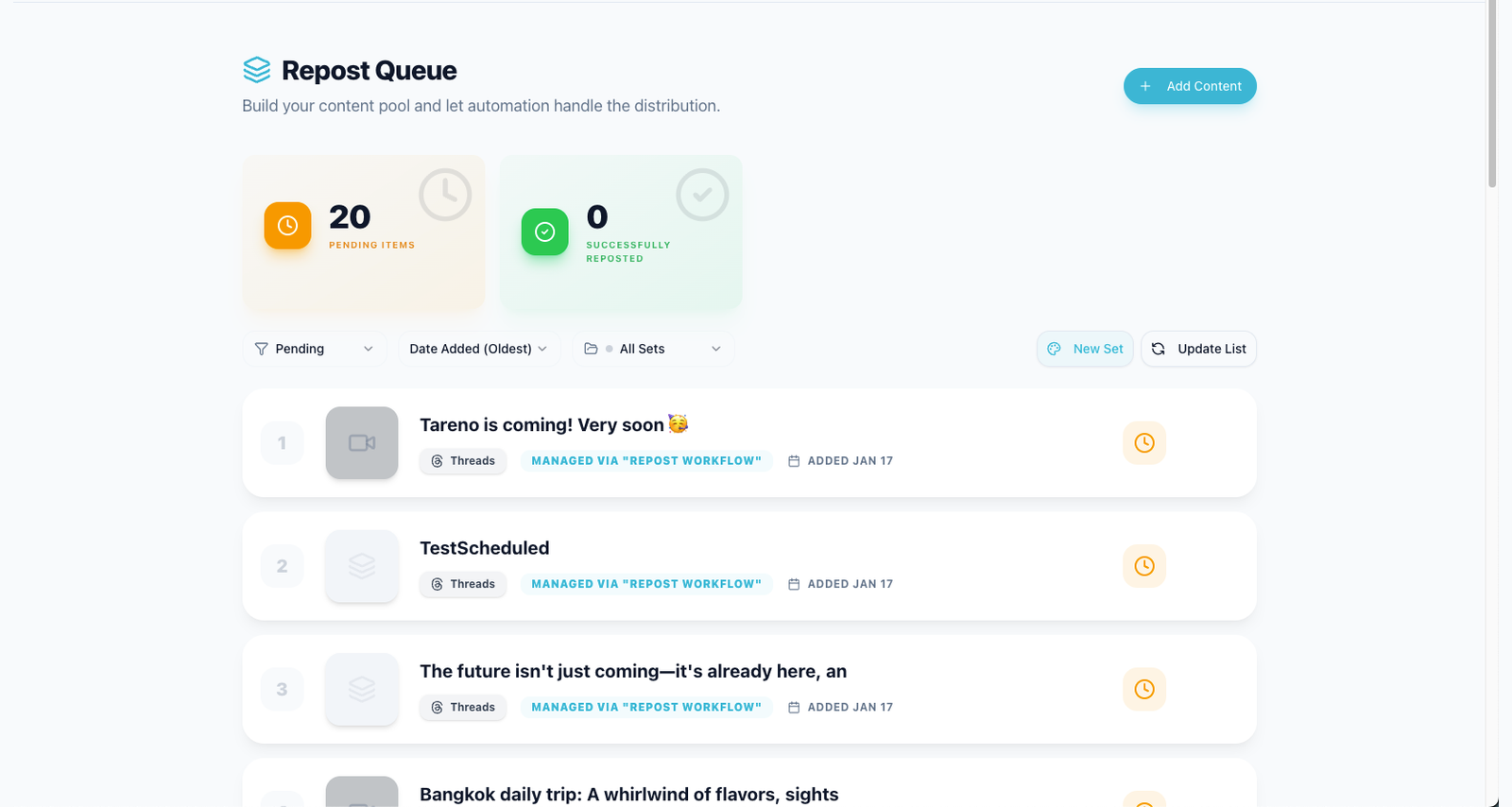
Repurposing belongs in the calendar as a follow-up task, not a side project.
Automate handoffs, not judgment. Useful automations include idea submitted -> create board item, draft ready -> notify reviewer, approved -> notify scheduler, scheduled -> update calendar, published -> create measurement task, and high performer -> create repurposing task. Give every handoff a stable content ID and make retries idempotent so one event cannot create duplicate posts or tasks.
Tareno supports this SOP by connecting boards, approval workflows, scheduling, analytics, repurposing, and workflow automation in one visible operating system.
Related Tareno resources
Keep the workflow moving
Workflow Repurposing Workflow Turn winning posts into follow-up assets. Open workflow -> Workflow Multi-Platform Scheduler Coordinate Instagram, TikTok, YouTube, and more. View scheduler -> Solution Workflow Builder Map handoffs, review gates, and automations. See builder -> Tool Instagram Caption Generator Draft captions before review. Try tool ->
Copy/Paste SOP
Copy this checklist into the system where the team already manages content. The important part is not the document format; it is that each state change leaves a visible owner and evidence.
## Social Media Content Calendar SOP

Required fields:
- Stable content ID, owner, platform/account, format, goal, and priority.
- Caption revision, final asset revision, CTA/link, campaign label, and rights notes.
- Approval actor, approved revision ID, approval time, and expiry if relevant.
- Local publish time, IANA timezone, resolved UTC time, and measurement checkpoint.
- Stable scheduling idempotency key and returned action ID for reconciliation.

Weekly planning:
- Review the previous checkpoint and record one next action.
- Select committed ideas from the backlog; leave the rest unselected.
- Assign draft, asset, review, scheduling, and measurement owners.
- Confirm blockers, due dates, destinations, and platform requirements.

Review and scheduling gate:
- Check copy, asset, CTA, links, claims, accessibility, and platform fit together.
- Bind approval to the exact caption, asset, account, and schedule revision.
- Return any material change to review before scheduling.

After publishing:
- Store the returned action/post ID and live URL.
- Verify account, caption, media, tags, links, and platform status.
- Reconcile an uncertain result before retrying; never assume the first write failed.
- At the chosen checkpoint, choose repeat, repurpose, improve, pause, or archive.
Common Calendar Mistakes
The most common mistake is treating a date as a workflow. A post can have a date and still be missing an owner, asset, claim check, approval, or platform-specific caption.
The second mistake is letting feedback happen outside the workflow. If feedback lives in chat, email, or a separate doc, the content owner has to reconcile versions manually.
The third mistake is separating analytics from planning. If reporting does not create new ideas, repurposing tasks, or calendar decisions, the calendar will repeat the same weak patterns.
FAQ
What is a social media content calendar SOP?
It is a standard operating procedure for how social content is planned, drafted, reviewed, approved, scheduled, published, analyzed, and repurposed.
Should unapproved posts be added to the calendar?
They can appear as planned or tentative items, but they should not move to final scheduling until the required owner, asset, CTA, and approval state are complete.
How often should a content calendar be reviewed?
Review the operating calendar weekly and review the system monthly. Weekly review moves content forward; monthly review improves the process.
How does repurposing fit into a content calendar?
Repurposing should be a calendar stage, not a side project. High-performing or evergreen posts should create follow-up tasks with owners, formats, dates, and review needs.
Final Thoughts
A content calendar SOP makes social publishing less dependent on memory and more dependent on visible evidence. Start with one post: assign the owners, bind approval to the exact revision, verify the live result, and record the next action at the chosen measurement checkpoint. Fix any unclear handoff before increasing volume or automation.


