
Campaigns fail when strategy and execution live in different places.
The campaign brief says one thing.
The content calendar shows another.
The designer works from an old asset request.
The social media manager adapts captions manually.
The client gives feedback in a thread that nobody checks.
The report later shows numbers, but no one connects them back to the original campaign goal.
This is not a creativity problem.
It is a workflow problem.
A campaign brief should not be a static document. It should become a publishing system.
This guide shows how to turn a campaign brief into content pillars, platform versions, approvals, scheduled posts, reports, and repurposing actions.
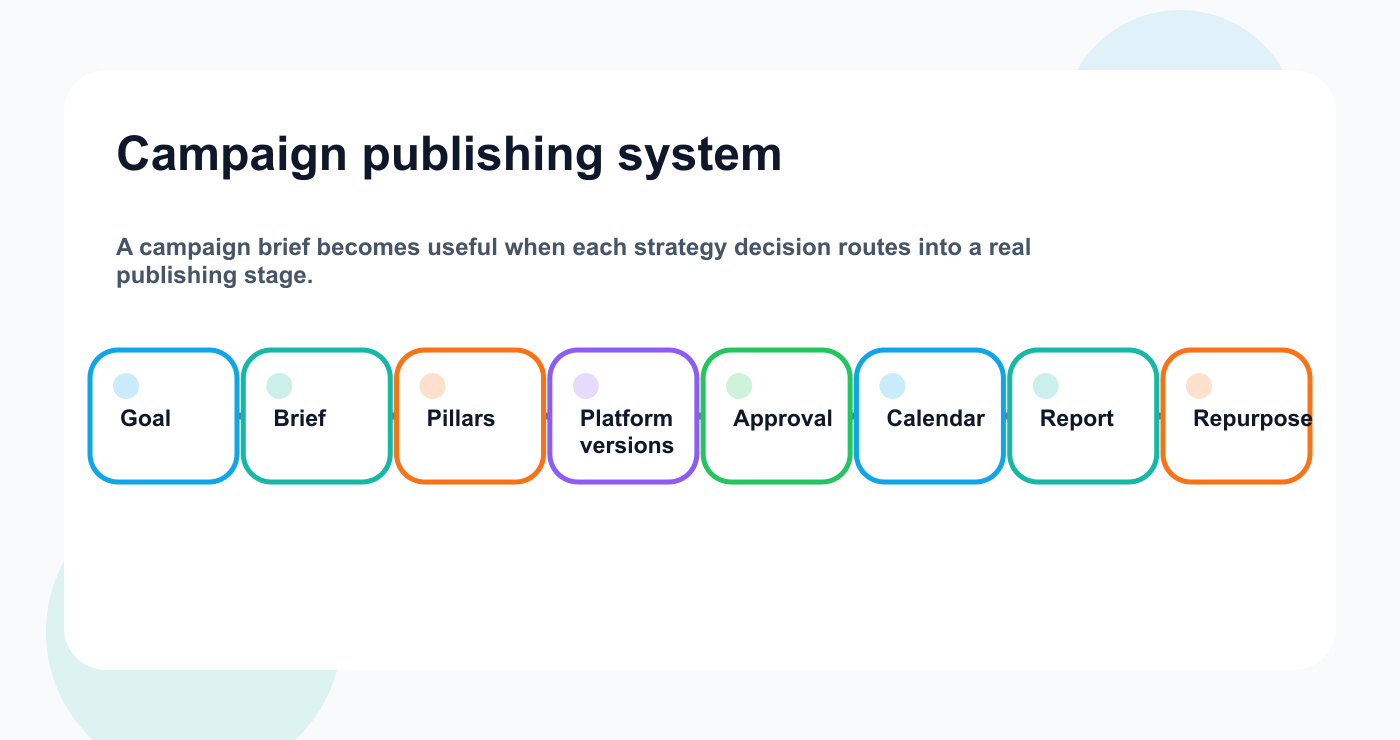
The campaign brief becomes a path from goal to repurposing.
TL;DR
A strong campaign workflow looks like this:
Define campaign goal.
Create campaign brief.
Translate brief into content pillars.
Build platform versions.
Assign owners.
Create assets.
Review and approve.
Schedule content.
Publish and monitor.
Report against campaign goal.
Repurpose winners.
The key rule:
A campaign brief is only useful if it changes the content workflow.
If the brief does not influence posts, platforms, CTAs, approvals, and reports, it is only documentation.
What is a campaign publishing system?
A campaign publishing system is the workflow that turns campaign strategy into published content, often using a connected social media workflow builder instead of disconnected documents.
It connects:
campaign goal
audience
message
content pillars
assets
platform versions
owners
approval rules
publishing calendar
analytics
repurposing
Without this system, campaigns depend on manual coordination.
With it, each post connects back to the campaign goal.
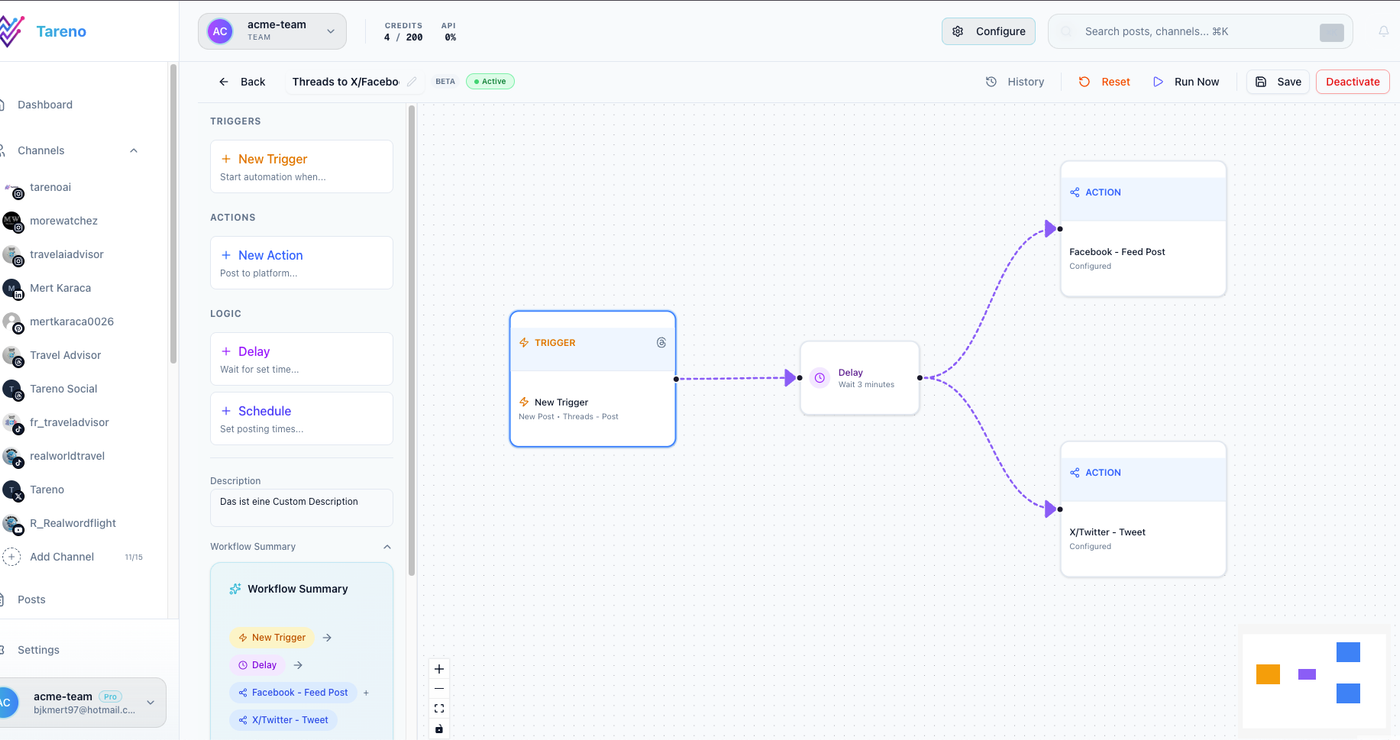
A workflow view helps the campaign path stay visible after the brief is written.
Step 1: Start with the campaign goal
The campaign goal should be specific.
Weak goal:
Grow awareness.
Better goal:
Increase trial signups from LinkedIn and Pinterest content by promoting workflow automation use cases for small teams.
Strong campaign goals include:
audience
offer
channel
outcome
timeframe
success metric
Examples:
generate demo requests from agency audiences
increase signups from creators
promote a new feature
drive traffic to a comparison page
educate users on a workflow concept
launch a seasonal campaign
support a product release
The clearer the goal, the easier the content system becomes. If scheduling is part of the campaign, connect the goal to post scheduling before production starts. If scheduling is part of the campaign, connect the goal to post scheduling before production starts.
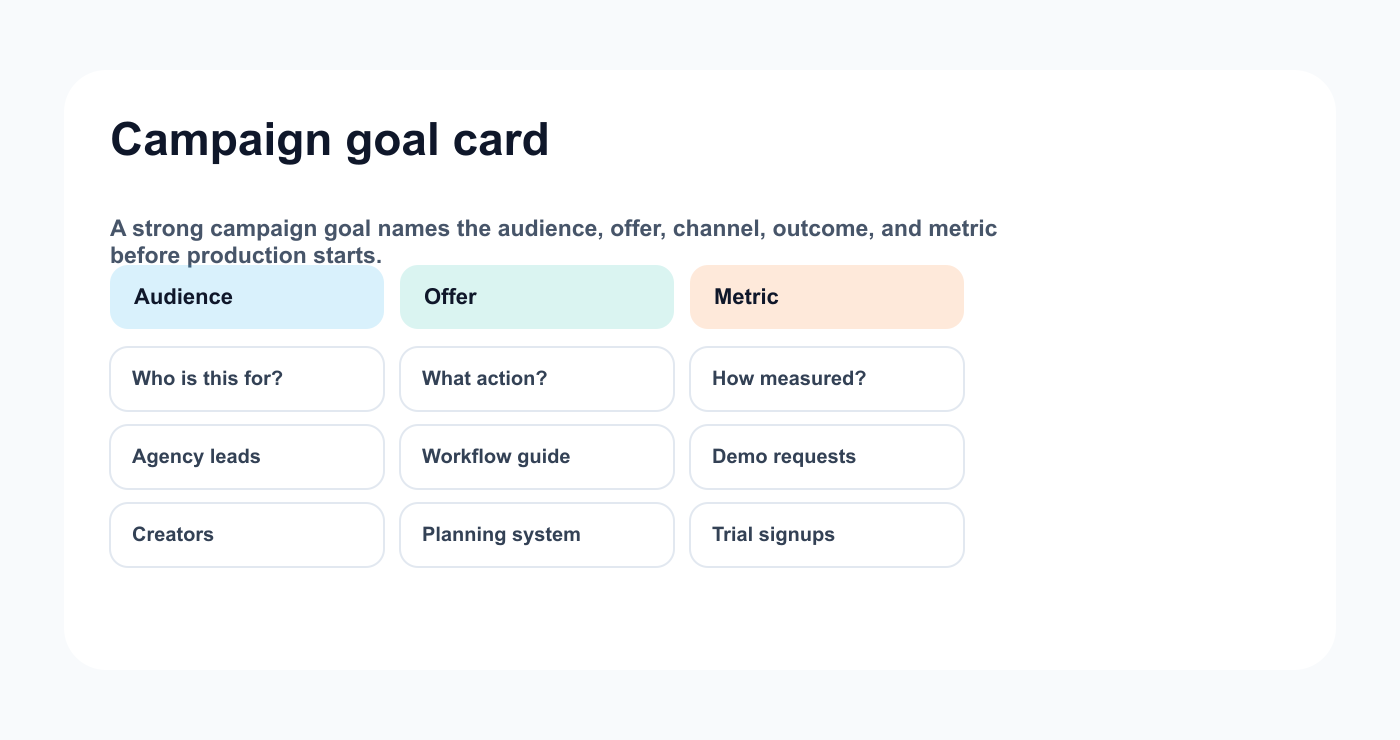
A campaign goal card keeps the brief specific enough to guide publishing.
Step 2: Build the campaign brief
Use this brief structure.
## Campaign Brief

Campaign name:
Goal:
Audience:
Offer:
Primary CTA:
Secondary CTA:
Core message:
Content pillars:
Platforms:
Formats:
Assets needed:
Approval requirements:
Launch date:
End date:
Success metrics:
Reporting owner:
Repurposing rules:
A brief should be short enough to use and specific enough to guide decisions.
Do not write a 20-page strategy document if the team needs a one-page operating brief.
Step 3: Translate the brief into content pillars
Content pillars turn strategy into repeatable topics.
Example campaign:
Promote workflow automation for agencies.
Possible pillars:
PillarPurposeExamplePainShow agency bottlenecks“Why approvals slow calendars”EducationTeach workflow concepts“Approval gate vs review link”ProductShow solution“How boards and approvals connect”ProofBuild trust“How reports become repurposing tasks”CTADrive action“Try workflow-first scheduling”
Pillars keep the calendar balanced.
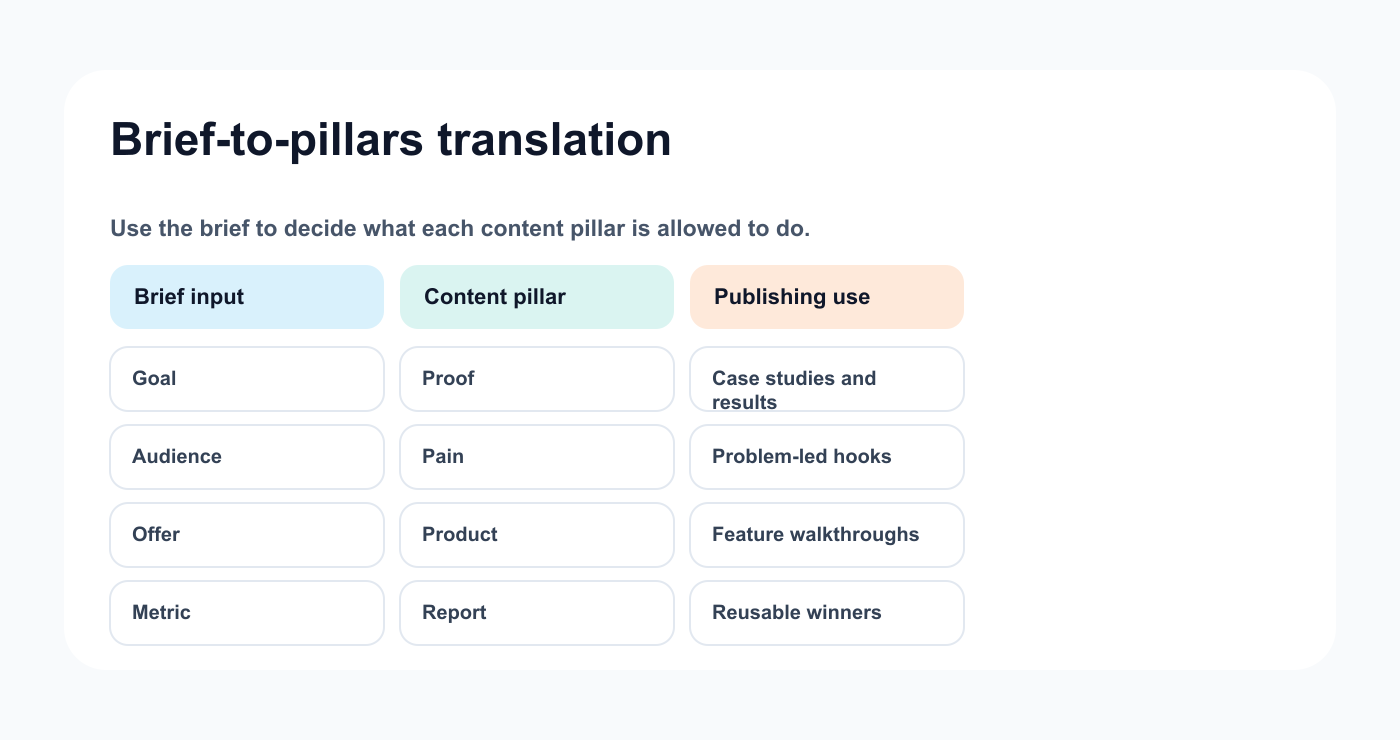
A short matrix turns the campaign brief into repeatable content pillars.
A campaign with only product posts feels too promotional.
A campaign with only education may not convert.
Step 4: Create platform versions
A campaign idea should be adapted by platform. For channel-specific planning, Tareno's Instagram tools and related generators can help turn one message into platform-ready drafts. For channel-specific planning, Tareno's Instagram tools and related generators can help turn one message into platform-ready drafts.
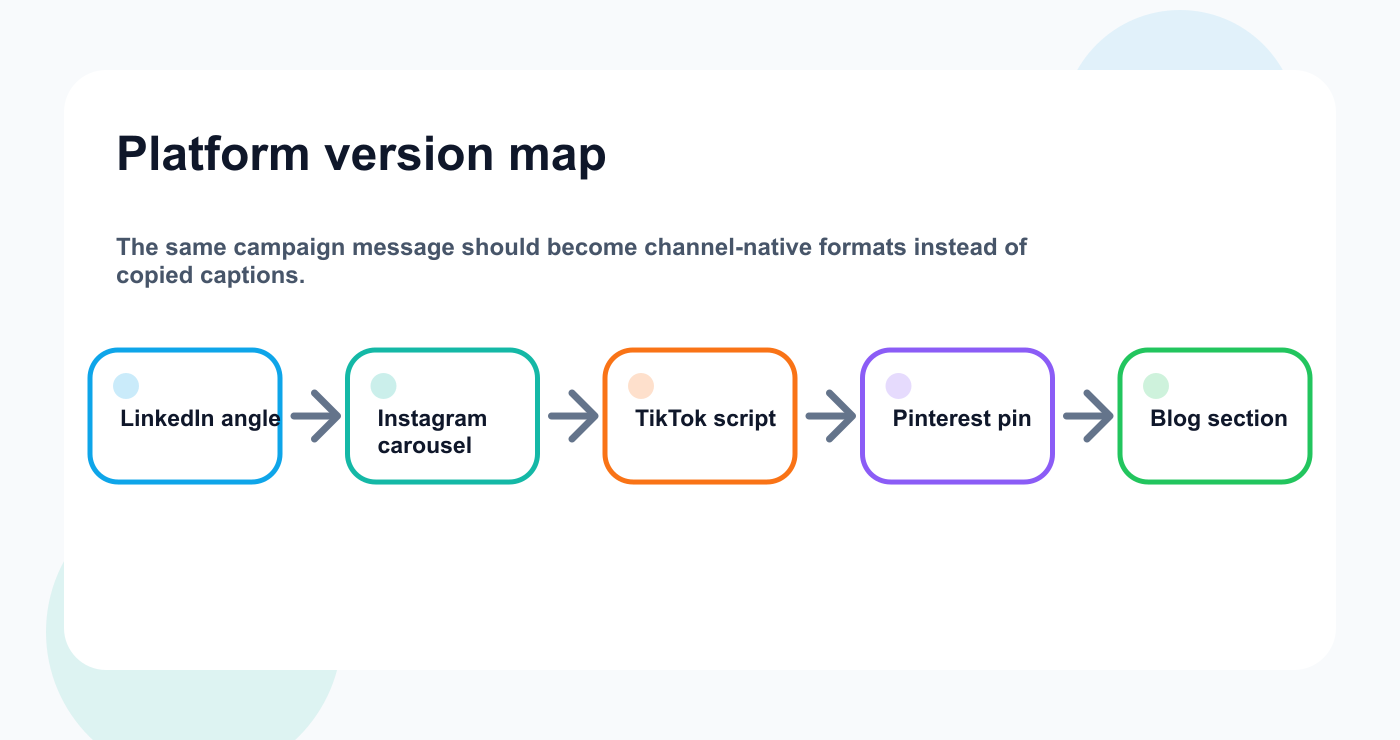
Channel-specific versions keep the campaign consistent without copy-paste.
One campaign message can become:
LinkedIn post
Threads post
Instagram carousel
TikTok script
YouTube Short
Pinterest pin
Facebook post
email snippet
blog section
Platform version table:
IdeaPlatformFormatHookCTAOwnerApproval chaosLinkedInText post“Your calendar is not the bottleneck.”Compare workflowsWriterApproval chaosInstagramCarousel“5 approval mistakes”Try TarenoDesignerApproval chaosTikTokScript“This is why content gets stuck.”Start freeCreatorApproval chaosPinterestPin“Approval workflow checklist”Read guideDesigner
This prevents lazy copy-paste.
Step 5: Assign owners
Every campaign item needs an owner.
Ownership fields:
content owner
asset owner
reviewer
approver
scheduler
analyst
The owner does not need to do everything.
The owner makes sure the item moves forward.
A campaign without ownership becomes a group chat.
Step 6: Create assets
Campaign assets can include:
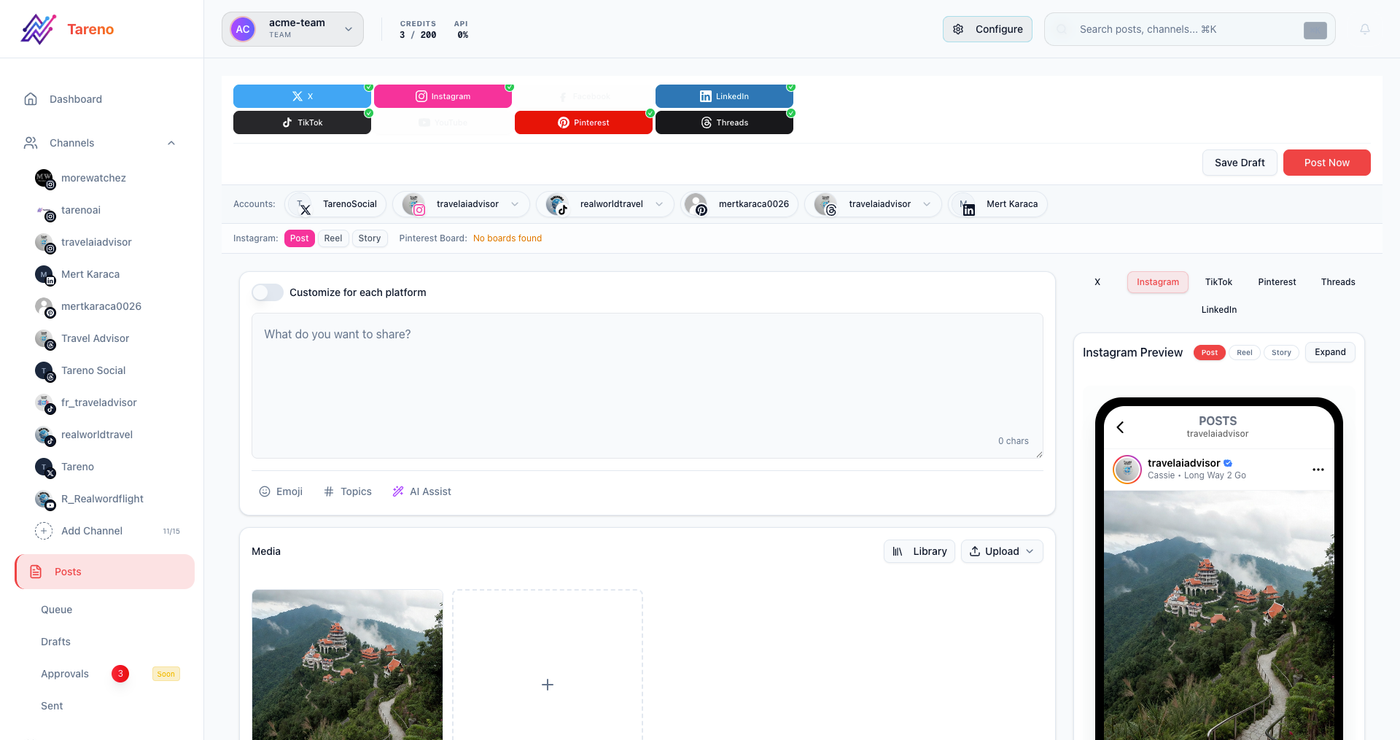
Post creation is where the brief becomes concrete copy and assets.
videos
carousels
product screenshots
testimonials
landing page graphics
short clips
thumbnails
Pinterest pins
templates
infographics
paid creative
UGC assets
Asset fields:
format
platform
owner
status
file link
version
usage rights
approval state
Asset workflow should connect to content workflow.
A caption is not ready if the asset is missing.
Step 7: Add campaign approval rules
Campaign content may need approval based on risk.
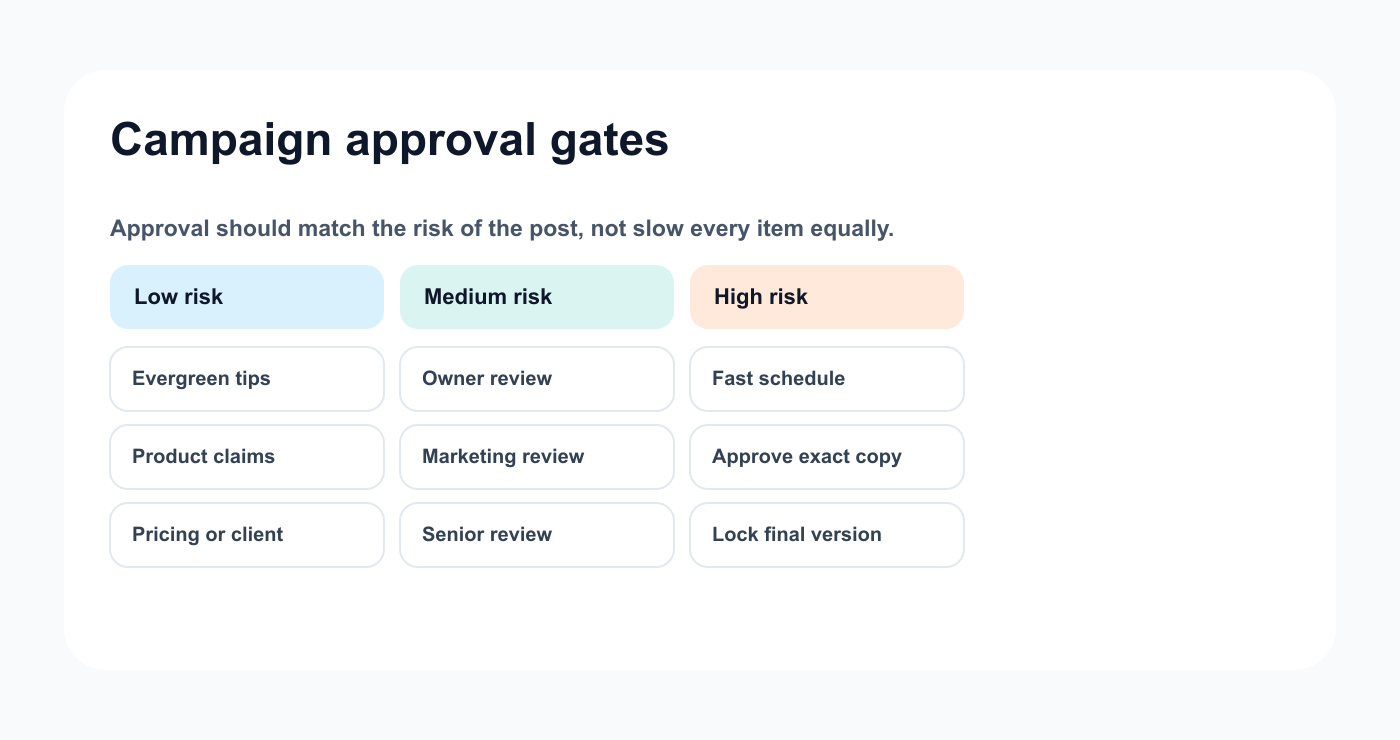
Risk-based approval keeps campaigns moving without skipping important checks.
Low-risk campaign content:
general tips
evergreen education
simple engagement posts
Medium-risk:
product education
customer examples
feature screenshots
High-risk:
pricing
claims
competitors
sponsors
client content
legal-sensitive topics
launch promises
AI-generated technical claims
Approval should apply to the final version.
If a platform version changes the claim or CTA, it may need re-approval.
Step 8: Schedule the campaign
Scheduling should follow readiness.
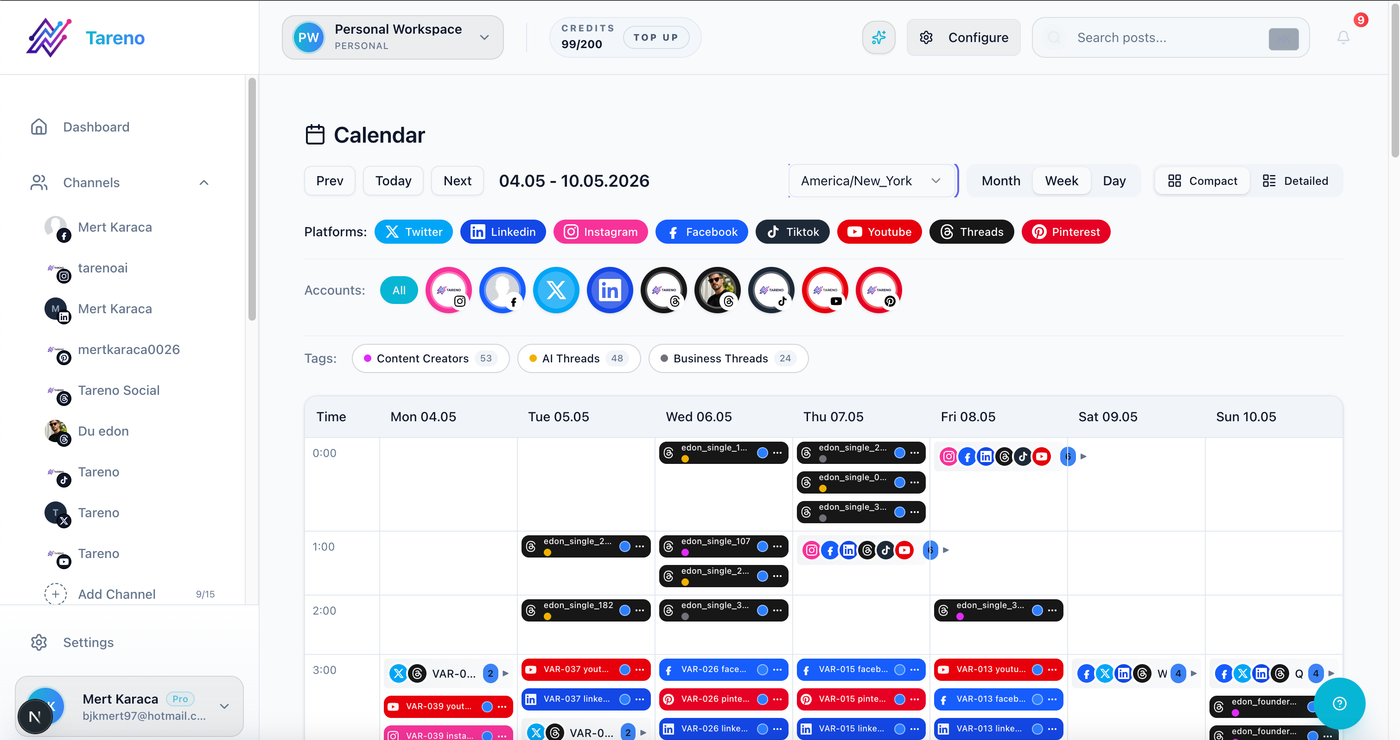
The publishing calendar should reflect approved campaign versions, not rough intentions.
A post is ready when:
owner assigned
caption complete
asset complete
CTA checked
link checked
approval complete
platform selected
date and time selected
campaign label added
Do not fill the calendar with unapproved posts and call it done.
The calendar should show execution status.
Step 9: Monitor during launch
During the campaign, monitor:
publishing failures
comments
questions
link problems
underperforming platforms
high-performing hooks
approval delays
asset bottlenecks
competitor reactions
audience feedback
Campaigns are not static.
The workflow should allow changes.
If one angle performs strongly, create follow-ups.
If one CTA fails, test another.
If questions repeat, create FAQ content.
Step 10: Report against the campaign goal
Report by campaign goal, not only platform metrics.
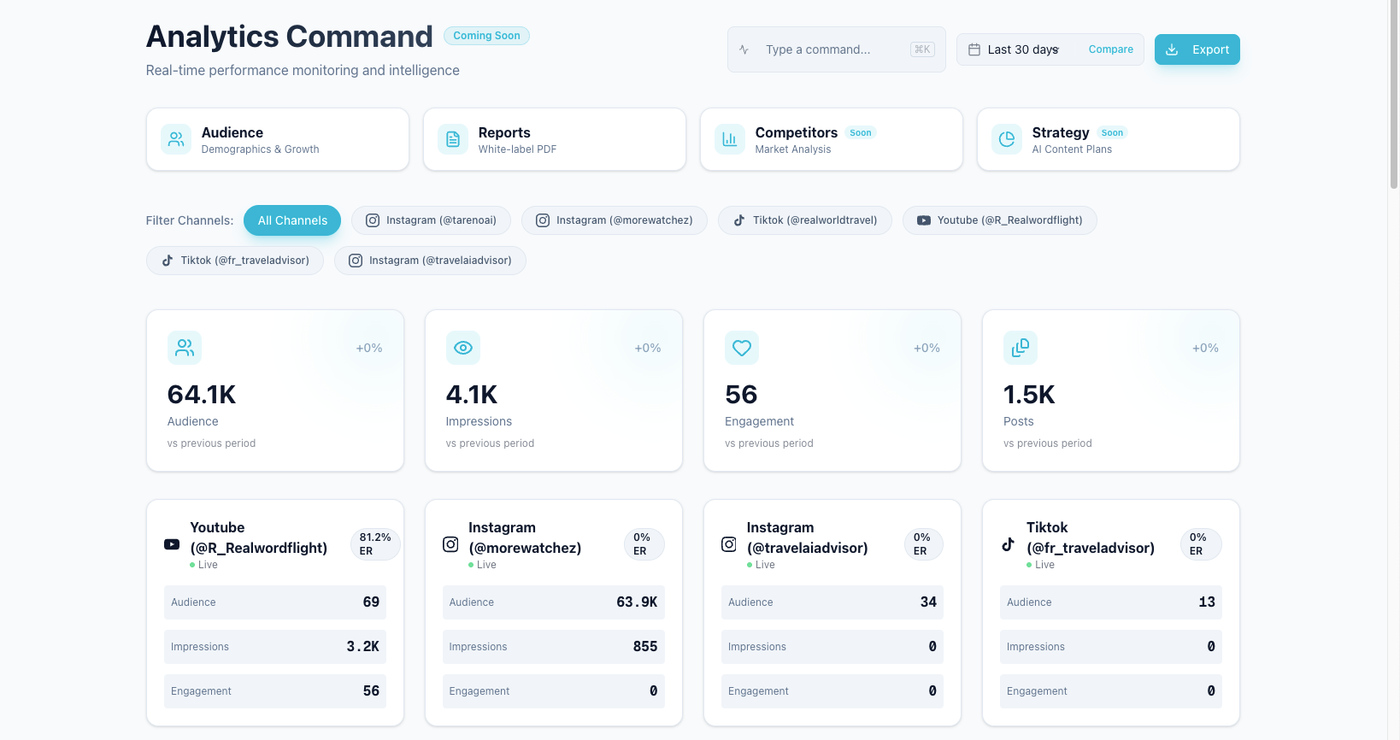
Campaign reporting is useful when it points back to the original goal.
If the goal was signups, report clicks and conversions.
If the goal was awareness, report reach and audience growth.
If the goal was education, report saves, shares, and comments.
Campaign report template:
## Campaign Report

Campaign:
Goal:
Period:
Best platform:
Best format:
Best topic:
Top post:
Weakest post:
Main insight:
Repurposing candidates:
Next actions:
Owner:
Reports should create decisions.
Step 11: Repurpose winners
Campaigns produce useful signals.
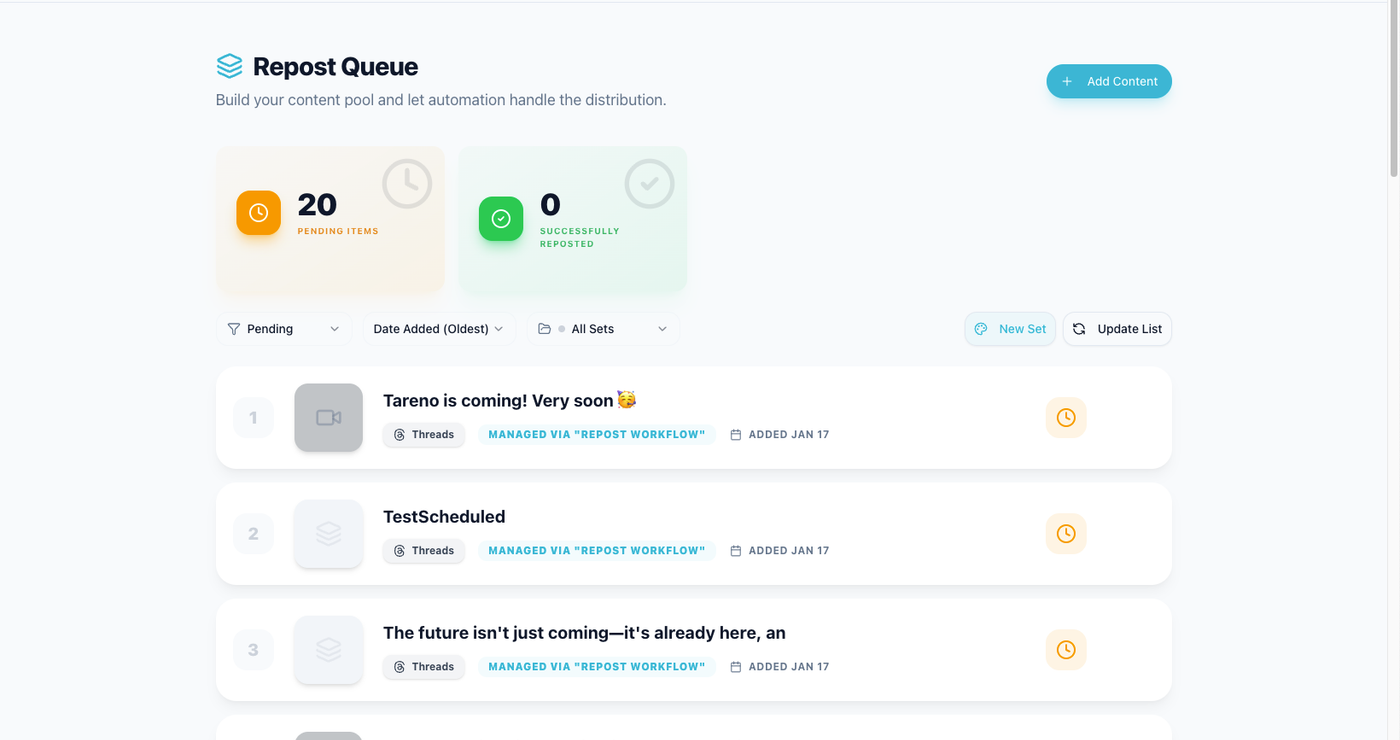
Winning campaign posts should move into a reuse path instead of disappearing.
Repurpose:
top posts
strong hooks
high-save carousels
high-click posts
high-watch-time videos
repeated questions
audience objections
successful CTAs
Repurposing examples:
top LinkedIn post -> blog section
high-save carousel -> Pinterest pin
TikTok hook -> YouTube Short
repeated comment -> FAQ post
campaign report insight -> client recommendation
product post -> onboarding email
A campaign should leave behind assets for the future.
How Tareno fits campaign systems
Tareno is useful when campaigns need to connect planning, production, approval, publishing, reporting, and repurposing.
Relevant Tareno components include:
campaign boards
content calendar
approval workflows
workflow builder
analytics
competitor analysis
repurposing queue
team workspaces
roles and permissions
activity visibility
AI captions and hashtags
Make integration
n8n integration
API access
This helps teams turn strategy into execution.
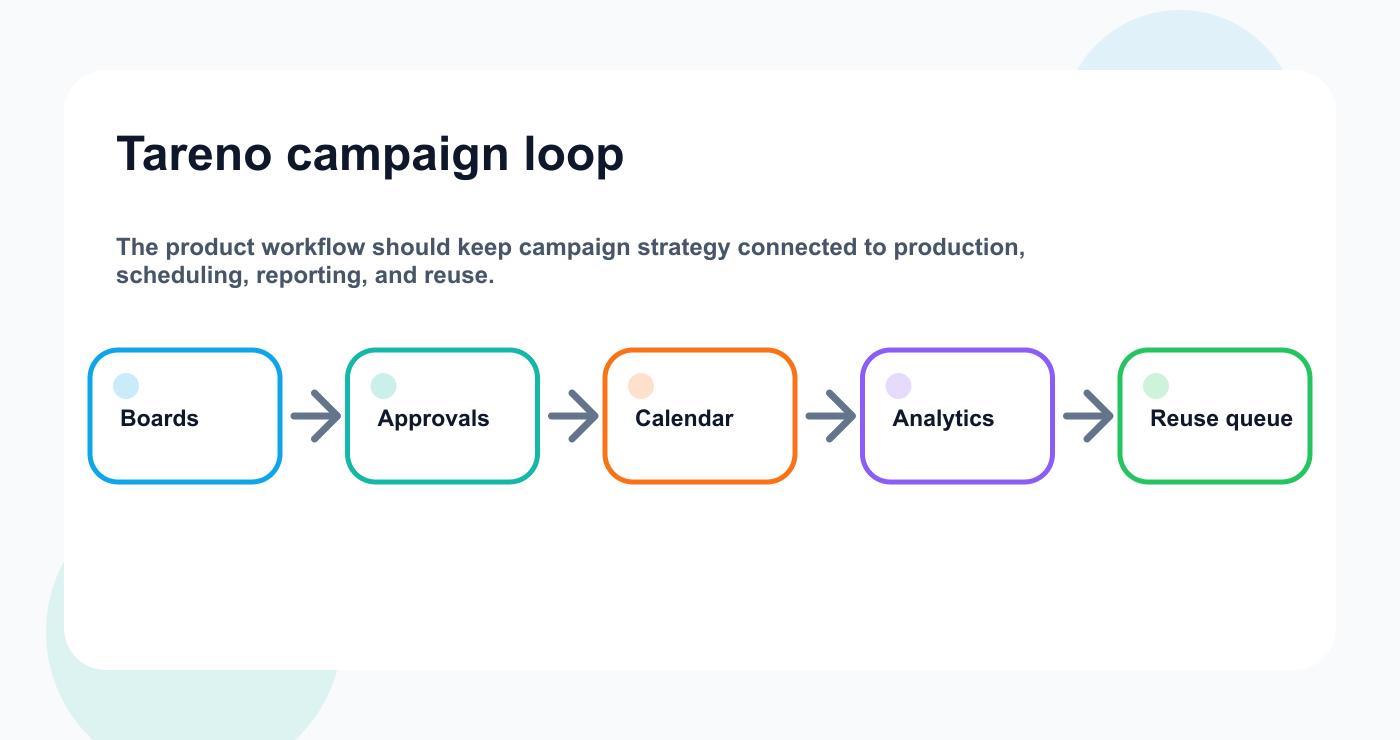
The campaign loop keeps strategy and execution in the same operating system.
The workflow becomes:
brief -> pillars -> platform versions -> approval -> schedule -> report -> repurpose
Copy/paste campaign workflow
## Campaign Publishing Workflow

1. Define campaign goal.
2. Create campaign brief.
3. Translate brief into 3–5 content pillars.
4. Build platform versions for each core idea.
5. Assign owners for copy, assets, review, scheduling, and reporting.
6. Create assets.
7. Review and approve final platform versions.
8. Schedule approved content.
9. Monitor launch and audience feedback.
10. Report against campaign goal.
11. Add winners to repurposing queue.
12. Archive or update outdated campaign content.
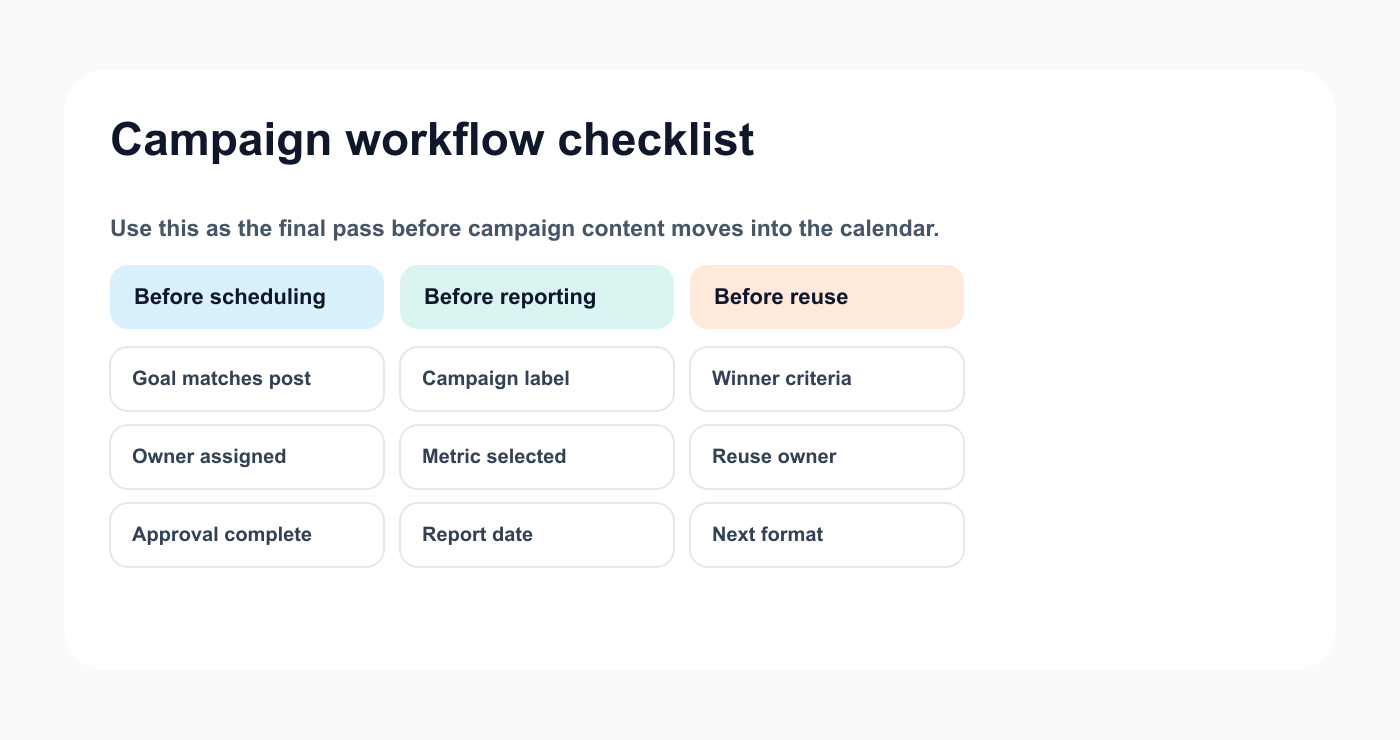
A final checklist keeps the campaign workflow connected after approval.
Common mistakes
Mistake 1: Brief does not become workflow
A brief should influence posts, owners, approvals, and reports.
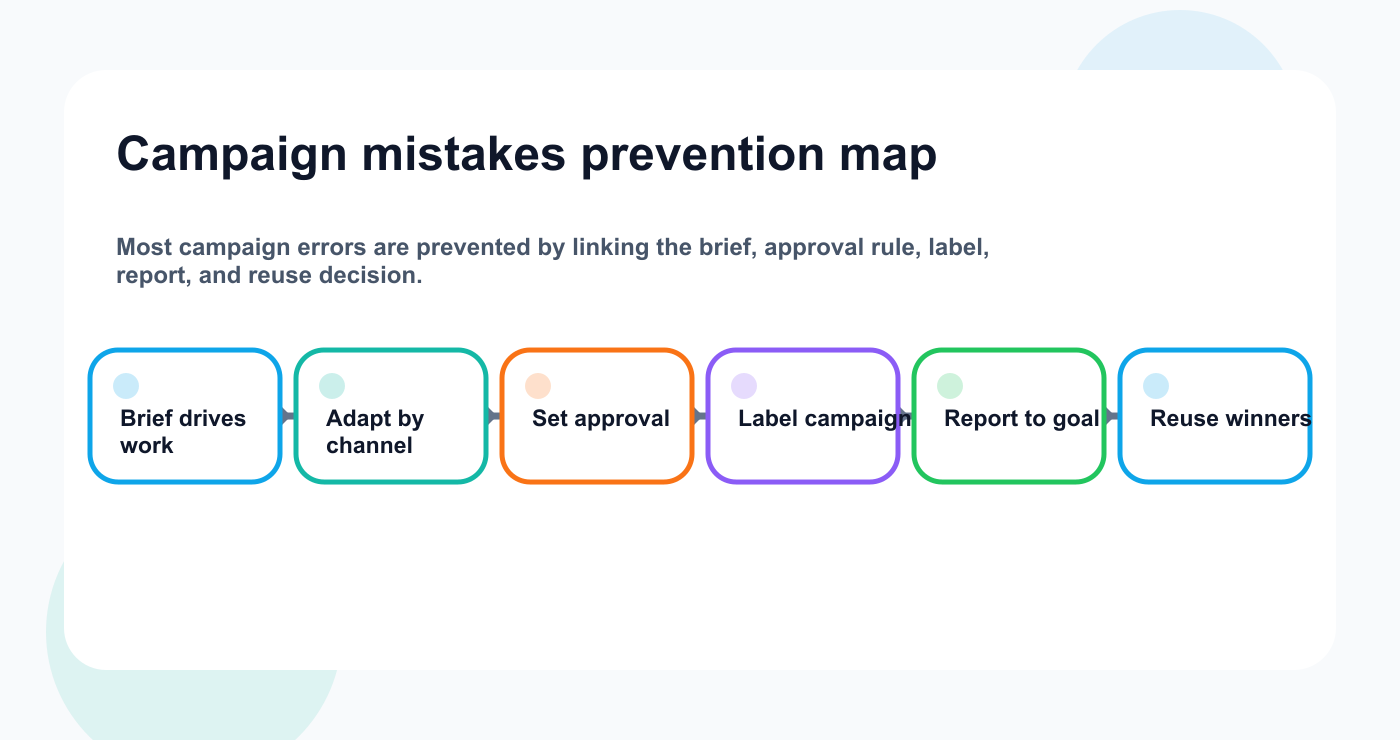
The easiest campaign mistakes to avoid are workflow gaps, not creative problems.
Mistake 2: Same caption everywhere
Campaign messages should be adapted by platform.
Mistake 3: No approval rule
Campaign claims often need review.
Mistake 4: No campaign label
Without labels, reporting becomes harder.
Mistake 5: Reporting only platform metrics
Report against the actual campaign goal.
Mistake 6: No repurposing after campaign
Campaign winners should become future assets.
Related Tareno resources
Keep the workflow moving
Feature Post Scheduling Move approved campaign versions into a real calendar. See scheduling -> Workflow Workflow Builder Map owners, approvals, reports, and reuse stages. Open workflow -> Workflow Repurposing Workflow Turn campaign winners into future assets. View workflow -> Compare Buffer Alternative Compare queue-first tools with workflow-first publishing. Compare options ->
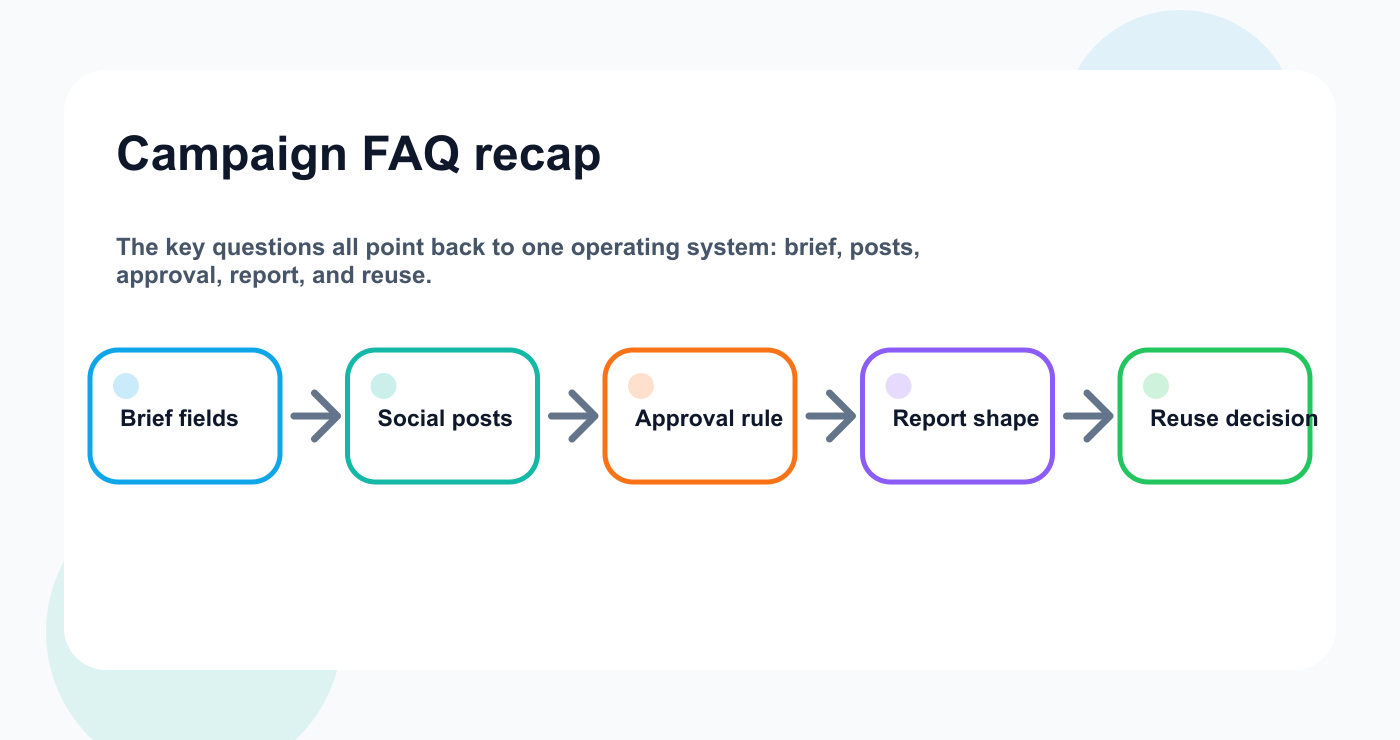
The recurring campaign questions are all workflow questions.
FAQ
What is a campaign publishing workflow?
It is the process for turning a campaign brief into content pillars, platform versions, assets, approvals, scheduled posts, reports, and repurposing actions.
What should a campaign brief include?
It should include goal, audience, offer, CTA, core message, content pillars, platforms, assets, approvals, launch date, success metrics, and reporting owner.
How do you turn a campaign brief into social posts?
Translate the brief into content pillars, create platform-specific versions, assign owners, create assets, approve final versions, schedule posts, and measure performance.
Should campaign posts need approval?
Yes, if they include claims, pricing, competitor references, sponsor requirements, client content, or product details.
How should campaign reports be structured?
Reports should connect results to the campaign goal and include top posts, weak posts, main insight, repurposing candidates, and next actions.
Can campaign content be repurposed?
Yes. Add high-performing campaign content to the reuse queue while the signal is still fresh.
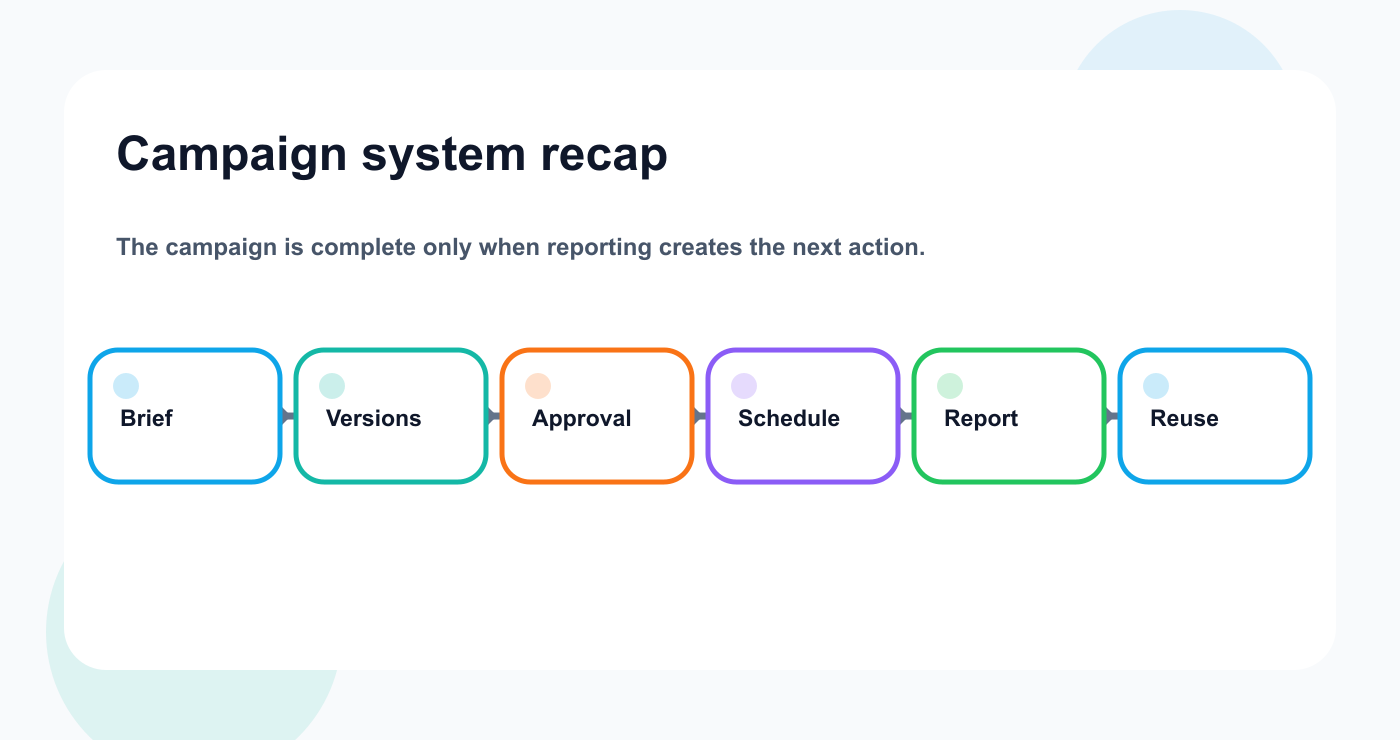
The final campaign loop should end with a reuse decision, not only a report.
Final thoughts
A campaign brief should become a publishing system.
It should not sit in a document while execution happens somewhere else.
Translate strategy into pillars.
Turn pillars into platform versions.
Add owners.
Review and approve.
Schedule.
Measure.
Repurpose.
That is how campaigns become repeatable systems.
Primary CTA: Explore Tareno features to see how boards, calendar, approvals, analytics, repurposing queues, workflow builder, Make, n8n, API, roles, and activity visibility support campaign workflows.
Secondary CTA: Compare Tareno with other social media management tools on the compare hub, or start with the Buffer alternative if your current queue does not connect briefs to approvals and reporting.


