

Most teams choose social media tools backwards.
They start with a list of features.
Then they compare prices.
Then they sign up for the tool that looks like it does the most.
That sounds logical, but it often leads to the wrong decision.
A social media management tool should match how your team actually works.
A solo creator does not need the same system as a marketing agency.
A SaaS team does not need the same workflow as a local business.
A content team with approvals does not need the same tool as someone who only wants to schedule three posts per week.
The better buying question is not:
Which social media tool has the most features?
The better question is:
Which tool removes the biggest bottleneck in our workflow?
This checklist helps you choose a social media management tool in 2026 based on workflow fit, not marketing pages. If your team already knows approvals are the bottleneck, compare that need against a dedicated approval workflow instead of treating it as a generic scheduler feature. If your team already knows approvals are the bottleneck, compare that need against a dedicated approval workflow instead of treating it as a generic scheduler feature. If your team already knows approvals are the bottleneck, compare that need against a dedicated approval workflow instead of treating it as a generic scheduler feature.
Quick answer: choose based on your bottleneck
Use this simple starting point.
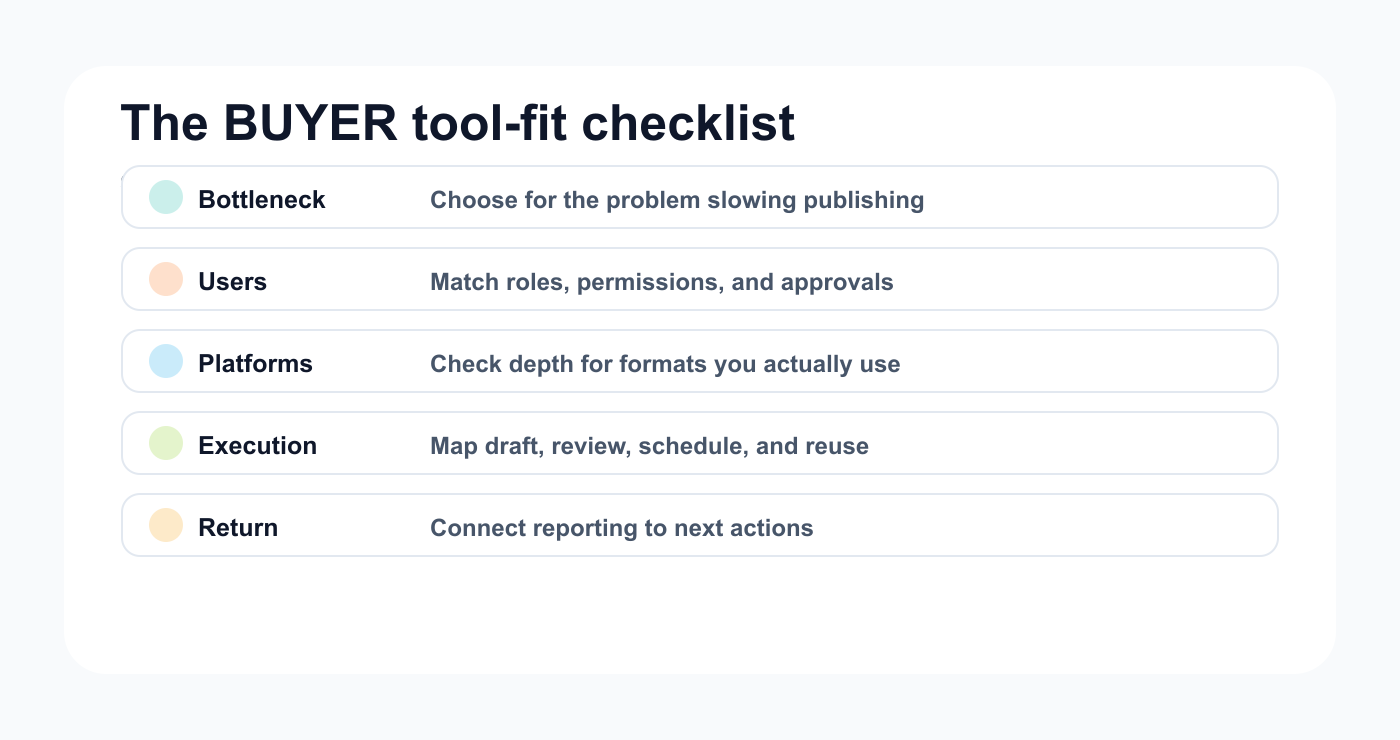
The BUYER framework keeps the buying process focused on workflow fit before feature comparisons.
Your bottleneckTool type to evaluate firstPosting consistentlySimple schedulerPlanning visual contentVisual plannerGetting client/stakeholder approvalApproval workflow toolUnderstanding performanceAnalytics/reporting toolReusing old contentRepurposing/evergreen toolManaging multiple clientsAgency workflow toolConnecting workflows to other appsMake/n8n/API-ready toolRunning the full content operationWorkflow-first social media system
A tool is only “best” if it solves the right problem.
The BUYER framework
Use the BUYER framework before choosing a platform.
B — Bottleneck
U — Users and roles
Y — Your platforms
E — Execution workflow
R — Reporting and return
This keeps the decision grounded.
B — Bottleneck: what is actually slowing you down?
Before you compare tools, identify the real problem.
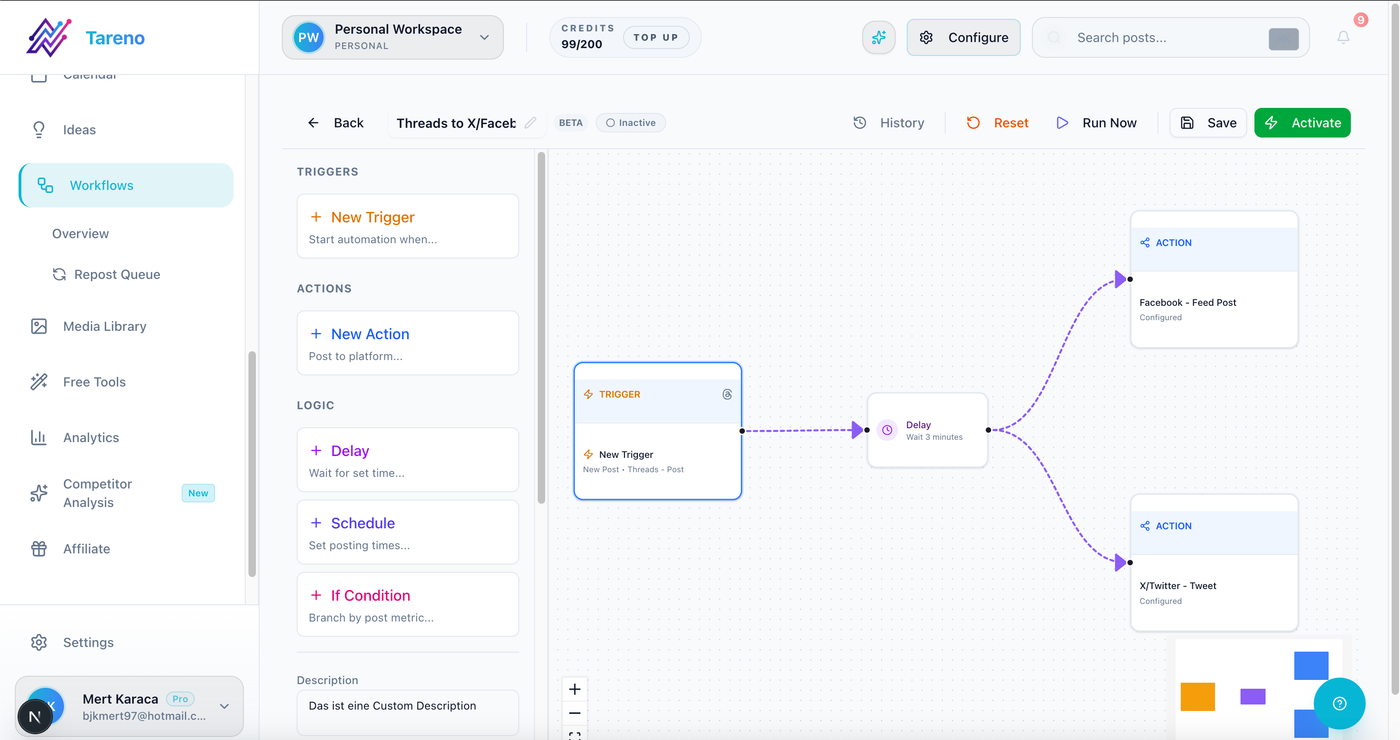
Workflow fit matters most when scheduling, approvals, analytics, and repurposing need to stay connected.
Common bottlenecks include:
posts are not going out consistently
content needs approval but feedback is scattered
the team does not know what is ready
old high-performing content is forgotten
reporting does not create next actions
multiple clients are hard to manage
captions need to be rewritten for each platform
social content is disconnected from Make, n8n, API, or internal tools
no one knows who changed or approved content
Each bottleneck points to a different tool category.
If your bottleneck is scheduling, a simple scheduler may be enough.
If your bottleneck is the full workflow, a scheduler alone will not fix it. You need a system closer to a social media workflow builder, where ideas, owners, approvals, scheduling, reporting, and reuse stay connected. You need a system closer to a social media workflow builder, where ideas, owners, approvals, scheduling, reporting, and reuse stay connected. You need a system closer to a social media workflow builder, where ideas, owners, approvals, scheduling, reporting, and reuse stay connected.
U — Users and roles: who touches the content?
List everyone involved.
Possible roles:
creator
founder
social media manager
copywriter
designer
editor
account manager
client
product reviewer
brand lead
legal reviewer
analyst
assistant
agency partner
If one person does everything, the tool can stay simple.
If several people touch content, you need roles, ownership, approval status, and activity visibility.
Ask:
Who creates content?
Who reviews content?
Who approves final versions?
Who schedules posts?
Who reports performance?
Who repurposes winners?
Who needs view-only access?
Who should not be able to publish?
The more roles you have, the more workflow structure matters. For agencies, that often means client-facing review, clear permission boundaries, and a path similar to a social media management tool for agencies. For agencies, that often means client-facing review, clear permission boundaries, and a path similar to a social media management tool for agencies. For agencies, that often means client-facing review, clear permission boundaries, and a path similar to a social media management tool for agencies.
Y — Your platforms: where do you actually publish?
Do not choose a tool because it supports many channels.
Choose based on the channels you actually use.
Common platforms:
Instagram
TikTok
LinkedIn
Threads
YouTube
Pinterest
Facebook
X / Twitter
Check support depth, not only platform logos. A strong post scheduling feature should support the formats, captions, timing rules, and approval state your team actually uses. A strong post scheduling feature should support the formats, captions, timing rules, and approval state your team actually uses. A strong post scheduling feature should support the formats, captions, timing rules, and approval state your team actually uses.
Ask:
Can it publish the formats you use?
Does it support platform-specific captions?
Can you preview posts by platform?
Does it support video, carousel, stories, shorts, pins, or text posts as needed?
Does it provide analytics for your priority platforms?
Are there platform limitations?
Does it support the workflow around those platforms?
A platform logo does not always mean complete support for every format.
E — Execution workflow: how does content move?
Map your workflow before choosing the tool.
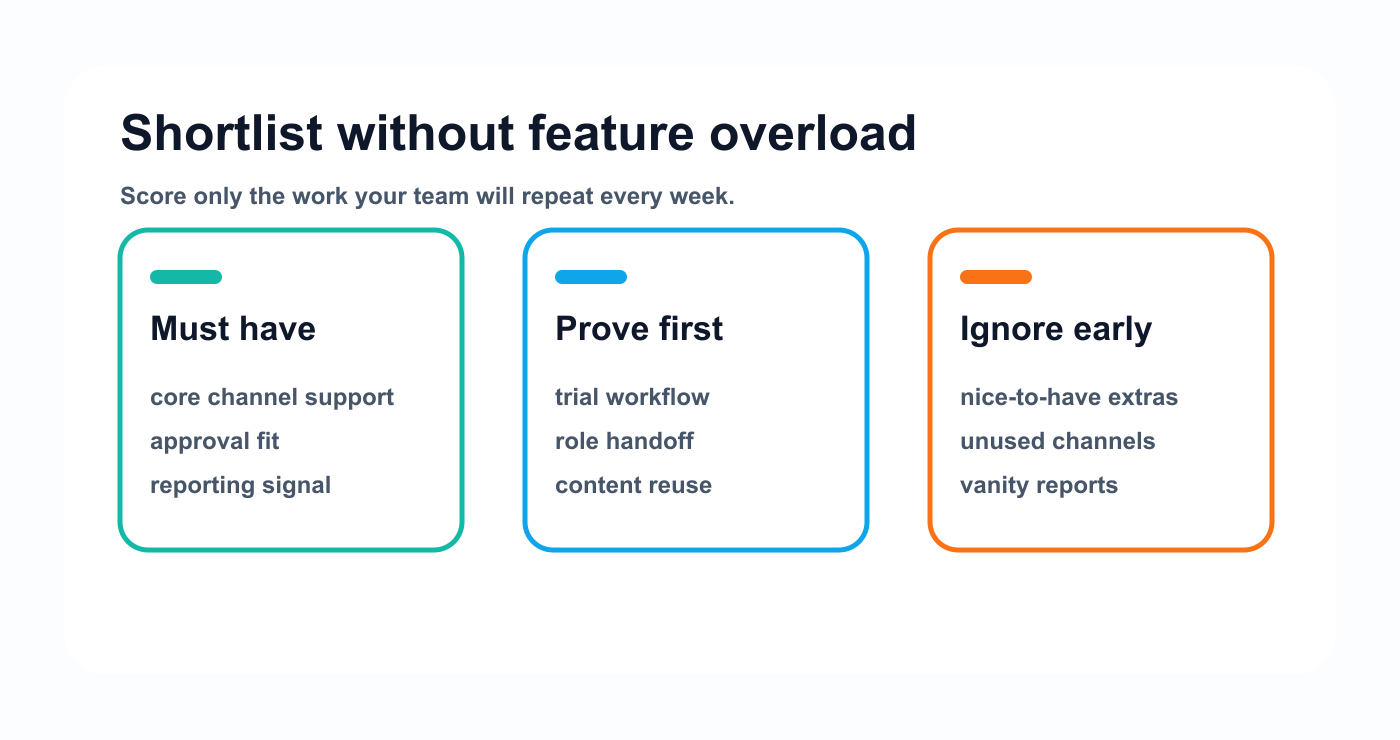
Score only the jobs your team will repeat every week, then test the shortlist against real work.
A simple workflow:
Draft
Schedule
Publish
A team workflow:
Idea
Draft
Design
Review
Approved
Scheduled
Published
Measure
Repurpose
An agency workflow:
Client brief
Draft
Internal review
Client approval
Scheduled
Published
Report
Repurpose
A SaaS workflow:
Product update
Platform drafts
Product review
Approval
Schedule
Analytics
Repurpose or expand into content asset
If the tool cannot match your real workflow, your team will create workarounds.
Workarounds are where time gets lost.
R — Reporting and return: what happens after publishing?
Publishing is not the end of the workflow.
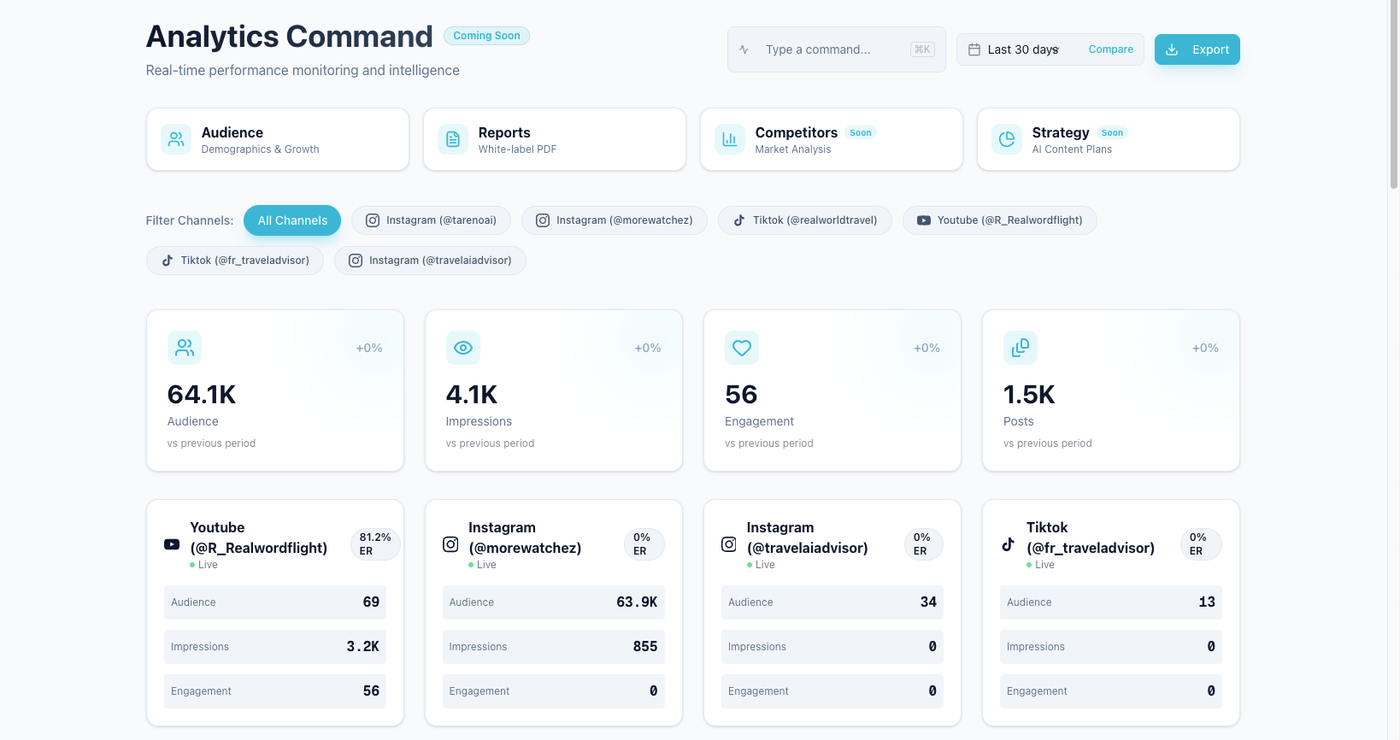
The right analytics view should help the team decide what to repeat, fix, or repurpose.
Ask:
What metrics matter?
Who reviews performance?
How often do we review?
What happens when a post performs well?
Do winners enter a repurposing queue?
Do reports create tasks?
Do client reports include recommendations?
Can analytics connect to Make, n8n, API, or dashboards?
A dashboard is useful, but a decision is more useful.
The best tools help you move from performance to action.
Evaluation checklist
Use this checklist while reviewing tools.
Scheduling
Does it support all priority platforms?
Does it support the formats you use?
Can posts be scheduled by platform?
Can captions differ by platform?
Can you preview posts before publishing?
Can you manage campaigns or labels?
Collaboration
Can team members have different roles?
Can owners be assigned?
Can comments stay attached to the content item?
Can internal notes be separated from client comments?
Is activity history visible?
Approvals
Can reviewers be assigned?
Can changes be requested?
Can final approval be tracked?
Can approval block publishing?
Can approval apply to specific platform versions?
Can client or stakeholder review happen cleanly?
Analytics
Does it show post-level performance?
Can you compare periods?
Can you identify top posts?
Can you track competitors if needed?
Can reports include recommendations?
Can analytics create workflow actions?
Repurposing
Can top posts be saved for reuse?
Is there a repurposing queue?
Can platform rewrites be created?
Can repurposed content be approved?
Can second-wave performance be measured?
Automation and integrations
Does it support Make?
Does it support n8n?
Does it have API access?
Does it support webhooks or triggers?
Can status changes trigger workflows?
Can published posts sync to reporting trackers?
Pricing and scale
Is pricing per user, channel, workspace, brand, or feature?
Are approvals included?
Are analytics included?
Are AI credits included?
Are integrations included?
What happens when you add clients or team members?
Are monthly prices different from annual prices?
Decision matrix
Score each tool from 1 to 5.
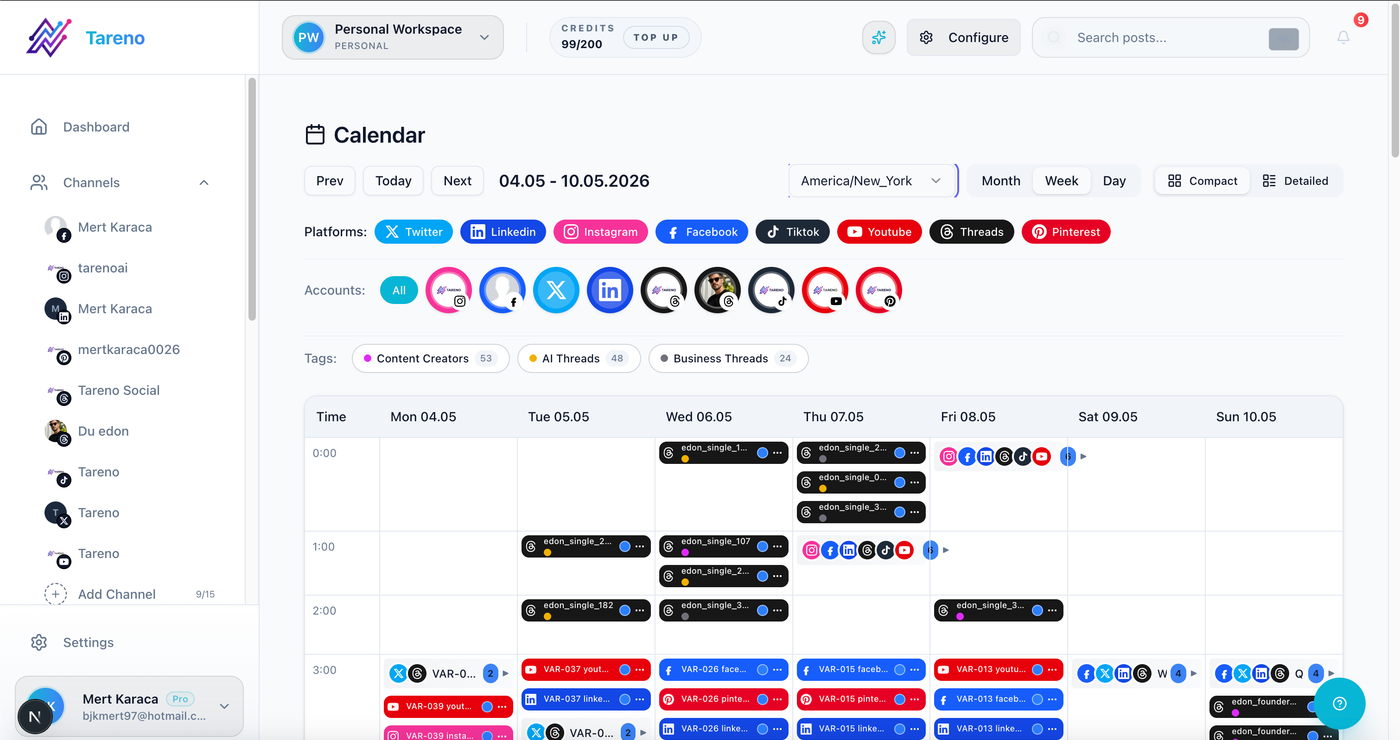
A practical trial should show whether approved content reaches the calendar without extra handoffs.
CriteriaWeightScorePlatform coverage10%Scheduling workflow10%Team collaboration10%Approval workflow15%Analytics and reporting15%Repurposing workflow15%Automation/integrations10%Pricing at scale10%Ease of use5%
Then ask:
Would this tool still work if our content volume doubled?
That question exposes many weak choices.
Tool category guide
Choose a simple scheduler when
You are a solo creator, publish low-volume content, do not need approvals, and only need posts to go live consistently.
Examples of this category include Buffer-style tools.
Choose a visual planner when
Your workflow depends on feed layout, visual campaigns, Instagram, TikTok, or creator-style planning.
Examples of this category include Later-style tools.
Choose an approval tool when
Stakeholder feedback is the biggest bottleneck.
Examples of this category include Planable-style tools.
Choose an analytics tool when
Your biggest gap is understanding performance, competitors, or reports.
Examples of this category include Metricool-style tools.
Choose an evergreen tool when
You want recurring categories, re-queueing, and content recycling.
Examples of this category include SocialBee-style tools.
Choose a workflow-first tool when
Your workflow includes planning, approvals, scheduling, reporting, repurposing, automation, roles, and activity visibility.
This is where Tareno fits.
Where Tareno fits
Tareno is strongest when the buying decision is about workflow depth.
Relevant Tareno components include:
content boards
content calendar
approval workflows
repurposing queue
workflow builder
team workspaces
roles and permissions
activity visibility
unified analytics
competitor analysis
AI captions and hashtags
Make integration
n8n integration
API access
Tareno is less about being only a scheduler and more about connecting the content lifecycle:
idea → draft → review → approval → schedule → publish → analyze → repurpose
That makes it a better fit for creators, agencies, SaaS teams, and content teams that need a system rather than just a queue.
Buyer red flags
Avoid tools that create these problems.
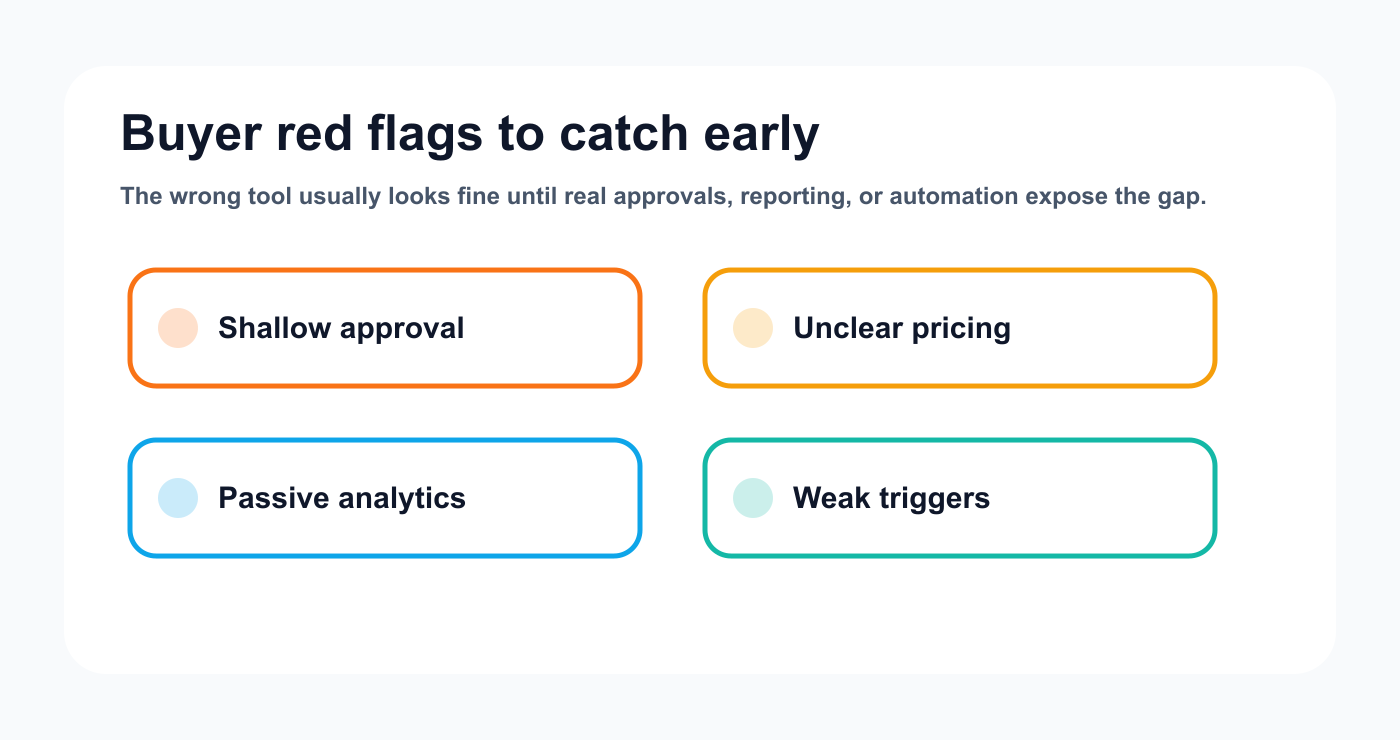
Red flags usually appear when a tool is tested against real workflow pressure.
Red flag 1: Everything looks good, but approval is shallow
If approval is just a label, the workflow may still be risky.
Red flag 2: Pricing only looks cheap for one user
Check the cost with your real team size and profile count.
Red flag 3: Analytics do not create action
If top posts cannot become tasks or repurposing candidates, the team will still work manually.
Red flag 4: Integrations exist but triggers are weak
A Zapier or API logo does not always mean deep workflow automation.
Red flag 5: Platform support is vague
Check format-level support, not just platform logos.
Red flag 6: The tool solves yesterday’s problem
Choose for the workflow you are building, not only the workflow you had last month.
Questions to ask before buying
Ask the vendor or test during trial:
Can unapproved posts be prevented from publishing?
Can captions differ by platform?
Can roles limit who can approve or publish?
Can top posts be moved into a repurposing queue?
Can reports create next actions?
Can Make or n8n connect to workflow events?
Is API access included or plan-gated?
What happens when we add more clients?
What happens when we add more team members?
How easy is it to see who changed or approved something?
These questions reveal workflow fit quickly.
Common buying mistakes
Mistake 1: Buying by feature count
More features do not matter if the workflow fit is poor.
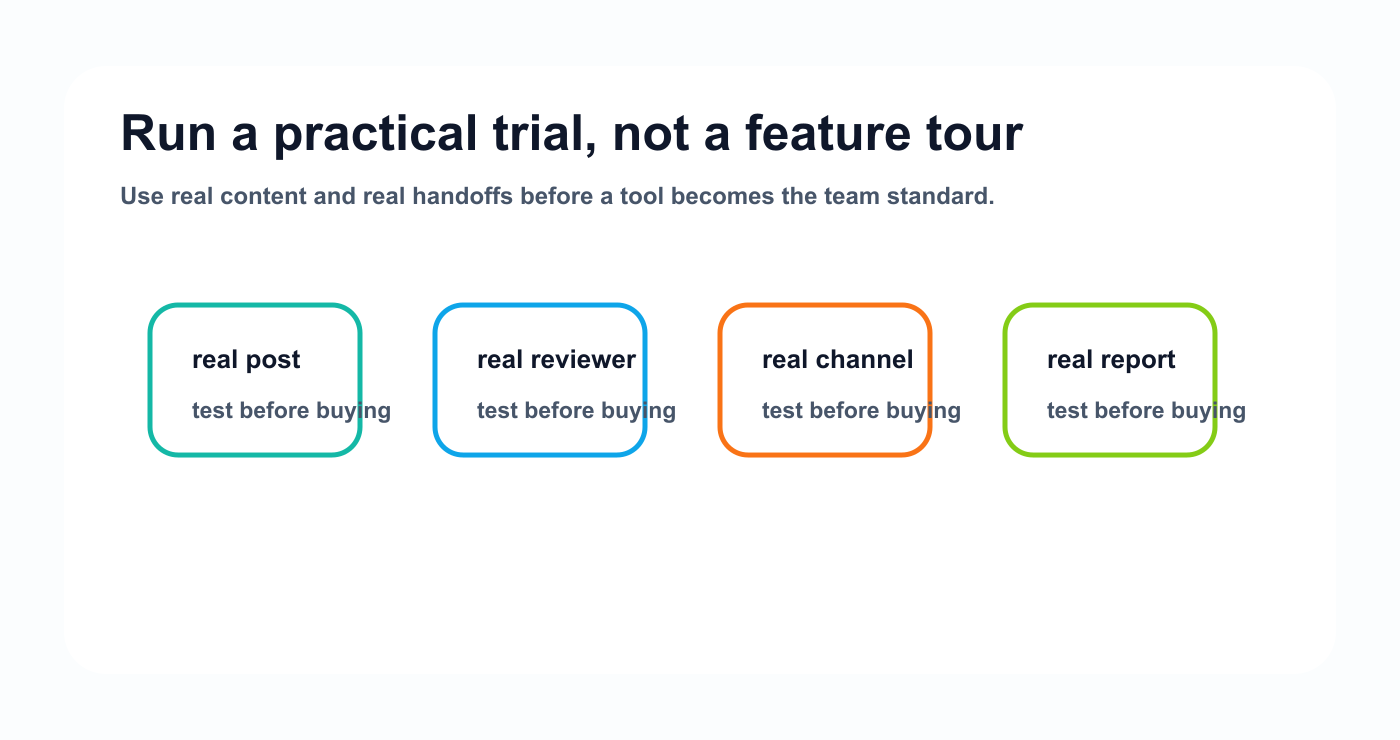
A practical trial catches buying mistakes that a feature tour misses.
Mistake 2: Ignoring approval needs
Approval becomes painful once more people join the workflow.
Mistake 3: Underestimating repurposing
Most teams waste old high-performing content.
Mistake 4: Choosing a tool only for today
Pick a tool that can handle the next stage of your workflow.
Mistake 5: Not testing with real content
Do not test with fake posts. Use real drafts, real approvals, real reports, and real platform versions.
FAQ
How do I choose a social media management tool?
Start with your biggest bottleneck. If you only need consistency, choose a scheduler. If you need approvals, choose a review workflow. If you need analytics, choose reporting. If you need planning, approvals, repurposing, and automation together, choose a workflow-first tool.
What features matter most in social media management software?
The most important features depend on workflow, but common essentials include scheduling, platform-specific captions, approvals, analytics, reporting, team roles, repurposing, and integrations.
Should I choose the cheapest social media tool?
Not always. A low price can become expensive if the tool creates manual coordination, missing approvals, weak reporting, or extra work across other tools.
What is the difference between a scheduler and a workflow-first tool?
A scheduler manages when posts go live. A workflow-first tool manages the full content lifecycle before, during, and after publishing.
Do I need Make or n8n integration?
You need Make or n8n if your social media workflow should connect to other tools like trackers, dashboards, CRMs, internal systems, or reporting workflows.
When is Tareno a good fit?
Tareno is a good fit when your team needs boards, approvals, repurposing, analytics, workflow builder, Make, n8n, API, roles, and activity visibility in one social media workflow.
Related Tareno resources
Keep the workflow moving
Feature Approval Workflows Review content with clear owners before publishing. Workflow Repurposing Workflow Turn winning posts into new channel-ready assets. Alternative Buffer Alternative Compare simple scheduling with workflow-first planning. Tool Instagram Caption Generator Draft captions before they enter review.
Final thoughts
The best social media management tool is not the one with the most features.
It is the one that fits your workflow.
Start with the bottleneck.
Map the roles.
Check the platforms.
Test the real workflow.
Then compare price.
If the tool helps your team publish, approve, measure, repurpose, and automate with less friction, it is probably the right fit.
Primary CTA: Explore Tareno features to see how boards, approvals, repurposing, analytics, workflow builder, Make, n8n, API, roles, and activity visibility work together.
Secondary CTA: Use the Tareno compare hub to review alternatives and side-by-side tool comparisons.


