
Creator content moves fast.
But sponsored content, UGC campaigns, brand collaborations, and creator agency work need more structure than a normal post.
A creator may want speed. A brand may need control. An agency may need proof of approval. A sponsor may need the exact caption, visual, disclosure, CTA, and posting date approved before publishing.
That is where a creator content approval workflow helps.
The goal is not to Make creator work slow or corporate. The goal is to make the process clear enough that creators can stay creative while brands, managers, agencies, and clients know what is approved.
This guide gives you a practical workflow for sponsored briefs, UGC content, brand review, revisions, usage rights, scheduling, reporting, and repurposing.
TL;DR
A strong creator content approval workflow includes:
campaign brief
creator concept
draft or script
internal review
brand/sponsor review
revisions
final approval
publishing confirmation
reporting
repurposing decision
The key rule:
Sponsored or client-approved content should be approved as an exact version, not as a vague idea.
If the caption, CTA, disclosure, or visual changes later, the workflow should define whether re-approval is required.
Why creator content needs a different workflow
Creator content is different from standard brand content.
It often includes creator voice, sponsor requirements, usage rights, disclosure requirements, platform-specific formatting, brand review, manager review, client approval, product claims, deadlines, deliverables, performance reports, and possible repurposing into ads or organic posts.
A normal content calendar may not capture all of that.
Creator workflows need to track both creative and commercial requirements.
Workflow overview
Use this baseline workflow:
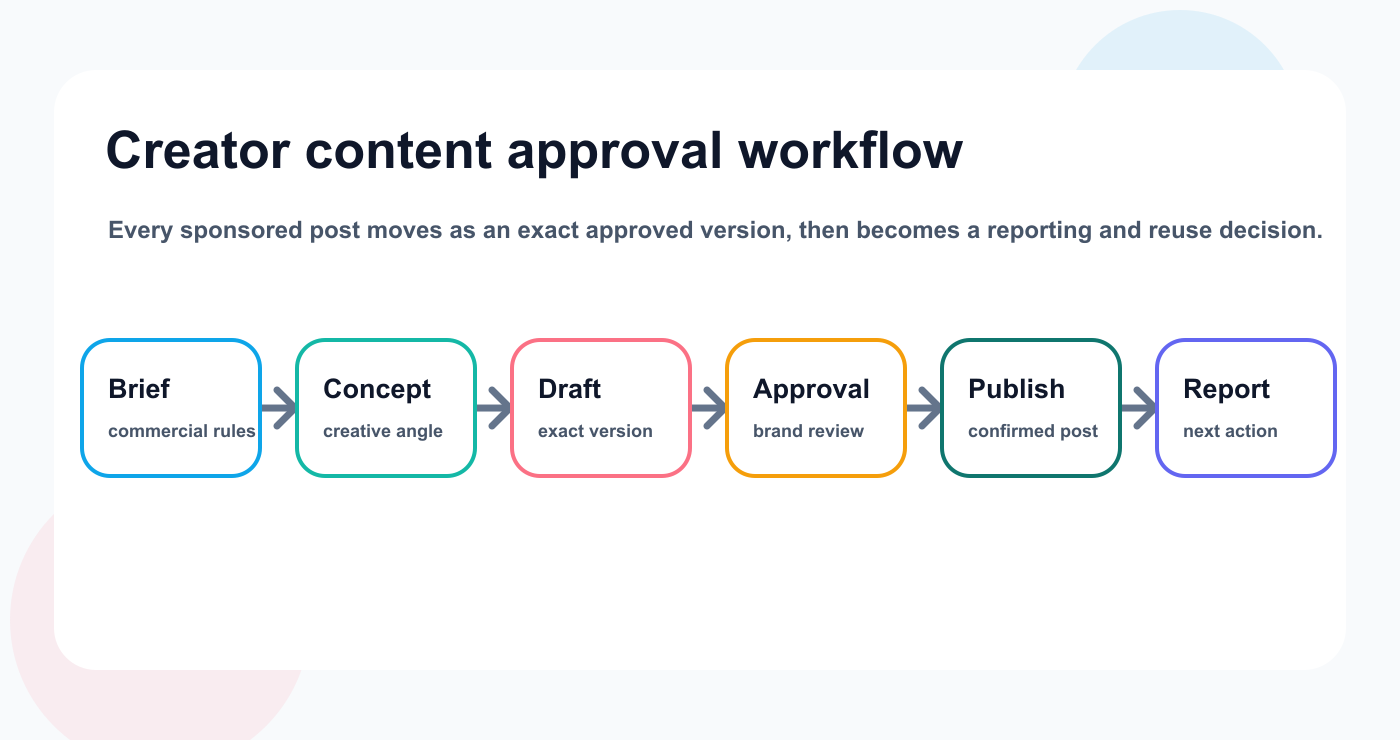
The approval workflow keeps sponsor requirements, exact versions, publishing, and reporting connected.
Brief received
Concept created
Script/caption drafted
Asset created
Internal review
Brand/sponsor review
Changes requested
Final approval
Scheduled or posted
Performance reported
Repurpose or archive
This workflow works for sponsored posts, UGC campaigns, creator agency work, influencer collaborations, brand ambassador content, short-form video deliverables, and creator-led SaaS/social campaigns.
Step 1: Campaign brief
The campaign brief should define the commercial and creative boundaries.
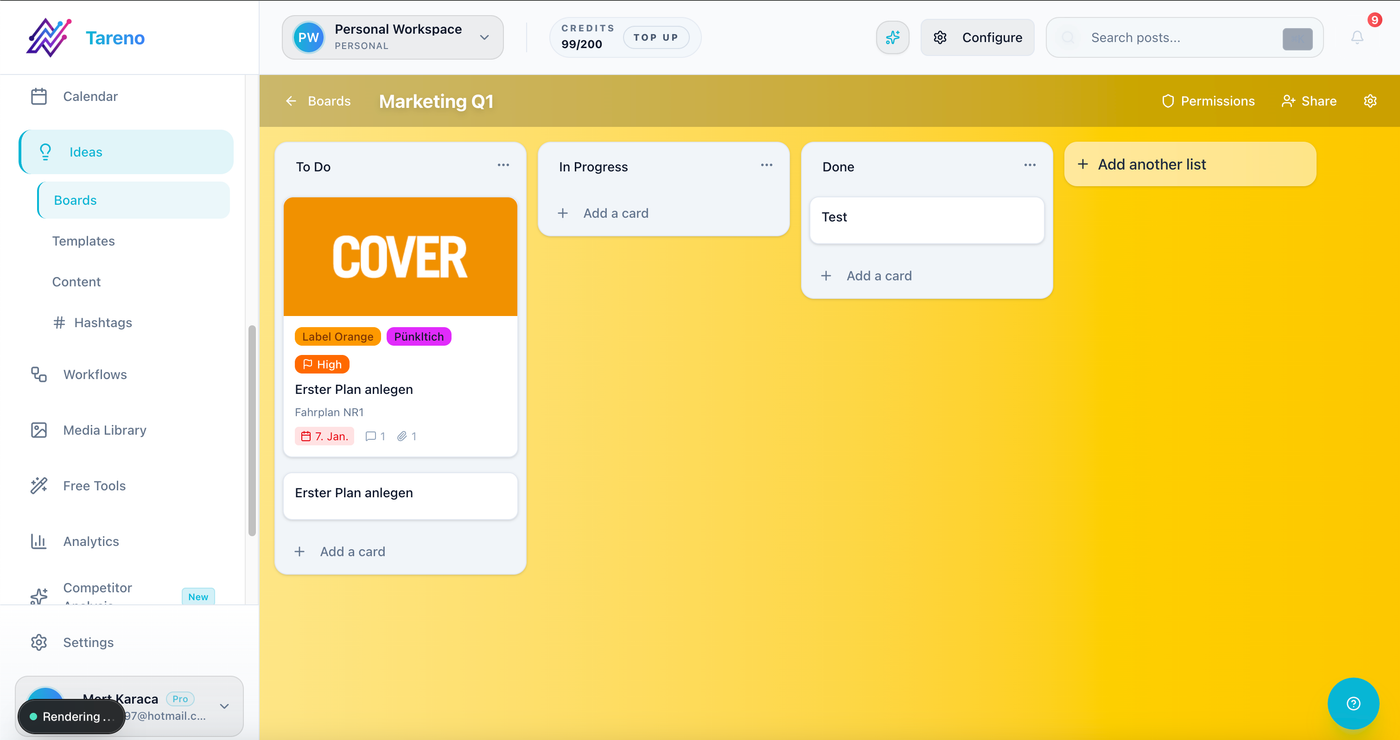
A brief intake board keeps campaign requirements visible before content production starts.
Brief fields:
brand
campaign goal
target audience
deliverables
platforms
posting deadline
key message
required CTA
required link
hashtags
disclosure requirements
claims allowed
claims not allowed
usage rights
approval deadline
revision rounds
reporting requirements
A weak brief creates messy revisions later. A strong brief gives creators enough freedom while protecting brand requirements.
Step 2: Concept approval
Before producing the full post, approve the concept.
Concept fields:
content angle
hook
format
platform
rough script
visual idea
product placement
CTA plan
disclosure plan
Concept approval helps prevent wasted production time. It is especially useful for video content because a brand may reject an angle before a creator records the full video.
Step 3: Draft or script
The draft stage turns the concept into a real post.
Draft items may include:
caption
hook
full script
voiceover
shot list
carousel outline
pinned comment
description
hashtags
thumbnail text
CTA
AI can help create first drafts or variations, but creator voice should remain human. Creator content usually performs best when it sounds natural. AI can support, not replace, the creator.
Step 4: Asset creation
Assets can include short-form video, UGC video, Instagram Reel, TikTok, YouTube Short, carousel, product photo, story sequence, raw footage, edited clip, thumbnail, and paid ad versions.
Track:
asset owner
file link
platform
format
length
version
usage rights
approval status
Asset version control matters. A brand may approve version 2, but the creator may accidentally upload version 1 if the workflow is unclear.
Step 5: Internal review
If an agency or manager is involved, review internally before sending to the brand.
Internal review should check:
brief alignment
disclosure
brand safety
creator voice
platform fit
CTA
link
claim accuracy
usage rights
production quality
deadline
Internal review reduces brand revision rounds and protects the creator from sending unfinished work.
Step 6: Brand or sponsor review
Brand review should be structured.
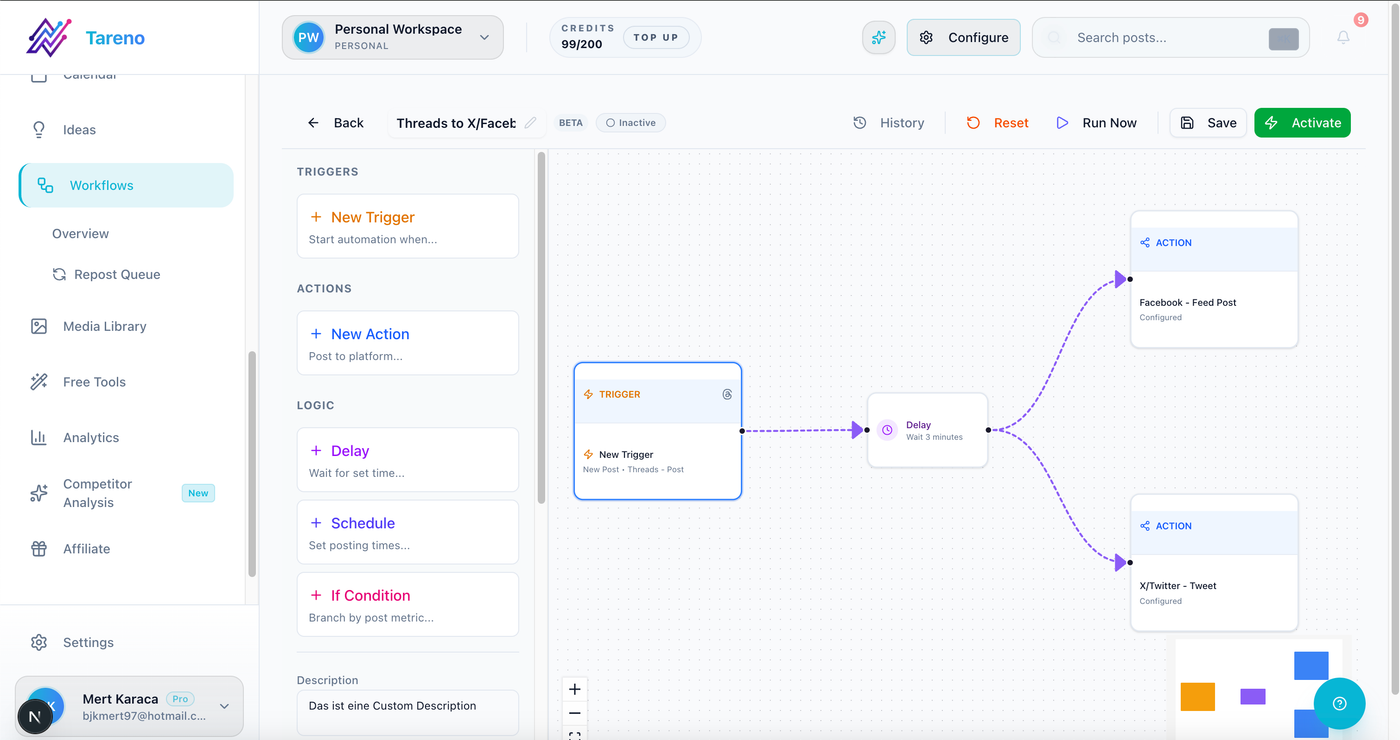
Workflow stages make sponsor review and revision ownership visible.
The brand should choose one of three outcomes:
Approved
Approved with minor edits
Changes requested
Feedback should be specific.
Bad feedback:
Make it more premium.
Better feedback:
Keep the hook, but replace the pricing claim with the approved phrase from the brief.
Brand feedback should stay attached to the content version. This avoids confusion.
Step 7: Revision management
Revisions should be tracked clearly.
For each revision:
what changed
who requested it
who owns it
whether brand re-review is needed
whether usage rights changed
whether CTA changed
whether posting date changed
Avoid endless revision loops. Set revision limits in the brief or contract.
If a brand adds new requirements after approval, that should be treated as a new review cycle or change request.
Step 8: Final approval
Final approval should include:
exact caption
final asset
final platform
final CTA
disclosure
hashtags
publish date
approving person
approval timestamp
The final approved version should be protected.
If material changes happen after final approval, re-approval may be required.
Material changes include claim changes, CTA changes, product placement changes, disclosure changes, asset replacement, platform adaptation, new brand mention, or new pricing mention.
Step 9: Publishing
Before publishing, confirm:
platform
date
time
timezone
approved asset
approved caption
disclosure
CTA/link
tags/mentions
hashtags
story sequence if needed
backup plan if upload fails
After publishing, save the live URL, screenshot, publish time, platform, content version, and campaign label.
This makes reporting easier.
Step 10: Reporting
Creator content reports should include:
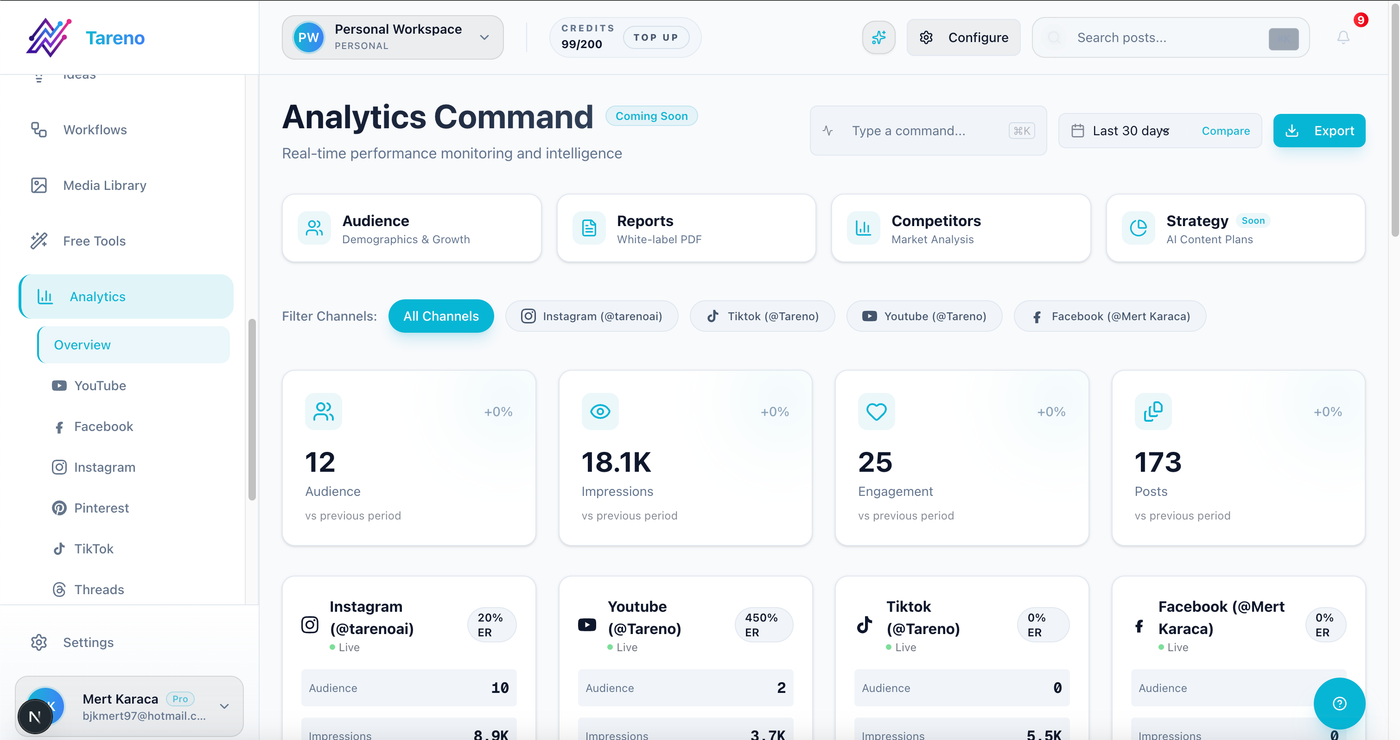
Reporting should create the next action: repurpose, revise, repeat, or archive.
views
reach
watch time
completion rate
saves
shares
comments
clicks
conversions if tracked
audience feedback
top comments
content learnings
recommended next actions
A better report does not only say:
The video got 20,000 views.
It says:
The product demo hook produced the strongest watch time, so the next campaign should test a tutorial-style opening.
Reports should create decisions.
Step 11: Repurposing and usage rights
Creator content is valuable.
A strong piece of content can become an organic repost, ad creative, landing page asset, email asset, TikTok version, Instagram Reel, YouTube Short, Pinterest pin, case study, or social proof post.
But usage rights matter.
Before repurposing, check:
is reuse allowed?
on which platforms?
for how long?
organic or paid?
can the content be edited?
can captions be changed?
does the creator need to approve?
does the brand need to approve?
does the sponsor need additional approval?
Repurposing without rights can create problems.
Creator approval matrix
Use this simple matrix.
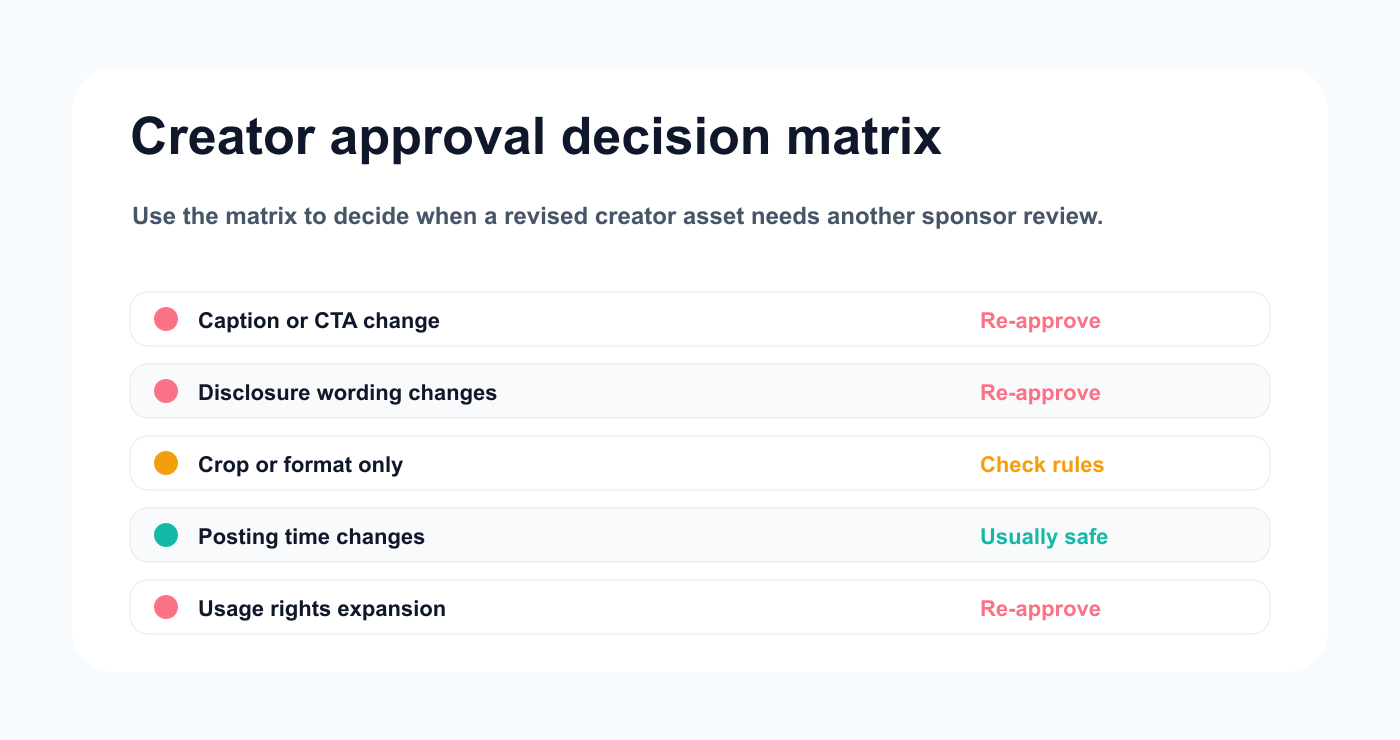
The decision matrix clarifies when a content change needs a fresh review.
Content typeReviewerFinal approverRe-approval needed?Organic creator postCreator/managerCreatorIf claim changesSponsored postManager/agencyBrand/sponsorYesUGC deliverableAgencyClientIf asset or script changesPaid ad adaptationBrand/agencyBrandYesRepurposed creator contentManager/brandDepends on rightsUsuallyAI-generated draftCreator/editorCreator/brand if sponsoredIf high risk
This prevents confusion.
How Tareno fits creator content workflows
Tareno is useful when creator content needs workflow structure.
Relevant Tareno components include:
creator/client workspaces
content boards
approval workflows
content calendar
roles and permissions
activity visibility
repurposing queue
analytics
workflow builder
AI captions and hashtags
white-label reports
Make integration
n8n integration
API access
This helps creator teams manage:
brief -> draft -> brand review -> approval -> publish -> report -> repurpose
inside one workflow.
Copy/paste creator approval checklist
## Creator Content Approval Checklist

Brief:
- [ ] Goal defined
- [ ] Deliverables defined
- [ ] Platform defined
- [ ] CTA/link defined
- [ ] Disclosure requirements defined
- [ ] Claims allowed/not allowed defined
- [ ] Usage rights defined

Draft:
- [ ] Concept approved
- [ ] Caption/script created
- [ ] Asset created
- [ ] Internal review completed
- [ ] Brand/sponsor review requested

Approval:
- [ ] Changes resolved
- [ ] Final caption approved
- [ ] Final asset approved
- [ ] Disclosure approved
- [ ] Publish date approved
- [ ] Approver recorded

Publishing:
- [ ] Live post checked
- [ ] URL saved
- [ ] Screenshot saved
- [ ] Reporting date set

Repurposing:
- [ ] Usage rights checked
- [ ] Repurposing decision recorded
- [ ] Re-approval requested if needed
Common mistakes
Mistake 1: Approving only the idea
Sponsored content should be approved as a final version.
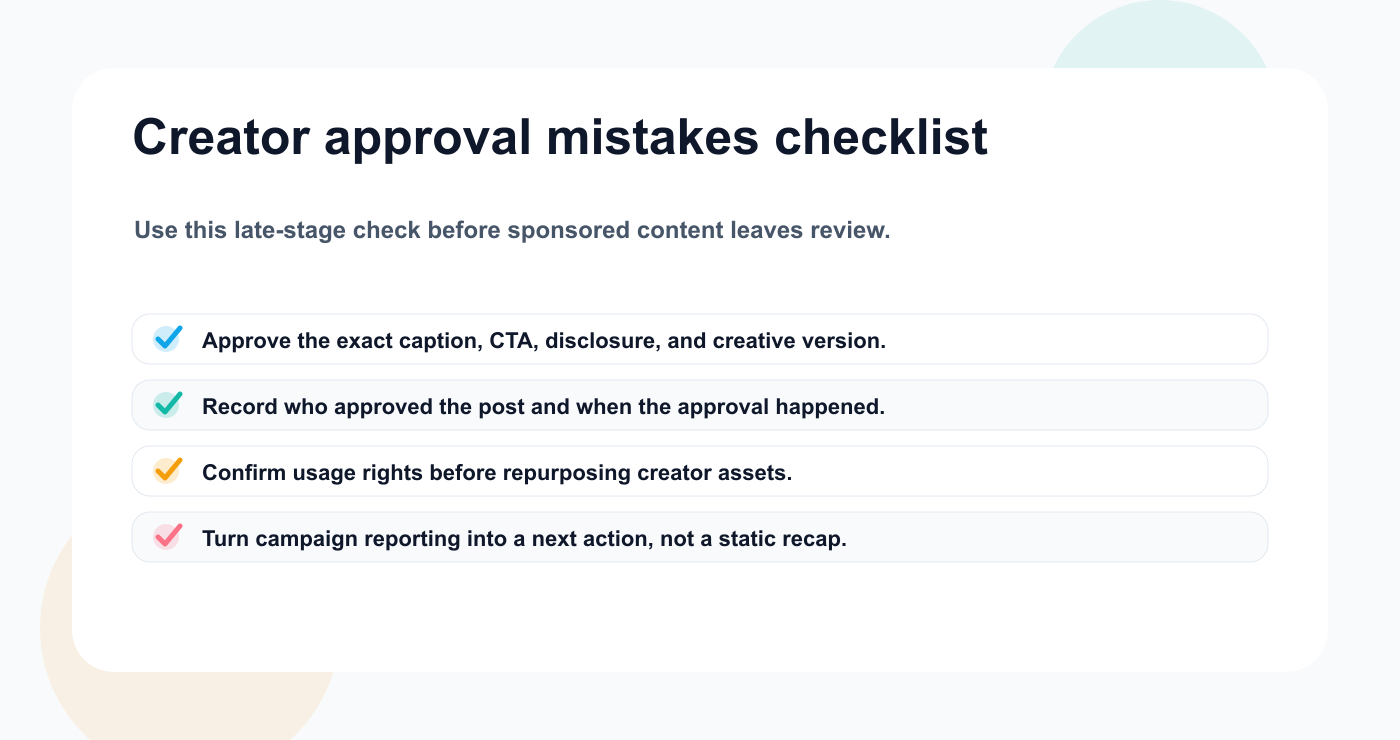
A final mistakes checklist catches version, disclosure, rights, and reporting gaps before they spread.
Mistake 2: Forgetting disclosure
Disclosure requirements should be part of the brief and review.
Mistake 3: No usage rights tracking
Repurposing depends on rights.
Mistake 4: Feedback scattered across chats
Feedback should stay attached to the asset or post.
Mistake 5: No internal review
Managers and agencies should review before brand review.
Mistake 6: Reporting without next action
Reports should improve the next campaign.
Related Tareno resources
Keep the workflow moving
Feature Approval Workflows Route sponsored creator posts through exact-version review gates. See approvals -> Solution Creator Workflow Tool Plan, approve, schedule, and reuse creator-led content in one place. Open solution -> Workflow Repurposing Workflow Turn approved high-performing creator posts into follow-up assets. View workflow -> Integration Make Integration Connect review and publishing events to external team systems. Read docs ->
FAQ
What is a creator content approval workflow?
It is the process for moving creator content from brief to concept, draft, brand review, revisions, final approval, publishing, reporting, and repurposing.
Do sponsored posts need approval?
Yes. Sponsored posts should usually be approved by the brand or sponsor before publishing, especially if claims, disclosures, CTAs, or product placements are involved.
Should creator content be re-approved after edits?
Yes, if the edits materially change the caption, asset, CTA, disclosure, product claim, platform version, or brand requirement.
Can AI be used for creator content?
Yes, but AI output should be treated as a draft. Creator voice, claims, sponsor requirements, and final approval should remain human-reviewed.
Can creator content be repurposed?
Yes, if usage rights allow it. Repurposing may require creator, brand, or sponsor approval depending on the agreement.
What should a creator content report include?
Include views, reach, watch time, engagement, clicks, audience feedback, top comments, learnings, and recommended next actions.
Final thoughts
Creator content works best when it stays authentic and organized.
The workflow should not remove creator voice.
It should protect the campaign.
A strong approval process makes it clear what was briefed, drafted, reviewed, approved, published, reported, and repurposed.
That clarity helps creators, agencies, brands, and sponsors move faster with fewer mistakes.
Primary CTA: Explore Tareno features to see how creator workspaces, approvals, boards, reporting, repurposing queues, workflow builder, Make, n8n, API, roles, and activity visibility support creator content operations.
Secondary CTA: Compare Tareno with approval and creator planning tools on the compare hub.


