TL;DR
Strong YouTube metadata improves clarity before it improves performance.
Titles influence both relevance and click decisions.
Descriptions add context, but they do not rescue a weak video or misleading packaging.
The safest optimization strategy is alignment: topic, title, thumbnail, intro, and viewer intent.
A title generator can speed up ideation, but human review still matters.
Quick Definition
YouTube SEO for titles and descriptions is the practice of writing video metadata that helps YouTube and viewers understand what a video is about while increasing the chance of an honest, qualified click.
If you want the short answer, here it is: titles help people decide whether to click, and descriptions help clarify what the video covers. Both can support discovery, but neither works like a magic switch. A title stuffed with keywords can still be weak. A long description can still do very little if it is vague, repetitive, or disconnected from the video itself.
That is why the best YouTube SEO advice is usually less glamorous than creators hope. Clear topic framing beats keyword dumping. Specific promises beat vague hype. Consistency across the title, thumbnail, and opening seconds matters more than isolated metadata tricks.
A useful way to think about metadata is this: it should make the right viewer feel, "Yes, this is exactly what I was looking for." When that happens, your click is more likely to be qualified rather than accidental.
The CLEAR Framework for YouTube metadata
Use the CLEAR Framework when drafting titles and descriptions:
C — Clarify the topic
State what the video is actually about. If a viewer cannot identify the topic quickly, the title is probably too vague.L — Lead with the outcome
Show what the viewer gets: a fix, lesson, comparison, result, or answer.E — Echo search intent
Match the way your audience thinks about the problem. Tutorial, review, comparison, beginner guide, and mistakes-to-avoid are all different intents.A — Align title, thumbnail, and intro
Packaging should feel consistent. A dramatic title with a slow or unrelated opening often creates the wrong expectations.R — Refine after real data
Publish, observe, and revise carefully. Metadata gets better when informed by audience response, not guesswork alone.
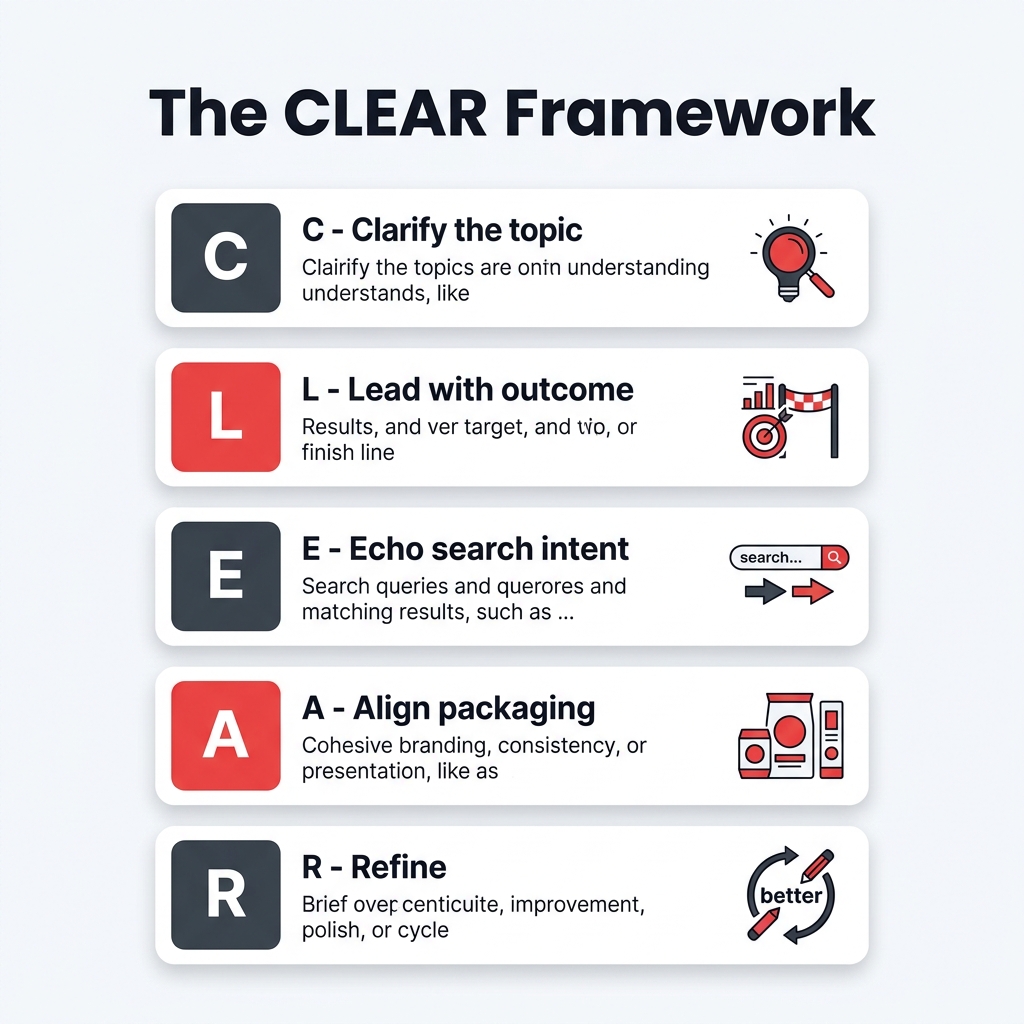
The CLEAR Framework ensures your metadata is both searchable for algorithms and persuasive for real viewers.
Mini-example
A title like "YouTube SEO Tips" names the broad topic, but "YouTube SEO Titles and Descriptions: 7 Fixes That Improve Click Quality" is more specific, clearer about the outcome, and easier to evaluate before the click.
What titles and descriptions actually do in YouTube SEO
Titles and descriptions serve related but different jobs.
Titles
Titles do two things at once:
help define the topic of the video
help viewers decide whether it is worth clicking
That means a good title is both descriptive and persuasive. It should contain enough context to be understood quickly while still giving the viewer a reason to care.
Descriptions
Descriptions are more supportive than decisive. They help explain the video, add context, include resources, and reinforce the main subject in natural language. They are especially useful when the first lines summarize the video clearly instead of starting with a wall of links or repeated keywords.
Why this distinction matters
Creators often overload descriptions and underthink titles. In practice, viewers usually make the click decision based on the title-thumbnail package first. The description becomes more useful after curiosity already exists. That does not make descriptions unimportant. It means they should support the packaging rather than carry all of it.
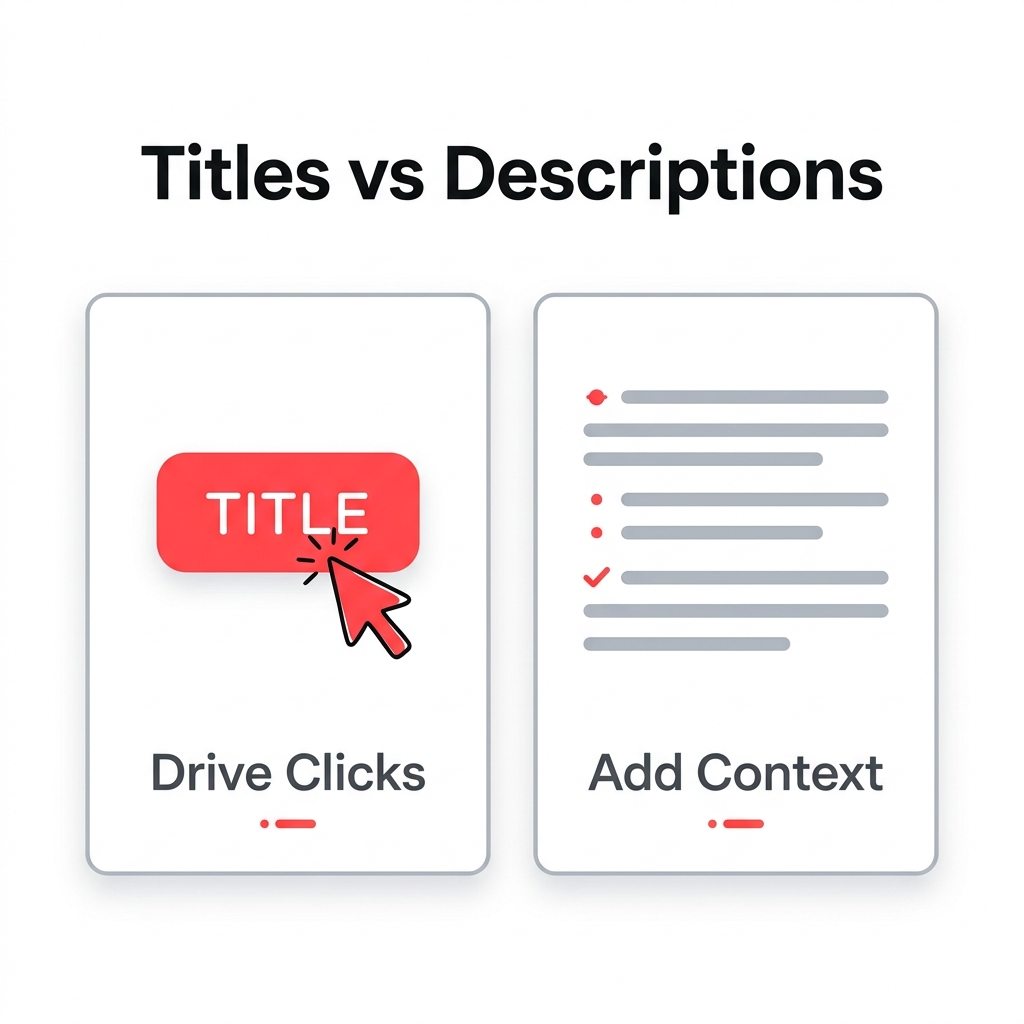
Titles drive the initial click decision by setting the topic and outcome, while descriptions provide necessary context and usability.
How to write YouTube titles that earn clicks without turning into clickbait
The safest title advice is simple: be specific enough to attract the right click.
1. Name the real topic
A title should tell the viewer what domain they are entering. Instead of broad wording like "Grow Faster on YouTube", give the topic shape: "YouTube SEO Titles and Descriptions for Tutorial Videos".
2. Lead with the viewer outcome
People usually click for a result, not a category. Outcomes can be framed as:
solving a problem
avoiding a mistake
comparing options
learning a process
improving a metric
Example:
Weak: "YouTube Descriptions Explained"
Stronger: "How to Write YouTube Descriptions That Support Search and Clicks"
3. Use keywords naturally
If your target phrase is relevant, place it where it fits naturally. Do not repeat near-duplicates just to force the term in.
Example:
Weak: "YouTube SEO Tools: YouTube SEO Titles, YouTube SEO Description Tips"
Stronger: "YouTube SEO Tools: Better Titles and Descriptions for More Qualified Clicks"
4. Avoid fake drama
Urgency and curiosity can help, but misleading language often weakens trust. If the title promises a breakthrough, the video needs to deliver one quickly.
5. Draft multiple angles before choosing one
Many creators publish the first acceptable title. A better workflow is to draft three angles:
search-led
benefit-led
comparison-led
Here is what this visual drafting process looks like in practice with a tool like Tareno:
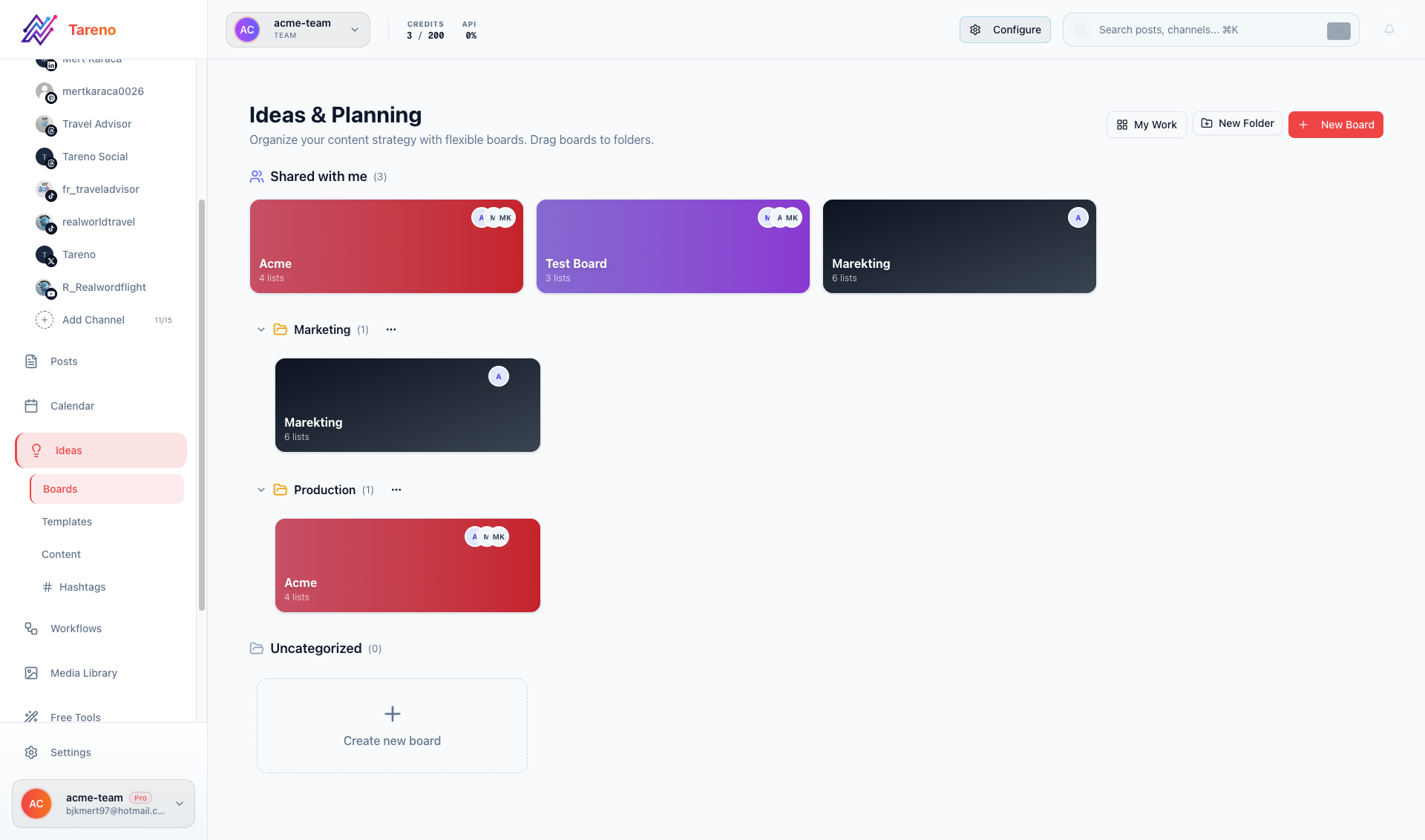
A drafting tool like Tareno's Ideas Board helps you brainstorm search-led, benefit-led, and comparison-led titles before you default to the first acceptable option.
Tareno's Ideas Boards let you brainstorm search-led, benefit-led, and comparison-led titles in one organized place before moving the best option into your publishing queue.
That makes it easier to choose the version that best matches the actual video and audience intent.
How to write YouTube descriptions that support discovery and viewer action
Descriptions work best when they help both understanding and usability.
Start with a real summary
The opening lines should explain what the viewer will get. If the first sentence is clear, you have already done more for usability than most keyword-heavy descriptions.
Example:
Weak: "YouTube SEO youtube seo tools youtube ranking video seo tips subscribe now"
Stronger: "This video explains how to write YouTube titles and descriptions that match search intent, improve click quality, and stay aligned with the video itself."
Add context, not clutter
After the summary, descriptions can include:
timestamps or chapter cues
tool or resource links
short context on who the video is for
next-step references
Use keywords once they make sense
A relevant phrase can appear naturally in the description, especially early on, but forced repetition rarely improves readability and may reduce trust.
Keep the description connected to the video
If the title promises a practical guide, the description should reinforce that. If the video is a comparison, the description should clarify what is being compared.
Think beyond discovery
Descriptions are also operational. They can help viewers navigate, find resources, or understand whether the video is right for them before investing more time.
Why titles, thumbnails, and intros should be optimized together
Metadata does not live alone. A strong title can increase interest, but if the thumbnail suggests a different promise or the intro takes too long to deliver, the packaging starts to break.
Think of the sequence like this:
the topic attracts the right search or recommendation opportunity
the title-thumbnail pair earns the click
the intro confirms the promise
the video delivers enough value to justify the click
When those elements align, your metadata is doing its job. When they do not align, even a smart title can create the wrong expectations.
Example
A title that says "7 YouTube SEO Fixes for Higher CTR" suggests practical advice quickly. If the intro spends 45 seconds on a generic creator backstory before naming the fixes, some viewers may feel the packaging overpromised. That is not a title problem alone. It is an alignment problem.
If you want to interpret packaging signals more carefully after publishing, it helps to review YouTube Studio for Beginners: What the Charts Actually Mean, especially around impressions and CTR.
A quick comparison: weak metadata vs stronger metadata
AreaWeaker approachStronger approachTitle focusBroad topic with no outcomeSpecific topic plus clear payoffKeyword useRepetition for its own sakeNatural phrasing that matches intentDescription openingStarts with links or fillerStarts with a useful summaryPackagingTitle says one thing, thumbnail says anotherTitle, thumbnail, and intro reinforce the same promiseRevision logicRandom changes after every dipPurposeful changes based on context
A useful way to read this table is not as a checklist for perfection, but as a warning against friction. Weak metadata usually creates friction before the click or disappointment after it. Stronger metadata removes friction by making the topic easier to understand, the promise easier to trust, and the video easier to evaluate.
That is also why the term qualified click matters. A qualified click is not just any click. It is a click from someone who understood the topic and wanted exactly that outcome. In most sustainable channels, that is more valuable than a burst of curiosity from the wrong audience.

A comparison of common metadata failure patterns and their stronger, outcome-focused alternatives.
Common mistakes that make YouTube metadata weaker
Several patterns show up again and again:
Keyword stuffing
Repeating the same phrase across the title and description does not make the topic clearer. Usually it just makes the copy harder to trust.
Vague titles
Titles like "Watch This Before You Upload" may create curiosity, but they often hide the real topic too much for search-led intent.
Misleading promises
A title may get an initial click, but if the video does not match the claim, the packaging is not sustainable.
Copy-paste descriptions
Generic descriptions used across many videos rarely help with clarity. Each description should reflect the specific video.
A practical workflow for drafting, publishing, and refining metadata
Identify the main intent
Is the viewer looking for a tutorial, answer, comparison, checklist, or strategy?Draft at least three title options
Create one search-led version, one benefit-led version, and one outcome/comparison version.Write the first two description lines last
Once the title is set, summarize the actual video in plain language.Check packaging alignment
Compare the title, thumbnail concept, and opening promise.Publish and observe carefully
Look at CTR and watch behavior in context, not as isolated verdicts.Refine intentionally
Change titles or descriptions for a reason, not from panic.
If your broader strategy also involves turning strong video topics into durable written assets, see The Content Machine: Create Once, Post 20 Times for repurposing ideas.
A simple template for better title and description drafts
If you need a repeatable starting point, use this structure.
Title template ideas
How to [achieve outcome] with [topic]
[Topic]: [number] mistakes to avoid
[Topic] for [audience]: [clear benefit]
[Option A] vs [Option B]: which is better for [goal]?
These are not formulas to follow blindly. They are prompts that force clarity. If a draft title cannot answer the topic, audience, or outcome question, it usually needs more work.
Description template ideas
One-sentence summary of what the video covers
One sentence on who it is for or when it is useful
Key points, chapters, or resources
Optional next step or related reference
A compact, readable description usually beats an overstuffed one. The goal is not to prove you know every keyword. It is to make the video easier to understand and easier to use.
Where a YouTube Title Generator fits in a real workflow
A tool like YouTube Title Generator (Free Tool) is most useful at the ideation stage.
Used well, it can help you:
generate multiple angles quickly
compare search-led and benefit-led phrasing
avoid publishing the first draft too early
give teams a shared starting point for review
Used badly, it can tempt you to accept machine-generated wording that does not actually fit the video. That is why the best role for a title generator is not autopilot. It is structured brainstorming.
For teams managing multiple content workflows, that speed can be practical. Tareno can also fit into a wider social operations setup where planning and analytics matter across channels, not just YouTube. But the final title still needs a human check for clarity, promise, and audience fit.
YouTube metadata vs broader YouTube SEO strategy
Titles and descriptions matter, but they are not the whole system. Topic choice, thumbnail quality, opening structure, pacing, and audience fit all influence whether a video actually performs after the click.
That is why metadata optimization should be treated as one part of packaging, not a replacement for content quality. In a platform-native environment, honest packaging usually beats clever packaging in the long run. If that broader idea matters to your team, it is also worth thinking about a stronger zero-click content strategy mindset.
FAQ
Do keywords in YouTube titles still matter?
Yes, but mainly when they help describe the real topic in the language your audience uses. Relevance matters more than repetition.
Do YouTube descriptions help SEO?
They can help by adding context and clarifying what the video covers, but they are not a standalone growth lever.
Should the exact keyword be at the start of the title?
Sometimes that helps clarity, but there is no universal rule. Put the most important information where it reads naturally and makes the outcome obvious.
Is a higher CTR always proof that the title is better?
No. CTR depends on context such as audience, topic, traffic source, and how broadly the video is being shown.
Can I change a YouTube title or description after publishing?
Yes. Just do it intentionally and give the change enough time to produce readable results.
How long should a YouTube description be?
Long enough to summarize the video clearly and add useful context. Length matters less than clarity.
Should I use the same description template for every video?
A reusable structure is fine, but each video should still get a specific summary and context.
What matters more: the title or the description?
In most cases, the title has more influence on the immediate click decision because viewers see it earlier and evaluate it alongside the thumbnail. The description still matters, but more as support, clarification, and follow-through.
Should I optimize metadata before or after publishing?
Both. You should draft carefully before publishing, then review performance after publishing without overreacting to small or early signals. The strongest workflow combines preparation with measured revision.
Key Takeaways
Titles should clarify the topic and earn the click honestly.
Descriptions work best as supporting context, not as keyword storage.
Metadata performs better when it matches the thumbnail and the opening seconds of the video.
CTR is useful, but only when read in context.
A title generator is a good brainstorming aid, not a replacement for editorial judgment.
Sources
YouTube Help: Get discovered on YouTube
YouTube Help: Write effective titles and thumbnails guidance
YouTube Help: Add titles and descriptions to videos
YouTube Help: Check your YouTube impressions and how they led to watch time
YouTube Help: Intro to audience retention
Internal product reference: /root/.openclaw/workspace-blog/tareno_features.md