Content teams need more than a posting calendar.
They need a workflow that helps writers, designers, editors, social managers, marketers, founders, product reviewers, and external collaborators move content from idea to publishing without losing context.
The content team problem is usually not “we cannot schedule posts.”
It is:
ideas are scattered
ownership is unclear
approvals are slow
platform versions get mixed up
analytics do not create tasks
old winners are not repurposed
team members do not know what changed
reports do not feed the next content cycle
A good social media tool for content teams should support planning, workflow stages, approvals, scheduling, analytics, repurposing, team roles, and automation.
This guide compares the best social media tools for content teams in 2026 by actual workflow fit.
TL;DR: best content team tools by use case
Pick a tool based on your weakest stage: collaboration, approval speed, scheduling reliability, or analytics-to-action follow-through.
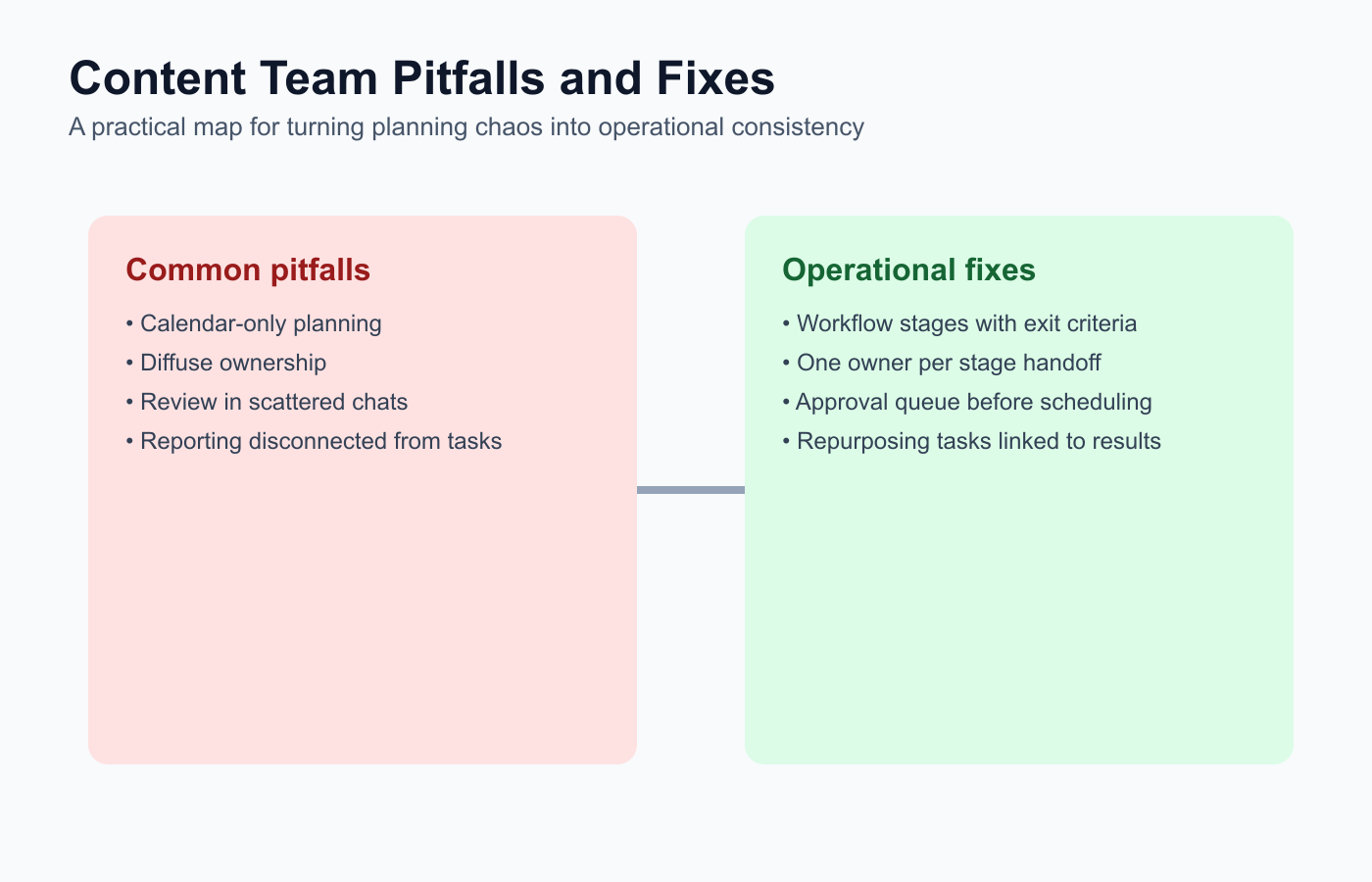
This snapshot helps teams identify their bottleneck before selecting a tool.
Content team needBest fitWhyWorkflow-first content operationsTarenoBoards, roles, approvals, analytics, repurposing, workflow builder, Make, n8n, APISimple schedulingBufferClean queue, easy publishing, lightweight collaborationVisual planningLaterVisual calendar, Social Sets, creator-friendly planningApproval collaborationPlanableComments, internal notes, stakeholder review, approval workflowsAnalytics and competitor trackingMetricoolDashboards, reports, competitor profilesEvergreen content categoriesSocialBeeRecurring libraries, category schedules, content recyclingBroad suiteHootsuitePublishing, inbox, analytics, listening, AIInbox and moderationAgorapulseInbox assignments, moderation rules, ROI-style reporting
Short version: If your content team only needs scheduling, Buffer may be enough. If it needs content operations with owners, stages, approvals, analytics, repurposing, Make, n8n, API, roles, and activity visibility, Tareno is stronger.
What content teams need from social media tools
Content teams work across functions.
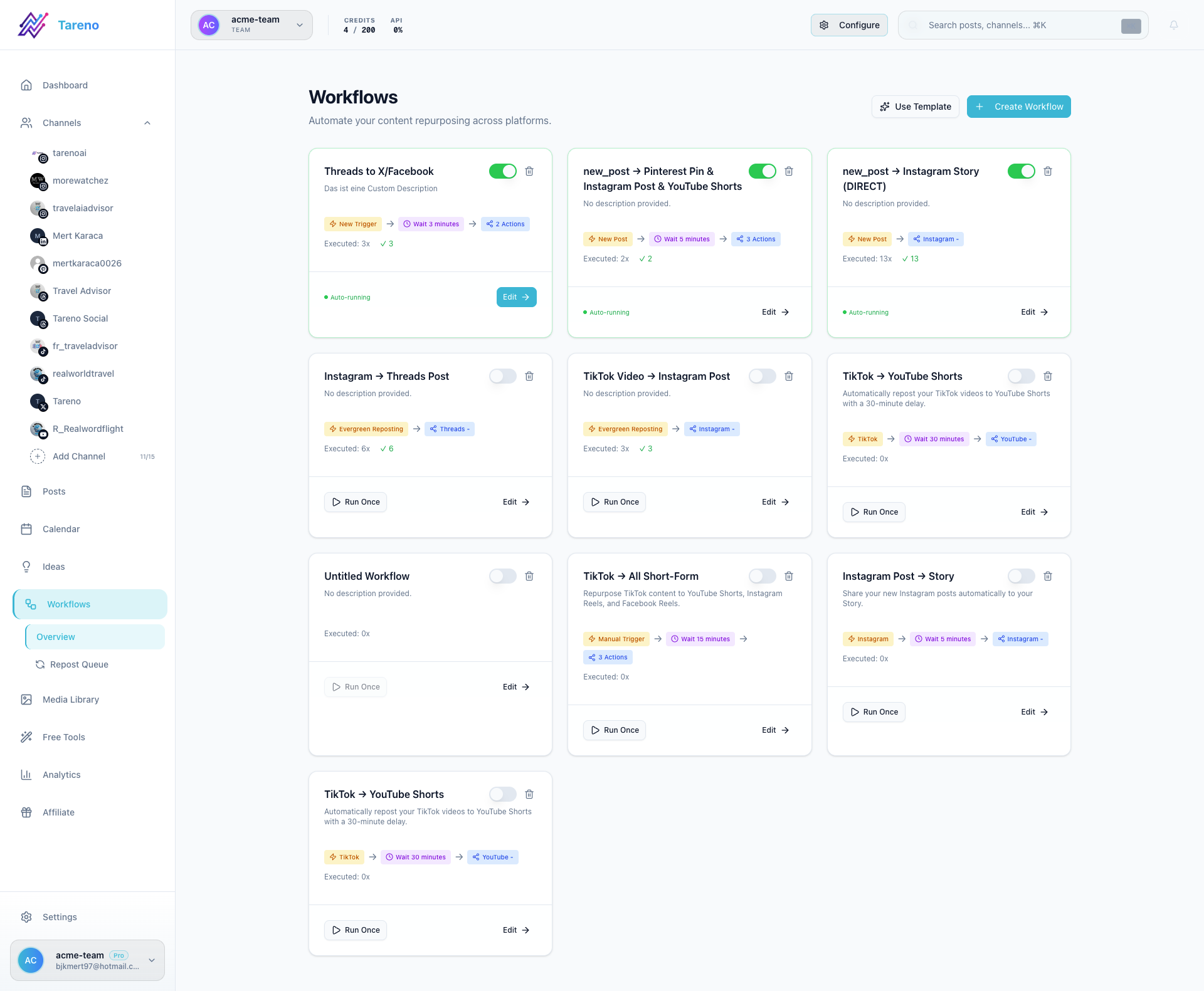
Content teams perform better when workflow stages are visible and handoffs are explicit.
A single social post may involve:
content strategist
writer
designer
editor
social media manager
product reviewer
brand reviewer
founder
agency
client
analyst
That creates a need for structure.
The tool should answer:
where did the idea come from?
who owns it?
what stage is it in?
who needs to review it?
what platform versions exist?
is it approved?
when is it scheduled?
what performed well?
should it be repurposed?
A scheduler can answer the publishing date.
A workflow system can answer the full lifecycle.
The CONTENT framework
Use the CONTENT framework to evaluate social tools for content teams.
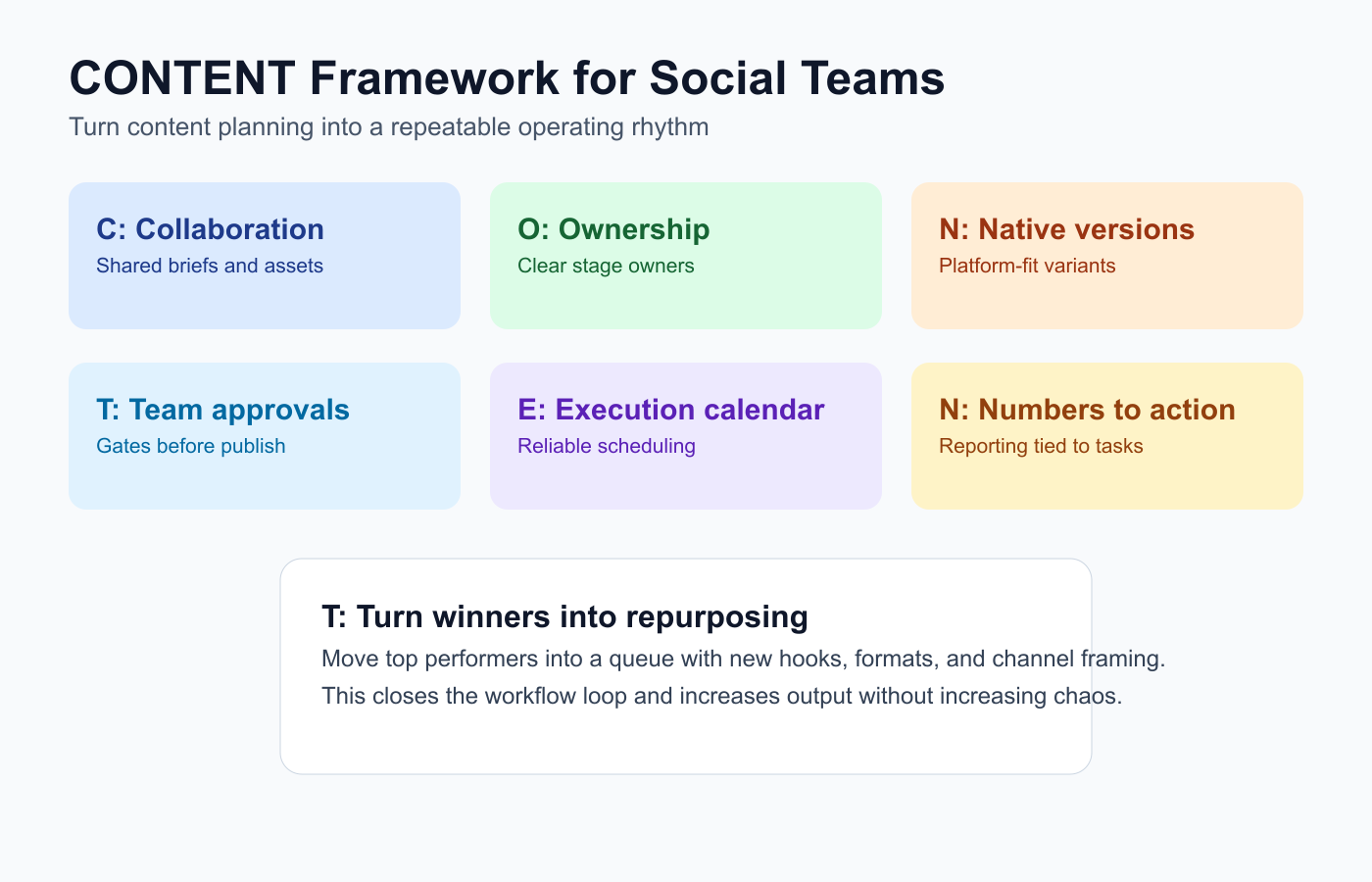
The CONTENT model helps teams diagnose where execution breaks before output quality drops.
C — Collaboration
O — Ownership
N — Native platform versions
T — Team approvals
E — Execution calendar
N — Numbers to decisions
T — Turn winners into repurposing
This keeps the decision focused on workflow.
C — Collaboration
Content teams need collaboration that does not become chaos.
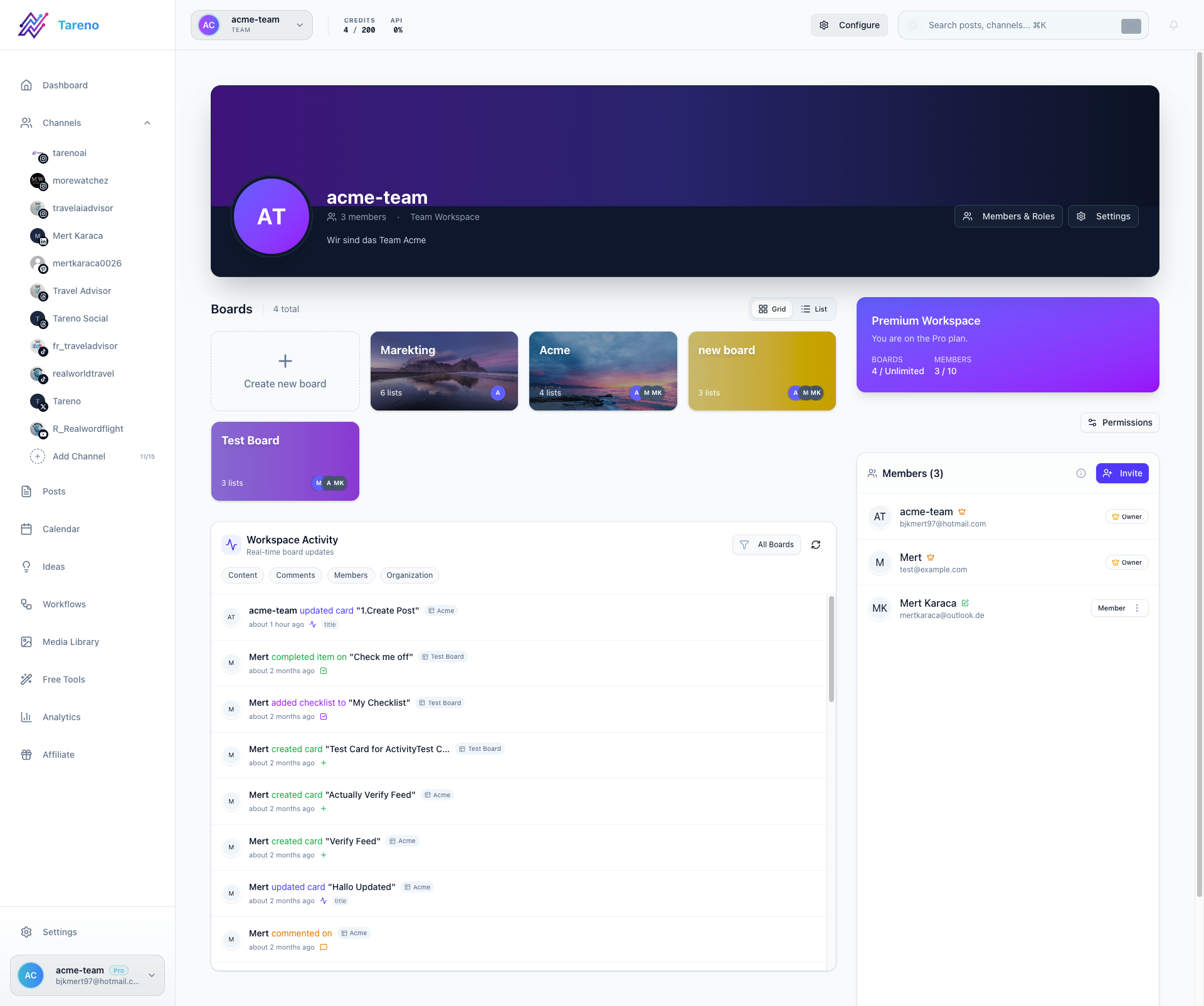
Collaboration quality improves when everyone sees the same workflow state.
Good collaboration includes:
comments
internal notes
reviewer assignments
status changes
asset attachments
clear deadlines
resolved comments
client or stakeholder review where needed
Collaboration should be connected to the content item.
If feedback happens in separate chats, the workflow becomes hard to follow.
O — Ownership
Every post needs an owner.
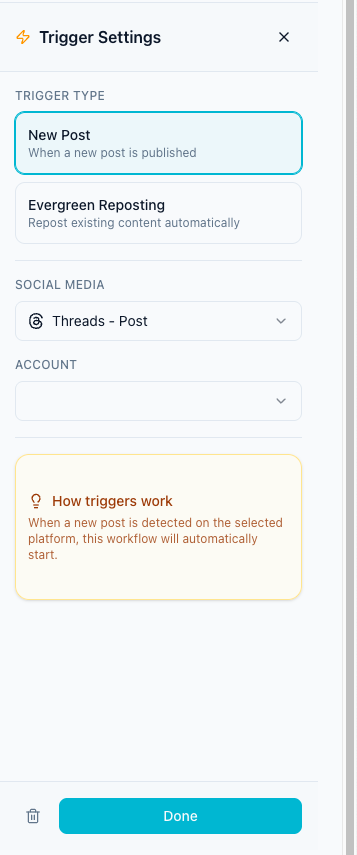
Ownership is clearer when handoffs are encoded as stage triggers, not verbal reminders.
Ownership should be visible for:
idea
copy
design
review
approval
scheduling
reporting
repurposing
A content team should not need to ask who is responsible for a post.
The tool should show it.
N — Native platform versions
Content teams often adapt one idea across platforms.
One idea may become:
LinkedIn post
Instagram carousel
TikTok script
Threads post
Pinterest pin
YouTube Short
newsletter snippet
blog section
The tool should support platform-specific captions, CTAs, media, and schedules.
Without platform versions, teams copy-paste too much.
T — Team approvals
Approval workflows protect quality.
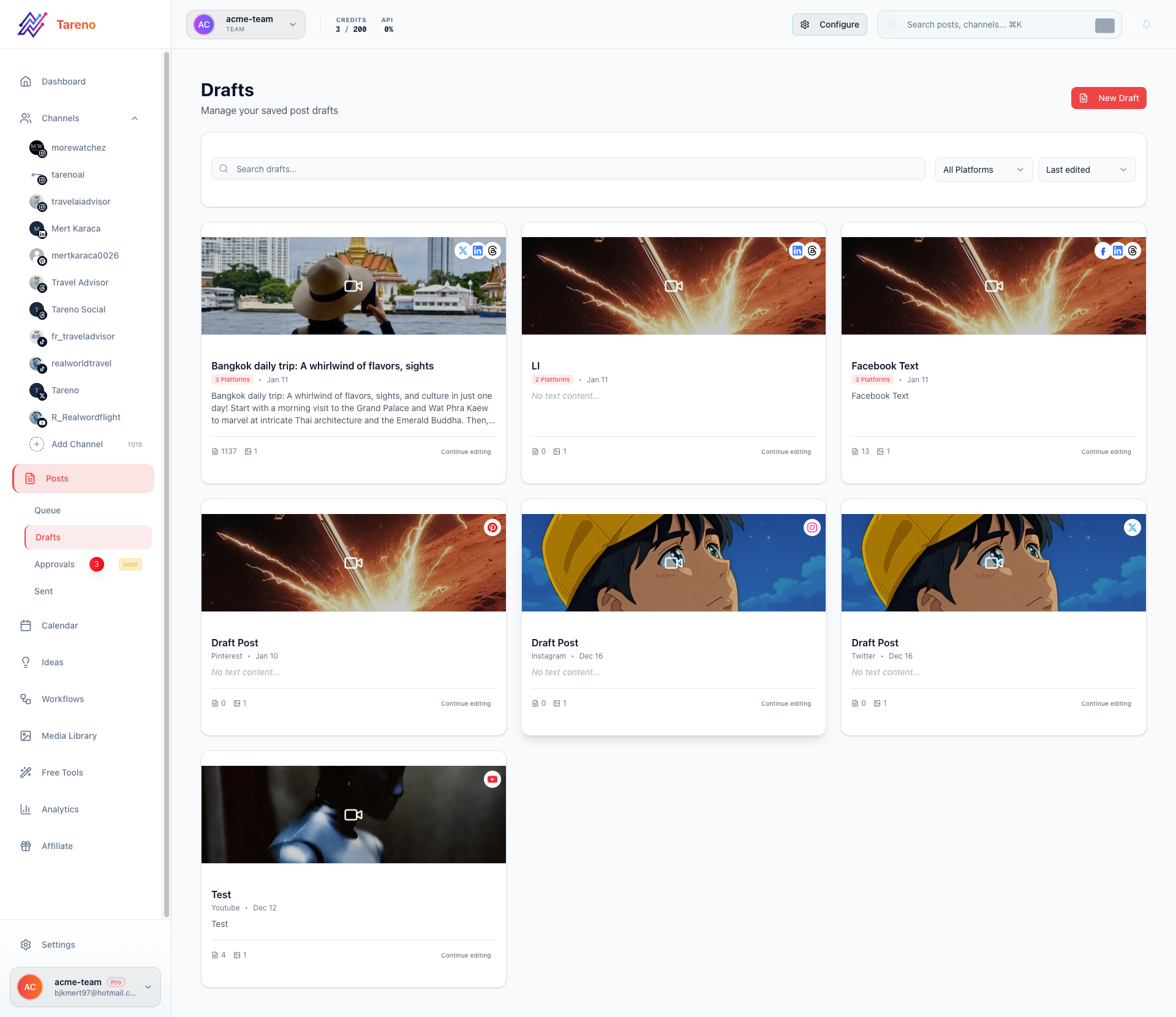
Approval queues reduce missed reviews and last-minute publishing mistakes.
Content teams may need review for:
brand voice
product claims
pricing mentions
competitor references
client posts
sponsor posts
legal-sensitive content
repurposed old content
A good tool should prevent unapproved posts from going live.
Approval should apply to the exact version being published.
E — Execution calendar
The calendar matters, but it should connect to workflow.
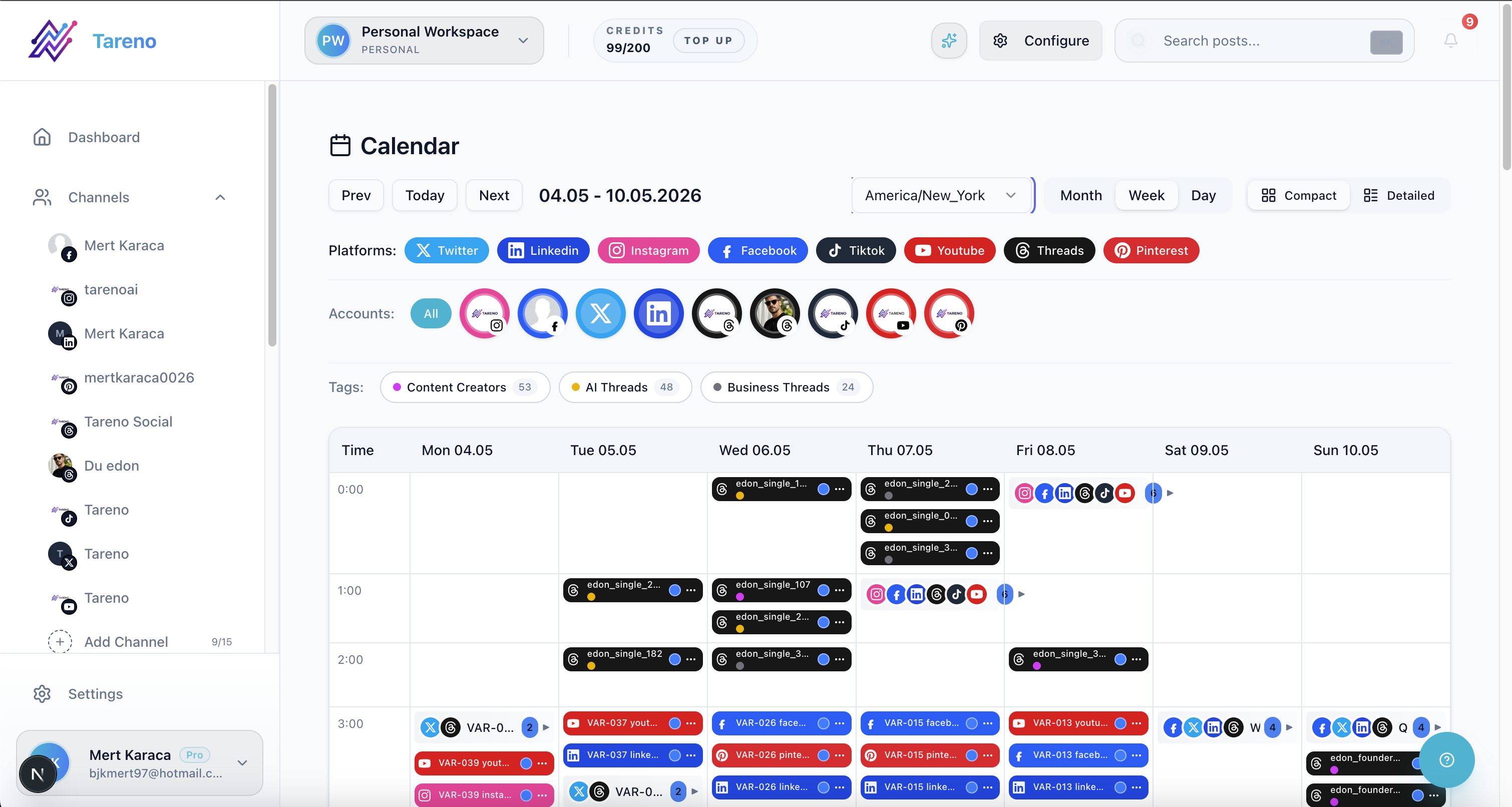
Calendars are most useful when linked to approval and ownership layers.
A useful calendar shows:
platform
date
owner
status
approval state
campaign
source idea
repurposing source
notes
A calendar that only shows dates is not enough for a busy content team.
The calendar should be the execution view of the workflow.
N — Numbers to decisions
Analytics should create content decisions.
A content team should use analytics to decide:
what to repeat
what to repurpose
what to stop
what to test
what should become a blog
what should become a landing page
what content should support sales
what platform deserves more focus
Reports should create tasks.
Otherwise, they are just charts.
T — Turn winners into repurposing
Repurposing helps content teams get more output from strong ideas.
A high-performing post can become:
short-form video
carousel
LinkedIn post
Threads post
Pinterest pin
newsletter section
blog paragraph
sales enablement point
A repurposing queue helps the team track this.
It should include source content, target platform, owner, approval status, schedule date, and second-wave performance.
1. Tareno — best for workflow-first content teams
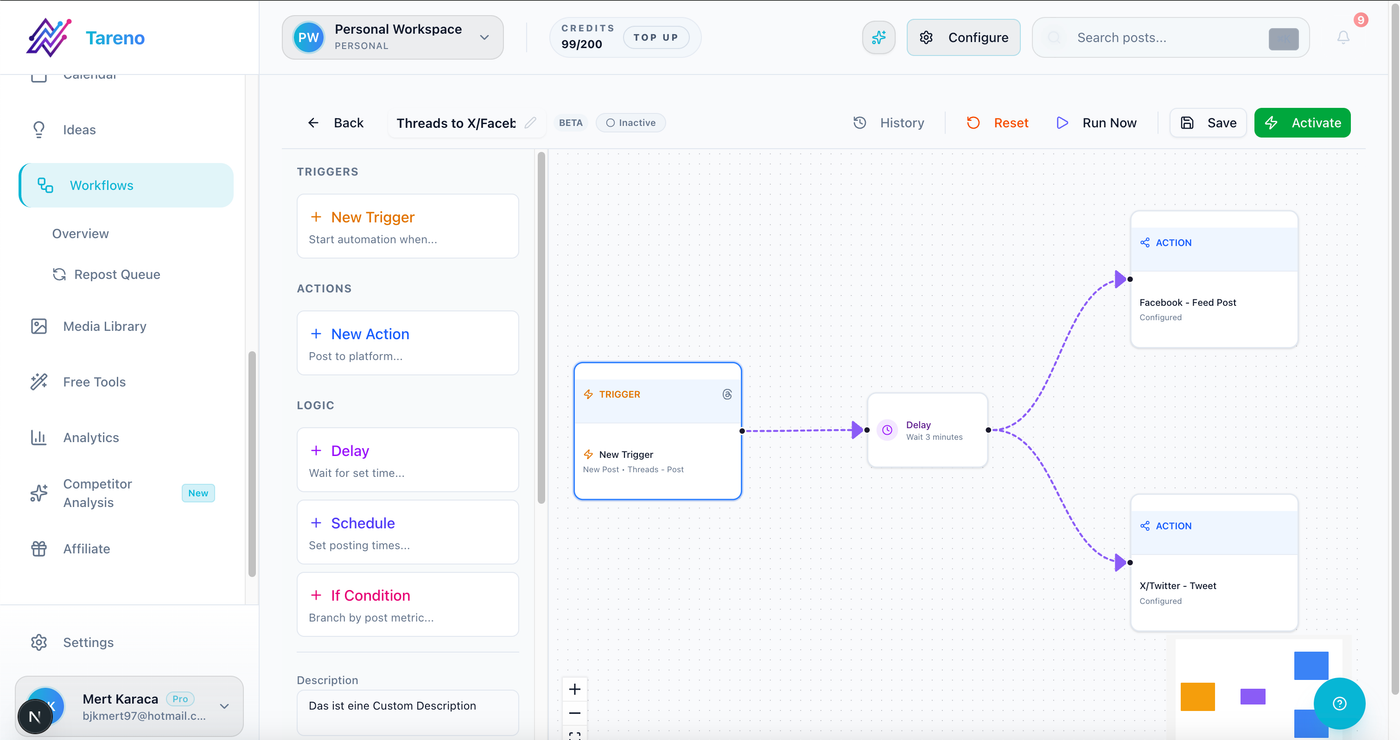
Tareno connects planning, approvals, scheduling, and workflow automation in one product view.
Tareno is a strong fit for content teams that need more than scheduling.
It helps teams manage planning, approvals, publishing, analytics, repurposing, and automation in one workflow.
Tareno is best for
Choose Tareno if your content team needs:
content boards
content calendar
approval workflows
team workspaces
roles and permissions
activity visibility
repurposing queue
workflow builder
unified analytics
competitor analysis
AI captions and hashtags
Make integration
n8n integration
API access
Where Tareno wins
Tareno wins when content teams need to connect each stage:
Idea → Draft → Review → Approval → Schedule → Publish → Analyze → Repurpose
This is the workflow content teams need when publishing volume increases.
Not ideal for
Tareno may be more than needed if the team only needs a simple scheduler and no approvals, roles, analytics workflow, or repurposing queue.
2. Buffer — best for simple scheduling
Buffer is useful for content teams that need simple publishing.

Buffer’s positioning is strongest for straightforward scheduling and simple workflows.
Buffer is best for clean queues, simple scheduling, lightweight collaboration, basic analytics, and low learning curve.
Buffer is strong when the team does not need complex workflows.
It may be less ideal if the team needs deep approvals, board stages, workflow automation, repurposing queues, or detailed activity visibility.
3. Later — best for visual planning
Later is useful for content teams that rely on visual planning.

Later is typically evaluated when visual calendar planning is a priority.
Later is best for visual calendars, Social Sets, Instagram and TikTok planning, Link in Bio, creator-style planning, and visual campaign review.
Later is strong when visual content sequencing matters.
It may be less ideal if the team needs deeper workflow automation, repurposing queues, Make/n8n workflows, and content operations visibility.
4. Planable — best for approval collaboration
Planable is useful when review and feedback are the main bottlenecks.

Planable is commonly evaluated for tight client and stakeholder review loops.
Planable is best for comments, internal notes, external review, stakeholder approval, and content collaboration.
Planable is strong when content needs structured review.
It may be less ideal if approved content needs to connect to repurposing, analytics-to-action, workflow builder automation, and Make/n8n workflows.
5. Metricool — best for analytics and competitors
Metricool is useful when reporting and competitor tracking matter.
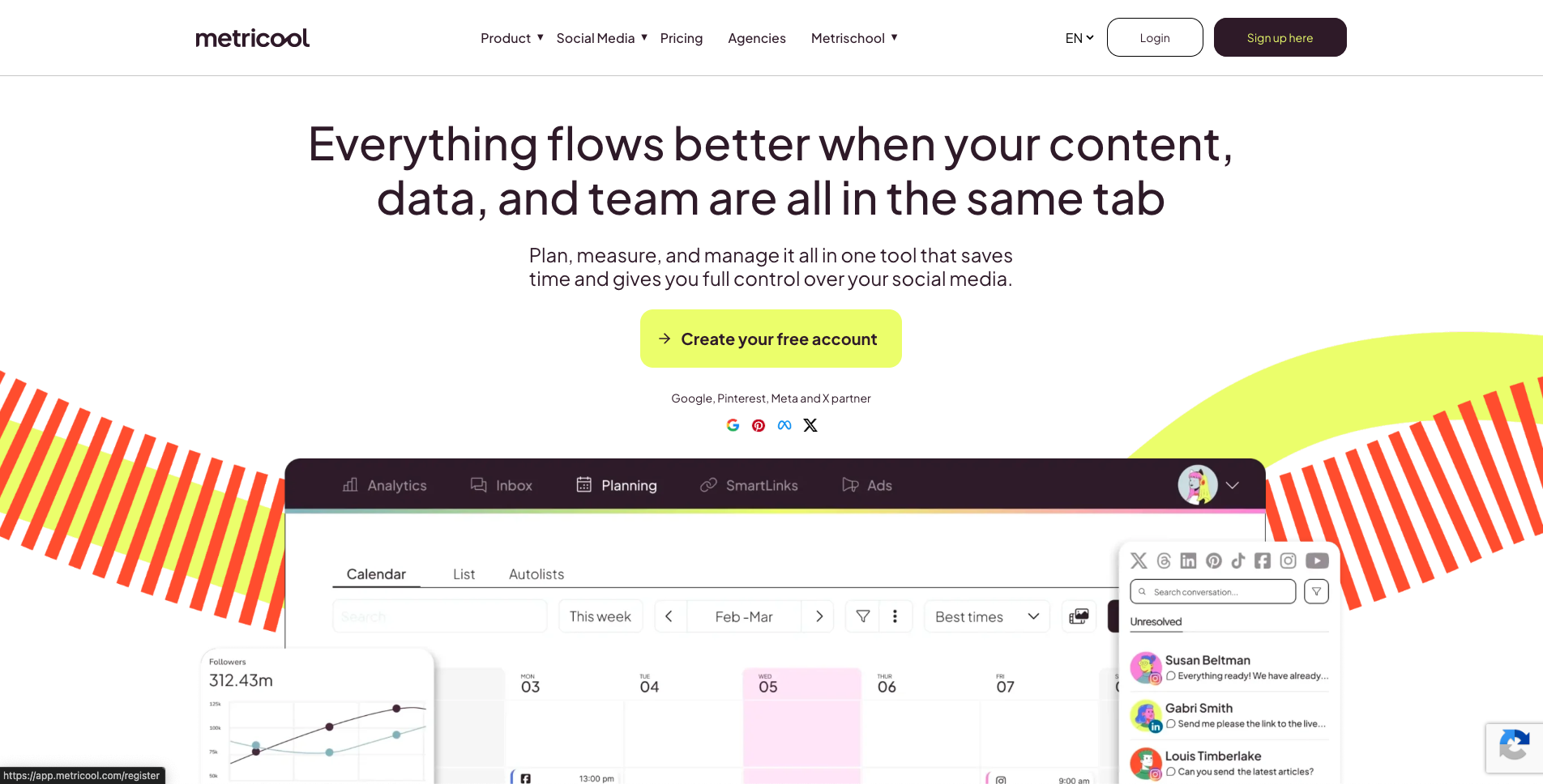
Metricool represents an analytics-first option for teams optimizing by performance data.
Metricool is best for analytics dashboards, competitor profiles, reports, brand dashboards, and performance review.
Metricool helps content teams understand what worked.
It may be less ideal if analytics need to create workflow tasks, repurposing queue items, approvals, or scheduled follow-ups.
6. SocialBee — best for evergreen content categories
SocialBee is useful when content teams rely on recurring educational content.
SocialBee is often selected for evergreen category structures and recurring posting patterns.
SocialBee is best for evergreen categories, recurring libraries, category schedules, content variations, re-queueing, and blog promotion.
SocialBee is strong for category-based content systems.
It may be less ideal if the team needs approval gates, analytics-to-action workflows, board-based operations, and Make/n8n automation.
7. Hootsuite — best for broad suite needs
Hootsuite is useful for content teams that need broad social management.

Hootsuite reflects a broad-suite model with emphasis on large-team coverage.
Hootsuite is best for publishing, inbox, AI tools, analytics, listening, reporting, and enterprise workflows.
Hootsuite is strong when the team needs many social functions in one mature platform.
It may be less ideal if the team wants a lean workflow-first system with repurposing queues and Make/n8n-connected content operations.
Content team tool comparison table
ToolBest forTeam strengthMain limitationTarenoWorkflow-first content operationsBoards, roles, approvals, analytics, repurposing, Make/n8n/APIMore than needed for simple schedulingBufferSimple schedulingClean queueLimited workflow depthLaterVisual planningVisual calendarLess workflow automationPlanableApproval collaborationComments and reviewLess post-approval automationMetricoolAnalyticsReporting and competitorsLess workflow executionSocialBeeEvergreen categoriesRecurring content librariesLess approval/analytics workflow depthHootsuiteBroad suitePublishing, inbox, analytics, listeningCan be heavyAgorapulseInbox/moderationAssignments and moderationLess content production depth
Workflow examples for content teams
Blog-to-social workflow
Blog is published.
Social versions are drafted.
Editor reviews.
Product/brand reviewer approves.
Posts are scheduled.
Performance is measured.
Winning angle becomes follow-up content.
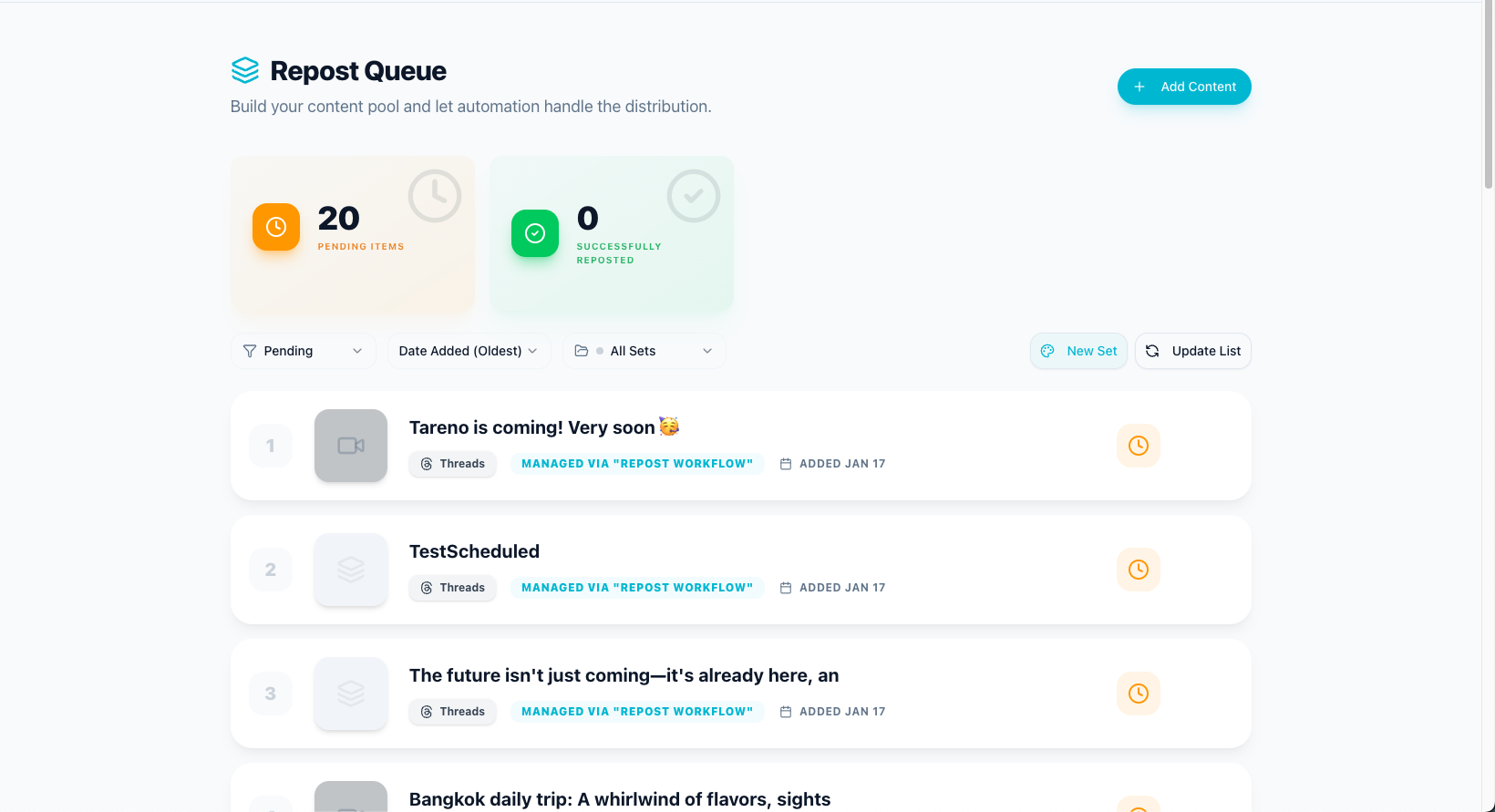
Repurposing queues help teams translate long-form content into repeatable social outputs.
Campaign workflow
Campaign brief is created.
Content ideas enter board.
Platform versions are drafted.
Stakeholders review.
Approved posts are scheduled.
Report creates next actions.
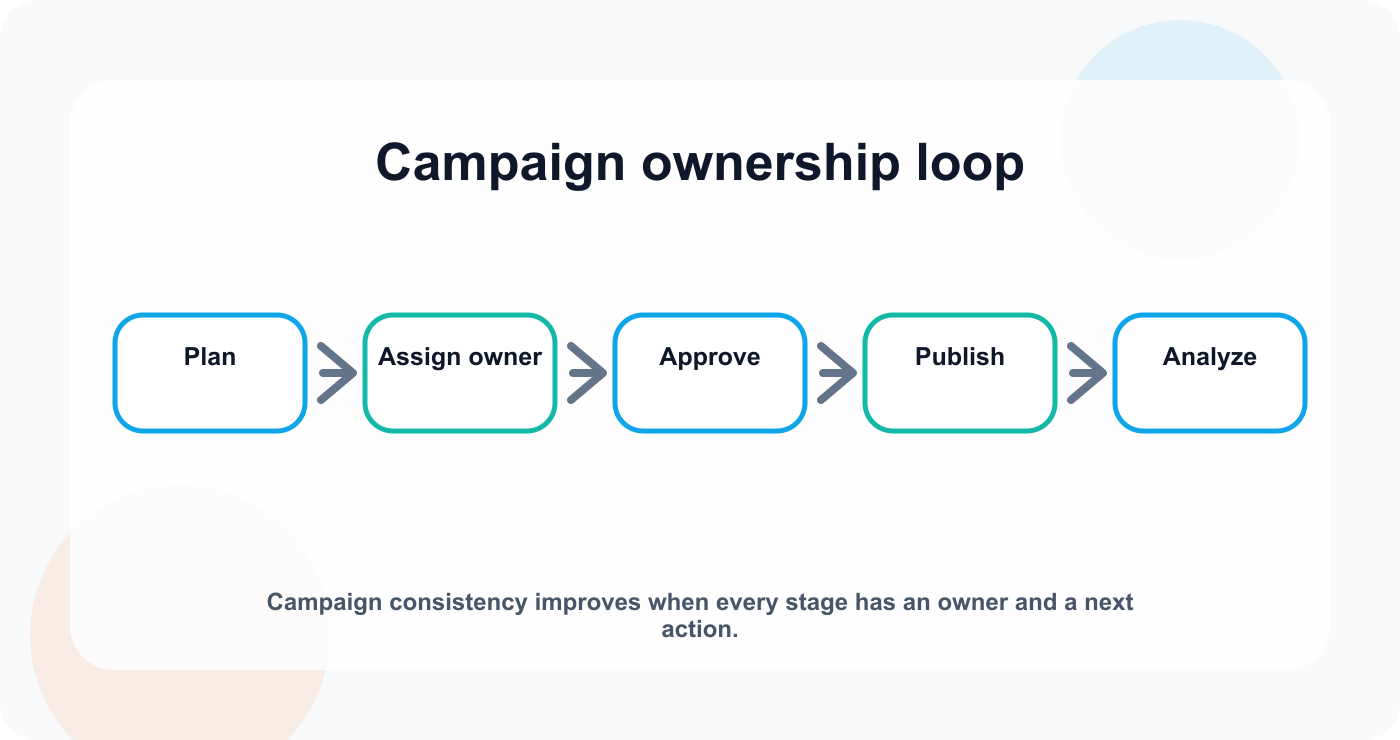
Campaign consistency improves when every stage has an owner and a next action.
Repurposing workflow
Analytics identify top post.
Post enters repurposing queue.
New platform version is drafted.
Reviewer approves.
Post is scheduled.
Second-wave performance is tracked.
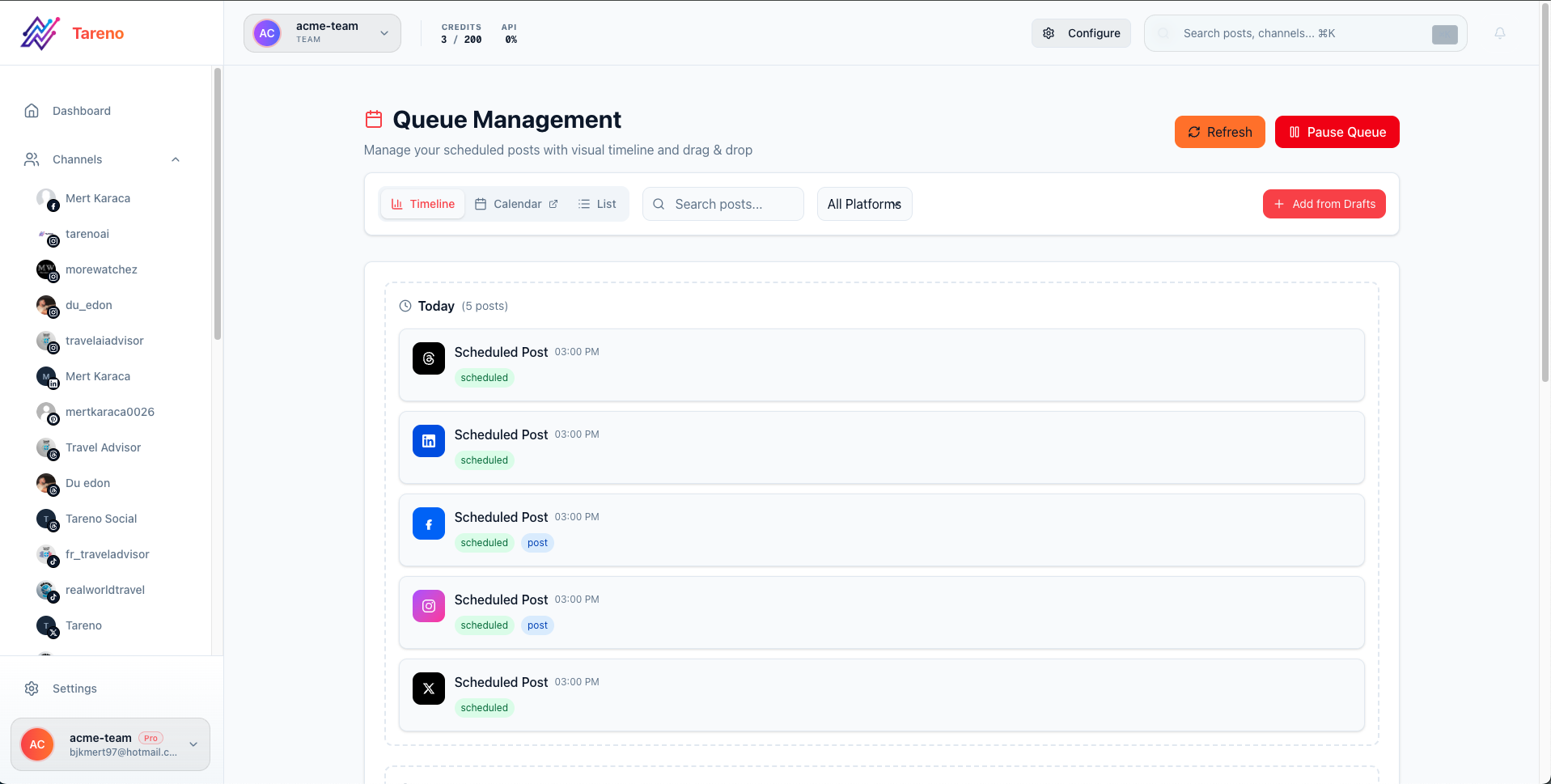
Queue visibility keeps repurposing work from being lost between campaign cycles.
What content teams should avoid
Avoid calendar-only workflows
A calendar does not show the full content lifecycle.
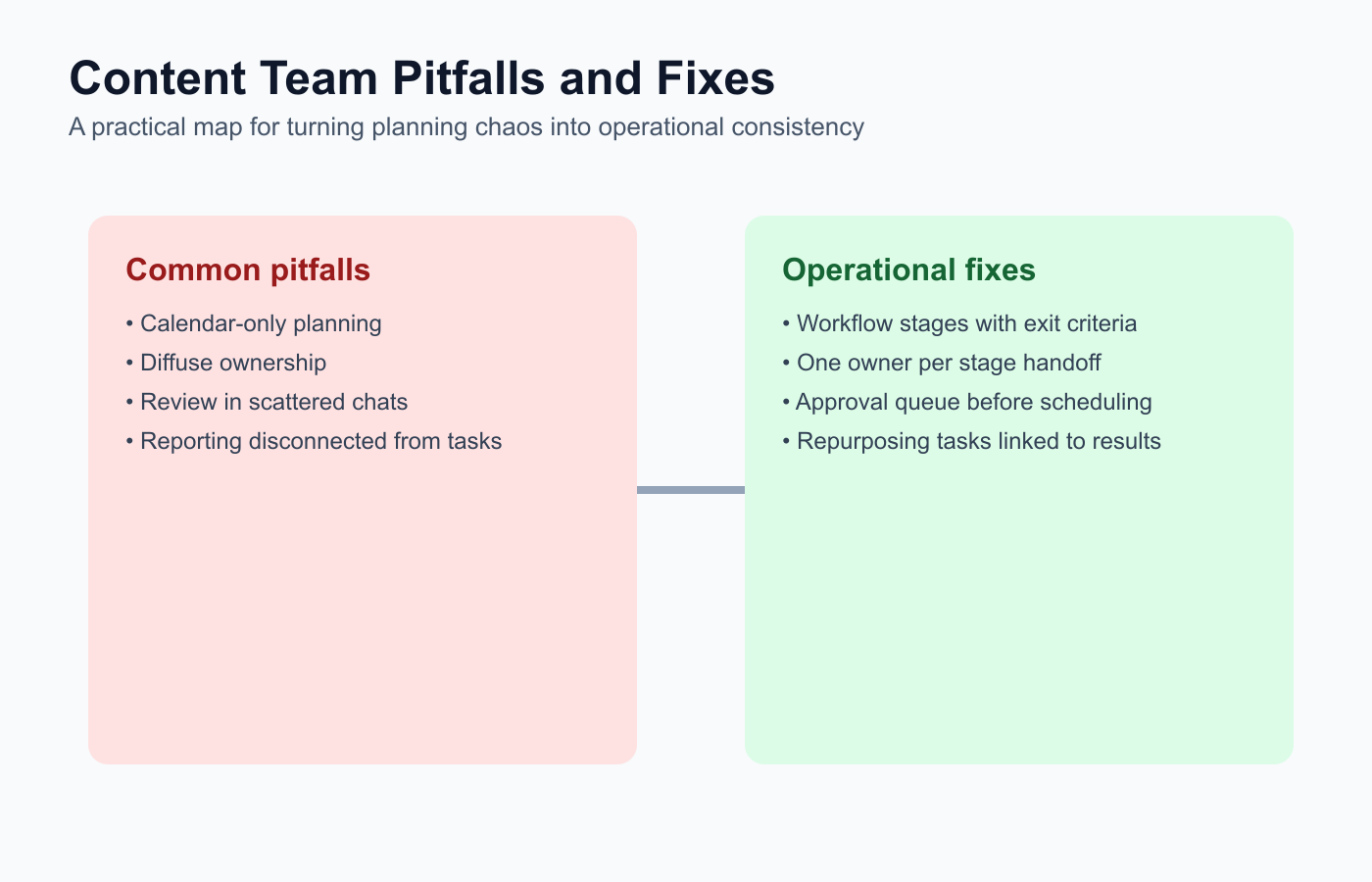
A shared pitfalls map helps teams standardize better execution habits.
Avoid unclear ownership
Every content item needs an owner.
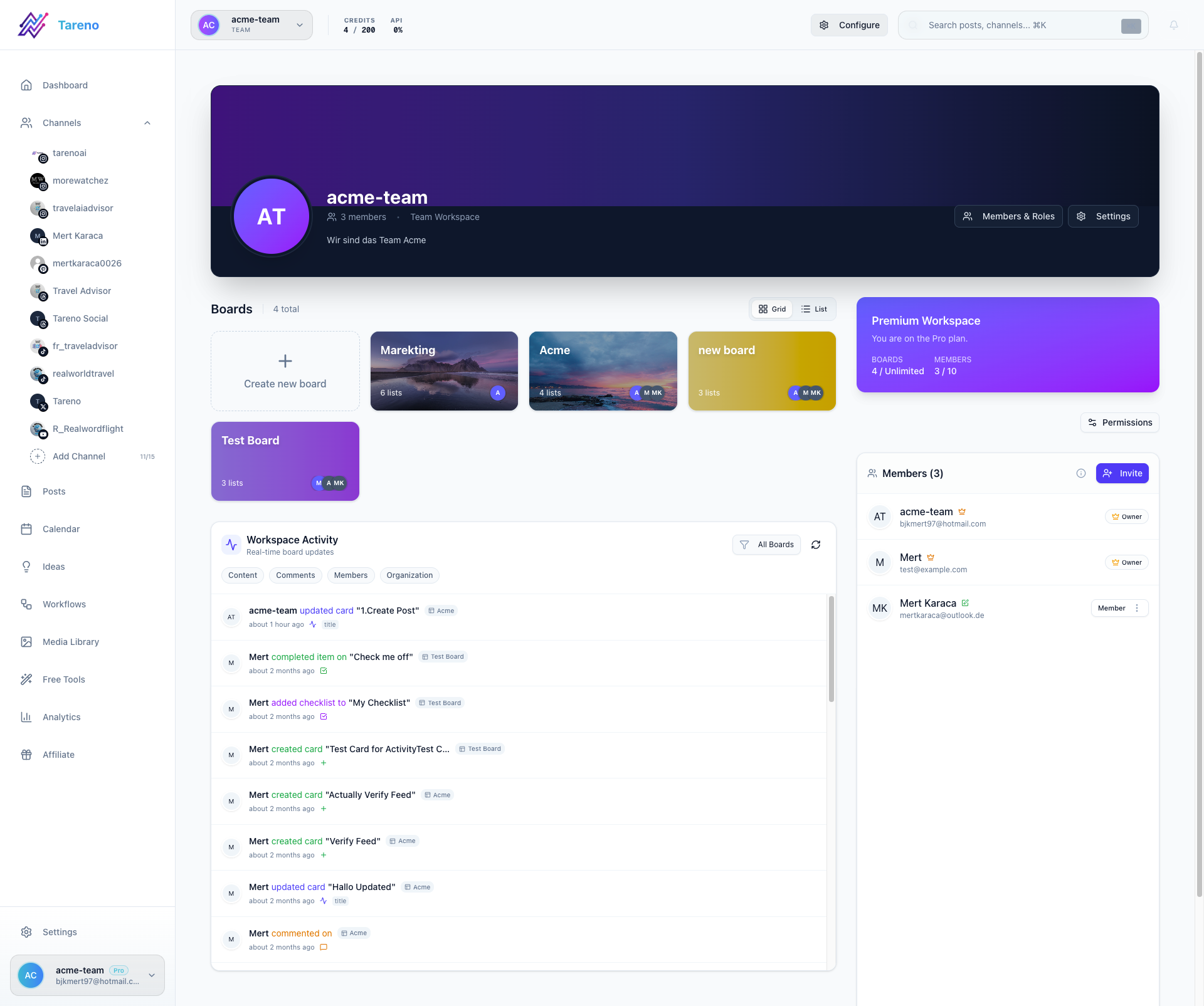
Ownership is clearer when each stage has one accountable owner.
Avoid approval in scattered chats
Feedback should stay attached to the content item.
Avoid reporting without tasks
Analytics should create decisions.
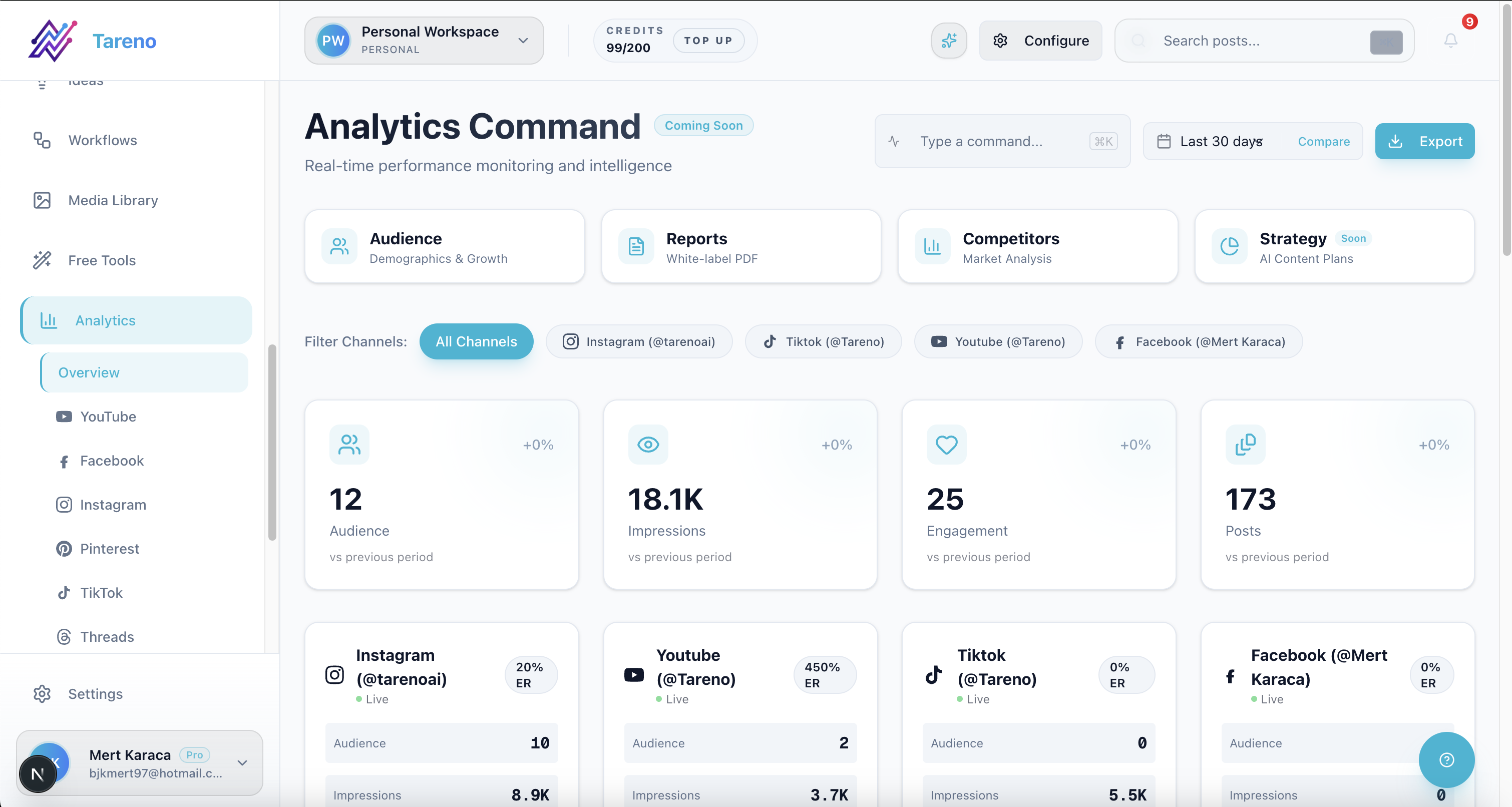
Reporting impact rises when each insight has a linked follow-up action.
Avoid repurposing without review
Old content can become outdated.
Avoid AI drafts without editing
AI should support the team, not replace judgment.
What to look for in social tools for content teams
Look for:
content boards
calendar
owner assignment
approval workflows
internal notes
platform-specific versions
analytics
repurposing queue
roles and permissions
activity visibility
AI support
Make/n8n/API integrations
reporting exports
scalable pricing
The right tool depends on whether the team needs scheduling, review, reporting, or the full workflow.
Related Tareno resources
Keep building the workflow
Product Tareno Features See the planning, scheduling, approval, and workflow features behind this guide. Explore features -> Plans Tareno Pricing Match the workflow depth in this article to the right plan and trial option. View pricing -> Compare Comparison Hub Compare Tareno with common social media management tools by workflow fit. Compare tools -> Free tools Tareno Tools Use free generators and workflow helpers before moving into the full platform. Browse tools ->
FAQ
What is the best social media tool for content teams?
It depends on the workflow. Buffer is good for simple scheduling. Planable is strong for approvals. Metricool is strong for analytics. Tareno is strong for workflow-first content teams that need boards, roles, approvals, repurposing, Make, n8n, API, and activity visibility.
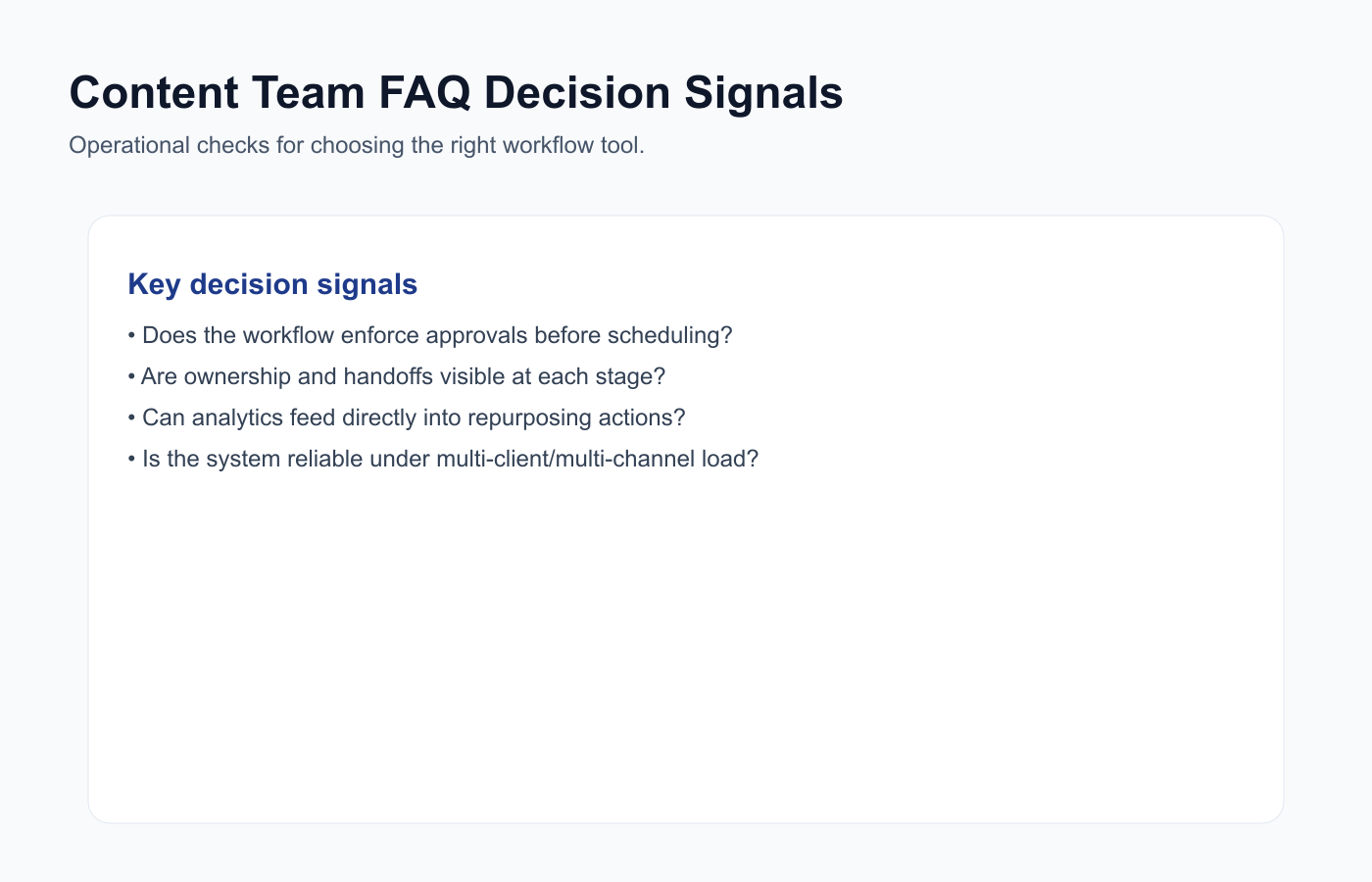
FAQ decision signals keep tool selection tied to real execution needs.
What should content teams look for in social media tools?
Content teams should look for content boards, owners, approval workflows, platform-specific versions, calendars, analytics, repurposing queues, roles, activity visibility, and automation integrations.
Do content teams need approval workflows?
Yes, especially when content includes product claims, brand review, client approval, sponsor content, pricing, or competitor references.
What is the difference between a scheduler and a content team workflow tool?
A scheduler manages publish timing. A workflow tool manages the full content lifecycle: idea, draft, review, approval, scheduling, analytics, and repurposing.
Can content teams automate social media workflows?
Yes. Teams can automate review notifications, approved-to-scheduled handoffs, reporting tasks, repurposing tasks, and Make/n8n/API workflows.
Which tool is best for content repurposing?
SocialBee is strong for evergreen categories. Tareno is stronger when repurposing needs approvals, analytics, scheduling, workflow automation, roles, and activity visibility.
Final thoughts
Content teams need systems that match how content actually moves.
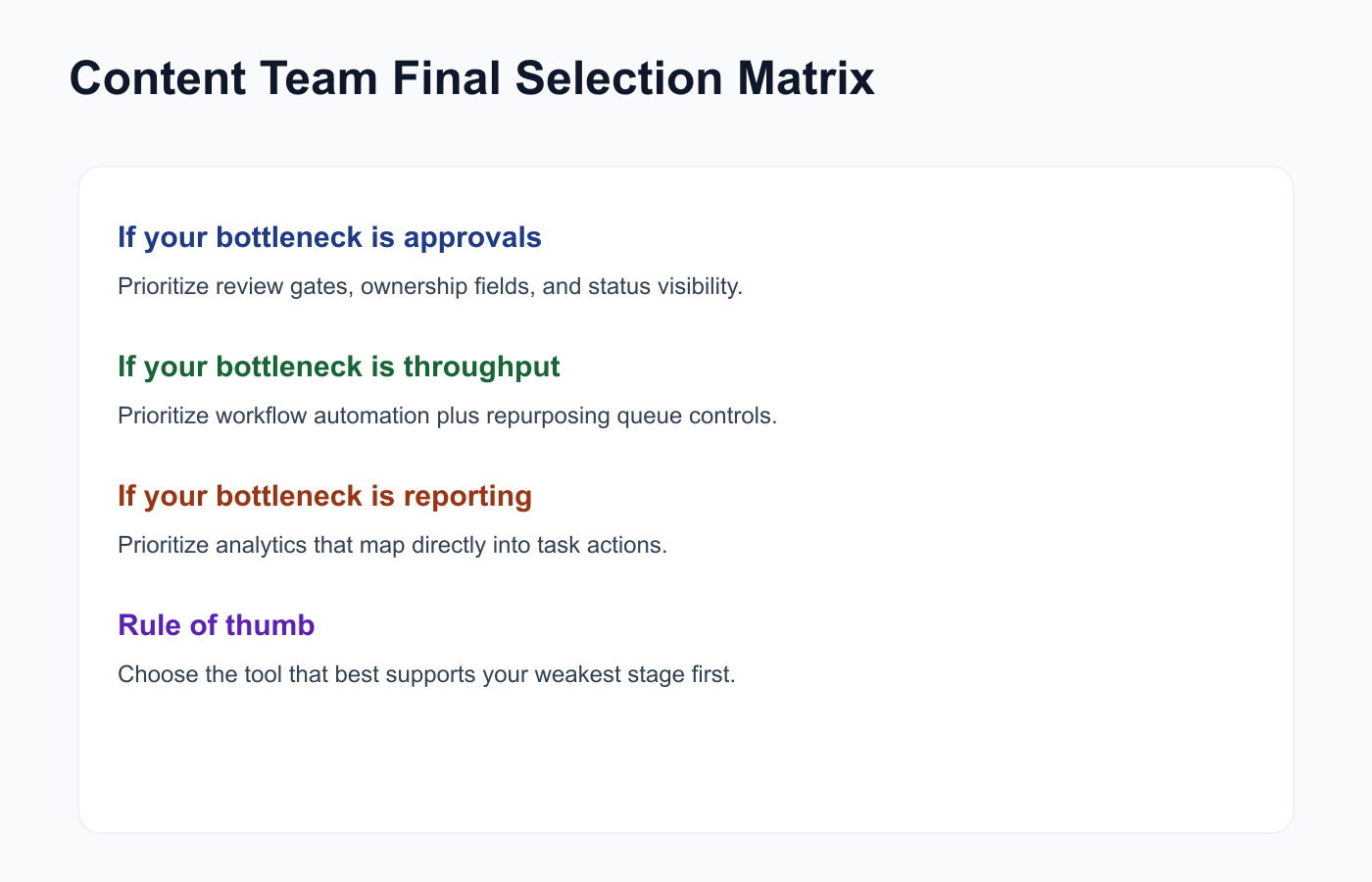
Choose the tool that addresses the weakest stage in your operating model.
The best tool is not always the tool with the most features.
It is the tool that makes ownership, review, publishing, analytics, and repurposing easier to manage.
If your team only needs to schedule posts, keep the setup simple.
If your team needs a full content operations workflow, choose a system that connects boards, roles, approvals, analytics, repurposing, Make, n8n, API, and activity visibility.
Primary CTA: Explore Tareno features to see how content boards, approvals, roles, analytics, repurposing queues, workflow builder, Make, n8n, API, and activity visibility work together.
Secondary CTA: Compare Tareno with Buffer, Later, Planable, Metricool, SocialBee, and Hootsuite on the compare hub.